Managing multiple inboxes like support@, billing@, and sales@ can quickly become overwhelming without the right tools. Helpdesks simplify this process by turning emails into tickets, automating workflows, and providing detailed reporting. Here’s a quick breakdown of the top platforms:
- Supportbench: Best for teams needing advanced ticket routing, role-based access, and detailed performance metrics.
- Zendesk: Ideal for managing unlimited inboxes with strong automation and multi-brand support.
- Help Scout: Great for small-to-medium teams with flexible inbox management and simple workflows.
- Front: Perfect for teams prioritizing collaboration within a unified email-like interface.
- Crisp: Works well for smaller setups combining multiple channels but lacks robust multi-mailbox features.
- Hiver: Best for Google Workspace users who want helpdesk features directly in Gmail.
Quick Comparison
| Platform | Best For | Key Features | Pricing Notes |
|---|---|---|---|
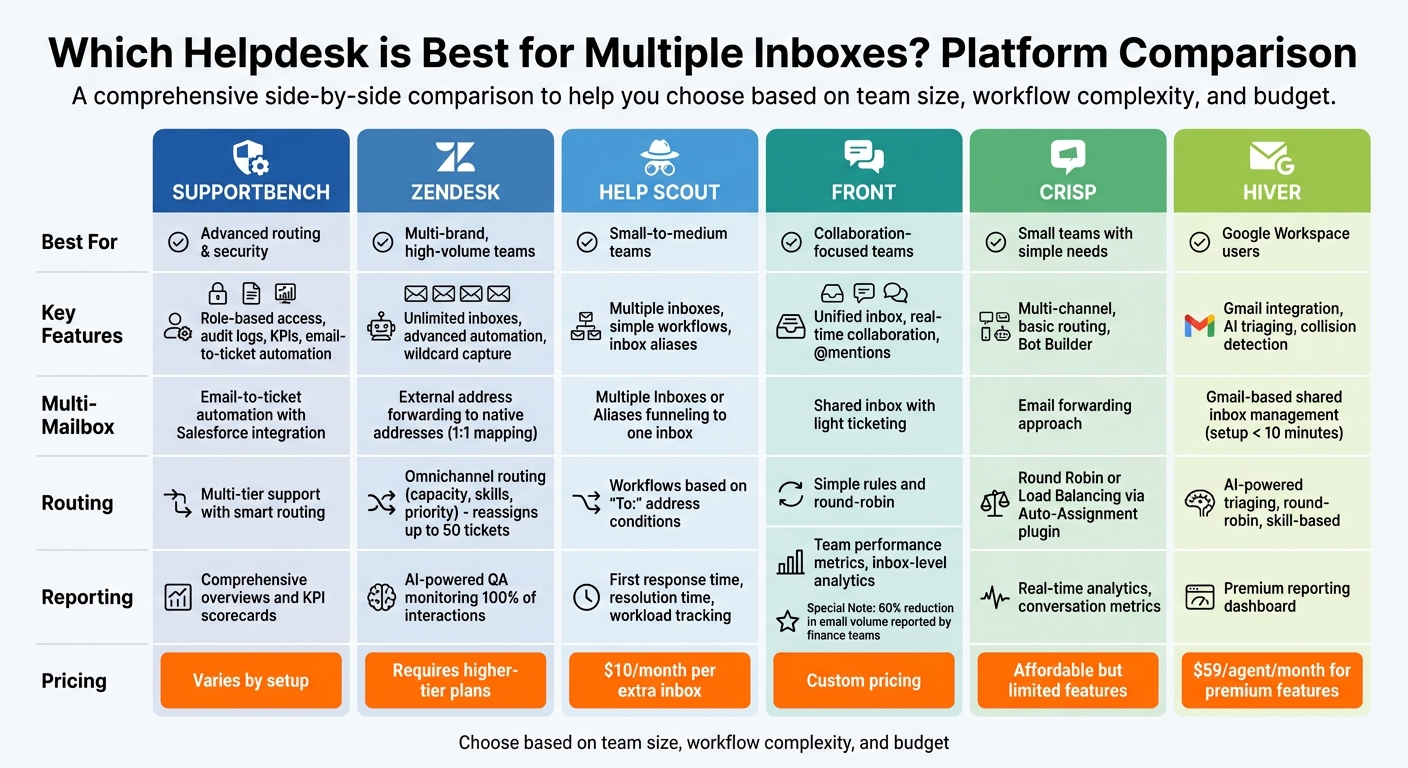
| Supportbench | Advanced routing & security | Role-based access, audit logs, KPIs | Pricing varies by setup |
| Zendesk | Multi-brand, high-volume teams | Unlimited inboxes, advanced automation | Requires higher-tier plans |
| Help Scout | Small-to-medium teams | Multiple inboxes, simple workflows | $10/month per extra inbox |
| Front | Collaboration-focused teams | Unified inbox, real-time collaboration | Custom pricing |
| Crisp | Small teams with simple needs | Multi-channel, basic routing | Affordable but limited features |
| Hiver | Google Workspace users | Gmail integration, AI triaging | $59/agent/month (premium features) |
Each platform caters to different needs, so choose based on your team’s size, workflow complexity, and budget.
Helpdesk Platform Comparison for Managing Multiple Inboxes
1. Supportbench
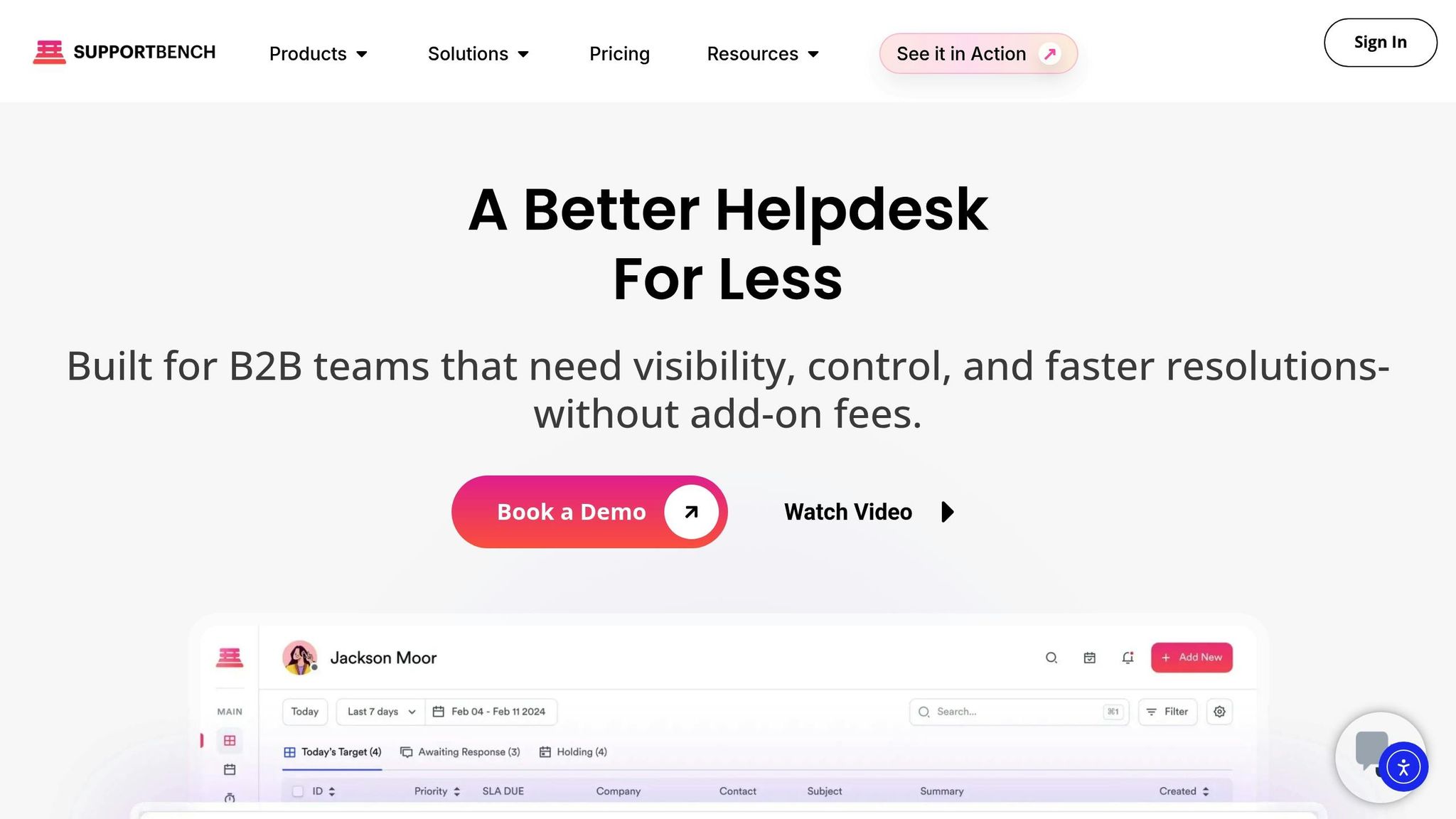
Supportbench streamlines the process of converting emails into tickets for addresses like support@, billing@, and returns@, ensuring every inquiry is properly assigned and no response slips through the cracks. Each mailbox can be configured independently, allowing messages for different departments or brands to be captured securely without relying on shared inbox credentials. This efficient ticket creation lays the groundwork for better routing and workload management.
Routing and Automation
Supportbench combines automated routing with manual assignment to distribute tickets effectively. It also enforces capacity limits to balance workloads and prevent agents from being overwhelmed. This ensures that high-volume inboxes are managed efficiently, while lower-priority mailboxes still receive the attention they need. Additionally, the platform includes robust access controls to enhance security and organization.
Permissions and Audit Trail
With role-based access control (RBAC), Supportbench limits which agents can view or respond to specific inboxes, making it especially useful for sensitive areas like HR, legal, or executive communications. Administrators assign permissions based on roles, ensuring agents only access the mailboxes relevant to their responsibilities. This not only secures the routing process but also supports compliance. To further strengthen accountability, the system keeps detailed audit logs, tracking who accessed what and when – an essential feature for industries with strict regulatory requirements.
Reporting by Inbox
Supportbench offers customizable dashboards that provide insights into key metrics like email volume, response times, and resolution rates for each mailbox. This allows teams to monitor performance by department or brand, identify bottlenecks, and spot patterns that could inform decision-making. With this level of detail, support leaders can allocate resources more effectively and back staffing decisions with solid data.
2. Zendesk
Zendesk, like Supportbench, offers a seamless way to convert emails into support tickets. What sets Zendesk apart is its unlimited address support and wildcard capture features. It handles both native and external email addresses efficiently: native emails are processed instantly, while external ones are converted into tickets through server-level forwarding. This dual capability simplifies support workflows and ensures no customer query is overlooked. Additionally, each email address can be configured as a "support address" to automatically process incoming messages. The wildcard email feature is particularly handy – it captures emails sent to misspelled variations of your support addresses, ensuring typos don’t result in missed inquiries. These features pave the way for Zendesk’s sophisticated automation tools, which we’ll dive into next.
Routing and Automation
Zendesk takes ticket distribution to the next level with its advanced routing and automation capabilities. Its routing engine centralizes ticket management across email, messaging, and voice channels. For example, triggers can identify which email address received a ticket (using the "Received at" condition) and then automatically tag it, assign it to the right group, or prioritize it. For teams using Professional plans or higher, custom queues can handle ticket overflow by routing first to primary groups and then to secondary ones as needed. Zendesk also supports distribution methods like round robin (sequential assignment) and spare capacity (workload-based assignment) to keep things running smoothly.
Permissions and Audit Trail
Zendesk’s access controls ensure that agents only handle tickets relevant to their assigned brands. This is especially useful for companies managing multiple inboxes tied to different customer-facing identities. Administrators can create custom roles and permissions to define exactly what each team member can access. To maintain transparency, the ticket event history logs routing actions and agent assignments, though it only records the first 20 "offered to" events per ticket.
Reporting by Inbox
With Zendesk Explore, teams gain access to detailed datasets for analyzing performance across inboxes and custom queues. Metrics like email volume, response times, and resolution rates can be tracked for each support address. This level of insight helps managers identify bottlenecks and allocate resources more effectively. By pinpointing which inboxes need attention, support teams can ensure smoother operations.
Multi-Brand Capabilities
Zendesk makes it easy to manage multiple brands by mapping each support address to a specific brand. This allows for tailored templates, signatures, and reporting for different brands – ideal for businesses with diverse product lines or regional operations. However, advanced queue management for multi-brand setups requires a Professional or Enterprise plan. Up next, we’ll explore other platforms to help you find the best solution for managing your multi-inbox needs.
3. Help Scout
Help Scout simplifies email management by combining multiple email addresses – like support@ and billing@ – into a single, user-friendly dashboard. This eliminates the hassle of toggling between separate Gmail or Outlook accounts. The platform offers three main configurations: Multiple Inboxes for managing distinct brands, Teams for organizing by function, and Inbox Aliases for funneling all addresses into one shared view. Each setup provides varying levels of privacy, branding, and collaboration, so selecting the right option from the start is key to meeting your team’s needs.
Multi-Mailbox Support
For teams handling multiple addresses – such as info@ and help@ – Inbox Aliases streamline workflows while maintaining consistent branding. Agents can reply from the main inbox address or a verified alias, ensuring customers see responses from the email they originally contacted. On the other hand, Multiple Inboxes are ideal for teams managing several brands, as they create independent environments with unique signatures, saved replies, workflows, and custom fields. However, adding extra inboxes costs $10 USD per month each. This setup helps avoid common problems like duplicate replies and lost context.
Routing and Automation
Help Scout enhances efficiency with automated workflows, available on the Standard, Plus, and Pro plans. These workflows use the "To:" condition to identify the email address a conversation was sent to and can automatically assign tickets, apply tags, or move conversations between inboxes. For additional organization, the Teams feature (included in Plus and Pro plans) allows conversations to be sorted by function – like Accounting or Returns – or by priority. This moves tickets from a general queue into specific team folders. Agents can also use the @assign command to quickly delegate tasks.
Permissions and Audit Trail
To maintain privacy, Help Scout offers flexible access controls. Permissions can be set on a per-inbox basis, ensuring sensitive information stays secure. Multiple Inboxes provide strict separation between departments or brands, while Inbox Aliases allow full team visibility for collaborative workflows.
Reporting by Inbox
Help Scout’s reporting tools consolidate performance metrics across all inboxes, offering a clear view of response times and resolution rates from a single dashboard. Both Inbox Aliases and workflows support targeted reporting for specific email addresses, while Multiple Inboxes provide separate reporting environments for each brand. For teams using the Teams feature on Plus and Pro plans, performance tracking can also be organized by functional groups within a shared inbox, making it easier to measure efficiency and identify areas for improvement.
4. Front
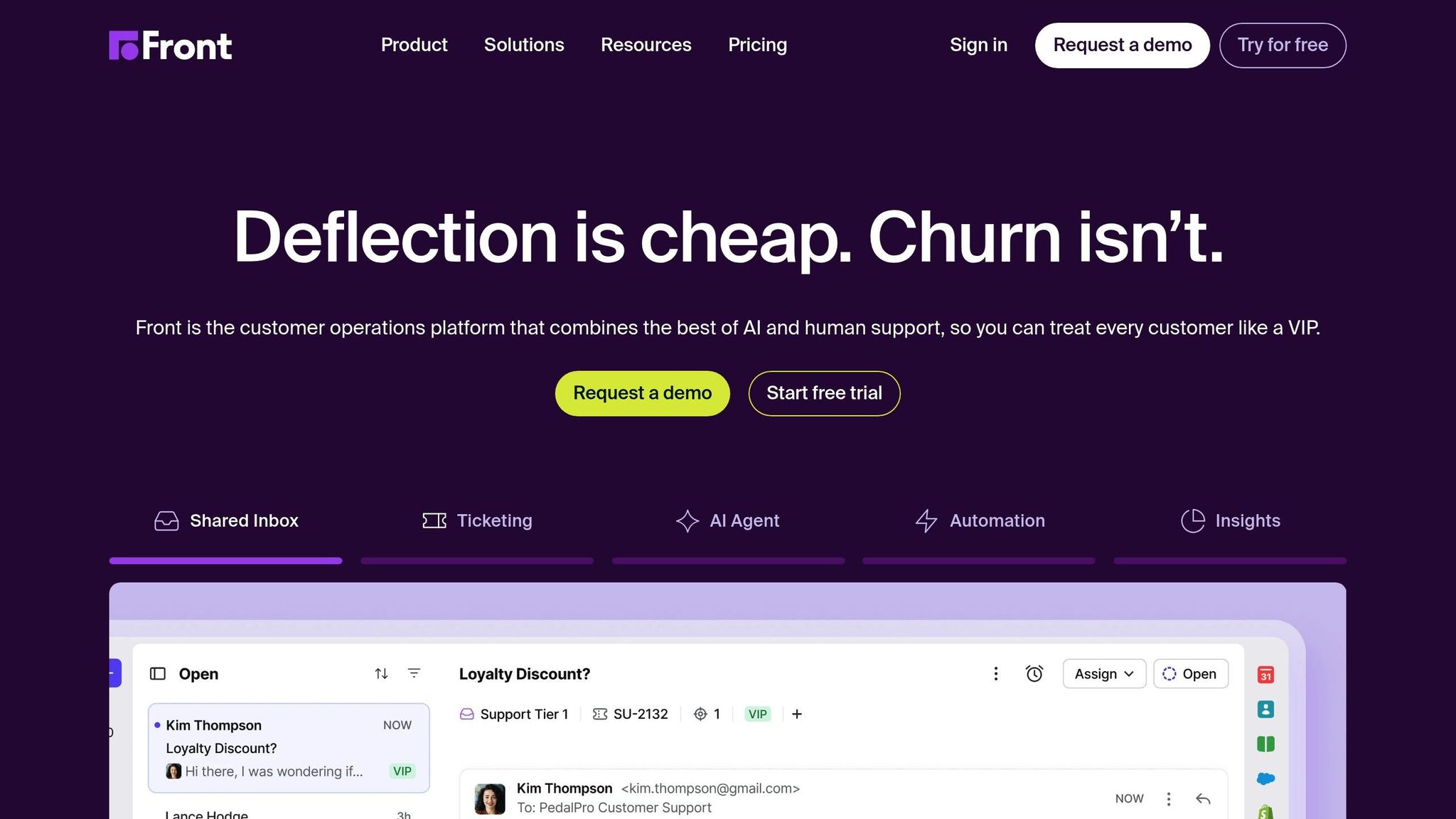
Front is designed as a shared inbox platform, focusing on collaboration rather than functioning as a traditional ticketing system. What sets Front apart is its ability to merge shared inboxes (like support@, billing@, and info@) with individual work emails (name@company.com) into a single, seamless interface. This eliminates the need to switch between apps while preserving the familiar email experience. Supporting over 9,000 businesses, Front goes beyond email by integrating SMS, WhatsApp, Live Chat, Facebook, Instagram, and Slack, all within one workspace. Its standout feature is its robust multi-mailbox management capabilities.
Multi-Mailbox Support
Front connects seamlessly with Gmail and Office 365, enabling teams to manage both shared and private mailboxes from a unified dashboard. A key feature is its real-time collaboration tools. For example, team members can use @mentions to loop in colleagues directly within an email thread, keeping the entire conversation history intact. This eliminates the need to forward emails or risk losing context. One finance team reported a 60% reduction in email volume, allowing them to focus on higher-value tasks instead of juggling inboxes manually.
Routing and Automation
Front’s unified interface also includes powerful automation tools. Its no-code rules engine simplifies tasks like routing messages, assigning conversations, and tracking SLAs, all without requiring technical know-how. The platform’s AI-driven "Topics" feature categorizes incoming messages for better routing and reporting, significantly cutting response times. Additionally, Front includes collision detection, which prevents duplicate responses by showing in real-time who is viewing or drafting a reply.
Permissions and Audit Trail
Front ensures clarity and accountability with its assignment system, which designates ownership of each message. It also supports compliance reporting with granular detail. By separating private and shared inboxes, teams maintain necessary boundaries, while the "Topics" feature helps generate reports related to compliance and keeps workflows aligned.
Reporting by Inbox
Front offers real-time analytics that track workload, reply times, and customer satisfaction across all inboxes. This data is broken down by inbox, team, or message category, helping organizations quickly identify delays and improve efficiency. For businesses managing multiple brands or departments, this detailed reporting provides the insights needed to streamline operations and make informed decisions.
sbb-itb-e60d259
5. Crisp
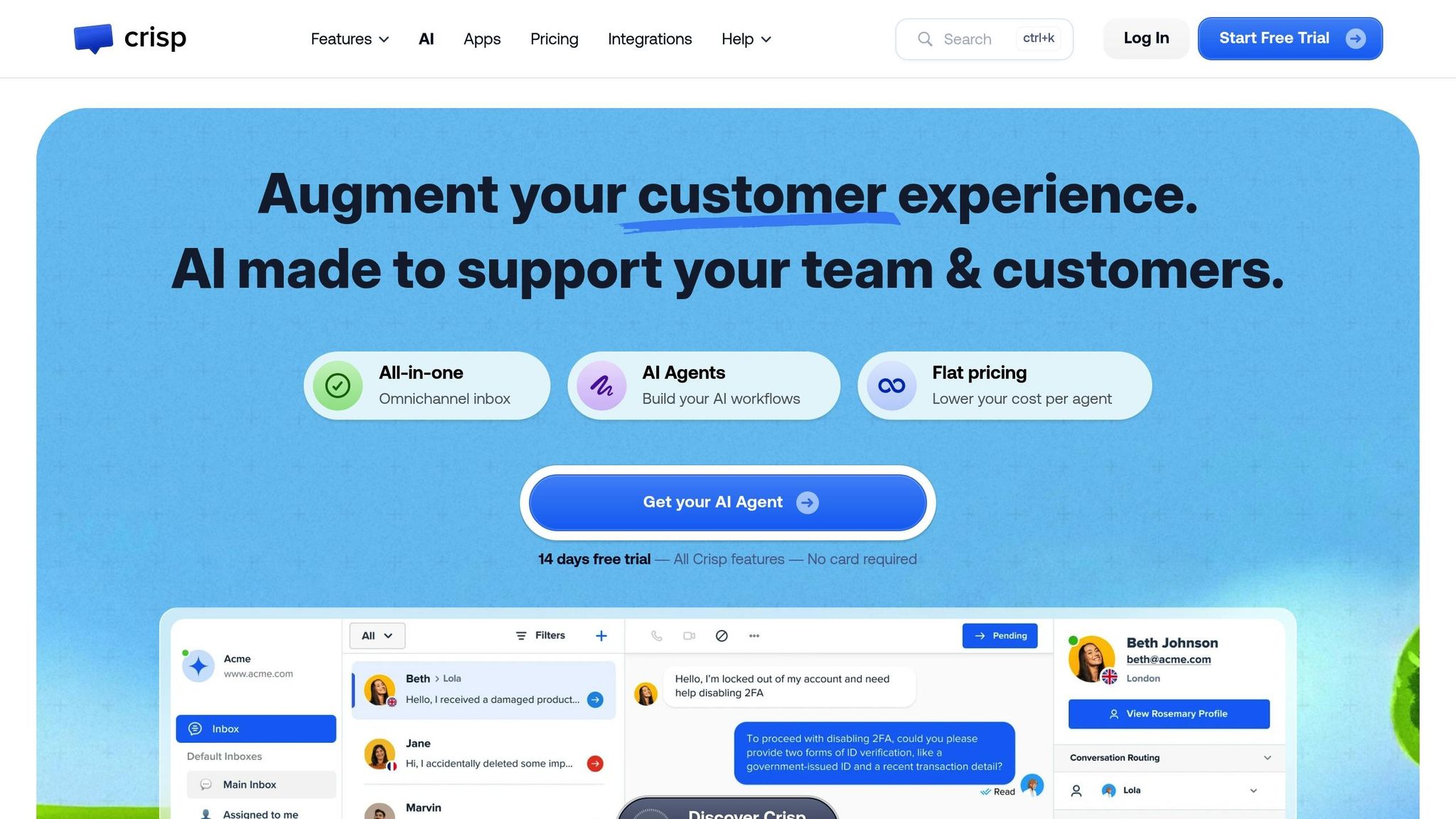
When it comes to helpdesk tools, Crisp takes a slightly different path compared to the more traditional options out there.
Crisp brings together multiple communication channels – like email, WhatsApp, Messenger, and Instagram – into one centralized dashboard. It uses email forwarding to combine multiple inboxes, which works well for simpler setups. However, it doesn’t have a built-in multi-mailbox system, which could be a drawback for more complex needs.
Routing and Automation
Crisp’s Bot Builder makes automation accessible, even for non-tech-savvy teams. You can set up workflows for tasks like qualifying leads, answering FAQs, and basic message routing – all without writing a single line of code. The platform also offers an Auto-Assignment plugin to distribute messages. You can choose between "Round Robin" (assigning messages in a sequence) or "Load Balancing" (distributing messages based on agent workload). That said, its routing options might feel a bit limited for teams managing highly intricate setups, such as multi-brand or multi-department environments.
Multi-Brand Capabilities
Crisp uses email forwarding for managing multiple brands, but this approach has its limitations. For instance, setting up distinct "From" addresses for each brand can require extra configuration. While this setup may work well for smaller teams with straightforward workflows, organizations with more complex branding or compliance needs might find it less effective. For teams looking for a streamlined and simple way to handle multiple inboxes without diving into complicated multi-brand management, Crisp could be a practical choice.
6. Hiver
Hiver brings helpdesk functionality right into Gmail. Instead of requiring your team to adapt to a whole new platform, it works as a side panel within Gmail, allowing agents to manage shared inboxes like support@, billing@, and sales@ without leaving their familiar workspace. This seamless integration is especially convenient for teams already using Google Workspace.
Multi-Mailbox Support
Hiver simplifies managing multiple shared inboxes by centralizing email, live chat, phone calls, WhatsApp, and internal emails into a single dashboard. The setup is quick – taking less than 10 minutes – which makes it easy to get started. However, since Hiver operates as a Gmail extension rather than a standalone tool, it’s best suited for organizations already committed to Google Workspace.
Routing and Automation
Hiver’s centralized dashboard comes with powerful automation tools. Its auto-assignment feature uses round-robin, skill-based, or custom rule workflows to distribute incoming emails. AI-powered triaging categorizes inquiries – like billing, technical support, or sales – and sends them to the right person. The platform also includes collision detection with real-time alerts to prevent duplicate responses.
Permissions and Audit Trail
Hiver offers role-based permissions and audit logs, making it easy to track who is handling what across shared inboxes. This feature is essential for maintaining accountability and ensuring smooth operations. Teams can also set Service Level Agreements (SLAs) to ensure consistent response times, with alerts for any potential breaches.
Reporting by Inbox
For teams that need detailed insights, Hiver provides built-in analytics to monitor metrics like first response time, resolution time, and workload distribution by agent or tag. However, the full reporting dashboard is only available on the premium plan, which costs $59 per agent per month. For teams managing multiple inboxes and requiring detailed performance data, this pricing might be a key factor to consider.
Feature Comparison
Expanding on the multi-inbox configurations discussed earlier, this section breaks down the strengths of various helpdesk platforms. Each platform offers unique capabilities in terms of the number of inboxes, permissions, routing options, and reporting features. Here’s a closer look at how they compare.
Zendesk uses a straightforward 1:1 mapping system, where each external support address corresponds to a native Zendesk address. This setup simplifies routing for businesses managing multiple departments or brands, though it may require more setup effort. Help Scout, on the other hand, provides flexibility with three options: Multiple Inboxes for independent groups, Teams for organizing within one inbox, and Inbox Aliases for consolidating multiple addresses into a single inbox. However, adding more inboxes comes with additional costs.
Freshdesk takes a different approach, automatically selecting the "From" address for replies based on the original "To" address. It also offers unlimited support email addresses starting from its Growth plan. Meanwhile, Supportbench stands out for its email-to-ticket automation, designed for multi-tier support structures, and integrates deeply with Salesforce.
When it comes to routing, Zendesk offers advanced Omnichannel Routing, which can reassign up to 50 recently updated email and messaging tickets based on agent capacity, status, and skills. Help Scout uses automated "Workflows" to assign tickets by analyzing the "To:" address. Simpler routing needs? Front and Hiver focus on shared inboxes with basic ticketing features, while Crisp caters to smaller teams with straightforward routing.
For permissions and audit trails, Zendesk and Supportbench deliver robust controls, making them a good fit for sensitive inboxes like security@ or privacy@. Hiver offers role-based permissions and audit logs directly within Gmail, along with premium reporting priced at $59 per agent per month. Help Scout adds flexibility with unique signatures for each inbox and the option to reply from either the main address or an alias.
Reporting capabilities show the biggest differences among platforms. Zendesk uses AI-powered Quality Assurance to analyze every customer interaction, providing insights into performance, interaction quality, and customer sentiment. Both Help Scout and Freshdesk track inbox-level metrics like first response time and resolution time. Supportbench goes further with detailed overviews and KPI scorecards, which are particularly useful for teams managing numerous inboxes and complex SLA requirements.
Here’s a quick side-by-side comparison of the key features:
| Helpdesk | Multi-Mailbox Ingestion | Outbound ‘From’ Logic | Routing Mechanism | Multi-Brand Support | Reporting Depth |
|---|---|---|---|---|---|
| Supportbench | Email-to-ticket automation | Integrated with Salesforce for deep data sync | Multi-tier support with smart routing | Optimized for multi-tier environments | Comprehensive overviews and KPI scorecards |
| Zendesk | External address forwarding to native Zendesk addresses | Uses verified addresses with a 1:1 mapping | Omnichannel routing (capacity, skills, priority) | Supports multiple brands with specific address mapping | AI-powered QA monitoring 100% of interactions |
| Help Scout | Multiple Inboxes or Aliases funneling to one inbox | Can reply from main address or alias; unique signatures per inbox | Workflows based on "To:" address conditions | Separate inboxes for different brands | First response time, resolution time, workload by agent or tag |
| Front | Shared inbox with light ticketing | Reply from any connected inbox | Simple rules and round-robin | Separate inboxes per brand | Team performance metrics, inbox-level analytics |
| Crisp | Multiple channels including email | Unified inbox approach | Simple assignment rules | Basic multi-brand | Real-time analytics, conversation metrics |
| Hiver | Gmail-based shared inbox management | Replies from original Gmail address | AI-powered triaging, round-robin, skill-based | Separate shared inboxes per brand | Premium reporting at $59/agent/month |
This breakdown makes it easier to identify which platform aligns best with your team’s needs, whether you’re managing a single inbox or handling numerous brands with complex routing and reporting requirements.
Conclusion
Selecting the right helpdesk for managing multiple inboxes comes down to a few key factors: the size of your team, the complexity of your inbox setup, and the level of automation you require. For smaller teams handling just a handful of email addresses – like info@, help@, and sales@ – simplicity is key. Tools like Help Scout offer features such as aliases, which consolidate multiple addresses into a single inbox, making it easier to stay organized.
For larger teams or more intricate operations, advanced features like routing and reporting become critical. If you’re managing 10 to 30 inboxes across various departments, brands, or regions, platforms like Supportbench and Zendesk shine. They provide detailed reporting by inbox, which is invaluable for tracking SLAs across different customer groups or brands.
When handling sensitive inboxes – such as security@ or privacy@ – look for platforms with robust audit trails and role-based permissions to ensure data security. On the other hand, if you’re a small team still relying on Gmail, Hiver integrates shared inbox management directly into your existing setup. However, premium features like advanced reporting come at a price, starting at $59 per agent per month.
Another consideration is whether your team benefits more from automated (push) or manual (pull) routing models. High-volume teams often prefer automated push systems that assign tickets based on urgency, while smaller teams might find pull models more practical, allowing agents to select tasks from shared views. To ensure a smooth transition, start by mapping your workflows, test the system with one or two inboxes, and scale up once you’re confident that threading, permissions, and reporting meet your needs.
FAQs
What should I look for in a helpdesk to manage multiple inboxes effectively?
When choosing a helpdesk to manage multiple inboxes, it’s crucial to prioritize features that keep operations running smoothly and avoid unnecessary complications. A reliable system should handle multiple mailboxes with ease, ensuring emails are properly received, replies display accurate "From" addresses, and conversation threads stay intact for clear context.
Key features to look for include flexible routing rules that can assign tickets based on inbox, keywords, customer details, or even language. This helps distribute emails efficiently across teams, brands, or regions. For sensitive inboxes like security@ or privacy@, strong permissions and access controls are a must to protect data and maintain clear audit trails.
Automation tools such as SLAs, templates, and macros are also valuable for maintaining consistency and speeding up workflows. On top of that, robust reporting capabilities are essential to monitor performance by inbox, brand, or team and to pinpoint areas for improvement.
Ease of setup and email deliverability safeguards, like compliance with SPF, DKIM, and DMARC, are equally important to ensure emails are sent and received without issues. Whether you’re managing a few inboxes with straightforward workflows or handling a complex, multi-brand setup with advanced automation and security needs, the right helpdesk system can make all the difference.
How do role-based permissions improve security in helpdesk systems?
Role-based permissions enhance security within helpdesk systems by restricting agents’ access to only the data and functions they need to perform their specific tasks. This reduces the chances of unauthorized access to sensitive customer details or critical ticket actions. For instance, permissions can be set to control who can view or respond to tickets from high-priority inboxes like security@ or privacy@.
These permissions also play a key role in maintaining accountability by limiting actions such as deleting or reassigning tickets. This ensures a clear audit trail, which is crucial for compliance and operational transparency. Beyond safeguarding sensitive information, this system streamlines workflows by aligning access rights with organizational policies and individual responsibilities.
Why is it important to have detailed reporting when managing multiple inboxes?
Detailed reporting plays a crucial role when managing multiple inboxes. It provides your team with visibility into important metrics such as email volume, response times, resolution rates, and agent performance. With these insights, you can pinpoint bottlenecks, refine workflows, and consistently meet service level agreements (SLAs).
By analyzing performance across specific inboxes, channels, or brands, you can uncover trends, allocate resources more effectively, and address potential issues before they escalate. Without comprehensive reporting, inefficiencies or missed SLAs can slip through the cracks, leaving customers frustrated and your team overwhelmed.