



Overwhelmed by support emails? If your startup is drowning in a chaotic shared inbox, it’s time to consider a ticketing system. These tools help organize customer requests, prevent missed messages, and improve response times – key factors when 32% of customers leave after just one bad experience.
Here’s a quick breakdown of the top 10 ticketing systems for startups in 2026, tailored to your growth stage:
- Help Scout: Ideal for small teams needing simple, email-style support.
- Crisp: Focused on live chat and messaging.
- Freshdesk: Budget-friendly with a free plan for up to 10 users.
- Intercom: Great for SaaS startups prioritizing in-app messaging.
- Zendesk: Scalable with advanced features for growing teams.
- Supportbench: Best for B2B startups with complex workflows.
- Pylon: Perfect for teams using Slack or Microsoft Teams.
- Salesforce Service Cloud: Powerful but requires significant setup.
- BoldDesk: User-friendly with competitive pricing.
- Jira Service Management: Designed for IT and engineering-focused teams.
Quick Comparison
| Tool | Best For | Starting Price | Key Features |
|---|---|---|---|
| Help Scout | Small teams | $25/user/month | Email-style interface, AI drafting, knowledge base |
| Crisp | Live chat and messaging | Varies | Chat-focused, basic routing, integrations |
| Freshdesk | Budget-conscious startups | Free/$15/user | Multi-channel, basic automation, free plan |
| Intercom | SaaS with in-app messaging | $65–$74/month | Proactive engagement, AI tools, product integration |
| Zendesk | Growing teams | $19/user/month | Advanced automation, integrations, customizable workflows |
| Supportbench | B2B with complex workflows | $32/user/month | Account-level tracking, dynamic SLAs, AI tools |
| Pylon | Slack/Teams collaboration | $59/user/month | Deep messaging app integration, AI routing, CRM connections |
| Salesforce Service Cloud | Large-scale operations | $25/user/month | Extensive CRM integration, customizable workflows |
| BoldDesk | User-friendly, small teams | Competitive | Basic workflows, developing AI features |
| Jira Service Management | IT and engineering teams | Free/$20/user | IT-focused workflows, Confluence integration |
To choose the right one, focus on your team size, budget, and support needs. Look for fast setup, transparent pricing, automation, and integrations. Start with what fits now, but ensure it can grow with you.
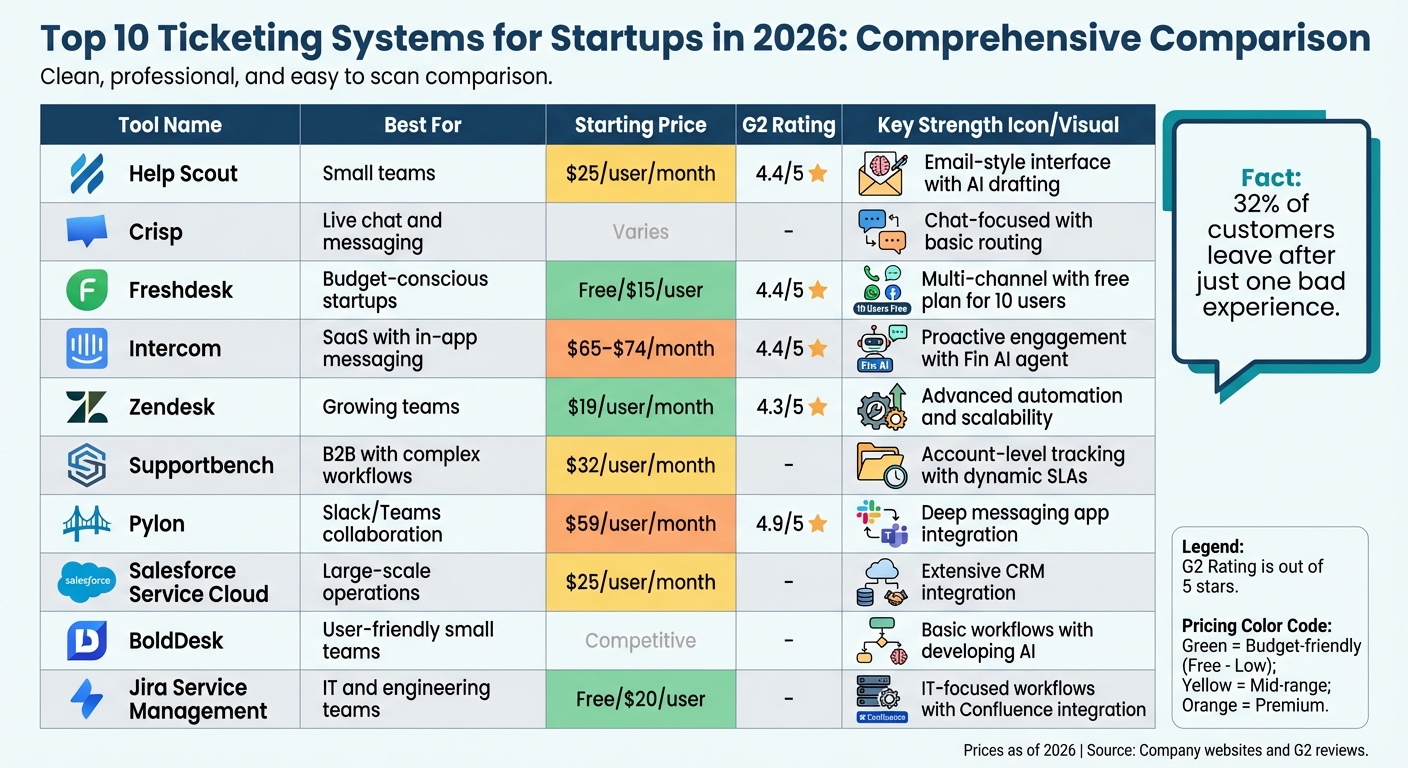
Top 10 Ticketing Systems for Startups: Features and Pricing Comparison 2026
Top 3 Email Ticketing Systems of 2024! #ticketingsystem #supportsystem #customersupport
10 Best Ticketing Systems for Startups in 2026
Here’s a rundown of 10 ticketing systems tailored for startups in 2026, highlighting their strengths, potential drawbacks, and the types of businesses they suit best.
1. Supportbench
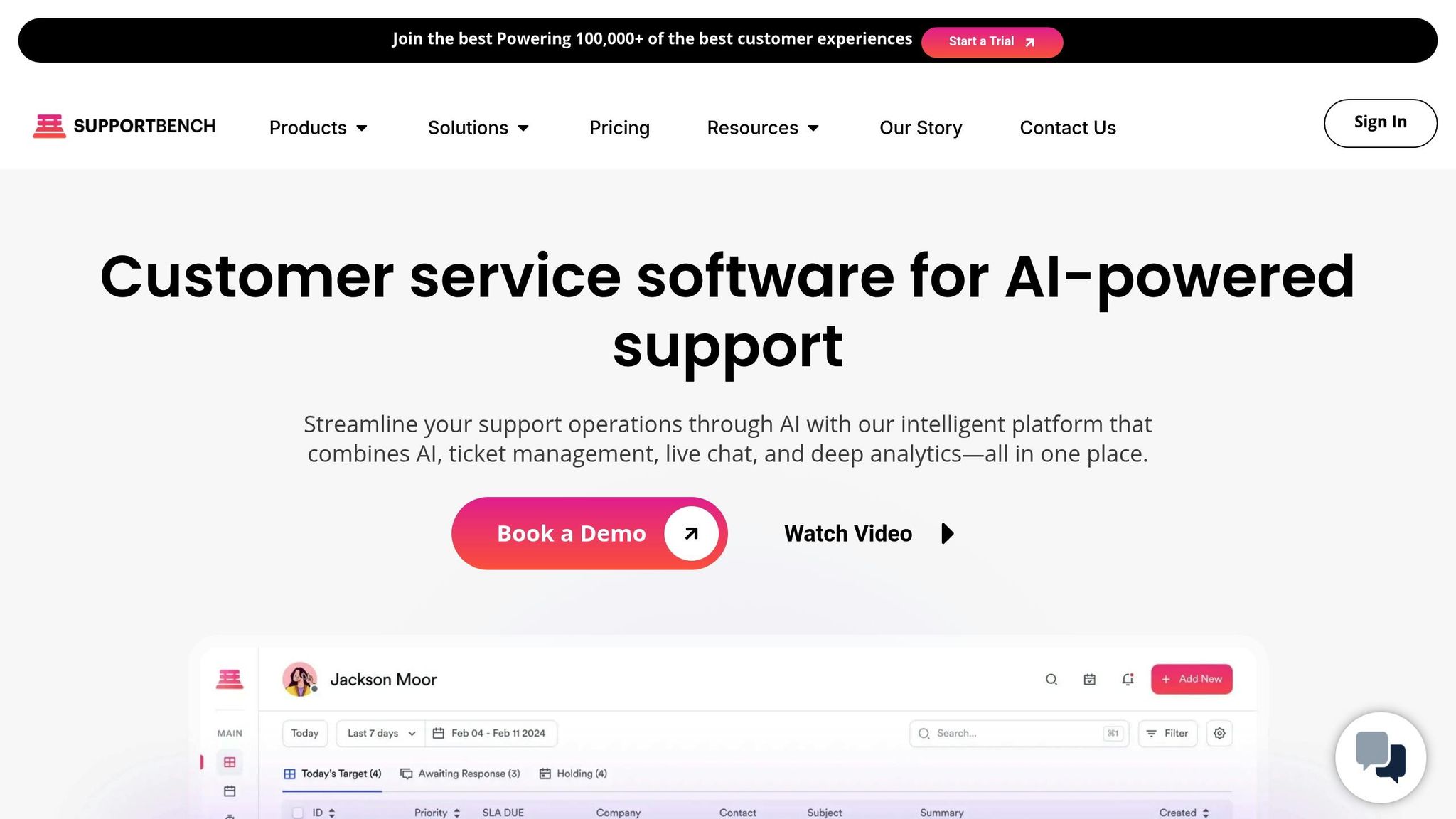
Best for: B2B startups with intricate customer relationships, lengthy ticket lifecycles, and a need for collaboration between support and success teams.
Key strengths:
- Tracks interactions at the account level, making it easier to manage multiple stakeholders for each customer.
- Comes with built-in AI for predictive CSAT/CES scoring, automated responses, case summaries, and knowledge base article generation.
- Features dynamic SLAs that adapt based on customer context, such as upcoming renewals or account health.
- Offers transparent pricing starting at $32 per agent per month, with all enterprise features included from the start.
- Includes customer health scoring to identify potential churn risks.
- Provides a deep Salesforce integration, allowing agents to access all relevant data without switching tabs.
Watch-outs:
- Best suited for B2B workflows; may be excessive for simpler, transactional support needs.
- Requires an initial setup to configure account hierarchies and workflows.
- Not ideal for startups focused on high-volume, low-touch consumer support.
Ideal fit: Supportbench is a strong choice for startups selling to other businesses, especially those managing multiple contacts per customer or coordinating between support and customer success teams. Its account-centric design helps eliminate the visibility gaps and miscommunications common with shared inboxes.
Looking for seamless collaboration in messaging apps? Pylon might be your answer.
2. Pylon
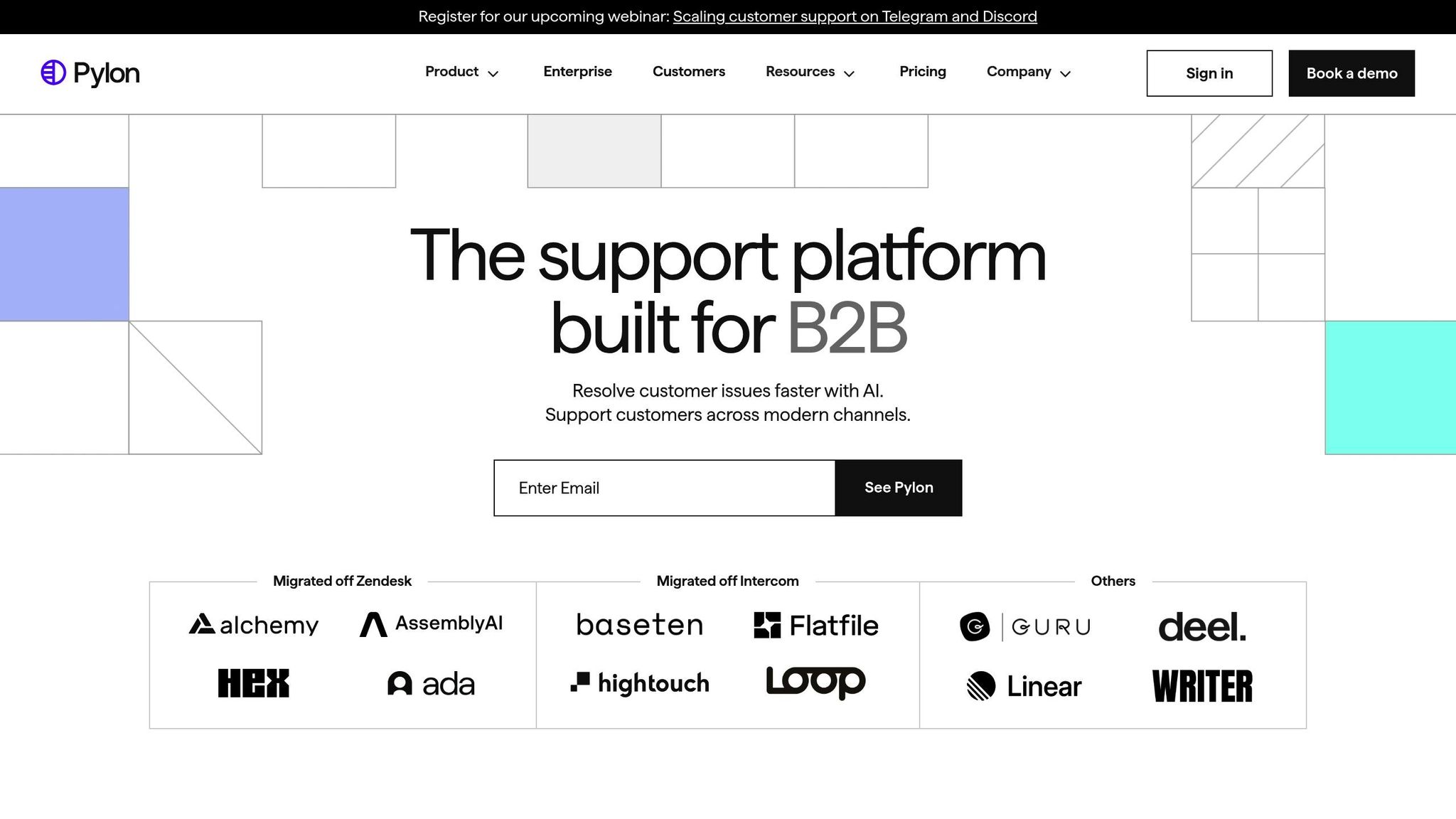
Best for: Startups that need omnichannel support with deep Slack or Microsoft Teams integration, plus AI-driven collaboration tools.
Key strengths:
- Integrates natively with Slack and Microsoft Teams, embedding support within your team’s daily communication tools.
- Features Account Intelligence, which tracks customer health and churn risks at the account level.
- Boasts a 4.9/5 rating on G2, reflecting high user satisfaction.
- Includes AI agents for automated routing and response suggestions based on conversation context.
- Offers CRM integration with platforms like HubSpot and Salesforce, reducing the need to switch between tools.
Watch-outs:
- Primarily designed for B2B, so it lacks robust social media integrations that B2C-focused tools often provide.
- Pricing starts at $59 per seat per month.
- Limited support for traditional phone systems or self-service portals.
Ideal fit: Pylon excels for startups where customer interactions already happen in Slack or Microsoft Teams. If your team values efficient collaboration and prefers messaging over email, Pylon keeps everything streamlined in one platform. It’s particularly useful for startups with technical customers who expect fast, conversational support.
3. Freshdesk
Best for: Startups on a tight budget looking for a free or low-cost ticketing solution with basic automation.
Key strengths:
- Offers a free plan for up to 10 users.
- Includes Freddy AI for predictive ticket assignment and self-service suggestions.
- Paid plans start at just $15 per agent per month, making it an affordable choice for scaling.
- Provides multi-channel support, covering email, phone, chat, and social media.
- Holds a 4.4/5 G2 rating, reflecting solid user feedback.
Watch-outs:
- Adding extra channels like chat (Freshchat) or phone (Freshcaller) can quickly increase costs.
- Offers limited customization compared to more advanced tools.
Ideal fit: Freshdesk is a great option for startups transitioning from a shared inbox to a more organized system. Its free plan provides essential ticketing and automation features, but costs can rise as you expand functionality. It’s a practical choice for startups aiming to improve efficiency without overspending.
For startups wanting in-app messaging and proactive engagement, Intercom might be a better fit.
4. Intercom
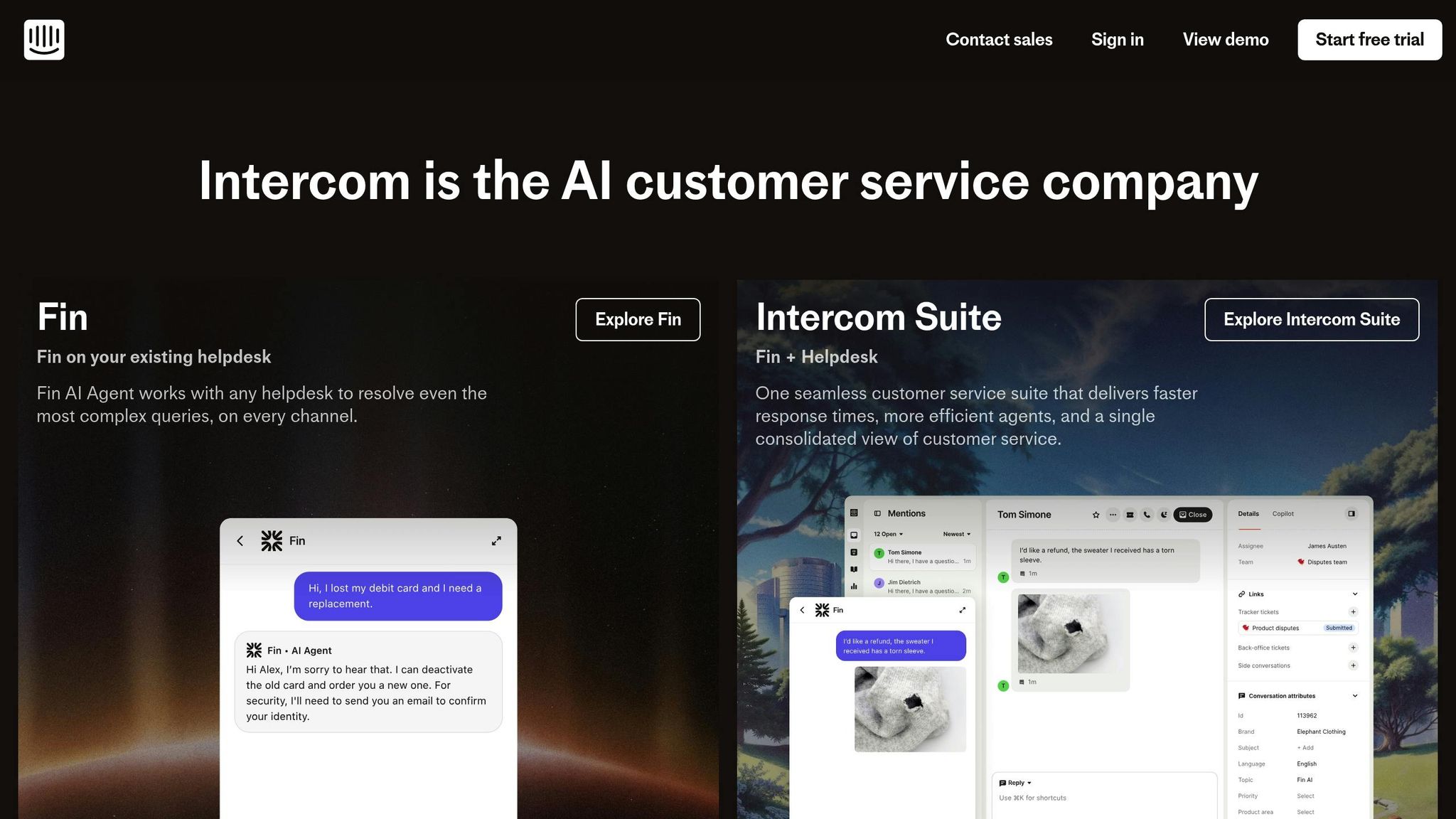
Best for: SaaS startups focused on product-led growth, in-app messaging, and proactive customer engagement.
Key strengths:
- Allows in-app messaging, letting users seek support without leaving your product.
- Provides proactive engagement tools triggered by product usage patterns.
- Features the Fin AI agent, which can handle inquiries automatically, even processing refunds or cancellations through third-party integrations.
- Maintains a 4.4/5 G2 rating.
- Seamlessly integrates support with product experience, ideal for product-led growth strategies.
Watch-outs:
- Pricing starts around $65–$74 per month, with costs scaling based on usage.
- AI capabilities are currently limited to text-based channels, leaving out phone support.
Ideal fit: Intercom is perfect for SaaS startups where customer interactions happen within the product. Its real-time, contextual support ensures quick resolutions and helps prevent churn, making it a go-to for companies prioritizing user experience.
5. Help Scout
Best for: Small teams that value simplicity and personal, email-style customer interactions.
Key strengths:
- Features an email-style interface that’s easy to learn.
- Includes AI tools like Summarize for condensing threads and Drafts for generating responses.
- Holds a 4.4/5 G2 rating, with users praising its straightforward approach.
- Pricing starts at $25 per user per month.
- Designed for teams that prioritize thoughtful, personalized support.
Watch-outs:
- Does not include built-in phone support or self-service portals, relying on third-party integrations.
- Limited routing controls make it less suitable for high-volume IT ticketing.
Ideal fit: Help Scout is ideal for startups looking to maintain a personal touch in their support. Its simplicity makes it great for small teams that don’t need advanced workflows or heavy customization but still want to deliver meaningful customer interactions.
6. Zendesk
Best for: Startups planning to scale into larger operations and needing advanced automation, reporting, and integrations.
Key strengths:
- Offers extensive app integrations and customizable tools.
- Built to scale, making it suitable for startups with ambitious growth plans.
- Includes advanced automation and reporting for managing complex workflows.
- Holds a 4.3/5 G2 rating.
- Basic plans start at $19 per agent per month, though enterprise-level features require higher-tier plans.
Watch-outs:
- Known for a steep learning curve and a setup process that can take weeks, even for small teams.
Stay tuned for more tools designed to meet the unique challenges of startups in 2026. Each option offers distinct advantages depending on your team’s size, goals, and budget.
How the 10 Tools Compare
What to Compare Across Tools
When evaluating ticketing systems, startups need to focus on more than just the price and feature list. The key factors to consider include:
- Setup time: How quickly can the system be up and running?
- Pricing transparency: What’s included in the base price, and what features come with extra costs?
- Automation depth: Does the system handle routing, tagging, and SLA management efficiently?
- AI usefulness: Does the AI save time by automating tasks, or does it create unnecessary complexity?
- Knowledge base options: Are there self-service tools for customers?
- Integrations: How well does the system connect with your existing tools and workflows?
- Reporting basics: Can you easily track metrics like ticket volumes, response times, and backlogs?
These elements directly impact how quickly your team can respond to customers, reduce manual work, and adapt the platform as your startup grows.
Tool-by-Tool Comparison
Here’s a breakdown of how each tool stacks up against these criteria, helping you find the best fit for your needs.
Supportbench is ready to go in days after configuring account hierarchies. Pricing starts at $32 per agent per month, with all enterprise features included – no extra charges for AI, workflows, or integrations. Its automation tools include dynamic SLAs, predictive scoring for CSAT and CES, auto-tagging, AI-generated case summaries, and suggested replies. The built-in knowledge base supports both internal and external articles. It integrates deeply with Salesforce and offers API access for custom connections. Reporting includes account health, case volumes, response times, and escalations.
Pylon has a moderate setup time, especially for teams integrating Slack or Microsoft Teams workflows. At $59 per seat per month, AI tools are included. Automation focuses on routing and collaborative triage within messaging platforms. AI suggests replies and categorizes issues based on conversation context. While it lacks a traditional knowledge base, it integrates with tools like HubSpot and Salesforce. Reporting highlights account intelligence and churn risk tracking.
Freshdesk offers an easy setup with an intuitive interface. It has a free plan for up to 10 users, with paid plans starting at $15 per agent per month. However, adding channels like chat (Freshchat) or phone (Freshcaller) increases costs. Automation includes basic routing and SLA management. Freddy AI provides predictive ticket assignments and self-service suggestions, but advanced AI features are limited to higher-tier plans. The built-in knowledge base supports multiple languages, and integrations cover email, phone, chat, and social media. Reporting tracks ticket volumes, response times, and agent performance.
Intercom requires moderate setup time, especially for configuring in-app messaging. Pricing starts at $65–$74 per month depending on usage. Automation includes proactive engagement triggers based on product usage and handles routine inquiries. Its AI tools are optimized for text channels. The knowledge base is integrated directly into the product experience, with strong connections to product analytics and CRM tools. Reporting focuses on user engagement, resolution rates, and interactions triggered by product activity.
Help Scout is easy to deploy with its email-style interface. Pricing starts at $25 per user per month and includes AI features like AI Drafts for generating responses, AI Summarize for condensing conversations, and AI Assist for refining copy. It has a built-in knowledge base with a self-service portal. Integrations expand through third-party tools for additional features like phone support. Reporting covers ticket volumes, response times, and customer satisfaction scores.
Zendesk offers a quick initial setup but requires weeks to configure advanced workflows. Pricing starts at $19 per agent per month, but enterprise features and advanced AI are only available on higher-tier plans. Automation includes intelligent triage that analyzes intent, sentiment, and language for ticket routing. AI tools provide macro suggestions and answer bots. The knowledge base is highly customizable, and the app marketplace supports extensive integrations. Reporting and analytics are detailed but can be overwhelming for smaller teams.
Crisp is designed for live chat and messaging, with pricing depending on selected features. Automation options include basic routing and chatbot workflows, while its AI capabilities are limited. It offers a built-in knowledge base with self-service tools. Integrations with Slack and CRMs are available, and reporting focuses on chat metrics and response times.
Salesforce Service Cloud involves a complex setup process, often taking weeks or months for teams unfamiliar with Salesforce. Pricing starts at $25 per seat per month but increases significantly with add-ons. Automation is extensive, using Salesforce’s workflow engine. AI features like Einstein handle predictive routing and case classification, though they require additional investment. The knowledge base integrates with Salesforce Knowledge, and CRM integration is a core strength. Reporting is highly customizable but often requires technical expertise to configure.
BoldDesk has a moderate setup time with a user-friendly interface. It offers competitive pricing for small teams. Automation includes ticket routing, SLA management, and basic workflows. AI features are still developing and not as advanced as market leaders. The built-in knowledge base supports customization, and integrations are standard. Reporting covers essential metrics.
Jira Service Management has a steep learning curve and takes moderate to long setup time, especially for non-IT teams. It’s free for up to 3 agents, with paid plans starting at $20 per agent per month. Automation is powerful for IT and developer-focused workflows but less intuitive for general support teams. AI capabilities are improving but lag behind dedicated support tools. The knowledge base integrates with Confluence, and the Atlassian ecosystem supports IT-specific workflows. Reporting focuses on IT metrics like incident management and change tracking.
For startups managing rapid growth, tools like Supportbench offer enterprise-level features with fast setup and no hidden costs. Meanwhile, platforms like Salesforce and Zendesk provide extensive customization but require more time and resources to implement. Selecting the right system depends on balancing speed, cost transparency, and long-term flexibility. The next section will guide you through strategies for making the best choice.
How to Choose a Ticketing System as a Startup
Picking a ticketing system doesn’t have to be a drawn-out process. The key is finding a solution that fits your current team size, budget, and support needs – while leaving room for growth. Many startups either overanalyze or get bogged down comparing features they won’t need for months.
This guide walks you through a simple framework to make a confident choice in just a few days. It focuses on what your startup truly needs right now, cutting through the noise of flashy demos and unnecessary features.
Must-Haves vs. Nice-to-Haves
Start by sorting features into two categories: those that are essential for your support operations today and those that are helpful but not immediately necessary.
Essential features for any startup ticketing system:
- A shared inbox with collision detection to prevent duplicate responses
- Internal notes and @mentions for better team collaboration
- Basic workflow automation to route and tag tickets
- SLA tracking to monitor response time commitments
- Core reporting on ticket volumes and response times
- Integrations with your CRM and tools like Slack
Features to consider as you scale:
- AI tools for drafting responses and summarizing tickets
- Omnichannel support, including SMS and social media
- Multi-language support for global customer bases
Here’s a quick rule of thumb: if it takes more than 30 minutes to explain a feature, you probably don’t need it yet. Stick to the essentials to keep your team nimble and responsive.
Scoring Model for Comparing Options
Once you’ve narrowed your choices to three or four tools, use a simple scoring system to compare them. This method helps you avoid overthinking and keeps the focus on what matters most for your stage.
Rate each tool from 1 to 10 in these four categories:
- Cost transparency: Consider the full 12-month cost for your team size, including any add-ons.
- Setup speed: Can you go from signup to handling live tickets in under 30 minutes?
- AI quality: Test the AI by asking it an unfamiliar question to see if it delivers a useful response.
- Integration depth: Does it connect seamlessly with your CRM, Slack, and project management tools?
To test how each system performs under real-world conditions, try the "Email Chaos Test." Forward a messy email thread – complete with broken subject lines and reply-all chains – and see how the system handles it. Any tool scoring below 7 out of 10 on this test is likely to cause headaches for your team.
Choose the tool with the highest overall score, but watch out for red flags. For instance, a system that’s cheap but takes weeks to set up could cost you more in lost productivity than a pricier option that’s ready to go in days.
3 Starter Stacks for Common Scenarios
Once you’ve scored your options, consider which setup fits your startup’s specific needs. Different startup models call for different support strategies.
For founder-led support (1–3 people handling everything):
Start with a budget-friendly tool like HubSpot Service Hub (from $9 per seat per month) or Spiceworks. Pair it with Slack for team communication and Notion for documentation. This keeps costs low while centralizing customer information.
For product-led SaaS companies (self-serve with high inquiry volume):
Combine Intercom (starting at $29 per month plus usage fees) with your product analytics tool, and add a shared inbox like Front. This setup uses AI automation and self-service options, such as in-app messaging and a detailed knowledge base. Research shows 63% of customers start their support journey by searching online resources, making self-service a must-have.
For B2B startups with complex onboarding processes:
Choose a tool like Pylon (at $59 per seat per month) or Supportbench (starting at $32 per agent per month). Integrate it with your CRM (like Salesforce or HubSpot) and Slack to get a full view of account-level interactions.
For example, when Joe Emison, CTO and Co-founder of Branch, switched to Front’s customer operations platform in 2025, his team saw a 40% boost in productivity and training times that were eight times faster.
Your support stack will naturally evolve as your startup grows. For now, focus on tools that integrate well and allow for smooth scaling. Resist the urge to overcomplicate your initial setup.
sbb-itb-e60d259
AI Features That Actually Help Startups
Modern ticketing systems now come equipped with AI tools aimed at saving startups time and helping them stay efficient. These tools generally fall into two categories: those that genuinely simplify workflows and those that, unfortunately, add more complexity than value. For startups with small teams, the distinction is crucial. The right AI features can shave hours off repetitive tasks every week, while the wrong ones can bog down operations.
One standout feature is ticket summarization, which condenses lengthy email threads or multi-message conversations into quick, easy-to-read bullet points. This allows agents to quickly get up to speed during handoffs or escalations. Testing has shown that summarization can reduce the time it takes to review a 19-message thread to under two minutes.
Another game-changer is AI drafting and suggested replies. These tools use your knowledge base and past resolutions to generate response drafts for agents, who can then review, tweak, and send them – no need to start from scratch. For routine queries like password resets, these tools boast an 89% success rate and save about 8 minutes per ticket. For a startup managing 200 similar requests weekly, that’s roughly 26.6 hours saved. Pair this with AI-driven triage, and support workflows become even more efficient.
Automated triage and routing takes the guesswork out of sorting tickets. AI analyzes the intent, urgency, and sentiment of incoming issues, automatically tagging, prioritizing, and assigning them to the right agents. This ensures that urgent or high-value tickets get immediate attention. For example, Razorpay, a fintech company in India, introduced AI-powered triage in 2024. The results? Over 70% of routine queries were automated, average resolution times dropped by 30%, and first-contact resolution improved by 40%.
"Freddy AI Copilot has significantly enhanced our organization’s operational efficiency by automating over 70% of routine customer queries. This has led to a 30% reduction in average resolution time."
– Lakshmish SS, Senior BA, Razorpay
Lastly, AI agents for self-service can handle straightforward queries – like password resets or order status checks – end-to-end without human involvement. These agents work around the clock, potentially saving teams up to 300 hours per month by taking care of repetitive tasks. However, costs can add up quickly with usage-based pricing. For instance, resolving 10,000 queries via Intercom’s AI would cost $9,900. On the other hand, platforms like Supportbench and Pylon include AI capabilities in their base pricing without charging per resolution. For startups keeping a close eye on expenses, predictable pricing models are a big plus.
How to Set Up and Roll Out Your Ticketing System
Setup Steps and Migration
Start by auditing every customer contact point – whether it’s email, chat, Slack, or web forms – and ensure they’re all routed into your new ticketing system. This step is crucial to prevent tickets from being overlooked during the transition.
Next, import historical data like past conversations, tags, and customer profiles to maintain context. Most platforms make this process easier with CSV imports or API-based migration tools. For B2B startups, this step is particularly important since customer history often directly influences the quality of support provided.
Set up routing and triage rules early on. Automate ticket assignments based on criteria like topic, customer type, or urgency. For instance, you could direct "billing" inquiries to your finance team and prioritize requests from enterprise clients to ensure their issues are handled promptly.
Create a clear tagging system using concise, lowercase labels such as payment_failed. Stick to three to five tags per ticket and make sure each tag is clearly defined so your team stays on the same page. Keyon Farrier, Service Desk Manager at Legacy Supply Chain Services, highlights the importance of involving your team in this process:
"Talk to your help desk employees – the people who are on the front lines of doing the IT work. Get their input into the challenges they’re facing, and then come up with a plan that can help alleviate those challenges".
When onboarding your team, start with a simple win, like using a saved reply to address a frequently asked question. Gradually introduce more advanced features. Provide in-app tooltips and a searchable internal knowledge base so agents can quickly access information without disrupting their workflow. This step-by-step approach minimizes overwhelm and helps your team build confidence.
Once your system is set up, focus on avoiding common mistakes during the rollout phase.
Common Mistakes to Avoid
Even with a well-configured system, rollout challenges can arise. Here are some common missteps to watch out for:
- Over-automation: Begin with straightforward routing rules until you fully understand your ticket flow. Jumping into complex workflows too early can lead to unnecessary complications.
- Too many ticket forms: Stick to just two – one for general support and another for urgent issues. Too many forms can confuse both your customers and your support team.
- Poor tagging practices: Avoid vague or overly specific tags. Use broader, actionable categories like
server_downtime. Plan quarterly reviews to clean up duplicates, archive outdated tags, and refine your system as your product evolves. - Ignoring agent feedback: Failing to involve your team can hinder adoption. While 90% of executives think they meet employee needs when rolling out new tech, only 53% of employees feel the same. Gather agent input early to identify and resolve any issues, ensuring smoother workflows.
Conclusion
The best ticketing system is one that fits your current needs while preparing you for future growth. For solo founders managing around 20 tickets a week, free or flat-rate tools like Spiceworks or JitBit can handle low-volume support effectively. On the other hand, if you’re scaling a B2B team and require advanced CRM integration and account-level visibility, options like Pylon or Supportbench can help you avoid the hassle of switching systems later.
Don’t get distracted by flashy features. Instead, focus on the total cost of ownership, including any AI add-ons or usage fees. As highlighted by the earlier 15-minute setup test, costs for a 20-agent team can range significantly – from $6,000 to $66,360 per year – depending on how AI is priced. To make an informed decision, run the setup test, involve your support team, and test real-world scenarios such as managing messy email threads or routing high volumes of tickets.
Your ticketing system is the backbone of your ability to respond efficiently, stay organized, and scale without unnecessary complexity.
For startups transitioning to high-touch B2B support with account-based workflows, longer ticket lifecycles, and collaborative teams, Supportbench offers a solution designed for growth. Starting at $32 per agent per month, it provides built-in AI, transparent pricing, and a unified platform that scales alongside your business. While it may not suit every startup, it’s worth considering for B2B teams looking to expand.
Ultimately, choose a system that supports your current operations and grows with your business.
FAQs
How can I choose the right ticketing system for my startup?
Choosing the perfect ticketing system for your startup hinges on what you need right now and where you’re headed. Start by pinpointing your top priorities – do you need something that’s quick to set up and easy to use, or are you looking for advanced features like automation and integrations? If you’re in the early stages, a shared inbox or a basic helpdesk can keep things straightforward and budget-friendly. But as your support demands grow, you’ll want features like automation for routing and tagging, SLA management, and time-saving AI tools like auto-tagging or response suggestions.
If your team depends on tools like Slack, CRMs, or product analytics, it’s smart to choose a system with strong integrations to keep workflows smooth. You might even use a scoring system to compare options based on factors like setup time, pricing clarity, automation features, AI capabilities, and how well they integrate with your existing tools. For many startups, a solid starter setup includes a shared inbox, knowledge base, chat, and CRM, which can handle the essentials without making things overly complex. Look for a solution that combines speed, simplicity, and scalability, so it can grow with you without forcing expensive upgrades down the line.
What AI features should startups look for in a ticketing system to boost efficiency?
Startups should zero in on AI tools that simplify processes, save valuable time, and enhance the accuracy of responses. For example, automated ticket classification and routing can ensure customer requests land with the right team in no time. Incorporating sentiment analysis helps flag and prioritize urgent issues, giving customers a smoother experience.
Consider generative AI features like suggested replies or knowledge base article drafts to help lean teams respond faster. Tools offering auto-tagging and triage suggestions can minimize manual work, ensuring tickets are handled swiftly and efficiently. The key is to choose solutions that seamlessly integrate with your current systems and deliver real time-saving benefits – without adding unnecessary layers of complexity.
How can I make sure the ticketing system I choose will grow with my startup?
To keep your ticketing system aligned with your startup’s growth, opt for a platform that offers flexibility and room to expand. Key features to seek out include automation tools like routing, tagging, and SLA management, as well as multi-channel support and seamless integration options with tools such as your CRM, product analytics, and communication platforms. These features ensure you can manage a growing number of tickets without sacrificing response times or efficiency.
It’s also smart to choose a system with customizable workflows, the ability to expand your knowledge base, and robust reporting tools. AI-driven capabilities like auto-triage, auto-tagging, and draft generation can significantly cut down on manual tasks while maintaining team productivity as your business scales. Regularly monitoring your support metrics will help you spot potential issues early and make necessary adjustments. A ticketing system with these features will save you the hassle of switching platforms as your startup continues to grow.






