Managing multiple inboxes can feel overwhelming, but the right strategies and tools can help you stay organized and save time. Here’s what you need to know:
- Centralize Your Inboxes: Use a single system to manage all emails (e.g., support@, sales@, personal accounts) and avoid confusion. Features like collision detection and internal notes improve collaboration and prevent duplicate replies.
- Automate with AI: AI tools can sort emails, prioritize urgent messages, and even draft responses. This saves time and ensures critical emails get immediate attention.
- Use Labels and Tags: Organize emails with action-based labels like @Action or @Waiting to streamline workflows. Prioritize high-value messages with VIP tags.
- Simplify Threads: AI-generated summaries make long email chains easier to follow, while collision detection prevents multiple replies to the same message.
AI-Powered Email Management: Key Statistics and Time Savings
Manage Multiple Email Accounts in Gmail – Save Time!
sbb-itb-e60d259
Consolidating Multiple Inboxes into One System
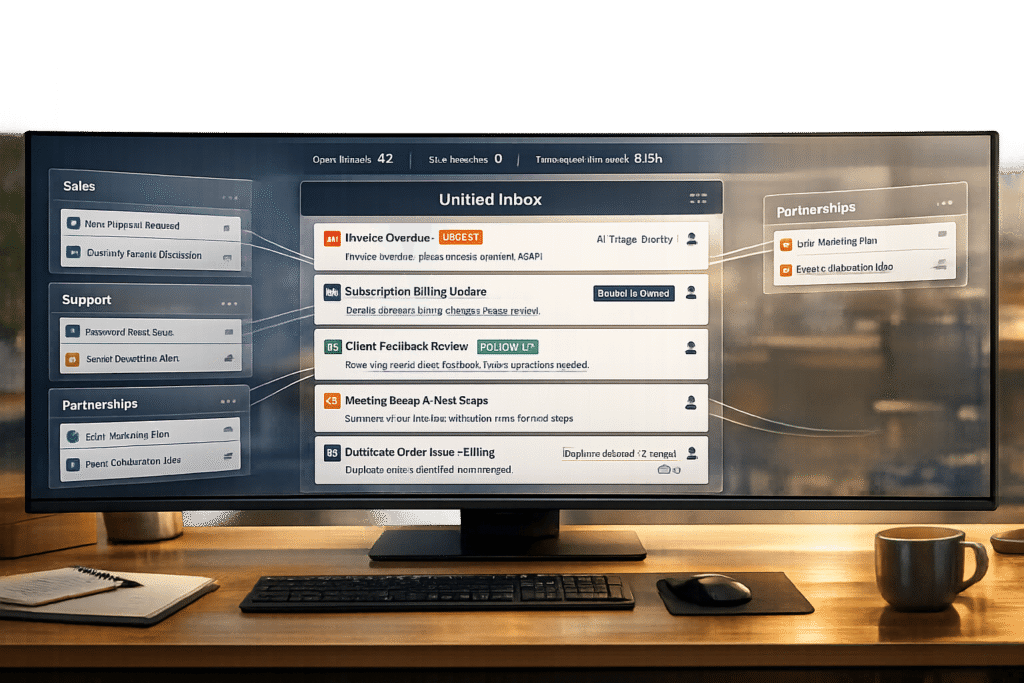
Jumping between emails like support@, sales@, billing@, and personal accounts can disrupt workflows and waste time. By centralizing these emails into a single system, every message becomes a trackable ticket with clear ownership. This setup avoids confusion, thanks to features like collision detection, which prevents multiple agents from replying to the same client at once. Shared visibility ensures no email gets overlooked, while internal notes and @mentions allow teams to collaborate directly within threads, keeping all communication in one place. Centralized email systems not only reduce miscommunication but also improve teamwork and efficiency.
Take the example of Whirlpool Global Finance Center‘s Accounts Payable team. In November 2024, under the leadership of Manager Pankaj Kumar, they consolidated multiple supplier mailboxes using collaborative inbox software. By introducing automated routing and shared visibility, they cut their incoming email volume by 15–20%, largely by eliminating duplicate queries.
"The most impressive result is that we were able to reduce incoming emails by 15–20%… this collaborative inbox solution has given us the ability to handle our suppliers’ accounts in a much more proactive manner." – Pankaj Kumar
Setting Up Shared Mailboxes and Centralized Email Systems
Shared mailboxes transform messy group emails into structured, trackable conversations. Real-time ticket statuses remove the guesswork, ensuring everyone knows who’s handling what. This clarity prevents situations where multiple people assume someone else is responding.
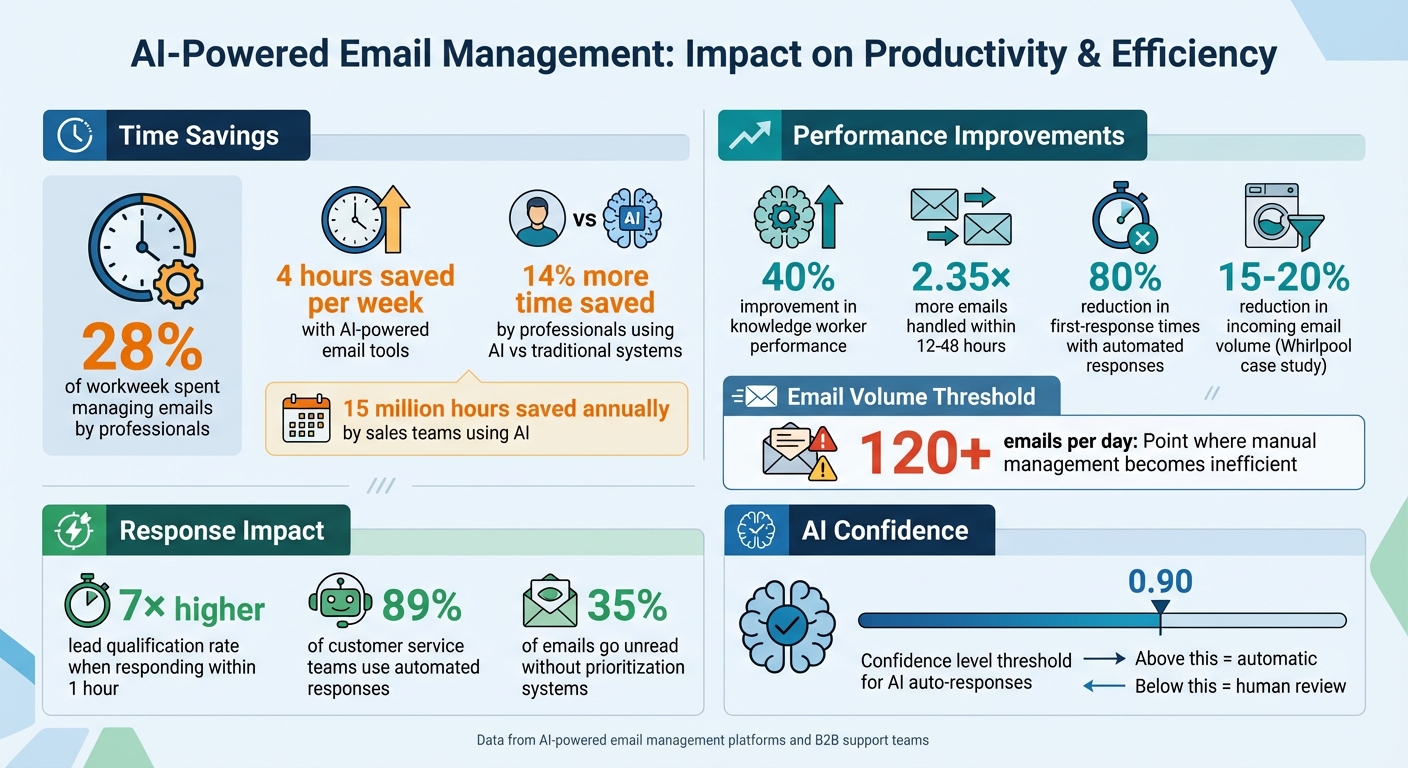
Automated routing is a game-changer here. For example, skills-based routing sends complex technical issues to senior engineers, while round-robin distribution spreads routine tasks evenly across the team. Organizations using these systems have seen agents respond to 2.35× more emails within 12–48 hours compared to traditional setups. This streamlined approach allows teams to focus on helping customers instead of figuring out priorities.
Using Labels and Tags to Organize Emails
Once emails are centralized, labels and tags can take organization to the next level. Instead of tagging emails based on their source, use action-based labels like @Action, @Waiting, and @Read to highlight what needs to be done . This method keeps the focus on workflow rather than creating complicated folder hierarchies that are hard to maintain.
For critical operations, consider using VIP tags for high-priority matters like board members, key clients, or legal issues . AI-powered platforms can simplify this further by automatically sorting emails into categories such as "VIP", "Team", "Notifications", or "Newsletters" . Without a prioritization system, up to 35% of emails might go unread, so tagging helps ensure the most important messages get attention.
Finally, apply the 2-minute rule: if an email can be handled in under two minutes, deal with it immediately. If it requires more time, tag and schedule it for later . A consistent labeling strategy can save teams up to 4 hours each week, making email management far more productive.
Using AI to Manage High Email Volume
Handling more than 120 emails a day manually can quickly become overwhelming and inefficient. This level of email traffic calls for smarter solutions to prioritize the most urgent messages. AI-powered tools, using Natural Language Processing (NLP), can analyze email content, detect sentiment, and flag messages that require immediate attention.
These AI systems are game-changers, helping professionals save 14% more time, improve performance by nearly 40%, and handle 2.35× more emails within 12–48 hours. On average, this translates to saving 4 hours per week. For sales teams, the impact is massive – saving over 15 million hours annually.
AI-Driven Email Triage and Routing
AI doesn’t just save time – it transforms how emails are managed. With advanced triage capabilities, AI can analyze email content and automatically sort messages into categories like "VIP", "Team", "Notifications", and "Newsletters". By learning communication patterns, machine learning models can prioritize critical messages, such as those from investors or executives, while temporarily sidelining less urgent emails like vendor updates. This helps teams focus on high-value conversations instead of getting bogged down by low-priority notifications.
Routing adds another layer of efficiency. AI systems can assign emails to the right person or team based on factors like expertise, workload, or the content of the message. For example, technical support emails can go directly to engineers, while billing-related queries are sent to the finance department. This targeted approach ensures clear accountability and faster response times. Additionally, AI tools can convert emails into tasks in project management software or update support CRM records, seamlessly integrating email management into broader workflows.
AI Auto-Responses and Agent Copilot Tools
AI doesn’t just organize emails – it also helps respond to them. Auto-response systems take care of repetitive tasks by interpreting the intent and sentiment of incoming emails, moving beyond simple keyword matching. These tools can pull real-time information from knowledge bases like Confluence, Google Docs, or CRM systems to craft personalized replies. For instance, they might include order details or technical instructions directly in the response.
For more complex questions, AI can draft response templates for human review. These auto-replies are only sent when the system is highly confident (confidence level above 0.90); otherwise, the email is flagged for manual attention. This approach balances efficiency with accuracy. Currently, over 89% of customer service teams use automated responses to acknowledge inquiries, cutting first-response times by up to 80%. And when it comes to leads, responding within an hour increases the chances of qualifying that lead by seven times.
Keeping Email Threads Clear and Organized
Long email threads with multiple participants can quickly turn into a confusing mess. Trying to follow decisions, next steps, or even figuring out who said what becomes a challenge. When these threads stretch over weeks or months, catching up can eat up valuable time. That’s why tools designed to simplify conversations and prevent duplicate or conflicting responses are game-changers for email management.
AI Thread Summaries for Quick Context
AI can take those seemingly endless conversations – sometimes spanning over 20 messages – and distill them into concise, one-line summaries. These summaries often appear right above the conversation or below the subject line, keeping things clear and easy to follow. Plus, they update in real time as new messages come in, so your team always has the latest context without needing to reread the entire thread.
"Auto Summarize provides one-line summaries of complex email conversations, enabling rapid context identification without reading complete histories." – Superhuman Team
AI doesn’t just summarize – it highlights important details like due dates, decisions, and key contacts, helping to lighten the mental load. This is especially helpful when you’re returning from time off, prepping for a meeting, or revisiting an old thread. Teams using AI-powered email tools have reported saving an average of 4 hours per person every week. By combining AI summaries with features like collision alerts, teams can quickly get up to speed and avoid stepping on each other’s toes.
Preventing Duplicate Responses with AI Detection
AI doesn’t stop at making threads clearer; it also helps prevent embarrassing duplicate or conflicting replies. When multiple team members share access to the same inbox, there’s always the risk that two people might respond to the same email. AI-driven collision detection solves this by flagging when someone else is already viewing or replying to a thread. Real-time read statuses show who has opened a message, cutting down on unnecessary follow-ups.
Many email platforms also offer internal commenting features – private notes that only your team can see. These allow teams to strategize, assign tasks, and clarify details before sending a unified response. For example, if a customer’s question involves both engineering and billing, team members can use internal notes to coordinate and ensure the reply is accurate and aligned. This kind of behind-the-scenes collaboration makes sure every response is polished and consistent.
Managing Multiple Inboxes with Supportbench
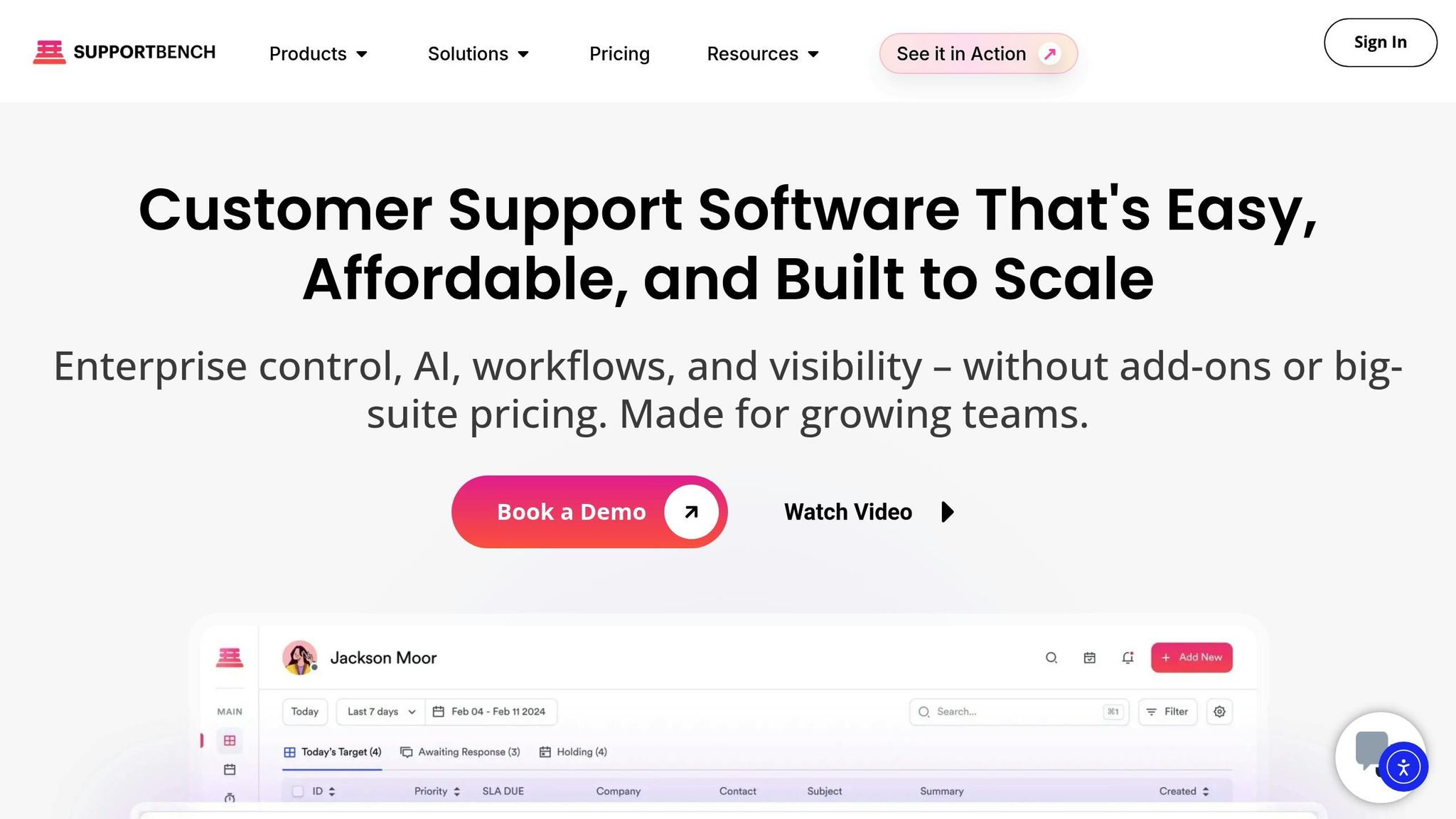
Supportbench takes the chaos out of juggling multiple team inboxes like support@, billing@, and escalations@. With everything consolidated into one platform, it ensures no email gets lost in the shuffle. Every incoming message is automatically turned into a support ticket and routed to the right agent, streamlining communication and keeping things organized. By using AI to power these processes, Supportbench creates a smoother, more efficient workflow.
Supportbench Features for Unified Email Management
One of the standout aspects of Supportbench is how it uses AI to handle repetitive tasks. Incoming emails are instantly classified, prioritized, and assigned to agents based on urgency and workload. Real-time sentiment analysis adds another layer of efficiency by detecting customer emotions – allowing frustrated or urgent emails to get immediate attention.
The platform also links every email thread to a complete view of the customer journey, connecting it to past interactions, open cases, and CRM data. This means agents always have the full context they need to respond effectively. On top of that, built-in SLA tracking ensures response times meet performance targets. Together, these tools not only improve response times but also offer deeper insights into customer needs.
Lowering Costs with Built-In AI Features
Supportbench’s AI tools come standard – there’s no need for extra fees or complicated setups. Unlike older platforms that charge more for AI or require heavy customization, Supportbench includes features like the Agent Co-pilot, auto-summarization, and sentiment analysis right out of the box.
"Supportbench is an AI-powered platform designed for B2B service teams… What sets Supportbench apart is its ability to streamline support through AI-driven automation and actionable customer insights." – Eric Klimuk, Founder and CTO of Supportbench
Another bonus? The platform’s no-code configuration. Teams can adjust workflows, map fields, and set up workflow automations without needing developers or outside help. For B2B teams handling high email volumes, this translates into measurable time savings. In fact, professionals using AI-powered tools save 14% more time compared to those relying on traditional email systems – some even reclaiming an entire workday each week.
Tracking Performance and Scaling Operations
Building on smoother workflows and AI-driven triage, keeping an eye on performance metrics and using predictive AI can help maintain efficiency, scale operations, and improve cost-effective, AI-powered B2B customer support.
Key Metrics for Inbox Management Success
To gauge inbox efficiency, focus on metrics like First Response Time (FRT), average handle time, and the ticket lifecycle duration. Also, keep tabs on daily message volume, unread emails, and average reply times to identify areas where AI tools can ease backlogs. Another critical measure? Customer Satisfaction (CSAT) scores linked to email interactions. This ensures that faster responses don’t come at the expense of support quality.
Using Predictive AI to Scale Without Expanding Team Size
Predictive AI can spot patterns in incoming messages, automatically categorizing and routing inquiries. This reduces manual triage and ensures complex issues are escalated to skilled agents. With this setup, teams can improve knowledge worker performance by nearly 40% and handle up to twice as many messages – saving 4 to 12 hours per employee every week.
These systems also detect anomalies, such as mismatched invoices or urgent messages buried in lengthy threads, ensuring resources are directed toward high-priority tasks. The most effective strategy combines AI for routine tasks with human expertise for more complicated issues. Together, these metrics and tools create a solid foundation for refining B2B support processes.
Conclusion
Managing multiple inboxes doesn’t have to feel overwhelming. By consolidating communication channels, using AI for smarter triage and routing, and keeping threads well-organized, the inbox can shift from being a source of frustration to a tool that enhances productivity. Considering that professionals dedicate 28% of their workweek to managing emails, AI-powered platforms offer a chance to reclaim valuable time – up to an entire workday each week.
AI tools simplify the chaos by automatically sorting messages, summarizing long conversations, and directing inquiries to the right person in moments. Bringing these capabilities into a single, unified platform can dramatically improve efficiency.
Supportbench combines these features into one streamlined, budget-friendly solution tailored for B2B customer support. Its AI-powered tools – like automated triage, thread summaries, predictive CSAT scoring, and unified communication across email, Slack, and Teams – enable teams to scale without adding more staff. Companies using AI support systems have reported cutting response times by up to 80% and boosting knowledge worker productivity by nearly 40%.
Switching from manual processes to AI-driven workflows doesn’t just save time – it also improves customer retention, reduces costs, and allows smaller teams to deliver the kind of support typically expected from much larger operations. By automating repetitive tasks and identifying customer needs early, modern platforms transform support from a necessary expense into a powerful strategic advantage.
With AI in the mix, inboxes no longer have to be a source of stress for your team. Instead, they become a tool for success.
FAQs
How can AI tools help streamline email management and reduce chaos?
AI tools are game-changers for email management, taking care of repetitive tasks, flagging priority messages, and summarizing long email threads. They can automatically sort and categorize emails based on their content, making it easy to locate critical messages and cutting down the time spent manually organizing your inbox.
On top of that, AI can draft quick responses to common questions and even learn your communication style over time, creating a more efficient and tailored email experience. By reducing manual workload and ensuring no messages slip through the cracks, AI-driven email management keeps teams organized, focused, and productive – especially in fast-paced, high-stakes environments.
What are the advantages of combining multiple inboxes into one?
Centralizing multiple inboxes into one platform makes managing emails much easier and eliminates unnecessary confusion. With all communication streams in one place, teams can track, prioritize, and respond to messages without worrying about missing or duplicating emails. This setup promotes faster responses and keeps workflows more organized.
A single, shared inbox also boosts teamwork by giving team members shared visibility, the ability to assign tasks, and a way to monitor progress effortlessly. Add AI-driven tools into the mix, and automation can handle tasks like sorting and routing emails, saving time and improving accuracy. In the end, this approach results in better customer support, increased team efficiency, and noticeable cost savings.
How can labels and tags help organize emails more effectively?
Labels and tags are incredibly handy for keeping your email inbox under control. They let you categorize and prioritize messages in a way that’s not only efficient but also flexible. Unlike folders, you can apply multiple labels to the same email, which means you’re not locked into a one-size-fits-all system. Plus, many labels come with color-coded visual markers, making it easy to spot the importance or category of an email at just a glance.
Another bonus? Labels work seamlessly with automated filters and workflows. You can sort incoming emails based on specific criteria – like sender, subject, or keywords – so your inbox stays organized without much effort on your part. This is especially helpful if you’re juggling multiple inboxes or need to ensure critical emails don’t get buried. Labels and tags aren’t just about tidying up; they’re about boosting efficiency and making modern, AI-powered email management tools work even better.