



Choosing the right customer support platform depends on the complexity of your needs. Intercom is ideal for fast, real-time conversations, but it struggles with intricate, multi-step B2B cases. Supportbench is built for these challenges, offering tools like dynamic SLAs, multi-level workflows, and a unified Customer 360 view. If your team handles high-value accounts, frequent escalations, or needs deeper insights, structured support like Supportbench may be a better fit.
Key Differences:
- Intercom: Best for quick, transactional support with features like chatbots and automation. Limited for complex B2B needs due to static SLAs and lack of comprehensive account views.
- Supportbench: Designed for B2B teams managing complex cases, offering dynamic SLAs, AI tools, and full customer context in one platform.
Quick Comparison:
| Feature | Intercom | Supportbench |
|---|---|---|
| Core Focus | Real-time chat and automation | Structured workflows for B2B |
| SLA Management | Static SLAs | Dynamic, priority-based SLAs |
| Customer Data | Basic attributes | Unified Customer 360 view |
| Escalation Handling | Limited | Multi-level, trackable |
| Pricing | Add-on heavy, usage-based fees | All-inclusive, flat pricing |
If your team is dealing with SLA violations, multi-stakeholder cases, or lacks a unified view of customer data, it’s time to consider a structured platform like Supportbench.
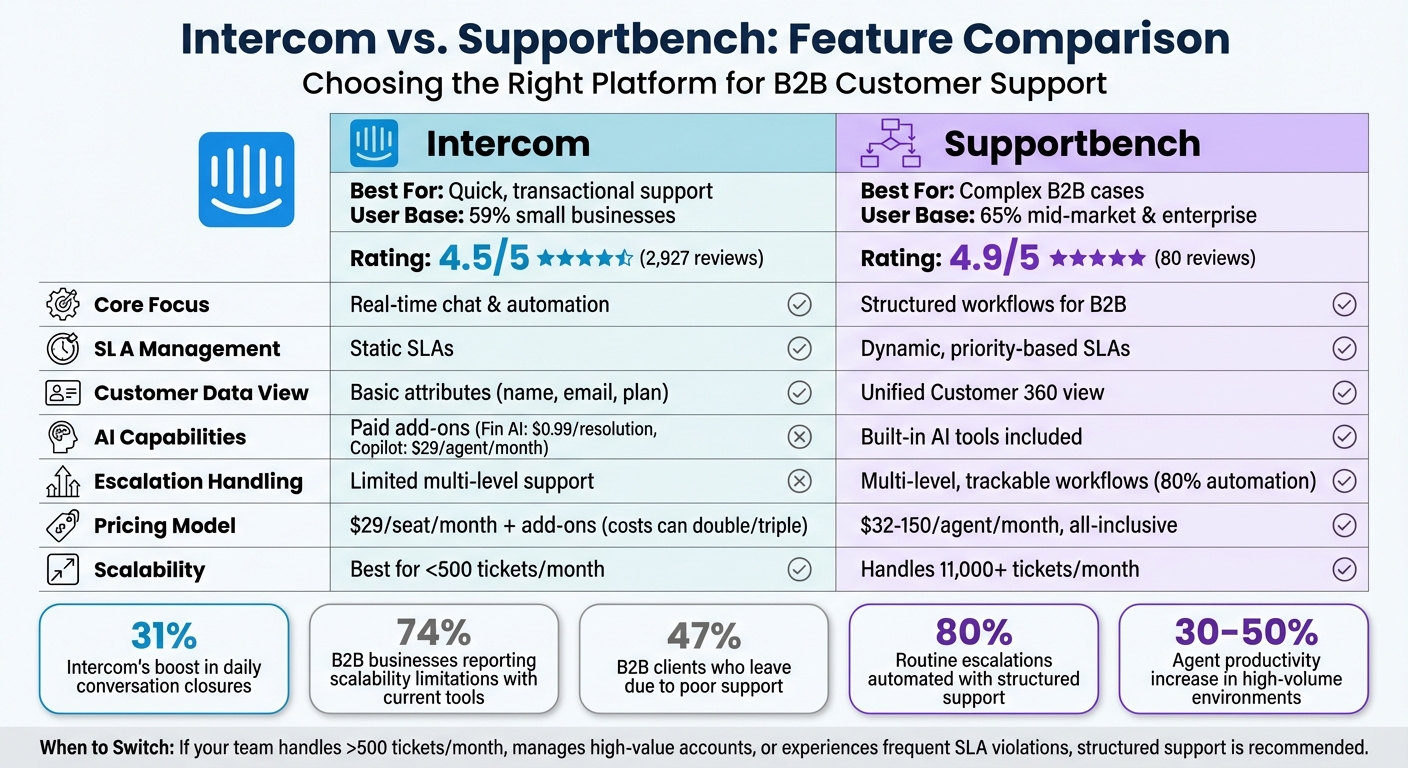
Intercom vs Supportbench: Feature Comparison for B2B Support Teams
Intercom Overview
Core Features
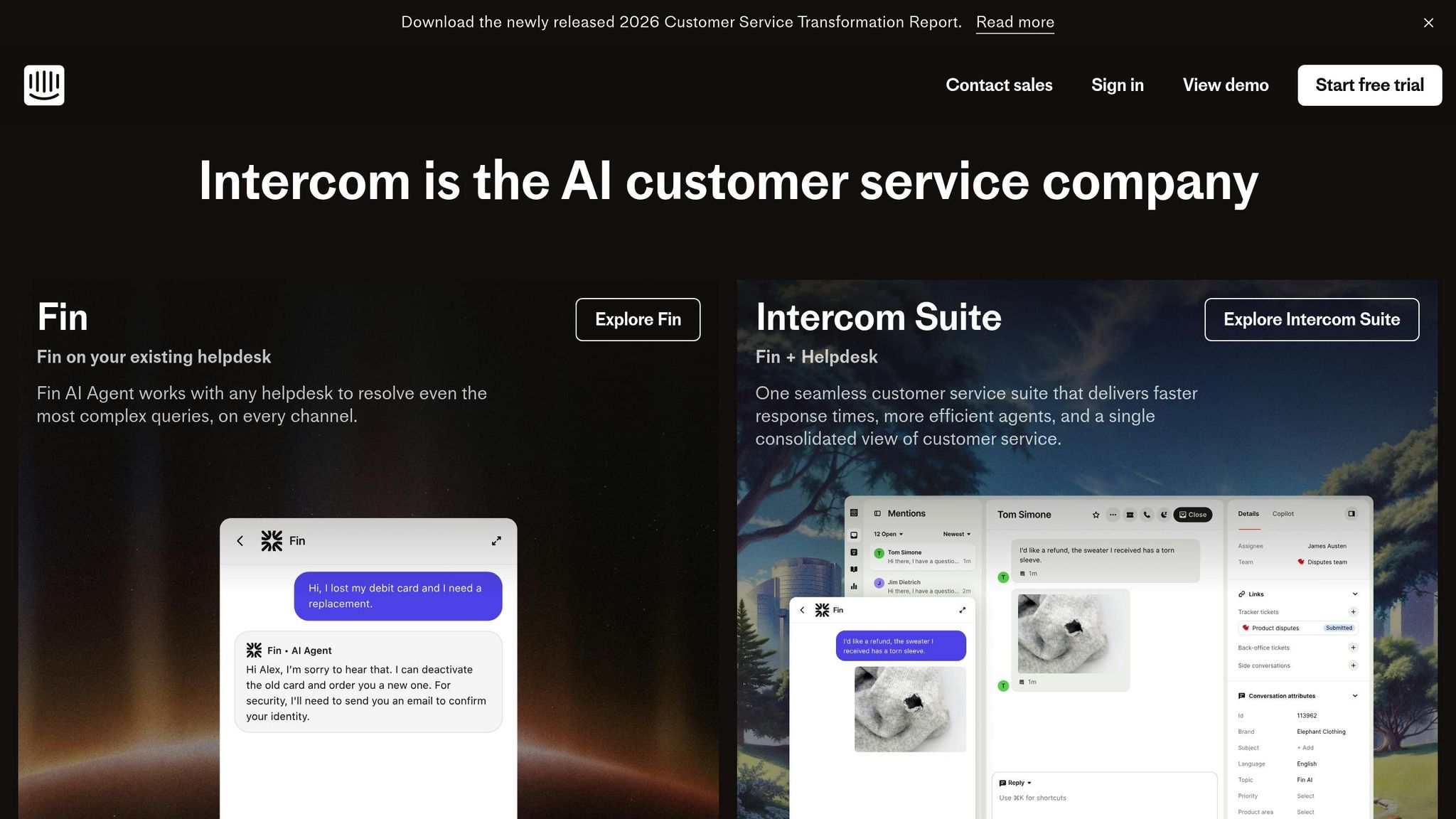
Intercom is designed as a conversational support platform, aimed at improving agent efficiency with tools like an AI-powered inbox and its Copilot feature. These tools can boost daily conversation closures by an impressive 31%. The platform brings together messages from multiple channels, streamlines repetitive tasks, and connects seamlessly with popular tools like Salesforce, Slack, and Jira. It also supports real-time communication in over 45 languages and has earned recognition in 97 G2 categories.
Key features include no-code automation workflows that take care of routine tasks and outbound messaging options such as in-app highlights and automated alerts for bugs or outages. These capabilities help reduce the volume of inbound support requests. While these features shine in fast-paced environments, they can fall short when dealing with more complex, multi-layered B2B scenarios.
Limitations for B2B Customer Support
Intercom encounters challenges when applied to intricate B2B customer support needs. One of its main drawbacks is its reliance on static SLAs, which don’t adapt based on factors like contract value, renewal timelines, or account risk indicators. Additionally, the platform lacks a comprehensive Customer 360 view, leaving agents to juggle multiple systems to retrieve critical information like contracts, licensing details, or product usage history. This not only slows down resolution times but also increases the likelihood of errors in handling complex cases.
Another major limitation lies in its escalation capabilities. Intercom doesn’t support multi-level, trackable workflows needed for cases that require collaboration across departments such as engineering, legal, or account management. As one reviewer noted, Intercom is "great for chat; not a full helpdesk for long-running cases".
These shortcomings are significant for B2B enterprises, with 74% reporting that such limitations hinder their ability to scale and provide tailored support. For businesses managing complex technical products or accounts with multiple stakeholders, the absence of dynamic prioritization, unified account insights, and well-structured escalation workflows creates inefficiencies. These are precisely the types of challenges that more specialized support platforms are built to address.
sbb-itb-e60d259
Supportbench Overview
Core Features
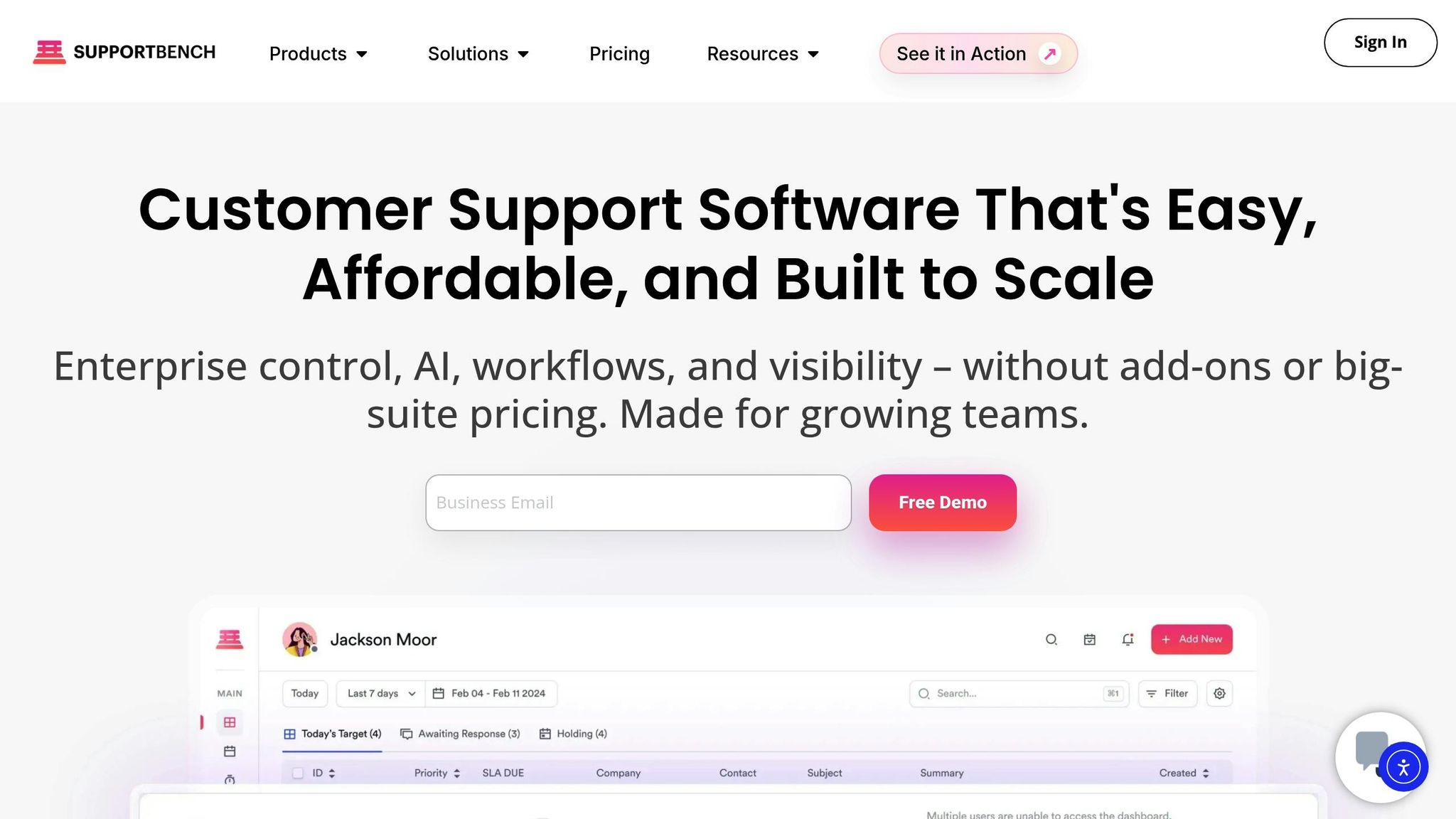
Supportbench is tailored for B2B organizations that handle complex, multi-stakeholder cases. Unlike conversational platforms that often fall short in intricate scenarios, Supportbench offers structured workflows and governance tools. These tools are essential when factors like contracts, licensing details, and product usage history carry as much weight as the conversations themselves.
One standout feature is its dynamic SLAs, which automatically adapt based on account value or risk indicators. For example, high-value accounts nearing renewal or showing signs of dissatisfaction are prioritized. This addresses the 74% gap in personalization that static systems typically fail to meet.
At the heart of the platform is a Customer 360 view, which consolidates critical data – contracts, licensing, product usage, and full interaction history – all in one place. This eliminates the inefficiency of switching between multiple systems. Additionally, its multi-level escalation management ensures seamless workflows across departments like engineering, legal, and account management. This feature is crucial for enterprise-level coordination.
As Jane Doe, a Senior Customer Experience Analyst at Forrester Research, aptly puts it, creating personalized experiences is no longer optional.
Supportbench also includes a KCS-ready knowledge base, which transforms resolved tickets into searchable articles instantly. This feature builds an organization’s knowledge repository without adding extra work for agents. Unlike many platforms that charge extra for advanced features, Supportbench includes governance tools, advanced reporting, and AI capabilities in its base price – avoiding the "add-on pricing trap." With a 4.9 rating on G2 and Capterra, the platform promises rapid deployment within weeks, not months, and includes free migration and onboarding.
These features reflect a shift from basic chat solutions to a comprehensive support system designed specifically for B2B needs. On top of this structured foundation, Supportbench integrates AI-driven tools to further enhance efficiency.
AI-Driven Tools for Support Efficiency
Supportbench takes operational efficiency to the next level with its embedded AI capabilities. Its AI Copilot assists agents in real time by suggesting replies based on case history and pulling relevant information from the knowledge base. This minimizes the time agents spend searching for solutions.
The platform’s intelligent triage and routing automates ticket categorization and assignment based on factors like priority, customer value, topic, or sentiment. This eliminates the need for complicated manual rules. For quality assurance, Supportbench includes AI-powered QA, which reviews tickets for empathy, tone, and accuracy. It offers immediate feedback to agents, removing the need for dedicated QA managers. This is particularly helpful for teams battling the 33% higher attrition rate linked to constant firefighting and insufficient tools.
Supportbench also incorporates predictive analytics, which go beyond standard reporting. Features like predictive CSAT (Customer Satisfaction Score) and CES (Customer Effort Score) can identify at-risk cases before customers even provide feedback. This allows teams to act preemptively. Combined with customer health scoring, support leaders can shift from reacting to problems to proactively preventing churn. Best of all, these tools operate without requiring IT involvement, empowering Support Ops teams to manage and configure the system independently.
Conversational vs. Structured Support: Feature Comparison
Feature-by-Feature Comparison
When it comes to handling the complexity of B2B support, conversational and structured support models take distinct approaches. If you’re a B2B support leader considering a shift, understanding these differences is key. For example, Intercom’s Messenger widget is great for quick engagement – handling simple questions, product tours, and high-volume chat across platforms like WhatsApp and SMS. However, when it comes to managing multi-departmental cases that require insight into contracts or licensing, the conversational model often falls short.
Supportbench, on the other hand, is designed with ticket-based workflows that track every detail of ongoing cases. This system centralizes all essential account data into one unified view, so your team doesn’t have to jump between tools. This is especially helpful when agents need a complete understanding of the customer’s account before responding, rather than just reacting to incoming messages.
| Feature Category | Intercom Approach | Supportbench Approach | B2B Impact |
|---|---|---|---|
| Core Mechanics | Real-time messaging via Messenger widget | Ticket-based workflows with full case history | Better suited for complex, multi-stakeholder cases |
| AI Tools | Paid add-ons: Fin AI ($0.99/resolution) and Copilot ($29/agent/month) | Built-in tools: case summaries, predictive CSAT/CES, KB article generation | Efficiency without usage-based fees |
| SLA Management | Basic response time monitoring | Dynamic SLAs based on renewal dates or risk signals | Proactive prioritization for key accounts |
| Customer Context | Basic attributes (name, email, plan) | Customer 360 with integrated account data | Full visibility for smarter decisions |
| Scalability for Complex Cases | Limited – structured ticketing is an extension of chat | Optimized for complex cases with multi-level escalation | Faster resolutions and consistent outcomes |
These differences aren’t just theoretical – they directly impact how efficiently your team operates. One standout feature? Supportbench can actually manage Intercom conversations within its helpdesk system. This allows teams to maintain their conversational tools on the front-end while gaining the benefits of structured workflows on the back-end. Intercom, however, lacks the ability to integrate structured support in the same way.
Pricing and Cost Efficiency
The pricing models of these platforms highlight another layer of difference. Intercom’s Essential plan starts at $29 per seat per month, but costs can climb quickly due to add-ons. Features like Proactive Support ($99/month), Fin AI ($0.99 per resolution), and AI Copilot ($29/agent/month) can cause expenses to balloon. Sophie Grigoryan, Content Project Manager at Userpilot, sums it up:
"The true cost of Intercom is a combination of per-seat prices, add-ons, and usage-based fees that can easily double or triple your bill."
Supportbench takes a different approach with an "everything included" model starting at $32 per agent per month (billed annually). This includes AI tools, dynamic SLAs, escalation management, a knowledge base, and customer health scoring – all without feature gating or surprise fees. Costs are capped at $150 per agent, regardless of team size, and free migration and onboarding are included. For B2B teams managing intricate accounts, this transparent pricing removes the guesswork and avoids the budget overruns often seen with add-on-heavy platforms.
Whether you’re looking at tool integration or long-term cost predictability, these factors are critical for ensuring your support operations can scale effectively.
When to Transition: Decision Criteria
Signs Your Team Has Outgrown Conversational Support
Frequent SLA violations can be a red flag that your team has outgrown conversational support tools. Platforms like Intercom are great for real-time engagement but often fall short when managing the complexity of B2B operations. If your team is dealing with a high volume of inquiries from enterprise clients, chat threads can quickly become overwhelming, leading to delayed responses. Tools like Supportbench step in here, offering automated routing, dynamic SLAs, and performance alerts that adapt based on factors like renewal dates or account risk signals.
Struggling with escalations is another sign. Managing multi-departmental cases with basic escalation methods can create bottlenecks and slow down resolutions. Supportbench addresses this with AI-driven escalation tools that prioritize incidents and ensure seamless transfers with full tracking. Teams using similar structured systems have reported automating up to 80% of routine escalations, significantly improving resolution times.
If your team lacks a unified view of customer data, it’s likely your current tool isn’t meeting your needs. While conversational platforms excel at quick, real-time interactions, they often don’t provide account-level context. Supportbench solves this by offering a Customer 360 view, complete with health scores, onboarding tracking, and usage analytics. This comprehensive data equips teams with a full understanding of a customer’s situation before responding. Industry reports even highlight that 47% of B2B clients leave their vendors due to dissatisfaction with customer support, underscoring the importance of this visibility for retention.
Identifying these challenges can help you determine if it’s time to move to a structured support platform that aligns with your team’s growing demands.
Evaluating Platform Fit for B2B Needs
Once you spot these signs, it’s essential to evaluate how well a platform can scale and integrate the advanced tools needed for B2B support. Let’s start with scalability. Intercom primarily caters to small businesses, with 59% of its users falling into that category. Its workflows often struggle to handle the demands of large B2B operations. On the other hand, Supportbench serves 65% mid-market and enterprise users, supporting features like ticket management, multi-channel support, and over 16 integrations – all designed to grow alongside your business without adding complexity. A good rule of thumb: if your team manages more than 500 tickets per month, structured platforms like Supportbench are better equipped to handle the load through automated workflows.
AI capabilities are another critical factor. While some platforms focus on basic chatbots and sentiment analysis, structured systems offer advanced tools like escalation prediction and dynamic SLAs. These features, often included without usage-based fees, can automate up to 80% of routine tasks and boost agent productivity by 30-50% in high-volume environments. Supportbench’s 4.9/5 rating from 80 reviews, compared to Intercom’s 4.5/5 from 2,927 reviews, reflects greater satisfaction among users valuing structured options.
Lastly, look at integration depth and workflow support. A platform’s ability to handle real-world B2B scenarios – like adapting SLAs based on renewal dates or managing multi-stakeholder cases – is crucial. For instance, Wolseley Canada switched to Supportbench in August 2025 to handle over 11,000 monthly support emails. By leveraging automated ticket routing and a unified agent dashboard, they streamlined operations and improved resolution times as their volume grew. Eilis Byrnes, Customer Service and Process Improvement Manager at Wolseley Canada, shared:
"Supportbench helps our agents manage 11,000+ emails easily and accurately by providing them with a platform that is easy to use."
The right platform should eliminate data silos, reduce manual work, and offer transparent pricing without locking necessary features behind paywalls, ensuring your B2B support scales effectively.
Marty Kausas, Pylon CEO on Modern B2B Support, AI KB & Post‑Sales Tools
B2B Scenarios Where Structured Support Works Better
Real-world examples highlight how structured support systems excel in managing the complexities of B2B environments, especially when compared to conversational platforms.
Faster Resolution Times for High-Value Accounts
Dynamic SLA management plays a crucial role in ensuring high-value accounts get the attention they need. Unlike conversational platforms that rely on fixed response times, structured support systems adapt SLAs based on critical business factors like renewal dates or customer risk levels. For instance, a client nearing their renewal date is automatically prioritized with tighter response windows, ensuring urgent issues are addressed promptly. This system also avoids mishandling cases where a high-tier customer reports a serious issue under a misleading subject line like "Quick Question." Structured systems analyze the content of requests to identify urgency and escalate appropriately.
AI-driven prioritization takes this a step further by intelligently routing complex queries to the right teams. For example, a technical issue involving SSO or SAML integration errors is sent directly to specialists, bypassing general support queues. With access to a Customer 360 view, agents can immediately see details like contracts, licensing, and product usage, eliminating the need for customers to repeatedly clarify their issue. This streamlined process significantly reduces resolution times.
Scaling Support Without Adding Overhead
Automated knowledge creation allows teams to grow without increasing headcount. Resolved tickets can be converted into knowledge base articles with a single click, creating a repository of institutional knowledge as a natural extension of daily tasks. Coupled with AI-powered triage and routing, this automation enables support teams to handle increased workloads efficiently, without requiring additional resources or complex IT configurations.
Automated quality assurance further boosts efficiency. AI tools review tickets for tone, empathy, and accuracy, minimizing the need for manual oversight. Additionally, AI-generated summaries of lengthy email threads help new agents quickly grasp the details of intricate B2B cases. This operational streamlining is reflected in Supportbench’s impressive 4.9/5 ratings on G2 and Capterra.
Structured support doesn’t just improve operations – it also strengthens internal collaboration, a key factor in aligning stakeholders across the organization.
Better Stakeholder Alignment
Real-time visibility changes how customer success managers, sales teams, and executives collaborate. Tools like agent scorecards, customer health scoring, and analytics dashboards create a shared understanding that conversational platforms often lack. For instance, if sentiment analysis flags a high-stakes case with strong negative emotions, the system alerts the account manager, enabling them to act before the issue escalates into a churn risk. This proactive approach addresses one of the main reasons B2B clients switch vendors – poor support experiences.
Cross-functional integration ensures seamless collaboration across teams. By natively connecting with platforms like Salesforce and Jira, structured support systems keep support tickets, engineering tasks, and account details synchronized without requiring manual updates. Executives gain access to real-time KPI dashboards that track support trends and team performance, while technical teams receive escalations complete with all necessary documentation. This level of coordination is hard to achieve with chat-based tools alone, making structured support a more effective choice for complex B2B operations.
Conclusion: Choosing the Right Platform for B2B Support
Deciding between conversational and structured support platforms isn’t about picking the "better" option – it’s about finding the one that fits your operational needs. For teams handling complex accounts, long-term technical cases, and multi-stakeholder dynamics, conversational platforms designed for quick chats can become a roadblock.
Supportbench addresses these challenges with an "Everything Included" pricing model that eliminates confusing add-ons and hidden fees. Its dynamic SLA system adjusts automatically based on renewal sensitivity and risk indicators, ensuring high-value accounts get prioritized without manual effort. Plus, the platform’s Customer 360 view reduces the need to jump between tools, which often slows teams down.
Beyond dynamic SLAs and integrated workflows, Supportbench incorporates AI capabilities from the ground up – no expensive add-ons required. Features like automatic case summarization, tagging, and one-click conversion of resolved tickets into knowledge base articles simplify agents’ tasks. Meanwhile, leadership benefits from real-time KPI scorecards and predictive CSAT scoring, offering actionable insights without relying on IT support. As Eilis Byrnes from Wolseley Canada shared:
"Supportbench helps our agents manage 11,000+ emails easily and accurately by providing them with a platform that is easy to use".
These AI-driven tools streamline operations for growing B2B teams. For those outgrowing shared inboxes, the choice becomes clear. Supportbench directly addresses inefficiencies and escalation risks, with implementation taking weeks – not months. Free migration and onboarding make the switch more affordable than sticking with tools that no longer meet your needs. With 74% of businesses reporting their current tools lack the scalability for deep personalization, moving to a platform designed for B2B complexity is no longer just an upgrade – it’s a strategic necessity.
FAQs
What are the clearest signs we’ve outgrown chat-based support?
When a support system starts showing cracks, it often manifests in a few clear ways. One issue is the struggle to manage complex, multi-step problems effectively. Another is the inability to maintain a consistent understanding of the customer’s context across multiple channels.
Chat-only solutions, for instance, frequently fall short when it comes to tracking long-term issues. This can lead to fragmented conversation histories and, ultimately, longer resolution times. On top of that, scaling becomes a significant hurdle without tools like SLA management, governance features, or the ability to collaborate across multiple departments.
These challenges highlight the need for a more structured support system – one that can handle advanced workflows, foster better collaboration, and manage long-term cases with ease.
How do dynamic SLAs actually change ticket prioritization?
Dynamic SLAs take ticket prioritization to the next level by using AI to adapt in real time based on customer data, sentiment, and urgency. Unlike static SLAs, which rely on rigid, predefined rules, dynamic SLAs focus on what matters most – like addressing critical cases involving frustrated or high-value clients. By analyzing interactions and emotional cues, they ensure quicker resolutions, reduce SLA breaches, and boost customer satisfaction. This approach aligns ticket handling with the overall business impact, making support more responsive and effective.
Can we keep live chat while running structured case management?
Yes, it’s entirely possible to run live chat while managing structured case processes. Platforms like Supportbench combine chat tools, such as Intercom, with advanced case management capabilities. This integration ensures that all context is preserved and workflows remain automated, letting you deliver real-time support without compromising on organized, efficient processes.
Related Blog Posts
- Helpdesk software comparison matrix 2026
- What are the best Intercom alternatives for B2B support teams that need ticketing?
- Help Scout alternatives for B2B teams: what to choose when you outgrow shared inbox
- What are the signs you’ve outgrown Help Scout (SLAs, tiers, escalations, reporting)?
Evaluating help desks for a B2B team?
Supportbench is all-inclusive from $32 per agent per month, with migration and onboarding included. See pricing or book a 20-minute demo.






