


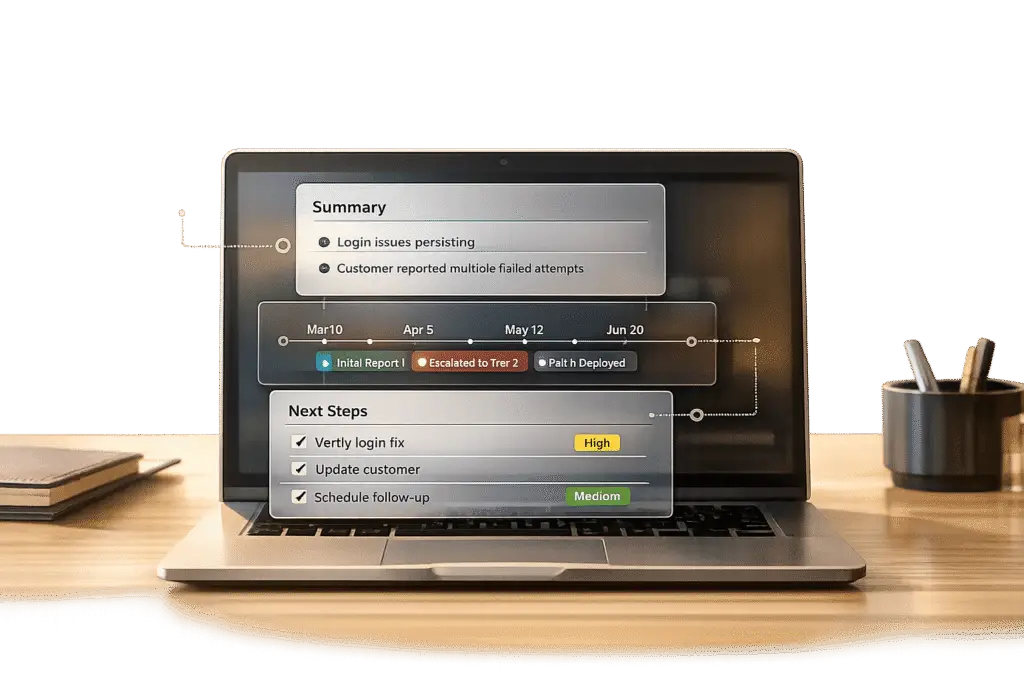
When new agents take over long-running support tickets, they often spend too much time piecing together the ticket’s history – up to 2–4 hours per ticket, costing $200–$500 in engineering time. This inefficiency delays resolutions and frustrates customers. To solve this, creating clear, concise, and continuously updated summaries is essential.
Key steps for summarizing tickets effectively:
- Review the ticket timeline: Focus on key events, escalations, and internal notes.
- Identify the core problem: Understand the root cause, customer experience, and business impact.
- Document actions taken: Record what’s been tried and the results to avoid redundancy.
- Outline the current status and next steps: Be clear about what’s pending and who’s responsible.
- Use a standard template: Structure summaries into three parts – Issue, Steps Taken, and Outcome.
Avoid common mistakes like outdated summaries, excessive detail, or relying solely on AI without review. AI tools can assist by generating summaries, tracking sentiment changes, and organizing key points, but human oversight ensures accuracy and relevance. When done right, summaries can reduce resolution times by 20–40% and improve team efficiency.
How to Summarize Long-Running Tickets: A Step-by-Step Guide
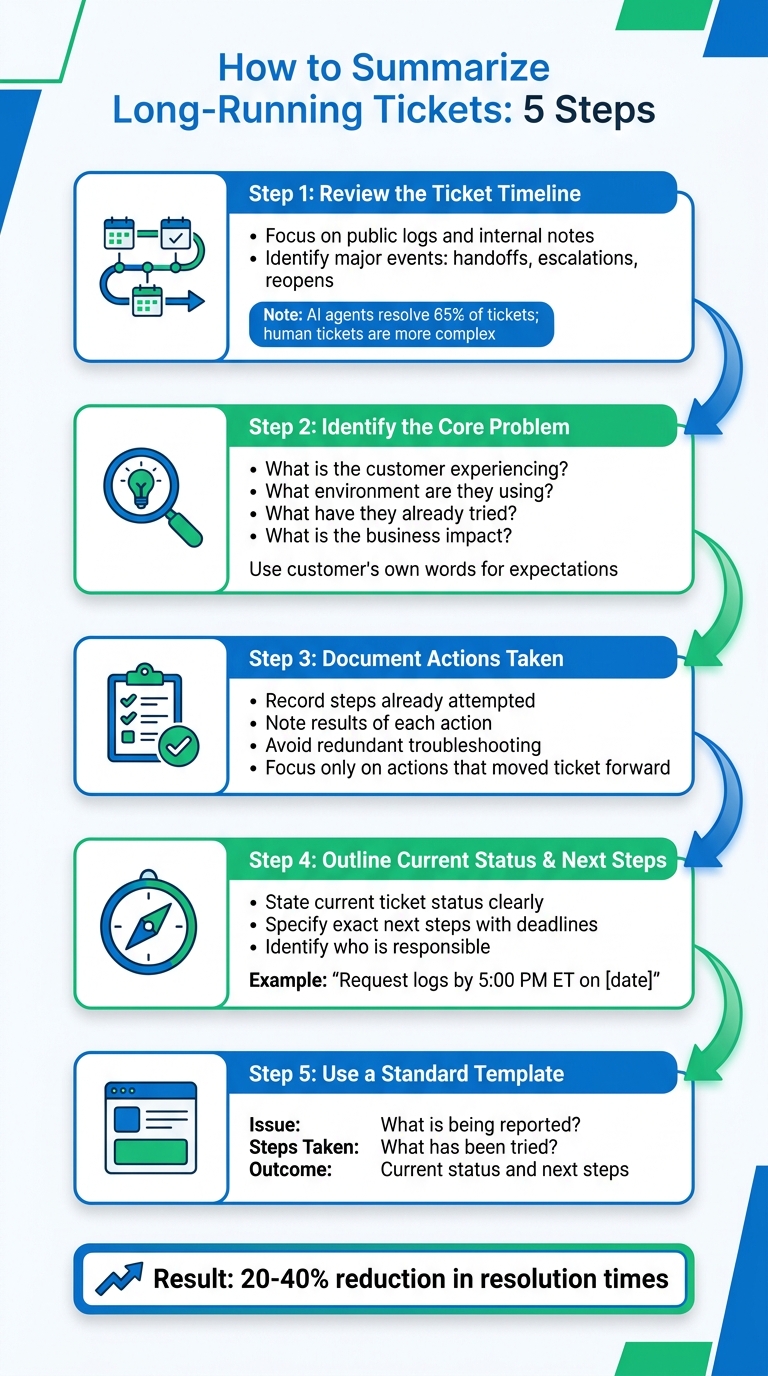
5-Step Process for Summarizing Long-Running Support Tickets
When you’re dealing with a ticket that has 50+ messages, summarizing the key details is crucial for helping a new agent step in and take action quickly. Below is a step-by-step approach to create summaries that are accurate, clear, and easy to follow [8][9].
Step 1: Review the Ticket Timeline and Key Activities
Start by scanning the ticket’s timeline, focusing on both public logs (visible to the customer) and internal notes (used for troubleshooting and identifying blockers). Public logs show what the customer has experienced, while internal notes provide the behind-the-scenes context.
Pay special attention to major events like team handoffs, escalations, or ticket reopens. These milestones often highlight where the process got stuck and can help you avoid repeating the same mistakes. For instance, since AI agents resolve around 65% of tickets [6], the ones that reach human agents are often more complicated.
Some platforms require at least three messages in the timeline before generating a summary, ensuring there’s enough context to work with [4]. Once you’ve identified the key events, shift your focus to understanding the core issue and the customer’s expectations.
Step 2: Identify the Core Problem and Customer Expectations
Next, figure out the root cause of the issue. For example, if a customer says, "the page is blank", the underlying problem could be anything from a JavaScript error to a permissions issue or even a server timeout. Your job is to form a hypothesis about what’s causing the issue.
To clarify the problem, answer these four questions:
- What is the customer experiencing?
- What environment are they using (e.g., OS, browser version)?
- What troubleshooting steps have they already tried?
- What is the business impact (e.g., "blocking team access" or "delaying onboarding")? [7]
When defining customer expectations, use their own words. For instance, if they say, "We need this fixed by Friday for our launch", include that in your summary. Mirroring their language shows you understand their priorities [7].
"The engineer receiving the ticket shouldn’t need to re-read the whole thread. They should be able to read your summary, confirm the technical details, and start investigating within a minute." – Samuel Chenard, Co-founder, LobsterMail [7]
Step 3: Document Actions Taken and Their Results
Record the steps that have already been taken, along with the results. For instance, if clearing the cache didn’t resolve the issue, note it down so the next agent doesn’t waste time trying the same thing. If a temporary workaround was provided, but the customer still needs a permanent solution, include both.
This documentation ensures the next agent has a clear roadmap of what’s been done and what’s left to try. Focus only on actions that moved the ticket forward [10].
Once you’ve documented past efforts, outline the current status and what needs to happen next.
Step 4: Outline Current Status and Next Steps
Clearly state where the ticket stands right now and what the next steps are. For example:
- Is the ticket waiting on the customer to provide additional logs?
- Has it been escalated to engineering for a bug fix?
- Is it stalled due to a third-party vendor?
Be specific with next steps. For example: "Request browser console logs by 5:00 PM ET on May 5, 2026." This level of clarity ensures the ticket doesn’t stall and helps the next agent know exactly what to do.
Step 5: Use a Template for Consistent Summaries
Using a standardized template makes summaries easier to read and ensures consistency across your team. Many modern support tools follow a three-part format:
- Issue: What is the customer reporting?
- Steps Taken: What has been tried so far?
- Outcome: What is the current status, and what are the next steps? [1]
Here’s an example of a well-written summary for a two-week-old ticket:
| Summary Component | Details |
|---|---|
| Issue | Customer (Acme Corp, admin user) reports that team members can’t access the shared dashboard. Error message: "Permission denied." Affects 12 users. Business impact: blocking Q2 planning meeting scheduled for May 6, 2026. |
| Steps Taken | 1) Verified permissions settings on May 1 – correct. 2) Cleared cache and cookies – no change. 3) Escalated to engineering on May 2. Engineering confirmed a bug in the role-based access control (RBAC) system affecting enterprise accounts created after April 15, 2026. |
| Outcome | Bug fix deployed to staging on May 3. Waiting for customer to test in their environment. Next step: Follow up by 10:00 AM ET on May 5 to confirm resolution, then close ticket. |
Using this approach ensures your summaries are not only concise but also actionable, enabling agents to resolve issues faster and more effectively.
sbb-itb-e60d259
Common Mistakes to Avoid When Summarizing Tickets
When summarizing tickets, even small missteps can create big challenges. To keep things clear and efficient, it’s essential to steer clear of these common mistakes. Missteps can turn what should be helpful summaries into frustrating obstacles for your team.
One major issue is failing to update summaries when new information arrives. A summary that was once accurate can quickly become outdated the moment a customer responds. This forces teams to re-check the ticket’s history. On average, engineers spend 2–4 hours per escalated ticket piecing together context from summaries that haven’t been updated [3].
Another frequent problem is leaving out the ticket’s current status. Many agents focus on the initial issue but skip over recent developments, like troubleshooting steps or unresolved blockers. For instance, if a ticket is escalated to engineering and waiting on a bug fix, the next agent might have no idea what’s already been done. This leaves them digging through long threads of messages to catch up.
Adding too much detail can also backfire. When agents copy every troubleshooting step or fill summaries with technical jargon, they bury the most important points. As Thomas Verschoren from Internalnote explains:
"Summaries might seem like a small feature, but they solve a very real problem: understanding what happened without reading everything" [5].
If your summary takes 10 minutes to read, it’s no longer a summary – it’s just a condensed version of the entire conversation.
Lastly, relying entirely on AI-generated summaries without reviewing them can lead to errors or missed nuances. AI tools can be helpful, but they aren’t foolproof. After major updates, regenerate the summary and double-check it. Manual edits are often needed to ensure critical details aren’t overlooked. Consider this: out of a typical 18-hour resolution time, more than 6 hours are often wasted because receiving teams don’t have complete or accurate information [3]. A quick review of your summary can save hours of unnecessary back-and-forth.
Next, we’ll dive into how AI case summarization tools can help make the process even more efficient.
How AI Tools Streamline Ticket Summarization
AI simplifies ticket summarization by automating the process and delivering concise, focused summaries. Instead of manually combing through countless messages, internal notes, and troubleshooting steps, AI tools analyze entire ticket conversations to pull out the most relevant details.
These tools do more than just summarize text – they pinpoint sentiment changes, key details, and critical outcomes that might otherwise get lost in lengthy email threads. For instance, in tickets involving multiple departments, AI can track each team’s actions, highlight unresolved issues, and save agents the effort of piecing everything together manually.
What really boosts productivity is how AI structures the output. It organizes information into clear, concise sections and updates in real time, giving new agents a quick overview of a ticket’s progress. As Desk365 puts it:
"The Summarize Ticket feature… allows agents to quickly extract key information from lengthy ticket conversations… ensuring agents don’t have to sift through long threads to understand the issue" [2].
AI also integrates seamlessly into existing workflows. Summaries can be added to private notes, shared with engineering teams during escalations, or stored in ticket fields for reporting and dashboards. For global operations, AI can even translate summaries into an agent’s preferred language, making cross-regional handoffs more efficient.
It’s important to see AI as a tool to build on, not as a final solution. Its ability to refine sentiment insights and reconstruct ticket histories is explored further below.
Sentiment Analysis and Key Point Extraction
AI doesn’t just summarize – it understands context. Sentiment analysis tracks shifts in a customer’s tone throughout a conversation, flagging moments of frustration or satisfaction. This helps agents prioritize tickets where emotions are running high and adjust their approach accordingly.
Key point extraction identifies the most critical details in a ticket, such as the root cause, business impact, deadlines, and commitments made by your team. Instead of guessing what matters, AI surfaces the exact information a new agent needs to seamlessly continue the conversation. For example, if a customer mentions a contract renewal deadline buried in a 30-message thread, AI ensures that detail is included in the summary. It also captures internal notes, troubleshooting steps, and escalation updates, preserving essential context.
Automated Ticket History Summaries
Automated history summaries take the guesswork out of reviewing a ticket’s past:
These summaries provide a complete, structured overview of the ticket’s journey – from the initial issue reported by the customer to the actions taken and the current status. This is especially valuable during escalations or team handoffs, as the summary delivers critical context instantly, eliminating the need to sift through the entire conversation.
Supportbench incorporates AI-generated summaries from the moment a ticket is opened. Summaries are updated as new activities occur and finalized when the case is closed. They can also be stored in custom fields for use in reports, dashboards, and views, offering operational insights without extra manual effort. This approach saves time and ensures even the most complex, multi-month tickets are easy for new agents to grasp at a glance.
Best Practices for Using AI-Generated Summaries in B2B Support
To make the most of AI-driven ticket summarization in B2B support, it’s important to follow some key strategies. These practices ensure efficiency, accuracy, and a seamless experience for both support teams and clients.
AI summaries are most effective as starting points. Successful support teams rely on AI to pull out the main details, allowing agents to focus on refining and finalizing the message before sharing it with customers or escalating it to engineering teams. As Samuel Chenard, Co-founder of LobsterMail, puts it:
"The best teams use AI to get 80% of the way there, then have the agent review, adjust, and send. Average handle time drops because the agent isn’t writing from scratch. Quality stays high because a human is still making the judgment calls." [7]
This means that while AI can handle the heavy lifting, human oversight is crucial to ensure the summary captures all the necessary details.
When dealing with high-value B2B accounts, always prioritize human review [11]. AI tools can sometimes miss subtle nuances, merge unrelated issues, or fail to detect shifts in customer sentiment. Before sending a summary to a customer or escalating it internally, verify that it fully reflects the customer’s experience, technical setup, attempted solutions, and the broader business implications [7].
Adjust summaries for the intended audience. Developers require highly technical details, such as stack traces, API error codes, and precise troubleshooting steps. On the other hand, non-technical stakeholders need summaries that highlight business impact, clear next steps, and realistic timelines. Fine-tune AI drafts to avoid robotic language and ensure they are actionable and relevant. If new updates are added to a long-running ticket, regenerate the summary to ensure sections like "Outcome" and "Current Status" reflect the most recent developments [1]. Additionally, always be mindful of sensitive data and ensure compliance with privacy standards.
For accounts involving sensitive information, use PII redaction to automatically remove personal details, such as names and phone numbers, from summaries. Once finalized, store these summaries in custom fields that sync with your CRM. This gives teams across Sales, Success, and Support a unified view of the account’s status without requiring them to sift through lengthy ticket histories [12]. With this approach, everyone stays informed and aligned, improving collaboration and response times.
Conclusion
Clear and concise summaries play a key role in speeding up onboarding for new agents, improving collaboration, and boosting high-performing support teams. When an agent can grasp the core issue, the environment, previous attempts to fix it, and its business impact in under a minute, they’re better equipped to take confident action. This clarity also sets the stage for incorporating AI to streamline support processes even further.
AI tools, like those integrated into Supportbench, create structured summaries that outline the problem, actions taken, and current status. This gives agents an 80% head start on understanding the context before they refine and finalize their responses [7]. Teams using AI-driven summaries have seen a 30-50% drop in average handle time for routine tickets, allowing agents to shift their focus to more complex, high-priority tasks [7].
As mentioned earlier, viewing AI as a co-pilot rather than a replacement ensures that human judgment sharpens critical details. This approach maintains high-quality support while significantly improving efficiency.
FAQs
When should a ticket summary be updated?
A ticket summary needs to be updated anytime there are major new comments, internal notes, or status changes that impact how the issue is understood. Keeping the summary current is crucial, especially when new details change the context or bring clarity. This ensures that agents – especially those new to the ticket – have a clear and accurate overview of the situation.
What details should be removed to keep summaries short?
To create concise summaries, focus on the core problem, key actions taken, results, and critical insights. Leave out lengthy background details, configuration steps, ticket histories, and internal notes unless absolutely necessary. Avoid over-explaining or including extra data that doesn’t directly contribute to clarity or actionability. Keep it short and to the point.
How do I review AI summaries for accuracy and privacy?
To keep AI-generated summaries accurate and safeguard sensitive data, it’s essential to manually review them. This involves cross-checking key details with the original ticket, ensuring no private information is included, and looking out for inaccuracies or potential bias. If available, use AI detection tools to spot any signs of manipulation. Combining regular manual reviews with automated tools ensures better accuracy and privacy in AI-generated summaries for customer support.






