


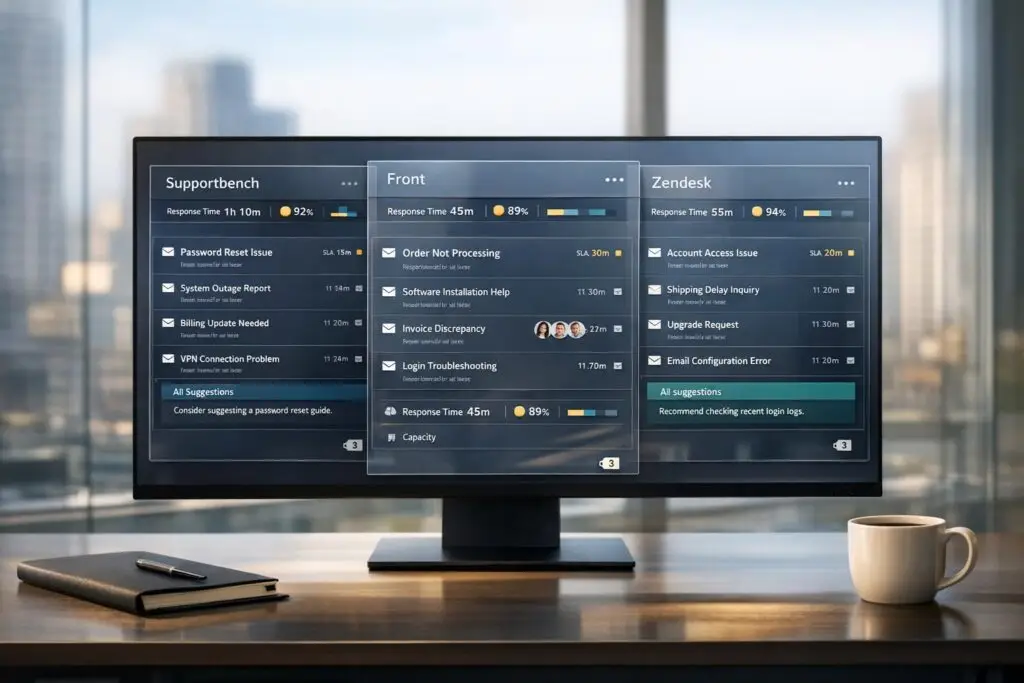
Email-like interfaces in enterprise helpdesks simplify support workflows by combining email-style communication with advanced tools like AI, SLA tracking, and collaboration features. This article compares three platforms – Supportbench, Front, and Zendesk – to help you choose the right one for your team.
- Supportbench: Focused on B2B teams, it offers tools like sentiment analysis, dynamic SLAs, and CRM integration for $32/agent/month.
- Front: A shared inbox platform with strong collaboration features, starting at $19/seat/month, but advanced AI tools are extra.
- Zendesk: A scalable solution with over 1,600 integrations, starting at $115/agent/month, but requires significant setup and admin resources.
Each platform addresses different needs, so the best choice depends on your team’s workflow and budget priorities. Below is a quick comparison to summarize the differences.
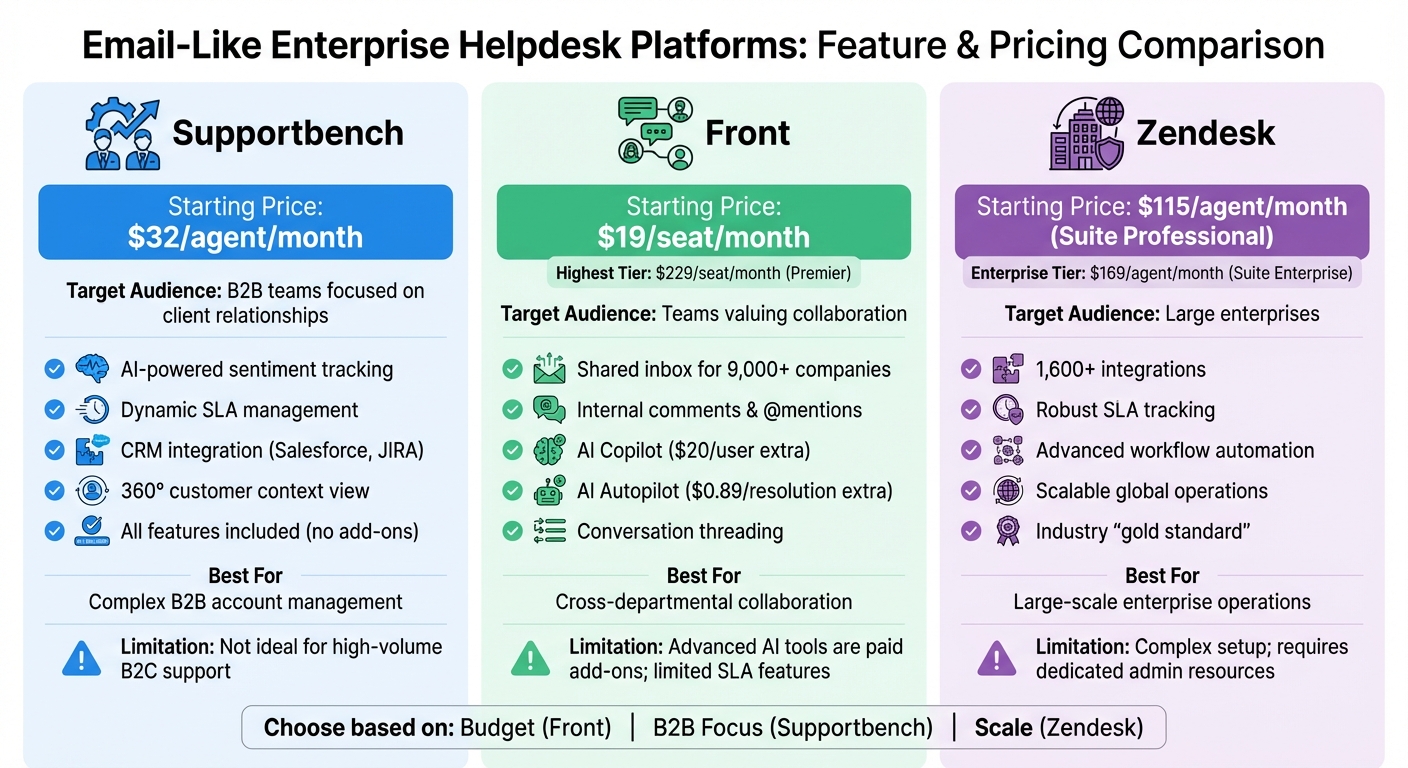
Enterprise Helpdesk Platforms Comparison: Supportbench vs Front vs Zendesk
Quick Comparison
| Platform | Starting Price | Key Features | Ideal For | Limitations |
|---|---|---|---|---|
| Supportbench | $32/agent/month | AI-powered sentiment tracking, SLA management | B2B teams focused on client relationships | May not suit high-volume B2C support |
| Front | $19/seat/month | Shared inbox, internal comments, AI summaries | Teams valuing collaboration | Advanced AI tools are add-ons, limited SLA features |
| Zendesk | $115/agent/month | Scalable workflows, 1,600+ integrations | Large enterprises | Complex setup, requires admin resources |
Choose based on your team’s specific needs, whether you are comparing SMB and enterprise helpdesks for affordability, collaboration, or scalability.
sbb-itb-e60d259
1. Supportbench Email-Like Interface
Interface Familiarity
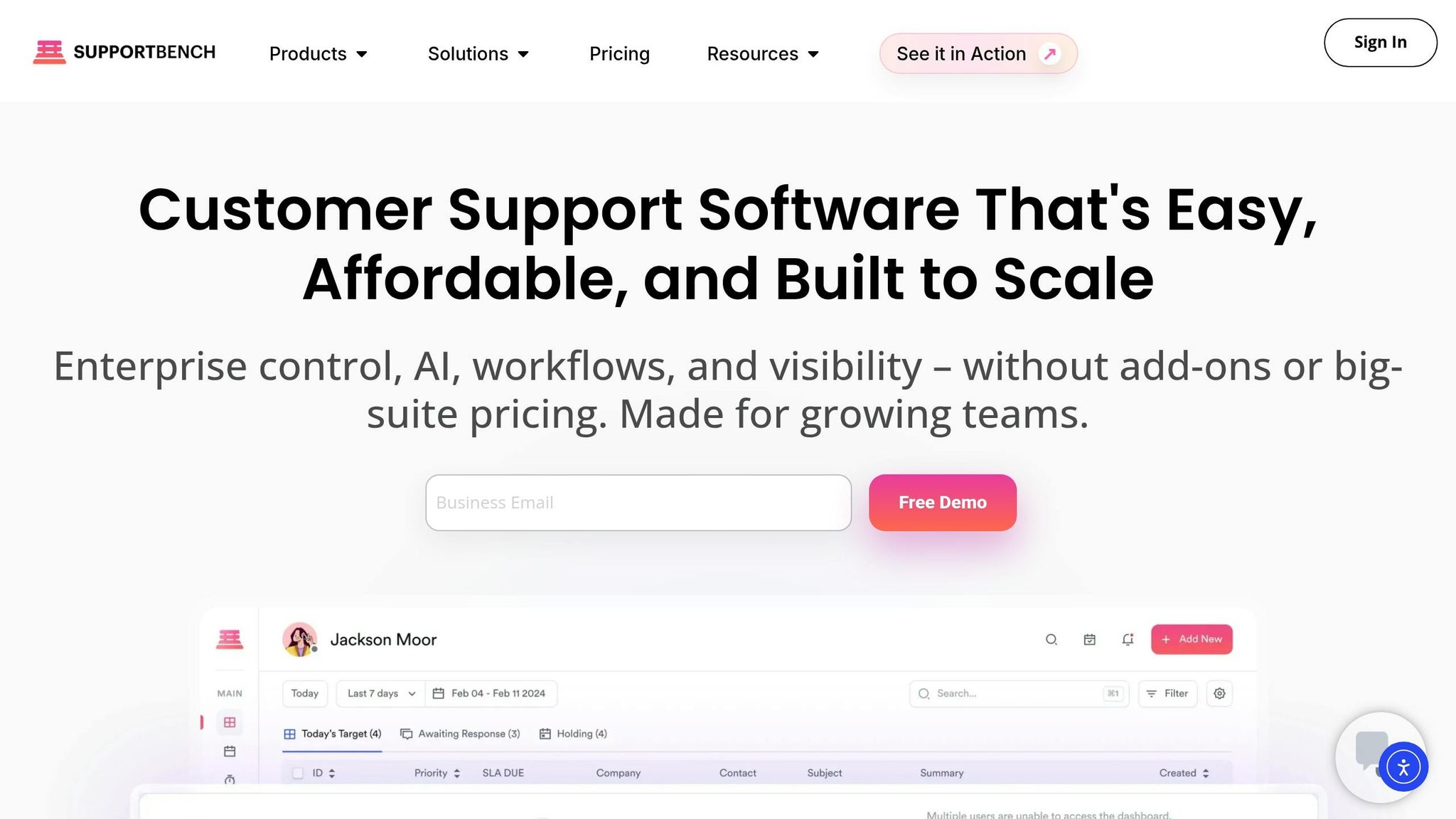
Supportbench offers a unified inbox that consolidates multiple email addresses into one streamlined dashboard. It retains the shared visibility teams are accustomed to with traditional email systems, while introducing structured ticket tracking for better organization. The interface mirrors the familiar look of platforms like Outlook, even allowing users to copy and paste images directly into the email editor. This familiar design makes switching from shared email to a helpdesk system feel effortless.
In August 2025, Wolseley Canada, a leading distributor of plumbing and heating products, transitioned from a traditional shared email setup to Supportbench. Under the guidance of Eilis Byrnes, Customer Service and Process Improvement Manager, the company implemented automated ticket creation, routing, and a unified agent dashboard. This migration helped the team handle over 11,000 emails with greater efficiency, reducing missed follow-ups and manual workflow delays. The result? Faster resolutions and happier customers [2].
"With the increased rate of emails, we saw an improvement in customer satisfaction. Supportbench helps our agents manage 11,000+ emails easily and accurately by providing them with a platform that is easy to use." – Eilis Byrnes, Customer Service and Process Improvement Manager, Wolseley Canada
This email-like interface serves as a user-friendly foundation for the platform’s advanced AI features.
AI Integration
Supportbench’s AI Copilot is seamlessly embedded into the email interface, offering auto-suggested replies based on case history and refining bullet points into polished messages. This feature not only saves time but also ensures consistent communication. Agents can also access instant summaries of past interactions or lengthy email threads, giving them a quick overview without needing to dig through every detail.
The AI goes further by analyzing emails to detect sentiment and intent, flagging frustrated customers and predicting CSAT and CES scores even before surveys are sent. Its quality assurance feature provides instant feedback on tickets, evaluating empathy, accuracy, and tone – eliminating the need for manual QA reviews. Additionally, agents can convert resolved tickets into knowledge base articles with a single click, simplifying the documentation process for B2B teams.
B2B Scalability
Supportbench is designed to handle the complexities of B2B relationships. It supports multi-step escalation workflows with conditional triggers, ensuring tickets are routed based on urgency, customer value, or emotional tone. The platform provides a 360° customer context view, complete with KPI scorecards and a full history of the customer journey – essential tools for managing long-term client relationships.
With native integrations like Salesforce and JIRA, agents can trigger actions in CRM or development environments directly from the platform. The system also employs dynamic SLAs that adjust response times based on case activity. For instance, response times may tighten as a customer’s renewal date approaches, ensuring high-value clients receive priority attention. Role-based security adds another layer of control, allowing teams to restrict access and ensure customers only see authorized content – crucial for multi-tenant B2B operations.
Pricing and Costs
Supportbench keeps pricing straightforward, starting at $32 per agent per month for a fully inclusive platform. From day one, all customers gain access to the complete system, including AI tools, case management, workflows, dashboards, and live support – no hidden fees or feature restrictions. By leveraging AI to classify, prioritize, and assign tickets automatically, the platform helps reduce operational costs and minimizes manual effort. Special discounts are available for startups and non-profits, making it an accessible option for a wide range of organizations.
2. Front Shared Inbox Interface
Interface Familiarity
Front takes a unique approach to customer interactions by presenting them as conversation threads rather than traditional numbered tickets. Its layout is designed to feel familiar, closely resembling popular email applications. Messages are categorized into sections like "Open", "Later", and "Done," making navigation straightforward. Collaboration is seamless with features like internal @mentions and hidden comments, which eliminate the need for messy "FWD" email chains. Real-time presence indicators also help avoid duplicate responses, ensuring smooth teamwork across the board [4][5][7].
Tony Peckham, Global Operations Director, highlighted the platform’s impact:
"Front enabled us to transition from a one-dimensional Outlook email setup to a more dynamic platform with internal and external functionalities that we previously lacked" [3].
This familiar setup reduces the learning curve for teams switching from traditional email systems, speeding up onboarding and boosting productivity [3]. On top of this, Front integrates AI to further optimize customer interactions.
AI Integration
Front’s AI features are grouped into three categories: Analyze, Assist, and Automate [10]. Here’s how these tools work:
- Autopilot: Handles up to 70% of routine inquiries by leveraging help content and conversation history.
- Copilot: Creates real-time draft responses for more complex cases using past conversations and knowledge bases.
- Summarize: Condenses lengthy email threads into concise overviews.
- Smart QA and Smart CSAT: Scores conversations and predicts customer satisfaction without requiring surveys [3][10].
One user reported a dramatic improvement in response times, cutting the industry average of 12 hours down to just 30 minutes [9]. However, it’s important to note that advanced features like Autopilot often come as paid add-ons. This can significantly influence the overall cost for teams looking to fully automate their workflows [7][8][10].
B2B Scalability
Front is built to handle the complexities of B2B operations, offering a unified conversation timeline that consolidates multiple channels – email, SMS, WhatsApp, and Slack – into a single interface [11][8]. Tools like Shifts help manage handoffs across time zones, ensuring that only on-duty team members handle customer interactions. Additionally, contextual routing directs issues to the right team or expert early in the process [5].
However, scaling up with Front does come with challenges. Some large teams report a strain on customer success managers, who often take on extra support tasks [12]. The platform also requires significant onboarding efforts and offers only basic SLA management [6][13]. For enterprises that need advanced SLA features and minimal setup time, these limitations may require careful evaluation.
Pricing and Costs
Front’s pricing structure starts at $19 per seat per month with the Starter plan, which accommodates up to 10 seats. This plan includes basic rules and limited AI tools like Topics, Summarize, and Compose [10][6]. The Growth plan costs $59 per seat per month and adds advanced automation and analytics. For teams requiring more, the Scale plan is available at $99 per seat per month, featuring unlimited rules and load balancing [6][7]. At the top tier, the Premier plan is priced at $229 per seat per month, offering professional services and dedicated support [7].
While the per-user pricing model offers flexibility, costs can quickly rise for growing teams. Features like Autopilot are often add-ons, and premium channels such as WhatsApp may incur extra charges depending on the plan [7][8][10].
3. Zendesk Email Ticketing Interface
Interface Familiarity
Zendesk turns emails into numbered tickets while keeping a conversational structure intact. To organize conversations, it relies on three threading methods: hidden email headers (In-Reply-To/References), encoded IDs within the message body, and encoded IDs in the receiving address [14]. In June 2022, Zendesk revamped its threading system, making it more user-friendly by showing only the latest comment. This change eliminated the endless "walls of text" that once made scrolling tedious, especially in Gmail, Outlook, and Apple Mail [14].
"An email thread is the technical mechanism… while an email conversation is the actual exchange between people. The thread keeps everything organized so the conversation makes sense" – Stevia Putri, eesel.ai [14]
That said, changing an email’s subject line can disrupt threads in email clients, causing fragmented communication, even though the ticket itself remains unified [14]. These design updates reflect Zendesk’s efforts to balance usability with the demands of AI-driven support systems.
AI Integration
Zendesk incorporates AI to craft personalized responses using Help Center content [16]. The Essential AI tier, part of Suite plans, emphasizes reducing query volume by guiding users with Help Center resources. Meanwhile, the Advanced AI add-on offers more flexibility, like performing actions such as checking order statuses in external systems [16]. Admins can fine-tune the AI agent’s name, avatar, and tone to align with their brand identity [16]. However, since the AI agent relies heavily on the Help Center as its primary knowledge base, teams need to carefully review "received request" triggers when enabling generative AI to prevent sending conflicting notifications [16]. For teams requiring deeper integration, third-party AI solutions allow seamless setup and training on over 100 external data sources [15].
Enterprise Limitations
Despite its interface and AI features, Zendesk faces challenges when scaling for enterprise-level operations. Managing intricate B2B workflows often demands a dedicated administrator to handle potential conflicts between triggers, automations, and routing rules. Additionally, the platform’s built-in AI tools require significant customization to meet enterprise needs [15]. Pricing reflects these complexities, with basic SLA management starting at $115 per agent/month (Suite Professional) and advanced workflows and custom roles available at $169 per agent/month (Suite Enterprise) [15]. These factors underscore the operational and financial considerations for teams aiming to implement efficient, AI-driven support systems at scale.
Pros and Cons
This section provides a quick overview of the strengths and limitations of each platform when it comes to modern, AI-driven B2B customer support. The table below summarizes the main advantages and challenges of each solution:
| Platform | Key Strengths | Key Weaknesses |
|---|---|---|
| Supportbench | Designed specifically for B2B teams handling complex accounts; includes enterprise-grade SLA management and AI features starting at $32/agent/month with no hidden add-ons | Focused on B2B and enterprise needs; may not be ideal for high-volume B2C transactional support |
| Front | Shared inbox used by over 9,000 companies [1]; strong team collaboration tools like internal comments and @mentions; AI summaries help agents navigate long email threads [1][6] | AI features are additional costs ($20/user for Copilot, $0.89/resolution for Autopilot) [1]; limited SLA management compared to enterprise-focused platforms; pricing can reach $105/seat/month at the highest tier [1] |
| Zendesk | Highly scalable with 1,600+ pre-built integrations [6]; robust reporting and SLA tracking starting at $115/agent/month [6]; widely regarded as the "gold standard" for managing complex global workflows [6] | Steep learning curve due to its dense feature set [6]; enterprise-level customization often requires dedicated admin or developer resources; not a quick, plug-and-play option |
Each platform caters to different operational needs, so understanding how to choose the right B2B support software for your team’s priorities is key.
For instance, Zendesk offers unparalleled scalability and workflow control, but its complexity means you’ll likely need technical staff to handle advanced features like automations and routing. On the other hand, Supportbench simplifies things by bundling AI and enterprise tools into a single, affordable package, making it a strong choice for B2B teams focused on long-term client relationships instead of ticket volume.
Ultimately, the best choice depends on your team’s workflow and budget priorities.
Conclusion
When deciding on an AI-enabled interface, it’s essential to choose one that aligns with your team’s specific workflow needs rather than just ticking off feature checklists. For B2B teams managing intricate relationships – where support cases often involve multiple stakeholders, extended discussions, and strict SLAs – a basic shared inbox simply won’t cut it.
Supportbench stands out with its focus on complex account management. It includes AI-powered sentiment tracking, SLA management, and CRM integration – all for $32 per agent per month. Unlike other platforms, it delivers a comprehensive package without requiring extra spending on essential features.
Front caters to teams that value cross-departmental collaboration within an email-centric workflow. However, keep in mind that advanced AI features may come with additional costs.
Zendesk is a solid choice for large enterprises with the resources to handle its complexity. Starting at $115 per agent per month, it offers scalability and access to over 1,600 integrations, though its setup often requires dedicated administrative support.
For B2B support teams focused on affordability and AI-driven functionality, Supportbench provides a rare blend of cost-effectiveness and advanced capabilities. This makes it a compelling choice in the enterprise support market.
FAQs
What makes a helpdesk feel like email without losing ticket control?
A helpdesk works best when it feels as familiar as email, offering features like a unified inbox, threaded conversations, and straightforward reply options. But what sets it apart is the addition of enterprise-level tools such as automation, SLA tracking, and collaboration capabilities. By organizing interactions and histories into an account-focused view, teams can handle complex, multi-stakeholder cases and long-term issues efficiently. This balance of simplicity and functionality helps maintain control while delivering a smooth and effective support experience.
How do AI copilots actually reduce B2B support workload day to day?
AI copilots lighten the load for B2B support teams by taking over repetitive tasks like routing tickets, tagging, and managing escalations. They also assist agents with real-time suggestions, case history summaries, and key insights, such as customer sentiment and account details. By streamlining these processes, agents can focus on higher-priority cases and handle complex issues more effectively. The result? Faster resolutions, improved efficiency, and happier customers – all while reducing the need for manual effort in day-to-day operations.
What should I check before migrating from a shared inbox to a helpdesk?
Before making the move, take a moment to reflect on why your shared inbox is falling short. Are you struggling with tracking tasks, managing workflows, or fostering team collaboration? Pinpoint the core challenges – like unclear ticket ownership, insufficient reporting capabilities, or reliance on manual processes. It’s also important to think about what your team truly needs, such as automation, SLA management, or the ability to scale effectively. These features can play a big role in boosting efficiency, improving visibility, and ultimately enhancing customer satisfaction over time.
Related Blog Posts
- Which helpdesk is best for handling multiple inboxes?
- Help Scout vs. Supportbench: The Gap Between Shared Inboxes and Enterprise Helpdesks
- Front vs. Supportbench: Why Collaboration Tools Can’t Replace a Helpdesk
- Zoho Desk vs. Supportbench: Which Offers Better Customization for B2B?
Evaluating help desks for a B2B team?
Supportbench is all-inclusive from $32 per agent per month, with migration and onboarding included. See pricing or book a 20-minute demo.






