


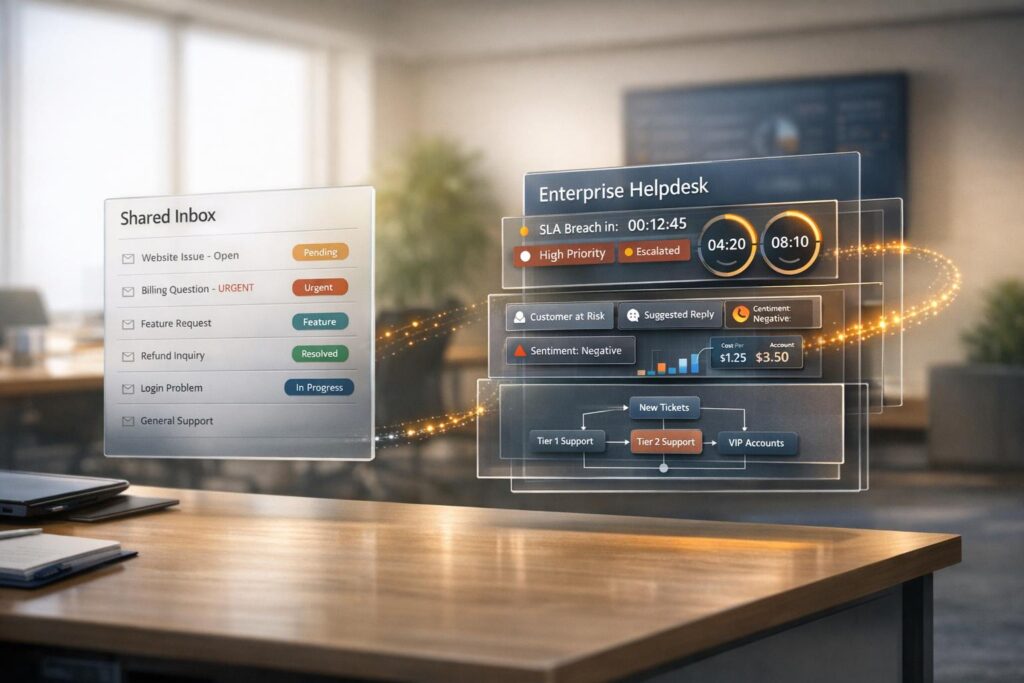
Help Scout and Supportbench cater to different support needs. Help Scout is ideal for small to medium teams seeking a simple shared inbox for email, chat, and social media support. It’s easy to set up, integrates with over 100 tools, and offers affordable pricing starting at $25 per user/month. However, it lacks advanced features like SLAs and detailed reporting, making it less suitable for complex workflows.
Supportbench, on the other hand, is built for enterprise-level B2B support. It provides a Customer 360 view, dynamic SLAs, AI-powered automation, and tools for managing long-term, high-touch customer relationships. Its all-inclusive pricing starts at $32 per user/month, with no hidden fees. While its advanced features may feel overwhelming for smaller teams, it excels in environments with complex support needs.
Quick Comparison
| Feature | Help Scout | Supportbench |
|---|---|---|
| Primary Use | Shared inbox for small teams | Enterprise B2B helpdesk |
| Key Features | Email/chat integration, workflows | Customer 360, dynamic SLAs, AI |
| AI Tools | Summarize, draft responses | Auto-tagging, predictive scoring |
| Pricing | $25–$75/user/month | $32/user/month (all features) |
| Onboarding Time | Hours | Weeks |
| Best For | Simple workflows, small teams | Complex B2B operations |
Choosing the right platform depends on your team’s size and support complexity. For straightforward email-based workflows, Help Scout’s simplicity is appealing. For managing intricate customer relationships, Supportbench offers the tools you need.
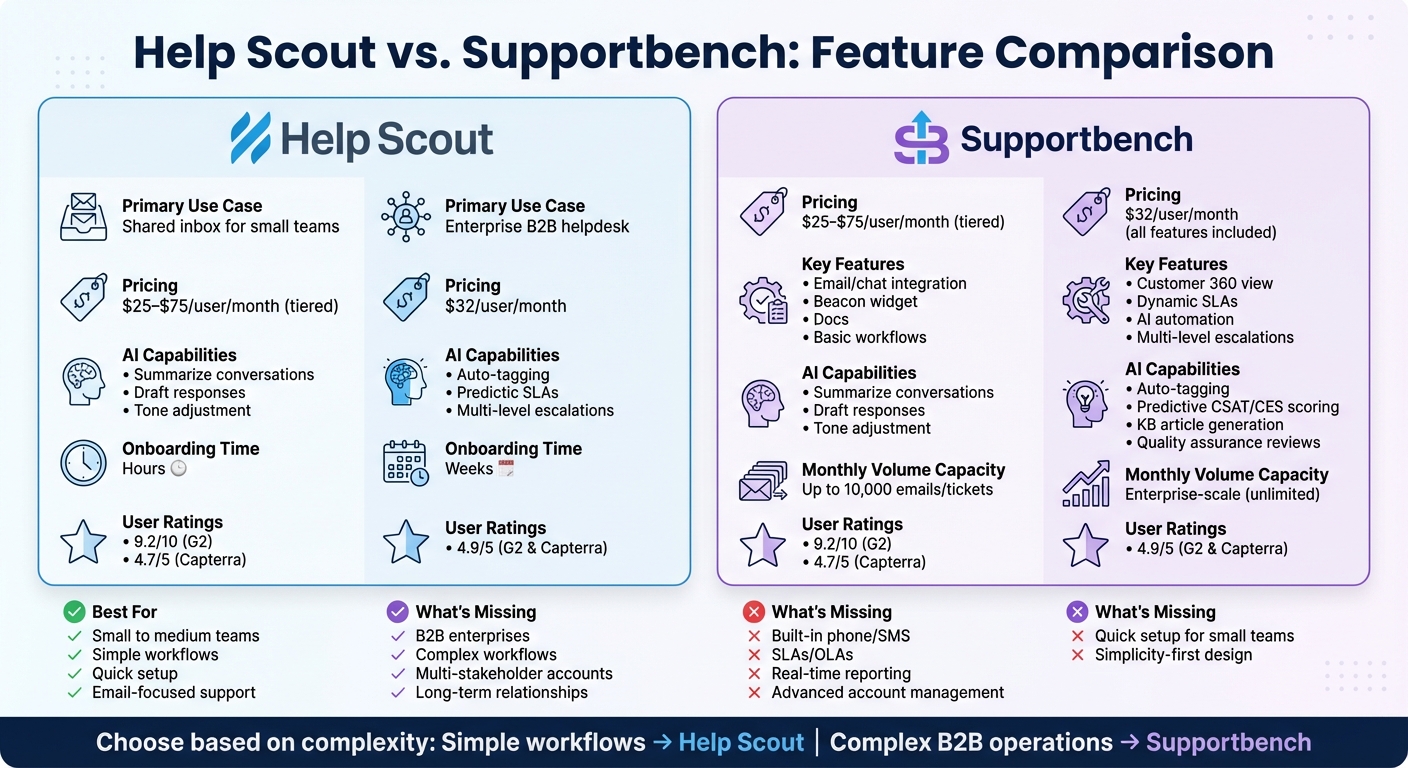
Help Scout vs Supportbench Feature Comparison Chart
Help Scout Overview: Built for Small Teams
Core Features and Use Cases
Help Scout brings email, chat, and social media messages into one streamlined inbox, designed to feel like personal email. This setup is particularly appealing for small businesses and SaaS companies looking for simplicity without sacrificing a personal touch.
The platform’s standout features include:
- Beacon: A live chat widget that offers real-time support and suggests helpful articles.
- Docs: A branded knowledge base that provides 24/7 self-service options.
- Workflows: Automation tools using simple if-then logic to handle tasks like tagging, assigning, and sending auto-replies.
Serving over 12,000 businesses, Help Scout integrates with over 100 tools, including Slack, HubSpot, Salesforce, and Shopify. Users report that the platform is intuitive enough to learn in under an hour, with many becoming proficient within a single day. Collaboration is enhanced with features like internal notes, @mentions, and collision detection, which help avoid duplicate replies.
The platform’s AI tools further improve efficiency by summarizing conversations, drafting responses, and fine-tuning tone. Pricing starts with a Free plan for up to 5 users and 1 inbox. Paid plans include Standard at $25 per user/month, Plus at $45 per user/month, and Pro at $75 per user/month.
While Help Scout is ideal for teams with straightforward workflows, it may face challenges as support needs become more complex.
What Works and What Doesn’t
Help Scout’s simplicity allows teams to get started quickly – often within hours compared to the weeks required for many enterprise systems. The platform has earned high user ratings, with a score of 9.2/10 on G2 and 4.7/5 on Capterra.
However, this simplicity can also be a drawback for growing teams. Help Scout lacks built-in support for phone (voice), SMS, and community forums, often requiring third-party tools to fill these gaps. Advanced features like Service Level Agreements (SLAs), Operational Level Agreements (OLAs), and skill-based routing are also missing. Reporting is limited to static dashboards, with no real-time updates, custom views, or scheduled reports available.
For B2B companies managing complex accounts, Help Scout’s straightforward design can feel restrictive. It is not built for handling long-running cases or coordinating support for multiple stakeholders within the same organization. While its 100+ integrations are sufficient for smaller teams, they can’t match the extensive options provided by enterprise-level platforms.
Ecommerce, SaaS, and service teams often appreciate Help Scout’s affordable pricing and ease of use. However, businesses requiring advanced automation, detailed reporting, or complex account management may find themselves outgrowing the platform, highlighting the divide between shared inbox solutions and more robust enterprise helpdesk systems.
sbb-itb-e60d259
Supportbench Overview: Built for Enterprise B2B Support
Core Features and Use Cases
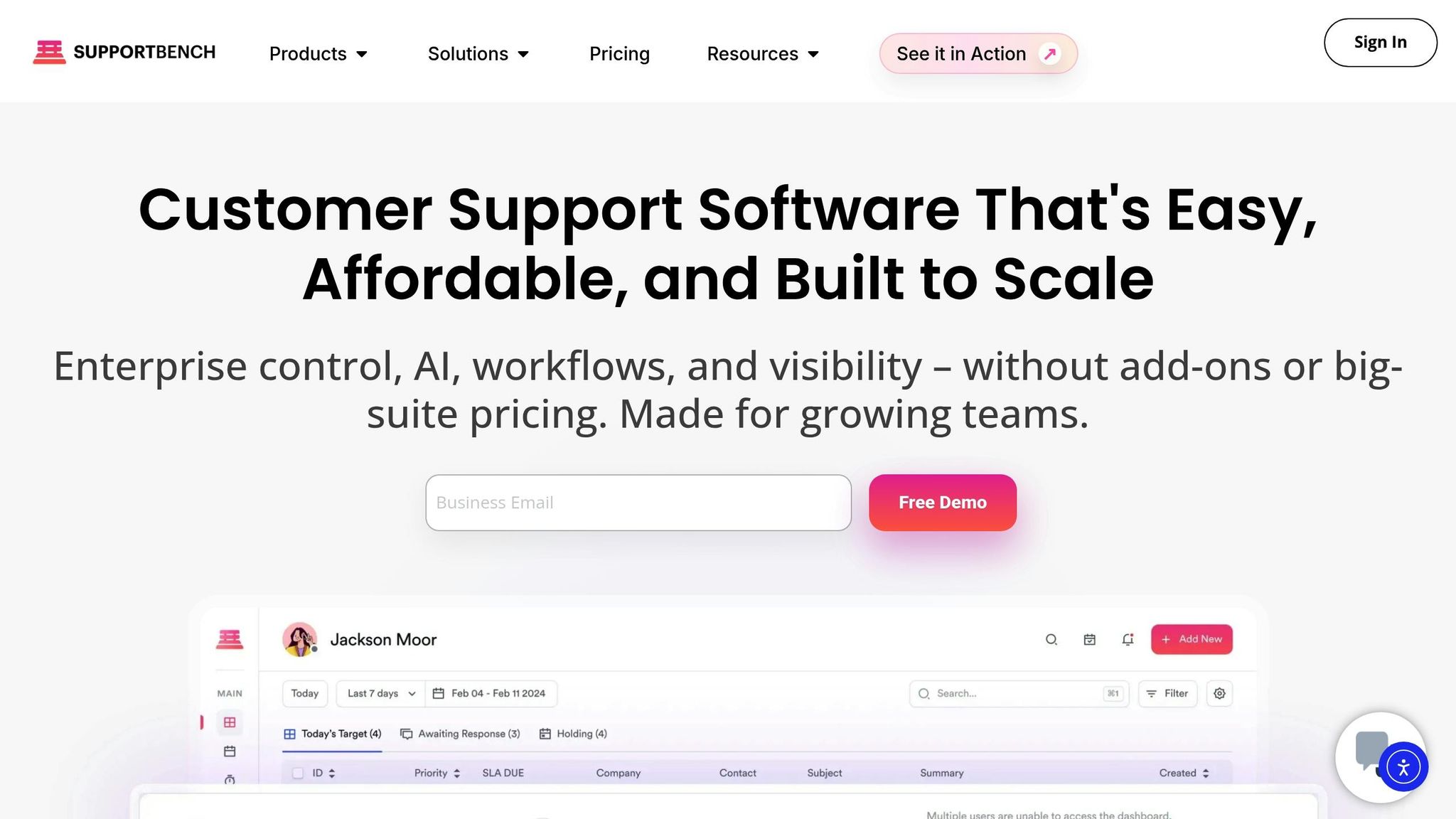
Supportbench is designed specifically for complex B2B environments where multiple stakeholders, long-term contracts, and prolonged cases are the norm.
The platform’s Customer 360 view gives support teams a full snapshot of customer data in one place – covering contracts, licensing, product usage, and interaction history. Its dynamic SLAs adjust automatically based on real-time signals like account risk or upcoming renewals, ensuring high-value accounts receive the attention they need.
AI features play a key role in boosting team efficiency. For instance, the platform can generate case and activity summaries, condensing lengthy email threads into quick, actionable insights for agents. Once a case is closed, teams can easily convert the interaction history into a Knowledge-Centered Service (KCS) article with a single click. Other AI-powered tools include predictive CSAT and CES scoring, first contact resolution detection, and quality assurance reviews that evaluate tickets for empathy, accuracy, and tone.
For handling escalations, Supportbench provides multi-level workflows that simplify routing and tracking complex issues. Meanwhile, role-based portal access ensures that stakeholders only see relevant data. Support leaders also benefit from tools like KPI scorecards, dashboards, and customer health scoring, which help identify and address at-risk relationships proactively.
Supportbench is rated 4.9/5 on both G2 and Capterra. Its "Everything Included" pricing model starts at $32 per agent per month, offering full access to features like AI summaries, dynamic SLAs, and advanced reporting from the start – no hidden fees. The platform also includes free migration and onboarding, with implementation typically taking weeks rather than months. This makes it an excellent choice for industries requiring relationship-focused support solutions.
Next, we’ll explore how the platform performs in real-world scenarios and where it might fall short.
What Works and What Doesn’t
Here’s how Supportbench stacks up when put to the test.
The platform thrives in environments where maintaining detailed relationship context is key. The Customer 360 view saves agents valuable time by presenting a comprehensive account history in one place, while AI-powered summaries provide instant clarity for complex cases.
Its AI-first approach helps automate repetitive tasks like tagging, routing, and reply suggestions, freeing up agents to focus on higher-value work. Additionally, automatic quality assurance scoring offers immediate feedback on ticket performance.
"Supportbench, with its advanced features such as AI-driven summaries and dynamic SLAs, supports companies in managing complex support workflows." – Eric Klimuk, Founder and CTO, Supportbench
The "Everything Included" pricing model eliminates the guesswork of add-ons, making it a cost-effective solution for mid-sized B2B companies that need enterprise-level tools without hidden fees.
However, the platform’s rich feature set might not be ideal for every team. Organizations focused on high-volume, low-touch support may find the extensive functionality unnecessary or even cumbersome. Features like SLAs, escalation workflows, and customer health scoring shine brightest in structured, process-driven environments. For teams seeking minimal setup or a simpler learning curve, a less feature-heavy tool may be a better fit.
Head-to-Head Comparison: Shared Inbox vs. Enterprise Helpdesk
System Architecture and Workflow Capabilities
The way these platforms are designed reflects their different purposes. Help Scout is a straightforward shared inbox built for ease of use. It uses basic if/then rules for assigning tickets and is ideal for teams looking for a simple, email-like interface. Most plans are capped at 10,000 emails or tickets per month, making it suitable for smaller-scale operations.
On the other hand, Supportbench is crafted as a comprehensive enterprise solution. It integrates a Customer 360 view within the support environment, bringing together contracts, licensing details, product usage data, and ticket history in one place. Its advanced design supports layered escalations and role-based access, catering to the needs of more complex B2B operations.
| Feature | Help Scout (Shared Inbox) | Supportbench (Enterprise B2B) |
|---|---|---|
| Primary Focus | Simplicity and ease of use | Managing B2B complexities |
| Data View | Ticket-focused | Customer 360 (Contracts, Usage, etc.) |
| SLAs | Fixed/Standard | Adaptive (e.g., renewal-sensitive) |
| Workflow Capabilities | Basic rules and saved replies | Advanced escalations and role-based views |
| Onboarding Time | Quick (Minutes to Hours) | Longer (Weeks, due to integrations) |
AI Capabilities and Efficiency Gains
Help Scout’s AI tools are geared toward boosting agent productivity. Features like AI Drafts, AI Assist, and AI Summarize streamline responses and condense conversation histories, reportedly increasing productivity by 36%. Additionally, its customer-facing chatbot, AI Answers, is available at $0.75 per resolution after an initial three-month trial period.
Supportbench takes a more automation-heavy approach with its AI suite. It automatically generates interaction summaries, tags cases, assigns issue types, and creates Knowledge Base articles from resolved tickets – all with minimal manual input. These tools significantly cut down on repetitive tasks like categorization and routing, allowing agents to focus on more complex challenges. Features like predictive CSAT and CES scoring and first contact resolution detection add deeper insights without requiring extra effort.
Both platforms use AI to streamline operations, but Supportbench’s automation-heavy features are designed for organizations managing intricate workflows.
Pricing and Scalability
Help Scout offers tiered pricing: Standard at $25 per user/month, Plus at $45 per user/month (which includes AI Summarize and Drafts), and Pro at $75 per user/month. However, AI Answers comes with additional usage-based fees.
Supportbench, in contrast, follows an "Everything Included" pricing model. All AI features – like automatic case summaries, Knowledge Base creation, dynamic SLAs, and advanced reporting – are included as part of the standard package. Free migration and onboarding are also provided.
For a 10-agent team, Help Scout Plus costs approximately $450 per month, not including AI usage fees. Supportbench’s inclusive model eliminates the need for add-ons, making it a more predictable option for teams handling complex B2B support needs.
"Supportbench is not your typical ticketing system with a suite of disjointed products but was created to be one seamless solution handling all business-critical functions." – Nooshin Alibhai, Founder and CEO of Supportbench
These differences in pricing and scalability highlight how each platform aligns with different operational requirements.
10 Best Customer Service Software for 2025
Which Platform Fits Your Needs
Deciding between these platforms depends on your team’s operational complexity and support requirements. Below, you’ll find a breakdown of how each platform aligns with different business needs, making it easier to choose based on your specific workflows. Help Scout is a great fit for teams handling straightforward email and chat support, while Supportbench caters to B2B environments with more intricate customer relationship management needs.
When Help Scout Makes Sense
Help Scout is a solid choice for small to medium SaaS and ecommerce teams that value simplicity over advanced features. If your team primarily manages email-based workflows with minimal technical demands, Help Scout’s user-friendly interface can deliver immediate benefits without requiring IT expertise.
One of Help Scout’s standout features is its quick setup and ease of use. Teams can get up and running in just a few hours, making it perfect for startups or businesses that need their agents to begin responding to customers right away, without extensive training.
The platform also works well for businesses with predictable support volumes. Standard plans typically accommodate up to 10,000 emails or tickets per month, which suits companies with steady, manageable workloads. For teams focused on reducing onboarding time and handling high volumes of straightforward queries, Help Scout’s pricing – ranging from $25 to $75 per user/month – offers a clear, no-frills solution.
However, if your team faces more complex challenges or requires advanced features, you may need a more robust platform.
When Supportbench Delivers Better Results
For teams managing high-touch customer accounts and requiring deeper context, Supportbench is the better option. Built for B2B environments, it’s ideal for handling intricate customer relationships where contracts, licensing, and multi-stakeholder escalations are common.
Supportbench stands out in scenarios where dynamic SLA management is critical. Its ability to adjust SLAs based on factors like renewal risk and account value ensures high-priority customers receive the attention they need. This feature is especially useful for industries like manufacturing, logistics, supply chain, and managed service providers (MSPs) that deal with long-running cases involving multiple stakeholders.
The platform also leverages AI automation to simplify repetitive tasks that shared inbox tools often struggle with. Examples include summarizing lengthy email threads for new agents, auto-tagging cases, assigning issue types, and even generating Knowledge Base articles from resolved tickets. For teams where success hinges on B2B retention and cross-department collaboration, Supportbench’s all-inclusive pricing at $35 per user/month avoids the pitfalls of add-on costs.
"We’re built for complexity, not simplicity." – Supportbench
If your team needs to coordinate across departments, monitor customer health within the helpdesk, or manage extended cases that span weeks or months, Supportbench offers the level of control and functionality that shared inbox tools simply can’t provide.
Ultimately, the right choice depends on whether your priority is ease of use for simpler workflows or a platform capable of handling complex enterprise support needs.
Conclusion
The difference between shared inboxes and enterprise helpdesk platforms lies in how they handle operational complexity. Shared inbox tools like Help Scout offer a straightforward, user-friendly solution for teams managing simple email support with predictable workflows. But when support involves multiple stakeholders, long-term cases, or renewal-sensitive accounts, these tools often lack the depth needed for context, prioritization, and collaboration.
Supportbench addresses these gaps by integrating a Customer 360 view – bringing together contracts, licensing details, and product usage data – with dynamic SLAs that adapt based on renewal risks. This ensures that high-priority customers receive timely attention. Its AI-powered features, such as case summaries, auto-tagging, and one-click knowledge base creation from resolved tickets, help close the information gaps that shared inboxes typically leave behind. With a 4.9/5 rating on G2 and Capterra, Supportbench has been designed specifically to handle the challenges of B2B support.
"We’re built for complexity, not simplicity." – Supportbench
This philosophy highlights the importance of choosing a platform that can keep pace with your business as it grows. Shared inboxes may work well for smaller teams, but they often falter when cases become prolonged, involve multiple departments, or demand insight into complex customer relationships. A support platform should scale with your operations seamlessly, avoiding the need for disruptive migrations. This scalability becomes even more critical as advanced AI tools are introduced to streamline processes further.
AI-driven features also play a key role in boosting efficiency. By summarizing communications and capturing institutional knowledge, advanced AI reduces manual effort and enhances productivity. In the context of enterprise B2B support, these capabilities aren’t just helpful – they’re essential for retaining customers and optimizing workflows. Ultimately, aligning your support platform with the complexity of your operations ensures long-term success and growth.
FAQs
When is a shared inbox no longer enough?
A shared inbox can be a practical solution for small teams handling a low volume of straightforward support requests. But as your team scales, challenges like missed messages, delayed responses, and confusion over who’s handling what often emerge. When your team requires automation, advanced reporting, or smooth collaboration between multiple departments, switching to a dedicated help desk or ticketing system becomes critical to staying efficient and keeping customers happy.
What are the hidden costs of shared inbox support?
Shared inbox support might seem affordable at first glance, but the true costs often extend far beyond the subscription fee. Expenses like implementation, ongoing maintenance, staff training, and optional add-ons or integrations can add up quickly. Over time, these additional costs can make the total investment 5 to 8 times higher than anticipated.
On top of that, shared inbox tools often fall short when it comes to advanced automation or AI features. This lack of efficiency can lead to higher labor costs, as teams spend more time managing tasks manually. Together, these factors can significantly drive up operational expenses.
How do dynamic SLAs work in B2B support?
Dynamic SLAs in B2B support use AI, natural language processing (NLP), and predictive analytics to assess real-time factors such as tone, urgency, and customer context. This approach allows ticket prioritization and adjustments to shift dynamically, focusing on the business impact of each issue. The result? Support becomes more efficient and tailored to the specific needs of each situation.






