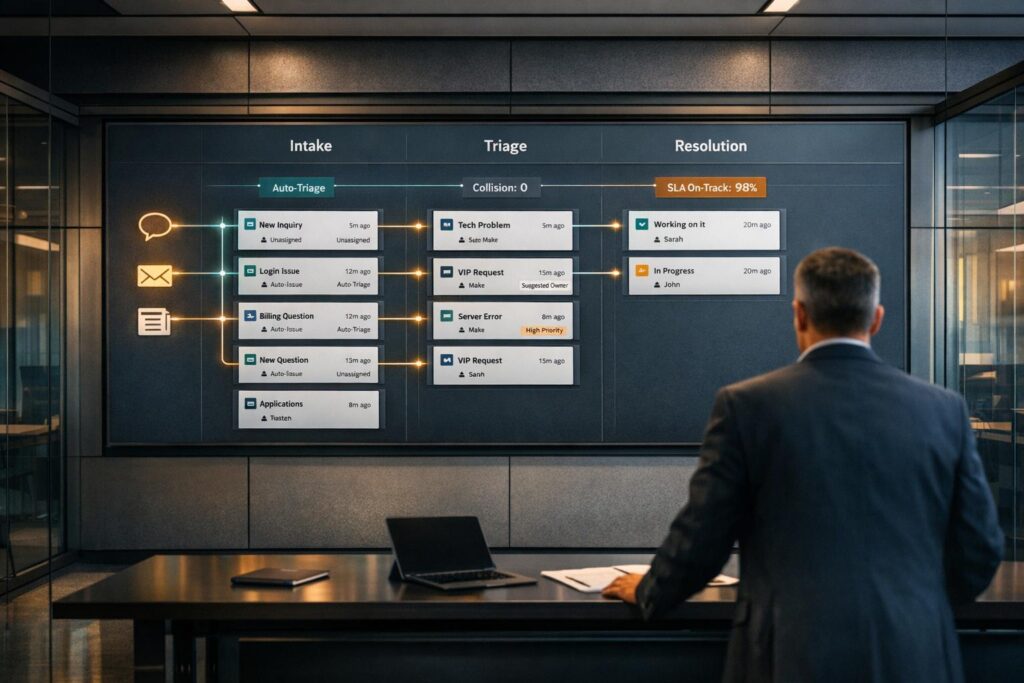
If your support team is overwhelmed by rising ticket volumes, slow workflows, or limited reporting, it might be time to switch from Intercom‘s inbox to a dedicated ticketing system. Here’s how to know:
- Metrics to Watch:
- High agent collision rates (over 10%)
- SLA breaches exceeding 15%
- Resolution times over 48 hours
- Manual triage taking up more than 30% of agent time
- Dropping CSAT scores (below 85%)
- Operational Pain Points:
- Lack of clear ownership for tickets
- Poor collaboration tools for cross-department cases
- Limited reporting for SLA tracking or issue prioritization
- Manual processes slowing down workflows
- Feedback from Agents and Customers:
- Agents feel burned out by repetitive tasks like tagging and routing.
- Customers complain about delays or repeated handoffs.
Switching to AI-powered ticket routing and prioritization can automate workflows, improve collaboration, and provide deeper insights, helping teams handle complexity and scale efficiently. If inefficiencies and missed SLAs are becoming the norm, it’s time to reassess your tools.
Why Intercom Inbox Struggles with Growing B2B Support Teams
As your support team expands, the once-simple Intercom inbox can start to feel more like a roadblock than a solution. While it handles basic inquiries well, it often falls short when faced with more complex requests that require structured workflows, clear assignments, and in-depth reporting. To bridge these gaps, teams frequently add extra tools, which can lead to fragmented systems and a loss of context.
The pressure is mounting. A whopping 83% of support teams report that customer expectations are rising, yet only 40% feel prepared to meet these demands. On top of that, 61% of care leaders noticed a spike in call volumes in 2022, with 58% predicting even more growth over the next 18 months. Without the right tools in place, teams risk being buried under manual tasks instead of focusing on solving customer issues.
Problems with Case Ownership and Team Collaboration
One of the biggest challenges with Intercom’s shared inbox model is the lack of formal case ownership, which can derail team collaboration.
B2B support often involves input from departments like engineering, product, or finance. However, Intercom’s inbox doesn’t offer robust collaboration tools such as internal notes with mentions or structured ticketing systems. These features are essential for involving non-support team members without giving them access to the entire conversation history. When collaboration spills over into tools like Slack or email, context gets lost, and resolutions are delayed. Without clear escalation processes, cross-departmental issues can result in fragmented answers and slower response times.
Limited Reporting and Analytics
Intercom’s analytics focus on message-level metrics like response times and customer satisfaction (CSAT) scores. While useful, these metrics don’t provide the deeper insights that B2B teams need. For example, tracking SLA compliance, identifying renewal risks, or understanding the broader impact of a single issue on multiple accounts requires more advanced reporting.
Basic inbox reporting makes it nearly impossible to gauge how a widespread issue, like a bug or outage, affects your customer base. Without linked tracker tickets, prioritizing fixes based on customer impact becomes a guessing game. This lack of visibility is a major setback when dealing with system-wide disruptions that hit multiple enterprise clients simultaneously.
"Support leaders are looking for strategic ways to improve the customer experience without sacrificing the employee experience, which may have already been affected by things like low morale, inefficient workflows, and disconnected technology." – Declan Ivory, VP of Customer Support, Intercom
Another pain point is the absence of contact-level reporting. This makes it tough to pinpoint which individuals within a large account are engaging with support – a critical detail for managing accounts with multiple users and planning for renewals. These gaps in reporting only make it harder to handle rising support volumes effectively.
High AI Costs and Manual Workflow Problems
Manually sorting and routing tickets eats up valuable agent time. Without automation, agents are stuck tagging conversations, assigning them to the right team member, and keeping track of follow-ups – all tasks that could easily be automated. As ticket volumes grow, these manual processes create bottlenecks, slowing down response times and increasing the risk of SLA breaches.
While 66% of support leaders are eager to use AI and automation to improve efficiency, the pricing structure for AI tools – often tied to volume – can make budgeting unpredictable for growing teams. Worse, when AI isn’t fully integrated into ticketing workflows, it can actually add more manual steps instead of simplifying processes.
The result? A flood of tickets that support leaders describe as "tidal waves". For instance, in 2023, Hospitable implemented Intercom’s AI chatbot, Fin, to tackle a backlog of 500 support queries. The result was a clear win, but the success hinged on using an AI system designed specifically for automation rather than patchwork solutions that add complexity. Without automated routing based on criteria like expertise or SLA priority, high-value customers can end up stuck in the same queue as less critical cases. This lack of prioritization not only risks revenue but also strains customer relationships.
These inefficiencies highlight the need for a system that’s built from the ground up for automated, AI-driven support.
sbb-itb-e60d259
Signs You’ve Outgrown Intercom Inbox
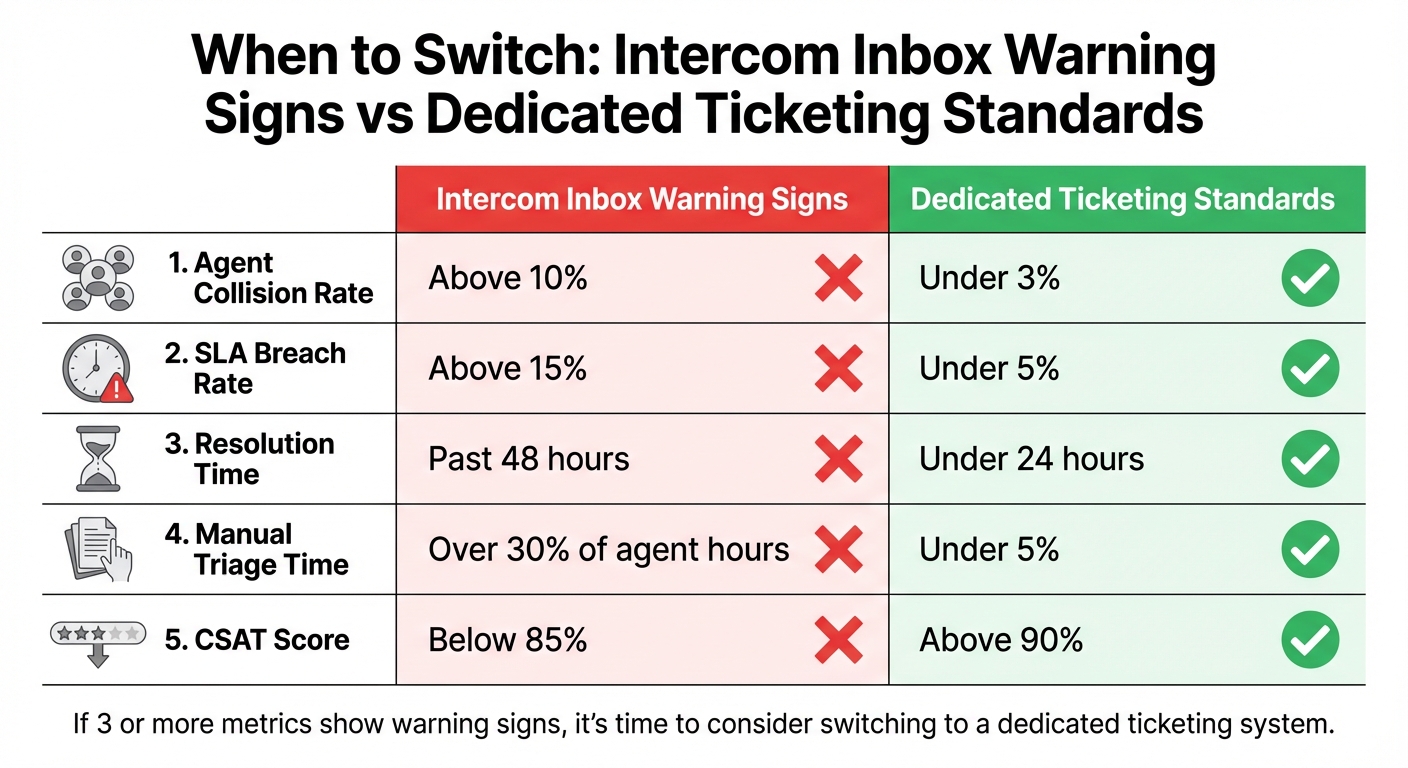
Intercom Inbox vs Dedicated Ticketing System: Key Performance Metrics Comparison
As your operations evolve, certain metrics can reveal when your current system is no longer keeping up. Recognizing these signs isn’t about guesswork – it’s about tracking the numbers and listening to feedback.
5 Metrics That Signal It’s Time to Switch
Here are five metrics that can indicate Intercom Inbox might be holding your team back:
- Agent collision rate above 10%: This means multiple agents are unintentionally working on the same ticket, highlighting coordination issues.
- SLA breaches exceeding 15%: Missing service level agreements at this rate suggests your team is struggling to meet commitments.
- Resolution times over 48 hours: If standard issues take this long, inefficient workflows and routing could be the problem.
- Manual triage consuming over 30% of agent time: Spending too much time tagging and assigning tickets points to a lack of automation.
- Customer satisfaction (CSAT) dropping below 85%: Declining scores often reflect delays, repeated handoffs, or lost context.
| Metric | Intercom Inbox Warning Sign | Dedicated Ticketing Standard |
|---|---|---|
| Agent Collision Rate | Above 10% | Under 3% |
| SLA Breach Rate | Above 15% | Under 5% |
| Resolution Time | Past 48 hours | Under 24 hours |
| Manual Triage Time | Over 30% of agent hours | Under 5% |
| CSAT Score | Below 85% | Above 90% |
When these metrics start to slip, it’s a clear signal that your system may no longer meet your needs.
When Case Complexity Exceeds Inbox Capabilities
Beyond the numbers, qualitative factors also show when a system is stretched too thin. If your team struggles to handle complex cases that require cross-department collaboration, your inbox setup might be the bottleneck. Simple queries can be resolved quickly, but more intricate issues – like those needing input from engineering, finance, or product teams – demand structured escalation paths and tools that maintain context.
For example, tracker tickets are essential when dealing with related issues. If you’re manually updating multiple conversations about the same problem, it’s time for a system that can handle simultaneous updates. Similarly, enterprise-level, long-running cases need proper lifecycle tracking – not just a chat thread – to ensure nothing falls through the cracks.
Customer and Agent Feedback Warning Signs
Feedback from both customers and agents can highlight when your support system is under pressure. Customers may express frustration through repeated ticket bouncing – being passed between agents or departments without resolution. Frequent follow-ups on the same issue also point to a lack of transparency in the process.
On the agent side, burnout is a major red flag. If team members report spending most of their time on repetitive tasks like tagging and routing instead of solving problems, it’s a sign the system isn’t working. Complaints about a "clunky" interface or having to juggle multiple tools to complete tasks further underscore inefficiencies.
"Support leaders are looking for strategic ways to improve the customer experience without sacrificing the employee experience, which may have already been affected by things like low morale, inefficient workflows, and disconnected technology."
- Declan Ivory, VP of Customer Support, Intercom
Another visible sign is a growing backlog of unresolved tickets. If this pileup continues despite agents putting in extra hours, it’s clear your system isn’t built to handle the demand.
How to Assess If You’re Ready to Switch
Deciding to move on from your current system isn’t something to take lightly. Instead of relying on intuition, approach this with a clear evaluation of your operations. Identify where your system falls short, and score your challenges objectively to get a full picture.
Review Your Current Support Operations
Start by analyzing the basics: ticket volume, case complexity, and workflow efficiency. Are most of your tickets simple, quick fixes, or do they involve complex requests requiring input from multiple departments? For example, if tickets frequently bounce between teams because ownership isn’t clear, it’s a sign your processes are slowing things down instead of streamlining them.
Look at how well your system supports collaboration across departments. When teams like engineering, finance, or product need to step in, does your current tool keep everyone on the same page? Or are agents forced to switch between multiple platforms, manually updating each team along the way? This kind of inefficiency can drag down productivity.
Finally, ask yourself: where does your current system lack visibility or automation? If agents are spending too much time on administrative tasks instead of solving customer problems, your workflows may be creating unnecessary roadblocks.
Identify Reporting and Workflow Gaps
Take a close look at what your system can’t do. For instance, if your reporting depends on manual tagging by agents, your data might be inconsistent, making it tough to pinpoint top ticket drivers or recurring product issues. Can you easily see which product areas generate the most support requests? Are you able to quickly identify widespread issues like outages or bugs?
Automation is another key area to evaluate. If your system’s rules break down with minor language changes, agents have to step in manually, which wastes time. Similarly, if your tool can’t detect urgency or sentiment, critical issues might get buried under less important ones.
Consider how much effort it takes to make basic customizations. Does it require engineering support, or are you forced to combine several tools just to get the functionality you need? If so, you may be paying for features you’re not fully using, which signals poor value for your investment.
Once you’ve identified these gaps, quantify them to see how much they’re impacting your team.
Complete a Pain Point Assessment
Use a structured scoring system to evaluate your current setup. Focus on areas like routing, collaboration, reporting, automation, SLA management, and agent satisfaction. If you score below 3 in three or more categories, it’s a strong indicator that it’s time for a change.
| Pain Point | Score (1–5) | What to Look For |
|---|---|---|
| Routing Efficiency | Are tickets going to the right agent immediately, or do they bounce between teams? | |
| Collaboration Tools | Can other teams contribute seamlessly without losing context or switching platforms? | |
| Reporting Accuracy | Is your data reliable, or is manual tagging creating inconsistencies? | |
| Automation Reliability | Do automation rules work consistently, or do they fail with slight variations? | |
| SLA Management | Can you prioritize high-value clients and easily track commitments? | |
| Agent Satisfaction | Are agents solving problems, or bogged down by repetitive administrative tasks? |
"Support leaders are looking for strategic ways to improve the customer experience without sacrificing the employee experience, which may have already been affected by things like low morale, inefficient workflows, and disconnected technology."
- Declan Ivory, VP of Customer Support, Intercom
Finally, map out which repetitive tasks could be automated with a better system. Tasks like routing, follow-ups, and status updates are prime candidates. If these are eating up a lot of agent time, switching to a system built for automation and scalability could deliver immediate benefits, making the case for change even stronger.
Benefits of AI-Native Ticketing Systems for B2B Support
AI-native ticketing systems are designed from the ground up to handle the challenges of B2B support, offering solutions that go beyond simply adding automation to outdated workflows. These platforms are built to scale and simplify complex processes, making them a game-changer for support teams.
How Built-In AI Improves Efficiency
AI-native systems take the tedious, repetitive tasks off agents’ plates. They analyze incoming requests, identify intent, and route tickets to the right specialist – automatically. For instance, technical issues go to engineering experts, while billing inquiries are directed to finance teams. This automated triage can shave off about 45 seconds per ticket compared to manual sorting. By handling tasks like triage and routing, AI lets agents focus on solving actual problems.
But it doesn’t stop there. AI also drafts responses, summarizes conversations, and pulls up relevant context in real time. Take Unity Technologies as an example: during a surge in IT tickets caused by remote work, they launched an AI tool called "Ninja Unicorn." The results? Resolution times dropped from three days to under a minute, and the system autonomously resolved 30% of issues, saving over $1.3 million in support costs.
AI also equips teams with predictive insights. Features like predictive CSAT scores flag potential dissatisfaction before customers even submit feedback, giving managers time to step in. Meanwhile, automated case summaries provide agents with instant context, eliminating the need to sift through long ticket histories. These tools streamline workflows and help teams stay proactive.
"The insights coming in through AI give us the chance to be better customer service agents and provide a better customer experience."
- Billy Abrams, Executive Vice President of Distribution, Medline
Unlike legacy systems that tack on AI as an afterthought, AI-native platforms integrate automation deeply. This seamless integration shifts the focus from repetitive tasks to solving complex issues, creating a more efficient and effective support environment.
Better Customer Context and SLA Management
The benefits of AI extend to understanding customers better and managing service level agreements (SLAs) more dynamically. B2B support often involves high-value accounts that require personalized attention and strict SLA adherence. AI-native systems link support interactions to account-level data like customer health scores, sentiment analysis, and billing history. This unified view means agents no longer need to jump between tools to get the full picture.
Dynamic SLA management takes this a step further. AI can prioritize tickets based on factors like contract value, urgency, or upcoming renewal dates. For example, if a major client’s renewal is 30 days away, the system can tighten SLA timelines to ensure quicker responses during this critical period. Automated alerts notify teams when SLA deadlines are at risk, allowing them to act before commitments are missed.
Medline Industries, a leading healthcare manufacturer, leveraged AI to handle 800,000 tickets annually, achieving a 78% one-touch resolution rate and a 52% increase in email productivity. These results stem from the system’s ability to understand both customer needs and the business context of each request.
AI also supports proactive communication by automatically sending updates and progress notifications to customers. For B2B clients who value transparency, this keeps them informed without requiring agents to spend time on routine check-ins.
With these tools, migrating to an AI-native system isn’t just an operational upgrade – it’s a strategic move that enhances both efficiency and customer experience.
Cost-Effective Migration Strategies
Transitioning to an AI-native system can be both efficient and affordable, especially when considering the operational improvements it delivers. Start by identifying the key data you need to migrate: ticket history (for agent context), user data (customer accounts and contacts), and content (knowledge base articles and templates). Many platforms, like Supportbench, offer APIs or built-in migration tools that simplify this process while preserving historical data.
Before migrating, clean up your existing content. Outdated articles or macros can confuse the AI, so make sure the system starts with accurate, relevant information.
When rolling out AI features, start small and scale gradually. Focus first on high-volume, low-risk tasks like password resets. Use AI to draft responses for agent review before moving to full autonomy. Configure the system to escalate cases with low confidence or negative sentiment to human agents immediately.
"Start small and learn fast – baby steps. Don’t automate everything at once; focus on one process, measure, and build from there."
- Sandip Gupta, Sr. Manager, Customer Experience Transformation Specialist, HCLTech
AI-native platforms also help reduce costs by breaking the link between ticket volume and headcount. Companies using AI in support report an average 3.5x ROI, with some cutting support costs by up to 30%. For example, Supportbench offers transparent pricing starting at $32 per agent per month, with all enterprise features included – no hidden fees or expensive add-ons.
To secure buy-in from leadership, frame the migration around measurable outcomes like faster resolution times, reduced costs, and higher customer satisfaction. Track metrics like First Response Time, Resolution Rate, and CSAT, CES, and NPS before and after the switch to showcase the impact.
Conclusion: When to Move to a Dedicated Ticketing System
Deciding when to upgrade to a dedicated ticketing system often becomes clear when your current setup starts holding you back. If fragmented tools make it hard to assign ownership, streamline workflows, or manage cross-department collaboration, it’s a sign your system is reaching its limits. The strain becomes even more obvious when agents must manually juggle workflows to handle complex cases, or when distinguishing between simple and multi-departmental requests becomes a challenge.
Another red flag is weak reporting. Without tools like KPI scorecards, audit trails, or a comprehensive view of customer interactions, you’re left making decisions without the insights you need.
Modern AI-driven ticketing systems solve these problems by embedding automation and advanced reporting into your processes. Teams that adopt these systems often see a 40% drop in operational costs and a 250% ROI within two years. With pricing starting at $32 per agent per month, including all enterprise features from day one, the financial benefits are hard to ignore.
Take the time to evaluate your current operations and choose the right support software. Look for inefficiencies, missed automation opportunities, and gaps in collaboration that make it harder to meet today’s B2B support demands. The right moment to switch is when the cost of inefficiencies and missed opportunities outweighs staying with the status quo.
FAQs
How do I calculate agent collision rate?
To figure out the agent collision rate, take the number of duplicate responses or instances where multiple agents are working on the same ticket, and divide that by the total number of tickets or interactions. Multiply the result by 100 to express it as a percentage. This percentage shows how frequently agents end up handling the same issue at the same time.
What data should I migrate first when switching tools?
When moving to a new system, begin by transferring core customer and ticket data – this includes conversation histories, customer profiles, and metadata. Keeping this information intact ensures seamless service continuity and allows agents to deliver more personalized support.
Make sure to include detailed ticket information, such as status updates, assignments, and timestamps. These details are crucial for maintaining accurate reporting and workflow management.
Also, give priority to user and organization data. Preserving this context helps retain important relationships and minimizes disruptions for your support team, ensuring the transition is as smooth as possible.
Which workflows should AI automate first?
AI can play a big role in streamlining customer support by automating key workflows like triage, routing, and reporting.
Triage automation helps sort and prioritize incoming queries, making sure they get to the right team as fast as possible. Routing automation takes it a step further by assigning tickets to the appropriate agent based on set rules, cutting down on unnecessary delays. Meanwhile, reporting automation delivers real-time insights and performance metrics, giving teams the tools they need to manage issues proactively.
By addressing common bottlenecks, these automated workflows boost efficiency and lay the groundwork for scalable, AI-powered customer support systems.
Related Blog Posts
- What are common reasons teams leave Kayako (scaling, workflows, reporting)?
- Intercom (10) – framed correctly as “chat-first → real helpdesk”
- What are the best Intercom alternatives for B2B support teams that need ticketing?
- How do you convert Intercom conversations into tickets and keep ownership + SLAs?