
Intercom has evolved from a basic chat widget into an AI-powered Customer Service Suite designed to handle complex B2B support needs. It combines tools like an AI agent for customer queries, an AI Copilot to assist human agents, and an AI Analyst for operational insights. This shift addresses the shortcomings of traditional chat systems, such as lost context, inefficiencies, and limited scalability, especially for businesses requiring long-term issue tracking and collaboration.
Key Takeaways:
- Why Chat Falls Short: Chat-only systems can’t manage multi-step, complex issues or maintain context across channels.
- Helpdesk Features: Persistent ticketing, SLAs, team collaboration, and robust integrations with tools like Jira and Salesforce.
- AI Integration: Automates routing, prioritization, and agent support to improve efficiency and reduce human error.
- Self-Service Tools: Knowledge bases and proactive messaging help reduce ticket volume and improve customer satisfaction.
Quick Stats:
- 87% of senior leaders plan to increase AI investments by 2026.
- Teams using AI Copilot saw a 31% increase in daily conversation resolutions.
- Companies like Vend improved response times from hours to 10 minutes and maintained over 90% CSAT after adopting AI-driven helpdesk solutions.
This guide explores how to transition Intercom into a full helpdesk system, leveraging AI for better support operations, ticket management, and customer experience.
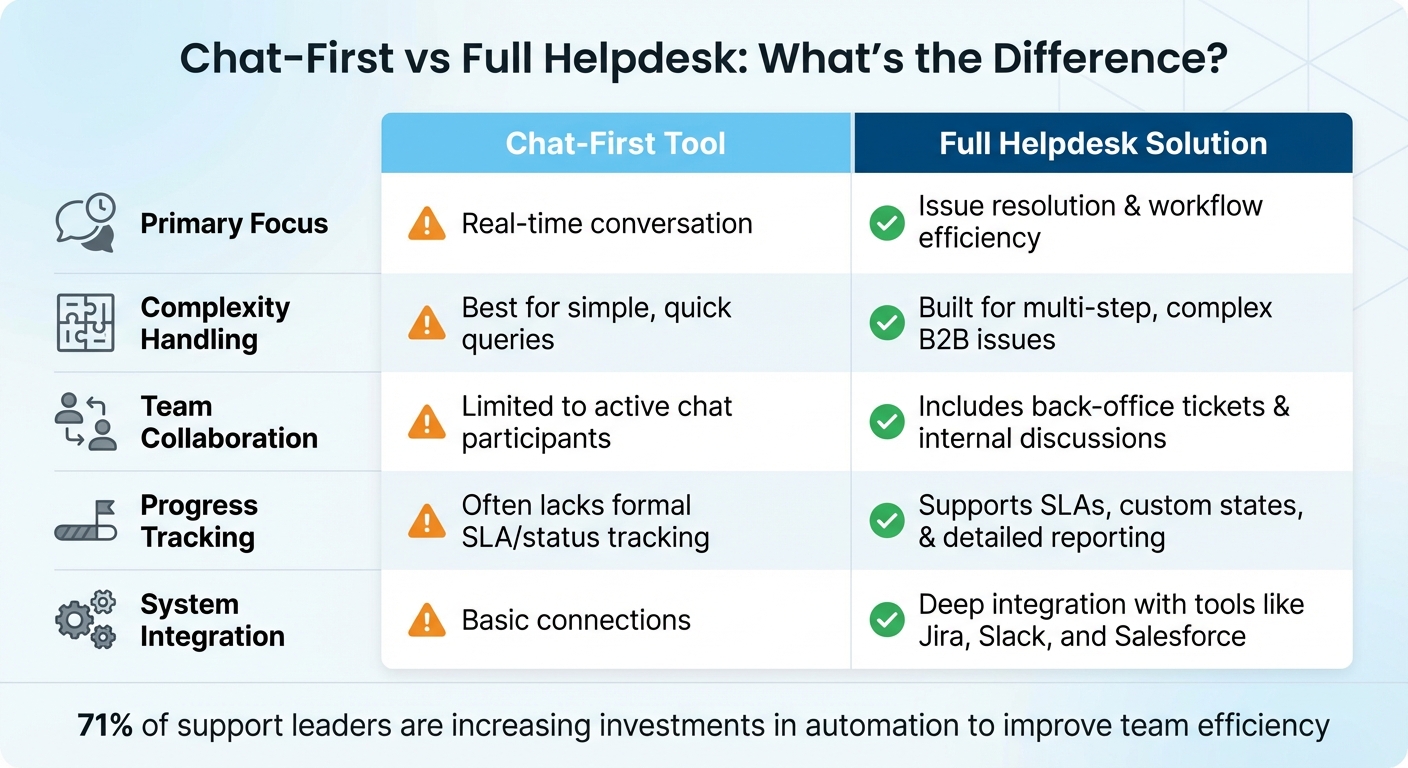
Chat-First vs Full Helpdesk: Key Differences for B2B Support
1. Moving Intercom Beyond Chat
Why Chat-Only Systems Fall Short for Complex Support
B2B support often requires more than just quick, real-time conversations. Imagine a customer reporting a major system outage that disrupts their entire team or an integration issue that demands collaboration from engineering, finance, and product teams over several days. In these scenarios, chat-only workflows tend to fall apart.
The main issue lies in their rigidity. Traditional chat systems rely on strict keyword-based rules, which can easily fail if customers don’t use the exact terms the system expects. For example, a billing problem described without mentioning "invoice" or "payment" might be misrouted entirely. These systems also struggle to understand urgency or sentiment. A message like, "our entire platform is down", could be flagged as low-priority simply because it doesn’t include the word "urgent".
This lack of context leads to inefficiencies, like cases bouncing between teams because the system can’t assess the full picture. Another limitation is how chat-only tools silo information. If a customer switches from chat to email or Slack, the history and troubleshooting efforts often get lost. Plus, as products evolve, maintaining hundreds of rigid routing rules becomes a massive administrative burden that can’t keep up with modern support needs.
These challenges make it clear: businesses need a structured helpdesk system that preserves context and ensures seamless, continuous support.
What Makes a Real Helpdesk Different
A proper helpdesk relies on persistent ticketing to track every interaction, enabling multi-step resolutions. With Intercom’s AI-first approach, adopting a helpdesk solution ensures both continuity and scalability, especially for the complex demands of B2B support.
Here’s how helpdesk systems stand apart from chat-only tools:
| Feature | Chat-First Tool | Full Helpdesk Solution |
|---|---|---|
| Primary Focus | Real-time conversation | Issue resolution & workflow efficiency |
| Complexity Handling | Best for simple, quick queries | Built for multi-step, complex B2B issues |
| Team Collaboration | Limited to active chat participants | Includes back-office tickets & internal discussions |
| Progress Tracking | Often lacks formal SLA/status tracking | Supports SLAs, custom states, & detailed reporting |
| System Integration | Basic connections | Deep integration with tools like Jira, Slack, and Salesforce |
Helpdesks introduce features like back-office tickets, which allow internal teams to collaborate without exposing every discussion to the customer. For instance, engineering teams can add technical insights, finance can verify billing details, and product teams can weigh in on feature requests – all while presenting a unified conversation to the customer. Tracker tickets link multiple customer reports to a single issue, so when a widespread bug is resolved, updates can be sent to all affected customers at once.
In fact, 71% of support leaders are increasing investments in automation to improve team efficiency, and 68% are focusing on reducing costs.
Director of Support Erik Wantland from Copper shared, "Since moving our support ticketing from Zendesk to Intercom, we’re not only saving both money and agent time by consolidating to one support platform, but we’re also delivering a faster and more personalized experience to our customers."
Tristram Hewitt, Head of Customer Experience at Outschool, added, "The new ticketing flows made it easier to set up and maintain rules. A huge time-saver that helps us provide better service."
Transitioning from chat to a helpdesk isn’t just about adding new tools – it’s about creating a system that can handle the complexity, scale, and accountability that B2B customers expect.
sbb-itb-e60d259
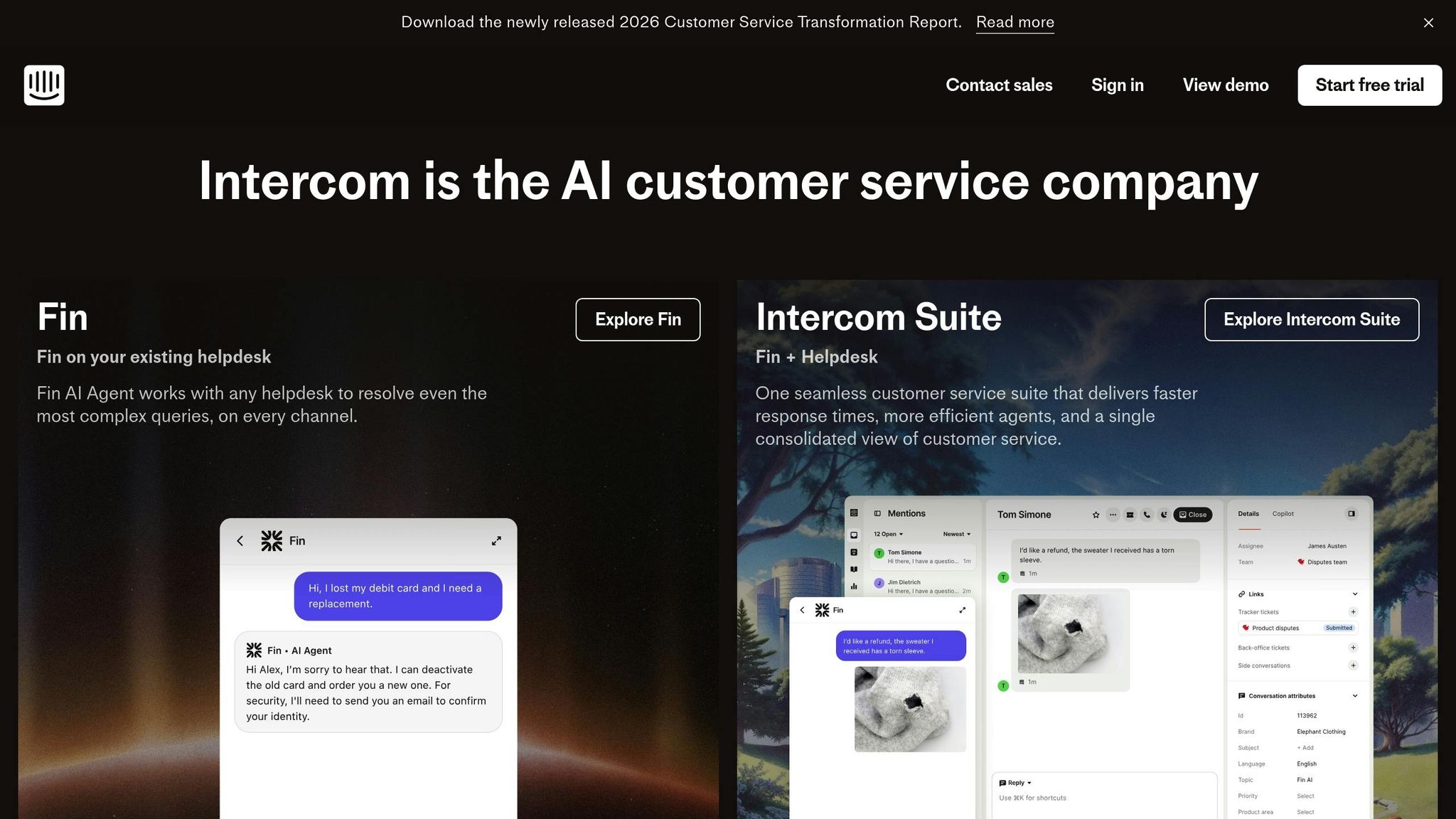
Intercom Customer Service Suite
2. Using AI to Improve Support Operations
AI has transformed the way support teams manage their operations, enhancing routing systems and equipping agents with tools to tackle complex issues. By automating repetitive tasks, AI allows teams to resolve problems faster and focus on cases that demand human judgment.
In 2024, 95% of support teams reported major workflow improvements after integrating AI, particularly in triage, routing, and case categorization. Additionally, 66% of support leaders have achieved their SLAs and KPIs thanks to AI-driven automation. These advancements are largely due to smarter routing systems and enhanced agent tools.
Automating Case Prioritization and Routing
Traditional routing systems often struggle when customers use unexpected language. AI eliminates this limitation by analyzing intent, context, tone, and urgency, ensuring cases are routed appropriately. For instance, customers no longer need to explicitly use terms like "urgent" or "billing" – AI detects their needs based on the overall context and directs the case accordingly.
Intercom’s AI-powered workflows exemplify this by automatically assigning conversations to the most suitable team or individual based on what the AI identifies. For example, if a customer mentions a platform outage but avoids technical jargon, the AI interprets the situation’s critical nature and routes it to the right team with the correct SLA.
This advanced routing goes beyond simple "IF-THEN" rules by leveraging Natural Language Processing (NLP) to evaluate the entire case context. The outcome? Fewer misrouted tickets, quicker initial responses, and less time spent transferring cases between teams.
AI Copilot Tools for Faster Agent Responses
AI Copilot acts like a personal assistant for support agents, pulling information from knowledge bases and past interactions to offer real-time troubleshooting advice and pre-drafted responses. The benefits are clear: agents using Intercom Copilot resolved 31% more customer conversations daily compared to those without it.
"Our agents are significantly more efficient when using Copilot. In testing, agents using Copilot were able to close 31% more customer conversations daily, compared to agents not using Copilot." – Angelo Livanos, Vice President, Global Support
Other tools, like AI Compose, Summarize, and Autofill, simplify tasks like ticket categorization and drafting responses. For example, Kala Burdo from Kala.Burdo Consulting uses the "expand" feature to turn brief call notes into polished replies, reducing manual effort and increasing client capacity. Similarly, Robin Salimans at Luna relies on AI summarization to create concise updates for engineering teams, seamlessly integrating support data into bug-tracking systems.
AI also learns continuously from agent feedback, refining its recommendations over time. For example, Intercom’s Fin AI Agent increased resolution rates from 28% to 46% within a year as teams improved their help articles and internal documentation. To maximize these tools, start by syncing platforms like Confluence, Guru, or Notion with Intercom’s Knowledge Hub, and refine content based on areas where the AI struggles.
3. Configuring Intercom for Helpdesk Operations
Intercom can do much more than just live chat – it can be transformed into a full-fledged helpdesk system. By configuring workflows and integrating ticketing, Intercom helps streamline operations, converting conversations into tickets and automating repetitive tasks. For instance, you can set up workflows to route technical issues to engineering or billing questions to finance, all without writing a single line of code.
Setting Up Ticketing and Case Management
Workflows in Intercom revolve around triggers (like "Customer opens a new conversation") and conditional logic. For example, you can route free trial users to Sales while directing paying customers to Support.
To avoid duplicate automated messages, Intercom uses Conversation Data Attributes (CvDAs). For instance, a boolean CvDA like "Auto follow-up sent" can ensure follow-up messages aren’t repeated unnecessarily. You can even control the timing of customer satisfaction surveys by resetting this flag after 48 hours.
Intercom also integrates seamlessly with tools like Jira, Slack, and Salesforce. These integrations are invaluable for sharing data between departments – engineering teams can track escalations, and sales teams can keep an eye on customer health metrics.
Creating Escalation Paths and SLA Rules
Intercom’s Workflows builder allows you to set up SLA rules. Start with a trigger (e.g., "Customer opens a new conversation") and assign a metric like First Response Time (FRT), Next Response Time (NRT), Time to Close (TTC), or Time to Resolve (TTR, specific to tickets).
Keep in mind that only one SLA can be active per conversation. If a new SLA is applied during escalation, it will override the previous one. You can create conditional rules to prioritize VIP customers or high-priority issues. For instance, enterprise clients might get a 15-minute FRT, while standard customers could have a 2-hour window.
SLA timers are smart – they pause outside office hours. If a 15-minute SLA starts at 5:50 PM and your office closes at 6:00 PM, the timer will resume at 9:05 AM the next day. You can also enable an "SLA time adjustment" setting to pause timers when waiting on customer responses or when tickets are snoozed. This ensures SLA metrics reflect actual agent work time, not delays caused by customers.
To stay on top of SLAs, agents can sort their Inbox by "Next SLA target." Visual indicators make it easy: red means overdue, orange signals less than 5 minutes left, and gray indicates more than 5 minutes remaining. For functional escalations, workflows can reassign conversations to specific team inboxes or apply tags like "EngESC" to trigger secondary SLA rules.
Once escalation paths are set, performance can be monitored using detailed reporting tools.
Building Custom Reports and Dashboards
Intercom offers 12 pre-built reporting templates covering areas like Tickets, SLAs, and team performance. Dashboards are customizable, allowing you to drag and resize charts to fit your needs. Advanced or Expert plan users can create custom charts from over 100 types, using specific metrics and aggregations.
When analyzing metrics like First Response Time, it’s better to use the median rather than the average. This avoids skewed data from outliers, such as tickets left open over the weekend. For more accurate insights into human agent performance, you can exclude bot-related metrics, focusing on "First Response Time without Bot Inbox Time" or "Teammate assignment to first response".
Each chart includes a "drill-in" feature, letting you view the underlying data. This is especially helpful when investigating SLA breaches or identifying why certain agents have longer resolution times. Additionally, the Workflows report heatmap can highlight peak activity hours, helping you optimize staff scheduling.
A few limitations exist. For example, Intercom’s reporting system only processes data from the past 2 years. Also, changes made in "View mode" aren’t saved – switch to "Edit mode" to preserve specific filter settings like date ranges or team views for future use.
| Feature | Description | Plan Requirement |
|---|---|---|
| Pre-built Templates | 12 templates (SLAs, Tickets, Conversations, etc.) | All (Feature dependent) |
| Custom Charts | Create/edit charts with 100+ types | Advanced / Expert |
| Advanced Filters | Filter by custom data attributes and tags | All |
| Drill-in | View underlying data behind any metric | All |
4. Reducing Ticket Volume with Self-Service and Proactive Support
Once you’ve set up strong ticketing and SLA systems, the next step is reducing ticket volume by encouraging self-service. The ideal support ticket is the one that never gets created in the first place. Intercom’s Support Funnel Framework offers three layers: Proactive Support (preventing issues before they arise), Self-Serve Support (automating resolutions), and Human Support (for more complex cases). This layered approach allows your team to dedicate their time to meaningful interactions while repetitive inquiries are handled automatically.
Using Proactive Messages to Prevent Common Issues
Start by identifying areas where customers frequently encounter challenges. Intercom’s "Conversation Topics" feature can highlight recurring questions without requiring manual tagging. Once you’ve pinpointed the problem areas, use the appropriate tools to address them in context. For example:
- Banners for site-wide updates like downtime notifications.
- Product Tours to guide users during onboarding.
- Outbound Messages to inform specific user groups about issues like bugs or outages.
Christian Parker, Director of Managed Services at TrueCommerce, adopted targeted outbound messages to notify users of temporary outages. This proactive approach led to an impressive 80% reduction in contact rates for those issues. Similarly, Grover used Banners to inform customers about outstanding balances, achieving a 36% completion rate.
"By proactively targeting specific customers who are affected when issues come up… we’ve seen a reduction of almost 80% in the contact rate for temporary issues." – Christian Parker, Director of Managed Services, TrueCommerce
Automating these messages can make a big difference. For example, set up alerts to trigger when users face payment errors, processing failures, or issues activating features. Keep these automated messages concise, and always offer a clear option to escalate to human support when needed. Despite the clear benefits, only 26% of support leaders feel equipped with the tools and knowledge to implement proactive support effectively, even though 78% aspire to adopt it. Pair proactive communication with easily accessible knowledge resources to maximize impact.
Building a Knowledge Base with AI Support
Intercom’s Knowledge Hub acts as a centralized repository for articles, snippets, PDFs, and links, powering tools like the Help Center, Fin, and AI Copilot. When paired with high-quality content, Fin can resolve up to 87% of support queries.
To ensure your knowledge base stays effective, monitor searches that return no results to identify missing content. Then, create articles using the same language your customers use in their queries. Assign clear ownership for each topic, and make sure every new product launch includes detailed documentation. Track deflections – instances where customers view an article and don’t follow up within 24 hours – to measure success. Additionally, break down metrics like First Response Time and Time to Resolution into separate categories for bots and human agents for more precise insights.
Peter Van Hees, Co-founder and Head of Product at CAKE, leveraged Mobile Carousels to walk users through complex banking workflows. This approach significantly cut down on inbound support requests. The takeaway? Treat your content as a foundational part of your support strategy, not an afterthought.
Conclusion
Turn Intercom into a fully equipped helpdesk by combining AI-driven workflows, precise ticketing systems, and effective self-service tools. Start by unifying your inbox, tickets, and help center into a single workspace. This eliminates the hassle of switching between tools and ensures no context gets lost along the way. Next, take AI integration beyond surface-level features and embed it deeply into your workflows. Teams that achieve advanced AI deployment report improved metrics 87% of the time.
Once your systems are consolidated, refine your ticket management process. Set up clear escalation paths, define SLA rules, and use AI Copilot to close conversations faster – by as much as 31%. Simultaneously, expand your knowledge base and implement proactive messaging to resolve repetitive inquiries before they even turn into tickets. Isabel Larrow from Anthropic showcased this strategy by prioritizing "AI and self-service first" for unpaid product users. This approach allowed her team to scale support immediately while hiring more strategically.
"The teams that have reached mature deployment are showing that going deep is what unlocks real value. By putting AI at the core of their support operation… they’re proving that when you invest in the system, the returns compound." – Declan Ivory, VP of Customer Support, Intercom
Reassess how your support operation functions by drawing on earlier discussions about workflow automation and AI integration. Shifting from a chat-first to a helpdesk-first model isn’t just about adding new features – it’s about redefining how your team operates. With 87% of senior leaders planning to invest in AI for customer service by 2026, the real challenge isn’t whether to adopt these tools but how quickly you can embed them into your daily processes. Start by automating high-volume, repetitive tasks, and then gradually tackle more complex scenarios as your team becomes more skilled and confident.
Keep in mind that only 10% of support teams have reached mature AI deployment. The gap between early adopters and those lagging behind is growing rapidly. By treating AI as a foundational part of your support strategy – rather than an optional add-on – you’ll prepare your team to handle rising demands without compromising quality or overburdening your agents.
FAQs
What’s the minimum setup to run Intercom like a real helpdesk?
To make Intercom function as a true helpdesk, you’ll need to focus on three key areas:
- Set up ticket triggers with workflows: This ensures tickets are automatically assigned, prioritized, and routed to the right team members based on specific conditions or actions.
- Enable AI-driven automation: Use automation to handle routine queries, suggest relevant help articles, and speed up response times without requiring manual intervention.
- Configure escalation handling: For more complex support tasks, set up clear escalation paths so issues are seamlessly handed off to the appropriate team or individual.
By implementing these steps, you can simplify ticket management, automate repetitive processes, and efficiently manage escalations, leading to a smoother and more productive support system.
How do I measure if AI is improving outcomes, not just deflecting tickets?
To determine whether AI is genuinely improving outcomes rather than simply reducing ticket volume, it’s essential to track the right metrics. Start with decision quality, time to resolution, and customer satisfaction – these directly reflect the impact on both users and operations. Additionally, keep an eye on ROI, time saved, and the percentage of tickets resolved without escalation. By focusing on these indicators, you can ensure that AI is boosting customer experience and streamlining processes, not just cutting down on ticket numbers.
How should I design SLAs and escalations without creating workflow chaos?
To keep things running smoothly, establish clear and measurable SLAs that cater to different customer segments, issue types, and communication channels. Map out escalation paths with specific triggers, such as time limits or the seriousness of an issue. Leverage AI-driven workflows to automatically route complex or overdue tickets to the right teams. However, don’t rely solely on automation – maintain human oversight to ensure quality. Regularly monitor how well SLAs are being met and tweak your processes as needed. This approach helps create efficient, scalable support operations while avoiding bottlenecks.