


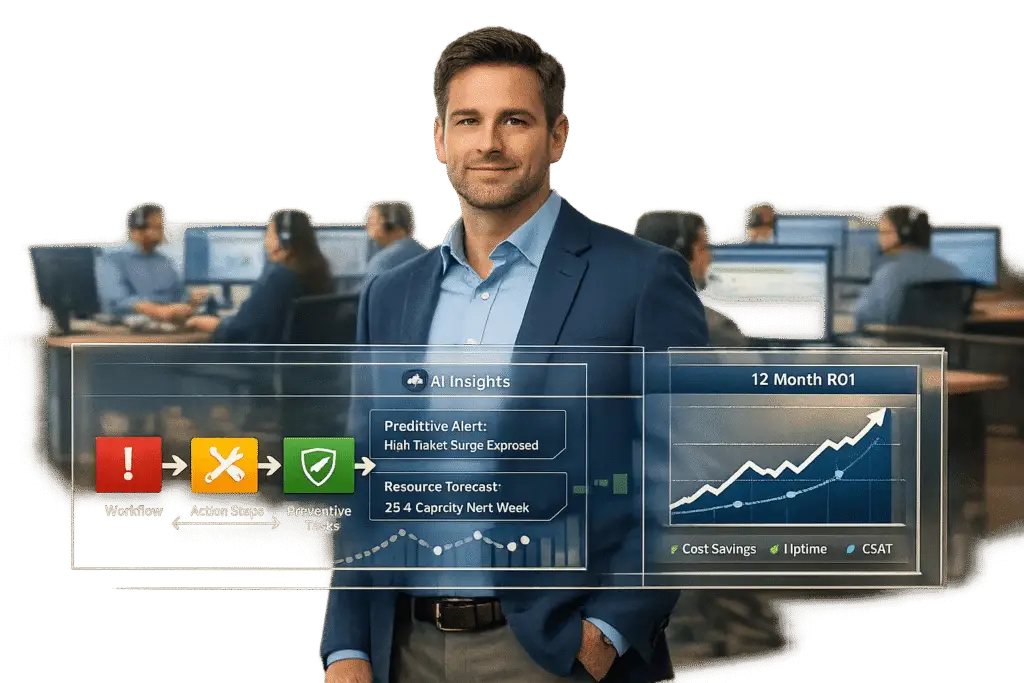
Technical Account Managers (TAMs) are transforming helpdesks by focusing on prevention, strategy, and long-term client relationships. Unlike typical support agents who react to issues, TAMs work proactively to ensure clients achieve their business goals while minimizing disruptions. Here’s what sets them apart:
- Proactive Approach: TAMs prevent issues through regular system checks, risk assessments, and long-term planning.
- Client Advocacy: They act as a bridge between clients and internal teams, ensuring personalized service and faster resolutions.
- Industry-Specific Expertise: From SaaS to enterprise software, TAMs tailor their strategies to meet the unique needs of each sector.
- AI Integration: Tools like predictive analytics and automated reporting help TAMs anticipate problems and streamline support workflows.
- Proven ROI: Businesses see a 432% ROI over three years, with downtime savings often exceeding the cost of TAM services.
TAMs are redefining customer support by delivering measurable results, strengthening relationships, and aligning technology with business outcomes.
What is the role of a Technical Account Manager ? | Career Guide – Job Description – Skills
sbb-itb-e60d259
What Is a Technical Account Manager?
Technical Account Manager vs Traditional Support Agent: Key Differences
A Technical Account Manager (TAM) is a specialized advisor who combines technical know-how with a strategic mindset. Unlike traditional support agents who primarily respond to tickets, TAMs focus on building long-term relationships and preventing issues before they arise. They are the go-to technical resource for a company’s most important clients.
Instead of the reactive "break-fix" approach that traditional support teams often use, TAMs take a proactive stance. They work to understand each client’s technical setup, conduct regular reviews, and identify potential risks before they escalate into problems.
"TAMs have in-depth knowledge of products and solutions, each customer’s unique technical environment, and industry best practices. This allows them to provide proactive advice and guidance to help identify and address potential problems before they occur."
– Judith Zhu, Technical Support Manager, Red Hat [3]
Beyond troubleshooting, TAMs act as advocates for their clients within the company. They collaborate with engineering, product, and sales teams to tackle complex issues that may involve multiple vendors or departments. This coordination ensures that customers have a single point of accountability. TAMs also handle tasks like overseeing implementations, crafting custom solutions, delivering training, and sharing product roadmaps.
These efforts translate into real benefits for businesses, from cutting costs to providing strategic direction. Up next, let’s explore how TAMs differ from traditional support roles.
TAM vs. Traditional Support Roles
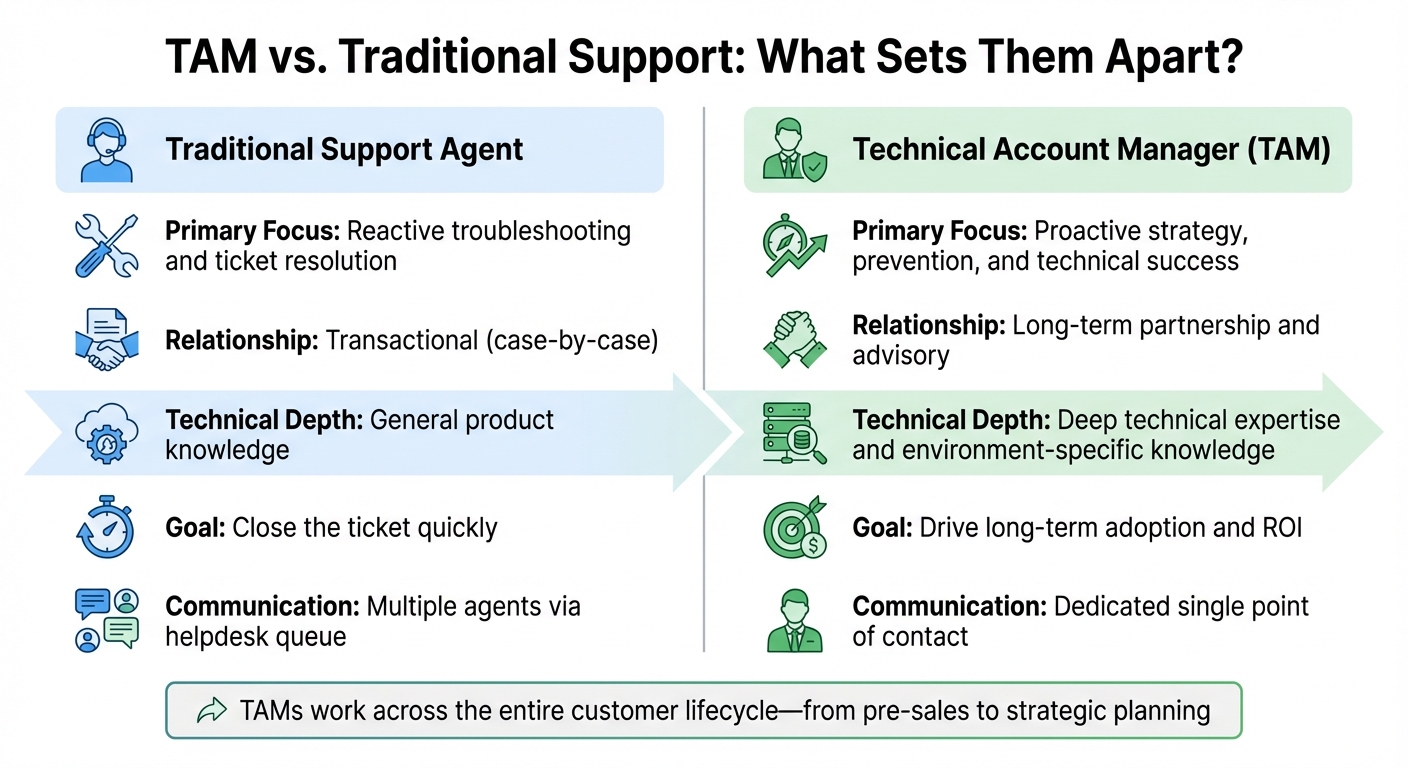
Traditional support teams work on a transactional basis, addressing tickets as they come in. Each issue is typically resolved by a different agent, who may have little insight into the client’s broader technical environment or goals. TAMs, on the other hand, build ongoing partnerships with assigned accounts. By maintaining regular contact, they gain a deep understanding of a client’s infrastructure, workflows, and objectives. This allows them to anticipate needs, identify trends, and align technology with business priorities.
| Feature | Traditional Support Agent | Technical Account Manager (TAM) |
|---|---|---|
| Primary Focus | Reactive troubleshooting and ticket resolution | Proactive strategy, prevention, and technical success |
| Relationship | Transactional (case-by-case) | Long-term partnership and advisory |
| Technical Depth | General product knowledge | Deep technical expertise and environment-specific knowledge |
| Goal | Close the ticket quickly | Drive long-term adoption and ROI |
| Communication | Multiple agents via helpdesk queue | Dedicated single point of contact |
While traditional agents focus on solving immediate problems, TAMs take a broader approach. They work across the entire customer lifecycle, from pre-sales assessments and implementation to ongoing support and strategic planning. Instead of just fixing issues, they ensure systems are designed for optimal performance from the start.
How TAM Roles Differ Across Industries
TAM responsibilities can vary significantly depending on the industry. For example, in SaaS companies, TAMs often focus on driving feature adoption, improving user engagement, and reducing churn — and when an account does pause or leave, a clear process for managing paused or churned accounts keeps the roster honest. They conduct training sessions and share best practices to help clients fully utilize the platform.
In enterprise software, TAMs bring deep technical expertise to manage complex production environments. They handle tasks like ensuring system stability, managing security patches, and planning architectures for mission-critical applications. For industries where downtime can cost millions of dollars per hour, these TAMs are essential [4].
Contact center technology providers offer another example. Here, TAMs take on technical responsibilities that would otherwise fall to internal managers. For instance, a 300-seat contact center that hires a TAM for just 10 hours a month can save $60,000 annually by allowing managers to focus on coaching rather than troubleshooting. TAM services in this space are often billed at rates between $300 and $500 per hour and are increasingly offered as subscription models [4].
Across all industries, the role of the TAM has shifted from simply resolving issues to acting as a strategic advisor. They provide insights on industry trends, recommend security updates, and help shape long-term technology plans. As businesses become more reliant on digital systems, the personalized, human element that TAMs bring is crucial for navigating complex, multi-vendor environments.
Core Responsibilities of a TAM in Modern Helpdesks
TAMs play a crucial role in elevating helpdesk operations by focusing on preventing issues, managing customer relationships strategically, and resolving complex problems that go beyond routine support. Let’s dive into their key responsibilities.
Technical Planning and Prevention
TAMs focus heavily on proactive measures to keep technical environments running smoothly. They conduct regular health checks and monitor system performance to identify potential vulnerabilities. Based on these insights, they recommend timely updates or infrastructure improvements to avoid problems before they arise. This includes staying updated on the latest security patches and guiding clients on which updates are most relevant to their specific setup.
When clients plan to introduce new technologies, TAMs step in to evaluate potential risks. By conducting supportability reviews, they ensure that new tools won’t disrupt or degrade the performance of the existing systems. This kind of foresight often pays off quickly – organizations typically recover their TAM investment within just two months [3].
Customer Relationship Management
TAMs act as the go-to technical partner for their clients. Through regular planning sessions, they create customized strategies and develop training materials that empower client teams. This often involves leveraging a knowledge base to ensure information is accessible and consistent. They also align the client’s technology plans with future product developments, ensuring a forward-thinking approach that meets evolving needs.
Escalation and Issue Resolution
When critical issues occur, TAMs take charge. They coordinate with specialized teams, involve senior engineers, and facilitate cross-vendor discussions to deliver a unified resolution.
For businesses with high revenue stakes, the value of a TAM becomes even more apparent. For example, saving just two hours of downtime can equate to five times the annual cost of a TAM. Their deep understanding of the client’s environment allows them to bypass basic support layers and connect directly with the experts needed to resolve issues quickly [4].
Required Skills and Competencies for TAMs
The role of a Technical Account Manager (TAM) requires a well-rounded skill set that combines technical expertise, business strategy, and strong communication abilities. Unlike traditional support roles that focus on resolving tickets, TAMs work at a strategic level, bridging the gap between technology and business outcomes. To succeed, TAMs need to develop specific competencies that directly support proactive strategies and measurable client success.
Technical Proficiency
TAMs must have a deep understanding of product architecture, IT infrastructure, and networking to provide proactive client support [9]. This goes beyond basic troubleshooting. Key technical skills include expertise in cloud computing (like SaaS platforms), API integration, SQL database management, and cybersecurity protocols [9]. As businesses increasingly shift to cloud environments, knowledge of platforms such as AWS and Azure, along with strong cybersecurity practices, has become essential.
Advanced analytical skills are another cornerstone of the role. TAMs must be able to diagnose complex technical issues and perform root-cause analyses to prevent problems from escalating into major outages [1][9]. For example, at Red Hat, TAMs are often required to hold certifications like the Red Hat Certified Engineer (RHCE), reflecting the technical depth expected in the role [3].
Business Acumen
Technical expertise alone isn’t enough; TAMs also need to align their solutions with the client’s return on investment (ROI) and long-term goals [1][10]. This requires a solid grasp of financial literacy, market trends, and strategic planning to create multi-year technical roadmaps that support business growth.
"Technical Account Managers need to have the soft skills to communicate proficiently, the business knowledge to translate the concepts into a more technical language and also the know-how to put those ideas into practice and deliver a functional project."
TAMs use their business skills to translate technical capabilities into meaningful outcomes. Strategic account planning is where this shines, as TAMs analyze data to identify patterns, predict client needs, and uncover opportunities for upselling or cross-selling [9][10]. For instance, a 2020 IDC study highlighted that customers using TAM services achieved a 432% three-year ROI through improved efficiency and optimized technology performance [3]. This kind of impact requires TAMs to think beyond immediate solutions and focus on long-term business results.
Interpersonal and Communication Skills
Connecting technical teams with non-technical stakeholders is a critical part of a TAM’s job, making strong communication skills indispensable. TAMs need to excel in active listening, clear presentations, and conflict resolution [9][7]. Building trust is key; TAMs act as advisors who understand their clients’ unique goals and advocate for them within their organization [1][7]. In environments with multiple vendors, interpersonal skills help TAMs lead resolution efforts and foster collaboration, avoiding unproductive blame games [3].
"As a TAM, your services are a subscription… [Their] ability to work with teams of front-line support engineers, other TAMs, and solutions architects make them proficient at prioritizing and juggling multiple accounts, and providing more personalized service."
- Marc Richter, Principal Technical Account Manager, Red Hat [3]
TAMs also leverage data analytics to interpret customer trends and make informed decisions [9]. These skills ensure they can link technical strategies to outcomes that matter to clients, delivering both immediate and long-term value.
How TAMs Improve Helpdesk Efficiency and Customer Retention
Efficiency Gains in Helpdesk Operations
TAMs (Technical Account Managers) play a key role in streamlining helpdesk workflows by acting as the single technical point of contact between clients and support teams. This setup eliminates the need for clients to repeat themselves during escalations, saving time and reducing friction. By bridging the gap between technical teams and client needs, TAMs help ensure that support processes run more smoothly, ultimately strengthening customer relationships.
One of their standout contributions is proactive monitoring. TAMs can spot technical issues before they become major problems, preventing them from turning into time-consuming support tickets. They also oversee technology implementations and integrations, ensuring everything is set up correctly from the start. This proactive approach reduces early-stage support demands. Additionally, when TAMs provide tailored training and resources, routine inquiries drop significantly, allowing helpdesk staff to focus on more complex challenges.
Consider this example: an SMB contact center with 300 seats invested in a TAM for 10 hours per month at a cost of around $4,000. This allowed the company to restructure roles, ultimately saving $60,000 annually in labor costs – a 25% return on investment [4]. This case illustrates how TAMs enable organizations to use their resources more strategically without compromising service quality.
These operational improvements also set the stage for better customer retention.
Customer Success and Retention
TAMs do more than just speed up operations – they help build stronger customer loyalty by aligning technical solutions with business goals. By ensuring that technology supports a client’s strategic objectives and delivers measurable ROI, TAMs enhance the overall value clients perceive in the service. Acting as trusted advisors, they foster relationships that go beyond transactional interactions, reducing the likelihood of churn.
"A TAM is more than a problem-solver – they’re a trusted partner in a client’s success."
- Lorraine O., Magellan Solutions [11]
TAMs also play a vital role in gathering client feedback, which can be used to guide product development and ensure services stay relevant to evolving needs. For enterprise clients, TAMs are particularly valuable during critical service interruptions, as they develop risk mitigation plans and reduce Mean Time to Resolution (MTTR). By combining proactive problem-solving, strategic alignment, and personalized support, TAMs drive noticeable gains in both customer satisfaction and retention.
Using AI-Driven Tools to Support TAM Effectiveness
Predictive Analytics and Sentiment Analysis
AI is reshaping the way Technical Account Managers (TAMs) operate, shifting their focus from reacting to issues to preventing them altogether. Instead of waiting for problems to escalate, predictive models analyze a combination of ticket language, sentiment trends, product usage patterns, and account context to flag potential risks early. These tools review key signals like error spikes, feature adoption gaps, SLA status, and even proximity to renewal dates, creating a comprehensive risk profile.
The impact of these AI tools is substantial. For example, AI-enhanced processes reduce the time needed for escalation analysis by 86% – from 10–22 hours to just 1–3 hours [12]. Companies that use predictive AI for support report a 45% drop in overall escalation rates, with models achieving 88% accuracy in identifying likely escalations [12]. TAMs can integrate these AI-driven risk scores into their existing workflows, aligning them with customer entitlement levels and SLA policies to prioritize high-value accounts. Additionally, AI-driven sentiment analysis tools track real-time frustration markers, enabling TAMs to step in proactively when a customer’s tone shifts negatively – often preventing formal complaints before they arise. These predictive insights also simplify reporting and improve case management processes.
Automated Reporting and Case Management
AI-driven automation helps TAMs cut through the administrative clutter, allowing them to focus on what matters most: their clients. Automated case summaries ensure seamless handoffs between support tiers, preserving all critical context as tickets move from frontline agents to TAMs. Dashboards powered by AI track essential metrics like proactive vs. reactive tickets, mean time to resolution, and intervention success rates, eliminating the need for manual reporting.
Another significant advantage is the ability to generate knowledge base articles automatically. When TAMs resolve complex issues, AI analyzes the case history – including interactions, troubleshooting steps, and resolutions – and drafts structured articles complete with summaries, subject lines, and keywords. This keeps documentation up-to-date without requiring TAMs to spend time on writing. Platforms like Supportbench offer features like AI-generated case summaries, activity logs, and knowledge base articles, freeing TAMs to focus on building stronger customer relationships and addressing issues proactively.
Knowledge Management and Intelligent Insights
AI also revolutionizes knowledge management, making it easier for TAMs to access and utilize institutional expertise. Advanced AI-native knowledge bases essentially act as an "enterprise brain", using RAG pipelines to turn structured data into conversational, grounded answers. This means TAMs can instantly retrieve information – whether it’s IT procedures, product exceptions, or troubleshooting logic – without sifting through platforms like Confluence, SharePoint, or Google Drive.
A global enterprise using the AI-native platform Enjo saw dramatic results, resolving over 40% of repetitive IT issues directly in Slack and Teams within weeks of implementation [13]. These tools integrate seamlessly into the platforms TAMs already use, enabling "zero-touch" resolutions for routine inquiries while flagging more complex issues for human intervention. AI-driven insight loops further enhance these systems by identifying knowledge gaps from unresolved queries and drafting articles to address them. By 2026, the success of knowledge bases is expected to shift from page views to the percentage of questions resolved without showing users an article [13]. This shift allows TAMs to extend their reach and impact without increasing their workload.
Building and Scaling a TAM Team in Your Helpdesk
Creating a well-structured Technical Account Management (TAM) team is a key step in building a better helpdesk that operates efficiently and meets client needs effectively.
Defining TAM Roles and Responsibilities
TAMs act as the technical bridge between clients and internal teams like engineering, product, and support. Unlike Account Managers, who focus on sales, renewals, and overall satisfaction, TAMs bring technical knowledge, proactive problem-solving, and product optimization to the table [1]. It’s important to outline these distinctions clearly from the beginning.
To build a solid team, consider organizing TAMs into levels based on their experience and scope of responsibilities:
- Entry-Level TAMs: Focus on learning the product, working alongside senior staff, and contributing to technical documentation.
- Mid-Level TAMs: Handle their own client accounts, lead product demonstrations, and identify opportunities for additional services.
- Senior-Level TAMs: Take charge of strategic planning, mentor junior team members, and manage relationships with high-level stakeholders [7].
You can also assign TAMs to specialized roles, like Enterprise TAMs for large clients, Customer Success TAMs to boost adoption and retention, or Support TAMs to handle post-sales troubleshooting [7]. Matching TAMs to clients based on their technical skills and industry experience ensures a more tailored approach and better results.
Team Integration and Collaboration
TAMs thrive when they work closely with other teams, such as helpdesk, customer success, and sales. For example, they can participate in triage sessions where AI tools categorize and assign incoming requests, ensuring issues are routed to the right team immediately [[14]](https://knowledge.pia.ai/docs/pia_journey/Service Delivery/tam). By collaborating with client-side "Champions" (key users) and "Managers" (Service Desk Leads), TAMs can align automation tools with specific workflows [[14]](https://knowledge.pia.ai/docs/pia_journey/Service Delivery/tam).
Regularly reviewing open tickets with other teams helps TAMs pinpoint configuration issues and refine automation processes [[14]](https://knowledge.pia.ai/docs/pia_journey/Service Delivery/tam). Before launching new workflows or triage systems, TAMs can use a "Simulate Mode" to test configurations and prevent disruptions [[14]](https://knowledge.pia.ai/docs/pia_journey/Service Delivery/tam). Additionally, TAMs should conduct adoption reviews by analyzing usage reports to identify where features or automations are underutilized [[14]](https://knowledge.pia.ai/docs/pia_journey/Service Delivery/tam).
Since TAMs act as both internal advocates for customers and external experts on products, they need access to engineering and product teams to resolve issues and shape product roadmaps [2][3][7]. Their collaboration with sales teams can also uncover upsell or cross-sell opportunities based on clients’ technical needs and usage trends [7]. This integrated approach ensures TAMs are aligned with both client goals and internal strategies.
Performance Metrics and Career Development
To gauge the effectiveness of your TAM team, track a mix of strategic, operational, and financial metrics. Examples include platform adoption rates, customer retention, Mean Time to Recover (MTR), SLA compliance, and implementation timelines [1][4]. For enterprise clients, TAMs can be evaluated on their ability to prevent revenue loss, acting as a safeguard against service disruptions [4]. In smaller organizations, focus on cost savings. For instance, a TAM with an annual cost of $48,000 (working 10 hours per month) can help a mid-sized contact center save $60,000 in labor costs [4].
Support career growth using the "3 P’s" framework – People, Product, and Process [8]. Offer access to webinars, training programs, and certifications to keep skills sharp [1]. Establish clear career paths, starting from Technical Support and progressing to TAM, Senior TAM, Lead TAM, and eventually roles like Director of Technical Account Management or VP of Customer Success [7]. This clarity inspires team members to stay engaged and strive for advancement.
| TAM Career Level | Primary Focus | Key Activities |
|---|---|---|
| Entry-Level | Learning & Support | Troubleshooting, shadowing senior TAMs, documenting solutions [7] |
| Mid-Level | Account Management | Developing account plans, leading demos, identifying upsell opportunities [7] |
| Senior-Level | Strategy & Leadership | Directing technical roadmaps, mentoring juniors, advising on long-term strategy [7] |
| Executive (VP/Director) | Strategic Success | Shaping global customer engagement strategies and overseeing team performance [7] |
Conclusion
As helpdesks transition into hubs of customer success, Technical Account Managers (TAMs) play a critical role in driving efficiency and delivering smarter support strategies. TAMs bridge the gap between intricate technology and meaningful business outcomes. They move support from simply resolving tickets to offering proactive planning, strategic advice, and fostering long-term partnerships. By managing complex technical configurations and implementations, TAMs allow helpdesk agents to focus on high-volume tasks while freeing senior engineers to tackle advanced troubleshooting and strategic initiatives.
The financial benefits are clear. For example, in a 300-seat contact center, dedicating just 10 hours per month to a TAM can save approximately $60,000 annually while reducing costly downtime. This highlights the strategic importance of TAMs in reshaping support operations. As Omar Nasser from Inkeep explains:
"The ROI model shifts from cost reduction (handle more tickets with fewer people) to capacity building (e.g. reallocate senior engineer time from tier-1 documented questions to complex troubleshooting)" [5].
Beyond cost efficiency, AI tools amplify TAM contributions. As Eric Klimuk, Founder and CTO of Supportbench, notes:
"As AI takes over repetitive triage and data retrieval, support agents move into more strategic roles. They become consultants and relationship builders who provide human insight, empathy, and expertise where automation cannot" [15].
With tools like predictive analytics, sentiment analysis, and automated reporting, TAMs can address potential issues before they escalate, turning customer service into a proactive, predictive experience.
Establishing a successful TAM program requires clearly defined roles, collaboration across teams, and performance metrics tied to business outcomes and platform adoption. Companies that invest in TAMs using the "3 P’s" framework – People, Product, and Process – are better positioned to meet modern B2B customer demands. After all, 86% of B2B customers expect companies to have detailed knowledge of their history during service interactions [6]. TAMs deliver this personalized, informed support.
In a world of increasing technical complexity and rising customer expectations, TAMs bring the expertise that transforms technology into sustainable business value. They don’t just solve problems – they educate clients, strengthen partnerships, and elevate the overall customer experience. TAMs are the key to turning support into a strategic advantage.
FAQs
When should a helpdesk add TAMs?
When managing complex customer accounts that demand proactive and personalized support, helpdesks should consider bringing in Technical Account Managers (TAMs). TAMs are particularly suited for high-value or technically challenging accounts, where they can provide strategic guidance, anticipate potential issues, and strengthen relationships.
Organizations often find TAMs invaluable when support needs become more intricate, customers start expecting more tailored service, or reducing churn and ensuring long-term success through proactive support takes center stage. TAMs play a key role in meeting these demands effectively.
How many accounts should a TAM manage?
A Technical Account Manager (TAM) should handle a reasonable number of accounts, with the exact number depending on the complexity of each account. This can vary widely – from a few dozen to a few hundred accounts – based on factors like the company’s scale and the specific needs of its clients. Striking this balance is key to maintaining strong account management and ensuring clients achieve their goals effectively.
What KPIs demonstrate TAM ROI?
Key performance indicators (KPIs) that showcase the return on investment (ROI) for Technical Account Managers (TAMs) include:
- First-response time: Measures how quickly support teams address initial customer inquiries.
- Customer retention rate (CRR): Tracks the percentage of customers who stay with the company over time.
- Customer lifetime value (CLV): Reflects the total revenue a business can expect from a single customer throughout their relationship.
- Time-to-resolution reduction: Indicates how effectively issues are resolved, minimizing downtime for customers.
Together, these metrics demonstrate how TAMs enhance support efficiency and foster stronger, long-lasting customer relationships, emphasizing their impact on helpdesk operations.
Related Blog Posts
- Help Desk vs Service Desk: What’s the Difference?
- Intercom (10) – framed correctly as “chat-first → real helpdesk”
- What are the signs you’ve outgrown Help Scout (SLAs, tiers, escalations, reporting)?
- Account-Based Support vs. Transactional Support: Key Differences Explained
Evaluating help desks for a B2B team?
Supportbench is all-inclusive from $32 per agent per month, with migration and onboarding included. See pricing or book a 20-minute demo.






