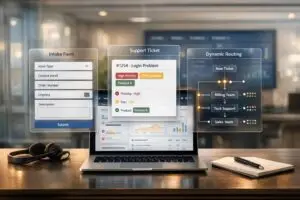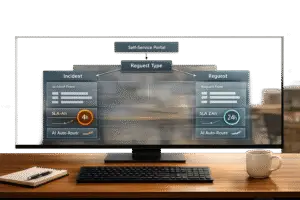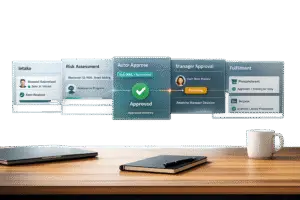
When bugs stall your team, it’s often due to incomplete reports. Developers waste time chasing missing details like browser types or error logs. A simple solution? A structured “Engineering handoff” template.
Here’s what it should include:
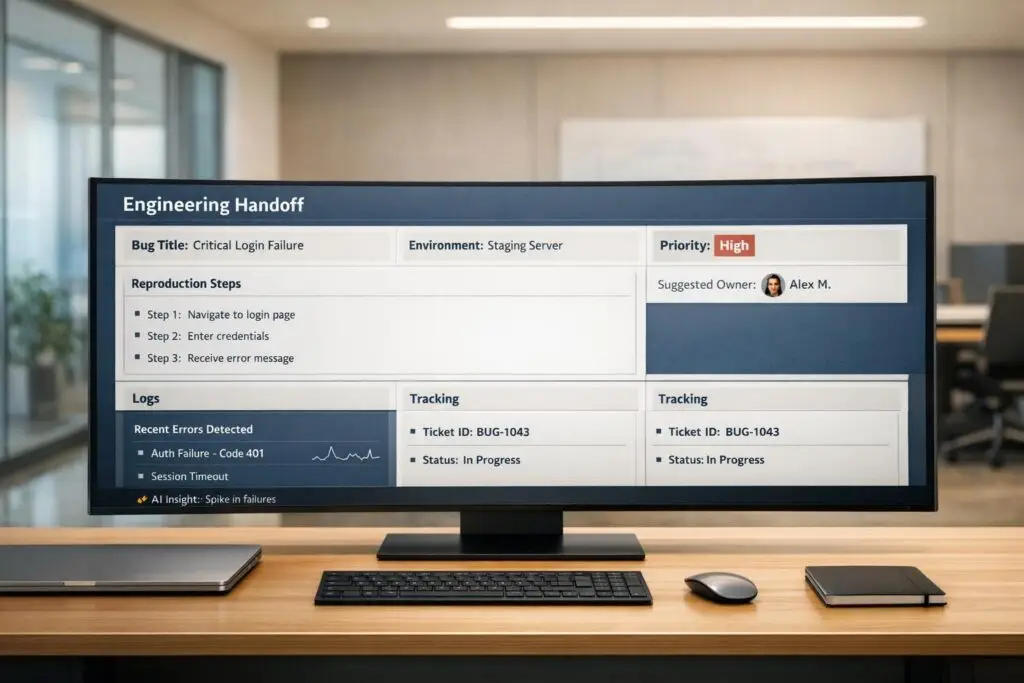
- Bug Description: Clear title, environment details, and expected vs. actual behavior.
- Steps to Reproduce: Step-by-step actions to replicate the issue.
- Impact and Priority: Define severity and urgency with specific criteria.
- Screenshots and Logs: Visuals and technical data to save back-and-forths.
- Tracking Fields: Unique IDs, ownership, and ticket status updates.
Using a well-organized template reduces delays, eliminates confusion, and helps engineers focus on fixing issues instead of clarifying them. Teams using detailed bug reports resolve issues up to 40% faster, cutting resolution times significantly.
Want faster fixes? Start with a template that delivers all the answers upfront.
Bug Report To Make Your Developers Happy | Bug Reporting As Software Tester
sbb-itb-e60d259
What to Include in an Engineering Handoff Template
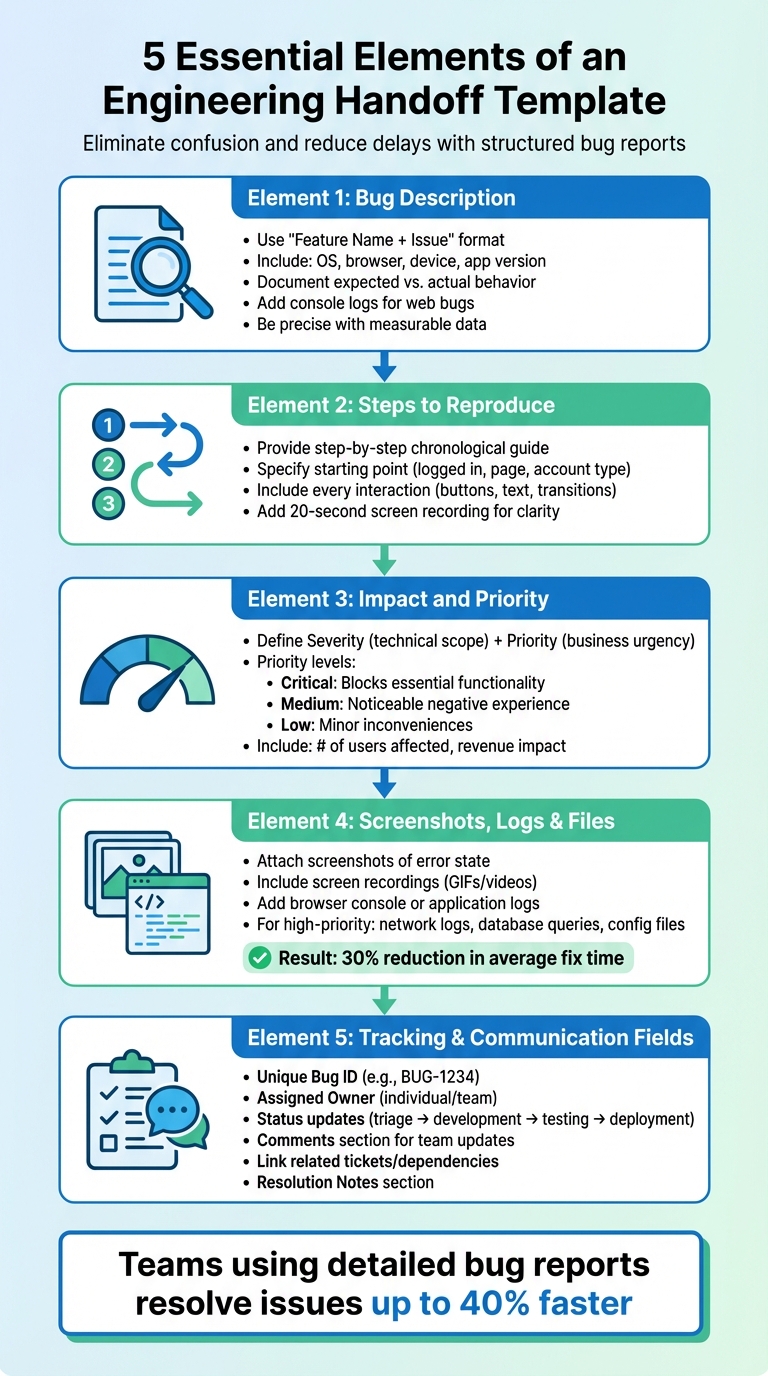
5 Essential Elements of an Engineering Handoff Template
To ensure a smooth transition from support to engineering, a well-structured handoff template is essential. It eliminates confusion, reduces delays, and provides engineers with everything they need to dive straight into debugging. Below are five key elements that should be part of any effective handoff template.
Bug Description
Start with a "Feature Name + Issue" format to give engineers immediate context. For instance, "[Login Page] – User receives ‘Invalid Credentials’ error" clearly identifies the problem’s location. Add a concise summary and include technical environment details like operating system, browser, device, or app version. This information can help determine if the issue is tied to a specific setup.
Describe both the expected behavior and what actually happened. For web-based bugs, include console logs from browser developer tools to uncover hidden errors. Be as precise as possible – replace vague terms like "slow" with measurable data, such as "takes 12–15 seconds to load" or "fails in 8 out of 10 attempts."
Finally, ensure the reproduction steps are documented clearly to remove any ambiguity.
Steps to Reproduce
Provide a step-by-step guide that outlines how to replicate the issue. Engineers need a detailed, chronological account of the actions leading up to the bug. Specify the starting point – whether the user is logged in, on a specific page, or using a particular account type. Include every interaction, such as buttons clicked, text entered, and page transitions.
"The ‘Steps to Reproduce’ section is the developer’s treasure map to the problem. If your steps are vague, you’ll get the dreaded ‘cannot reproduce’ tag, and the ticket will stall out completely." – Adrien Nhem, Co-founder and CTO, Screendesk
Avoid generic phrases like "Clicked on profile." Instead, write something like, "From the main dashboard, clicked the ‘Edit Profile’ button in the top navigation bar." A short screen recording (around 20 seconds) can further clarify the steps, leaving no room for misinterpretation.
Impact and Priority
Clearly communicate both technical impact (Severity) and business urgency (Priority). Severity assesses the technical scope of the issue, while Priority reflects how urgently the business needs it fixed. For example, a typo might have low severity but high priority if it shows up on a widely used login page.
Define priority levels to avoid confusion. For instance:
- "Critical" for issues that block essential functionality.
- "Medium" for those causing a noticeable negative experience.
- "Low" for minor inconveniences without usability impact.
Include quantifiable details, such as the number of users affected or whether revenue-generating features are impacted. This structured approach helps engineers prioritize effectively, focusing on what matters most to users and the business.
Screenshots, Logs, and Supporting Files
Visual and technical evidence can make all the difference. Attach screenshots that capture the exact error state, along with screen recordings (GIFs or videos) to provide a clear view of the issue. Include logs from browser consoles or application systems for deeper insights.
For high-priority issues, supporting files like network request logs, database query outputs, or configuration files can be invaluable. These attachments ensure engineers have all the context they need, saving time and reducing back-and-forth communication. In fact, teams that use comprehensive bug report templates with detailed attachments can cut their average fix time by up to 30%.
Tracking and Communication Fields
To maintain visibility and track progress, include fields for:
- Unique Bug ID: A reference number like BUG-1234 for easy identification.
- Assigned Owner: The individual or team responsible for the fix.
- Status: Updates as the ticket moves through triage, development, testing, and deployment.
Add a comments section where team members can share updates without switching tools. Include fields for linking related tickets or dependencies, and a "Resolution Notes" section where engineers can document the fix. These tracking tools ensure the ticket stays on everyone’s radar and nothing slips through the cracks during the handoff process.
How to Build Your Engineering Handoff Template
Once you’ve outlined the content for your template, the next step is to create a layout that’s clear and efficient. A well-structured template bridges the gap between support and engineering, ensuring no critical details slip through the cracks.
Step 1: Design the Template Layout
Start by arranging the fields in a logical sequence, moving from general context to specific technical details. Begin with a clear and descriptive title formatted as "Feature Name + Issue" (e.g., "[Checkout Page] – Payment button unresponsive on Safari"). Follow this with a brief summary, environment details, and then detailed steps to reproduce the issue. This flow matches how engineers typically process information: they start with the broader picture and then dive into specifics.
Place visual aids like screenshots or recordings at the top of the template. This gives engineers immediate context, helping them grasp the issue before they dive into the reproduction steps.
Step 2: Set Required and Optional Fields
Once your layout is ready, decide which fields are essential and which are optional. Reviewing past tickets can help you identify recurring gaps that caused delays or confusion. At a minimum, make the following fields mandatory: Title, Steps to Reproduce, Expected vs. Actual Behavior, Environment, and Severity. These fields provide the foundational details engineers need to understand and prioritize the issue.
"Every handoff is a compression point. Information gets compressed into whatever the receiving system can accept. Everything else… simply disappears." – Richie Aharonian, Head of CX, Unito
You can also implement conditional fields to tailor the required data based on the issue type. For example, selecting "Performance Issue" might trigger fields for internet speed and timestamps, while "Visual Glitch" might require screen resolution and device type. This ensures engineers get the exact context they need without unnecessary follow-ups.
Additionally, check that critical information like "Customer Impact" is mapped correctly to avoid losing key details during the handoff.
Step 3: Test and Refine the Template
After setting up your template, test it in real-world scenarios. Use recent tickets that faced delays or required multiple follow-ups, and trace them back to see if the missing information could have been captured by the template. This process highlights whether the required fields provide enough actionable data or if agents are simply filling in placeholders to submit the form.
Create a feedback loop where support agents and engineers can share their experiences with the template. Discuss what works well and what causes bottlenecks. As Adrien Nhem, CTO of Screendesk, puts it:
"The difference between a five-minute fix and a five-day ordeal often boils down to the quality of that first bug report. Consistency is what gets you there"
Finally, interview engineers to uncover any recurring gaps in the information they receive. For instance, they might frequently need to search for customer account details that could easily be included in the handoff. Use this feedback to tweak and improve the template, then test the updated version with new cases to ensure it meets everyone’s needs effectively.
Mistakes to Avoid When Creating Handoff Templates
Even with the best intentions, a poorly designed handoff template can do more harm than good. To ensure your template speeds up bug resolution instead of bogging down the process, it’s crucial to avoid some common mistakes. These missteps can derail the efficiency you’re aiming for and create more headaches for your team.
Adding Too Many Fields
Overloading your template with fields can frustrate support teams and overwhelm engineers. Long, overly detailed forms often lead to vague responses from support teams, while engineers drown in irrelevant information. As Jake Bartlett from Swifteq puts it:
"Too little information will lead to missing context and misunderstandings, but too much information can be overwhelming and be hard to retain."
Another issue arises when mismatched fields between tools cause information to get lost. This often forces support teams to manually summarize details, which increases the risk of errors – or worse, critical details vanish entirely. To avoid this, use conditional logic to make fields relevant only to specific bug types. You might also consider creating two versions of your template: a "Quick Handoff" for simpler issues and a "Full Handoff" for more complex or critical bugs. The goal is to strike a balance between providing enough detail and keeping the process efficient.
Using Inconsistent Formats
When templates lack consistency, engineers are forced to interpret each report differently. One report might say, "Nothing works", while another offers a clear, step-by-step breakdown of the issue. This inconsistency leads to delays, follow-up questions, and makes it nearly impossible to track or analyze recurring bugs effectively.
To tackle this, standardization is key. Implement organization-wide standards with mandatory fields like "Steps to Reproduce", "Expected vs. Actual Results", and "Environment". A consistent naming convention – such as "Feature Name + Issue" (e.g., "Login Page: Submit button unresponsive") – helps keep things clear. Additionally, following the "One Bug = One Issue" rule ensures that each report is focused and manageable. Teams that adopt these practices have been shown to resolve bugs up to 50% faster. Standardization not only reduces delays but also makes it easier to gather actionable feedback.
Skipping User Feedback
Designing a template without input from the people using it often leads to problems. Without feedback from both support and engineering teams, your template might miss critical details or create unnecessary work. For instance, engineers might repeatedly ask for console logs that could have been automatically included, while support agents might waste time filling out irrelevant fields.
To avoid this, conduct backward audits by reviewing past tickets that faced delays. Identify the missing information that slowed resolution. Additionally, interview your engineering team to understand what details they frequently have to chase down. Establishing a feedback loop between teams ensures your template stays relevant and effective. Like any good process, your template should evolve to meet the team’s current needs, not remain static. Real-time feedback ensures that the handoff process stays streamlined and supports quick, accurate bug resolution.
Example: Reporting a Login Bug with the Template
The Bug: Login Page Error
Imagine this scenario: at 9:00 AM, the support team starts receiving a wave of tickets about login issues. Users are frustrated – they’re entering the correct credentials but are greeted with a "500 Internal Server Error" message. This isn’t just a minor glitch; it’s a major roadblock preventing access to the platform.
Filling Out the Template
The support agent gets to work, filling out the handoff template with all the necessary details. Here’s how it looks:
- Title: "[Login Page] – 500 Error when clicking ‘Sign In’ on Chrome (macOS)"
- Environment: macOS Sonoma 14.1, Chrome 125.0 on Desktop
- Steps to Reproduce:
- Navigate to /login
- Enter valid credentials
- Click ‘Sign In’
- Expected vs. Actual Results: Instead of loading the dashboard, the page freezes for about 5 seconds and then displays a 500 error message.
To make things even clearer, the agent attaches a screen recording of the issue and includes browser console logs (accessed via Cmd+Opt+I). The logs reveal this error: POST https://api.app.com/v1/login 500 (Internal Server Error). Given the severity of the issue, the priority is set to P1 – Critical, as it directly impacts user access.
Result: Faster Resolution
Thanks to the detailed handoff, engineers can jump right into action. They have everything they need to reproduce the problem in their local environment without wasting time on back-and-forth questions. This kind of thorough reporting significantly speeds up the resolution process and improves collaboration between the support and engineering teams.
How Supportbench AI Improves Engineering Handoffs
Even with robust templates in place, manual steps in bug resolution can slow things down – until AI steps in to change the game. Supportbench integrates AI directly into the handoff process, automating repetitive tasks and making workflows more efficient. These tools build on the streamlined methods already discussed.
AI Triage and Priority Assignment
When a bug report comes in, Supportbench AI takes over by automatically categorizing and prioritizing the issue. It evaluates factors like the description of the problem, the number of users impacted, and system behavior to determine the urgency. For instance, if support data flags a “Business-critical system down” scenario, the AI translates this into an engineering-specific P1 priority using predefined field mapping and translation rules. This automation reduces priority miscommunication, ensuring that critical issues – like memory leaks – get immediate attention.
Automated Case Summaries
Supportbench AI doesn’t just stop at triage; it also generates detailed handoff summaries automatically. These summaries compile everything engineers need: a full issue history, customer sentiment analysis, technical environment details, and previously attempted fixes. They also highlight the business impact, such as how many users are affected or the potential revenue at risk. By delivering this targeted context, the AI avoids overwhelming engineers with unnecessary details and helps them zero in on solving the problem.
Real-Time Collaboration Tools
Supportbench goes a step further by fostering real-time collaboration between support and engineering teams. Once the handoff is made, both teams work within a shared workspace where they can view live updates, add comments, exchange files or code snippets, and track progress together. The platform also features a unified customer timeline, giving everyone a complete view of all interactions – from support tickets to ongoing engineering efforts. On top of that, the AI analyzes past similar issues to suggest potential fixes, turning team knowledge into actionable insights during the resolution process.
Conclusion
A well-structured handoff template transforms bug reports into clear, actionable tasks. When support and engineering teams use standardized documentation, developers can focus on solving problems instead of chasing down missing details. This approach helps speed up issue resolution significantly.
Think of your template as a "living document" that adapts to your team’s changing needs. For example, between 2022 and 2023, a healthcare technology company with teams in Boston, Kyiv, and Bangalore slashed their average bug resolution time from 13 days to just 4 days. They achieved this by regularly refining their templates and severity framework. On top of that, they reduced their clarification request rate from 40% to 12%. These kinds of results require ongoing audits, feedback, and adjustments as both your product and team evolve.
As outlined in this guide, a well-designed handoff template is the backbone of smooth support operations. But you don’t have to stop there. Tools powered by AI, like Supportbench, can take things further by automating repetitive tasks. Instead of spending time manually triaging bug reports, categorizing issues, or drafting handoff summaries, AI takes care of these steps instantly while keeping all the critical details intact. Features like real-time collaboration and a unified customer timeline ensure support and engineering teams stay in sync, cutting down on delays caused by unnecessary back-and-forths.
FAQs
What are the advantages of using an engineering handoff template for bug fixes?
An engineering handoff template ensures clear and consistent communication between support and engineering teams by capturing all the necessary details about a bug from the start. This reduces the need for back-and-forth clarifications, which means faster resolutions and less system downtime.
On top of that, using a structured template standardizes how issues are reported and prioritized. When paired with AI tools for triage and automation, it helps prevent critical details from slipping through the cracks. This allows teams to focus on addressing the most pressing problems first, improving overall efficiency.
By establishing a shared framework for bug reporting, the template promotes transparency, accountability, and collaboration. Support teams can escalate issues with complete context, leading to faster fixes, smoother workflows, and a more responsive support process.
How can AI tools like Supportbench speed up bug fixes?
AI tools, such as Supportbench, speed up bug fixes by automating crucial steps in the process. For example, they can triage and prioritize bugs based on their urgency and potential impact, ensuring the most pressing issues get tackled first. On top of that, AI helps smooth out communication by creating clear, developer-friendly reports, cutting down on misunderstandings and unnecessary back-and-forth between teams.
By simplifying these workflows, AI strengthens collaboration between support and engineering teams, leading to faster, smoother bug resolution with fewer delays.
What should I avoid when creating an engineering handoff template for faster bug fixes?
When creating an engineering handoff template, it’s crucial to steer clear of pitfalls that can hinder the bug resolution process. One common misstep is providing incomplete or unclear details. Missing elements like reproduction steps, code snippets, or environment specifics can leave engineers guessing, leading to unnecessary delays. A clear and consistent template ensures all essential information is easy to find, saving valuable time.
Another frequent issue is omitting key metadata, such as severity levels or status updates. Without this, bugs may be misprioritized or even overlooked entirely. Similarly, failing to include proper context or attaching inadequate documentation forces engineers to spend extra time piecing together the problem instead of focusing on solutions.
Lastly, ignoring the benefits of automation or AI tools for triage and prioritization can slow things down, especially when dealing with a large number of bugs. By addressing these common mistakes, you can create a handoff process that promotes faster resolutions and smoother collaboration across teams.
Related Blog Posts
- How to Write Support Tooling Requests Engineering Will Approve (Template + Examples)
- How do you build an internal escalation agreement with Engineering (templates + SLAs)?
- How do you run a weekly “Support–Product” triage meeting that actually ships fixes?
- How do you handle “ticket ping-pong” between teams (handoff rules + templates)?