


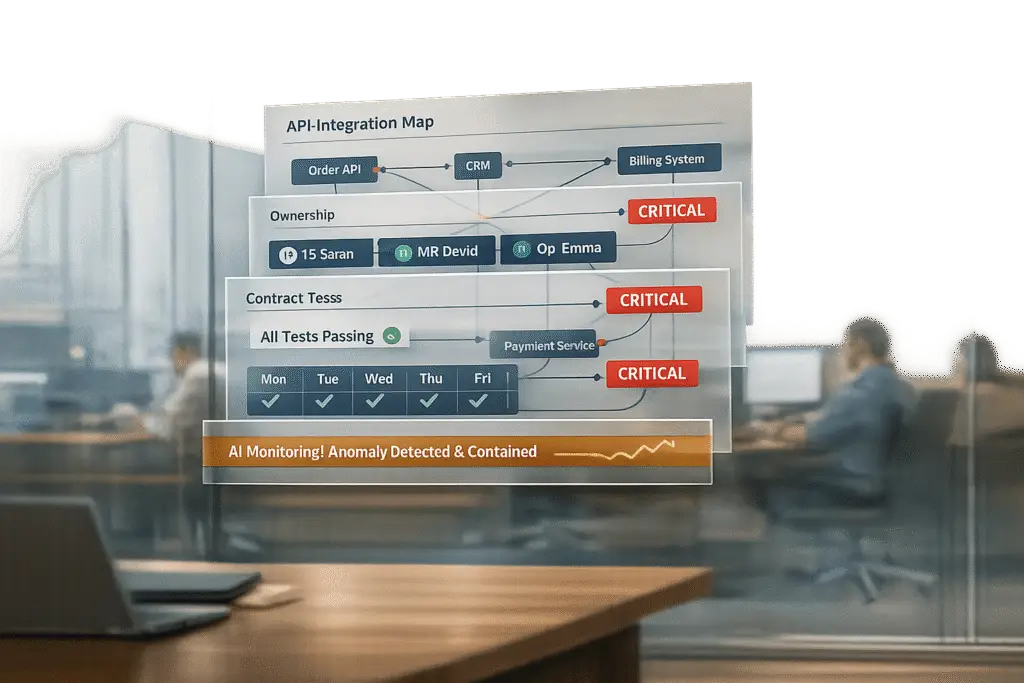
When vendors update or change their APIs, your integrations can break – leading to silent failures, data corruption, or even full outages. These disruptions can impact workflows, customer-facing tools, SLA tracking, and more. Here’s how to stay ahead:
- Identify critical APIs: Map all third-party integrations and tie them to specific business functions.
- Rank by importance: Prioritize high-impact integrations, focusing on those tied to SLAs, billing, or compliance.
- Assign clear ownership: Designate both technical and process owners for every integration.
- Document everything: Keep details like authentication methods, rate limits, and deprecation timelines in a centralized catalog.
- Test proactively: Use contract tests and schema validation to catch issues before deployment.
- Monitor changes: AI tools can flag subtle failures, like renamed fields or unexpected null values, even when APIs return a
200 OK.
Checklist Preparation: Steps to Take Before API Changes Happen
API disruptions often arise because teams aren’t prepared, not because the changes themselves are inherently problematic. The groundwork you lay now will determine how quickly you can bounce back when issues arise.
Identify Your Critical Integrations
Start by mapping out every third-party API your support operations rely on. Automated tools can help you create a detailed API inventory, while a simple grep search through your source code can pinpoint endpoint references, SDK versions, and client instances. This step helps you understand how deeply each vendor integration is embedded in your system.
Each integration should be tied to its specific business function. For example, a CRM integration isn’t just a CRM integration – it might drive escalation routing, renewal alerts, or customer health scoring. Knowing these specifics is crucial when something breaks in the middle of the night. Additionally, pay attention to call volume: high-traffic endpoints should be prioritized for migration and closely monitored. After mapping, evaluate how each integration supports your key business processes.
Assess Business Criticality
Not all integrations are equally important. Once you’ve mapped them, rank each one based on its operational impact. Ask yourself: if this integration failed right now, what would happen? Would SLAs be missed? Would escalations grind to a halt? Would compliance reporting fail?
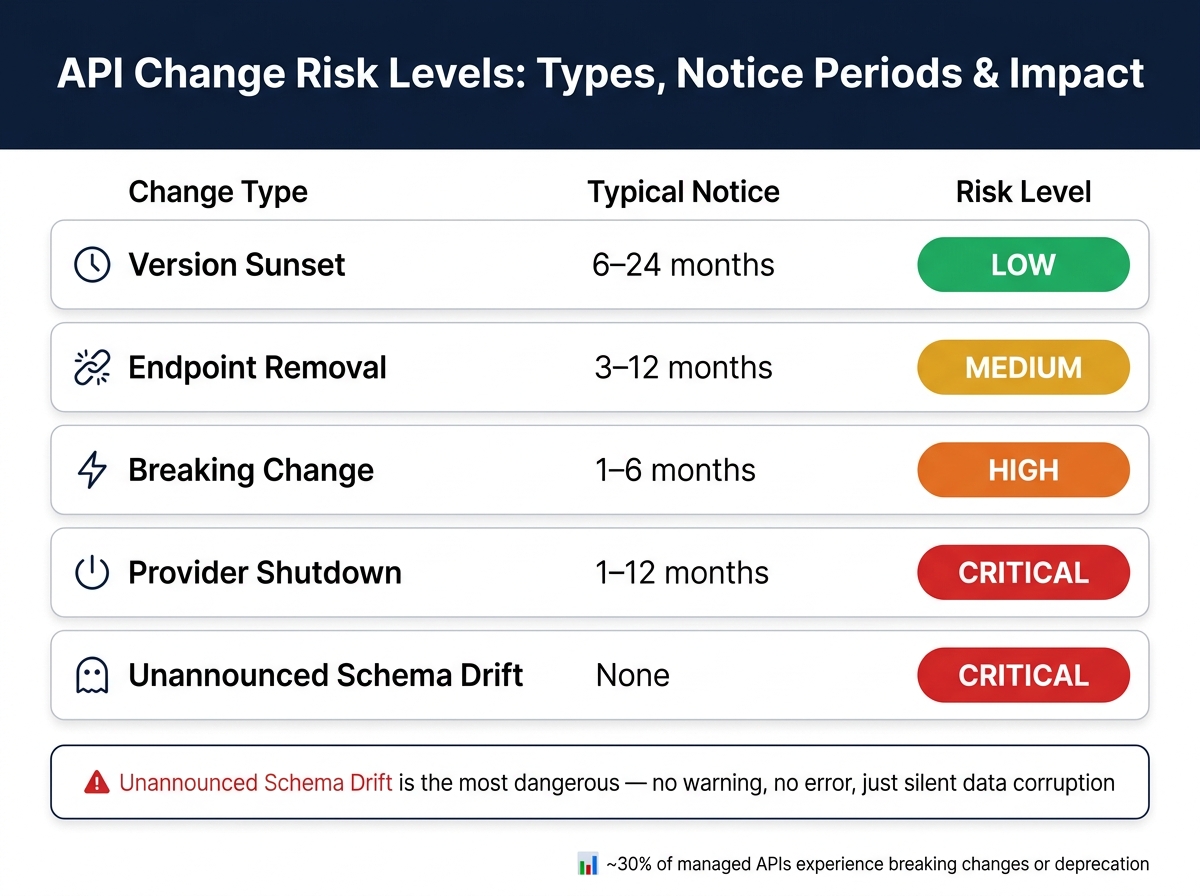
One way to organize this is by categorizing changes by type and risk level:
| Change Type | Typical Notice | Risk Level |
|---|---|---|
| Version Sunset | 6–24 months | Low |
| Endpoint Removal | 3–12 months | Medium |
| Breaking Change | 1–6 months | High |
| Provider Shutdown | 1–12 months | Critical |
| Unannounced Schema Drift | None | Critical |
Integrations linked to Tier 1 business processes – like SLA management, billing, or compliance – should always be treated as critical, regardless of how reliable the vendor has been in the past.
Assign Ownership and Document Everything
Clear ownership and thorough documentation are essential for minimizing downtime during outages. Unfortunately, this is where many teams fall short. Every integration should have two specific owners:
- A technical owner (from Engineering or DevOps) who handles the backend.
- A business process owner (from Support Ops or a team lead) who ensures operational outcomes.
"Without named accountability, release notes are not reviewed, regression tests are not maintained, and production incidents become cross-team escalations with no clear decision path." – SysGenPro ERP [1]
In addition to ownership, document all critical details for each integration: base URL, authentication method, rate limits, business criticality tier, and deprecation timelines. Store this information in a centralized service catalog – not in someone’s personal Drive folder. Each entry should also include a runbook with step-by-step instructions for troubleshooting and rollback. When unexpected schema changes corrupt your data, the biggest cost is often the time spent diagnosing the issue. Good documentation can significantly reduce that time.
sbb-itb-e60d259
What Breaks When Vendors Change APIs: A Risk Checklist
API Change Risk Levels: Types, Notice Periods & Impact
Building on earlier preparation steps, this checklist highlights how API changes can disrupt critical functions in support operations.
Data Syncing and Customer Context Failures
One of the trickiest issues with API changes is when they fail silently. Imagine this: a vendor renames a field – like switching client.name to client.display_name, as Harvest did in early 2024. Your integration doesn’t crash, everything seems fine, but the field now returns empty strings. Support agents open a ticket only to find a blank customer profile. No error logs. No alerts. Just silence.
"For accounting data, that kind of silent failure is worse than an error… It surfaces at month-end, by a human, after the data has already been used." – Saurabh Rai, Developer Relations Engineer, Apideck [2]
Here’s how to catch these failures early:
- Check for both old and new field formats during transition periods. For example, look for both a flat
tax_amountfield and a newtaxesarray. [2] - Watch for silent type changes – like an ID shifting from an integer to a string. It won’t crash your app but can corrupt downstream data. [3]
- Run live schema validation with JSON schema checks to flag unexpected null values, even if the API returns a 200 OK.
Once you’ve addressed data syncing, the next step is ensuring your workflows stay intact.
Workflow Automation and Escalation Disruptions
Webhook-driven automations can be fragile when APIs evolve. A seemingly small change, like moving from flat event fields to nested arrays, can completely break escalation logic. For instance, ticket escalations, SLA alerts, or renewal triggers might stop working without obvious signs.
After an API update, test all critical automations end-to-end. Additionally:
- Use idempotency keys to prevent duplicate processing in webhook handlers. Providers like Stripe guarantee at-least-once delivery, meaning the same event might arrive multiple times. [2]
Authentication, Authorization, and Rate Limit Issues
API changes can also interrupt secure connectivity. For example, token rotations or new OAuth scopes can block access unexpectedly. In late 2025, Intuit introduced a daily refresh token policy for QuickBooks Online, forcing developers to update their token persistence logic or face broken connections every 24 hours. [2] Similarly, Xero’s addition of a new payroll.read scope caused access issues for previously authorized connections.
To stay ahead:
- Monitor token expiry and refresh tokens proactively, ideally with a buffer of at least 5 minutes before expiration. Don’t wait for a 401 error to trigger a retry. [2]
- Keep an eye on the
X-RateLimit-Remainingheader to avoid sync backlogs. Use exponential backoff strategies to manage rate limits. [1][8]
Reporting and SLA Tracking Gaps
Reporting systems often stumble on pagination logic after API updates. A real-world example: some developers working with Xero relied on len(result) == 100 to determine the end of a paginated request. This logic failed for accounts with exactly 100 records, skipping any additional data. [2] Such errors can lead to incomplete SLA breach data or inaccurate compliance reports.
To prevent reporting gaps:
- Verify that dashboards pull complete datasets after updates.
- Double-check how your system handles new enum values. If your code uses a switch/case pattern without a default handler, new values might go uncategorized, skewing analytics. [3]
Customer-Facing Channel Failures
While backend issues might go unnoticed for hours, problems with customer-facing tools are immediately visible. For instance, a field change from phone: null to simply absent could cause a chat widget to display the literal text "null" on the screen. [3][6] Even worse, deprecated endpoints can break buttons like "View Orders", returning a 404 error and leaving users confused.
To avoid such disruptions:
- Test all customer-facing channels after API updates.
- Confirm that HMAC-SHA256 signature verification is still functioning for inbound webhooks.
- Ensure AI-driven tools, like virtual agents, are still resolving queries correctly. Changes in tool schemas (such as renamed parameters) can cause agents to fail silently, reporting "no data" instead of surfacing errors. [3]
Using AI to Monitor and Manage API Integration Risks
After identifying what tends to break in your API integrations, the next step is catching those issues before your customers even notice. This is where AI becomes a critical player in your integration toolkit. By proactively detecting anomalies, AI helps ensure smoother operations and fewer surprises.
AI-Driven Anomaly Detection
Traditional monitoring systems typically focus on error codes – like 500, 429, or timeouts. But here’s the catch: some of the most harmful API failures can still return a seemingly harmless 200 OK response, while the data itself becomes unreliable. AI takes monitoring a step further by analyzing the actual content of API responses, not just the response status. Instead of simply verifying that a response exists, AI validates whether the data is accurate.
For example, AI can track unusual changes in data patterns – like a field that usually contains numeric strings suddenly returning null values, or timestamps arriving with impossible future dates.
"For AI agents, silent integration degradation is more dangerous because the agent produces confident, plausible-sounding wrong answers." – Airbyte Engineering Team [10]
In AI-powered support environments, live customer data is critical for generating accurate responses. If a CRM sync silently breaks, the AI doesn’t stop; it continues working with outdated or incomplete information. Unlike traditional schema validation methods, AI-powered tools use payload fingerprinting to understand and learn expected patterns in API responses. When something deviates from that pattern, it raises a flag – catching problems that simple rule-based checks might overlook before they can disrupt downstream workflows.
AI-Assisted Error Triage and Root Cause Analysis
Once an anomaly is flagged, the next priority is figuring out what went wrong – and fast. AI triage tools can classify errors into two categories: transient (temporary) or structural (persistent). This helps your team decide whether to retry or escalate. For instance, a network timeout could be transient and fixable with retries, while a renamed field requires immediate action.
One effective strategy is storing the original, unaltered JSON payload (often referred to as a "remote_data" escape hatch). This allows AI tools to compare raw payloads against the expected schema, trace changes back to specific upstream updates, and pinpoint exactly which fields were altered or removed [5].
"The core difference is feedback loop speed. When a traditional app breaks, users report the problem within minutes. When an agent’s data source silently degrades, the agent continues producing responses that look correct." – Airbyte Engineering Team [10]
Many organizations are shifting toward declarative integration logic, where transformation rules are stored as JSON or JSONata instead of being hardcoded. This approach allows AI to suggest and even apply fixes to field mappings by updating configuration records – eliminating the need for a full code deployment [5][7].
AI-Supported Incident Recovery and Communication
AI also plays a key role in speeding up recovery efforts when something goes wrong. Internally, AI tools monitor vendor changelogs and documentation, summarizing updates so you catch deprecation notices before they lead to downtime [8]. Engineers can use natural language queries to quickly gather context, saving time compared to manually combing through release notes.
Externally, AI bridges the gap between technical error logs and clear communication with customers. It drafts plain-language updates, highlights affected workflows, and even suggests temporary workarounds while fixes are underway. This is especially valuable in B2B environments, where a single broken integration can have a ripple effect on entire accounts – and even impact renewal discussions. By providing faster updates and actionable solutions, AI supports both operational resilience and customer trust, setting the stage for the governance strategies discussed in the next section.
Governance and Best Practices for Handling API Changes
Vendor Notification and Documentation Standards
When renewing vendor contracts, make sure they include a requirement for 90–180 days’ notice before any breaking API changes, deprecations, or product sunsets. Alongside this, insist on technical exhibits like documented schemas, endpoint inventories, and performance metrics. These specifics provide clarity in case of disputes, ensuring you’re working from concrete details rather than vague service descriptions. Companies that adopt proactive change management strategies experience 70% fewer update-related incidents compared to those that rely on reactive fixes [11].
To stay ahead of changes, automate monitoring by leveraging vendor RSS feeds, status endpoints, and machine-readable change logs. Use standardized HTTP headers like Sunset (RFC 8594) and Deprecation to enable monitoring tools to flag upcoming retirements automatically.
"The objective is not to eliminate change. It is to make API change predictable, traceable, and operationally safe across a distributed application estate." – SysGenPro ERP [1]
When evaluating SaaS providers, look beyond features and pricing. Focus on their API maturity and versioning discipline. Vendors who follow semantic versioning (MAJOR.MINOR.PATCH) and provide sandbox environments reduce operational risks significantly. With these protocols in place, your team can shift focus to formal testing procedures, which serve as an essential safeguard.
Testing and Rollout Procedures
Once proactive measures are in place, rigorous testing becomes your next line of defense. A layered validation approach is key to ensuring smooth operations:
- Contract tests confirm that schemas align with expectations.
- Transformation tests verify that data mappings function correctly.
- Business acceptance tests ensure critical outcomes, like ticket routing or SLA tracking, remain intact [1].
Integrate tools like oasdiff into your CI/CD pipeline to compare OpenAPI specifications and flag potential breaking changes before deployment. Since nearly 15% of API releases introduce breaking changes [10], treat every vendor update as potentially disruptive. For high-risk integrations, use strategies like canary releases or feature flags to minimize the impact of unexpected issues [1] [9].
Additionally, implement proactive measures like token refresh logic and webhook idempotency keys. These steps prevent duplicate processing and reduce troubleshooting delays [2].
Post-Incident Learning and Resilience Building
Even with robust testing and rollout strategies, learning from incidents is key to long-term resilience. After an incident, document critical details such as request IDs, status codes, observed URLs, and payload differences. Store this information in a centralized integration catalog, which should also include business criticality ratings and technical ownership details [1] [6]. Over time, this catalog becomes a valuable resource for speeding up root-cause analysis during future incidents.
"Decide baseline acceptance explicitly, not as an accidental side effect of ‘latest snapshot wins’." – Diffmon [6]
Use insights from incidents to update your runbooks. For instance, if a CRM field rename causes a three-hour delay in escalation, update the runbook with detection steps and corrective actions. Map APIs to the business processes they support – like ticket escalation or SLA reporting – so your team can prioritize responses based on operational impact rather than technical severity [1]. This approach ensures that your documentation and ownership structures remain aligned with real-world needs.
Breaking changes can cost between $500 and $2,000 per integration [9]. Thorough post-incident reviews help reduce these recurring costs and strengthen your overall API management strategy.
Conclusion: Managing API Integration Risks Before They Manage You
API integration management comes with its fair share of challenges, and about 30% of managed APIs experience breaking changes or deprecation [4]. Every sync failure, stale ticket, or missed SLA ultimately falls on your shoulders, making proactive management essential.
In environments powered by AI, the stakes can be even higher. For example, an AI system might interpret missing data caused by a schema change as "no data" without raising an error. This can lead to silent data corruption, which is often more damaging than a system crash because it can go unnoticed for weeks [3].
To stay ahead of these risks, consider this checklist:
- Map out your critical integrations.
- Assign clear ownership for each API.
- Use contract testing to catch changes early.
- Implement proactive token management.
- Maintain detailed post-incident runbooks.
By adopting these practices, you can transition from reactive problem-solving to a more structured and resilient approach. Teams with a documented deprecation response framework, for instance, are able to complete migrations within 2–5 days, compared to the 2–4 weeks it takes for teams without one [4].
"The difference between teams that handle deprecations smoothly and those that don’t isn’t talent or resources – it’s process." – APIScout [4]
The goal isn’t to avoid API changes altogether – that’s impossible. Instead, it’s about ensuring that your operations, SLAs, and customer experience remain steady, no matter what changes come your way.
FAQs
What should I monitor to catch ‘200 OK’ silent failures?
To catch ‘200 OK’ silent failures, relying just on status codes or latency isn’t enough. It’s crucial to validate the response body using these approaches:
- Schema validation: Confirm that the response structure adheres to the expected format or pattern.
- Statistical monitoring: Analyze data values to ensure they fall within anticipated ranges or distributions.
- Contract testing: Monitor key JSON paths and compare the responses to a predefined baseline. Exclude dynamic metadata to minimize false positives.
Which integrations should be treated as Tier 1 critical?
Tier 1 critical integrations are the backbone of your operations – when they fail, the consequences can be severe. We’re talking about issues like data loss, workflow disruptions, or financial inconsistencies that can grind your business to a halt. These integrations usually support essential processes, such as:
- Subscription billing
- Inventory syncing
- Financial closes
- Automated reporting
To safeguard these critical functions, start by pinpointing your top five most-used external APIs. These APIs carry the highest risk, making them priority targets for daily schema monitoring and contract testing to ensure smooth operations and avoid costly disruptions.
What tests should run before and after a vendor API update?
Before rolling out an API update, it’s smart to take a methodical approach. Start by auditing your current API usage. This means identifying all the endpoints in use, understanding their dependencies, and pinpointing any abstraction layers involved. This step ensures you’re fully aware of what might be impacted.
Next, work in a test environment to update your SDKs and build the new API adapter. To stay cautious, implement this adapter behind a feature flag. This allows you to control its deployment without affecting all users at once.
Once the new adapter is in place, run contract tests to confirm everything behaves as expected. Simultaneously, monitor both old and new API calls to catch any discrepancies early.
After confirming stability, begin gradually routing traffic through the updated adapter. Keep a close eye on error rates and validate that the data remains consistent throughout the process. Once you’re confident the new setup is working seamlessly at full production scale, you can safely remove any legacy code tied to the old API.






