


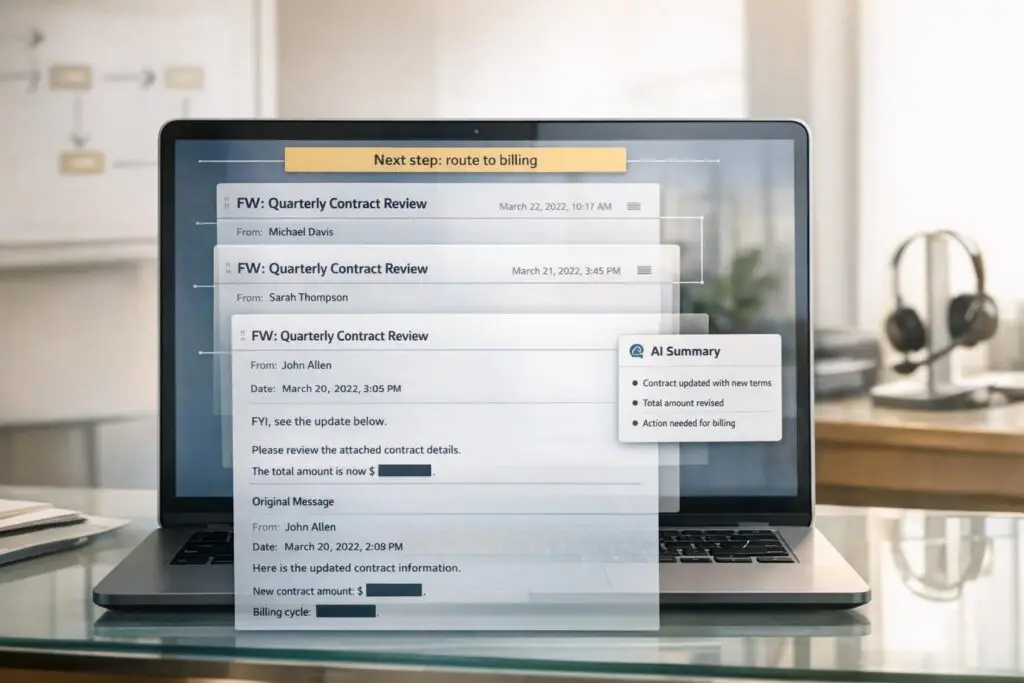
When forwarding emails, context often gets lost, leading to confusion, delays, and errors. To prevent this, focus on three key areas:
- Clarity in communication: Add a concise note summarizing the context, key points, and actions required. Place this above the forwarded content and use clear subject lines like "[Action Required]".
- Preserve thread integrity: Use "Forward" to maintain the original thread for continuity. Avoid unnecessary edits or changes to the subject line that could confuse email systems.
- Leverage AI tools: Automate summarization, extract key details, and ensure seamless handoffs. AI can also detect sentiment and tag emails for proper routing.
Lost context in forwarded emails can lead to errors like missed deadlines or miscommunications. By following these steps and using AI-powered tools, you can save time, reduce risks, and improve collaboration.
Why Forwarded Emails Lose Context
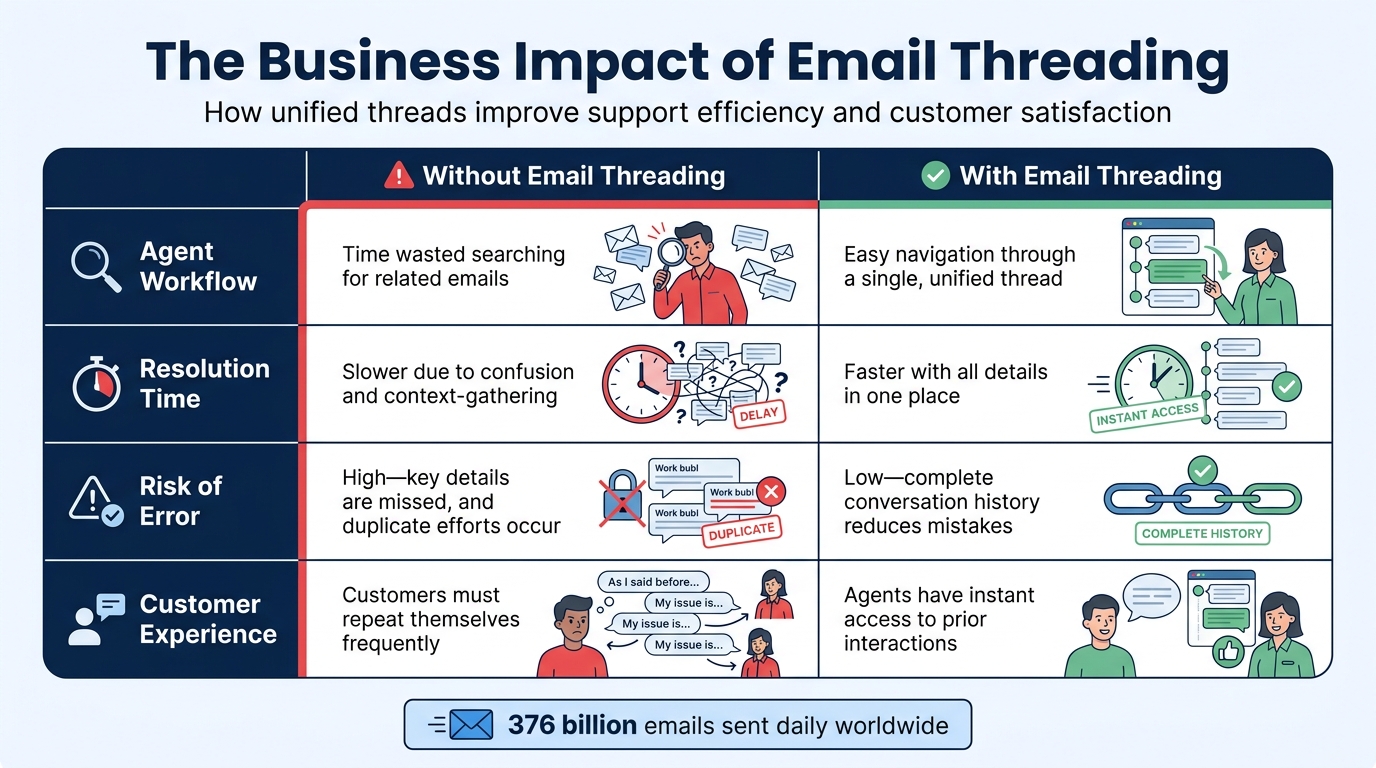
Impact of Email Threading on Support Team Performance and Customer Experience
When you forward an email, it creates a new Message-ID, effectively cutting the ties to the original conversation’s technical links like In-Reply-To and References. These links are what email systems use to group related messages into a single thread. Without them, what was once a cohesive conversation turns into a jumble of unrelated emails in your inbox.
"A broken thread forces your team to become detectives, piecing together a conversation that should have been unified. This wastes time and increases the risk of providing incomplete or inaccurate support." – MAILO AI
How Forwarding Disrupts Email Threading
Email threading works behind the scenes using invisible headers to connect messages. When you reply to an email, those headers remain intact, ensuring the thread stays unified. But forwarding disrupts this process. The forwarded email is treated as a brand-new message, completely detached from the original thread, even if the content is identical.
To make matters worse, changes to subject lines – like adding "URGENT" or "FWD:" – can confuse threading algorithms further. Some email clients, such as Microsoft Outlook, may even remove the original sender’s email address. This can lead to support systems mistakenly identifying the forwarding agent as the customer, creating even more confusion.
These technical breaks often lead to real-world problems, especially in scenarios where context is critical.
Common Scenarios That Cause Context Loss
Forwarding emails during internal escalations or department transfers often results in fragmented threads. For instance, an agent forwarding a billing issue to the finance team, then to a manager, creates multiple isolated messages. Critical details – like account numbers or payment deadlines – can easily get lost in the shuffle.
Similarly, emails that pass through multiple teams, such as sales, support, and engineering, often lose essential parts of the conversation history. In complex cases involving teams like legal, procurement, or technical support, each forward creates a separate "shadow" thread. These parallel threads remain disconnected from the main support history, making it harder to track the full context.
The Business Impact of Fragmented Threads
Fragmented email threads aren’t just a nuisance – they create real business challenges. Operational inefficiencies pile up as agents spend valuable time piecing together scattered messages instead of resolving issues. This can lead to longer resolution times and missed SLA management. Without a unified view of the conversation, critical details can be overlooked, and duplicate work becomes more likely.
| Metric | Without Email Threading | With Email Threading |
|---|---|---|
| Agent Workflow | Time wasted searching for related emails | Easy navigation through a single, unified thread |
| Resolution Time | Slower due to confusion and context-gathering | Faster with all details in one place |
| Risk of Error | High – key details are missed, and duplicate efforts occur | Low – complete conversation history reduces mistakes |
| Customer Experience | Customers must repeat themselves frequently | Agents have instant access to prior interactions |
With an estimated 376 billion emails sent daily, the sheer volume of fragmented conversations in support inboxes is overwhelming [2]. This isn’t just a technical issue; it’s a workflow challenge that affects efficiency, accuracy, and customer satisfaction across the board.
sbb-itb-e60d259
Best Practices for Managing Forwarded Emails
Managing forwarded emails effectively ensures smooth workflows and prevents important details from slipping through the cracks. By focusing on clear communication, validation, and maintaining thread context, you can avoid fragmentation and keep your support processes running efficiently.
Pre-Forward Checklist
Before forwarding an email, take a moment to validate its content and recipients. Double-check that everyone receiving the email is authorized to view the information, especially if it contains sensitive details [7]. Make sure any links are functional and that attachments (up to 20MB) are included and complete [3][6]. If the thread is lengthy, trim it down to only the relevant messages – this is particularly important since some platforms cap quoted text at 1MB, excluding attachments [6][7].
If the email involves sensitive information, secure the original sender’s consent before sharing it with external parties [4][7]. This step not only ensures privacy but also aligns with compliance requirements. Once everything checks out, you’re ready to write a forwarding note that provides clarity and direction.
Writing Clear Forwarding Notes
"Understanding the context of a forwarded email can often be the difference between deciphering what the sender is asking of you and responding appropriately, and being utterly confused." – Sell SaaS [7]
A good forwarding note bridges the gap between the original email and the recipient’s understanding. It should briefly explain the sender, the context, the action needed, and any deadlines. If the header details are unclear, clarify who the original sender is. Summarize key points, explain why the recipient is being included, and clearly outline what needs to be done and by when.
Place your note above the "Forwarded message" line so it’s the first thing the recipient sees. This can even double as a private internal note. Adjust the subject line to make the purpose clear – replace generic prefixes like "Fw:" or "Fwd:" with tags such as "[Action Required]" or "[For Review]". Also, remove unnecessary headers, extra spacing, or signatures to keep the focus on what’s important.
Finally, ensure the thread’s structure remains intact for seamless communication.
Keeping Thread Integrity
Deciding between "Forward" and "Forward as a new conversation" can significantly impact how the email thread is managed. Use "Forward" when you want to keep the entire history within the same thread. This approach ensures that replies remain synced to the original conversation, preserving the full context [5]. On the other hand, choose "Forward as a new conversation" when you’re starting a completely separate discussion with new stakeholders. This option keeps the new conversation isolated and avoids cluttering the original thread [5].
Keep subject lines consistent to avoid confusion – skip unnecessary tags like "URGENT" or redundant "FWD:". If you’re using a helpdesk platform, leverage built-in tools to ensure forwarded messages remain linked to the original customer ticket rather than the forwarding agent. Maintaining thread integrity helps streamline communication and reduces the risk of operational hiccups.
| Action | Best Used For | Impact on Context |
|---|---|---|
| Forward | Keeping context within an existing thread | Maintains full history and syncs replies to the original conversation |
| Forward as New Conversation | Starting a separate discussion with different stakeholders | Isolates the new discussion to prevent cluttering the original thread |
Using AI to Improve Email Forwarding
AI tools are transforming email forwarding by automating the process of preserving context. They extract key details like decisions, commitments, and next steps, removing the need for agents to perform a "mental audit" when they take over a case. This not only saves time but also ensures the customer experience remains smooth.
The numbers tell the story. 68% of AI-to-human handoffs fail to retain critical details, leading to frustrated customers and wasted time [10]. When context is lost during escalations, customer satisfaction scores can drop by 31% [10]. On the flip side, AI-driven tools that preserve context can improve First Contact Resolution rates by 15–20% and reduce handling time by 36.5% when agents are provided with complete conversation history [10].
"The handoff from chatbot to human agent is where most AI implementations fail. Without proper configuration, customers repeat themselves, agents lack context, and satisfaction drops." – Nedim Mehic, Founder, Kya [10]
What sets advanced AI apart is its ability to go beyond basic summaries. It captures the emotional tone of conversations – something a simple summary might miss. For instance, a straightforward note like "the customer requested a refund" might not convey the urgency or disappointment in the original email [8]. These tools can even process attachments, pulling out crucial details like error codes or contract terms. Some platforms can access up to 3 years of email history, giving agents a comprehensive view of the customer’s journey [1].
By integrating these capabilities, AI solutions streamline workflows and ensure every email handoff maintains complete context.
AI-Powered Email Summarization
AI-powered summarization turns lengthy email threads into concise, actionable updates. This is particularly useful in B2B settings, where threads often span weeks and involve multiple stakeholders.
The trick is using structured prompts instead of generic commands. For example: "Summarize for a colleague taking over. Include: who the customer is, what they need, what’s been done, and the next step" [8]. These "handoff summaries" are tailored for team members stepping into the conversation, giving them a clear picture of the situation and the next steps [8].
"Summarizing is not about shortening a thread; it is about preserving decisions, commitments, and constraints so you can act without re-reading everything." – Jace AI Blog [1]
Advanced tools go a step further by removing duplicate quoted text in long threads, focusing only on new information and reducing processing costs [8]. In collaborative environments, AI can automatically post these summaries as team-visible notes whenever a conversation is reassigned or reaches a certain length [8]. This ensures everyone involved has access to the same context, not just the person who requested the summary.
For high-stakes scenarios, many teams adopt a review-first workflow, where AI drafts a summary and a human agent verifies critical details like dates, numbers, or legal terms before forwarding it. This approach balances the speed of automation with the accuracy needed for sensitive tasks like pricing or compliance [1].
Automated Context Extraction and Tagging
AI takes the hassle out of finding key details in emails by automatically extracting and tagging essential information. Instead of manually searching for account numbers, order details, or error codes, AI attaches these details directly to forwarded messages. This alone saves agents an average of 23 seconds per email, which adds up quickly [10].
Even when technical headers are broken – like when a subject line changes or an email is forwarded instead of replied to – AI tools can "stitch together" related messages. They analyze sender data, message content, and timing to maintain thread continuity [2][9]. This is especially important when emails are forwarded across departments or to external partners.
Teams can also define natural language rules to ensure AI consistently captures the right details. For instance: "Always highlight payment terms in vendor emails" or "Include error codes from screenshots in support escalations" [1]. These rules create a standardized approach to information capture, ensuring consistency across the team.
AI-driven routing adds another layer of efficiency. By tagging emails based on intent and sentiment, AI ensures messages land in the right hands without manual sorting. For example, an email tagged "Billing" and "Urgent" could be routed directly to the finance team [10].
| Category | Primary Keywords for AI Tagging | Escalation Target | Priority |
|---|---|---|---|
| Sales/Revenue | pricing, quote, upgrade, demo | Account Executive | High |
| Legal/Compliance | lawsuit, GDPR, hacked, breach | Compliance / Security | Immediate |
| Retention | cancel, too expensive, switching | Success Manager | High |
| Technical | integration, bug, API, outage | Engineering Support | Medium/High |
| General | useless, agent, human, manager | Support Lead | Medium |
For industries like healthcare or finance, AI can be configured to meet higher confidence thresholds – 90–95% for critical details. For less sensitive cases, 80–85% is typically sufficient [10]. This ensures that while automation handles routine tasks, critical information is double-checked before being passed along.
Sentiment Analysis and Intent Detection
AI doesn’t just process text – it understands it. Sentiment analysis identifies the tone of a message, capturing emotions like frustration or disappointment that are often lost in manual summaries [8]. This emotional context helps escalation teams better understand the situation, not just the facts.
Intent detection breaks down long email threads into clear action items. AI pinpoints commitments ("We’ll issue the refund by 5/15/2026"), open questions ("Does the customer need expedited shipping?"), and next steps ("Follow up with engineering on the API issue") [8][1].
AI can also monitor tone drift in lengthy threads. If a conversation shifts from formal to casual, it flags the change to maintain professionalism during handoffs [1]. This is especially useful in B2B settings where multiple departments might contribute to a single thread.
When a thread is reassigned, AI can generate a summary note that includes the customer’s history and current sentiment. This gives the new agent a clear understanding of the situation without having to read through the entire thread [8]. The result? Faster responses and fewer instances of customers having to repeat themselves – a major frustration that drives 73% of customers to switch to competitors after just one bad experience [10].
"A summary only you can see is a summary your teammate will have to recreate tomorrow." – Eva Tang, Missive Blog [8]
Privacy and Compliance in Forwarded Emails
As AI advances in retaining context, it’s crucial to pair these capabilities with strong privacy safeguards, especially when forwarding emails. Failing to redact sensitive information can lead to compliance issues. Human error accounts for at least 85% of data breaches in organizations [13]. A single forwarded email containing unredacted customer data could result in regulatory penalties and harm your company’s reputation. Since every support ticket can be classified as personal data under GDPR Article 4 [13], even routine email forwards demand meticulous handling.
Redacting Sensitive Content
Before forwarding an email, it’s essential to identify and remove sensitive information. This includes financial details, government-issued identifiers, credentials, and health-related data.
Modern systems use tools like regex libraries to detect structured data, such as credit card numbers, often validated with Luhn-check algorithms. Meanwhile, machine learning and natural language processing (NLP) models can spot sensitive details hidden in conversational text [11]. For example, if a customer pastes their credit card number into an email while describing a payment issue, automated detection can flag and redact it before the email is forwarded.
"The most secure support platform is not the one with the hardest encryption, it is the one that retains the least data possible and can prove it continuously." – Sam Pettiford, Founder, OpenRedaction [11]
To minimize exposure, display masking can show only the last four digits of sensitive identifiers by default. Full access should require audited "break-glass" permissions that log who accessed the data and when [11]. Tools like OCR and entity detection can scan PDFs or screenshots for personally identifiable information before forwarding or storing them [11]. Every redaction should be documented with a reason, such as "Redacted full card number accidentally pasted by user", to meet ISO/IEC 27001 audit standards [11].
| PII Category | Examples of Sensitive Data | Regulatory Context |
|---|---|---|
| Financial IDs | Credit card numbers, IBANs, bank details | PCI-DSS |
| Government IDs | SSNs, National Insurance numbers, Tax IDs | GDPR |
| Credentials | Passwords, OTPs, API keys, session tokens | Security/Auth |
| Health Data | Patient data, ICD-10 codes, insurance refs | HIPAA |
| Quasi-identifiers | Order numbers, device IDs, timestamps | GDPR (Re-identification risk) |
By redacting sensitive content, you reduce the risk of non-compliance and protect customer privacy.
Meeting Regulatory Requirements
Various regulations outline how forwarded emails should be handled. HIPAA’s Minimum Necessary Rule dictates that only information essential for the task should be shared [13]. Avoid forwarding entire email threads that might include unrelated patient data. For GDPR compliance, systems should focus on minimal data collection, early redaction, and short retention periods [11]. Assume that every email might contain sensitive information and implement automated scrubbing pipelines.
To secure emails, use AES-256 encryption for both transmission and storage [13]. Implement two-factor authentication (2FA) and role-based access control (RBAC) to prevent unauthorized access. In high-security environments, encryption keys should be rotated every 90 days [11].
Ensure explicit customer consent is obtained before forwarding emails to third parties as required by regulations like HIPAA and GDPR [13]. Double-check recipient addresses to avoid accidental disclosures – a simple typo could send protected health information to the wrong person. Use the Bcc field to hide recipient emails from others on the thread [12]. Set retention policies with a "Time-to-Live" approach, automatically deleting unredacted conversations within 30–90 days [11].
| Regulation | Key Requirement for Forwarding | Recommended Technical Control |
|---|---|---|
| HIPAA | Minimum Necessary Rule | Redaction of identifiers (names, MRNs) |
| GDPR | Lawful Basis for Processing | Mapping fields to business purpose (Art. 6) |
| PCI-DSS | Protection of Financial Data | Automated scrubbing of card digits (Luhn-check) |
| General | Data Integrity | AES-256 encryption and TLS 1.3 transport |
Documenting Edits and Forwarding Actions
Maintaining an audit trail of edits and forwarding actions is critical for compliance and accountability. For instance, HIPAA requires documentation of all disclosures of protected data, including who forwarded the email and to whom [13]. This ensures a verifiable chain of custody.
Avoid making "stealth" edits to forwarded emails. Changing the original text without acknowledgment misrepresents the author’s intent and breaches professional etiquette [15][16]. Use standard notations like [snip], [...], or [redacted] to indicate removed content [16]. Additions should appear in square brackets or be highlighted with a note, such as "See my comments below in red" [16].
When forwarding, consider sending emails as .eml attachments. This preserves the original headers, formatting, and authentication data [14]. If an email chain contains sensitive information that cannot be easily redacted, summarize the main points in a new email rather than forwarding a modified version [15][16]. For transparency, use tags like [redacted by John Smith for privacy reasons] to explain edits [15].
Before forwarding, clean up email headers by removing irrelevant addresses, extra signatures, disclaimers, and prefixes like "Fw: Fw: Fw:" [12]. Replace them with concise, clear descriptions like [Action Required] New terms... to prevent unnecessary data exposure [12]. Proper documentation reinforces the integrity of the email thread and supports accountability throughout the process.
Key Takeaways for Managing Forwarded Emails
Efficiently handling forwarded emails hinges on a blend of clear communication, technical accuracy, and thoughtful use of AI tools. Here’s a summary of the key practices to keep in mind:
When forwarding emails, clarity is king. Include concise, actionable notes and clean up the subject line by removing redundant prefixes. For example, use something like "[Action Required] New terms of cooperation" to make the purpose of the email immediately clear [12].
From a technical standpoint, ensure your help desk system can identify forwarded messages by retaining key information in the subject line. If you’re using Microsoft Outlook, be aware that it might strip away the original sender’s email address. This can lead to confusion, so revisit earlier technical tips to avoid misattribution.
AI tools can take much of the grunt work out of managing forwarded emails. Features like thread summarization can condense long or scattered conversations into actionable points. Sentiment analysis is another game-changer – it can flag urgent or frustrated messages and route them to the right team without delay [17][19]. You can also automate workflows by setting up rules to tag emails as "Urgent" or forward them to specialized teams based on their content [18]. On top of that, AI can extract important details like dates, prices, or contact information and feed them directly into your CRM system [19].
Finally, privacy should never take a back seat. Use the Bcc field when forwarding emails to protect recipients’ information, and document any redactions clearly with notations like [redacted] [16]. For situations involving multiple related emails, consider using the "Forward as Attachment" feature to preserve the full context [12].
FAQs
When should I reply instead of forward?
When replying to the original sender, focus on addressing their inquiry directly, especially if they’ve included details that need clarification or a specific response. On the other hand, forward the email when you need to share it with others, such as a team member or department, without involving the original sender further. Forwarding is also useful for escalating the issue or providing context to others without continuing the discussion with the sender. This approach keeps communication clear and ensures all relevant context is maintained.
What’s the fastest way to preserve context in an escalation?
The fastest way to keep context during an escalation is by leveraging AI-powered tools that automatically extract and organize key details from conversations. These tools gather critical information – like customer data, order numbers, and even sentiment – making sure nothing gets lost in translation. This not only ensures accurate routing but also cuts down on manual work, reducing the chances of miscommunication. The result? A smoother process and quicker resolutions.
How can AI keep threads connected when headers break?
AI can keep email threads intact even when headers are disrupted by leveraging standard threading headers like Message-ID, In-Reply-To, and References, as outlined in RFC 5322. These headers help AI systems trace relationships between emails and piece together the conversation flow. If headers are unavailable, AI turns to conversation IDs and structured threading data to maintain the context and ensure the thread remains coherent across multiple messages.






