


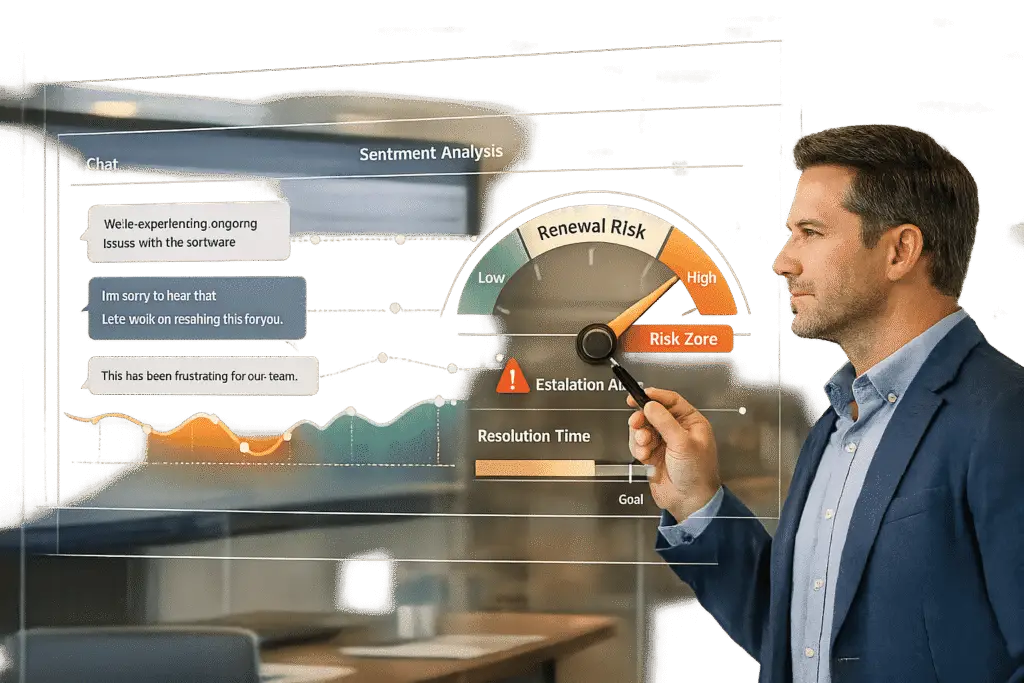
Customer churn costs U.S. businesses $136 billion annually. But what if you could detect at-risk customers before they decide to leave? AI makes this possible by analyzing 100% of support interactions – emails, chats, tickets – flagging subtle signs like competitor mentions, unresolved issues, or declining sentiment. Unlike traditional health scores that react too late, AI predicts churn risks up to 30 days earlier, giving teams time to act.
Key Takeaways:
- Renewal Risk: The likelihood a customer won’t renew their subscription, often due to missed milestones, unresolved bugs, or disengaged stakeholders.
- AI’s Role: Tracks sentiment, usage patterns, and escalation trends to identify risks early.
- Results: Companies using AI report a 15% increase in gross retention and a 25% boost in net revenue retention.
AI-driven tools not only predict churn but also reduce manual workload by 60%, allowing teams to focus on resolving issues and strengthening customer relationships.
Signs of Renewal Risk in Support Conversations
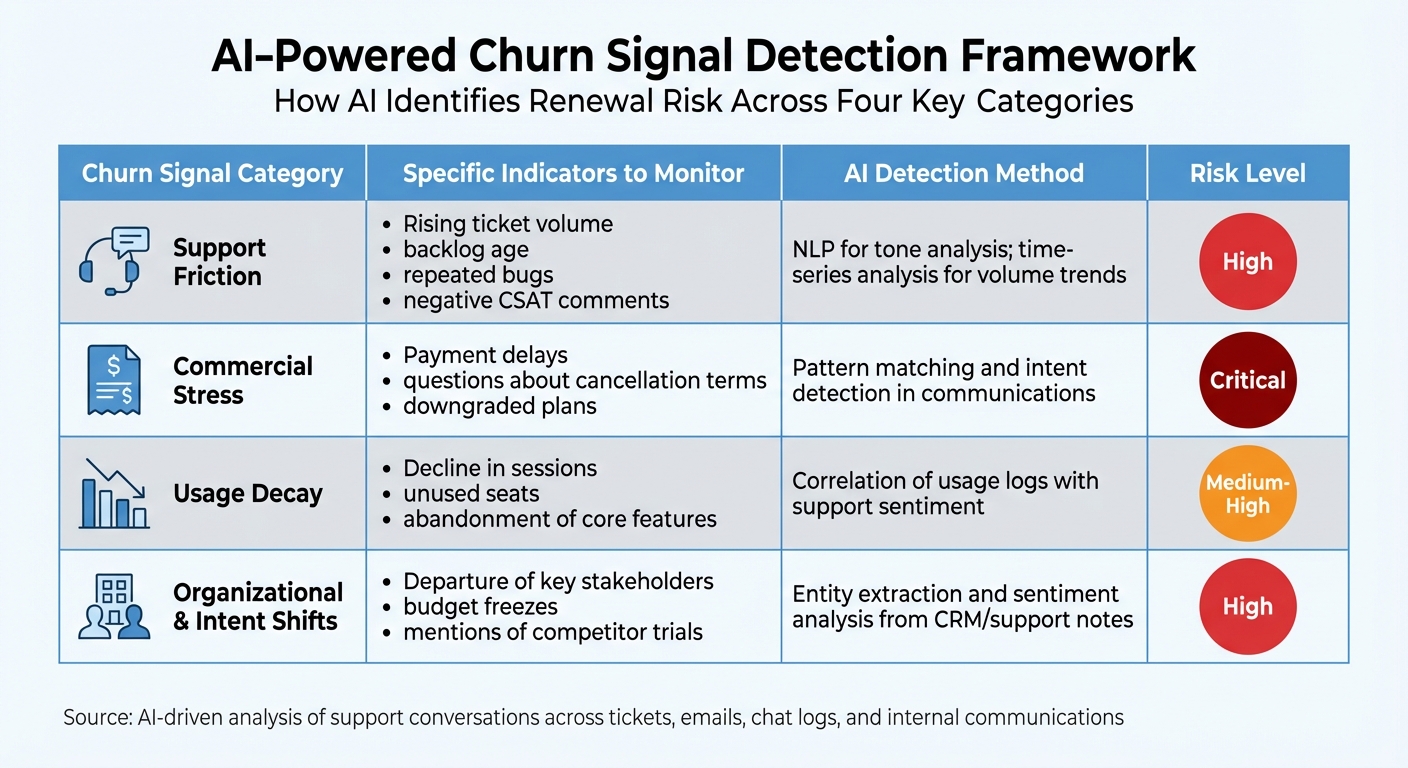
AI Detection Methods for Customer Churn Risk Signals
Customer dissatisfaction doesn’t usually appear out of nowhere – it often builds up gradually, hidden within everyday interactions. AI is particularly good at picking up on these subtle warning signs by analyzing conversations across platforms like tickets, emails, chat logs, and internal tools such as Slack or Microsoft Teams [1]. The challenge lies in identifying which signals are the most telling.
Negative Sentiment Trends
AI can track customer sentiment over time, distinguishing between one-off frustrations and signs of a deeper, ongoing issue. Using natural language processing (NLP), AI analyzes qualitative data like ticket tone, CSAT feedback, and review comments to identify shifts in how customers communicate [2]. For example, a customer who used to say, "Thanks for the quick help", but now writes, "This is still broken", might be signaling a deeper problem.
Advanced AI models go a step further by applying time-series decay analysis. This method helps determine if negative sentiment is escalating. For instance, if a customer’s sentiment score drops by 40% over three interactions due to a recurring issue, AI can flag the account as high-risk. Factor attribution then pinpoints the root cause, such as a specific feature no longer delivering value. A comment like, "This feature used to save us hours, but now it’s unreliable", highlights a clear value gap [2].
Escalation patterns often add more context to these sentiment trends.
Escalation Patterns and Reopened Cases
Tracking escalation patterns provides another layer of insight into dissatisfaction. Frequent escalations and reopened tickets are strong indicators of frustration. AI monitors these behaviors in real time, keeping tabs on rising ticket volumes, aging backlogs, and recurring problems [2]. But it doesn’t stop at formal support tickets – issues often surface informally first. For example, Slack messages to account managers or comments in shared documents may contain early churn signals, like mentions of competitors [1].
Key red flags include competitor mentions, ongoing technical issues, dissatisfaction with features, and organizational changes, such as the departure of a key stakeholder. These behaviors, when detected early, can provide a chance to intervene before dissatisfaction leads to cancellation [1].
Resolution delays are another critical factor that can erode customer trust.
Extended Resolution Times
Delays in resolving issues can make customers feel neglected. Metrics like Time to First Meaningful Response (TFMR) measure the gap between a customer’s inquiry and a substantive resolution, helping differentiate genuine progress from surface-level engagement.
When cases drag on – especially those requiring engineering input – customers may grow increasingly frustrated, even if their ticket has been acknowledged. AI identifies these delays by monitoring shifts in customer tone, flagging cases where neutral language turns frustrated as resolution times stretch. By analyzing historical data, AI can predict which issues are prone to delays and prioritize them for faster handling, reducing the "dead time" that undermines trust and drives cancellations.
| Churn Signal Category | Specific Indicators to Monitor | AI Detection Method |
|---|---|---|
| Support Friction | Rising ticket volume, backlog age, repeated bugs, negative CSAT comments | NLP for tone; time-series analysis for volume trends [2] |
| Commercial Stress | Payment delays, questions about cancellation terms, downgraded plans | Pattern matching and intent detection in communications [2] |
| Usage Decay | Decline in sessions, unused seats, abandonment of core features | Correlation of usage logs with support sentiment [2] |
| Org & Intent Shifts | Departure of key stakeholders, budget freezes, mentions of competitor trials | Entity extraction and sentiment analysis from CRM/support notes [2] |
sbb-itb-e60d259
How to Implement AI for Renewal Risk Detection
To effectively use AI for renewal risk detection, you need to integrate it with your existing systems, establish clear objectives, and rigorously test its performance. Modern AI platforms are designed to work seamlessly with current support tools, and the steps below explain how to configure these tools to spot risks in customer interactions.
Setting Up Sentiment Analysis
Sentiment analysis becomes far more effective when it’s customized to your company’s unique data rather than relying on generic models. Start by identifying specific phrases or patterns that indicate risk for your business. For example, instead of general "positive" or "negative" sentiment scores, train the AI to flag phrases like “How do I cancel?”, “Competitor [Name] offers this,” or “This bug is a dealbreaker” [1].
Once the model is trained, validate it by running it against historical tickets using simulation tools to fine-tune its accuracy. After validation, set up real-time alerts to notify teams immediately. For instance, you can configure alerts to send summaries of flagged issues, along with sentiment scores, to a dedicated #churn-alerts Slack channel [1]. This allows your team to intervene quickly, helping to resolve customer dissatisfaction before it escalates.
Using AI to Predict and Monitor Escalations
Escalation prediction models analyze a mix of data – ticket history, sentiment trends, product usage, and resolution patterns – to predict which cases are likely to escalate. When trained on historical data, these models can achieve 88% accuracy in identifying potential escalations and reduce escalation rates by 45% [3].
Begin by defining what escalation means for your team. This could include case reassignments, SLA breaches, or executive involvement. Use historical ticket data to train the AI, and then set risk thresholds tailored to customer segments. For instance, high-value accounts or those with premium SLAs might require lower thresholds to trigger alerts. Embed these risk scores into tools like Gainsight or ChurnZero so your team can act quickly. For cases where the AI’s prediction isn’t clear-cut, enable a human review process with the AI’s rationale provided [3]. This approach has been shown to save 86% of the time spent on escalations, reducing resolution cycles from 10–22 hours to just 1–3 hours [3]. These time savings allow teams to focus on retaining at-risk customers.
In addition to predicting escalations, AI can distill conversation trends into actionable insights.
Automated Insights from Case Summaries
AI-generated case summaries go beyond merely recapping conversations – they uncover patterns that may indicate deeper issues. For example, the AI might flag a 3× increase in ticket volume within a week or a 50% rise over 30 days, prompting immediate reviews and customer outreach. Conversely, a lack of tickets for 60+ days could signal disengagement, triggering a proactive health check campaign [1].
These summaries also help identify recurring problems that undermine customer confidence, such as repeated mentions of a specific bug or frequent requests for a missing feature. By analyzing trends across accounts, the AI can highlight gaps in your product or documentation before they escalate into widespread renewal risks. To act on these insights, integrate automated workflows – tagging tickets with "Churn Risk" labels, creating follow-up tasks in Jira, or notifying Customer Success Managers (CSMs) when key stakeholders mention leaving the company [1]. These workflows ensure that risks are addressed promptly, safeguarding revenue and building stronger customer relationships.
Building AI Workflows in Supportbench
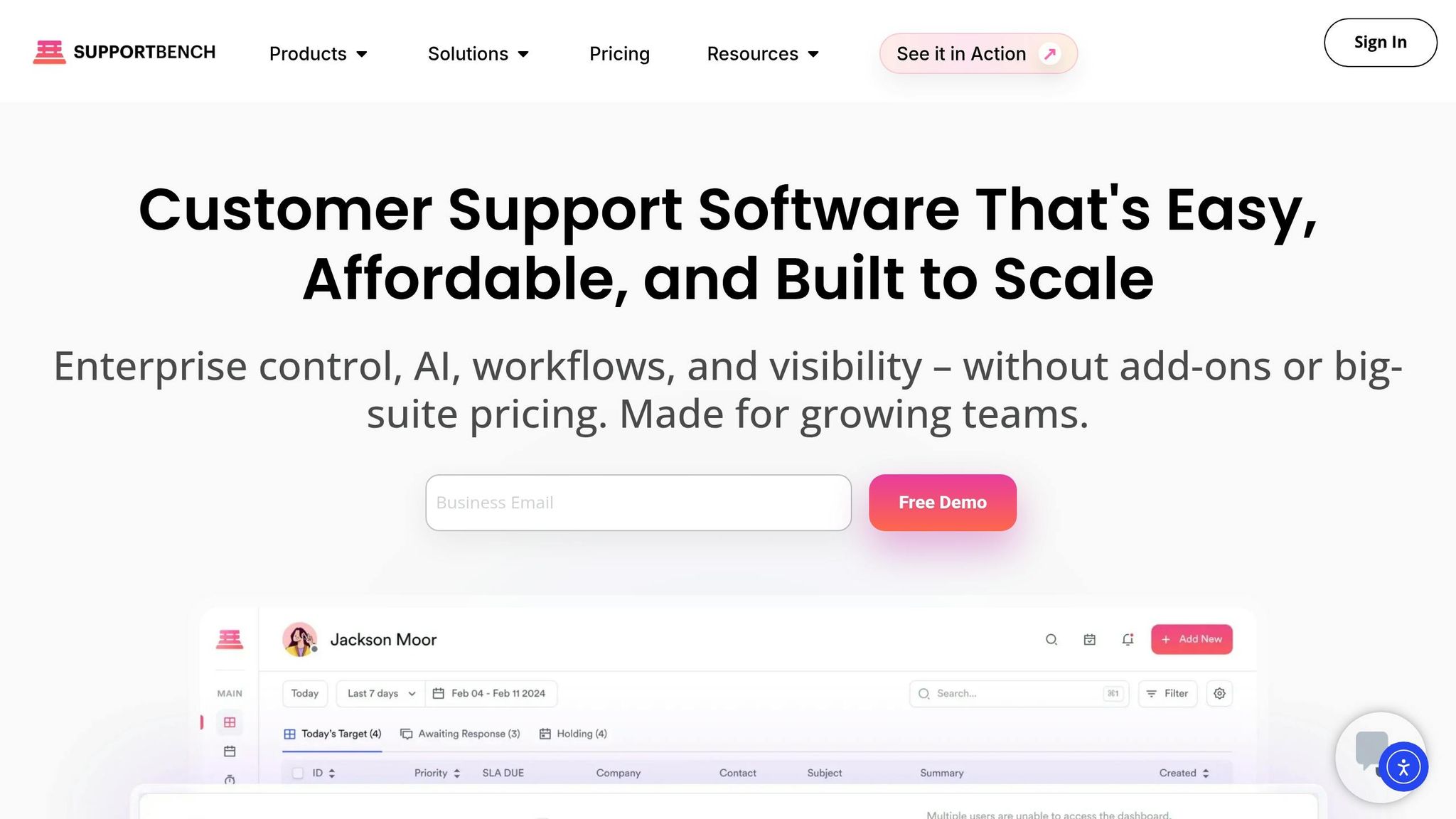
Supportbench enhances AI-driven risk detection by integrating automated workflows that link directly to your CRM. These workflows monitor interactions and initiate timely actions to reduce churn. This lets you focus on keeping your most valuable accounts engaged and satisfied.
Configuring Predictive CSAT and FCR Metrics
Supportbench leverages AI to predict Customer Satisfaction (CSAT) and First Contact Resolution (FCR) scores for every customer interaction – even when surveys go unanswered. By analyzing conversation patterns, sentiment, and keywords like "frustrated" or "confusing", the system generates real-time predictions. This approach provides insights into the ~80% of customers who typically don’t respond to surveys, helping you identify dissatisfaction early [4].
"Predictive scores give you visibility into the likely experience of the ~80% of customers who don’t respond to surveys." – Eric Klimuk, Founder and CTO of Supportbench [4]
To activate predictive metrics, head to the AI Workflows dashboard. Select data sources like support tickets, chat logs, or CRM integrations, and set thresholds – such as a CSAT score below 8 out of 10 or an FCR rate under 80%. Tie these thresholds to renewal dates to flag risks up to 60 days in advance. Train the AI model using historical data, then enable real-time monitoring with alerts. Many users report a 15–20% reduction in churn and up to 30% better retention by focusing on high-risk accounts.
You can display these predictive scores in agent queues and case records for supervisors to review. Additionally, workflows can be set up to automatically create tasks in connected customer success platforms whenever a key account receives a "Predicted Dissatisfied" score [4]. Building on these insights, dynamic SLA adjustments ensure at-risk accounts receive the attention they need.
Dynamic SLA Adjustments for At-Risk Accounts
Traditional SLAs apply the same response times to all customers, but accounts nearing renewal often require quicker action. Supportbench’s dynamic SLA adjustments automatically accelerate response and resolution times for at-risk accounts based on AI signals. For instance, a standard 4-hour response time might be reduced to just 30 minutes for accounts flagged due to negative sentiment, reopened cases, or contracts expiring within 90 days.
To implement this, open the SLA Configuration panel and enable AI-driven rules. Set triggers using CRM renewal dates – such as accounts within 90 days of expiration – and combine these with risk indicators like a predictive score above 70%. Define priority escalations and shorter timelines, then integrate these rules into your dashboards. Testing the setup with sample at-risk accounts can help refine the process, which has been shown to improve renewal rates by around 20% [5].
Dynamic SLA adjustments work hand-in-hand with automated risk scoring to provide a comprehensive approach to customer retention.
Automating Case Alerts and Risk Scoring
Supportbench consolidates AI-generated data – such as sentiment trends, case frequency, escalation patterns, and resolution delays – to calculate a risk score between 0 and 100 for each account. Accounts with scores above 80 are flagged as high-risk, with a churn likelihood of approximately 40%. Alerts are then sent to Customer Success Managers or Account Managers, complete with contextual details like "Account X: 85% risk, reopen pattern detected", enabling your team to act swiftly and effectively.
To configure this, use the Alerts module to set AI rules for scoring risk (0–100) based on sentiment, escalations, and FCR. When thresholds – such as scores above 50 – are met, alerts can be sent via Slack or email. Sync key CRM fields like Contract Expiry Date and Annual Contract Value (ACV) with Supportbench to enable renewal-based triggers. Risk scores can also be displayed on custom dashboards and synced with your CRM for a unified view of account health. For example, alerts can highlight "high-risk renewal" accounts with three or more escalations.
AI filters allow you to create dashboard views that track negative sentiment trends, particularly for high-value accounts. Workflows can also be configured to automatically add Account Managers or Customer Success Managers as collaborators when AI predicts a CSAT drop below a specific threshold. Starting with pilot accounts and fine-tuning models quarterly can help you achieve the best retention outcomes.
AI Prompt Templates for Renewal Risk Analysis
AI prompt templates simplify how support teams identify and tackle renewal risks. By analyzing conversation data, these templates help pinpoint key signals and generate actionable insights. This transforms thousands of support interactions into clear risk assessments and targeted strategies.
Conversation Summary Prompts
Conversation summary prompts pull data from support tickets, chat logs, and transcripts to detect recurring negative themes. These summaries should highlight key commitments, customer expectations, and potential risks.
To make the most of these prompts, structure them to include:
- An executive overview: Details like ARR, renewal date, and key stakeholders.
- Sentiment analysis: Categorized as "Mixed", "Recoverable", or "At Risk."
- Evidence-based risks: Direct quotes that reflect dissatisfaction or concerns, such as mentions of competitors or cancellation discussions.
For example, a prompt might instruct the AI: "Analyze the last 30 days of support interactions for [Account Name] and summarize the top issues, including competitor mentions and cancellation queries."
Common risk categories to look out for include:
- Low Usage/Under-Adoption: "If only half our teams are leaning on this, it’s hard to justify a multi-year commitment."
- Pricing & Contract Concerns: "I’d need a clearer link between the license count and outcomes."
- Workflow Friction: "Right now, the team is still doing manual triage to get data into Salesforce."
- Roadmap Expectations.
These categories allow teams to prioritize accounts needing immediate action versus those requiring a more gradual approach.
A real-world example comes from Hawke Media. Using AI-driven conversation analysis, the company consolidated every ticket and call into a single view. Tony Delmercado, the company’s President, reported a 30% improvement in month-over-month retention within just six weeks of deployment [6].
"It took less than six weeks to see month-over-month retention improve by 30%" [6]
These insights can seamlessly integrate into risk scoring models, enabling proactive interventions.
Risk Scoring and Intervention Prompts
Building on conversation summaries, risk scoring prompts assign quantifiable scores to guide targeted outreach. These prompts calculate a Risk Probability Score by weighing factors like sentiment intensity, usage declines, issue severity, customer lifetime value, and recent failures [7].
A sample prompt might look like this: "Review the following data for [Account Name]: [Usage Trend], [Recent Ticket Sentiment], and [NPS Score]. Assign a risk score (1–10). If the score is greater than 7, draft a consultative outreach email for the CSM to address the identified issues."
To guide interventions, use a Tone Ladder:
- Level 1 (Low Risk): Reassure customers with how-to resources.
- Level 2 (Medium Risk): Address concerns with clear accountability and solutions.
- Level 3 (High Risk): Apologize and escalate with decisive actions, such as executive-level outreach or personalized video messages. Research shows that customers receiving personalized video interventions after service failures are 40% more likely to stay with a brand [7].
Advanced AI models can even predict a 90% likelihood of a formal complaint within hours by detecting triggers like repeated ETA delays. These triggers can generate immediate alerts via tools like Slack or Microsoft Teams [7][1].
"The warning signs are usually sitting right there in your daily support conversations… The real challenge is that no human team can realistically sift through thousands of emails, chats, and support tickets to catch every single red flag" [1]
Conclusion
AI-powered renewal risk detection shifts customer support from merely solving problems to actively driving retention. By examining sentiment trends, escalation patterns, and resolution times across all customer interactions, AI highlights potential risks well before renewal decisions are made. This allows teams to step in early and take action.
Moving from manual monitoring to continuous AI-driven analysis fundamentally changes how B2B support teams safeguard revenue. Instead of relying on selective feedback or intuition, teams gain real-time insights into account health across thousands of conversations. This frees up support managers to focus on building stronger customer relationships rather than collecting and analyzing data.
Supportbench integrates these capabilities directly into its platform without the need for costly third-party tools. Features like predictive CSAT and FCR tracking, dynamic SLA adjustments for at-risk accounts, and automated risk scoring alerts work together to create a streamlined retention system. The Renewal-Aware Routing feature ensures that high-priority accounts, identified by contract expiration dates or value, are automatically assigned to senior agents for immediate attention. By blending AI workflows with CRM data, the platform enables proactive risk management, addressing challenges like subtle sentiment changes and potential escalations before they escalate.
For B2B organizations grappling with rising customer acquisition costs and tighter profit margins, this approach directly boosts net revenue retention. Syncing CRM data with support workflows and automating early warning systems helps teams resolve issues before they become deal-breakers. The outcome? Fewer unexpected cancellations, smarter resource allocation, and a stronger renewal pipeline built from every customer touchpoint.
Now is the time to adopt these AI-driven tools and tackle renewal risks head-on.
FAQs
What data do I need to start detecting renewal risk with AI?
To spot renewal risks using AI, you’ll need solid data that reflects customer health and engagement. Start by analyzing key metrics like ticket volume trends, resolution times, and sentiment analysis. Pair this with CRM data, including contract expiration dates, account value, and usage patterns.
Behavioral shifts, such as declining feature usage or late payments, can be red flags. AI can use these insights to detect dissatisfaction and flag potential renewal risks well in advance.
How can we reduce false positives in AI churn-risk alerts?
To cut down on false positives in AI churn-risk alerts, it’s smart to take a multi-layered approach for more precise detection. Start by combining various signals – like changes in customer sentiment, spikes in support ticket volumes, and slower resolution times. Together, these factors help create a broader and more accurate picture of churn risk.
Next, implement a tiered risk scoring system. Set thresholds that align with the customer’s account value and behavior patterns. This ensures you’re prioritizing alerts that matter most.
Finally, make it a habit to regularly validate and tweak your AI models based on real-world outcomes. This step is crucial to keep your system aligned with shifting customer behaviors and trends.
What should our team do first when an account is flagged as high risk?
When it comes to tackling customer churn, speed is everything. Start by leveraging AI-driven support signals to spot early warning signs. Keep an eye on key indicators like negative sentiment, a spike in ticket volume, or noticeable behavioral changes. These clues can help you act before problems snowball.
Once you’ve identified potential risks, create a churn-risk playbook. This should include steps for monitoring these signals and responding effectively. To stay ahead, implement automated alerts and a risk scoring system. These tools can help you flag high-risk accounts so you can jump in with solutions like proactive outreach or root-cause analysis – all before the situation gets out of hand.
Related Blog Posts
- How to Improve Customer Service: 15 Changes You Can Make This Month
- How do you report on renewals risk using support data (and what metrics matter most)?
- How do you detect “silent churn” using support signals (before Success notices)?
- How do you run renewal-risk reviews using support data (without annoying CS)?
Evaluating help desks for a B2B team?
Supportbench is all-inclusive from $32 per agent per month, with migration and onboarding included. See pricing or book a 20-minute demo.






