


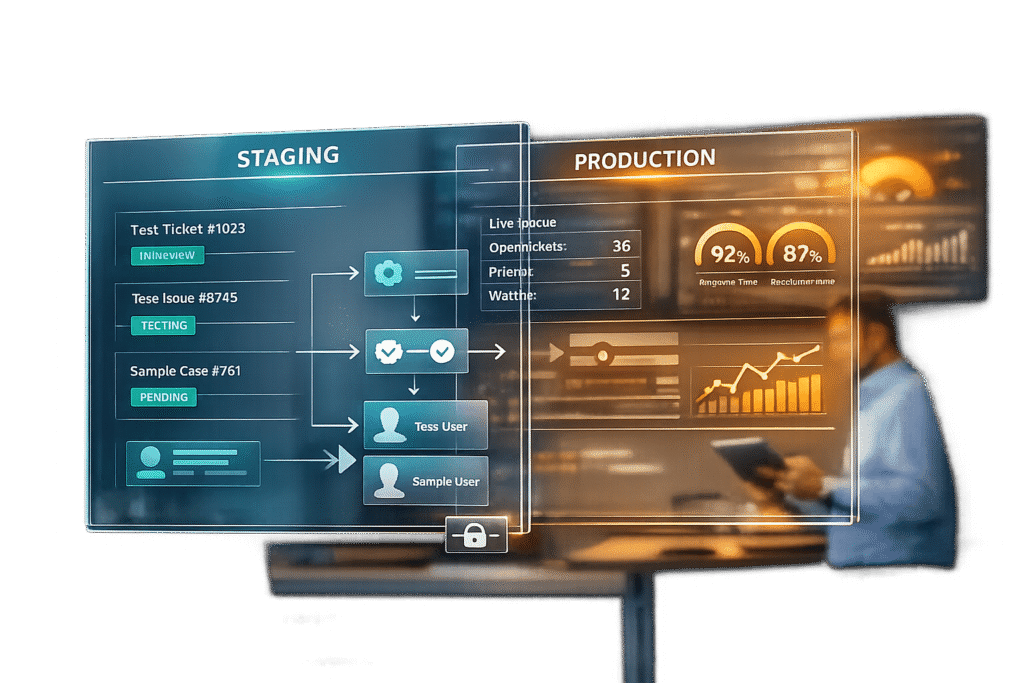
Sandbox environments are essential for enterprise support teams to test, troubleshoot, and refine workflows without risking live operations. They provide a safe, isolated space to experiment with changes, validate AI tools, and test escalation workflows, ensuring customer interactions remain unaffected.
Here’s why sandboxes matter:
- Risk-free testing: Teams can tweak automations, workflows, and AI models without impacting live tickets or SLAs.
- AI model validation: Safely train and test AI-powered tools, preventing errors like misrouted tickets or spam emails.
- Workflow optimization: Test complex escalation rules and SLA triggers to avoid disruptions in production.
- Data security: Use replicated or synthetic data, keeping sensitive customer information safe.
For large enterprises, maintaining multiple sandboxes – such as for development, QA, and training – ensures smooth testing and deployment. Tools like Supportbench simplify this process by integrating sandbox capabilities directly into the platform, reducing IT dependency.
Key takeaway: Sandboxes help support teams innovate safely, maintain stability, and avoid costly errors in production.
Sandbox Environment Explained | Isolated Testing & Secure Development
What Are Sandbox Environments?
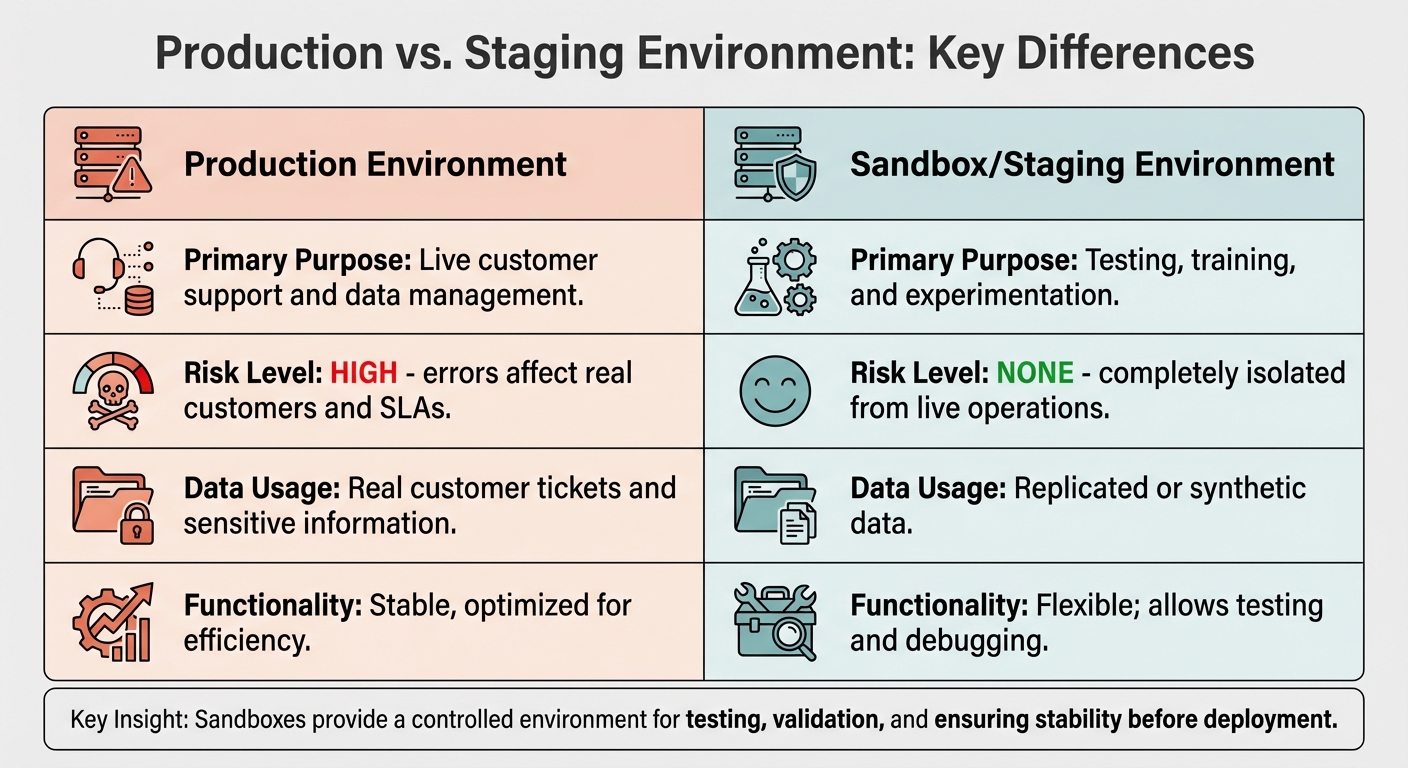
Production vs Staging Environment Comparison for Enterprise Support Teams
Definition and Core Features
A sandbox environment, also known as a staging environment, is essentially an isolated duplicate of your live production system. It replicates your workflows, automations, ticket routing rules, and AI configurations but operates independently from real customer interactions.
This separation ensures that any changes made in the sandbox remain contained until they’re intentionally moved to production. Support teams can safely test new escalation workflows, tweak AI model settings, or troubleshoot automation issues without risking disruptions to live tickets, SLA tracking, or customer data.
Key features of sandbox environments include:
- Replication of production workflows: They mirror your live system for accurate testing.
- Flexibility for testing edge cases: Teams can experiment without restrictions.
- Validation before deployment: Changes can be thoroughly vetted to avoid unintended consequences, especially in AI-driven configurations where errors could misroute tickets or generate incorrect responses.
These features highlight why sandbox environments are indispensable for maintaining stability and minimizing risks in production systems.
Production vs. Staging: Key Differences
The main difference between production and staging environments boils down to risk management. Production systems handle real customers, live tickets, and SLA commitments, where every action has immediate consequences. Staging environments, on the other hand, are designed for testing and experimentation, where errors have no real-world impact.
| Feature | Production Environment | Sandbox/Staging Environment |
|---|---|---|
| Primary Purpose | Live customer support and data management. | Testing, training, and experimentation. |
| Risk Level | High; errors affect real customers and SLAs. | None; completely isolated from live operations. |
| Data Usage | Real customer tickets and sensitive information. | Replicated or synthetic data. |
| Functionality | Stable, optimized for efficiency. | Flexible; allows testing and debugging. |
One important consideration: syncing changes from sandbox to production can lead to conflicts if edits are made simultaneously in both environments. These conflicts require manual resolution by admins before the sync is finalized [2]. To avoid issues, it’s best to schedule syncs during off-peak hours and keep detailed documentation of all tests [2].
"Sandboxes provide a controlled environment for testing, validation, and ensuring stability before deployment." – Liora Schocken, Product Marketer, Salto [1]
Why Enterprise Support Teams Need Sandbox Environments
Enterprise support teams operate under immense pressure to maintain zero downtime while improving workflows, experimenting with AI, and training staff. A single error – like a misconfigured escalation rule, an untested AI response, or a faulty automation – can disrupt service, violate SLA commitments, and damage your organization’s reputation.
Sandbox environments offer a safe space for testing and refining these changes without affecting live customer interactions. For large-scale B2B support operations, separating testing from production isn’t just practical; it’s critical for ensuring stability and reliability.
The risks are particularly high when testing email-based automations or AI agents. For example, exceeding a 0.3% spam complaint rate on platforms like Gmail can lead to domain-level SMTP rejection, effectively blocking all emails from your organization. Fixing such issues can take weeks or even months [3]. Testing workflows directly in production could result in irreversible damage, making sandbox environments an absolute necessity.
"The best sandbox is the one your agent can’t accidentally escape." – Samuel Chenard, Co-founder, LobsterMail [3]
Beyond protecting live systems, sandboxes help teams prevent configuration conflicts. A single change could unintentionally overwrite another, creating chaos in production [2]. By identifying and resolving these issues in a controlled environment, teams can ensure smooth deployments with minimal risk.
These environments also enable rigorous testing of escalation protocols, ensuring that workflows function as intended under various scenarios.
Testing Workflows and Escalations Without Risk
Enterprise support often relies on intricate escalation workflows, where even a minor misconfiguration can send critical tickets to the wrong team or breach SLA commitments. Sandbox environments allow teams to safely test these complex scenarios. For instance, testing automated retry loops for failed API calls or integrations in production could accidentally trigger rate limits or account suspensions from providers like AWS SES or SendGrid. Such failures could shut down your entire support channel [3]. Sandboxes prevent these disasters by isolating tests from live operations.
Training and Testing AI Models
AI-powered support tools demand thorough evaluation before they interact with customers. Sandbox environments provide a controlled space to train and refine AI models, ensuring they perform as expected. For email-based AI agents, features like "receive-only" sandbox tiers block outbound messages, even if code errors occur [3]. This safeguard ensures that a testing AI agent doesn’t accidentally spam customers, preserving your brand’s reputation.
The insights gained from these tests also contribute to improving overall support processes, making them more reliable and effective.
Refining Processes for Complex B2B Support
B2B support often involves complex workflows that directly affect customer satisfaction. Sandbox environments enable teams to fine-tune automations and refine processes without risking live customer interactions. This ensures that when changes go live, they enhance efficiency and maintain the high standards expected in enterprise support.
How to Set Up Sandbox Environments for Support Teams
Creating a sandbox environment that mirrors production workflows is essential for testing, AI training, and workflow adjustments without jeopardizing live operations. By carefully setting up your sandbox, you can replicate real-world scenarios while keeping sensitive data secure. Here’s how to do it effectively.
When setting up your sandbox, focus on replicating only the necessary configuration elements such as admin accounts, SLA policies, and automation rules. This approach ensures you can validate workflows without exposing sensitive customer data. For instance, if you’re testing a new escalation rule, the sandbox should mirror the production environment’s ticket fields and SLA thresholds – without including actual customer conversations.
If you’re configuring AI tools in the sandbox, make sure your knowledge base is fully updated. This step is critical to avoid issues like AI agents producing inaccurate responses. Outdated knowledge base articles can lead to errors during testing, which can undermine the reliability of your AI tools [5].
"Testing AI and bot functionalities in the production environment is far from ideal and can lead to subpar customer interactions." – Liora Schocken, Product Marketer, Salto [5]
When you’re ready to migrate changes from the sandbox to production, schedule these updates during off-peak hours to reduce service interruptions [2]. If your platform detects conflicts – such as settings modified in both environments – use side-by-side comparisons to decide which version to retain [4].
How to Replicate Production Data Safely
To replicate production data without compromising security, follow a simple rule: copy configurations, not customer information. Your sandbox should exclude live tickets, customer contacts, support email addresses, social media accounts, and third-party app integrations. This separation ensures customer privacy and prevents accidental communications during testing [4].
Setting Up AI Tools in Sandbox Environments
AI tools need special handling in sandbox environments due to their potential for unexpected outcomes. Start by syncing your knowledge base to ensure all content is current. AI agents relying on outdated information may generate unreliable or incorrect responses [5]. Some platforms provide simulation modes that allow you to test AI workflows against historical ticket data, helping you predict their impact before deploying changes [4]. Additionally, disable outbound messaging for email-based AI agents to prevent accidental communications during testing.
Staging Setup Checklist
Here’s a quick checklist to guide you through setting up your sandbox environment securely and effectively:
| Setup Step | Best Practice | Risk |
|---|---|---|
| Data Replication | Copy admin accounts, automation rules, SLA policies, and ticket fields – exclude live tickets and customer contacts | Including customer data can violate privacy regulations and risk accidental communication during testing [4] |
| Knowledge Base Sync | Ensure all articles are current before testing AI agents | Outdated content can lead to inaccurate AI-generated responses [5] |
| Outbound Communication | Disable or restrict email sending, especially for AI agents | Accidental emails during testing can harm your reputation and lead to spam complaints |
| Conflict Resolution | Review side-by-side comparisons when syncing changes back to production | Overwriting critical settings due to simultaneous modifications can cause disruptions [4] |
| Migration Timing | Schedule updates during off-peak hours | Deploying changes during busy periods increases the risk of service disruption [2] |
sbb-itb-e60d259
Common Mistakes and Maintenance Strategies
To get the most out of sandbox environments, it’s important to steer clear of common errors and adopt smart maintenance practices. One frequent misstep is manually replicating configurations in production. This not only increases the risk of human error but also doesn’t scale well. Another issue is hard-coding sensitive data into workflows. After refreshing a sandbox, these hard-coded values can inadvertently interact with live systems, leading to problems like test emails reaching actual customers or triggering live integrations during testing [7].
"Anywhere you repeat yourself, you invite human error. Rebuilding your trigger… in production has pros and cons… the cons quickly start to outweigh the pros." – Noam Hammer, Software Developer, Salto [6]
Another challenge is environment drift, where the sandbox becomes misaligned with production data over time. This happens as production data evolves, programs are updated, and security rules change, making the sandbox less reliable for testing [8]. Teams also often bypass the sandbox for seemingly minor updates, like tweaking macros or triggers, assuming these changes are harmless. However, such shortcuts can lead to unintended issues in production [1]. Combined with data drift, these mistakes undermine the accuracy of testing.
Keeping Data Synchronized and Current
To tackle environment drift, automate configuration deployments to keep your sandbox aligned with production. Tools that pull configurations directly from production and deploy them to sandboxes eliminate repetitive manual tasks [6]. Establish refresh windows – for instance, a two-day period – and notify stakeholders in advance. This ensures developers don’t lose undeployed work and gives training teams time to prepare for any downtime [7].
After a refresh, use a post-refresh checklist to mask sensitive customer data and update integration endpoints. Many platforms offer automated post-refresh tools that handle these tasks immediately, saving time and reducing manual effort [7]. If you manage multiple sandboxes, try refreshing one "master" sandbox with all security configurations, then cloning it for specific uses like training or user acceptance testing (UAT). This method cuts down on repetitive tasks after each refresh [7].
Avoiding Excessive Customization
Minimize sandbox-specific customizations. Rely on global metadata types for settings like email addresses and API endpoints to avoid hunting for hard-coded values after a refresh [7]. When syncing configurations with dependencies – such as asset types or locations – ensure you sync the entire parent-child structure. This prevents orphaned or duplicate records from appearing [9].
By simplifying customizations, you reduce the chance of errors and lower long-term maintenance costs.
Cost-Efficient Refresh and Maintenance
A cloning strategy – refreshing one master sandbox and cloning it for other purposes – helps cut down on redundant work and labor costs [7]. Automation further reduces both the time and errors associated with manual processes [6].
Keep sandboxes active only when they’re needed for testing. Deactivating unused sandboxes reduces the effort required to maintain multiple environments in sync and helps avoid unnecessary technical debt [2]. Also, avoid using special characters to differentiate sandbox and production configurations. Some systems misinterpret these as identical, which can lead to overwriting data during synchronization [9].
Supportbench‘s Staging Capabilities for AI-Native Teams
Supportbench offers a built-in staging environment designed to test AI features and complex workflows without requiring IT support or additional expenses. Tailored for B2B teams managing lengthy cases, multi-tier escalations, and renewal-driven customer relationships, it enables support managers to replicate production data directly through the platform’s interface.
This integrated setup makes it possible to thoroughly test AI tools and escalation processes before they’re deployed.
Testing AI Features with Built-In Staging
The staging environment is ideal for experimenting with AI-powered tools like AI Copilot, which delivers real-time assistance by tapping into integrated knowledge bases. Teams can simulate "what-if" scenarios to evaluate AI responses and ensure accurate article retrieval. Additionally, the sandbox allows for testing predictive CSAT models, which analyze historical data to predict customer satisfaction, and verifying FCR (First Contact Resolution) detection, ensuring the AI recognizes when cases are resolved on the first interaction. AI-generated case summaries can also be reviewed to ensure they align with enterprise standards for quality and tone [10].
| AI/Workflow Feature | Staging & Testing Capability |
|---|---|
| AI Copilot | Test real-time agent support and validate knowledge base integration. |
| Predictive CSAT | Assess satisfaction predictions based on historical case outcomes. |
| FCR Detection | Confirm AI accuracy in identifying first-contact resolutions. |
| Case Summaries | Evaluate the tone and quality of AI-generated summaries. |
| Dynamic SLAs | Simulate timing and priority-based routing scenarios. |
| Escalation Management | Test multi-tier triggers and automated notifications. |
Testing Complex Escalations and SLAs
Beyond AI tools, Supportbench’s staging environment is perfect for testing escalation workflows and SLA triggers. For enterprise clients with tiered service agreements, these tools simplify the process of testing multi-level escalations and dynamic SLAs. Teams can simulate SLA triggers to ensure escalation notifications are delivered to the right recipients. This is particularly important for B2B organizations, where SLA violations can affect contract renewals or customer satisfaction scores. It also allows teams to test how SLAs adjust based on factors like upcoming renewals or customer priority levels – all without disrupting live customer interactions [10].
Cost-Effective Staging Without IT Teams
Supportbench’s staging capabilities are fully integrated into the platform, removing the need for extra infrastructure, third-party tools, or IT-heavy configurations. Support managers can handle sandbox setup and production data replication directly through the platform’s user interface. This eliminates the need for additional software or developer hours. Teams can activate the sandbox during testing phases and easily rebuild it as needed, ensuring configurations stay aligned with production while avoiding ongoing maintenance hassles [2].
Conclusion
Sandbox environments play a crucial role in managing complex B2B workflows and AI-driven operations. Without a dedicated staging environment, teams are left testing escalations, validating AI models, and training agents directly in production. This can lead to risks like exposing customer data, disrupting services, and driving up operational costs.
"Sandboxes are more than just testing grounds – they’re critical to scaling enterprise configurations with stability and efficiency" [1].
These environments go beyond simple testing – they’re the backbone of safe, scalable innovation. For AI-focused teams, sandboxes are the only secure way to refine AI features before rolling them out. With AI dominating more than half of the top 10 customer experience trends for 2024, the ability to test without jeopardizing operations has become a key advantage [5].
The most effective sandbox strategies include thorough documentation of all dependencies [1]. Larger enterprises often use three distinct sandboxes – Development, QA, and Training – to separate testing stages and avoid conflicts [1]. This layered approach minimizes risks while supporting scalable operations tailored to diverse enterprise needs. For smaller teams, a single, well-maintained staging environment that mirrors production data and is refreshed regularly can deliver similar benefits.
Supportbench’s integrated staging tools make sandboxing even more accessible. By enabling production data replication, AI tool testing, and workflow validation directly through its interface, it eliminates the need for heavy IT involvement. This empowers support managers to take control of sandbox processes with ease.
FAQs
How many sandbox environments do we actually need?
The number of sandbox environments your team needs will vary based on your testing requirements. For most enterprise teams, having at least one sandbox is essential for testing workflows, configurations, and AI functionalities. However, larger teams or those handling more complex testing scenarios might find it helpful to use multiple sandboxes to keep different testing phases separate. In general, one or two sandboxes should cover most needs, with the flexibility to add more as your operations grow or become more intricate.
What should we copy into a sandbox vs. keep out for security?
When preparing data for testing, focus on non-sensitive information. This includes items like configuration settings, workflows, ticket fields, user fields, and organizational details.
Avoid transferring sensitive data such as secrets, passwords, API keys, or any confidential customer information. To ensure security, always adhere to proper secrets management practices when handling sandbox environments.
How do we safely sync sandbox changes back to production?
To synchronize sandbox changes with production securely, rely on configuration deployment tools. These tools allow you to transfer updates in a structured and repeatable way, cutting down on manual work and minimizing errors. By doing so, you ensure consistent settings between environments.
The process typically involves exporting configurations from the sandbox and importing them into production. This step replicates the thoroughly tested settings from your sandbox environment. It’s also essential to monitor the deployment status closely to catch any inconsistencies and ensure everything runs as expected.
Related Blog Posts
- How do you build an escalation framework that doesn’t overload Engineering?
- How do you migrate Freshdesk automations (rules, triggers, SLAs) to a new platform?
- What are the most common HappyFox pain points for Support Ops (and how to fix them)?
- Slack vs. The Customer Portal: Why Enterprise Clients Demand a Proper Dashboard
Evaluating help desks for a B2B team?
Supportbench is all-inclusive from $32 per agent per month, with migration and onboarding included. See pricing or book a 20-minute demo.






