


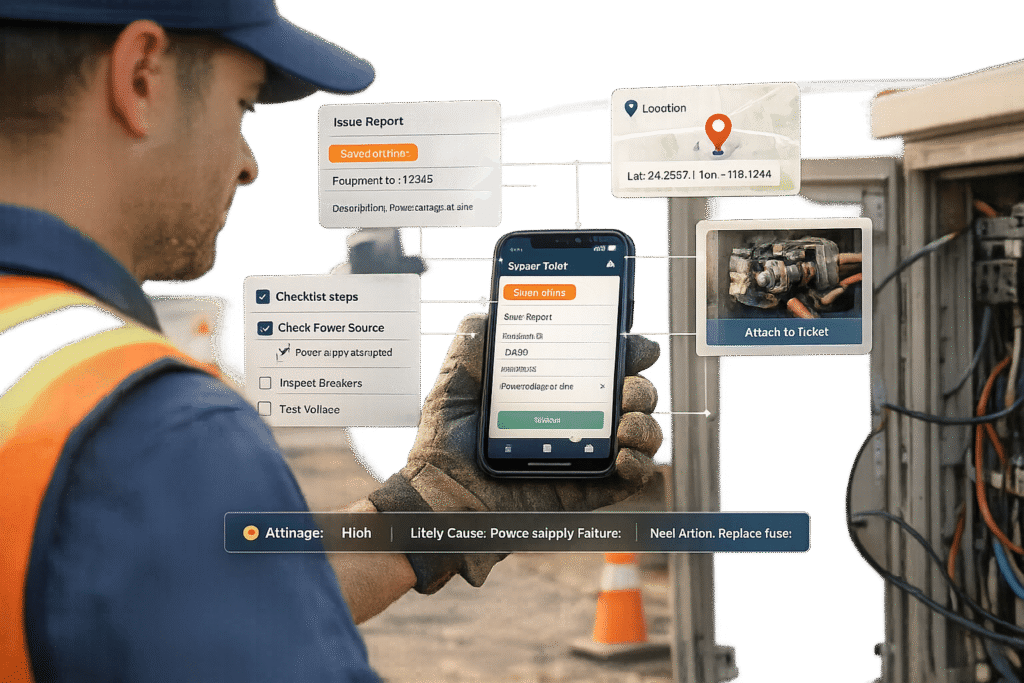
Field teams, like technicians and inspectors, often work in challenging environments – on the move, with limited connectivity, and under time pressure. Traditional support methods, like desktop forms or phone calls, slow them down and lead to incomplete tickets, delays, and inefficiencies. A mobile-first support intake system solves these problems by focusing on speed, simplicity, and accuracy.
Here’s what works best for field teams:
- Offline functionality: Ensures the system works even without internet.
- Voice input and photo capture: Reduces typing and speeds up form completion.
- GPS auto-fill: Automatically adds location details.
- Dynamic forms: Uses conditional logic to show only relevant fields.
- AI automation: Speeds up triage, routing, and provides real-time assistance.
These tools help reduce ticket resolution times by up to 60%, cut down on back-and-forth, and increase first-time fix rates. By addressing the specific needs of field teams, mobile-first systems improve efficiency and ensure faster problem-solving.
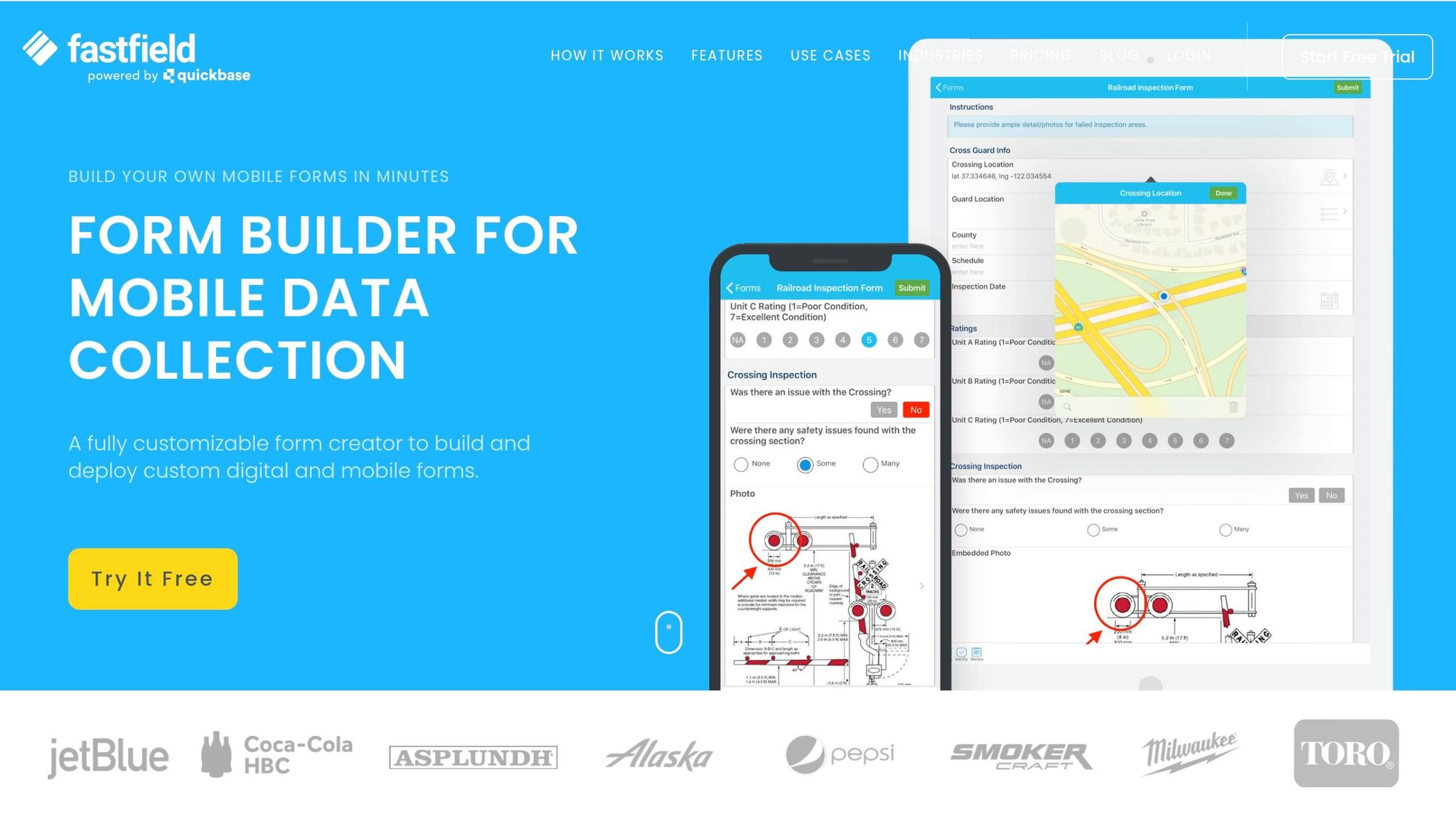
1.1 Getting Started📋 Streamline Field Operations with FastField #formbuilder
Understanding Field Team Needs and Constraints
Mobile-First vs Traditional Support Intake for Field Teams
Who Field Teams Are and How They Work
In a B2B setting, field teams include professionals like HVAC technicians, telecom engineers, medical device installers, facilities inspectors, and on-site service representatives. Their daily routines are far from the typical office environment. They often move from one location to another, working in unpredictable and remote settings armed with just a smartphone and essential tools. Their work is shaped by three major challenges: unreliable connectivity, tight schedules, and the limitations of small screens. Imagine a technician on a factory floor trying to fix equipment – they can’t afford to spend 10 minutes filling out a form or waiting for a page to load on a weak signal. Every minute counts, as downtime directly affects the client. These constraints demand solutions that go beyond traditional support systems.
"Field work does not wait for connectivity. Inspections happen in basements, rural areas, industrial sites, hotels, and remote service locations." – Youreka [6]
Why Traditional Support Intake Falls Short for Field Teams
The challenges faced by field teams quickly expose the flaws of traditional support systems. Email and phone-based methods, designed with office environments in mind, often lead to inefficient back-and-forth communication. Emails frequently lack essential details like asset IDs, location information, or error codes, resulting in incomplete tickets that delay resolution.
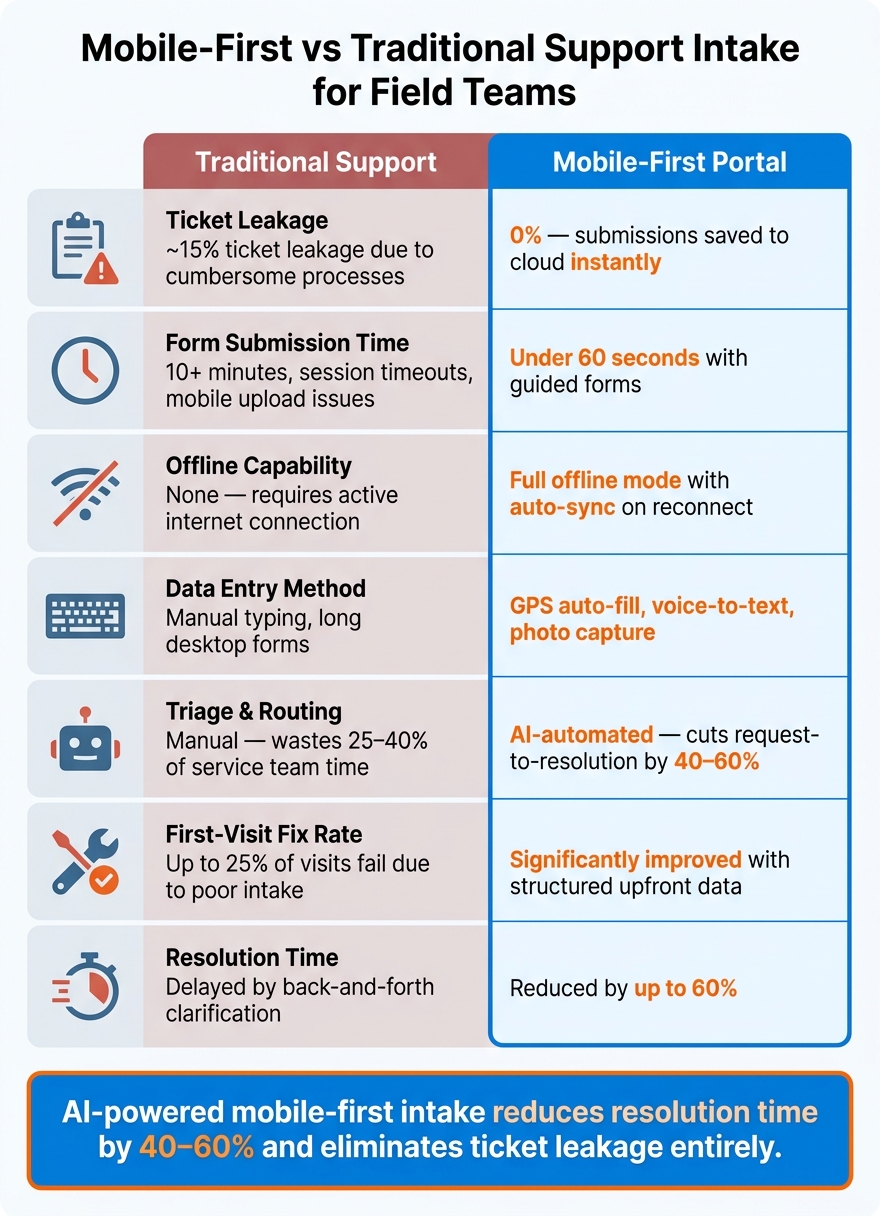
Desktop portals don’t fare much better. Long forms, issues with mobile uploads, and session timeouts add to the frustration. These hurdles often lead to ticket leakage – problems that never get reported because the process is just too cumbersome. However, companies that adopt structured digital workflows have seen ticket leakage drop from around 15% to zero. This is because submissions are saved to the cloud as soon as they’re completed [7], creating a reliable system that also supports AI-driven automation, which will be discussed later.
"Structured intake ensures critical information is captured upfront, reducing delays and repeated questioning." – Dr.-Ing. Simon Spelzhausen, Co-Founder & Chief Product Officer, Makula [1]
Why Mobile-First Portals Work Better for Field Teams
To address these challenges, mobile-first portals incorporate design features tailored to the needs of field teams. These portals take advantage of device capabilities like GPS and cameras to automatically gather crucial data. They also use short, guided forms with dropdowns and conditional logic, ensuring technicians only see fields relevant to their specific issues. Companies that switched to mobile-friendly forms reported that field staff could submit IT requests in less than 60 seconds [3].
How to Design a Mobile-First Support Intake Portal
Creating a portal that works seamlessly across various environments means addressing the unique needs of mobile users while ensuring reliability in the field.
Core Mobile UX Design Principles
Stick to a single-column layout to maintain a straightforward flow and reduce distractions. This approach keeps users focused and makes navigation easier on smaller screens.
Design with large tap targets and adequate spacing to prevent accidental taps. To further streamline the experience, reduce the need for typing. Instead, incorporate dropdown menus, toggles, and photo capture options. Research indicates that simplifying forms by minimizing fields can boost completion rates by up to 15% compared to forms overloaded with dropdowns and text fields [8].
Use conditional logic – also known as progressive disclosure – to display only the follow-up questions that are relevant. For instance, if a technician selects "equipment failure", the form can dynamically reveal fields for asset ID and error codes. On the other hand, selecting "access issue" might skip these fields altogether. This method keeps the form concise and reduces unnecessary data entry, aligning with the goal of minimizing friction.
Once the layout is optimized, it’s time to take advantage of mobile device capabilities to make data entry even faster.
Using Device Features to Speed Up Data Entry
Smartphones come with tools that can significantly reduce the time spent filling out forms. For example, GPS auto-fill can instantly capture the service location, eliminating the need for manual address input. Similarly, camera capture allows technicians to snap photos of faulty equipment or error messages and attach them directly to the ticket, cutting down on lengthy text descriptions.
Another helpful tool is voice-to-text, which is especially useful when technicians have their hands full or typing isn’t practical. UX designer Michael Ridland of Team 400 emphasizes this point:
"Minimizing typing on mobile is crucial, especially in the field. Using dropdowns, voice input, and photo capture can significantly enhance the user experience."
These features work seamlessly with offline-first design principles, ensuring that data is reliably captured even when connectivity is an issue.
Building Offline Mode and Data Syncing
An offline-first design ensures that the portal remains functional even in areas with poor or no connectivity. A portal that freezes or loses data when the signal drops risks frustrating users and decreasing adoption rates. Offline-first systems solve this by saving every input locally as it’s entered. Once the device regains connectivity, the data syncs automatically with the server.
For example, in May 2026, Activate developed a system that saved all inputs locally, ensuring no data was lost. This approach led to a 30% faster entry process [2]. To reassure users, include a simple status indicator – like a "pending sync" icon – so technicians know their work is safely stored and queued for upload. This small detail can build trust in the system and encourage long-term usage.
sbb-itb-e60d259
Adding AI Automation to Your Intake Process
A well-designed offline-first, mobile-friendly portal can handle intake efficiently, but adding AI to the mix takes it to the next level. By automating critical steps, AI slashes data entry time and speeds up resolutions.
AI-Assisted Form Completion
One of the biggest headaches in any intake process is quickly and accurately gathering information. AI tackles this issue head-on. Features like Smart Paste allow technicians to copy unstructured text – whether it’s from a group chat or a voice note transcript – and automatically extract relevant details to fill out form fields. Meanwhile, vision-based pre-filling uses uploaded photos of equipment to suggest values for fields like serial numbers, addresses, or dates [9][10].
For submissions that lack detail, AI steps in with follow-up questions like, "What are the symptoms?" or "Do you have any error codes?" This ensures all critical information is collected [10].
A practical tip? Adjust the AI’s sensitivity depending on the field type. For example, compliance-related fields might need higher accuracy, while open-ended ones can afford a bit more flexibility [10].
Once the forms are complete, AI moves seamlessly into categorizing and routing cases.
Automated Triage and Case Routing
Manual triage eats up a lot of time and resources in field operations.
"Customer request management friction wastes 25–40% of service team time on triage and clarification alone." – Dr.-Ing. Simon Spelzhausen, Co-Founder & CPO, Makula [4]
AI-driven triage eliminates this bottleneck by instantly classifying incoming requests based on factors like severity, product area, and business impact. It then prioritizes and routes these requests to the right specialist or region – no human intervention required [1][5]. In critical situations, the system can even trigger a P1 workflow if it detects language or patterns that suggest a major failure during intake [1].
Hidden signals, like account tier or the source channel (passed through URL parameters), give the AI even more context without burdening technicians with extra fields [5].
The results are impressive. Structured intake processes powered by AI can cut the time from request to resolution by 40–60%. Additionally, up to 25% of first-time field visits fail simply because intake didn’t capture the right information [4]. With AI triage, keeping dispatch times under 30–60 minutes for P1 or P2 tickets becomes an achievable goal [1].
Real-Time Knowledge Assistance for Field Teams
AI doesn’t stop at intake; it also supports technicians in the field by providing real-time assistance. By analyzing failure patterns and asset history, AI can suggest relevant service bulletins, recommend specific parts kits, or attach troubleshooting guides directly to the ticket [4].
For example, platforms like Supportbench offer an AI Agent-Copilot that searches both internal and external knowledge bases. It delivers relevant answers and case histories, enabling technicians to resolve issues faster without waiting for back-office support. This feature addresses a common pain point, as field teams often spend 30–45% of their day on clarification calls instead of solving problems [4].
"The front door of service becomes a revenue filter rather than a bottleneck." – Makula [4]
Here’s a quick look at how AI techniques directly benefit field teams:
| AI Technique | Function in Intake | Benefit for Field Teams |
|---|---|---|
| Smart Paste | Extracts structured data from clipboard text/images | Converts unstructured field notes into usable data [9] |
| Vision-Based Pre-filling | Reads uploaded photos to suggest field values | Eliminates manual entry of serial numbers, addresses, and dates [10] |
| Automated Triage | Classifies cases by urgency and failure patterns | Automatically prioritizes and routes requests [4] |
| Knowledge Suggestions | Links tickets to service bulletins and parts kits | Enables faster diagnosis without back-office help [4] |
How to Launch, Measure, and Scale Your Intake System
How to Launch and Configure the Portal
Start by rolling out your intake portal with a controlled pilot. Focus on a specific machine type, customer segment, or regional team. This approach helps you quickly spot issues like missing mandatory fields, routing errors, or forms that are too lengthy for technicians working in urgent situations. The pilot reinforces a mobile-first, AI-focused intake system tailored for field teams.
Take a close look at your current intake process. Identify any redundant questions or gaps in communication between field reps, dispatchers, and back-office teams. Then, design structured forms for common scenarios like equipment downtime, preventive maintenance, or warranty claims. Be sure to include mandatory fields such as:
- Customer & Site
- Equipment Serial Number
- Symptoms (use dropdowns instead of open text boxes)
- Business Impact
- Service History
Platforms like Supportbench allow you to set up contextual routing rules based on the intake data. For example, a ticket marked as "line-critical" can automatically trigger a P1 field-service workflow, eliminating the need for manual intervention [1].
Once the pilot is running smoothly, expand access gradually. Roll it out by region, team size, or equipment category rather than launching it across the board all at once.
Metrics to Track and How to Use Them
After setting up your pilot, track its performance using key metrics. These four are particularly important for field service intake:
| Metric | Target Benchmark | Insight Provided |
|---|---|---|
| First-Contact Resolution (FCR) Rate | 75%+ for top performers; 65–80% industry range | Determines if the intake process captures enough context for a first-visit fix [1] |
| Mean Time to Dispatch | Under 30–60 minutes for P1/P2 tickets | Shows how well routing rules and intake clarity are working [1] |
| Ticket Re-Open Rate | Below 10–15%; above 20% indicates issues | Highlights whether technicians have the information they need [1] |
| SLA Adherence Rate | Varies by contract; track trends over time | Measures overall workflow efficiency from intake to resolution [1] |
"In field service, where technicians work remotely and equipment downtime directly impacts production lines, these metrics act as leading indicators of operational health." – Makula [1]
For example, if your ticket re-open rate is climbing, it likely means the intake form isn’t capturing enough service history or diagnostic details. This is a form design issue, not a staffing problem, and can be resolved by adjusting the form fields.
Governance and Scaling the System Over Time
Once your metrics show the system is working effectively, shift your focus to governance and scalability. Assign a dedicated owner to oversee form performance, update routing rules, and maintain compliance fields. Without someone in charge, the system can become outdated or inefficient.
"Continuous workflow optimisation through audits and refinements drives long-term service efficiency and quality." – Dr.-Ing. Simon Spelzhausen, Co-Founder & Chief Product Officer, Makula [1]
As your field team expands to more locations, one major challenge is the loss of "tribal knowledge" – the expertise that departs when experienced technicians leave. Structured intake fields help preserve this knowledge. By consistently capturing details like equipment specifics, symptoms, and service history, the system retains valuable information that might otherwise be lost.
Make sure the information flows seamlessly from the customer to the dealer, OEM, or engineering team without any gaps during handoffs. Regular audits, at least once a quarter, are essential to ensure the system keeps up with the evolving needs of your field operations. This ongoing maintenance supports AI-driven optimizations, which are critical for modern field service efficiency [1].
Conclusion: Key Takeaways for Building a Mobile-First, AI-Driven Support Intake
The strategies shared in this guide aim to streamline field operations by improving support intake processes. Why does this matter? Because poorly organized intake systems can increase customer churn by 12%–18% due to delayed responses [4].
The main idea here is simple: collect structured information upfront, and everything else becomes faster and more dependable. Using guided digital forms to focus on essential data can reduce resolution times by 40%–60% [4].
"Customer request management isn’t broken because the team lacks skill, it’s broken because there is no clean, structured way for requests to enter the business." – Dr.-Ing. Simon Spelzhausen, Co-Founder & CPO, Makula [4]
To meet the demands of field operations – whether it’s managing equipment downtime, handling distributed teams, or navigating complex service agreements – a few features are non-negotiable. Mobile-first design, offline capabilities, AI-powered triage, and automated routing are essential. Together, they safeguard technician efficiency and maintain strong customer relationships.
Supportbench delivers solutions tailored for complex B2B operations. With AI-driven tools like automated case prioritization, sentiment analysis, contextual routing, and dynamic SLAs – all starting at $32 per agent/month – teams can create scalable intake systems without needing costly add-ons or heavy IT resources. By combining mobile-first design with AI automation, field teams can ensure dependable, efficient service – both on-site and behind the scenes.
FAQs
What fields should be required in a field-service intake form?
When designing a field-service intake form, the goal is to collect the necessary details without overwhelming the user. Here’s how you can structure it for clarity and efficiency:
1. Essential Contact Information
Start with the basics to identify the customer. These fields ensure accurate communication:
- Full Name (First and Last)
- Email Address
- Phone Number
- Organization Name
2. Operational Identifiers
To streamline routing and prioritize requests, include:
- Customer Tier (Dropdown: e.g., Gold, Silver, Bronze)
- Account Type (Dropdown: e.g., Business, Individual)
3. Technical Context
Gather specifics about the equipment or service needed:
- Equipment Serial Number
- Machine Type (Dropdown: e.g., Printer, HVAC Unit, Conveyor Belt)
- Service Location (Address or Site Name)
4. Structured Problem Details
Use dropdowns or checkboxes to guide users in describing the issue. This reduces ambiguity:
- Symptom Description (e.g., "Won’t power on", "Unusual noise", "Error code displayed")
- Urgency Level (e.g., Low, Medium, High, Critical)
5. File Uploads
Allow users to attach relevant documents or images:
- Upload Photos or Specifications (e.g., Error screenshots, damage images, manuals)
6. Conditional Logic
Incorporate conditional fields to keep the form clean and relevant:
- If the user selects "Critical" under urgency, display fields for additional details (e.g., "When did the issue start?", "Has this happened before?").
- If a specific machine type is selected, show related symptom options or troubleshooting questions.
By combining clear instructions, dropdowns, and optional uploads, this form ensures a smooth intake process while collecting all the necessary details for efficient service routing.
How do you design offline mode without losing data?
To create an offline mode that ensures data integrity, it’s crucial to adopt an offline-first approach. This means treating the local device as the primary source of truth. Here’s how you can make it work:
- Use a local database: Rely on tools like SQLite or IndexedDB to handle all operations locally, even when the user isn’t connected to the internet.
- Track changes with a sync queue: Maintain a queue to log all changes made offline. Assign unique client-side IDs (such as UUIDs) to ensure every update is identifiable.
- Sync incrementally when online: Once the device reconnects, synchronize the changes in small batches. Use conflict resolution strategies like timestamps or operational transformation to handle discrepancies.
- Provide clear feedback: Always inform users about the sync status, so they know their data is safe and up-to-date.
This approach ensures a seamless experience for users, whether they’re online or offline.
Which AI automations improve routing and first-time fix rates?
AI-powered automations leverage Natural Language Processing (NLP) to interpret ticket intent, urgency, and sentiment. This allows them to assign requests directly to agents who have the appropriate skills and availability. The result? Fewer reassignments and quicker resolutions.
Additionally, AI gathers diagnostics and technical details right from the start, making it easier to resolve issues during the first interaction. By keeping an eye on metrics like reassignment rates and first response times, these systems are continuously fine-tuned to perform even better over time.
Related Blog Posts
- Portal submission forms: how to reduce bad tickets with smart intake design
- How to build a “guided intake” portal form that routes tickets correctly
- How to triage bug reports via portal forms (steps, logs, environment capture)
- Customer portal for internal teams (purchasing, warehouse, field ops): what changes






