


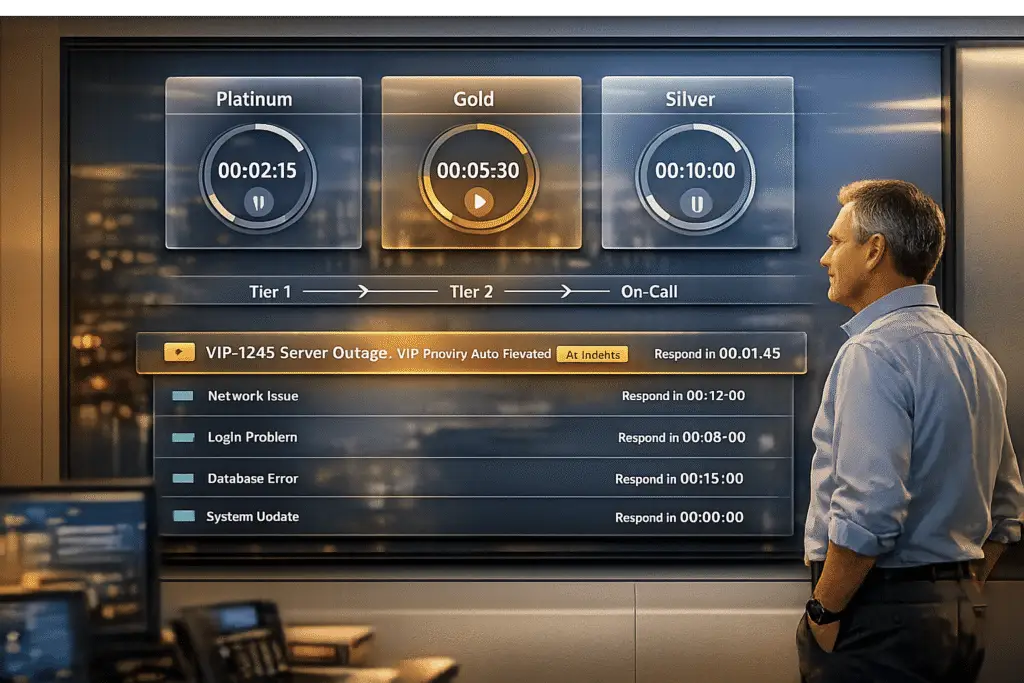
VIP Service Level Agreements (SLAs) are tailored contracts designed to meet the specific needs of high-value enterprise clients. Unlike standard SLAs, VIP SLAs prioritize flexibility, enabling faster response and resolution times based on client tier, issue urgency, and real-time conditions. For example, a critical issue for a VIP client might require a 1-hour response, compared to 4 hours for a standard client.
Key Takeaways:
- Dynamic Response Times: Adjust automatically based on urgency, sentiment, and business context.
- AI Integration: Automates prioritization, predicts SLA breaches, and flags frustrated clients.
- Custom SLAs: Define tiers (e.g., VIP, Gold), set KPIs (response/resolution times), and create escalation processes.
- Metrics Tracking: Monitor first response times, resolution rates, and SLA compliance to refine processes.
By leveraging these strategies, businesses can deliver faster, more reliable support to their most important clients, reducing churn and improving satisfaction.
Prerequisites for Dynamic VIP SLA Configuration
Identifying SLA Requirements for Enterprise Clients
To set up effective SLAs for enterprise clients, you need a clear understanding of their specific needs. Start by gathering essential details like client tier (e.g., Gold, VIP, or Standard) and operational data, such as business hours, time zones, and holiday schedules. This ensures SLA timers only run during active service periods [1][4].
Define key performance indicators (KPIs) like First Response Time (acknowledgment) and Resolve By Time (issue resolution). For instance, Murthy S from WaferWire highlights:
A VIP customer might require a response within one hour and resolution within four hours, while a standard customer could have a response time of four hours and resolution within 24 hours [1].
Next, establish case categorization rules to determine what triggers a VIP SLA. This could include attributes like case priority (Urgent/High), issue type (Emergency/Repair), or specific product tags [1][5]. Additionally, identify stop-clock triggers, such as cases marked "Waiting for Customer" or "On Hold", where the SLA timer should pause [1][3].
Verifying Platform Capabilities
Your support platform must be flexible enough to activate SLAs at various stages of a ticket’s lifecycle, such as first response, ownership transfer, or closure [6]. Ensure the system can assign SLAs based on criteria like customer contracts, license types, or ticket properties [8]. AI-driven recalibration is also crucial, allowing dynamic adjustments based on real-time inputs like ticket urgency or sentiment analysis [8].
Look for proactive monitoring and alerting features, such as real-time dashboards and automated notifications for potential SLA breaches [8]. The platform should support manual overrides to handle unique situations, like when a client is unavailable due to illness [7]. Integration with external tools like Salesforce or JIRA via APIs is another key feature, enabling seamless syncing of customer data with SLA workflows [6][8]. Modern platforms often offer user-friendly, no-code configurations for fields, workflows, and settings, making it easier to match complex enterprise requirements [6].
Once your platform is ready, focus on tracking relevant metrics to refine your SLA configuration.
Metrics to Track
Monitoring the right metrics is essential for maintaining and improving SLAs. Track first response time and resolution time for each priority level, broken down by customer tier. Use multi-level thresholds – for example, VIP queues might aim for a 30-second response time, while standard queues could target 180 seconds [9]. Keep an eye on SLA compliance rates to spot trends in breaches and fine-tune your setup.
Leverage predictive risk alerts powered by AI to anticipate potential breaches based on factors like ticket volume and resource availability [2]. Tools for AI-driven sentiment and intent detection can flag frustrated VIP customers or urgent issues early, enabling quicker intervention [2]. Set up warning buffers – typically at 50% of the SLA duration – to notify agents well before a breach occurs [3][4]. Finally, define a short abandoned threshold (around 5 seconds) to exclude quickly abandoned calls from negatively affecting SLA compliance metrics [9].
These metrics provide the groundwork for building and optimizing dynamic VIP SLAs, ensuring top-tier service for your most important clients.
sbb-itb-e60d259
Mastering Service Desk Automation #14
How to Configure Dynamic VIP SLAs: Step-by-Step
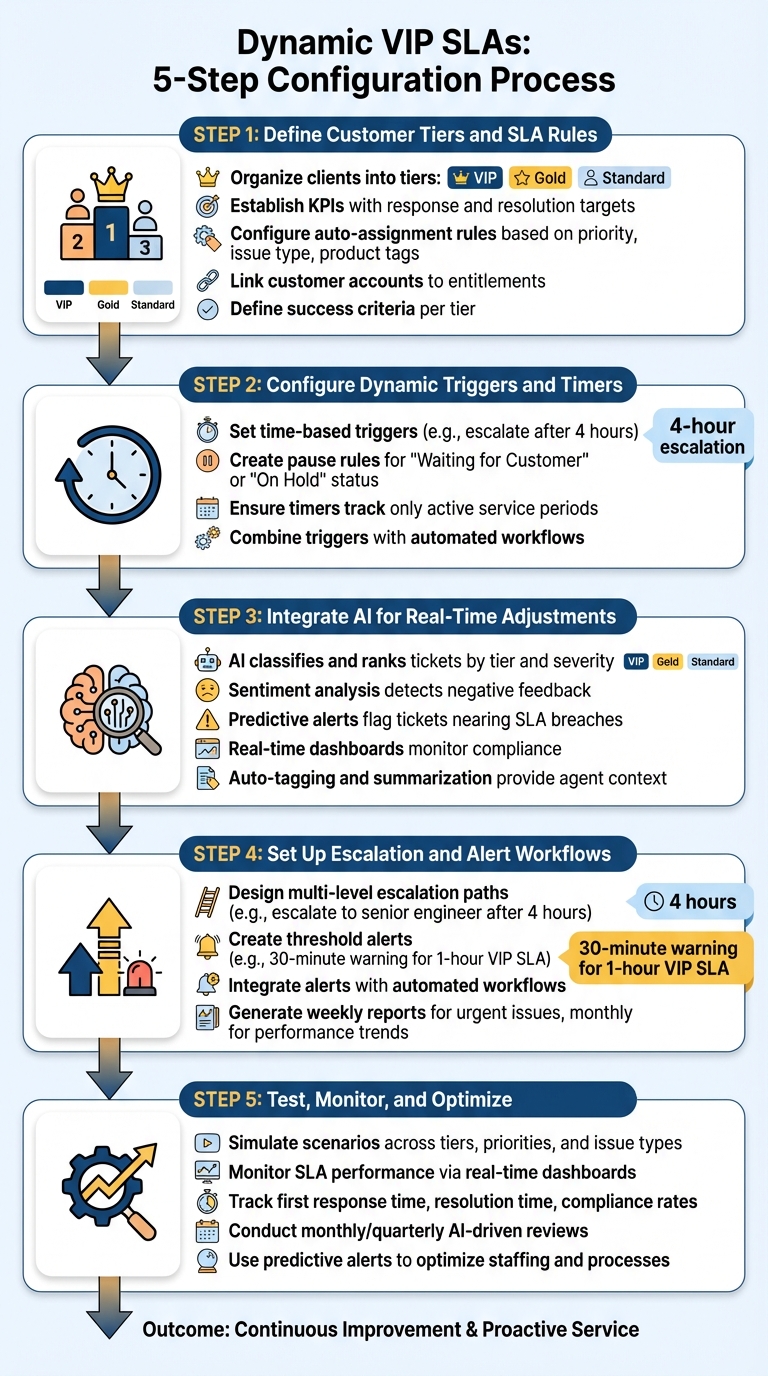
5-Step Process for Configuring Dynamic VIP SLAs
Here’s a practical guide to setting up dynamic VIP SLAs, leveraging your platform’s capabilities and meeting your business needs.
Step 1: Define Customer Tiers and SLA Rules
Start by organizing your clients into tiers based on their importance to your business. Common categories include VIP, Gold, or Standard [1][3]. For each tier, establish specific KPIs with clear response and resolution targets, as outlined in your planning phase.
Next, configure rules to automatically assign SLAs based on case details like priority (Critical, High, Medium), issue type (e.g., Emergency, Repair), or product tags. Linking customer accounts to entitlements, such as a "Gold Support" contract, ensures the correct SLA is applied. Define success criteria for each tier, such as marking a case as "In Progress" for timely responses or "Resolved" when the issue is fully addressed.
Step 2: Configure Dynamic Triggers and Timers
Dynamic SLAs adapt to real-time changes. Set up time-based triggers to escalate tickets that remain unresolved past a specific timeframe. For example, if a ticket stays open for four hours, the system can automatically escalate it for faster resolution [10].
Use pause rules to ensure timers only track active service periods. For instance, timers can pause when a case is marked as "Waiting for Customer" or "On Hold." These rules help maintain accurate tracking of working time [1][4]. Combine these triggers with automated workflows to send notifications and escalate cases as deadlines approach [10].
Step 3: Integrate AI for Real-Time Adjustments
Enhance your system’s responsiveness by incorporating AI tools. AI can classify and rank tickets based on client tier and issue severity, ensuring VIP cases are prioritized [6]. AI sentiment analysis can detect negative feedback or low satisfaction scores, automatically adjusting ticket priority when needed [6].
Set up predictive alerts to flag tickets nearing SLA breaches, giving teams a chance to act before violations occur. Use real-time dashboards to monitor SLA compliance, and leverage AI-driven features like auto-tagging and summarization to provide agents with the context they need for quicker resolutions [6][10].
Step 4: Set Up Escalation and Alert Workflows
Design multi-level escalation paths for SLA breaches. For example, if a ticket surpasses its four-hour SLA, configure the system to escalate it to a senior engineer automatically [10].
Create threshold alerts to notify team members as deadlines approach. For instance, with a one-hour VIP SLA, set a warning alert at the 30-minute mark to give agents time to act. These alerts should integrate with automated workflows to log events in your reporting dashboard. For high-priority environments, weekly reports can help identify urgent issues, while monthly reports provide an overview of performance trends [10].
Step 5: Test, Monitor, and Optimize
Simulate various scenarios to validate your SLA configurations. Test cases across different tiers, priorities, and issue types to ensure SLAs are applied correctly, timers pause as intended, and escalations function properly.
Once live, monitor SLA performance using real-time dashboards. Track metrics like first response time, resolution time, and compliance rates by tier and priority. Regular AI-driven reviews – monthly or quarterly – can help you identify trends, adjust targets, and refine workflows. Pay attention to predictive alerts for potential SLA breaches, and use these insights to optimize staffing and processes [10].
Common Pitfalls and Best Practices
Why Static SLAs Fail for Enterprise Clients
Static SLAs treat all incidents the same, applying fixed timelines like "Critical = 15 days" without considering the context. For example, they don’t account for whether an asset is internet-exposed, actively exploited, or tied to revenue-generating systems [11]. This lack of context means high-risk issues may get the same priority as minor ones, leaving enterprise clients exposed during critical times, such as contract renewals or security breaches.
"Static, severity-only deadlines live in policy documents and spreadsheets, while real work happens across scanners, asset inventories, ITSM queues, and change windows." – Nucleus Security [11]
Relying on manual tracking methods like spreadsheets and email often leads to errors, missed deadlines, and unclear accountability when automation is missing [11]. For enterprise clients paying premium prices, static SLAs that can’t adapt to changing needs are a serious drawback. In fact, customers experiencing service issues are four times more likely to switch to a competitor [1]. These limitations highlight the importance of dynamic, context-aware SLA processes.
Best Practices for SLA Flexibility
From the outset, SLAs should be designed with adaptability in mind. One key feature is pause/resume conditions to stop SLA timers during delays that are outside your team’s control, such as when a case is marked "Waiting for Customer" or during non-business hours [1]. This ensures fair tracking of service time without penalizing your team for unavoidable delays.
"SLAs can be paused when a case is awaiting customer feedback or during non-business hours. This feature ensures that SLAs are not unfairly penalized for delays beyond the service team’s control." – Murthy S, WaferWire [1]
Automating SLA rules is another essential step. For instance, codify policies like "internet-exposed + exploitable = 5-day response" to ensure consistent handling of cases across the board [11]. Build escalation chains with decision-makers who can quickly allocate resources or remove blockers [11]. Additionally, set expiration dates for exceptions to prevent important cases from being forgotten over time [11].
To make sure these flexible approaches are effective, tracking metrics is crucial.
Using Metrics to Identify Configuration Gaps
Once flexible rules are in place, continuous monitoring is necessary to ensure they deliver consistent outcomes. Keep an eye on SLA compliance percentages and escalation rates across customer segments. For example, if your escalation rate hits 3% but your target was 2%, it could mean your response tiers need adjustment or that agents lack the tools to meet VIP demands [10]. Comparing actual performance against targets can reveal whether your timelines are realistic or need tweaking.
"Clear reporting transforms SLAs from static documents into dynamic management tools. Without it, service commitments can drift out of alignment with actual performance." – Nooshin Alibhai, Founder and CEO of Supportbench [10]
Real-time dashboards can help you identify compliance risks before they lead to breaches, instead of relying solely on end-of-month reports [10]. Track metrics like Mean Time to Remediate (MTTR) by risk tier to uncover bottlenecks. With SLA automation, MTTR for high-risk cases can improve by 25% to 40% [11]. Schedule quarterly reviews to adjust SLA targets as client needs evolve, and use AI-driven sentiment analysis to detect cases where technical metrics are met but customer satisfaction is declining [8].
Conclusion
Key Steps Recap
This guide highlights how dynamic configurations and AI integration can elevate VIP support to meet the expectations of enterprise clients. Crafting effective VIP SLA configurations requires balancing automation with adaptability. Begin by defining customer tiers and SLA rules that align with the premium service standards your VIP clients deserve. For instance, you might set a 15-minute first response time for VIP tickets [12]. Use dynamic triggers with pause conditions to ensure only active service periods are tracked [4][13].
Incorporate AI tools to predict SLA breaches, prioritize tickets dynamically, and route issues to agents with the right expertise [14]. Set up alert workflows to flag impending SLA violations, ensuring immediate action on time-sensitive VIP cases [12]. Continuously test, monitor, and refine your approach using KPIs like First Response and Resolution Times. Start with realistic goals and adjust progressively as your team’s capacity grows [12][13].
These steps establish a solid foundation for integrating advanced AI capabilities into your SLA management.
AI’s Role in SLA Management
AI transforms SLA management from a reactive process into a proactive strategy, protecting critical enterprise relationships. Automated prioritization allows AI to adjust ticket urgency based on factors like VIP status and customer sentiment, ensuring high-priority cases are always addressed promptly. Predictive alerts help teams anticipate potential SLA breaches by analyzing patterns in backlogs and resource availability. Intelligent ticket routing pairs cases with agents who have the right skills and availability, improving resolution times and maintaining service quality [14].
FAQs
How do I decide who qualifies as VIP?
To pinpoint VIP customers, focus on factors like their revenue contribution, engagement, and overall importance to your business. For instance, clients bringing in $300,000 or more annually typically fall into this category. Use metrics such as:
- Revenue generation: Track how much each client contributes financially.
- Contract renewals: Look for consistent renewals as a sign of long-term value.
- Engagement levels: Measure their interaction with your services or products.
AI tools can make this process easier by analyzing your data and automatically highlighting key customers. This ensures you can prioritize these accounts and provide them with expert-level support tailored to their specific needs.
What should pause an SLA timer?
An SLA timer is designed to pause during certain periods, like when a ticket is placed on hold while waiting for a customer response, marked as pending, or set to a resolved state. These pauses ensure the timer reflects only the time actively spent working on the issue. The specific conditions for pausing depend on how your SLA policies and configurations are set up.
How can AI predict SLA breaches early?
AI can forecast potential SLA breaches by diving into real-time ticket data. It evaluates factors like sentiment, urgency, and past patterns. Through predictive analytics and natural language processing (NLP), it spots warning signs, such as increasing negativity or growing complexity in tickets. This allows teams to act ahead of time – whether it’s re-prioritizing tasks or shifting resources – to avoid SLA violations. By addressing problems early, AI helps streamline operations, ensures better SLA compliance, and ultimately enhances customer satisfaction.
Related Blog Posts
- How do you handle VIP / strategic accounts without creating unfairness?
- How do you create a “VIP support” model that scales (and doesn’t break fairness)?
- How do you add escalations, tiers, and SLAs when moving off Pylon?
- Handling “White Glove” VIP Accounts Without Breaking Your Process
Evaluating help desks for a B2B team?
- Jira Service Management vs Supportbench
- Salesforce Service Cloud vs Supportbench
- Pylon vs Supportbench
Supportbench is all-inclusive from $32 per agent per month, with migration and onboarding included. See pricing or book a 20-minute demo.






