


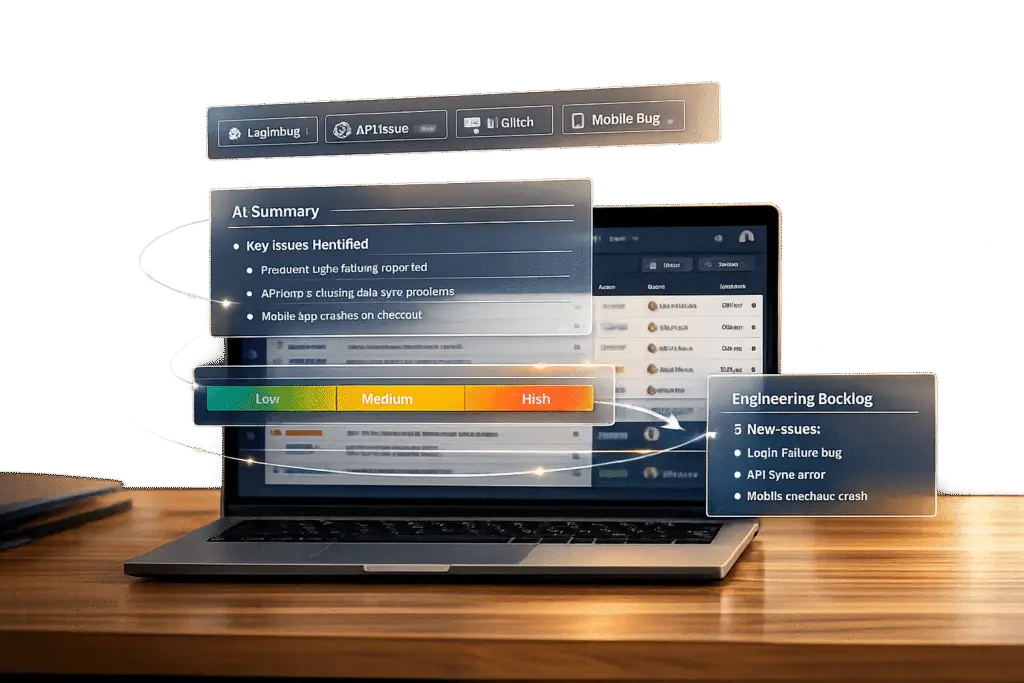
Managing product bugs directly within your support system saves time, reduces costs, and eliminates the need for extra tools. Here’s how AI-powered platforms streamline bug tracking:
- Automated tagging: AI identifies and labels bug-related tickets using keywords like "crash" or "not working."
- AI summarization: Automatically extracts key details like symptoms, reproduction steps, and customer impact from tickets.
- Dynamic prioritization: AI ranks bugs by urgency and business impact, ensuring critical issues are resolved first.
- Efficient workflows: Role-based permissions and AI-generated summaries improve handoffs to product teams.
- Trend analysis: Dashboards track bug patterns, helping teams focus on recurring issues and product improvements.
With these methods, support teams can manage bugs more effectively without switching between tools.
Set Up Automated Tagging for Bug Identification
Automated tagging can save your team from the tedious task of manually sorting through support tickets. By setting up your support platform to automatically identify and label bug-related issues, you’ll streamline bug management and make the process much more efficient. With AI-powered tagging, incoming messages are scanned, and appropriate labels are applied based on customer feedback – no manual triage required.
Define Keywords and Phrases for Bug Indicators
Start by digging into past support tickets to uncover common phrases customers use to describe technical issues. Look for patterns in complaints, such as "won’t load", "keeps spinning", "button is greyed out", or "unexpected behavior." These phrases will become your keyword triggers.
Compile a standardized list of terms like "error", "crash", "not working", "broken," and "freezes". Configure your support platform to automatically tag tickets with labels like "Bug" or "Product Issue" whenever these words are detected in a subject line or message body. To ensure nothing is overlooked, make sure these keywords are tracked across all communication channels – email, chat, and any other tools your system integrates with [1].
For a more refined system, incorporate urgency and sentiment analysis into the tagging process. For example, a ticket mentioning a "crash" could be flagged as higher priority than one reporting a minor UI issue like a "glitch" [1]. This layered tagging approach helps your team focus on the most critical bugs first.
By setting up this keyword-based tagging, you’re laying the groundwork for AI to enhance the process further with contextual understanding.
Use AI for Auto-Tagging
AI-powered auto-tagging takes things to the next level by using Natural Language Processing (NLP) to analyze ticket content beyond just keywords [3]. This allows the system to identify bug reports even when customers don’t use the exact terms you’ve predefined.
If you’re using Supportbench, you can enable this feature by navigating to Settings > AI > Auto-Tagging [3]. Once activated, the AI applies consistent logic to every ticket, eliminating human error and ensuring that all bug-related issues are categorized correctly [3]. This consistency not only improves reporting accuracy but also allows you to track bug trends over time without any manual input.
To keep the system sharp, review AI-applied tags regularly to ensure accuracy. Update your keyword triggers as new features or potential failure points emerge in your product [3]. The AI will continue to improve over time by learning from resolved tickets, making it increasingly adept at spotting recurring bug patterns.
sbb-itb-e60d259
Use AI Summarization to Categorize and Track Bugs
AI summarization simplifies bug tracking by pulling out the most important details from support tickets. It scans ticket content to identify symptoms, error messages, reproduction steps, and customer impact. The result? Standardized reports that include critical information like the customer’s technical environment, account history, and similar past issues.
You can set up AI workflows to activate automatically – whether a new ticket comes in or a support call ends – capturing bug details right away. By integrating AI with your CRM and knowledge base, agents no longer need to hunt down background data such as operating system details, browser versions, or previous bug reports. This streamlined process works hand-in-hand with automated tagging, making bug categorization and tracking faster and more efficient.
Categorize Bugs by Severity and Impact
AI helps classify bugs by analyzing the language used in tickets and comparing it to past data. For instance, a ticket stating "can’t access my account" will be flagged as more urgent than one reporting a minor visual issue. Additionally, AI identifies how many users are affected, allowing teams to focus on bugs with the largest impact.
AI-generated summaries can be divided into clear sections – Symptoms, Steps to Reproduce, Environment, Impact – making it easier to evaluate and prioritize tickets. These standardized summaries not only speed up categorization but also ensure tickets are routed directly to the appropriate product teams.
Spot Patterns Across Multiple Tickets
With standardized summaries as a foundation, AI can analyze multiple tickets to uncover recurring problems. Its ability to scan the entire support queue enables it to identify trends or systemic issues that might go unnoticed when tickets are reviewed individually. For example, if several users report similar login issues within a short time frame, AI flags it as a potential widespread problem before it escalates.
AI trend analysis can also incorporate sentiment scoring to assess the emotional tone of customer reports. If users express high levels of frustration or urgency, AI can automatically bump up the ticket’s priority. By linking related tickets through percentage matching, AI reduces duplicate entries and helps teams locate existing solutions more quickly. Companies using AI-powered tools have been shown to resolve issues in under 15 hours, compared to over 30 hours for those relying on traditional methods [5][4].
Prioritize Bugs with Dynamic Workflows and Predictive AI
Building on earlier tagging and summarization techniques, dynamic workflows now take bug management a step further by helping teams prioritize effectively. Not all bugs are created equal – some might disrupt key workflows for major clients, while others are minor annoyances that can be addressed later. With dynamic workflows and predictive AI, your team can shift focus to the most critical issues, streamlining the transition from identifying bugs to tackling them.
Create Queues and SLAs for Bug Tickets
Dedicated queues can make a big difference in managing bug tickets efficiently. By automating ticket routing based on factors like bug category or required expertise, you can ensure that issues land in the right hands. For example, authentication issues might go directly to a security-focused team, while UI problems could be routed to front-end specialists.
Dynamic SLAs (Service Level Agreements) take this a step further by adjusting response times in real time based on the bug’s impact and the customer’s importance. Alerts can prompt immediate action for high-priority issues. AI-driven categorization also plays a role here, tagging tickets by urgency and content so critical bugs are flagged and routed without the need for manual intervention [1].
Use Predictive AI Metrics
Predictive AI doesn’t just tag bugs – it helps forecast their potential impact on customer satisfaction and retention. By analyzing ticket details, sentiment, and account history, it can determine which issues should be addressed first, especially for high-value customers.
For example, prioritizing tickets from your top 20% of customers ensures your most important accounts receive prompt attention, safeguarding revenue and long-term relationships [6]. You can also implement multi-criteria scoring to evaluate bugs based on factors like the number of users affected, business impact, and estimated resolution time [6]. A bug affecting a core feature for 15% of users, for instance, would naturally rank higher than a minor cosmetic issue affecting just one person [6]. Automated scoring creates a fair and consistent system, reducing friction and improving transparency [6]. These metrics then feed directly into routing decisions, ensuring bugs are resolved efficiently and effectively.
Route and Escalate Bugs to Product Teams
Once you’ve prioritized bugs, the next step is ensuring a smooth handoff from support to engineering. This process can be streamlined with precise role-based permissions and AI-powered context summaries. Poorly executed escalations often leave engineers scrambling to piece together missing details, wasting valuable time. By integrating these tools into your support platform, you can avoid these inefficiencies.
Set Up Role-Based Permissions for Internal Handoffs
Effective bug escalations start with well-defined role-based permissions. These permissions should allow support agents to report issues while limiting access to sensitive areas like source code or internal development discussions [1]. Some platforms even offer "Stakeholder" licenses, which enable non-developers to create and modify work items via web portals without needing a full developer license [8].
Administrators play a key role here, controlling who can move a bug through different stages. For instance, support teams might escalate a ticket to "Escalated", but only engineers should have the ability to mark it "Resolved" or "Closed" [7]. At the same time, granular visibility settings ensure that sensitive customer data is only accessible to authorized personnel during the handoff process [9].
Ownership should also be clearly defined: support logs the issue, engineering resolves it, and QA verifies the fix [9]. To make the process even smoother, standardize intake forms with fields like Severity, Environment, and Steps to Reproduce. This ensures engineers have all the necessary context upfront [1][8]. Additionally, "Discipline" tags – such as "Production" or "Support" – can help developers filter and prioritize tickets originating from customer-facing teams [8].
By setting these permissions and processes, you create a secure and efficient handoff system, paving the way for AI-enhanced contextual escalations.
Use AI to Prepare Contextual Escalations
AI tools can take escalations to the next level by generating detailed, actionable summaries. These summaries include the customer’s issue, troubleshooting steps already taken, and relevant account history, allowing engineers to dive into problem-solving right away [11].
Using Retrieval-Augmented Generation (RAG), advanced AI can search across internal resources – like Slack threads, Notion pages, and Confluence wikis – to consolidate ticket details and "tribal knowledge" into a single summary [11]. For example, in 2025, Rapid7, a cybersecurity company, used this strategy to manage over 7,000 complex support tickets monthly. By requiring agents to "Ask Mosaic first" and having AI summarize and route tickets before escalation, the company improved ticket handling times by 30%, increased agent capacity by 35%, and maintained a 95% CSAT score [11].
To measure the success of your escalations, track metrics like context loss and bounceback rates. A bounceback rate above 20% suggests that handoffs are incomplete and wasting time [10]. Make it a habit to review tickets weekly where AI struggled to summarize or route issues correctly. This allows for ongoing human-in-the-loop training to refine the AI’s ability to understand technical language [12].
Monitor Bug Trends and Generate Insights
Tracking bugs isn’t just about fixing immediate issues – it’s about identifying patterns that can lead to meaningful product improvements. Your support platform already collects valuable data. The key is using that data to drive decisions. By combining this feedback with AI tagging and summarization tools, you create a seamless cycle of detection, analysis, and resolution.
Analyze Bug Trends with Dashboards
Dashboards are a powerful way to track ticket volume, SLA performance, and resolution trends in real time[1]. To make the data more actionable, standardize bug logging by requiring fields like "Ticket Reason" and "Product Area" before closing tickets[13]. This ensures your dashboard organizes data by bug type, severity, and affected features.
For a deeper dive, connect your support platform to a BI tool using ETL connectors[13]. This lets you analyze trends over time, such as whether issues in a specific product area are increasing or if high-severity bugs are taking longer to resolve. Automated weekly reports can also deliver key bug trends directly to your email or Slack, saving your team from manual checks[13].
Advanced AI tools take it a step further by predicting incident categories and spotting recurring issues based on historical data[1]. As one expert noted, consistently using a bug tracking system is a hallmark of effective software teams[7]. These insights don’t just help with fixing bugs – they pave the way for creating targeted knowledge base content.
Transform Resolved Bugs into Knowledge Base Articles
Each resolved bug holds valuable insights that can prevent future tickets. Instead of letting this information get buried in closed ticket archives, leverage AI to turn it into customer-facing documentation. For instance, Supportbench’s AI KB Article Creation feature analyzes the full case history – problem description, troubleshooting steps, and resolution – and generates a draft knowledge base article with a subject line, summary, and keywords.
This process works because AI captures the context while it’s still fresh, cutting down the time and effort needed to write documentation from scratch[1]. Over time, this builds a robust self-service library that reduces ticket volume. Some platforms even connect bug tracking with development workflows, enabling automatic release notes and product knowledge bases by linking resolved bugs to code commits and pull requests[7].
To keep this cycle effective, use dashboards to identify high-impact bugs that generate repeat tickets. Prioritize these for documentation[1]. Over time, better documentation creates a virtuous cycle – fewer tickets mean your team can focus on solving more complex problems.
Common Pitfalls and Best Practices
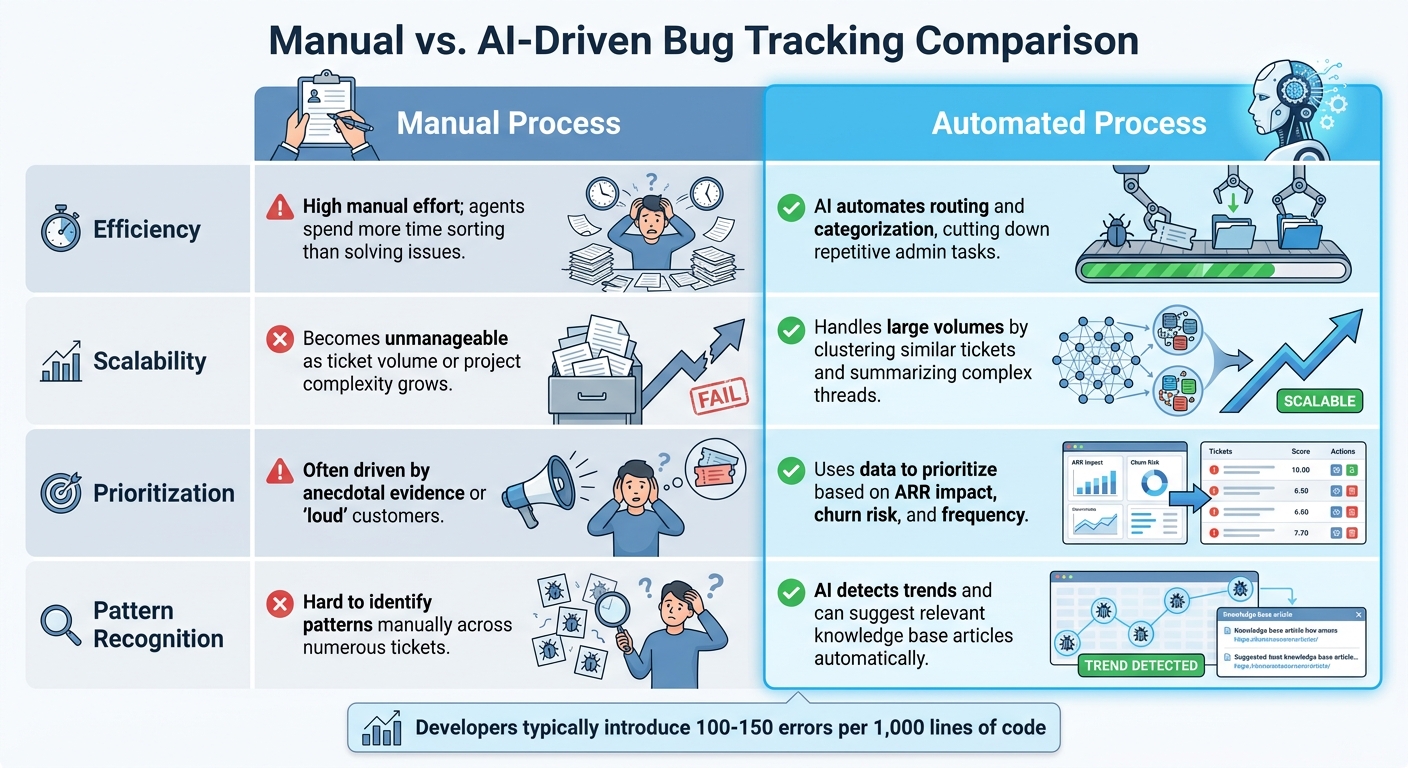
Manual vs AI-Driven Bug Tracking: Efficiency and Scalability Comparison
AI can make bug tracking more efficient, but its benefits depend on how well you manage its setup. If not handled carefully, certain challenges can diminish the advantages of AI-driven tagging and summarization.
One common issue is taxonomy sprawl. When teams use inconsistent or overly complex terms to describe similar issues – like various phrases for authentication problems – it can confuse AI systems and fragment your data[14]. This makes it harder to derive actionable insights.
Another challenge is label drift. AI models need regular updates, including retraining and refreshed glossaries, to maintain accuracy in routing bugs. If configurations become outdated, critical issues might be misrouted[14]. Then there’s loud customer bias, where decisions are influenced by ticket volume or frequent complaints rather than strategic priorities. Balancing ticket volume with factors like revenue impact ensures better prioritization[14].
To sidestep these challenges, start by creating an AI-ready taxonomy. Keep it simple with fields like Theme, Component, Intent (e.g., bug or feature gap), Severity (1–5), and ARR influenced[14]. This structure provides clear guidelines for AI without overloading your team with unnecessary data entry. Additionally, normalize your data by mapping synonyms – like grouping “login error” and “can’t sign in” under “Authentication”[14]. This avoids fragmented clusters and ensures cleaner reporting. Together, these practices help the AI deliver consistent and meaningful insights from support tickets.
"Support tickets can be thought of as a repository of customer issues that need to be addressed in your product development roadmap. AI simply helps analyze and categorize these tickets in a standardized manner to identify recurring themes or patterns."
– Typewise[14]
Regular audits for label drift are also crucial, especially after major product updates. When AI identifies clusters of issues that lead to fixes, it can even suggest follow-up responses for customers who reported those problems[14].
Manual vs. AI-Driven Bug Tracking Comparison
Recognizing these pitfalls underscores the advantages of using AI for bug tracking. Here’s a comparison to highlight the differences:
| Feature | Manual Process | Automated Process |
|---|---|---|
| Efficiency | High manual effort; agents spend more time sorting than solving issues[1]. | AI automates routing and categorization, cutting down repetitive admin tasks[1][14]. |
| Scalability | Becomes unmanageable as ticket volume or project complexity grows[1]. | Handles large volumes by clustering similar tickets and summarizing complex threads[14]. |
| Prioritization | Often driven by anecdotal evidence or "loud" customers[14]. | Uses data to prioritize based on ARR impact, churn risk, and frequency[14]. |
| Pattern Recognition | Hard to identify patterns manually across numerous tickets[1]. | AI detects trends and can suggest relevant knowledge base articles automatically[1]. |
For context, developers typically introduce 100 to 150 errors per thousand lines of code[2]. Without AI, identifying which of these errors are causing the most customer pain can take hours of manual analysis. AI simplifies this by clustering related issues and prioritizing them based on business impact, not just the order they were reported.
Conclusion
Integrating AI into your support workflow can turn a flood of support tickets into organized, actionable insights – without needing an extra tool. AI automatically detects patterns, identifies themes, and distinguishes between bugs and feature requests, grouping thousands of tickets into a handful of prioritized product themes [14]. This process not only simplifies ticket management but also drives operational improvements.
The benefits? Faster resolutions, smarter prioritization based on metrics like ARR impact and churn risk, and less manual effort. Instead of relying on anecdotal feedback or the loudest customer voices, weighted scoring models consider factors like volume, severity, and revenue impact to guide better product roadmap decisions.
With AI-powered workflows and escalations, automated summaries provide engineering teams with clear problem descriptions and detailed reproduction steps, all while keeping a link to the original customer interaction [14]. Once issues are fixed, AI can even suggest follow-up messages to affected customers – turning a resolution into an opportunity to build trust.
Supportbench makes this process seamless with built-in AI tools like auto-tagging, case summaries, and knowledge base article creation – all included for just $32 per agent per month. No extra licensing fees, no training headaches, and no constant context switching.
FAQs
How do I stop AI auto-tagging from mislabeling feature requests as bugs?
To avoid AI auto-tagging mistakenly categorizing feature requests as bugs, incorporate manual correction tools into your support process. Give your team the ability to edit or remove incorrect AI-generated tags, ensuring metadata stays accurate. On top of that, work on refining your AI algorithms or introduce feedback options. This helps the system improve its understanding of context over time, reducing errors and keeping feature requests and bugs properly sorted.
What bug fields should we require in tickets to make trends and dashboards reliable?
To build reliable trends and dashboards, it’s important to include fields like severity/priority levels (e.g., P1, P2), status/resolution (e.g., Open, Resolved), categorization/tags (e.g., feature area), reproduction steps/environment details, and date/time stamps. These fields create a structured framework for organizing data, making it easier to analyze trends, pinpoint bug patterns, and prioritize issues effectively.
How can we prioritize bugs using both severity and revenue impact without bias?
To handle bug prioritization fairly, start by categorizing them based on severity – think about critical problems like app crashes or data loss. Then, assess their impact on revenue – for instance, issues like payment failures or broken sign-up processes can significantly hurt your bottom line.
Frameworks such as MoSCoW (Must-Have, Should-Have, Could-Have, Won’t-Have) or RICE (Reach, Impact, Confidence, Effort) can help you rank bugs systematically, ensuring a balanced approach between severity and financial impact.
Make it a habit to regularly review your priorities through a structured triage process. This not only ensures urgent issues are addressed quickly but also helps reduce bias in decision-making.






