


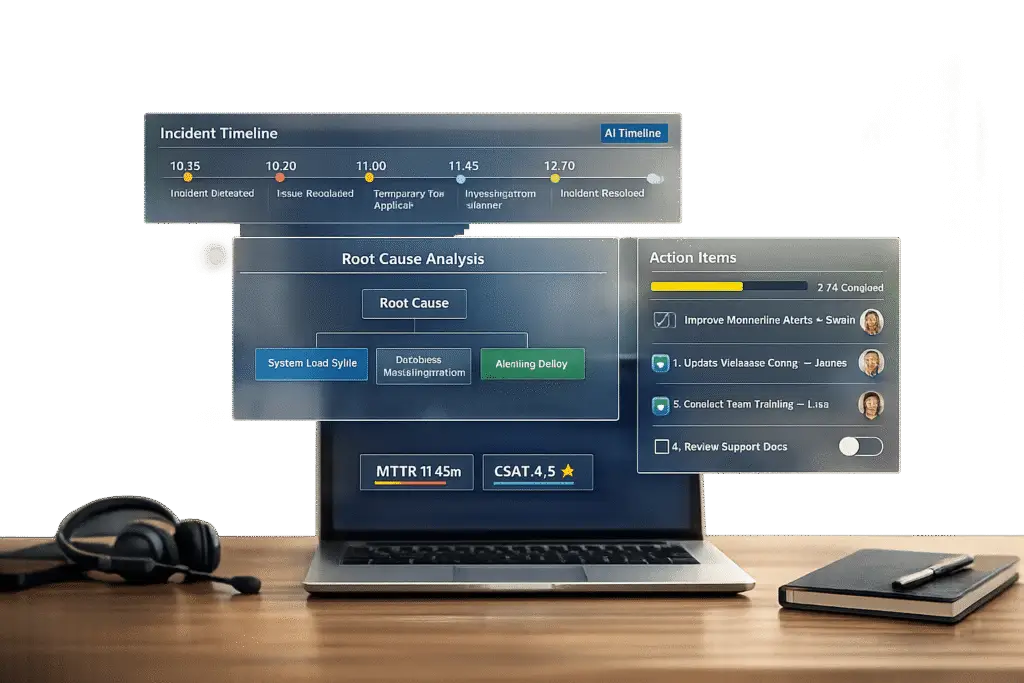
Postmortems are essential for turning incidents into learning opportunities. They help identify what went wrong, why it happened, and how to prevent it in the future. For B2B support teams, postmortems are key to maintaining SLAs, rebuilding customer trust, and reducing repeat issues by 40–60%.
Here’s what you need to know:
- Core elements: Include a concise incident summary, a clear timeline with evidence, and a root cause analysis with actionable next steps.
- Blameless culture: Focus on system fixes, not individual blame, to encourage honesty and collaboration.
- Meeting structure: Keep discussions efficient (45–60 minutes) with a clear agenda and assigned roles.
- AI tools: Automate timelines, detect patterns, and create knowledge base articles to save time and improve outcomes.
How to run a Post-Mortem meeting, step-by-step
sbb-itb-e60d259
Core Elements of a Customer-Facing Postmortem Template
A postmortem template focuses on three primary elements that clarify what happened and guide preventive measures.
Incident Summary
The incident summary is a brief, 3–5 sentence explanation written in straightforward language to ensure everyone, regardless of technical expertise, can understand it. This section should cover four main points: what went wrong, how long the issue persisted, who was impacted, and the root cause of the problem. For instance, instead of using technical jargon like "nil pointer dereference in payment processor", you might say, "A coding error caused the payment system to crash for 45 minutes, affecting 1,200 customers during checkout" [5]. Be sure to include measurable details, such as the number of users affected, the services that were disrupted, and any breaches of service-level agreements (SLAs) [5][10]. After summarizing the incident, move into a detailed timeline and provide supporting evidence.
Timeline and Supporting Evidence
A clear timeline is essential for understanding what happened and conducting a thorough root cause analysis. This section should outline the sequence of events from the moment the problem was identified to when it was fully resolved. Use a consistent timezone – UTC is often recommended – for all timestamps [14]. Highlight critical decision points, such as when mitigation efforts began and when the issue was resolved. Include supporting materials like chat logs, escalation notes, monitoring screenshots, and system records [6]. These details not only enhance transparency but also help teams reconstruct the incident accurately, especially when the postmortem is written soon after the event [14].
Root Cause Analysis and Next Steps
Root cause analysis digs beneath surface-level symptoms to identify the underlying issue. The "5 Whys" method is particularly effective for this. For example, instead of stopping at "untested code caused the failure", dig deeper to uncover why untested code was allowed into production: "Our deployment process lacked proper validation checks" [5][9][12]. As the API Status Check blog points out:
Human error is never a root cause – it’s a symptom. Dig deeper. Why was the human able to make that error? [14]
Avoid assigning blame by using systems-oriented language. For example, replace "Dave pushed a bad config" with "A configuration change reached production without validation" [14][9].
Finally, every postmortem should include specific action items with clear ownership and deadlines. Vague goals like "improve monitoring" are unlikely to lead to meaningful change. Instead, define precise tasks, such as: "Add latency alerting on the payments service with a P99 > 500ms threshold – Owner: Sarah Chen, Due: 5/15/2026" [5][12]. Track these tasks in your team’s workflow tools (e.g., Jira or Linear) to ensure they aren’t forgotten [5][10][12]. As Incident Copilot emphasizes:
A postmortem without action items is just documentation [5].
Adapting Postmortems for Different Incident Types
The key to effective postmortems is flexibility. Not all incidents are alike, so your postmortem process shouldn’t rely on a rigid, one-size-fits-all template. Incidents like escalations, SLA breaches, and knowledge gaps need tailored approaches to produce meaningful insights and actionable outcomes.
Escalations and Communication Failures
When incidents stem from communication breakdowns or process issues, it’s essential to expand the postmortem to include tracking for both internal and external communications [6][13]. Instead of focusing solely on technical faults, categorize root causes under labels like "Process" or "Team Dynamics." This helps uncover issues such as unclear runbooks or missing escalation workflows [12][4].
For these types of incidents, include specific timestamps related to escalations. For example, track the time from detection to the first status update to assess how quickly you communicated with customers [1]. As StatusRay explains:
We’re looking at systems, not people. What in our process allowed this to happen? [1]
Action items should address the underlying system issues rather than surface-level symptoms. Instead of vague solutions like "Communicate better next time", create actionable steps such as "Update status page within 5 minutes of SEV-1 detection – add this to the incident checklist" [1].
From here, consider how your postmortem approach can tackle SLA breaches and delayed responses.
SLA Breaches and Delayed Responses
When SLAs are breached, the focus should shift to identifying workflow bottlenecks, staffing challenges, or technical issues that delayed your response. These incidents demand a cause-and-effect analysis to maintain customer trust. Your postmortem should highlight systemic delays, such as missed alerts, outdated configurations, or over-reliance on specific team members [15][3].
Precise metrics are crucial for pinpointing and addressing these delays. Archive communication logs to identify where transparency broke down [3][16]. Metrics like Mean Time to Detect (MTTD) and Mean Time to Resolve (MTTR) can help establish benchmarks for improvement [3].
To ensure long-term fixes are implemented, schedule follow-ups at 30, 60, and 90 days to verify that code refactoring or reliability improvements are completed as planned [3]. As UptimeRobot puts it:
Post-mortems are how great teams turn failures into proof of their reliability. [3]
Next, refine your postmortem process to address knowledge gaps that lead to incorrect solutions.
Knowledge Gaps and Wrong Solutions
When incidents are caused by agents providing incorrect solutions, use the 5-Whys technique to uncover deeper issues like missing documentation or insufficient training [8][5][12]. Your postmortem template should include a "Learnings and Risks" section to document incidents tied to knowledge dependencies [11].
Incorporate a "Cause Category" field with options like "Process" (unclear runbooks), "Observability" (missing alerts), or "Training Data Gaps" to help identify recurring patterns over time [8][12]. Draft the postmortem within 24 hours and finalize it within 48 hours to ensure the context is fresh and the analysis is accurate [5][12]. Regularly conducting postmortems can reduce recurring incidents by 40% to 60% [5].
Action items should be specific and measurable, such as "Update runbook section 3.4 to include the new recovery procedure" [17][12]. This approach strengthens support operations and aligns with broader goals of continuous improvement.
How to Run Productive Postmortem Meetings
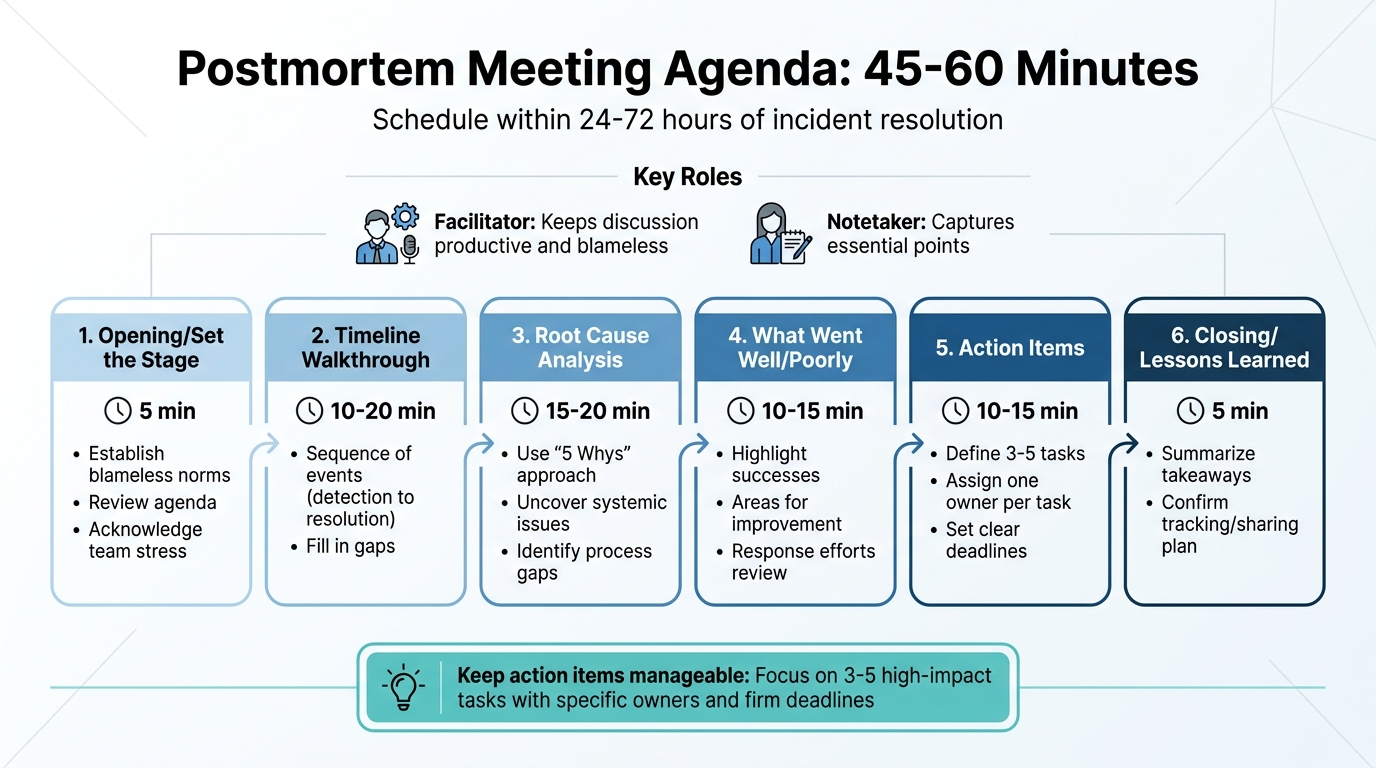
Postmortem Meeting Agenda Structure and Timeline
Even the best-written postmortem template won’t work if the meeting turns into a blame game or drags on without clear outcomes. The key to success lies in strong facilitation – it’s what transforms a routine task into a meaningful learning experience. By creating a structured discussion environment, you can keep the focus sharp while fostering a safe space for honest feedback.
Meeting Agenda Structure
Timing matters. Schedule your postmortem meeting within 24 to 72 hours of resolving the incident. This ensures the details are still fresh, but emotions have settled enough for an objective conversation. Before the meeting, make sure the postmortem document is already drafted so the session can focus on refining and validating it.
To keep things efficient, assign two key roles: a facilitator and a notetaker. The facilitator ensures the discussion stays productive and avoids blame, while the notetaker captures essential points. Limit the meeting to 45–60 minutes to maintain focus.
Here’s a sample agenda to guide the discussion:
| Segment | Duration | Purpose |
|---|---|---|
| Opening/Set the Stage | 5 min | Establish blameless norms, review the agenda, and acknowledge team stress. |
| Timeline Walkthrough | 10–20 min | Go over the sequence of events (detection to resolution) and fill in gaps. |
| Root Cause Analysis | 15–20 min | Use the "5 Whys" approach to uncover systemic issues and process gaps. |
| What Went Well/Poorly | 10–15 min | Highlight successes and areas for improvement in response efforts. |
| Action Items | 10–15 min | Define 3–5 tasks, each with one owner and a clear deadline. |
| Closing/Lessons Learned | 5 min | Summarize takeaways and confirm how outcomes will be tracked or shared using internal SLAs. |
Keep action items manageable – focus on just 3–5 tasks that can have the biggest impact. Assign each task to a specific person with a firm deadline. Ambiguous assignments like "the team will handle it" often lead to inaction.
This kind of structure ensures the meeting stays on track and productive without veering into unhelpful territory.
Blameless Culture
A structured agenda is only part of the equation; the environment you create is just as important. Start every meeting by reinforcing the principle of psychological safety. As Upstat advises:
This is a blameless post-mortem. We’re here to understand systemic failures, not assign fault. If we find process gaps or unclear documentation, that’s what we fix – not the person who encountered them.
Teams that adopt this approach see measurable benefits – engineering teams using blameless postmortems report 2.5x fewer repeat incidents , a metric that can be monitored through comprehensive analytics [14].
The facilitator plays a crucial role here. Their job is to steer the conversation away from individual blame and toward identifying systemic issues. For instance, instead of saying, "Dave pushed a bad config", reframe it as, "The deployment pipeline allowed an unvalidated config change." This shift in language – from "who" to "what" and "how" – helps uncover gaps in processes rather than pointing fingers. It also encourages team members to share insights openly, knowing they won’t be penalized for mistakes.
John Allspaw, former CTO of Etsy, highlights why this matters:
People who were closest to the failure have the most valuable information about what happened. If they fear punishment, they will hide that information, and the organization loses its best chance to improve.
Time Management Tips
Beyond structure and roles, managing time effectively is critical to avoid meeting fatigue or meandering discussions. Stick to strict time limits for each agenda item and refocus the group if the conversation drifts into storytelling or blame. During the timeline review, rely on facts and timestamps to keep things objective.
Tailor your approach based on the severity of the incident. For SEV‑0/1 incidents, conduct full postmortem meetings. For less critical SEV‑2/3 cases, use concise summaries or automated reports. This prevents burnout while ensuring deep analysis is reserved for incidents that truly require it.
Finally, ensure accountability by recording all action items in your project management tool. Schedule follow-ups at 30, 60, and 90 days to confirm that improvements are implemented, not just discussed.
Using AI to Automate Postmortem Work
In today’s B2B support operations, automating postmortem tasks isn’t just about saving time – it’s about building a system that continuously improves. Traditionally, engineers spend anywhere from 60 to 90 minutes dissecting incident data for each case. For a team managing 20 incidents a month, that’s roughly 30 hours of work, translating to $4,500 in productivity costs at a $150 hourly rate [19].
AI shifts this dynamic entirely. Instead of starting from scratch, AI tools can draft a detailed postmortem in about 15 minutes [19]. As incident.io explains:
The result is a starting point, not a finished document. It gets you past the blank page and gives you something to react to and refine, rather than having to write everything from scratch. [21]
Teams using AI for postmortems have seen their completion rates jump from less than 50% to over 90% [5].
Automated Timeline Assembly
One of AI’s standout capabilities is its ability to compile chronological incident data from various sources – whether it’s Slack or Teams chats, application logs, monitoring alerts from tools like Datadog or PagerDuty, or even pull request histories [18][19][21]. But gathering data is only half the battle; making sense of it is where AI truly shines.
Timestamp normalization is a great example of this. AI can align different time formats, like converting Slack’s local timestamps into UTC to match log entries, creating a seamless chronological sequence [18]. This eliminates the guesswork engineers often face when trying to piece together events.
AI also helps cut through the noise. During an incident, hundreds of messages might flood in – emoji reactions, "is anyone else seeing this?" questions, and unrelated side discussions. AI sifts through all of this and distills it into 5–10 key events that define the incident [18]. Some tools can even join live "war room" calls – on Zoom, Google Meet, or Teams – to transcribe discussions in real time, ensuring decisions made verbally are captured [19][20].
The final product is a timeline that links each event to its supporting evidence, like the exact log entry showing a failure or the Datadog alert that triggered the response [18][20]. This makes the timeline both auditable and easy to review under pressure.
With these detailed timelines in hand, AI takes it a step further by identifying recurring patterns across incidents.
AI-Powered Pattern Detection
AI doesn’t just stop at individual incidents. It can analyze months of postmortem data to uncover recurring issues. For instance, one team found that 40% of their incidents stemmed from resource contention, while 30% were tied to misconfigured settings [18].
This kind of analysis helps teams move beyond treating incidents as isolated events. Instead, they can pinpoint systemic problems and work on permanent fixes. Teams that consistently act on these insights have seen recurring incidents drop by 40% to 60% [5].
AI also enhances root cause analysis by connecting the dots between symptoms and deeper issues. For example, rather than stopping at "the database went down", AI might correlate the failure with recent code changes, revealing a deeper cause like "the connection pool lacked an upper limit and wasn’t monitored" [5]. This shift from identifying "what broke" to understanding "why it broke" transforms postmortems into valuable learning tools.
Once patterns and timelines are identified, AI extends its usefulness by turning these insights into actionable resources.
Converting Postmortems into Knowledge Base Articles
A postmortem that stays buried in a Google Doc or Slack thread doesn’t help anyone facing a similar issue in the future. AI can automatically convert postmortem findings into searchable knowledge base articles, making lessons learned immediately accessible [21][18].
Tone adjustment plays a big role here. Technical postmortems are often filled with jargon that support agents – or customers – might not understand. AI tools can rewrite these sections in simpler, more customer-friendly language, tailoring the content for different audiences [21][6]. This way, engineers get the technical details, support teams get a clear resolution guide, and customers receive an easy-to-understand status update – all from the same source material.
Automated workflows can also push finalized postmortems directly to platforms like Confluence, Notion, Google Docs, or SharePoint [7][2]. Some systems even offer AI-powered chat assistants that allow support teams to query incident histories for quick resolution steps [21][18].
Supportbench, for example, includes AI-driven knowledge base article creation as a core feature. When a case is resolved, the system uses all interactions from that case to draft an article, automatically filling in the subject, summary, and keywords. This ensures that every resolved incident becomes a reusable resource without requiring additional effort.
Conclusion
This guide has focused on practical strategies to make postmortems more actionable and efficient for support teams. Postmortems are much more than just a formality – they’re a key tool for eliminating recurring problems. Without a structured approach, teams risk wasting time on repeat issues, like memory leaks that keep cropping up, misconfigured alerts, or persistent knowledge gaps that lead to escalations. As Ben Treynor Sloss, VP for 24/7 Operations at Google, wisely states:
"To our users, a postmortem without subsequent action is indistinguishable from no postmortem." [22]
At Google, every user-affecting outage must result in at least one P0 or P1 tracking bug linked to the postmortem. This ensures accountability doesn’t stop once the document is completed [22]. It’s a system that transforms vague commitments like "we’ll improve next time" into measurable progress.
This framework also opens the door to using technology to streamline the postmortem process. AI can take on repetitive tasks, retain context while it’s fresh, and spot recurring patterns. It even helps turn technical discoveries into actionable knowledge base entries, making the entire system more effective.
The process starts with a well-designed template, supported by AI to reduce manual work. Assign clear ownership and deadlines to every action item. Use metrics like Mean Time to Detect (MTTD), Mean Time to Resolve (MTTR), and Recurrence Rate to confirm that your solutions are working [3]. By doing so, you build a system where every incident strengthens your team’s ability to handle future challenges.
FAQs
When should we write and finalize a postmortem?
Writing and completing a postmortem soon after resolving an incident – ideally within 48 hours – ensures the details remain fresh and accurate. Postmortems are crucial for high-severity incidents, such as SEV-1 or SEV-2 issues, data loss, or security breaches. For minor incidents that are resolved quickly, they might not always be necessary. By addressing postmortems promptly, teams can capture key lessons effectively and reduce the likelihood of similar issues happening again.
How do we keep postmortems blameless but still accountable?
To create postmortems that are both blameless and accountable, shift the focus from individual mistakes to broader systemic issues. Look for breakdowns in processes or communication that may have led to the incident. Then, outline clear, actionable steps to address these root causes, assigning specific owners and deadlines to ensure follow-through. This method promotes openness, encourages genuine feedback, and turns mistakes into opportunities for growth instead of personal blame.
What should we automate with AI in a support postmortem?
AI streamlines essential parts of support postmortems, such as creating root cause analyses (RCAs), incident timelines, and actionable follow-ups. It ensures documentation is consistent, generates reports right after incidents are resolved, and captures key lessons from each event. By structuring templates with sections like root cause, impact, and follow-ups, AI minimizes manual work while enhancing precision and knowledge sharing within the organization.






