
Email clients like Missive work well for small support teams managing simple inquiries. They’re easy to set up, affordable, and allow basic collaboration by combining emails, SMS, and social media into one interface. However, as support needs grow, these tools face limitations in handling complex workflows, multi-stakeholder cases, and SLA management.
Key insights:
- Missive: Ideal for small teams with straightforward workflows. Offers shared inboxes, in-thread collaboration, and basic automation. Struggles with scaling, SLA tracking, and advanced reporting.
- Supportbench: Built for complex B2B support. Features include dynamic SLAs, AI-powered case summaries, a 360-degree customer view, and advanced automation. Handles high email volumes and multi-stakeholder cases better.
Quick Comparison:
| Feature | Missive | Supportbench |
|---|---|---|
| Collaboration | Shared inbox, in-thread chat | Multi-level escalation, team tracking |
| SLA Management | Basic rules and tags | Dynamic SLAs tied to account risk |
| AI Tools | Canned responses, basic routing | Sentiment analysis, case summaries |
| Customer Context | CRM integrations | Built-in Customer 360 view |
| Pricing | $26/user/month | $32/user/month (all-inclusive) |
Missive is great for small teams prioritizing simplicity, but Supportbench is better suited for handling the growing demands of B2B support operations.
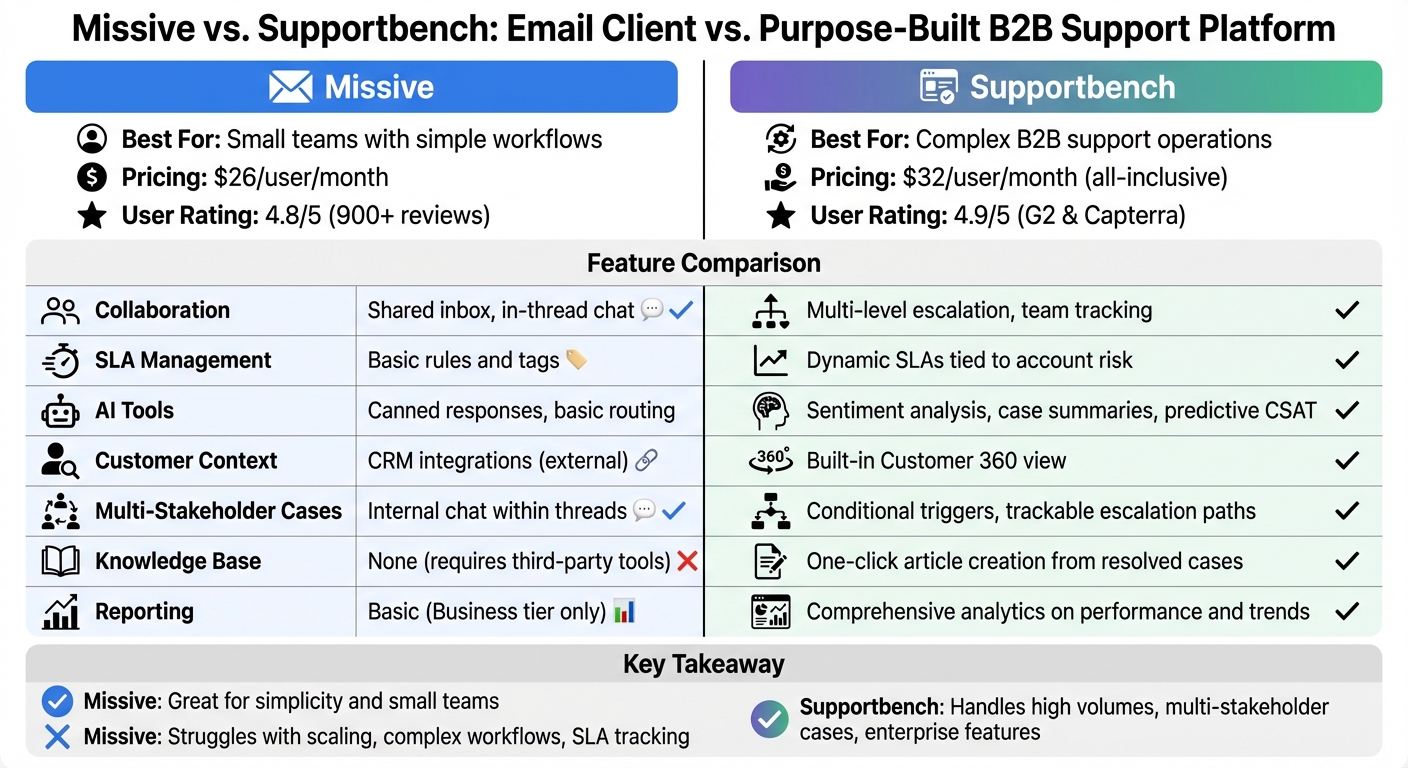
Missive vs Supportbench Feature Comparison for B2B Support Teams
Missive‘s Features and Limitations
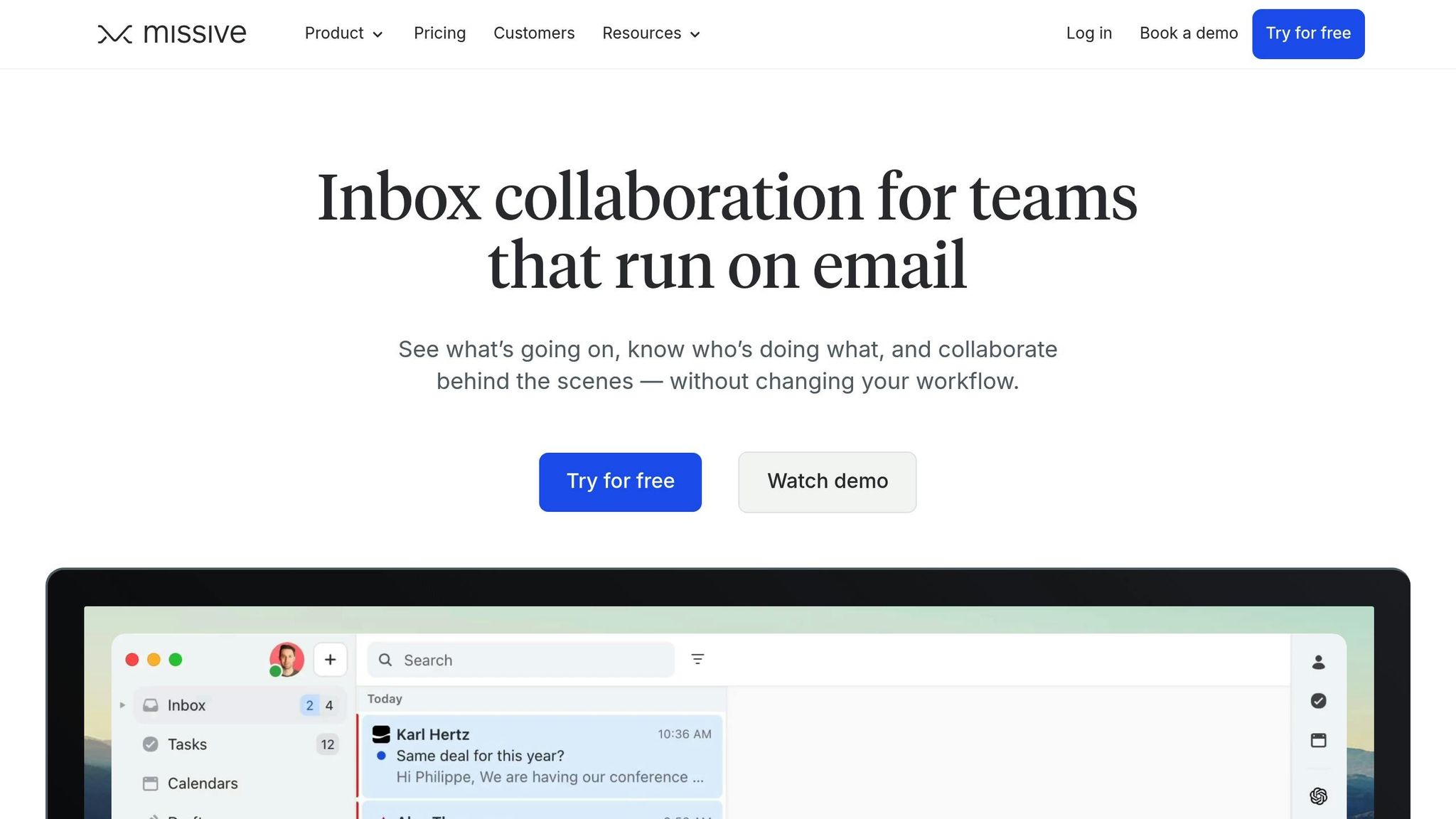
Missive’s Collaborative Email Features
Missive brings together email, SMS, WhatsApp, and social media DMs into a single interface. This setup helps teams manage all customer interactions without jumping between different tools.
One standout feature is its in-thread collaboration. Team members can chat, leave notes, and tag colleagues directly within conversations. As Jacob Bank put it:
"We wanted support to feel like a real interaction with a human who cares about what’s happening to you and has expertise in the product".
Missive also includes features like smart assignment rules (using round-robin or "least-busy" logic), thread merging to combine conversations from the same customer, and canned responses that can be triggered by typing a hashtag and template name. Some users reportedly handle up to 16 inboxes and over 700 tickets daily on the platform.
The platform has earned a 4.8/5 rating from over 900 reviews. While its tools are great for straightforward collaboration, they struggle to meet the demands of more complex B2B support scenarios.
Where Missive Falls Short in B2B Support
Missive’s collaborative design works well for simpler workflows but hits limits with the complexities of B2B support. Philippe-Antoine Lehoux, Missive’s Co-founder and CEO, explained the platform’s ethos:
"The idea for Missive came from the fact that we had never wanted to use a traditional help desk… A multi-player version of email seemed much better".
This email-first approach, while effective for basic communication, creates challenges in handling multi-stakeholder cases or intricate support needs.
For example, SLA management in Missive depends on simple rules and tags to flag urgent issues. However, it lacks more advanced tools like dynamic SLA tracking, automated escalation alerts, or renewal-sensitive workflows. Escalations must be tagged and assigned manually, which becomes unmanageable as operations scale.
Another limitation is the lack of structured historical tracking. While Missive stores email history (ranging from 15 days on free plans to unlimited on paid tiers), it doesn’t provide centralized case management. This makes it hard to reference past resolutions or analyze long-term trends in multi-stakeholder cases.
Missive also doesn’t offer built-in self-service tools, like a knowledge base, leaving teams dependent on third-party integrations for repetitive inquiries. The platform’s AI capabilities are basic, limited to rule-based routing and canned responses. It lacks advanced tools like predictive CSAT scoring, sentiment analysis, and auto-summarization, which are critical for scaling B2B support efficiently. Additionally, with only a small maintenance team of 3-4 people, Missive may face constraints in developing enterprise-level features.
These gaps underscore the need for platforms tailored to complex, long-term case management in B2B environments.
Feature Comparison: Missive vs. B2B Support Requirements
Missive’s limitations become clearer when compared to the needs of scalable B2B support:
| Feature | Missive | B2B Support Requirements |
|---|---|---|
| Primary Interface | Unified shared inbox | Ticket-based with Customer 360 context |
| SLA Management | Basic rules/tags for urgent issues | Dynamic SLAs tied to renewal risks |
| Escalations | Manual assignment and tagging | Multi-level, trackable escalation paths |
| AI Capabilities | Rule-based routing and canned responses | Sentiment analysis, auto-summarization, predictive CSAT |
| Customer Context | Relies on CRM integrations | Built-in contracts, licensing, and usage history |
| Self-Service | None (requires third-party tools) | Knowledge base with role-based portals |
| Reporting | Basic reporting (Business tier only) | Comprehensive analytics on agent performance and trends |
Missive’s email-centric approach works well for making support feel personal and connected. However, it falls short when teams need to manage intricate, long-term B2B cases involving contracts, licensing, or product usage data. While it’s great for fostering human-centric interactions, it lacks the operational depth required for handling complex B2B workflows.
sbb-itb-e60d259
How Supportbench Handles Complex B2B Support
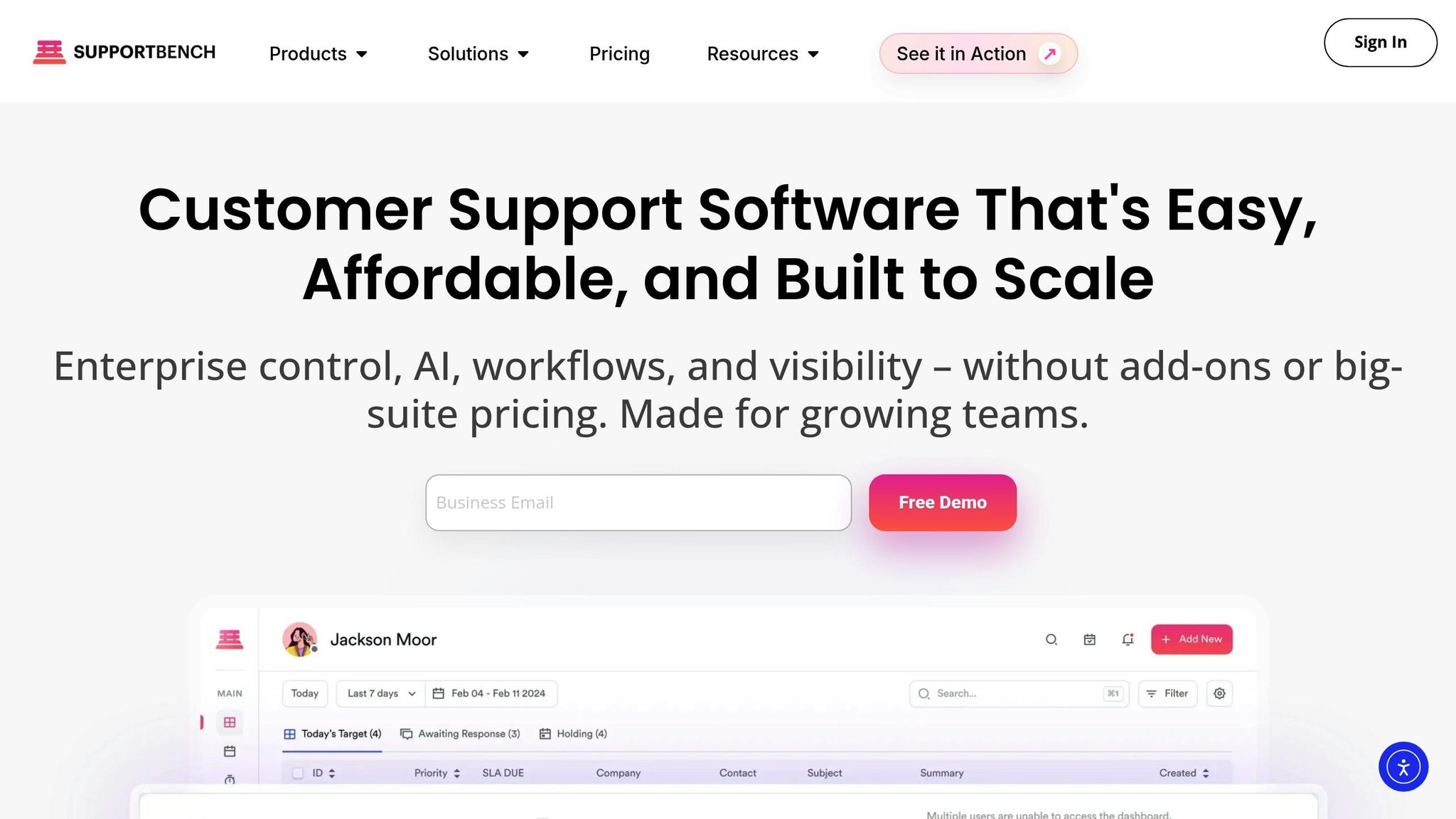
Features for Long-Running and Multi-Stakeholder Cases
Supportbench was designed to tackle the challenges that traditional email systems can’t handle. It offers a 360-degree customer view, combining contracts, licensing details, usage data, and full interaction history into one place. This streamlined approach eliminates the hassle of jumping between different tools and systems.
The platform’s dynamic SLAs are a game-changer. They adapt automatically based on key factors like renewal dates, customer risk levels, or case content. This ensures that high-value accounts or at-risk customers get the attention they need without requiring manual oversight. On top of that, Supportbench provides multi-level, trackable escalation paths with conditional triggers, ensuring that technical issues are escalated to the right people quickly and efficiently.
Supportbench also incorporates customer health scoring, which evaluates support interactions, sentiment trends, and engagement patterns. This feature acts as an early warning system, helping teams identify potential churn risks before they become real problems. These capabilities pave the way for advanced AI-driven automation, further boosting efficiency in handling complex cases.
AI Tools for Scalability and Efficiency
Supportbench takes its core features to the next level with advanced AI integration. One standout tool is its AI-powered case summaries. These condense long, detailed interaction histories into clear, concise overviews, making it easier for new agents to understand ongoing technical cases without wasting time.
Another powerful tool is predictive CSAT and CES scoring, which uses sentiment analysis and interaction patterns to forecast customer satisfaction.
"AI cuts through the noise to identify truly urgent issues requiring immediate attention, regardless of how poorly the initial request might have been phrased".
The platform also uses intelligent routing, assigning tickets based on agent skills, language capabilities, and current workloads. This reduces the inefficiencies often seen with shared inboxes and ensures that cases are handled by the right person from the start.
One more standout feature is one-click knowledge base article creation. Resolved cases can be quickly turned into KCS-aligned knowledge base articles, preserving important insights as customer issues evolve. In high-volume B2B environments, these AI tools allow support teams to handle thousands of interactions each month while keeping response times and accuracy high.
Supportbench Feature-Benefits Breakdown
Supportbench’s features directly address the challenges of managing multi-stakeholder and long-running cases.
| Feature | Description | B2B Support Advantage |
|---|---|---|
| AI Copilot | Real-time assistant suggesting replies and locating answers | Boosts agent efficiency and accuracy in technical cases |
| Dynamic SLAs | SLAs that adapt to account value or risk | Ensures critical issues and renewals are prioritized |
| AI Case Summaries | Automatically condenses lengthy interaction histories | Saves time for agents handling ongoing cases |
| Customer 360 | Centralized view of contracts, history, and usage | Simplifies access to customer context without switching tools |
| Predictive CSAT | AI-driven sentiment and satisfaction scoring | Flags churn risks before they escalate |
| Multi-Level Escalation | Automated, conditional multi-step escalation paths | Ensures complex issues reach the right stakeholders quickly |
Supportbench also offers an "Everything Included" pricing model, avoiding the hidden costs often associated with advanced tools like AI, governance features, and dynamic SLAs. With a 4.9/5 rating on G2 and Capterra, users consistently praise its ability to handle B2B complexities far better than email-based systems.
Operational Challenges: Missive vs. Supportbench
Multi-Stakeholder Interactions and Long-Running Issues
Missive simplifies collaboration by integrating in-thread communication, eliminating the chaos of "reply-all" scenarios. However, it lacks a structured system for managing complex, multi-department issues. This limitation becomes apparent when support teams encounter challenges that demand detailed tracking and state management.
Take the example of Wolseley Canada in August 2025. Handling over 11,000 emails per month, they required features like automated ticket creation, intelligent routing, and a unified dashboard for agents. These needs drove their transition to Supportbench, where agents reported managing high volumes "easily and accurately".
While Missive prioritizes a more "human" email experience over a ticket-based approach, this design can leave B2B teams struggling with intricate technical issues. Supportbench, on the other hand, provides tools like trackable escalation management and a Customer 360 view, which consolidates contracts, licensing, and interaction histories in one place. These features make it better suited for handling the complexities of multi-stakeholder interactions and long-term cases.
These operational challenges naturally lead into considerations of automation and cost efficiency.
AI Automation and Cost Scaling
As customer support grows increasingly complex, AI-driven automation becomes a necessity rather than a luxury.
Missive relies on keyword-triggered, rule-based workflows. While functional, these workflows require constant monitoring and can struggle with ambiguous customer inputs. Supportbench addresses this gap with advanced AI capabilities. As CEO Nooshin Alibhai explains:
"AI cuts through the noise to identify truly urgent issues requiring immediate attention, regardless of how poorly the initial request might have been phrased".
Supportbench uses Natural Language Processing (NLP) to analyze sentiment, urgency, and intent, ensuring that tickets are routed to the right agent immediately. Its AI also generates concise summaries and knowledge base articles from lengthy email threads, predicts CSAT and CES scores, with a single click. These features allow B2B teams to expand operations without needing to hire additional staff, keeping costs manageable while improving efficiency.
The cost differences between the platforms are summarized in the operational comparison below.
Side-by-Side Operational Comparison
The table below highlights how Missive and Supportbench address key operational challenges and their respective cost structures.
| Operational Challenge | Missive | Supportbench |
|---|---|---|
| Multi-Stakeholder Coordination | Internal chat within email threads | Multi-level escalation paths with conditional triggers and notifications |
| Long-Running Case Context | Thread merging to maintain clarity | AI-generated summaries and a comprehensive Customer 360 view |
| Routing Intelligence | Keyword-based rules and hashtags | NLP-powered sentiment and urgency analysis |
| SLA Management | Static or manual tracking | Dynamic SLAs that adjust based on renewal dates and customer risk |
| Knowledge Retention | Manual copy-pasting from threads | One-click creation of knowledge base articles from resolved cases |
| Cost Structure | $26 per user/month plus manual overhead | $32 per user/month with full AI and governance included |
| User Rating | 4.8/5 based on 900+ reviews | 4.9/5 on G2 and Capterra |
Moving from Email Clients to Purpose-Built Platforms
Signs Your Email Client No Longer Works
As support teams grow, sticking with email clients often leads to operational chaos. Agents end up drowning in cluttered inboxes, missing follow-ups, or even duplicating efforts because thread ownership isn’t clear. Without a centralized system to track past issues, they waste valuable time digging through old emails for context. On top of that, repetitive tasks that could be automated eat up hours of their day.
If your team struggles to manage dynamic SLAs – like adjusting response times based on renewal dates or account value – or if there’s no clear escalation process in place, it’s a sign your email client can’t keep up with the complexity of modern support needs.
Recognizing these pain points is the first step toward finding a platform that streamlines operations with automation and a unified customer view.
How to Select a Scalable B2B Support Platform
When choosing a purpose-built platform, focus on solutions that make configuration simple – your operations team should be able to handle workflows, fields, and automation rules without needing IT support. Built-in AI features can save time right away. Look for tools like auto-tagging, sentiment analysis, case summarization, and automated knowledge base creation to cut down on manual tasks.
Cost transparency is another key factor. Avoid platforms that tack on extra charges for essential features like reporting, multi-channel support, or advanced workflows. For B2B support, having a consolidated Customer 360 view is critical. This should bring together contracts, licensing, product usage history, and interaction records to give your team the full picture when managing complex customer needs.
Once you’ve identified the right platform, the next challenge is ensuring a smooth migration.
Migration Best Practices
A successful migration requires thoughtful planning – aim for a two- to four-week transition instead of rushing to switch overnight. Focus on transferring essential historical data, like open tickets, customer profiles, and recent interactions, so agents have the context they need from day one. Before going live, define ticket categories, set up SLA rules, and customize auto-responses to match your workflows. Use a pilot group to test routing rules and spot bottlenecks before the full rollout.
Training is crucial. Agents should be trained on workflows and SLAs, while managers need to understand reporting and dashboards. Appoint a transition lead to handle questions and oversee adoption during the first 30–60 days. Collect weekly feedback to refine automation rules and interface settings as needed. Keep an eye on metrics like First Response Time, Resolution Time, and CSAT scores during the early stages to quickly address any issues that arise.
Why B2B Support Needs More Than Email
Email clients are built for straightforward, person-to-person communication – not for managing the intricate demands of B2B support operations. When your team is handling interactions involving multiple stakeholders, complex cases that span weeks or months, and Service Level Agreements (SLAs) that shift based on renewal cycles or account risk, a shared inbox can quickly become a roadblock. Without a comprehensive view that consolidates contracts, licensing details, and product usage history, agents waste valuable time switching between tools and hunting for the context they need.
These inefficiencies become glaringly obvious as your team scales. Standard email systems lack structured ticketing capabilities, making it nearly impossible to enforce SLAs or monitor KPIs like First Response Time and Customer Satisfaction (CSAT) without a lot of manual work. For instance, when Wolseley Canada switched to Supportbench, their agents gained access to automated routing, centralized ticket management, and a unified dashboard – all of which improved both organization and response times.
"Supportbench helps our agents manage 11,000+ emails easily and accurately by providing them with a platform that is easy to use." – Eilis Byrnes, Customer Service and Process Improvement Manager, Wolseley Canada
Platforms like Supportbench also bring AI directly into the heart of support workflows. Features such as auto-summarization of lengthy email threads, sentiment analysis, and one-click creation of knowledge base articles from resolved tickets streamline operations. These tools not only speed up everyday tasks but also build institutional knowledge and empower self-service options, reducing ticket costs over time. With pricing starting at $32 per agent per month and an "Everything Included" model, Supportbench avoids the frustrating add-on charges that other platforms impose for essential features like SLAs and governance.
If your support team is overwhelmed by cluttered inboxes, tedious manual reporting, or scattered records, it’s time to move beyond email. Look for solutions designed to scale efficiently, enforce governance, and deliver cost savings – and follow the migration best practices outlined earlier to ensure your transition is seamless.
FAQs
When is an email client no longer enough for B2B support?
When it comes to B2B support, relying on an email client often creates more problems than it solves – especially when inquiry volumes skyrocket. Shared inboxes can quickly become chaotic, leading to lost requests, delayed responses, and a lack of teamwork. Handling complex workflows like coordinating with multiple stakeholders, managing long-term cases, or addressing renewal-sensitive issues demands tools that go beyond basic email features.
Key capabilities such as automation, role-based access, and detailed reporting are crucial for managing these challenges effectively. To ensure scalable and consistent support operations, a dedicated helpdesk platform is the way forward. With AI-powered automation and a unified view of customer interactions, such platforms are designed to meet the demands of modern B2B support with precision and efficiency.
What features matter most for multi-stakeholder, long-running cases?
Key features include advanced collaboration tools, role-based access, and strong case management systems. These tools ensure that everyone involved stays informed, contributes effectively, and only accesses the data they need – keeping things both clear and secure.
Essential tools like escalation management, dynamic SLAs, and performance dashboards play a big role in tracking progress, holding teams accountable, and efficiently resolving complex cases. Combined, these features make coordination smooth and help maintain consistent quality in long-term, multi-stakeholder projects.
How can we migrate without disrupting SLAs or losing history?
To ensure a smooth migration without disrupting SLAs or losing historical data, careful planning and dependable tools are crucial. Start by cleaning up your data to remove outdated or unnecessary information. Running pilot tests can help identify potential issues early, allowing you to address them before the full migration. Features like Delta Migration are particularly useful during the cutover phase, as they allow you to transfer updates incrementally.
Specialized migration tools tailored for support systems play a big role here. These tools help retain critical elements like ticket histories, relationships, and configurations. This ensures your data remains intact, workflows stay consistent, and SLAs are upheld throughout the process.
Related Blog Posts
- Freshdesk vs. Supportbench: Why B2B Teams Outgrow Freshdesk’s Ticket Model
- Help Scout vs. Supportbench: The Gap Between Shared Inboxes and Enterprise Helpdesks
- Front vs. Supportbench: Why Collaboration Tools Can’t Replace a Helpdesk
- Zoho Desk vs. Supportbench: Which Offers Better Customization for B2B?