


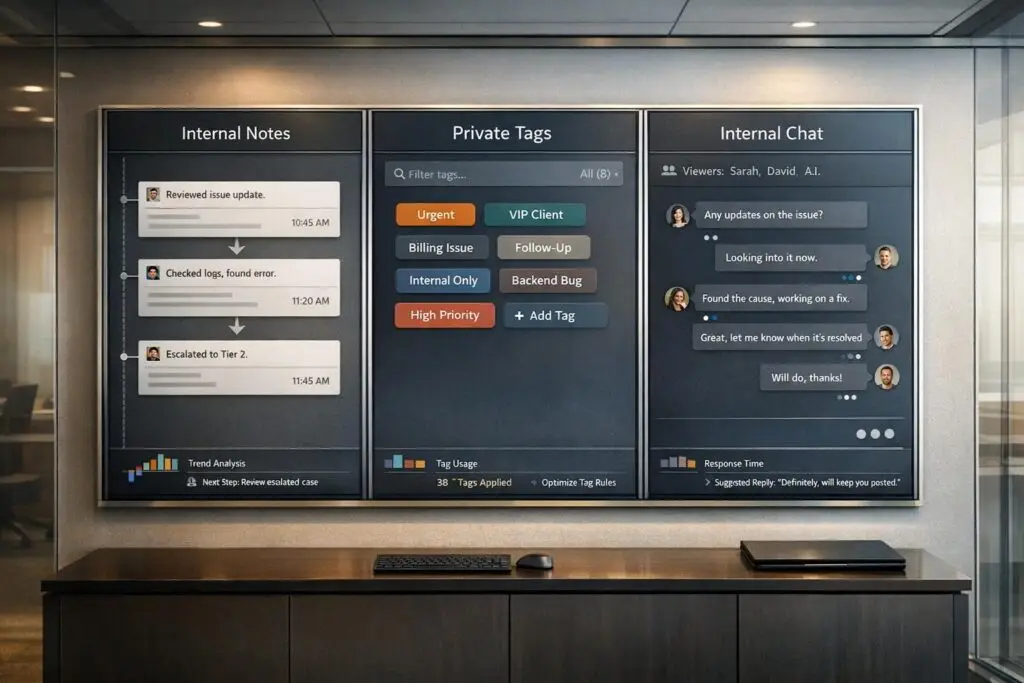
Struggling with internal communication in B2B support? Here’s a quick guide:
- Internal Notes: Best for documenting sensitive details, shift handovers, and creating a searchable record tied to tickets. They ensure context is preserved for teammates without notifying customers.
- Private Tags: Ideal for categorizing tickets quickly and spotting patterns. These lightweight labels help organize and automate workflows efficiently.
- Internal Chat: Perfect for real-time collaboration when immediate input or alignment is needed. Use it to discuss urgent matters, but always summarize key points in notes to avoid losing details.
Each support tool plays a specific role in improving team coordination. Use notes for context, tags for organization, and chat for quick teamwork. The right balance ensures smoother workflows and faster resolutions.
1. Internal Notes
Internal notes, also known as private notes, are a key tool for effective team communication. These notes are attached to support tickets and are visible only to your internal team, ensuring that sensitive discussions remain behind the scenes. They allow teams to coordinate efficiently without involving the customer in internal deliberations.
Visibility
Internal notes are accessible to admins, agents, and specific collaborators, but they remain hidden from customers. Many platforms allow you to attach notes at different levels – whether tied to a specific conversation, a user’s journey, or an organization’s history. This flexibility ensures that context is added where it’s most relevant, whether for a one-time issue or a recurring situation with a high-priority client. Controlled visibility like this promotes accountability and ensures key details are preserved.
Persistence
Unlike chat messages that can get lost in lengthy threads, internal notes stay linked to the ticket record for easy reference. To maintain transparency and an audit trail, deletion is often restricted. Critical notes can even be pinned to the top of a conversation timeline, ensuring that the next agent immediately sees important troubleshooting steps or sensitive information.
Searchability
Internal notes are fully searchable within the ticket thread, making it easy to find summaries, screenshots, and even dynamic customer data through shortcodes. Some systems also allow you to add notes via email using commands like #Private or #Note in your reply. This searchability streamlines collaboration by ensuring that crucial information is always at your fingertips.
Collaboration Style
These notes are particularly useful for asynchronous workflows. By including detailed context, internal notes ensure smooth transitions between shifts or teams. You can also use @mentions to notify specific teammates directly through internal notifications, eliminating the need for separate messages. Advanced systems may even leverage AI to suggest note summaries, making handoffs even faster and more efficient.
"Private notes let agents coordinate internally within the private channel thread without those messages being forwarded to the requester’s DM." – Wrangle [2]
Ideal Scenarios
Internal notes are perfect for documenting sensitive decisions, managing shift changes, and coordinating efforts across departments. For recurring issues, attaching notes at the organizational level provides future agents with a historical record, helping them address similar problems more effectively.
sbb-itb-e60d259
2. Private Tags
Private tags are lightweight labels that help quickly categorize support tickets. Unlike internal notes, which provide detailed context or conversations, tags focus on fast classification and spotting patterns. They can be applied by agents, bots, or automation, making them particularly useful in high-volume support environments where speed and accuracy are crucial.
Visibility
Tags are strictly for internal use, visible only to agents, admins, and approved collaborators. This means your team can confidently use tags like "escalation", "billing dispute", or "API issue" without worrying about how they might appear to customers. Their confidentiality makes them a great tool for internal coordination and reporting within your support team.
While internal notes are better for capturing detailed narratives, private tags offer a quicker way to highlight key issues at a glance.
Searchability
Tags shine when it comes to quickly retrieving specific ticket types. Instead of combing through lengthy ticket threads, you can filter by tags to instantly pull up all conversations labeled "feature request" or "positive feedback." AI-driven platforms take it a step further by analyzing tags for trends, such as grouping tickets by regional API issues. As Microsoft’s Vanessa Ho explains, "Researcher [AI agent] can find patterns like other customers with similar issues – sorted by categories like region, product group or use case – and compile suggestions for preventing future problems" [7].
Collaboration Style
Tags allow for multi-label categorization, meaning a single ticket can carry multiple tags at the same time. For instance, one conversation could be tagged as "feature request", "positive feedback", and "good interaction" simultaneously [6]. This flexibility ensures team members can add their own input without overwriting existing tags. In AI-powered systems, bots can handle tagging automatically, ensuring consistent classification across the board.
Ideal Scenarios
Private tags are perfect for quick ticket categorization, identifying trends, and tracking recurring issues. They’re best suited for unstructured or qualitative labels where multiple tags might apply to a single ticket [6]. However, for structured data like priority levels or case reasons, conversation data attributes are a better choice since they’re more effective for formal reporting and analytics.
Next, we’ll look at how internal chat enables real-time collaboration to complement these classification methods.
3. Internal Chat
Internal chat introduces real-time communication to your support process, offering quick collaboration that neither notes nor tags can fully provide. While notes are great for brief commentary and tags for categorization, chat is designed for immediate teamwork when you need to align quickly before responding to a customer.
Visibility
Internal chat remains private, accessible only to agents, admins, and approved collaborators. This ensures your team can discuss sensitive topics – like billing disputes, escalation strategies, or legal matters – without the risk of exposing these conversations to customers. For particularly delicate issues, such as HR or legal concerns, private channels or web-app-only chats can be used to keep discussions completely internal [2].
Persistence
Unlike internal notes, chat history is less searchable, which makes it harder to reference later. Todd A. Jacobs, a Scrum Master, highlights the value of real-time communication:
"The most efficient and effective method of conveying information to and within a development team is face-to-face conversation… real-time chat [is higher bandwidth than] asynchronous chat, code comments/issues, email, and (deliberately dead last) ticketing" [9].
To address this, summarize important chat outcomes in a ticket note or pin key messages for easier access [4][9]. Some tools even allow you to pin critical messages directly to a conversation timeline, saving you from scrolling through long chat histories [4].
Collaboration Style
Chat supports quick and focused collaboration with tools like @mentions and shareable conversation links. Instead of forwarding lengthy email threads, you can provide a single secure link via Slack or another chat tool, keeping inboxes clutter-free [8]. Michael Becker from Polymail explains the difference:
"Private Notes = lightweight internal commentary… @Mentions = targeted internal alignment… PLY Link [Shared Conversation] = shareable reference without inbox clutter" [8].
This setup avoids accidental "reply-all" situations and keeps internal conversations separate from customer-facing communication. Interestingly, about 66% of Americans now use voice notes, with nearly 40% saying they’ve replaced traditional phone calls [10]. This trend is also emerging in B2B support, where voice notes are used to explain complex issues that could be misunderstood in text.
Ideal Scenarios
Internal chat shines in high-coordination tasks that demand active participation rather than passive documentation. It’s perfect for situations like seeking input from a product lead on technical feasibility before committing to a client or discussing tone-critical customer messages where audio can better convey emotions like urgency or frustration [10]. Chat also integrates well with tools like Trello or Notion, serving as a central hub to share ticket or email links without duplicating entire conversations [8][9].
While chat prioritizes speed and convenience, it’s not a replacement for traditional ticketing systems that provide structured documentation. To ensure nothing gets lost, intentional follow-up is essential to document key outcomes [9].
Next, we’ll dive into the pros and cons of these communication methods.
Pros and Cons
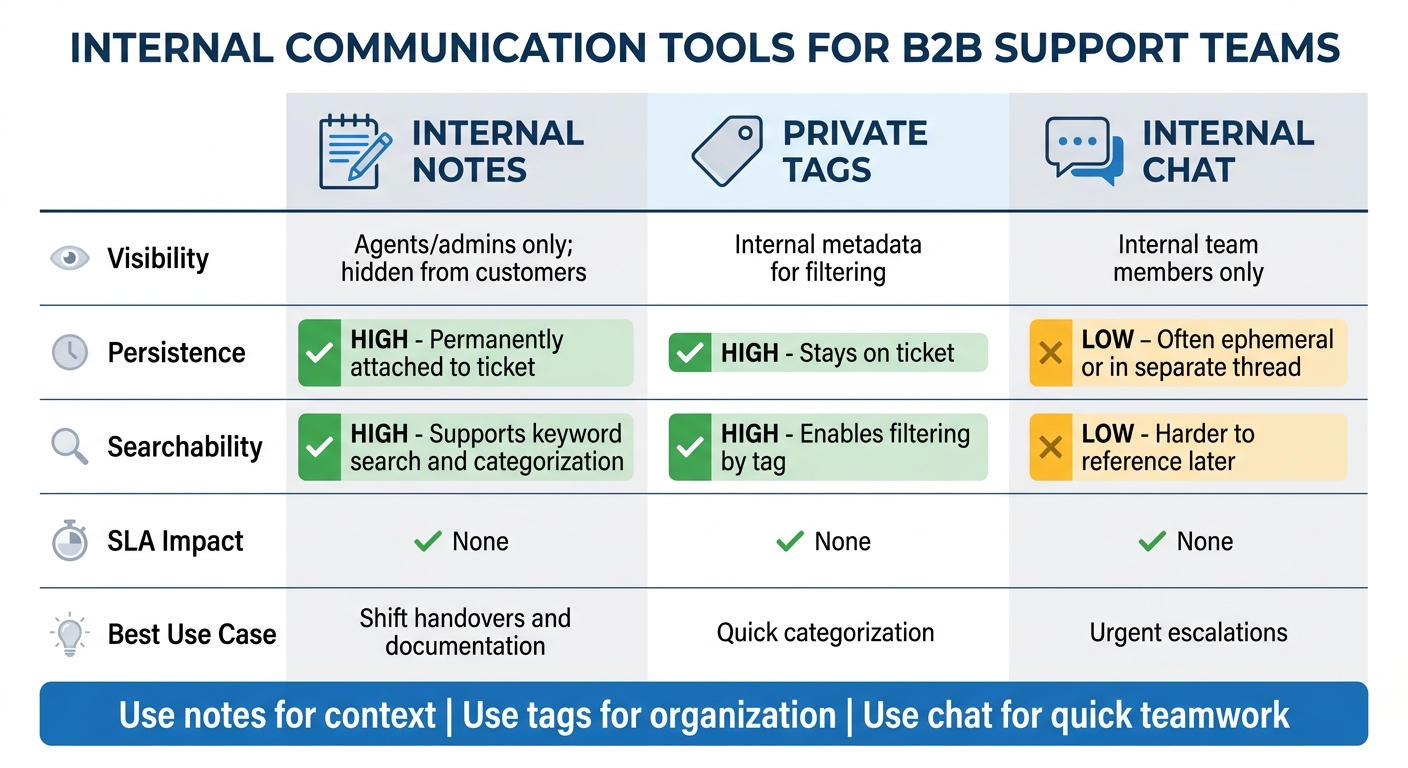
Internal Notes vs Private Tags vs Internal Chat: Feature Comparison for B2B Support Teams
When comparing these tools, it’s clear each brings its own strengths and limitations to the table, especially when it comes to internal coordination.
Internal notes are great for creating a permanent, searchable record. They’re particularly useful for things like shift handovers or troubleshooting, where having a detailed history is key [1]. On the other hand, private tags shine when it comes to categorizing tickets efficiently without cluttering the conversation thread. However, they lack the depth needed for more detailed team discussions [1]. Meanwhile, internal chat is perfect for quick, real-time coordination, but it often requires follow-up summarization to ensure key points are documented [5]. The shared trait across all these tools? They’re internal, so they won’t interfere with SLA timers.
Here’s a closer look at how each tool stacks up:
| Feature | Internal Notes | Private Tags | Internal Chat |
|---|---|---|---|
| Visibility | Agents/admins only; hidden from customers [5][3] | Internal metadata for filtering [1] | Internal team members only [5] |
| Persistence | High; permanently attached to the ticket [1] | High; stays on the ticket [1] | Low; often ephemeral or in a separate thread [5] |
| Searchability | High; supports keyword search and categorization [1] | High; enables filtering by tag [1] | Low; harder to reference later |
| SLA Impact | None [3] | None | None |
| Best Use Case | Ideal for shift handovers and documentation [1] | Ideal for quick categorization [1] | Ideal for urgent escalations |
Take BoldDesk, for example. It doesn’t include an agent-to-agent chat feature. Instead, it leans on private notes with @mentions to ensure all internal communications stay tied directly to the ticket history [5]. This setup avoids the risk of losing important details in a separate chat thread, though it does mean sacrificing the speed of synchronous communication.
Ultimately, the choice boils down to what your operation values more: detailed documentation or faster collaboration. Each tool has a role to play, and finding the right balance is key to optimizing your support CRM framework.
Conclusion
Matching the right tool to the task at hand is crucial for smooth and efficient support operations.
Use internal notes to document detailed context and facilitate seamless handoffs; apply private tags to organize and categorize issues; and rely on internal chat or @mentions to quickly secure approvals or answers. These tools serve distinct purposes – notes capture context, while @mentions draw attention where it’s needed most [8]. Keeping these discussions tied directly to ticket management, rather than scattered across emails or unrelated threads, ensures clarity and focus.
In AI-driven B2B support, adopting a layered strategy that combines well-documented records, precise categorization, and real-time team collaboration enhances operational efficiency. For example, AI can help draft note summaries, private tags can streamline organization, and @mentions can address urgent matters – all while minimizing manual workload [1].
The key is to align each tool with its specific role: use notes to document, tags to categorize, and mentions to grab attention. By consistently applying these practices, your AI-powered support operation becomes not only faster but also more dependable.
FAQs
What should always be written in an internal note?
Internal notes are like the backstage pass to smooth team operations. They provide essential context, instructions, or updates that help your team work together seamlessly and tackle issues efficiently.
The key to writing effective internal notes? Clarity and relevance. Every note should be clear enough for any team member to understand at a glance and relevant to the issue at hand. Whether it’s background information on a customer query, steps already taken to resolve a problem, or specific instructions for follow-up, these notes keep everyone on the same page.
Think of them as the glue that holds your support team’s efforts together, ensuring that communication flows effortlessly and no detail slips through the cracks.
How many private tags is too many per ticket?
There’s no hard cap on how many private tags you can add to a ticket. However, it’s a good idea to keep them organized and easy to manage. Overloading a ticket with tags can create confusion and make it harder to navigate. Instead, aim to use tags thoughtfully to keep your ticketing system clear and efficient.
How do we keep internal chat decisions from getting lost?
To make sure internal chat decisions don’t get lost, take advantage of private notes in your ticketing system. These notes are visible only to your team and serve as a great way to document decisions, outline next steps, or store sensitive details.
Here are some tips to use them effectively:
- Use @mentions: Tag teammates to notify key stakeholders and keep everyone on the same page.
- Update notes regularly: Add updates throughout the ticket resolution process to maintain a clear record.
This approach keeps internal discussions well-organized and ensures your team has easy access to important information.
Related Blog Posts
- Intercom vs. Supportbench: When to Move from Conversational to Structured Support
- Moving Beyond “Chat”: Why Asynchronous Ticketing Wins for Complex B2B Issues
- Customer portal case visibility: private notes, internal tags, and external updates
- How to attach internal notes and still keep customers in the loop






