When it comes to ticketing systems, non-technical teams often face challenges with overly complex tools designed for tech-savvy users. The good news? Some platforms prioritize simplicity, AI-driven automation, and user-friendly interfaces. Here’s a quick breakdown of five standout helpdesk options tailored for non-technical teams:
- Supportbench: B2B-focused, includes AI features like sentiment analysis and predictive CSAT at no extra cost. Pricing starts at $32/agent/month.
- Zendesk: Offers advanced AI tools and integrations but can be complex and costly. Plans start at $19/agent/month.
- Freshdesk: Affordable and easy to navigate, with AI features in higher tiers. Starts at $15/agent/month.
- Zoho Desk: Budget-friendly with AI tools in top tiers. Pricing begins at $7/agent/month.
- HubSpot Service Hub: Combines ticketing with CRM for unified customer data. Starts at $9/seat/month but scales up quickly.
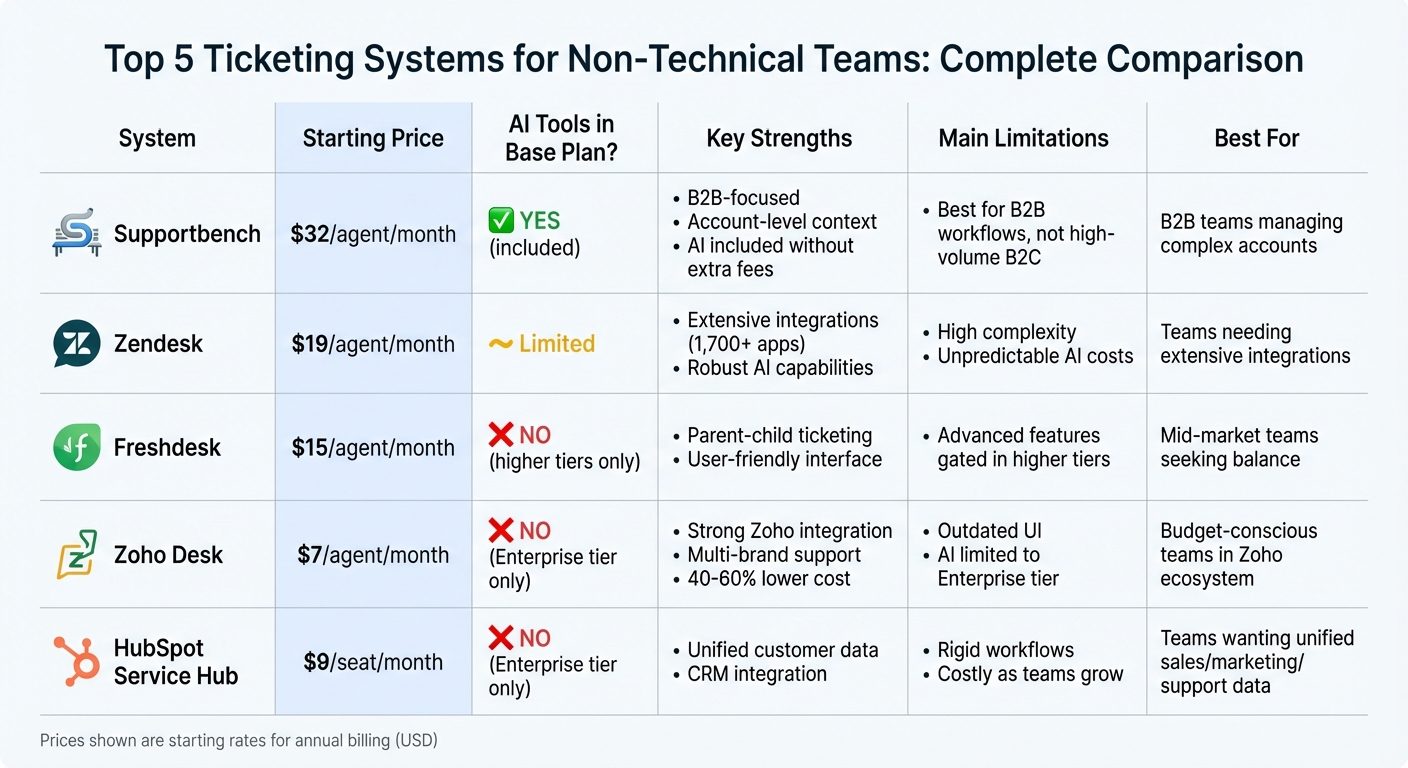
Ticketing Systems Comparison: Features, Pricing & AI Capabilities for Non-Technical Teams
7 Best Helpdesk Software & Ticketing Systems for 2025 (Ranked by Best Use Cases)
sbb-itb-e60d259
Quick Comparison
| System | Key Features | Starting Price (USD) | AI Tools Included in Base Plan? |
|---|---|---|---|
| Supportbench | AI-driven automation, no-code workflows | $32/agent/month | Yes |
| Zendesk | Advanced AI, extensive integrations | $19/agent/month | Limited |
| Freshdesk | Simple interface, parent-child ticketing | $15/agent/month | No (higher tiers only) |
| Zoho Desk | Affordable, multi-brand support | $7/agent/month | No (Enterprise tier only) |
| HubSpot Service Hub | CRM integration, unified data | $9/seat/month | No (Enterprise tier only) |
These platforms simplify workflows, reduce reliance on IT, and improve ticket management. Whether you prioritize cost, AI capabilities, or integration with existing tools, there’s an option to fit your team’s needs.
1. Supportbench
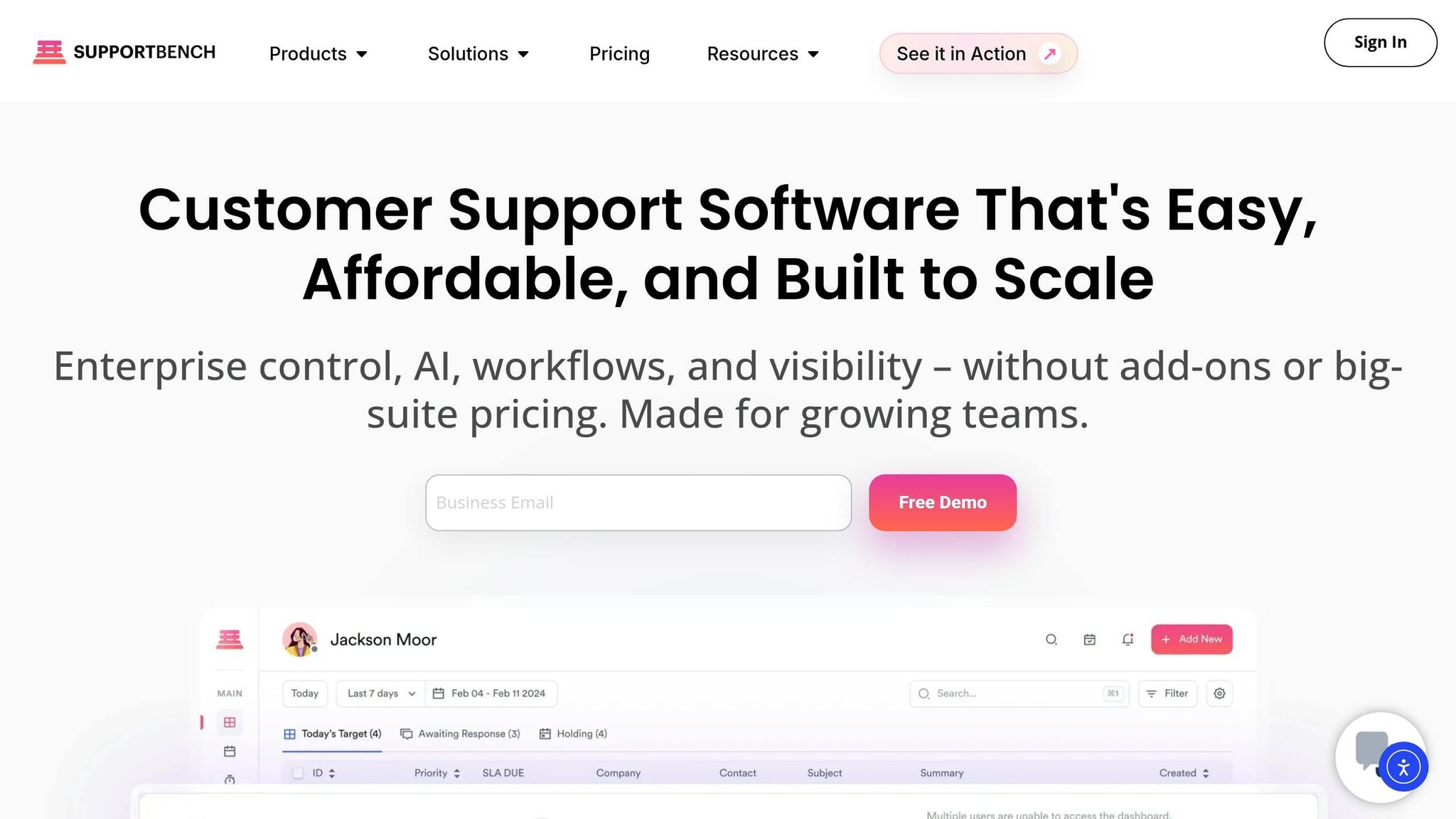
Supportbench caters to B2B support teams looking for enterprise-level capabilities without the hassle of complex technical setups. By consolidating email, chat, and Slack into a single dashboard, the platform minimizes time wasted on app-switching. Unlike older systems that depend on IT for even minor adjustments, Supportbench empowers support managers with no-code tools to create and manage workflows independently.
AI Features
Supportbench’s AI Copilot is ready to use right away – no extra configuration needed. It suggests responses based on case history, summarizes prior interactions, and provides context, so agents don’t have to dig through old tickets. The platform also includes sentiment analysis to identify frustrated customers early, enabling managers to step in before issues escalate. Additionally, it can turn resolved tickets into searchable knowledge base articles with just one click, organizing and tagging content automatically – no technical writing expertise required. [1]
"AI is revolutionizing the operational backbone of support by bringing intelligence and context-awareness to ticket routing and prioritization."
- Nooshin Alibhai, Founder and CEO of Supportbench [2]
The AI also handles quality assurance by reviewing tickets for tone, empathy, and accuracy, generating instant feedback and QA scorecards. Predictive CSAT, CES, and NPS tools help teams spot potential problems before customers raise formal complaints.
Workflow Simplicity
Supportbench’s intelligent routing ensures tickets are directed to the right agent, even when customer queries are misspelled or phrased unusually. The system evaluates intent and assigns tickets based on agent skills, language proficiency, and workload. This reduces unnecessary transfers and improves response efficiency.
Managers can track metrics like first contact resolution, escalation rates, and customer health scores using customizable KPI dashboards and agent scorecards. The 360° customer views provide actionable insights, all without requiring technical expertise. Reporting tools also allow for easy data exports, making it simple to share insights across teams.
With these streamlined workflows in place, the platform’s pricing and added services make the support process even more accessible.
Pricing
Supportbench offers two pricing tiers:
- Professional Plan: $32 per agent per month (billed annually) or $40 per agent per month (billed monthly).
- Enterprise Plan: $100 per agent per month (annually) or $125 per agent per month (monthly).
For teams with more than 15 agents, the cost increases by $2.50 per additional agent, capping at $150 per agent. Teams with 60+ agents automatically switch to Enterprise pricing. [3]
All AI features, including predictive analytics, sentiment analysis, and automated summaries, are included across all plans at no extra cost. The Professional plan includes free onboarding and training, while the Enterprise plan adds a dedicated Success Manager and managed services for more tailored support.
Setup Complexity
Supportbench keeps the setup process simple. Most automation features, like the AI Copilot, are ready to go immediately after installation. For teams with more specific needs, enhanced onboarding customizes the platform to fit their workflows. Its interface is designed to be intuitive for both new and experienced users.
"The user interface is very intuitive and easy-to-use, so I definitely recommend it."
- Jeanette Gillon, MIS Director [3]
Security is also baked into the platform, with features like SSO (Single Sign-On), Office 365 integration, and two-factor authentication included from the start. Enterprise customers gain access to advanced permissions and unlimited custom roles without requiring IT intervention.
2. Zendesk
Zendesk brings all communication channels together in one dashboard, reducing the need for constant tool-switching for non-technical teams. This centralized approach helps agents stay organized and maintain focus. [5][6]
AI Features
Zendesk’s AI tools are designed to make customer support more efficient. Features like macro suggestions provide pre-written responses that agents can send with a single click, speeding up responses to repetitive questions. Sentiment analysis automatically identifies frustrated customers, enabling teams to address urgent issues before they escalate. The tone adjustment tool helps rephrase agent drafts to sound more empathetic or professional, while knowledge base suggestions display helpful articles directly within the workspace. While these tools can streamline operations, some users may encounter difficulties in real-world applications. [4]
Workflow Simplicity
Zendesk’s operational design offers convenience but comes with some challenges. While its automation and customization options are powerful, they often require a level of technical expertise. Managers may find the learning curve steep when setting up complex ticket routing rules or crafting custom triggers. Additionally, Zendesk’s AI performs best when working with data stored within the platform. Accessing external resources, such as Google Docs or Slack, requires integrations that can sometimes lead to fragmented information. [5][6]
Pricing
Zendesk offers tiered pricing based on features and team needs:
- Suite Team: $55 per agent per month (billed annually), includes basic AI features like autoreplies.
- Suite Professional: $115 per agent per month, adds generative replies.
- Suite Enterprise: $169 per agent per month (or custom pricing), includes custom agent roles and sandbox environments.
- Advanced AI Add-on: $50 per agent per month, adds intelligent sorting and automated resolutions.
These options allow teams to choose plans based on their specific requirements and budgets. [5][6]
Setup Complexity
While basic features can be set up relatively quickly, configuring advanced tools requires more time and technical expertise. This can be a hurdle for non-technical managers, especially when building complex automations or customizing AI workflows. In many cases, teams may need external support or dedicated training to fully utilize Zendesk’s advanced features. This complexity somewhat offsets the platform’s appeal as a simple solution for non-technical users. [5][4]
3. Freshdesk
Freshdesk brings together email, chat, phone, and social media into a single inbox. This lets agents handle multi-step tasks – like tagging, prioritizing, and closing tickets – with just one click, eliminating the need to switch between tools. [8]
AI Features
Freshdesk’s Freddy AI Copilot is designed to streamline workflows by summarizing threads, suggesting knowledge-base responses, and adjusting the tone of messages to suit different scenarios, such as showing empathy or maintaining professionalism. Meanwhile, Freddy AI Agent takes care of routine requests autonomously, resolving up to 80% of queries in less than two minutes. The platform also offers Field Recommendations, which automatically suggest ticket properties like priority and status, reducing the need for manual data entry. [7][9][8]
For example, UK-based retailer Hobbycraft began using Freddy AI chatbots in 2025. These chatbots now handle up to 30% of customer inquiries automatically, allowing their human agents to focus on providing in-depth crafting advice instead of answering repetitive questions. Keira Hayter, Sales Team Manager at Hobbycraft, shared:
"I had team members who weren’t comfortable at all with emails. With Freddy AI, they’ve gained so much confidence, and the quality of emails they’re sending now is remarkable." [7]
Workflow Simplicity
Freshdesk simplifies workflows with automation tools that don’t require coding. Non-technical administrators can set up event-triggered rules (Dispatch’r) or time-triggered rules (Supervisor) with ease. Features like Collision Detection prevent multiple agents from working on the same ticket, while Parent-Child Ticketing helps break down complex issues into smaller, manageable tasks. Field Engineer Luke Gaspar praised the system:
"Freshdesk’s agent workspace, and how it worked, was very user-friendly – it had all the features we needed to collect tickets, assign tickets to different agents, and store information." [9]
Onboarding is quick, too. Most customers complete setup in just 2–3 days, a significant contrast to the 5–10 days required by many competitors. Impressively, 99% of users manage the entire setup process on their own. [9]
Pricing
| Plan | Price (Annual) | Key Features |
|---|---|---|
| Free | $0 (up to 2 agents) | Basic ticketing, knowledge base |
| Growth | $15/agent/month | Automation rules, collision detection |
| Pro | $49/agent/month | Custom reports, SLA management |
| Pro + AI Copilot | $78/agent/month | Freddy AI Copilot, 500 AI Agent sessions |
| Enterprise | $79/agent/month | Skill-based routing, sandbox environments |
The Growth plan, at $15 per agent per month, is a good entry point for small teams needing more than just basic ticketing. However, advanced features like skill-based routing and audit logs are only available in the Enterprise plan, priced at $79 per agent per month. [8]
Setup Complexity
For small teams, basic implementation can be completed within a week. Larger omnichannel deployments (10–50 agents) typically take 2–3 weeks. The platform’s interface is intuitive, allowing agents to become proficient in just a few hours with minimal training.
It’s worth noting that Freddy AI relies heavily on your knowledge base, so it’s essential to update your content by building a knowledge base before activating the AI features. Additionally, small teams should monitor their AI session usage, as the 500 sessions included in higher-tier plans might run out quickly under heavy use. [8][9]
Next, we’ll dive into other ticketing platforms, comparing their strengths and pricing models.
4. Zoho Desk
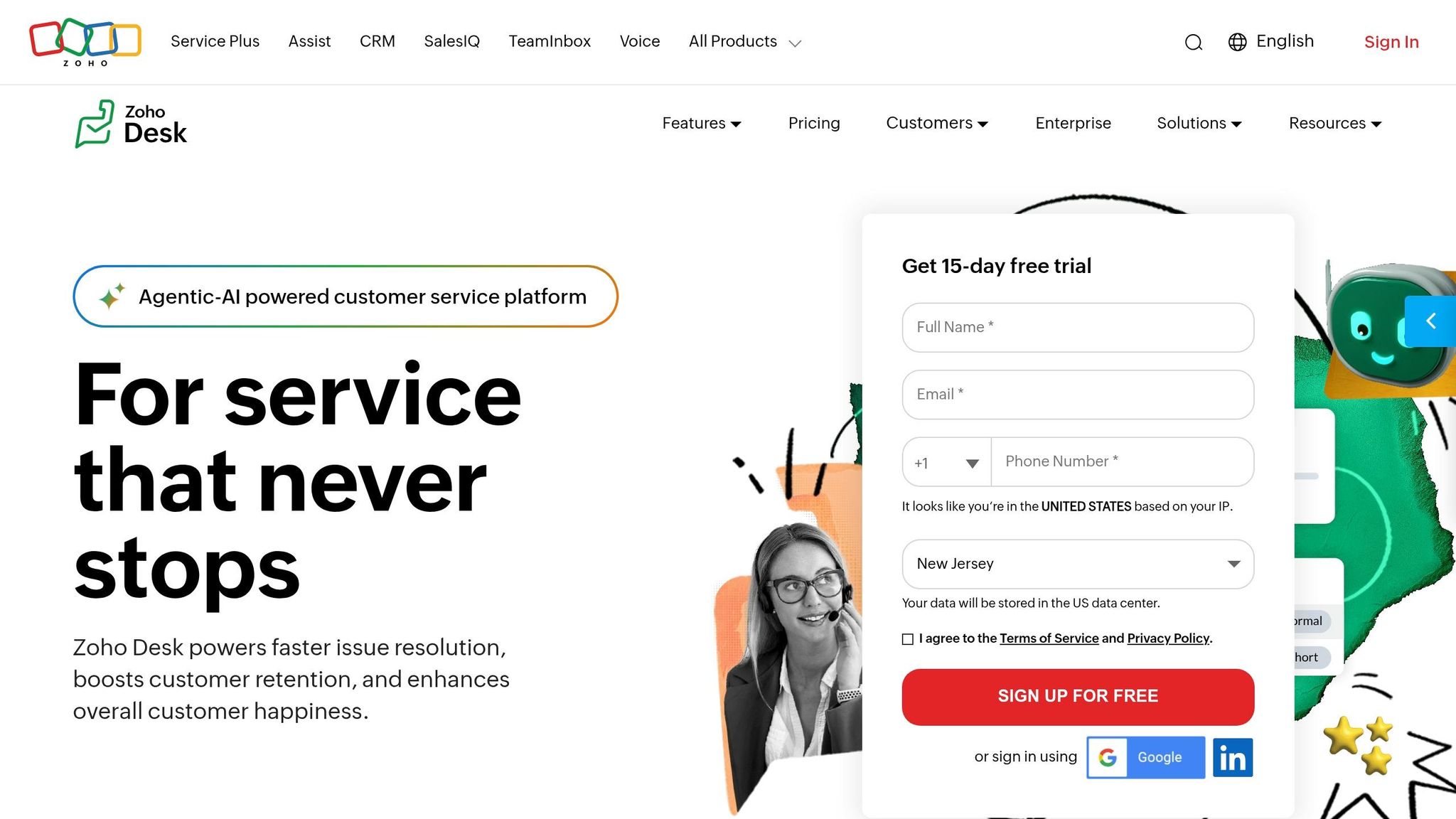
Zoho Desk brings together email, live chat, phone, social media, and web forms into a single, easy-to-navigate dashboard. With Zia, its built-in AI, the platform analyzes ticket sentiment – classifying it as positive, neutral, or negative – so teams can quickly identify frustrated customers and prioritize urgent cases [10].
AI Features
Zia simplifies ticket management by automatically categorizing tickets, suggesting relevant help articles, and drafting responses based on keywords. This allows agents to handle repetitive issues more quickly. For customer-facing support, the Answer Bot takes care of routine inquiries by recommending help articles directly within the help center [10]. Zia also tracks ticket volume and flags unexpected spikes, like a surge in complaints, so managers can address potential problems early. However, Zia requires at least 500 tickets in the system before it can start predicting fields like priority or category [13].
Kyle Kurdle, Vice President of Global Service Delivery, shared his thoughts on Zoho Desk:
"The ease of configuration sold us on selecting Zoho Desk. The fact that we could do most of it ourselves impressed our team… keeping our costs controllable became achievable." [14]
Workflow Simplicity
Zoho Desk makes workflow automation accessible, even for non-technical teams. With the Blueprint visual designer, users can create multi-step workflows – like approval chains or refund processes – without needing to write a single line of code [12]. Automated routing options, such as Round Robin assignments and skill-based rules, further streamline operations [11].
One team undergoing a digital transformation reported cutting agent onboarding time nearly in half, from 5 hours to just 2.5–3 hours, thanks to the platform’s intuitive design [14].
Pricing
| Plan | Price (Annual) | Key Features |
|---|---|---|
| Free | $0 (up to 3 agents) | Email ticketing, private knowledge base |
| Express | $7/agent/month | Social channels, basic workflows |
| Standard | $14/agent/month | Public knowledge base, Generative AI (OpenAI) |
| Professional | $23/agent/month | Blueprint, multi-department routing |
| Enterprise | $40/agent/month | Zia AI, Answer Bot, multi-brand support |
Zoho Desk is priced 40–60% lower than many comparable platforms while still delivering about 80% of the features. The Standard plan includes Generative AI via an OpenAI API connection, but Zia AI’s advanced capabilities – like sentiment analysis and anomaly detection – are only available in the Enterprise tier [12]. For budget-conscious teams, the platform offers "Light Users" at $6 per month (available with Professional and Enterprise plans), allowing internal experts to collaborate on tickets without needing a full agent license. Opting for annual billing can also save up to 34% compared to monthly rates [14].
Setup Complexity
Setting up basic email ticketing can be done in under 15 minutes. However, more intricate setups, such as multi-department structures or Blueprint workflows, may take 1–2 weeks to fully implement [12]. Some users have noted that the interface can feel overwhelming at first, emphasizing the need for a strong knowledge base to make the most of Zia’s capabilities [10].
This straightforward setup creates a solid foundation for efficient support operations, leading seamlessly into our next review.
5. HubSpot Service Hub
HubSpot Service Hub combines ticketing with CRM to give teams a full view of customer interactions, including sales and marketing history. It’s designed to help non-technical teams handle support tasks efficiently. With its unified help desk dashboard, users can manage email, live chat, forms, and social media in one place – eliminating the need to switch between tools.
AI Features
The Breeze Customer Agent handles repetitive tasks like FAQs, order tracking, and password resets around the clock. Meanwhile, the Breeze Knowledge Base Agent transforms resolved tickets into self-service articles, reducing future inquiries. AI-powered tools also suggest personalized responses based on ticket history and customer details, while intelligent routing ensures tickets are assigned to the right agent or department based on urgency and intent. Additionally, the platform analyzes CSAT and NPS survey data to spot trends and flag churn risks before they escalate. However, access to the full Breeze AI suite, including the Customer Agent and Knowledge Base Agent, is limited to the Enterprise tier.
Hunter Burin, a HubSpot Implementation Specialist, highlights the importance of balancing automation with human input:
"AI doesn’t replace people – it empowers them. Train your agents to balance automation with human oversight, reviewing AI-suggested responses and stepping in where empathy and nuance are required." [15]
Workflow Simplicity
With its no-code setup, teams can configure ticketing workflows in just a few minutes. Automated triage and routing features allow tickets to be assigned based on priority, topic, or agent expertise. Service analytics and real-time dashboards come pre-configured, tracking metrics like response times, ticket volumes, and CSAT scores without requiring manual input. SLA management tools include automated timers and escalation rules to ensure accountability. HubSpot reports that users have seen a 37% improvement in ticket closure rates within their first year of using the platform [15]. These features, combined with AI-driven automation, streamline operations and improve team performance.
Pricing
| Plan | Price (Annual) | Key Features | Onboarding Fee |
|---|---|---|---|
| Free | $0 | Basic ticketing, live chat, shared inbox (up to 2 users) | None |
| Starter | $9/seat/month | Branding removal, simple routing, 500 calling minutes | None |
| Professional | $90/seat/month | Help desk, SLA tracking, automation, knowledge base | $1,500 |
| Enterprise | $150/seat/month | Breeze AI agents, advanced routing (10-seat minimum) | $3,500 |
While these prices are published, companies often negotiate discounts of 30–35%, particularly at the end of HubSpot’s fiscal quarters (March 31, June 30, September 30, December 31) [16]. For Professional and Enterprise tiers, onboarding fees of $1,500–$3,500 are mandatory. Additionally, as of March 2025, HubSpot will require HubSpot Credits for its "Breeze Intelligence" features, which were previously free [16].
Setup Complexity
Small teams can start with the free tier to consolidate communications before upgrading to paid plans with automation features. Pre-built templates and contextual guidance make it easy for non-technical users to maintain consistent communication. However, advanced tools like CRM integration and AI capabilities require linking sales and marketing data, which may take additional setup time for new users. These features provide a strong foundation for teams looking to enhance their customer support processes.
Strengths and Weaknesses
Every system has its own set of advantages and trade-offs, especially for non-technical teams. Here’s how they stack up:
Supportbench is tailored for B2B environments, particularly where account-level context and long-term cases are critical. A standout feature is that its AI-driven sentiment and tools are included at no extra cost. At $32 per agent per month, it offers enterprise-level functionality from the start, making it a practical option for teams seeking advanced tools without unnecessary complications.
Zendesk shines with its extensive integration ecosystem – boasting over 1,700 apps – and its strong AI capabilities. That said, it can be challenging for non-technical users due to its complexity. Additionally, its AI features can result in unpredictable usage-based charges, which might strain budgets.
Freshdesk provides a middle ground with features like parent-child ticketing and an easy-to-navigate interface. Starting at $15 per agent per month, it’s budget-friendly. However, some of its advanced automation tools are only available in higher-tier plans, and vendor support response times can sometimes lag.
Zoho Desk is the most budget-conscious option, priced at $7 per agent per month. It’s particularly appealing for teams already embedded in the Zoho ecosystem. However, its outdated interface and the restriction of AI features to the Enterprise tier may limit its attractiveness.
HubSpot Service Hub stands out for its seamless integration of customer data across sales, marketing, and support. Starting at $9 per seat per month, it offers a unified approach. However, its rigid workflows and a pricing structure that becomes less economical as a team grows can hinder scalability.
Kenji Hayward, Senior Director of Support at Front, captures the essence of what makes these tools effective:
"I’m seeing more teams carve out time for ops-focused projects: documenting internal processes, building better tooling, refining ticket routing logic, tuning automations. This is the work that creates leverage, the kind that lets small teams do big things" [17].
For non-technical teams aiming to simplify operations while leveraging AI-native tools, these platforms each bring something different to the table. Below is a quick comparison of their strengths, limitations, and starting prices:
| System | Key Strengths | Main Limitations | Pricing (US$ Starting) |
|---|---|---|---|
| Supportbench | B2B-focused; account-level context; AI included without extra fees | Best for B2B workflows, not high-volume B2C | $32/agent/mo |
| Zendesk | Extensive integrations; robust AI | High complexity; unpredictable AI costs | $19/agent/mo |
| Freshdesk | Parent-child ticketing; user-friendly interface | Advanced features gated in higher tiers | $15/agent/mo |
| Zoho Desk | Strong Zoho integration; multi-brand support | Outdated UI; AI limited to Enterprise tier | $7/agent/mo |
| HubSpot Service Hub | Unified customer data; CRM integration | Rigid workflows; costly as teams grow | $9/seat/mo |
Conclusion
Selecting the right ticketing system for non-technical support teams boils down to three key factors: ease of use, AI capabilities, and cost transparency. Each platform caters to specific needs, but modern systems are redefining how support operations function by focusing on these elements.
For B2B teams managing intricate accounts, Supportbench stands out with its integrated AI features priced at $32 per agent per month. This flat-rate model covers tools like ticket summaries, automated knowledge base creation, predictive CSAT, and advanced automation – without tacking on extra usage fees.
Mid-market teams might find solutions like Freshdesk a better fit, while those embedded within larger ecosystems may lean toward Zoho Desk or HubSpot Service Hub. These platforms reflect a growing trend toward AI-driven simplicity and efficiency in support workflows.
AI-native platforms are now resolving 50–70% of tickets autonomously, significantly outperforming older bot-based systems [18]. As Hannah Owen from Lorikeet aptly notes:
"Zendesk works… but ‘fine’ has a cost – escalating per-agent pricing and an AI add-on that feels bolted on rather than built in" [18].
For non-technical teams, the priority is clear: AI-native systems that come ready with essential features, cutting out the need for complicated setups.
FAQs
How do I choose a ticketing system if my team doesn’t have IT support?
When picking a ticketing system without IT support, focus on solutions that are simple to use, quick to set up, and have user-friendly interfaces. Choose platforms tailored for non-technical users, offering features like step-by-step onboarding, automation powered by AI, and ready-to-use integrations. Steer clear of systems that require complex configurations or advanced technical skills. Instead, go for options with clear instructions and dependable customer support to make the transition hassle-free.
What AI features actually reduce agent workload in B2B support?
AI tools designed to ease the workload for B2B support teams focus on simplifying repetitive tasks and making workflows smoother. Some standout features include automated ticket triage and routing, which ensures tickets land with the right agents, and AI-powered suggestions that provide pre-written responses or pull relevant knowledge base articles. Other helpful functionalities, like sentiment detection, automated summaries, and predictive escalation, enable teams to prioritize tasks effectively, work more efficiently, and engage with customers proactively.
How can I avoid surprise costs when pricing is per agent or per seat?
To keep costs predictable, take time to review the pricing structure and included features for each plan. Opt for clear pricing models, such as fixed costs per agent per month that include essential tools. You might also explore plans with flexible pricing tied to usage or support volume. Stay on top of your team’s evolving needs and adjust your plan when required to maintain consistent expenses and steer clear of surprise fees.