


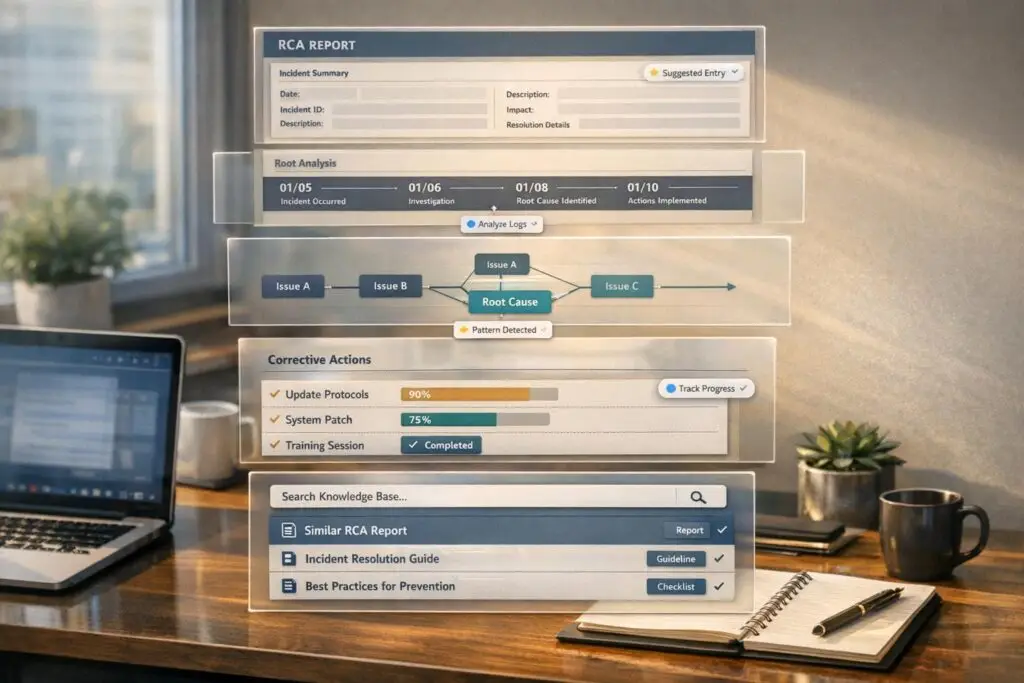
Struggling with inconsistent Root Cause Analyses (RCAs)? Here’s the fix: Standardizing RCAs can save time, reduce confusion, and prevent repeated mistakes. A clear structure ensures every RCA is quick to create, easy to understand, and actionable.
Key Takeaways:
- Why Standardize? Non-standard RCAs waste time and lead to repeated problems. A consistent format boosts clarity and accountability.
- What to Include: Every RCA should cover the incident summary, business impact, timeline, root cause, corrective actions, and validation plan.
- Avoid Common Pitfalls: Focus beyond immediate triggers. Address systemic flaws instead of blaming individuals.
- Use AI for Speed: Automating data collection and reporting can cut investigation time by up to 70%.
- Store RCAs for the Future: A centralized RCA library preserves knowledge and helps spot recurring issues.
Bottom Line: A standardized RCA process ensures faster resolutions, better decisions, and fewer repeat incidents.
How to do a Root Cause Analysis ( RCA ) | A Step by Step Guide
sbb-itb-e60d259
Defining RCA Standards and Scope
To ensure consistent and actionable investigations, it’s crucial to define what makes an RCA (Root Cause Analysis) effective. Without a shared understanding, reports can vary wildly – some overly detailed, others too vague – making it hard to drive meaningful change.
Key Components of a Standard RCA
A solid RCA, regardless of the complexity of the incident or the author, should address these essential elements:
| Section | What to Include | Why It Matters |
|---|---|---|
| Incident Summary | Date, system affected, severity level, assigned owner | Provides immediate context for any reader |
| Business Impact | Users affected, downtime duration, estimated financial loss | Helps leadership prioritize resources and justify fixes |
| Evidence Timeline | Timestamped events, system logs, observable facts | Distinguishes facts from assumptions |
| Root Cause Statement | Clear link between systemic weakness and the incident | Avoids superficial conclusions like "human error" |
| Corrective Actions | Named owner, deadline, and success metric | Ensures accountability and measurable outcomes |
| Validation Plan | How and when the fix will be confirmed | Closes the loop, eliminating guesswork |
A strong RCA should also differentiate between three layers of cause:
- Immediate trigger: The event that made the problem visible.
- Contributing factors: Conditions that worsened or increased the likelihood of the incident.
- Latent causes: Deep-rooted systemic flaws that existed long before the issue surfaced.
Focusing only on the immediate trigger is a common pitfall. Instead, the analysis should aim to uncover and address the underlying systemic issues.
"94% belongs to the system." – W. Edwards Deming [4]
This approach shifts the focus from blaming individuals to improving processes and systems, fostering a culture of learning and prevention.
Setting Clear Goals for RCA Outputs
An RCA is only as good as its outcomes. Before starting the investigation, define success in measurable terms. A vague goal like "prevent this from happening again" lacks clarity. Instead, aim for specific, trackable objectives such as "zero recurrence within 90 days" or "reduce Mean Time to Resolution (MTTR) by 30% over the next two quarters" [4].
"If you can’t measure it, you can’t prove you fixed it." – Bharath Kumar, Quality Management Expert [1]
Tailoring the RCA output to its audience is equally important. Leadership requires a concise summary emphasizing business impact and the return on investment for proposed fixes. Frontline teams, on the other hand, need detailed guidance on process changes and implementation steps. A well-planned RCA can serve both groups effectively [2].
Studies reveal that 72% of RCA recommendations fall short, often defaulting to weak solutions like retraining or reminder emails instead of addressing root causes through real process changes [8]. Setting clear goals from the start – and evaluating corrective actions against a hierarchy of effectiveness – helps avoid this trap.
When assessing corrective actions, prioritize as follows:
- Eliminate or redesign the failure mode entirely.
- Automate or enforce controls to reduce reliance on human intervention.
- Standardize using tools like checklists or templates.
- Save training and reminders as a last resort.
Building a Reusable RCA Template
Having a reusable template for Root Cause Analysis (RCA) reports can make the process of creating and reviewing them much smoother. By aligning with established RCA standards, this type of template ensures that reports consistently meet quality and efficiency goals. With fixed sections and clearly marked mandatory and optional fields, the template guides users through the process from start to finish, ensuring every report is thorough and easy to understand.
Fixed Sections Every RCA Should Have
No matter how simple or complex, every RCA needs a clear structure to maintain its focus and clarity. The following sections form the backbone of any effective RCA report:
- Problem Statement: This section explains what happened, where and when it occurred, its impact, and how often it has happened – all in neutral, factual language. For example: "API gateway returned 503 errors for 47 minutes on May 14, 2026, affecting 1,200 enterprise users."
- Timeline of Facts: This part lists all observable events, system logs, and configuration changes in chronological order. The focus here is on verifiable data, leaving interpretations and opinions for later sections.
- Root Cause Identification: This section outlines the logical steps taken to identify the underlying issue. Whether using a 5 Whys analysis, a Fishbone diagram, or another method, the goal is to trace symptoms back to the systemic weakness causing them.
- Corrective and Preventive Actions: Here, specific solutions are presented, tied directly to the identified root causes. Each action should include an owner, a deadline, and measurable success criteria.
- Validation Plan: This section confirms the effectiveness of the implemented fixes over a defined monitoring period, typically lasting two to six weeks.
"A persuasive RCA report is clear, evidence-based, logically organized, and explicit about what should change and why." – Sologic
Mandatory vs. Optional Fields
To ensure reports are proportional to the severity of the incident, a tiered system of mandatory and optional fields is used:
| Section | Status | When to Include |
|---|---|---|
| Problem Statement | Mandatory | Always |
| Timeline of Facts | Mandatory | Always |
| Root Cause(s) | Mandatory | Always |
| Corrective Actions | Mandatory | Always |
| Executive Summary | Optional | High-severity or leadership-facing incidents |
| Business Case | Optional | When fixes require significant budget or resources |
| Appendix | Optional | For complex technical failures needing raw logs |
The Executive Summary is a one-page overview designed for leadership, summarizing the business impact and the value of the proposed fixes. This section is particularly useful for incidents requiring attention from senior executives. The Appendix, on the other hand, is where you can include raw logs, screenshots, or detailed calculations, keeping the main report concise and easy to read.
By following this structure, you can ensure that documentation is clear, consistent, and scalable for any type of incident.
Pro Tip: When writing corrective actions, try this formula: "[Cause] led to [effect] because [mechanism], evidenced by [data]." This ensures clarity and specificity, making it easier for leadership to make quick decisions.
Collecting Evidence Efficiently
Gathering evidence effectively is what separates an RCA that solves problems from one that just documents them. The key is to collect the right data quickly while avoiding unnecessary manual work.
Using Available Data Sources
Chances are, most of the evidence you need is already within your support metrics and operations. Here’s how different sources can help:
- Ticket history: Tracks when the issue was first reported and how customers described it.
- Chat logs and case notes: Show how the issue was initially communicated and how those descriptions evolved.
- Audit trails and deployment logs: Provide clues about whether a configuration change or release caused the problem.
- SLA metrics and transaction records: Quantify the business impact, detailing how many users were affected, for how long, and at what cost.
Organizing this information in a structured evidence table can make the process more efficient:
| Evidence Category | Specific Sources | Purpose in RCA |
|---|---|---|
| Communication | Ticket history, chat logs, user reports | Pinpoints when the issue was reported and how it was described |
| Technical | System logs, error messages, audit trails | Reveals system behavior and failure triggers |
| Change Records | Deployment logs, configuration history | Identifies if an update or change led to the incident |
| Impact | Transaction records, SLA metrics | Measures the severity of the issue for customers and the business |
To save time, connect your RCA workflow directly to monitoring tools and communication platforms. This eliminates the need for manual data exports. AI-driven platforms can even automate the process, capturing alerts, commands, and conversation threads to build a chronological event log without extra effort. [10]
Common Evidence Collection Mistakes to Avoid
One of the biggest pitfalls is confusing the visible trigger with the root cause. For instance, a server reboot or a failed file upload might seem like the issue, but the real problem could be something deeper – like outdated procedures or missing change controls. [4] If you stop at the first visible sign, you risk addressing symptoms while the actual issue remains unresolved.
Timing is also critical. Collect evidence within the first six hours of containment and ensure every fact is verified with logs or timestamps. On the flip side, avoid over-investigating minor, one-off incidents that don’t pose a systemic risk. RCA is best reserved for recurring, high-impact, or systemic failures – not isolated human errors in an otherwise functional process. [7]
"A blameless approach does not remove accountability. It improves accountability by making systemic fixes visible." – Bharath Kumar, Quality Management Expert [4]
When building your timeline, rely only on verifiable records. Each piece of evidence should be backed by a log entry, screenshot, timestamp, or recorded conversation. If something can’t be confirmed, mark it as an assumption until you can verify it.
With a solid foundation of evidence, the next step is to present root causes clearly and effectively using straightforward analytical models. Stay tuned for that!
Presenting Root Causes Clearly
Once you’ve gathered all the evidence, the next challenge is turning it into a straightforward, digestible narrative that anyone – whether it’s a VP, customer success manager, or legal team member – can easily follow. The goal is to ensure clarity without losing any of the critical details.
Simple Analytical Models That Work
When it comes to breaking down incidents, using the right tool matters. For straightforward, linear failures, the 5 Whys method works well. By repeatedly asking "Why did this happen?" you can trace the issue back to a systemic cause. The key here is to ensure that every answer is backed by solid evidence [11].
For more complicated incidents involving multiple teams or systems, a Fishbone diagram (also called an Ishikawa diagram) is a better fit. It organizes potential causes into categories like People, Process, Technology, and Environment. This structure makes it easier to spot overlooked contributing factors [12]. Both methods are designed to streamline the analysis process and make the findings accessible to all stakeholders. Just make sure to validate each branch with data to maintain accuracy.
To keep everything precise, stick to a clear cause statement formula. This helps avoid misunderstandings and keeps everyone on the same page [1].
Making Cause Chains Easy to Verify
A causal chain is only effective if it’s easy to follow and verify. To ensure its reliability, review the chain in two directions: ask "Why did this happen?" in reverse and "If this happened, did it lead to that?" going forward. If the logic doesn’t hold up in both directions, there’s likely a gap that needs addressing [7].
Using a standardized RCA template can also help. Labeling findings correctly is crucial:
- Symptoms are the visible signs of the problem, such as a delayed release or an increase in error rates.
- Contributing factors are the conditions that made the issue worse, like unclear ownership or missing alerts.
- The root cause is the core issue that triggered the problem.
Mixing up symptoms, contributing factors, and the root cause can lead to flawed conclusions [7][12]. Always frame the analysis as a systemic issue rather than placing blame on individuals. As W. Edwards Deming wisely said:
"Most issues are system problems, not people problems." [1]
Using AI to Speed Up RCA Creation
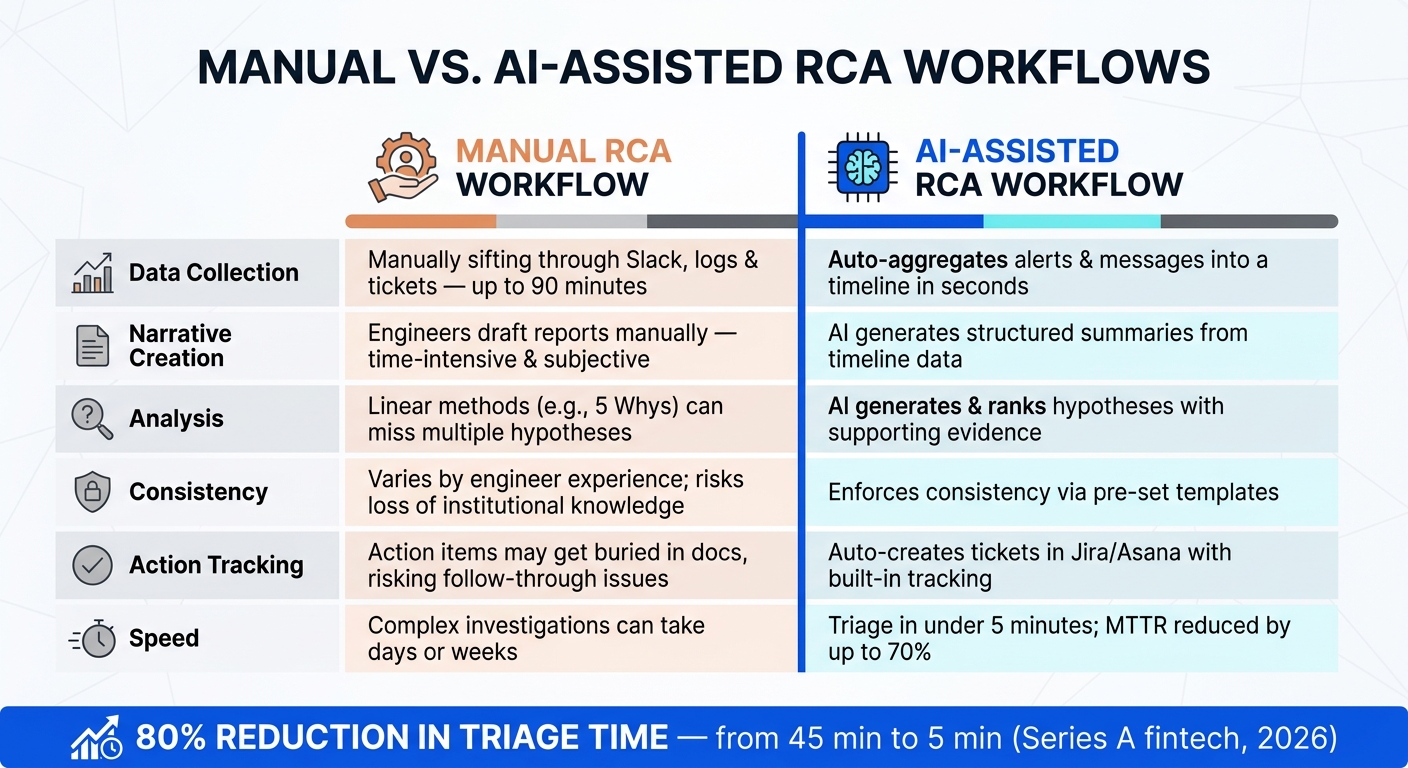
Manual vs. AI-Assisted RCA Workflows: Speed & Efficiency Compared
Once you’ve mapped out a clear causal chain, the next hurdle is creating the report quickly and consistently. This is where AI becomes a game-changer in the RCA process, joining the essential toolset for modern support teams.
AI for Data Summarization and Pattern Detection
Building an incident timeline manually – by piecing together data from Slack, dashboards, deployment logs, and tickets – can take up to 90 minutes just to reach consensus [3]. AI tools eliminate this bottleneck by automatically pulling signals from these sources into a single, chronological timeline as soon as the incident is declared [14].
But it doesn’t stop at organizing data. AI can highlight subtle patterns that might go unnoticed in a one-time review. For example, by tracking Mean Time to Resolution (MTTR) across incidents, AI can uncover systemic issues rather than treating each event as isolated [14]. In fact, AI-driven tools have been shown to reduce MTTR by up to 70% [14], and automated triage can cut a 30–45 minute manual investigation down to less than 5 minutes [15]. By integrating these capabilities, the RCA process – from data collection to analysis – becomes faster and more aligned with a standardized approach.
In March 2026, a Series A fintech company with over 40 engineers connected its Slack alerting channels to an automated RCA workflow. The result? Their average triage time plummeted from 45 minutes to just 5 minutes – a staggering 80% reduction. Even more impressive, AI-generated investigations were rated helpful over 85% of the time [15].
Next, let’s explore how AI simplifies report formatting and distribution.
Automating RCA Formatting and Reporting
AI not only speeds up analysis but also automates the creation of RCA reports. Instead of drafting reports manually, AI generates a structured narrative directly from timeline data, ensuring consistent formatting and terminology without missing any sections [14].
Once completed, these reports can be automatically shared with stakeholders through platforms like Confluence, Google Docs, Notion, or even Slack channels – removing the need to manually transfer content between tools [14]. This is especially useful in B2B support scenarios, where RCAs need to reach a variety of audiences, including technical teams, executives, and legal departments. Platforms like Supportbench, which centralize case history and customer context, work seamlessly with such automated reporting systems by referencing the same data agents are already using.
"A strong RCA report does more than document the past. It reduces the chance of the same issue happening again." – Bharath Kumar, Quality Management & DevOps Expert [4]
Manual vs. AI-Assisted RCA Workflows: A Side-by-Side Comparison
Here’s a comparison of how AI transforms the RCA workflow:
| Factor | Manual RCA Workflow | AI-Assisted RCA Workflow |
|---|---|---|
| Data Collection | Requires manually sifting through Slack, logs, and tickets – taking up to 90 minutes [3] | Automatically aggregates alerts and messages into a timeline in seconds [3] |
| Narrative Creation | Engineers draft reports manually, which is time-intensive and subjective [14] | AI generates clear summaries and structured narratives from timeline data [14] |
| Analysis | Linear methods (e.g., 5 Whys) can overlook multiple hypotheses [3] | AI generates and ranks hypotheses with supporting evidence [3] |
| Consistency | Varies based on engineer experience, risking loss of institutional knowledge [14] | AI enforces consistency with pre-set templates, preserving knowledge [3] |
| Action Tracking | Action items may get buried in documents, risking follow-through issues [14] | Automatically creates tickets in tools like Jira or Asana, with built-in tracking [14] |
| Speed | Complex investigations can take days or even weeks [13] | Triage is often completed in under 5 minutes, with MTTR reductions of up to 70% [15] |
AI works best when paired with structured methodologies, like logic trees or 5 Whys templates, to avoid vague conclusions such as "human error" [6].
"RCA is a human discipline first. AI should make people better at root cause analysis, not attempt to replace them." – Reliability Center, Inc., EasyRCA [6]
The goal isn’t to hand over decision-making to machines but to eliminate repetitive tasks, allowing teams to focus on critical decisions. By integrating AI, teams can speed up report creation while reinforcing the structured, efficient workflows that are essential for effective B2B support operations.
Reviewing and Storing RCAs for Future Use
After completing a standardized RCA, the next crucial step is to validate it and store it properly to support ongoing improvement efforts.
Setting Up a Review and Approval Process
Before an RCA can be finalized, it needs a thorough review. The facilitator should go over the draft with the team to ensure it’s accurate, logical, and complete. For incidents involving legal or regulatory implications, a legal review is essential [2].
An RCA scorecard can help objectively evaluate the report by assessing the strength of the evidence, the depth of the analysis, and the specificity of the corrective actions [1][5]. Avoid vague solutions like "remind staff" or "improve training." Instead, focus on actions that address the root of systemic problems [1][4].
"If your RCA dashboard can’t clearly answer ‘What failure stopped happening because of this investigation?’ the program is optimizing for closure, not learning." – Reliability.com [16]
To maintain momentum, aim to contain the impact of an issue within 6 hours, validate root causes within 48 hours, and assign approved actions with responsible owners by the 72-hour mark. The review process should remain open until a follow-up – usually 30 to 90 days after implementation – can confirm that the corrective actions have reduced the risk of recurrence [9][1][4]. These timelines are especially important for fast-paced, AI-driven B2B support environments.
Building an RCA Library for Long-Term Use
Once finalized, RCAs should be stored in a centralized, searchable library to safeguard institutional knowledge and support future improvements. Scattered reports – whether in emails, Slack threads, or shared drives – can lead to critical insights being lost, especially when team members leave [13].
To ensure accessibility, every RCA should follow a structured format, including:
- A clear problem statement
- Timestamped timeline
- Supporting evidence
- Root cause analysis
- Corrective actions with assigned owners
- A validation plan [2][7][4]
This approach allows new team members to learn from past incidents without needing years of on-call experience.
For example, in April 2026, Coinbase engineers streamlined their RCA process using AI tools, cutting the workflow from several days to under an hour. These tools helped correlate telemetry data and change events, producing structured, queryable reports that also met compliance audit requirements [3].
A well-maintained RCA library doesn’t just preserve knowledge – it enables teams to analyze trends across incidents. Advanced support teams focus less on individual reports and more on tracking recurring failures and ensuring corrective actions effectively disrupt patterns of cause and effect [16]. Insights from the library should also feed directly into updated runbooks, SOPs, and training materials, ensuring every incident contributes to faster and more efficient responses in the future [13][4].
Conclusion: Why Standardization Makes RCAs Work
Without a consistent process, RCAs can quickly become a frustrating drain on resources. Each investigation starts from scratch, valuable insights may slip through the cracks, and the same failures can repeat themselves. Standardization addresses these issues by providing a shared framework and a repeatable process to move from incident to resolution. This approach not only simplifies immediate responses but also lays the groundwork for stronger, more resilient operations over time.
The results speak for themselves. Teams that implement AI-assisted RCA workflows report a 40–60% reduction in MTTR within the first quarter [3]. This kind of improvement could mean resolving a critical P1 incident before your next standup meeting instead of enduring a week-long disruption.
"Standardization is not merely about imposing uniformity; it is about establishing a common language, a shared understanding of best practices, and a consistent approach to problem-solving." – EasyRCA [17]
Beyond faster resolutions, standardization improves decision-making. By using a structured RCA library, leadership can quickly spot patterns and recurring issues, enabling smarter, data-driven prevention strategies. As W. Edwards Deming famously said, "94% belongs to the system" [4].
For B2B support teams juggling tight budgets and high customer expectations, a standardized RCA process – enhanced by AI tools and smart templates – transforms incidents into opportunities for growth rather than just expenses. It ensures every challenge becomes a step toward better performance.
FAQs
When should we run an RCA vs skip it?
Root cause analysis is best reserved for systemic, recurring, or high-impact problems. Think of situations like production incidents, major quality failures, missed deadlines, or breaches of SLAs. On the other hand, if you’re dealing with isolated, one-off human errors in an otherwise smooth process, it’s usually not worth the effort. Focus your time and energy on cases where uncovering the root cause can help stop similar issues from cropping up in the future.
How do we write a real root-cause statement (not “human error”)?
To craft a strong root cause statement, steer clear of ambiguous terms like "human error." Instead, zero in on underlying systemic issues. A helpful formula to follow is: [Cause] led to [effect] because [mechanism], evidenced by [data]. Make sure your analysis stops at a condition your team has the power to address, such as a flaw in a process. For instance, instead of attributing the issue to human error, pinpoint specific problems like unvalidated default configurations making their way into production.
What’s the safest way to use AI in RCAs without bad conclusions?
To integrate AI safely into Root Cause Analyses (RCAs), think of it as a research assistant rather than the final authority. Always supply it with well-organized raw data, such as logs, ticket updates, or incident records, for accurate analysis. Make it a rule for the AI to clearly cite its sources. If it can’t reference specific raw data, treat its conclusions as hypotheses rather than verified facts.






