



When scaling your B2B support operations, choosing the right platform is critical. Pylon, while effective for conversational support, may fall short for growing teams due to limited integrations and lack of built-in voice support. This article compares five alternatives – Supportbench, Zendesk, Freshdesk, Intercom, and Salesforce Service Cloud – focusing on scalability, AI automation, integrations, pricing, and setup time.
Key Takeaways:
- Supportbench: Best for B2B teams needing account-level insights, AI automation, and transparent pricing starting at $32/agent/month. Quick setup with no IT team required.
- Zendesk: Strong for ticket management but less suited for complex B2B workflows. Starts at $55/agent/month, with AI add-ons priced separately. Requires 4+ weeks for setup.
- Freshdesk: Affordable ($19/agent/month) with solid AI tools but limited account management. Setup takes 1–2 weeks.
- Intercom: Great for B2C-style support with AI deflection ($0.99 per resolution). Pricing starts at $29/seat/month but scales steeply for advanced features.
- Salesforce Service Cloud: Ideal for enterprise-level customization and deep CRM integration. Pricing starts at $25/user/month but high-end features cost significantly more. Setup requires 4–8 weeks.
Quick Comparison:
| Platform | B2B Account Focus | AI Capabilities | Integration Depth | Pricing | Setup Time |
|---|---|---|---|---|---|
| Supportbench | High | Native AI, predictive scoring | Slack, Teams, Salesforce | $32/agent/month | Days to weeks |
| Zendesk | Low | Add-ons for AI | Extensive app marketplace | $55/agent/month | 4+ weeks |
| Freshdesk | Medium | Freddy AI for triage | 1,000+ integrations | $19/agent/month | 1–2 weeks |
| Intercom | Low | Fin AI ($0.99/resolution) | 450+ apps | $29/seat/month | 1–2 weeks |
| Salesforce Service Cloud | High | Einstein AI, CRM automation | 4,000+ apps | $25/user/month | 4–8 weeks |
Conclusion: For B2B teams focused on scaling efficiently, Supportbench offers a strong balance of features, cost, and setup simplicity. Larger enterprises with complex needs may find Salesforce Service Cloud more suitable, though it comes with higher costs and longer implementation times. Choose based on your team’s size, budget, and operational complexity.
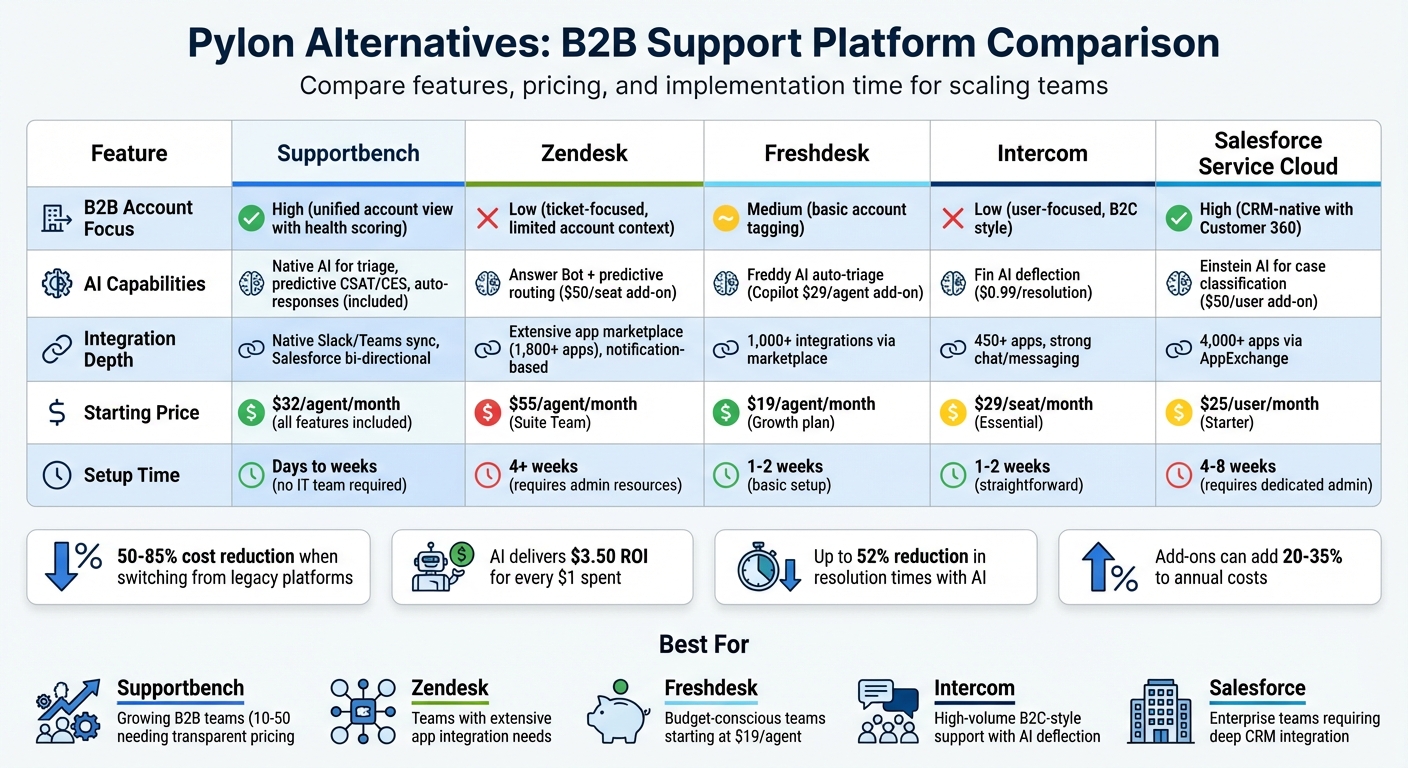
B2B Support Platform Comparison: Features, Pricing & Setup Time
Top 5 Help Desk Software Tested 2025
sbb-itb-e60d259
1. Supportbench
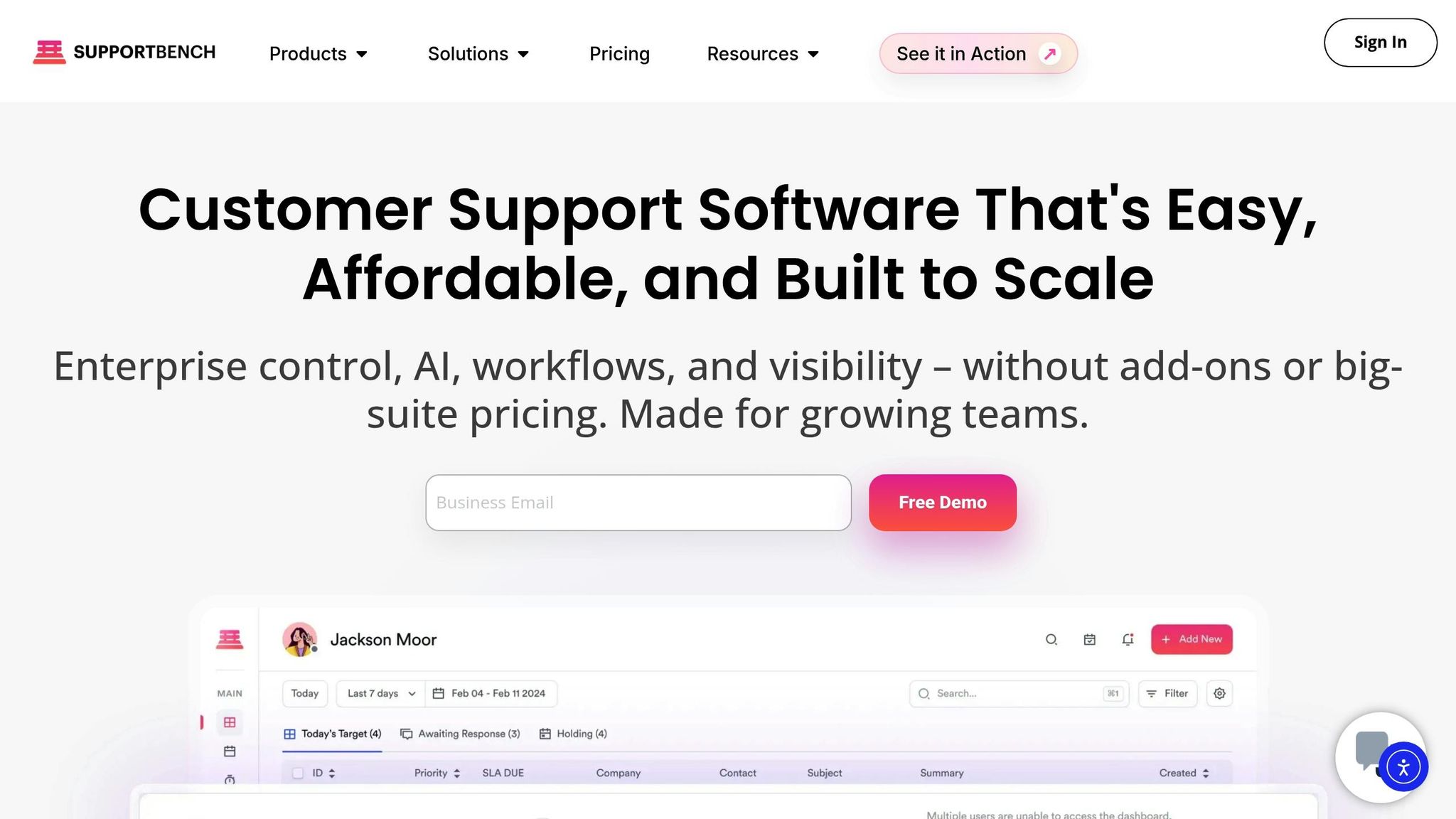
Supportbench takes a different approach by embedding AI directly into its core features. Pricing for the Professional plan starts at $32 per agent per month (billed annually) and includes tools like GPT-4-powered bots, sentiment analysis, predictive CSAT and CES scoring, and automated knowledge base article creation. This integrated design supports its ability to grow with your business.
The platform is built on an account-focused architecture tailored for B2B needs. It can manage parent-child company relationships, track assets across multiple locations, and maintain a complete conversation history for all stakeholders – without losing context. Its dynamic SLAs stand out by triggering at critical points in the ticket lifecycle, such as during ownership changes, escalations, or renewal periods, ensuring that high-value accounts receive consistent attention.
AI plays a big role in automating repetitive tasks. It handles ticket triage and routing based on customer value rather than just ticket content. It can also predict unresolved cases, assess emotional sentiment in real-time, and assign tickets automatically. These features help support teams operate more efficiently as they scale. Additionally, the platform includes built-in AI quality assurance to review every ticket for empathy and accuracy, removing the need for manual checks as the team grows.
Supportbench also focuses on easy implementation and integration. Onboarding and training are included, with no hidden fees.
"Supportbench centralizes all support interactions, enabling our team to manage conversations effectively".
For integrations, the platform connects natively with Salesforce and JIRA and offers a developer API for custom workflows.
The pricing model is straightforward: after 15 agents, each additional agent costs $2.50 up to $150, at which point the Enterprise plan kicks in for teams with 60 or more agents. The Enterprise plan, priced at $100 per agent per month (billed annually), includes extras like sandbox environments, white labeling, and increased file storage – 5GB per agent compared to 1GB in the Professional plan.
2. Zendesk
Zendesk offers a pricing structure that starts at $55 per agent per month for the Suite Team plan (billed annually) and goes up to $169 per agent per month for Suite Enterprise. AI features come with additional costs: AI agents are priced at $1.50–$2.00 per resolution, while AI Copilot adds $50 per agent per month. Setting up Zendesk usually takes between 4 to 8 weeks and often demands IT resources for proper configuration.
The platform was originally designed for B2C chat, which means B2B teams may need to implement workarounds for managing account hierarchies or handling multiple stakeholders. For more advanced customization, teams can use Zendesk Sunshine™ to tailor account structures, though this requires extra development effort. However, Zendesk focuses on individual tickets rather than offering built-in account-level insights, such as customer health scores or churn risk metrics.
Zendesk’s AI tools streamline ticket management by identifying intent, language, and sentiment, then routing requests to the appropriate agents automatically. According to Zendesk, its AI agents automate over 80% of interactions. Companies like Catapult Sports have seen significant improvements: a 50% reduction in first reply times and a 21% decrease in resolution times, as noted by Thomas Powers, VP of Product Support. Liberty London also achieved a 73% drop in first response times using AI-powered routing.
The platform supports over 1,800 pre-built app integrations. However, modern B2B tools like Slack and Microsoft Teams require custom configurations to enable bidirectional syncing. For migrations, Zendesk recommends running parallel systems for 2 to 4 weeks to ensure continuity in multi-stakeholder conversations during the transition.
"Zendesk was selected because we had champions on the team who knew that it would be easier to administer, and it would give our clients and internal teams a better service experience faster than another solution could." – Kevin Barry, Vice President of Global Technical Services and Support, Degreed
3. Freshdesk
Freshdesk’s pricing begins at $19 per agent per month for the Growth plan (billed annually). The Pro plan is priced at $55 per agent per month, while the Enterprise plan costs $89 per agent per month. AI tools are included in the Pro and Enterprise plans, covering the first 500 AI Agent sessions. Beyond that, additional usage costs around $100 for every 1,000 sessions. Depending on the complexity, setup times can range from one to 4–8 weeks. Designed to handle complex B2B operations, Freshdesk integrates advanced features to meet intricate needs.
For businesses requiring scalability, Freshdesk offers parent-child ticketing, which breaks down large issues into smaller, manageable sub-tickets assigned to various departments. The Enterprise plan allows up to 5,000 external collaborators, enabling multiple stakeholders to participate without needing full agent access. Additionally, custom objects can track B2B-specific entities such as "Projects" or "Equipment", linking them directly to support tickets for better context.
Freshdesk’s Freddy AI suite includes three main components: AI Agent for automating customer interactions, AI Copilot for assisting agents, and AI Insights for analytics tailored to leadership needs. The AI Agent is capable of resolving between 75% and 86% of customer queries without human involvement. For example, UPayments reported that their AI Agent independently handled over 75% of live chat conversations.
"Freddy AI Copilot has significantly enhanced our organization’s operational efficiency by automating over 70% of routine customer queries. This has led to a 30% reduction in average resolution time, boosting customer satisfaction scores by 25%." – Lakshmish SS, Senior BA, Razorpay
Freshdesk also connects to over 1,000 integrations via the Freshworks Marketplace, including popular tools like Salesforce, HubSpot, Jira, Slack, and Microsoft Teams. However, the platform’s AI performance is heavily influenced by the quality of the knowledge base. Teams should ensure their documentation is thorough before enabling AI-powered reply suggestions. For operations expecting more than 2,000 monthly bot sessions, it’s wise to calculate potential AI overage costs during the trial period. These features make Freshdesk a strong choice for businesses aiming to scale their support systems with AI-driven solutions.
4. Intercom
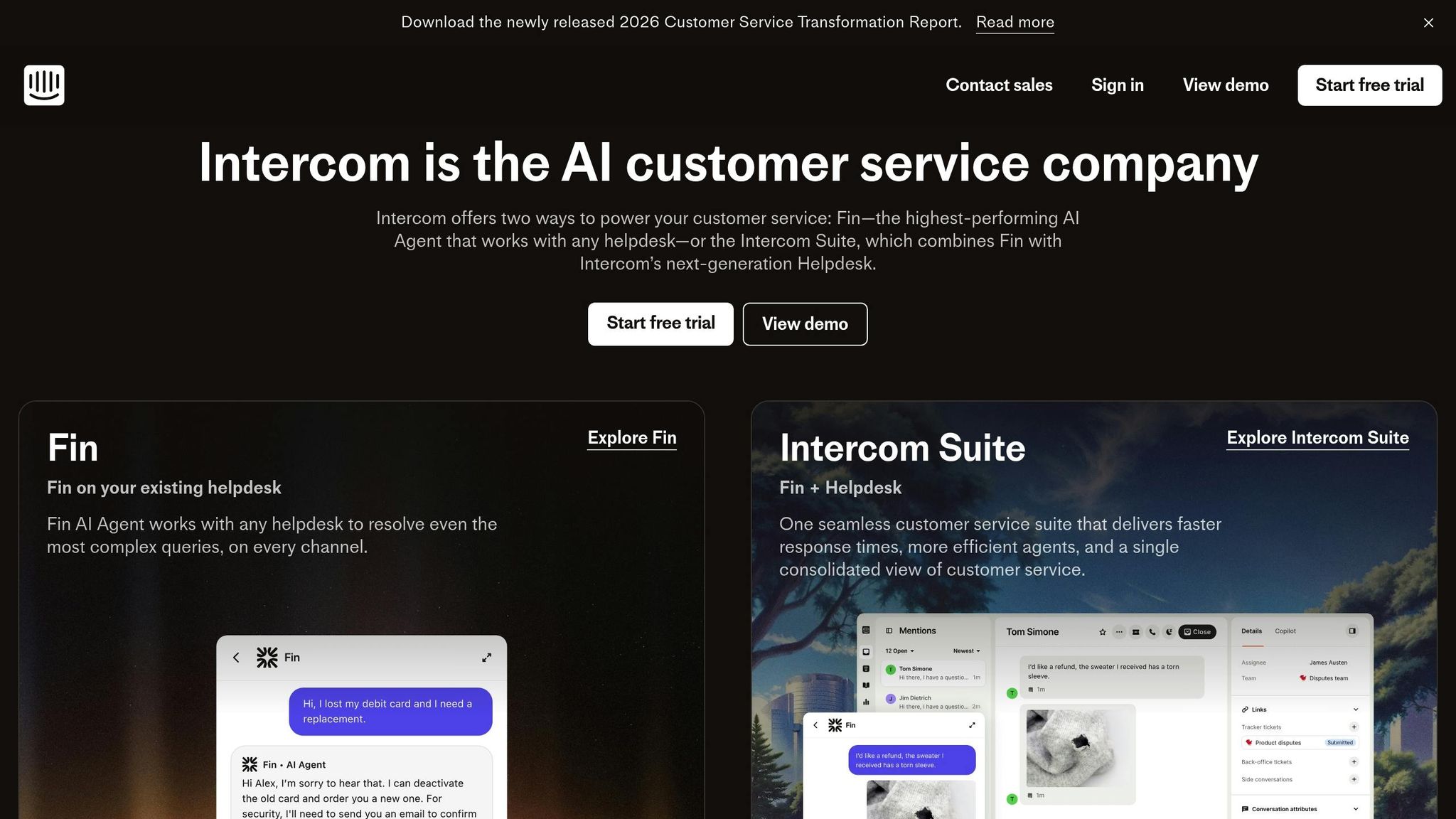
Intercom’s pricing begins at $29 per seat per month for the Essential plan, which includes basic AI access, a shared inbox, and ticketing. The Advanced plan is $85 per seat per month, offering 20 free Lite seats and workflow automation, while the Expert plan is priced at $132 per seat per month, featuring 50 Lite seats, SSO, and HIPAA support. All plans are billed annually. Additional costs include $0.99 per resolution for the Fin AI Agent and $29 per agent per month for unlimited AI Copilot usage. Setup typically takes just a few days. This pricing structure reflects Intercom’s approach to balancing cost with feature depth.
A standout feature of Intercom is its Lite seats, designed for Sales and Product team members who need access to customer context without the expense of a full support seat. The platform’s Tickets system is built to simplify collaboration on complex issues. However, it has limitations in organizing accounts for more intricate B2B structures. On the integration front, Intercom supports over 450 apps, including popular tools like Salesforce, HubSpot, and Jira. These features provide a foundation for evaluating Intercom’s AI-driven efficiency.
Intercom’s AI capabilities are a major draw, offering measurable improvements in efficiency. The Fin AI Agent resolves an average of 66% of inquiries, with performance improving by about 1% each month. For example, Synthesia reported that within six months of using Fin, it resolved over 6,000 conversations, saved more than 1,300 hours, and boosted self-serve support rates to 87%. Meanwhile, AI Copilot helps agents by offering troubleshooting guidance and real-time translation across 45+ languages.
"Our agents are dramatically more efficient when using Copilot. In testing, agents using Copilot were able to close 31% more customer conversations daily, compared to agents not using Copilot." – Angelo Livanos, Vice President, Global Support
Despite its strengths, the platform does face challenges. For instance, multi-language support can cost upwards of $1,000 per month, making it less accessible for mid-market companies with global ambitions. Additionally, while Intercom’s AI can identify customer intent, urgency, and sentiment to take proactive steps, its analytics customization is limited, and its pricing model can scale steeply. These factors may impact its scalability for certain businesses. Furthermore, the system automatically clusters recurring bugs or feedback and routes them to the appropriate teams, ensuring smoother workflows. However, the high costs associated with some features can hinder adoption for companies with tighter budgets.
5. Salesforce Service Cloud
Salesforce Service Cloud is tailored for businesses that need a comprehensive view of every customer interaction across sales, service, and marketing. Pricing starts at $25 per user per month for the Starter edition and scales up to $300 per user per month for the Unlimited edition, which includes Einstein AI features and 24/7 support. Additional costs include $50 per user per month for advanced Einstein AI add-ons (available starting with the Enterprise edition) and $2.00 per conversation for Agentforce AI Agents. Beyond these licensing fees, enterprises should plan for expenses related to professional services, ongoing training, and specialized consultants, as implementing this platform often requires developer expertise.
The platform’s AI tools include Einstein AI for predictive automation, Agentforce for CRM task automation, and Einstein Case Classification for automated triage. Its Intelligent Omnichannel Routing system ensures cases are assigned to the right agent based on their skills, workload, and availability, covering voice, chat, email, and social channels. Salesforce claims a 248% ROI over three years, highlighting its potential to enhance cost-efficiency and productivity. However, some advanced Einstein features, like Article Recommendations, require a minimum of 100+ English knowledge articles and 1,000+ closed cases to effectively train the AI model.
"Salesforce Service Cloud – deeply integrated within the Salesforce ecosystem – offers enterprise‐grade customization, robust analytics, and extensive automation ideal for organizations with complex, multi-departmental needs." – Twig
The platform is well-suited to managing intricate B2B workflows, though its implementation comes with challenges. Despite its "clicks not code" approach, deployment generally takes 4–8 weeks, with initial planning and configuration lasting 1–2 weeks. It scores 8.6/10 on SoftwareReviews, based on feedback from 170 users. While many praise its powerful analytics, others mention its steep learning curve and overwhelming interface, particularly for new agents. This blend of features makes it a strong choice for businesses handling complex interactions, though it demands careful planning and training.
Salesforce Service Cloud also offers access to over 4,000 apps on the AppExchange, providing significant integration options. For B2B operations with intricate account structures, its strength lies in cross-departmental integration and customizable workflows – though these capabilities often come with higher costs. The Service Cloud Voice feature integrates telephony data with CRM records, offering real-time call transcription and AI-driven "next best action" suggestions during live interactions. However, critics have pointed out that while Agentforce excels at automating routine tasks, there are concerns about transparency in its AI decision-making processes.
Platform Comparison: Strengths and Weaknesses
The table below breaks down five critical dimensions of B2B support platforms, showcasing their strengths and weaknesses. Traditional tools like Zendesk and Freshdesk focus more on individual ticket management, while account-centric platforms like Supportbench and Salesforce Service Cloud provide a broader view, catering to the needs of B2B teams where multiple decision-makers are involved – often more than four per deal.
| Platform | B2B Account Focus | AI Capabilities | Integration Depth | Pricing Model | Implementation Time |
|---|---|---|---|---|---|
| Supportbench | High (unified account view with health scoring) | Native AI for triage, predictive CSAT/CES, auto-responses, and KB creation – all included in pricing | Native Slack/Teams sync; Salesforce bi-directional integration | From $32/agent/month; all features included | Days to weeks; no IT team required |
| Zendesk | Low (ticket-focused with limited account context) | Answer Bot and predictive routing available as a $50/seat add-on; AI feels less integrated | Extensive app marketplace; often notification-based for Slack | Suite Team at $55/agent/month; setup typically incurs additional costs | 4+ weeks; requires administrative resources |
| Freshdesk | Medium (basic account tagging) | Freddy AI auto-triage and sentiment analysis; Copilot available as a $29/agent add-on | Omnichannel support; integrations may become crowded as workflows grow | Growth plan at $15/agent/month with additional costs for AI sessions | 1–2 weeks for basic setup |
| Intercom | Low (user-focused, B2C style) | Fin AI for deflection at $0.99 per resolution; Operator for routing | Strong chat and proactive messaging; limited CRM depth | Essential at $29/seat/month plus per-resolution fees | 1–2 weeks; straightforward onboarding |
| Salesforce Service Cloud | High (CRM-native with Customer 360 context) | Einstein AI for case classification and routing | Deep cross-departmental sync | Starter at $25/user/month; advanced features at $165/seat | 4–8 weeks; requires dedicated administrative resources |
Modern support operations demand cost-efficiency and smooth communication. Platforms like Supportbench stand out with transparent, all-inclusive pricing, while others, such as Intercom and Zendesk, often involve extra costs for add-ons and professional services. Businesses transitioning from older platforms report cost reductions of 50–85%.
When it comes to AI capabilities, Supportbench and Salesforce lead in account-level intelligence. Zendesk and Freshdesk focus on automating individual tickets, while Intercom specializes in handling high-volume deflection. AI-powered tools can reduce resolution times by up to 52% and deliver an average ROI of $3.50 for every $1 spent. However, legacy platforms often treat AI as an add-on rather than a core feature. For instance, Zendesk’s AI tools, built through acquisitions, may feel less cohesive.
Integration is another key factor. Supportbench offers seamless two-way Slack and Teams integration, allowing stakeholders to address issues directly within their workspace. In contrast, Zendesk and Salesforce typically rely on notification-based connectors, which can disrupt workflows and decrease efficiency. A notable example: in 2025, AssemblyAI leveraged Pylon’s AI features to achieve a 50% AI resolution rate, with a median first response time of just 23 seconds.
Finally, implementation time is crucial for scaling operations. Supportbench and Freshdesk can be set up in days or weeks, making them ideal for quick deployment. On the other hand, Zendesk requires at least four weeks, and Salesforce often takes 4–8 weeks, with ongoing administrative demands. These factors make speed, pricing, and AI capabilities critical when choosing a platform to scale support operations.
Conclusion
When choosing a platform, consider your team size and how you plan to scale. For small teams with fewer than 10 agents, free or low-cost options like HubSpot Service Hub (free for up to 2 users) or Freshdesk (free for up to 10 agents) are great starting points. These tools let you establish support processes without major upfront costs, offering basic ticketing and CRM integration to help you get a feel for what you need before moving to paid plans.
As your team expands, priorities shift to include more advanced AI features and seamless integrations. Growing B2B teams with 10 to 50 agents often need to balance cost with features like account-level intelligence and AI automation. Supportbench is a standout choice here, offering enterprise-grade tools – such as native AI for triage, predictive CSAT/CES, and automated responses – starting at $32 per agent per month. Unlike traditional platforms, it avoids hidden fees and add-ons, often delivering 40–70% cost savings. If your customers rely heavily on Slack or Microsoft Teams, look for platforms with native integrations to eliminate the “context-switching tax” that can slow down response times.
For enterprise teams, the focus shifts to deep customization, cross-departmental collaboration, and compliance certifications like SOC 2 and GDPR. While many enterprise solutions require lengthy implementations and significant IT resources, Supportbench offers a faster setup – taking just days or weeks – with no IT team needed. It also provides unified account views and advanced health scoring, ensuring your team has the insights they need to deliver top-notch support.
To choose the best platform, evaluate the total cost of ownership. This includes not just license fees but also implementation, training, and add-ons, which can make up 20–35% of annual costs. AI features are most impactful when they’re embedded into the platform itself. Running parallel trials with real-world scenarios can help you identify potential gaps before committing to a full migration.
The ideal platform should reduce costs, speed up response times, and grow with your team. Supportbench excels in all these areas, making it a cost-effective Zendesk alternative for B2B teams seeking enterprise-level functionality with transparent, predictable pricing.
FAQs
What should businesses look for in a B2B support platform as they grow?
As your business grows, selecting the right B2B support platform becomes essential for handling increasing demands and complexity. A strong platform should support account-centric workflows, making it easier to manage multi-stakeholder accounts and address long-term issues – both common challenges in B2B environments.
Look for a solution with robust integration options for tools like Slack or Microsoft Teams. These integrations help streamline communication and minimize the need to switch between platforms, keeping your team focused and efficient.
Platforms with AI-powered features can also make a big difference. Tools like automated triage, intelligent routing, and escalation prediction can save time and improve response accuracy, ensuring your team delivers faster and more effective support.
Lastly, choose a platform that’s both scalable and customizable. This ensures you can adjust workflows as your business evolves. An intuitive interface is also key, making implementation and onboarding smooth and straightforward. By focusing on these elements, you’ll be well-equipped to scale your support operations while keeping customers happy.
How does Supportbench use AI to improve B2B customer support?
Supportbench leverages AI to streamline B2B customer support, making processes smoother and boosting agent productivity. With its AI Copilot, agents gain immediate access to case context, suggested responses tailored to case history, summaries of prior interactions, and real-time access to relevant knowledge base articles. This means quicker, more precise resolutions – all without the hassle of complicated setups.
AI also takes charge of ticket management by automatically prioritizing and routing tickets based on factors like urgency, customer value, or even emotional tone. Tools like auto-tagging, predictive resolution scoring, and dynamic SLA adjustments help teams focus on the most critical tasks, cutting down resolution times and enhancing customer satisfaction. On top of that, AI turns resolved tickets into knowledge base entries and improves search functionality, allowing teams to grow and operate more efficiently.
What are the cost considerations when switching to a new B2B support platform?
Switching to a new B2B support platform can have a noticeable impact on both initial and long-term costs. Traditional platforms often come with hefty setup fees, typically ranging from $5,000 to $20,000, and ongoing expenses that increase as your team expands or you add advanced tools like AI or workforce management systems. Over a three-year period, the total cost for a team of 20 agents can surpass $200,000.
On the other hand, modern AI-native platforms are designed to be more cost-efficient. Subscription rates average around $32 per agent per month, and implementation fees are minimal or even nonexistent. These platforms often come with built-in AI capabilities, resulting in a more predictable and manageable total cost of $80,000 to $100,000 over three years. Plus, faster deployment reduces downtime and training costs, making these platforms a scalable and budget-friendly option as your business evolves.






