
Struggling with outdated support tools? Here’s the bottom line: Kayako and Supportbench both aim to modernize your support operations, but they cater to different needs. Kayako is ideal for small teams with simple workflows, while Supportbench is designed for complex B2B environments that demand advanced features like dynamic SLAs, AI-driven insights, and multi-department collaboration.
Key Takeaways:
- Kayako: Affordable for small teams, with AI features like ticket classification and auto-responses, but limited scalability and customization for complex workflows.
- Supportbench: Built for B2B operations, offering advanced tools like Customer 360 views, predictive analytics, and flexible pricing with no hidden fees.
Quick Comparison:
| Feature | Kayako | Supportbench |
|---|---|---|
| Pricing | $79/month + $1/AI ticket | $32/user/month (all-inclusive) |
| AI Features | Basic automation | Advanced AI (sentiment, SLA) |
| Scalability | Small teams | SMBs to enterprises |
| Customization | Limited | Extensive (no IT required) |
| Customer View | Basic timeline | Full Customer 360 |
| G2 Rating | 4.1/5 | 4.9/5 |
Bottom Line: If your team is small and needs a simple, cost-effective help desk, Kayako is a good fit. But for teams that need a B2B helpdesk to manage complex accounts and workflows, Supportbench offers a more powerful, scalable solution.
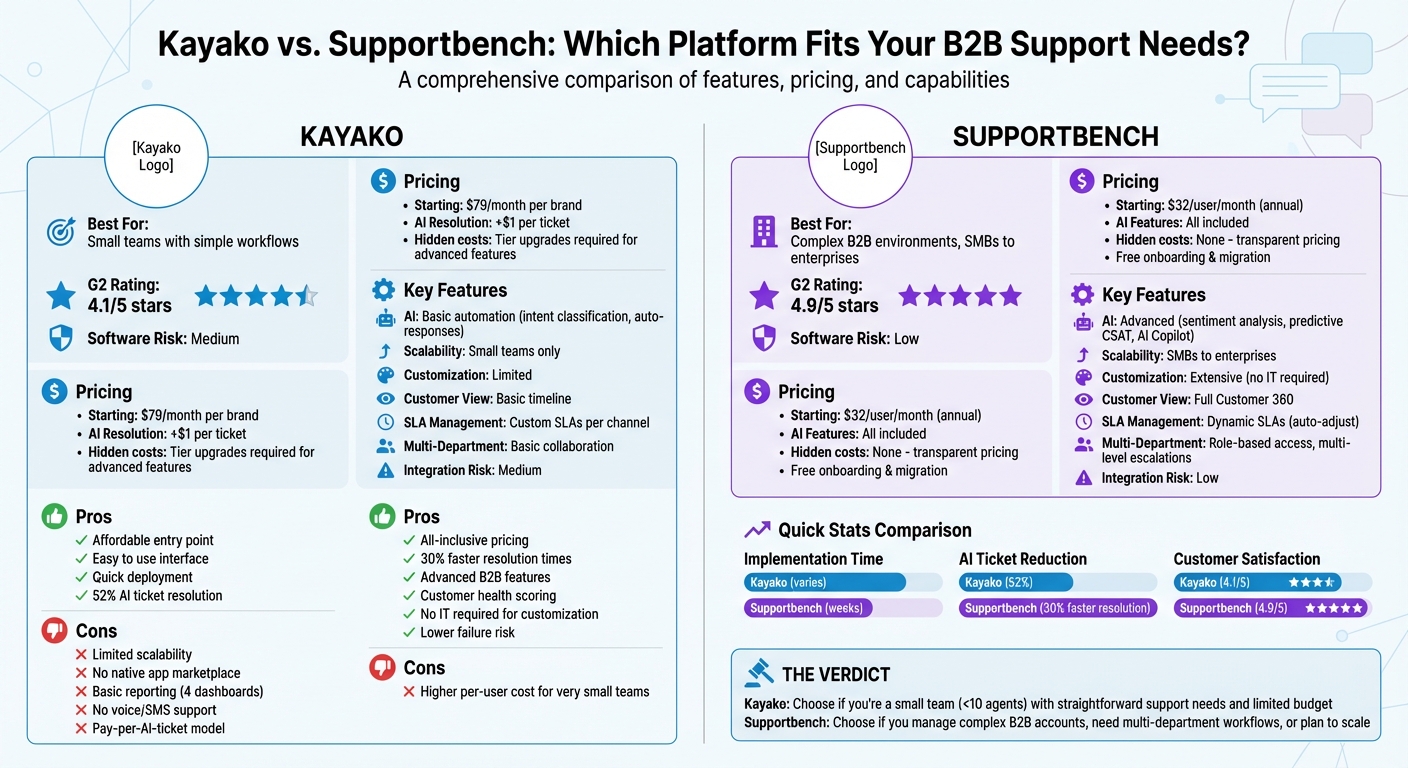
Kayako vs Supportbench: Feature and Pricing Comparison for B2B Support Teams
How I Solved 5,000 Support Tickets for a B2B SaaS with Ai
sbb-itb-e60d259
Kayako Overview: What It Offers and Where It Falls Short
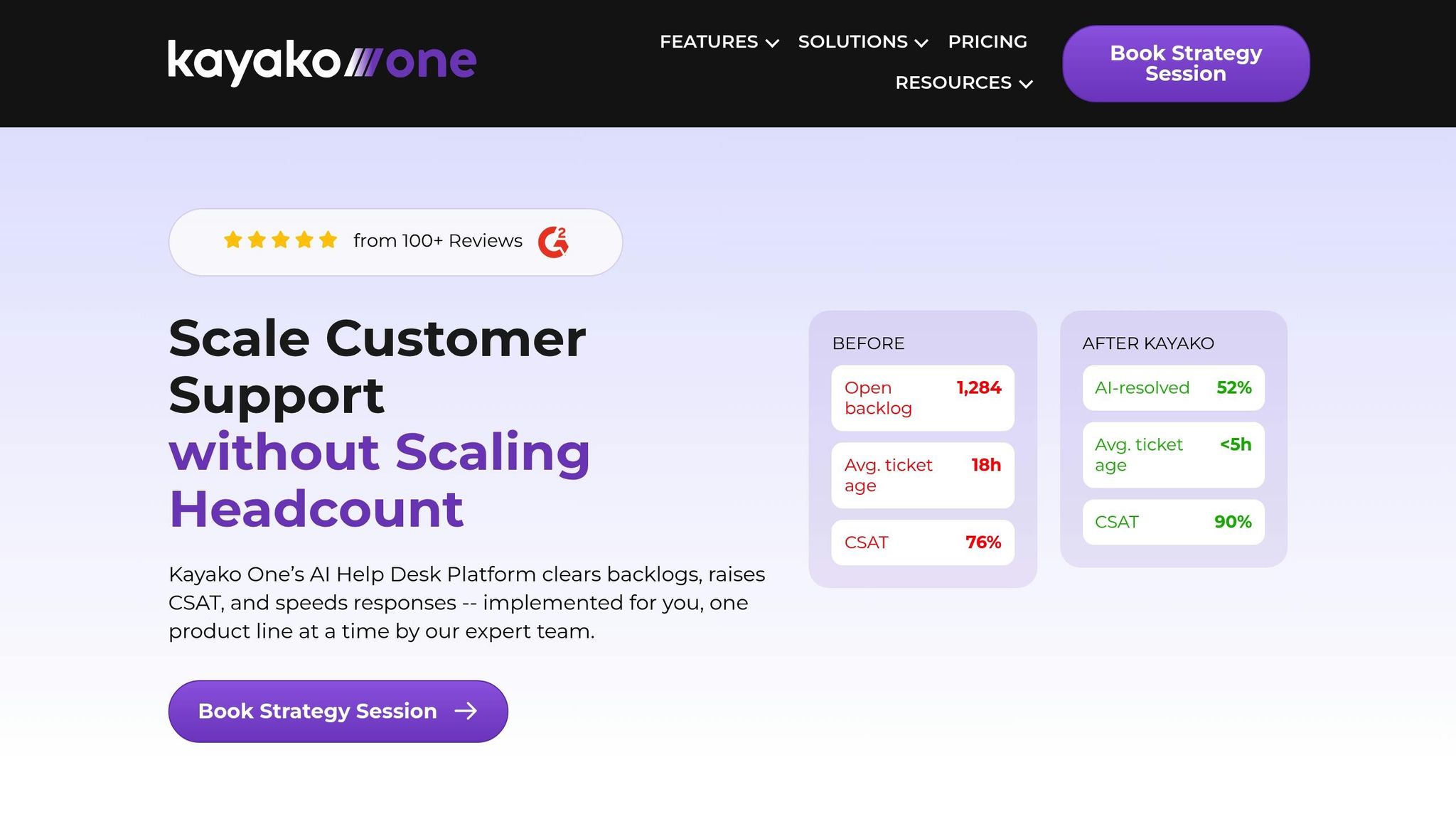
Kayako brings together email, live chat, and shared inboxes into a single platform, specifically designed for modern B2B support teams. Through its "Kayako One" suite, the platform implements a three-step AI-driven approach: AI Triage for ticket classification and routing, AI Answers for automated response drafting, and Continuous Learning to improve system performance over time. According to Kayako, its AI resolves 52% of support tickets, with a pricing model of $1 per AI-resolved ticket. Below, we’ll dive into the platform’s advantages and limitations, followed by how Supportbench addresses the needs of advanced B2B organizations.
For small-to-medium businesses with straightforward support needs, Kayako offers an easy-to-use interface and an affordable starting price of $79 per month. Trusted by over 300 support teams, it also meets enterprise-grade security standards, including SOC 2, GDPR, and HIPAA readiness.
"Kayako cut our ticket age from 18 hours to under 5 and half of those tickets disappeared entirely. We weren’t buying a new interface. We were buying a cost reset."
- Colin Guilfoyle, SVP of Customer Support at Trilogy
Main Features and Ideal Use Cases for Kayako
Kayako integrates with popular tools like Salesforce, Slack, and Jira, helping improve metrics such as First Contact Resolution, Total Resolution Time, and Cost per Ticket. Its user-friendly interface and quick deployment make it a good fit for smaller teams managing straightforward customer inquiries. However, it’s less suited for handling complex, multi-department workflows or advanced support needs.
Where Kayako Falls Short for Modern B2B Support
Despite its simplicity and ease of use, Kayako struggles to meet the demands of complex B2B environments. For example, it lacks a native app marketplace, relying instead on third-party tools like Zapier for integrations. It also doesn’t support voice and SMS channels natively, leaving gaps in its omnichannel capabilities. Reporting options are limited to four pre-built dashboards, and any custom reporting requires exporting data to CSV files, making real-time analytics and actionable insights harder to achieve.
Kayako also misses key features essential for advanced B2B support. These include dynamic SLAs that adapt to contract renewals, multi-level escalation management, and comprehensive "Customer 360" views that consolidate contracts, licensing, and product usage data. Although the platform has introduced AI, it lacks more advanced features like sentiment analysis and agent copilots. Eric Klimuk, Founder and CTO of Supportbench, highlights these gaps:
"Kayako is a simple, affordable help desk solution ideal for small teams, but it lacks advanced automation and scalability."
- Eric Klimuk, Founder and CTO of Supportbench
The platform holds a 4.1/5 rating on Cuspera but is flagged with a "medium" risk for integration and migration.
For businesses aiming to scale or requiring more sophisticated workflows, these limitations can become significant obstacles. Balaji Jayaraman, VP of Customer Support at Aurea, shared his experience:
"Every time we lost a support agent, it cost us $20,000 and three months of scrambling… Since we brought in Kayako, that’s changed. It handles the repetitive stuff, and our agents finally have room to breathe."
- Balaji Jayaraman, VP of Customer Support at Aurea
While Kayako can improve agent retention in simpler setups, organizations with complex needs may quickly outgrow its capabilities. Next, we’ll explore how Supportbench addresses these challenges with a tailored approach to advanced B2B support.
Supportbench Overview: Built for B2B Support Operations
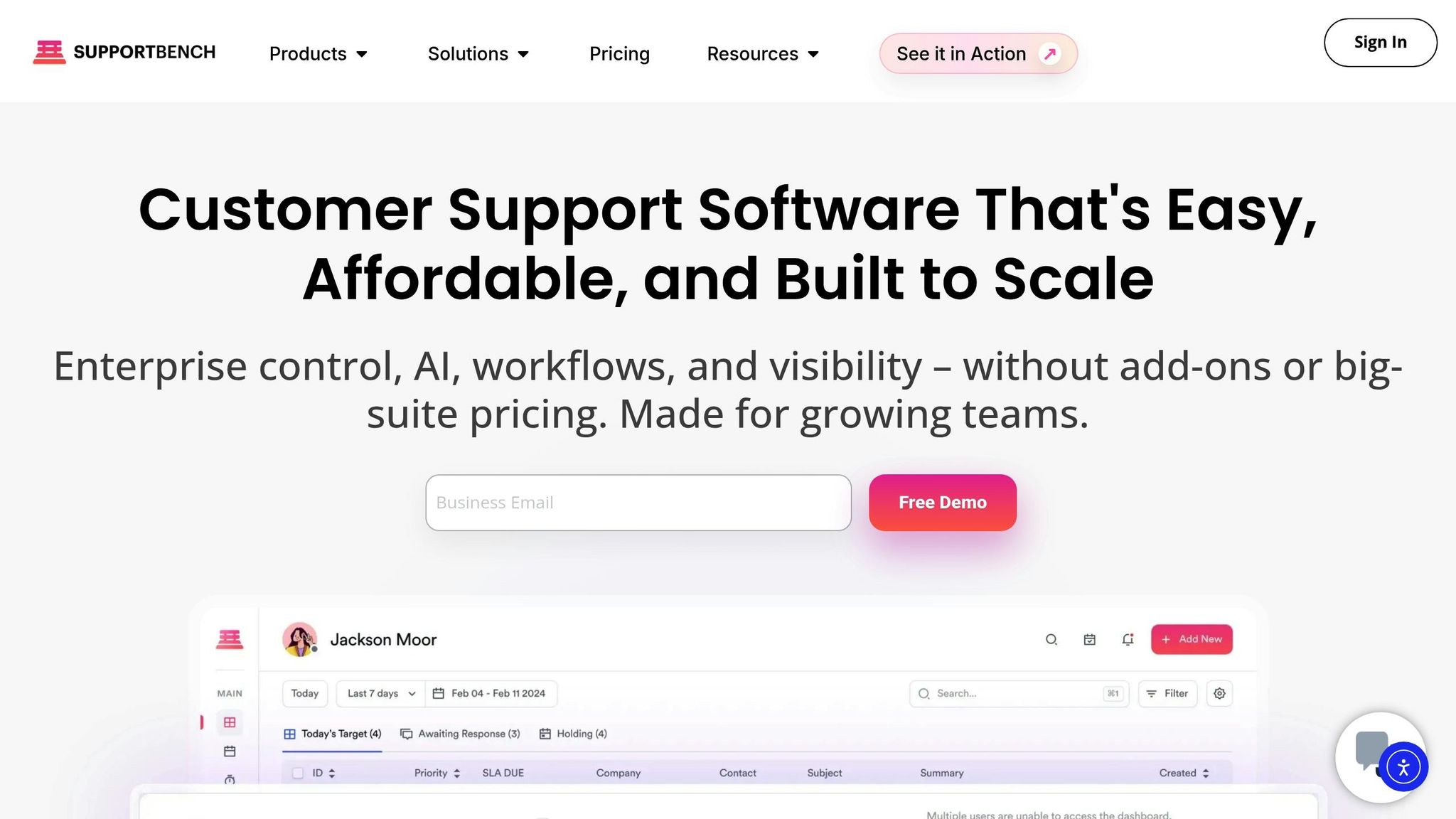
Supportbench is purpose-built for the intricate demands of B2B support, where cases often involve multiple stakeholders and detailed processes. It consolidates key elements like contracts, licensing, product usage, and case history into a unified Customer 360 view. This setup directly addresses the shortcomings of older systems, which weren’t designed for the relationship-driven, high-touch dynamics of B2B support.
The platform boasts impressive ratings, including 4.9/5 on G2 and Capterra and 4.4/5 on Cuspera. It also carries a lower software failure risk compared to Kayako, which has a medium risk rating. What really sets Supportbench apart is its "No IT Required" approach. Support teams can independently configure workflows, customize dashboards, and manage escalations – no IT tickets or developer intervention needed. Implementation is quick, often completed in weeks, and includes free migration and onboarding services to simplify the switch from outdated systems. This self-sufficient design also supports clear, predictable pricing as teams expand.
Supportbench takes a stand against the common "add-on pricing" model found in legacy platforms. Its "Everything Included" pricing ensures that all features – AI tools, advanced reporting, dynamic SLAs, and multi-department workflows – are accessible without hidden fees or feature restrictions. Pricing starts at $32.00 per user, per month, with transparent scaling as your team grows.
Built-In AI Features
Unlike many platforms that charge extra for AI capabilities, Supportbench integrates AI as a core part of its offering. These tools are designed to lighten the workload for agents and boost efficiency throughout the support process. For instance, automated case summaries provide essential context when tickets are opened or closed, eliminating the need to sift through extensive email threads. This is particularly valuable in B2B environments where multiple agents or departments may handle the same account.
The AI Copilot offers real-time support by analyzing ticket history and knowledge base data to suggest the "next best response." Predictive scoring leverages sentiment analysis to assess customer satisfaction without requiring surveys, giving support leaders early warnings about accounts that may be at risk. Additionally, dynamic SLA management prioritizes or escalates cases based on factors like customer value or contract renewals, ensuring high-value clients receive timely attention.
These AI-driven features are making a noticeable impact. Supportbench users report a 30% reduction in ticket resolution times thanks to automation. The platform also includes a self-optimizing knowledge management system that converts resolved cases into knowledge base articles with a single click. This helps technical support teams continuously expand their knowledge base as products and services evolve.
"AI, in this sense, is not just a productivity enhancer – it is reshaping the culture of customer service itself. The focus shifts from resolving issues to preventing them." – Eric Klimuk, Founder and CTO of Supportbench
These AI capabilities are designed to support seamless growth and customization for evolving B2B needs.
Scalability and Customization for Complex B2B Needs
Supportbench is built to grow alongside B2B teams, offering scalability without requiring extensive IT involvement or costly professional services. Its features enable multi-department collaboration with role-based portal access and multi-level escalation management, ensuring workflows can be tracked across various teams. This flexibility makes it a strong alternative to simpler helpdesks like Kayako, which often lack the governance tools needed for enterprise-scale operations.
Dynamic SLAs are another standout feature, automatically adjusting based on factors like renewal deadlines or risk signals. For instance, when a high-value customer’s renewal date approaches, SLA timers tighten to ensure faster responses. This minimizes manual prioritization and helps reduce churn.
In October 2025, Jenzabar, a leading software provider for higher education, transitioned from a legacy CRM-based helpdesk to Supportbench. Managing hundreds of products for diverse institutional clients with complex SLAs, Jenzabar saw faster resolution times and improved transparency between sales and support teams. Centralized dashboards fostered better communication with clients and reduced the workload on support staff.
"Supportbench is helping us support our customers as we always have done, but it is now giving us the ability to move to giving our customers a better service as we now have a better understanding of what they need through analytics and data rather than the ‘gut feel’." – Eilis B., Verified Reviewer, Wholesale Industry
Additionally, native Salesforce integration allows AI to prioritize tickets based on account value and renewal risk. This eliminates the need for costly third-party solutions or custom development often required by older systems.
Feature Comparison: Kayako vs. Supportbench
When comparing platforms for modern B2B support, the differences between Kayako and Supportbench stand out, especially in how they address the challenges of managing complex accounts. Kayako markets itself as an "AI-First" solution, claiming to reduce ticket volume by up to 80% within 90 days. Its approach relies on intent classification and knowledge base retrieval to automatically handle repetitive inquiries, charging $1 per AI-resolved ticket. This makes it a strong choice for high-volume, transactional support scenarios with straightforward queries.
Supportbench, on the other hand, is tailored for B2B environments where cases often involve multiple stakeholders, intricate workflows, and a focus on relationship-driven support. Rather than just reducing ticket volume, it emphasizes better coordination across departments and actively tracks account health. Additionally, Supportbench has a lower software failure risk compared to Kayako’s medium risk rating, a crucial factor for enterprises that depend on system reliability to maintain customer trust.
Kayako offers omnichannel connectivity through its SingleView system, which consolidates purchase history and product usage data into a unified timeline. It also integrates with over 700 apps via Zapier and webhooks. While Kayako shines in loyalty management and collaboration tools, Supportbench takes the lead in customer management and feedback and advanced case handling. These differences significantly influence how each platform performs in complex B2B support scenarios.
Here’s a quick breakdown of their key features:
Feature Comparison Table
| Feature | Kayako | Supportbench |
|---|---|---|
| AI Capabilities | Intent classification, auto-resolution, suggested replies, ticket summaries | AI Copilot, predictive CSAT/CES, case summaries, KB article creation, sentiment analysis |
| Primary Focus | Ticket reduction for SMBs with straightforward needs | B2B account management with multi-department workflows |
| Ticketing System | Shared inbox with basic automation | Advanced case management with dynamic SLAs and escalation tracking |
| SLA Management | Custom SLAs per channel and business hours | Dynamic SLAs that adjust based on renewal dates, risk signals, and account value |
| Customization | Limited workflow customization | Extensive customization for workflows, ticket forms, and dashboards – no IT required |
| Scalability | Best for small teams; struggles with enterprise-level complexity | Designed for SMBs and large enterprises with complex B2B needs |
| Integration Risk | Medium | Low |
| Knowledge Base | Self-service portal with AI-powered retrieval | Self-optimizing KB with one-click article creation from resolved cases |
| Reporting & Analytics | Pre-built reports with root-cause insights | Advanced reporting, customer health scoring, and feedback management |
| Multi-Department Support | Basic collaboration tools | Role-based portal access, multi-level escalations, cross-team visibility |
| Customer 360 View | SingleView timeline with purchase history and usage data | Unified view with contracts, licensing, product usage, and case history |
| Pricing Model | $79/month per brand + $1 per AI-resolved ticket | Flat $32/user/month with all features included – no add-ons |
| G2/Capterra Rating | 4.1/5 | 4.4/5 |
| Software Failure Risk | Medium | Low |
Pricing and Scalability: Total Cost of Ownership
When evaluating pricing, it’s important to look beyond the upfront monthly fee. Kayako advertises a starting price of $79 per month, which might seem reasonable – until you factor in the $1 fee for every ticket resolved by AI. For example, resolving 500 tickets through AI adds $500 to your bill. As ticket volumes grow, these fees can quickly pile up, making it challenging to estimate your annual costs. This pay-as-you-go pricing model is very different from platforms that offer fixed fees.
Supportbench, on the other hand, uses straightforward, all-inclusive pricing. Its Professional plan costs $32 per user per month (if paid annually) or $40 per month on a monthly basis. This includes all AI capabilities – such as ticket summaries, sentiment analysis, automated workflows, and knowledge base article creation – without charging extra for AI usage. There are no hidden setup fees, no required professional services, and onboarding and training are offered at no additional cost, which can save mid-sized teams a considerable amount on implementation. The table below breaks down these pricing differences for a clearer comparison.
"Kayako is a simple, affordable help desk solution ideal for small teams, but it lacks advanced automation and scalability."
– Eric Klimuk, Founder and CTO, Supportbench
Pricing Comparison Table
| Cost Factor | Kayako | Supportbench |
|---|---|---|
| Starting Price | $79/month | $32/user/month (annual) or $40/month (monthly) |
| AI Resolution Fees | +$1 per AI-resolved ticket | Included in base price |
| Onboarding & Training | Often requires paid services | Free |
| B2B Features | Basic ticketing | Health scoring, KPI scorecards, CSAT/NPS, advanced SLAs |
| Setup Fees | Varies by tier | $0 |
| Hidden Costs | AI surcharges, feature-gated tiers | None – transparent pricing |
| Enterprise Plan | Requires tier upgrade | $100/user/month (annual) or $125/month (monthly) |
How Each Platform Scales with Growing Teams
Scaling effectively is critical for growing organizations, and the differences between these two platforms become even more apparent in this area.
Kayako performs well for small teams, but scaling up introduces challenges. To unlock advanced automation or custom reporting features, you’ll need to move to more expensive tiers. Additionally, it lacks built-in B2B tools like customer health scoring and multi-department workflows, which can lead to inefficiencies as your team grows.
Supportbench, however, offers predictable scaling with its per-user pricing. For teams with 16 to 59 users, the cost increases incrementally by $2.50 per additional user, capped at $150 per user. Once the team reaches 60 users, the platform transitions to the Enterprise plan, which includes features like a sandbox environment, white labeling, single sign-on (SSO), and a dedicated success manager, ensuring costs remain manageable. Moreover, its low software failure risk (compared to Kayako’s medium risk rating) reduces the likelihood of downtime and the hidden costs that come with it.
"Supportbench provides a flexible, AI-powered solution that combines ease of use with scalability at a more affordable price."
– Eric Klimuk, Founder and CTO, Supportbench
For B2B teams handling complex accounts with multiple stakeholders, Supportbench’s predictable pricing model and robust enterprise features offer a better long-term solution. By avoiding unexpected costs – such as AI surcharges or tier upgrades – you can keep your support budget under control by measuring helpdesk ROI, making it a stronger choice for businesses managing high ticket volumes or growing teams.
Migration Challenges and How to Avoid Them
Common Migration Problems from Legacy Systems
Moving from legacy systems can bring a host of technical hurdles, and if not managed properly, these issues can disrupt your support operations. One major risk is losing ticket history, including critical threaded comments and attachments, during the data transfer process. Legacy platforms often use unique issue types, workflows, and statuses, which require careful manual re-mapping before migration can even begin. Additionally, the brief cutover period during migration can lead to missed customer messages, while SLAs and ticket queues need to be rebuilt from scratch to align with modern B2B standards. Another common complication arises from legacy systems that mix internal engineering tasks with customer support tickets, creating confusion about what data should be migrated and where it should go.
"How do you migrate away from Jira Service Management without losing ticket history?"
– Nooshin Alibhai, Founder and CEO of Supportbench
These challenges highlight the need for a detailed and well-thought-out migration strategy.
How to Ensure a Smooth Migration
To navigate these challenges, it’s essential to follow a set of best practices during the migration process. One effective approach is a parallel run strategy, where both the legacy system and Supportbench operate simultaneously for a defined period. This ensures that integrations are working correctly and that no customer messages slip through the cracks during the transition. Additionally, having a clear rollback plan in place before the final cutover allows you to revert to the legacy system if critical issues emerge.
Documenting workflow mappings is another key step. By translating legacy statuses into the new system in advance, you can significantly simplify the migration process. Also, disable automated triggers and notifications temporarily before importing data to avoid sending unintended alerts. After completing the bulk migration, conduct a delta migration to capture any tickets created or updated during the transition.
"JSM cutover strategy: parallel run, integrations, and rollback plan"
– Nooshin Alibhai, Founder and CEO of Supportbench
Migration is also an opportunity to improve your support operations. Use this time to rebuild SLAs and queues with a focus on modern metrics for better performance. Additionally, consider updating help center articles to a Knowledge-Centered Service (KCS) format. This not only enhances searchability but also positions your support infrastructure for long-term success. By approaching migration as more than just a technical task, you can turn it into a chance to revamp and optimize your support systems.
Conclusion: Choosing the Right Platform for Modern B2B Support
Key Takeaways
Kayako may work for straightforward needs, but it falls short when handling the demands of complex, multi-stakeholder B2B support. Its shortcomings include limited customer context, weak workflow integration, and scalability issues – problems that can’t simply be fixed by upgrading to higher tiers.
On the other hand, Supportbench is built with complex B2B environments in mind. It offers a Customer 360 view and dynamic SLAs that adapt based on key account metrics. This ensures agents always have the full picture and can prioritize tasks effectively.
From a pricing standpoint, Supportbench’s "everything included" model eliminates hidden fees. Features like AI-powered case summaries, auto-tagging, and one-click knowledge base article creation come standard – no extra charges. Additionally, Supportbench carries a lower risk of software failures compared to Kayako, particularly in areas like security, privacy, and integration.
These differences make a compelling case for choosing Supportbench.
Final Recommendation
If your support operations are bogged down by rising costs, limited automation, or a lack of customer context, it might be time to rethink your platform. Research shows that 90% of customers expect immediate responses to stay engaged with a brand.
Supportbench offers enterprise-grade capabilities with transparent pricing, minimal failure risk, and a quick implementation process. With a 4.9/5 rating on G2 and Capterra, and deployment timelines measured in weeks instead of months, it’s designed to meet the demands of modern B2B support. Take a closer look at your current tools, address the gaps affecting productivity and customer satisfaction, and consider a platform tailored for complex B2B needs.
FAQs
How do I estimate total cost when AI fees vary by ticket volume?
To figure out the total cost, you’ll need to consider both the base subscription fee and the charges for AI-resolved tickets. Start by estimating how many tickets the AI will handle each month. Multiply that number by the per-ticket resolution fee.
For instance, if the fee is $1 per ticket and you anticipate 10,000 tickets per month, your AI-related costs would be $10,000. Add this amount to your subscription fee. Be sure to factor in any potential changes in ticket volume or growth trends to ensure your estimate stays on target.
What are “dynamic SLAs,” and when do B2B teams need them?
Dynamic SLAs are a modern twist on traditional service level agreements, designed to adapt in real time. Powered by AI, they evaluate factors like customer sentiment, urgency, and overall customer value to adjust priorities on the fly. Unlike static SLAs, which stick to rigid, pre-set rules, dynamic SLAs focus on the business impact of each ticket.
For B2B teams operating in complex environments, this approach is a game-changer. It ensures that urgent cases and high-value customers receive the attention they need, helping teams maintain top-notch service quality – even as their operations grow.
How can we migrate without losing ticket history or breaking SLAs?
Migrating from Kayako while keeping your ticket history intact and preserving SLAs can feel like a daunting task, but it’s manageable with the right approach. Here’s how to tackle it step by step:
- Audit and Back Up Your Data: Before doing anything, review your existing data and create a secure backup. This ensures you have a fallback in case something goes wrong.
- Export Your Data: Use Kayako’s API or database dumps to extract your ticket history and other essential information. This step is crucial to avoid losing any details during the migration.
- Run Test Migrations: Conduct trial runs to verify the accuracy of the migration process. This helps identify and fix any potential issues before the full migration.
- Schedule the Full Migration: Plan the actual migration during off-peak hours to minimize disruptions. This timing reduces the impact on your team and customers.
- Use Delta Migration for Updates: After the main migration, use delta migration to capture any new or updated tickets. This ensures your data stays current.
- Validate Post-Migration: Once the migration is complete, thoroughly check that ticket histories and SLAs have been preserved. Validation ensures everything is functioning as expected.
By taking these steps and planning carefully, you can ensure a seamless transition without compromising your ticket data or SLAs.