How to Proactively Check Customer Sentiment in Customer Success (Cadence, Surveys & QBRs)

96% of unhappy customers leave without saying a word. Waiting until problems escalate costs businesses billions annually. Tracking customer sentiment early can prevent churn, boost retention by 55%, and even accelerate revenue growth by 41%.

Here’s how to monitor sentiment effectively:

  • Email Surveys: Scalable for large accounts, ideal for NPS or CSAT tracking.
  • Calls: Best for high-value accounts, offering deeper, personalized insights.
  • AI Tools: Analyze sentiment in real-time, flagging risks before they escalate.
  • QBRs: Focus on ROI and strategic alignment for long-term partnerships.

Timing is key: Regular check-ins (e.g., weekly during onboarding, quarterly for mature accounts) and immediate action based on health scores ensure no customer is overlooked. Use AI to streamline processes and focus on building meaningful relationships.

Customer sentiment isn’t just feedback – it’s your early warning system. Start tracking it today to protect revenue and strengthen partnerships.

What is Customer Sentiment | How to monitor it| Why You Need To Measure It

How to Choose the Right Channel: Email, Calls, or AI Tools

The channel you select for sentiment checks should align with account value, lifecycle stage, and urgency. For high-value enterprise accounts, direct interventions like calls or Quarterly Business Reviews (QBRs) are crucial when sentiment dips. On the other hand, lower-value accounts can be effectively managed with automated email workflows. Striking a balance between automation and personalization is key – you can’t call every customer regularly, but relying solely on generic surveys isn’t enough either.

Account lifecycle stage is just as important as account value. During onboarding, milestone-specific surveys (e.g., "What did you like about onboarding?") can uncover early pain points. Meanwhile, mature accounts benefit from QBRs focused on ROI and tracking sentiment changes over time. Urgency also plays a role. For example, a sudden surge in support tickets or a noticeable drop in sentiment scores within 30 days calls for immediate action, such as a phone call – even for mid-tier accounts. Conversely, accounts with stable sentiment can often be monitored using AI, saving time for Customer Success Managers (CSMs). However, prolonged customer silence should be treated as a warning sign of disengagement.

Let’s break down how each channel serves different customer needs.

Email for Scalable, Low-Cost Engagement

Email is the most efficient channel for engaging large customer segments, especially when collecting data like NPS or CSAT scores. It’s ideal for low-touch accounts, milestone check-ins (e.g., 30 days after onboarding), and tracking sentiment trends over time.

However, email’s low response rates require thoughtful timing – avoid sending surveys on Mondays or Fridays. Personalized emails, sent by CSMs rather than automated systems, can significantly boost response rates. Modern AI tools make personalization easier, allowing CSMs to draft tailored emails quickly by synthesizing data from support tickets, product usage, and past communications.

Following up on feedback is crucial to maintaining engagement. Customers are more likely to participate in surveys if they see that their input leads to real changes. For instance, a follow-up email could say, "Thanks to your feedback, we’ve improved our onboarding documentation", to show that their voice matters.

While email is excellent for scale and cost-effectiveness, high-value accounts often require the depth and nuance that only live calls can provide.

Calls for High-Touch, Deeper Insights

Live calls are indispensable for strategic accounts, where building long-term partnerships and executive alignment is critical. Research shows that B2B customers with strong executive engagement are more likely to renew, and regular QBRs further reinforce those relationships.

Calls allow CSMs to dive into complex topics and act as trusted advisors. They can ask probing questions like, "How have recent layoffs impacted your team’s ability to use our platform?" or "What’s changed since we last discussed your Q3 goals?". In fact, 87% of business buyers want their representatives to serve as trusted advisors.

Strategic accounts should receive high-touch live meetings, while growth accounts can benefit from digital-first options like video calls or email recaps. For smaller accounts, automated AI tools can handle sentiment checks. When survey response rates are low, phone outreach can help collect feedback manually, though it may introduce some bias. Before a sentiment check-in call, AI tools can summarize key account milestones, risks, and product usage data to ensure the team is well-prepared.

AI Tools for Efficiency and Insight

AI tools seamlessly complement email and calls, helping teams manage customer interactions more efficiently. These platforms handle time-consuming tasks like summarizing interactions, automating data entry, and scoring sentiment, allowing CSMs to focus on strategic work.

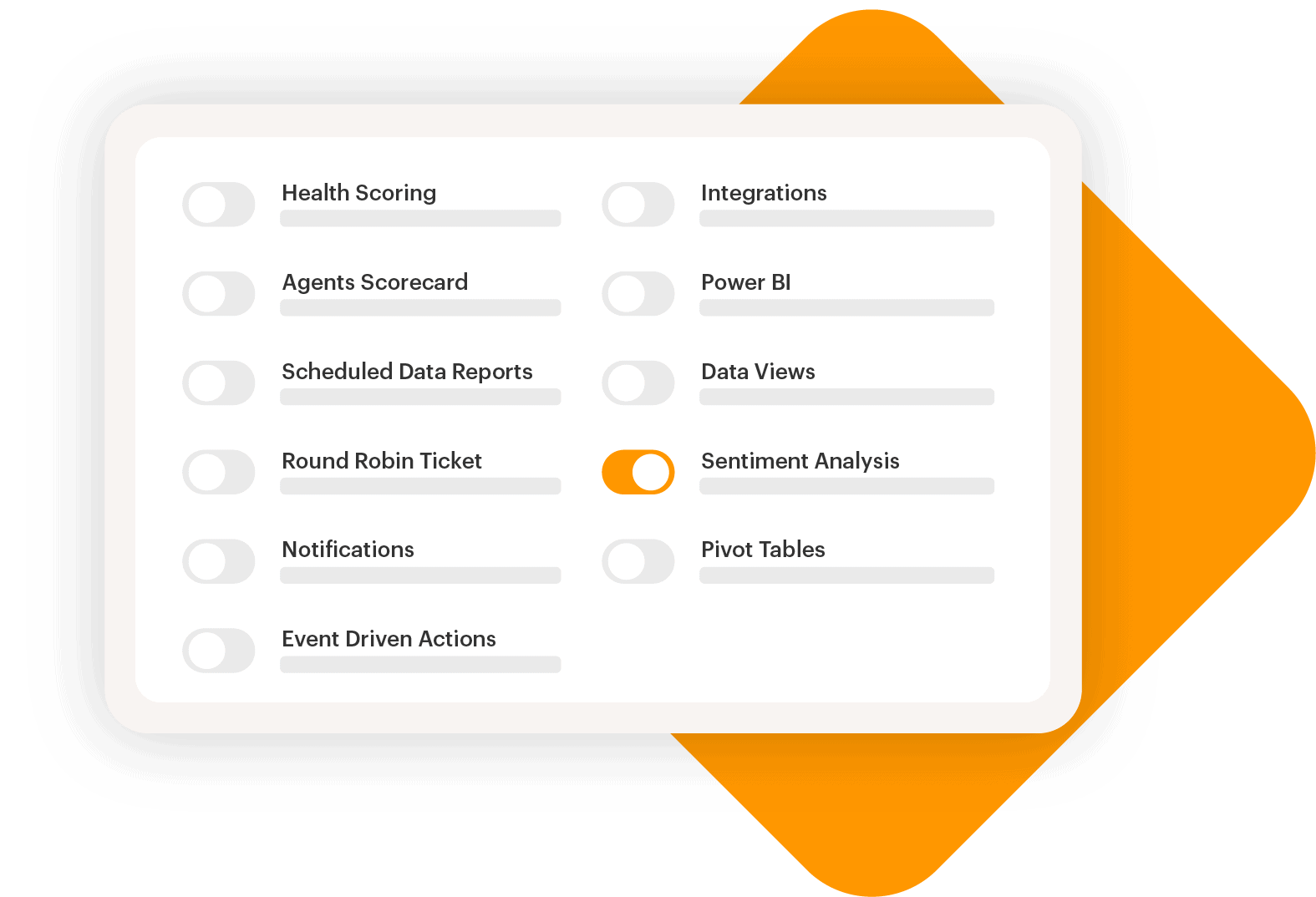
For example, Supportbench uses AI for real-time sentiment analysis and predictive churn alerts. AI can detect subtle language cues – like shifts to formal or passive-aggressive tones – that might go unnoticed in manual reviews. It can even differentiate between similar phrases, such as "No, it’s not working" versus "No, I’m all set", ensuring accuracy.

"Loris collects data from 100% of your interactions and assigns customer sentiment to every sentence of a call or message. This makes it easy for your team to measure and track customer sentiment." – Seth Levine, Lead Machine Learning Scientist, Loris

Currently, 52% of Customer Success teams are already using AI, mainly to enhance personal productivity. The future of Customer Success isn’t about replacing CSMs with AI – it’s about empowering CSMs to excel by integrating AI into their workflows. For example, AI can trigger automated playbooks when a health score drops or sentiment turns negative, instantly creating an outreach plan or task for the CSM. For large, low-touch customer segments, in-app tracking and automated analysis ensure no at-risk account is overlooked, freeing up time for teams to focus on building meaningful relationships instead of chasing data.

How to Set Your Check-In Cadence

Your check-in cadence should reflect the account’s value, lifecycle stage, and your team’s capacity. For enterprise accounts, aim for weekly or bi-weekly touchpoints, while SMB and tech-touch segments often do better with monthly calls or automated email sequences. It’s all about finding the sweet spot between regular check-ins and event-driven outreach for situations like usage drops or support escalations. A steady cadence not only keeps engagement high but also helps spot potential issues early, which aligns with a proactive customer success strategy.

Cadences should evolve as customers progress. During onboarding (weeks 1–8), weekly check-ins are crucial for building momentum. In the early adoption phase (months 2–6), you can scale back to bi-weekly or monthly interactions. For mature accounts (month 6+), monthly or quarterly check-ins are usually sufficient, but ramp up to weekly or bi-weekly 90 to 120 days before renewal.

"Consistency builds relationships. Regular check-ins create rhythm, trust, and momentum. They’re the backbone of customer success." – Tara Minh, Operation Enthusiast, Rework

During onboarding, ask customers directly: "Would you prefer monthly calls, bi-weekly check-ins, or more email-focused communication?". For customers with packed schedules, quick 15-minute pulse checks can help maintain the relationship without adding too much to their plate.

To avoid overwhelming customers with surveys, stick to quarterly NPS feedback and limit individual end-users to two surveys per year. Simplifying surveys to a single question can boost response rates by 25%, and 78% of consumers say personalized interactions increase their chances of making repeat purchases.

Below, you’ll find tailored check-in strategies for different customer segments.

30/60/90-Day Post-Contract Check-Ins

The first 90 days after a contract is signed are critical for building trust and achieving early wins. Weekly check-ins during this period help address potential issues like incomplete training, low feature adoption, or confusion about the product. These sessions should focus on hitting milestones, driving activation, and managing support needs.

  • At 30 days: Ask questions like, "What’s working well so far?" and "Where are you encountering challenges?"
  • At 60 days: Shift to deeper adoption queries such as, "Which features are you using the most?" and "What remains unclear?"
  • At 90 days: Discuss early ROI indicators and map out the next steps for the relationship.

For enterprise accounts, these check-ins are best handled via 30-minute calls. Mid-market accounts might benefit from 20-minute bi-weekly calls, while SMB accounts often prefer weekly emails with optional call follow-ups. For tech-touch segments, automated emails twice a week during onboarding – with clear calls-to-action – can keep engagement high.

2-Month Milestone for Mid-Market Accounts

Mid-market accounts require a balanced approach, blending personalization with scalability. A check-in at the 2-month mark offers enough time for the customer to explore your product while catching any early issues.

At this stage, focus on identifying friction points and sustaining momentum. Questions like, "How has your team’s usage evolved since onboarding?" and "What challenges are preventing deeper adoption?" can provide valuable insights. Monthly 30-minute calls are ideal during early adoption. Once the account matures, scale back to bi-monthly calls and quarterly reviews. If engagement drops or sentiment turns negative, don’t wait for the next scheduled check-in – act immediately. A low health score isn’t a conclusion; it’s an opportunity to intervene.

Severity-Based Triggers for Enterprise Accounts

For enterprise accounts, scheduled check-ins should be supplemented by real-time severity triggers. Set up automated alerts for risks like sudden usage declines, negative survey feedback, or an influx of support tickets. When these triggers activate, they should prompt an immediate check-in from the Customer Success Manager, even if the next scheduled call isn’t due for weeks.

Severity-based triggers should feed into a weighted health score, factoring in usage (40%), support trends (25%), sentiment (20%), and executive engagement (15%). For example, a sharp drop in usage should prompt an urgent call. These triggers are especially vital during high-risk periods, such as leadership changes, product migrations, or organizational shifts. Proactive outreach in these situations is far more effective than reactive damage control. After all, while 96% of customers will leave due to poor service, 70% of dissatisfied customers will stay if their issues are resolved quickly.

Building Your Customer Sentiment Program Framework

Combine numbers and narratives – metrics like NPS, milestone CSAT, and strategic QBRs – to keep a pulse on customer sentiment and address issues before they escalate. This framework equips Customer Success teams to spot and solve potential problems early.

It’s all about balancing frequency and value. Quarterly NPS surveys give a broad overview, milestone CSAT captures timely feedback, and QBRs focus on strategic planning. AI tools can supercharge this approach by analyzing all customer interactions – emails, chats, support tickets – beyond the limited scope of traditional surveys.

The framework centers on three key pillars: NPS, milestone CSAT, and QBRs, each offering unique insights into customer sentiment.

NPS with Open-Text Feedback Analysis

NPS tells you what customers think, but open-text feedback reveals why. Together, they provide a complete picture of customer sentiment.

Start with the classic NPS question and keep your surveys short – six questions or fewer – to encourage participation. Include an open-text field like, “What’s the main reason for your score?” Add a couple of targeted questions to categorize responses into areas like "billing", "product bugs", or "onboarding". Surveys with just one question can see a 25% boost in engagement.

AI can help analyze open-text feedback by assigning sentiment scores and identifying trends. This is especially important since about 70% of customer conversations reflect sentiment about the brand or product, not just the support agent. Understanding this distinction helps pinpoint whether the issue is a training gap or a product flaw.

"Numbers tell you what’s happening. Comments tell you why." – Tim Jordan, Sr. Manager of Customer Support, Cars.com

Use this sentiment data to take action: route Promoters to marketing for testimonials and case studies, while Detractors trigger urgent follow-ups to prevent churn. Segment your analysis by lifecycle stage – new users versus long-term customers – to uncover stage-specific challenges. And always close the loop by showing customers how their feedback led to specific improvements. This builds trust and encourages future participation.

Milestone CSAT for Key Customer Journeys

CSAT surveys shine when tied to specific milestones, such as completing onboarding, adopting a new feature, resolving a support ticket, or upgrading a product. These moments capture fresh, actionable sentiment instead of waiting for a quarterly check-in.

For new customers, focus on milestones like onboarding completion and first logins. For established accounts, shift to tracking ROI, deeper product usage, and upsell opportunities. Align health score inputs with these stages for better insights.

Keep CSAT surveys simple and consistent – use a 0-10 scale that increases left to right to avoid confusion. Timing matters: avoid sending surveys on Mondays or Fridays, and include an estimated completion time to respect the customer’s schedule. Personal emails from CSMs or Account Managers announcing the survey can significantly boost response rates.

AI tools can also step in with Conversation Quality (CQ) scoring, analyzing every customer interaction in real time. This reduces reliance on manual surveys, which often suffer from low response rates and bias. To prevent survey fatigue, limit feedback requests to no more than twice a year per end-user.

Set up automated responses based on scores: Promoters go to marketing, while Detractors trigger immediate follow-ups with service-level agreements (SLAs). It’s worth noting that 70% of unhappy customers will stick around if their issues are resolved quickly.

These timely insights set the stage for QBRs, where data turns into strategic action.

QBRs That Deliver Business Value

Quarterly Business Reviews (QBRs) should focus on strategy, not just status updates. They’re an opportunity to showcase ROI, align on goals, and plan for future growth – skip repetitive metrics.

Get senior stakeholders involved. B2B customers with strong executive engagement are 2.5 times more likely to renew. Send a clear agenda ahead of time so clients can prepare meaningful questions. Use benchmarking data to show how they stack up against competitors, sparking interest in expansion opportunities.

Base your QBRs on objective sentiment data, not just usage stats. Real-time insights and a Customer Health Index (CHI) can help uncover hidden risks and address them proactively. For example, a balanced CHI might weigh product usage at 40%, support trends at 25%, sentiment at 20%, and executive engagement at 15%.

Focus on the next 90 days instead of dwelling on past issues. Revisit shared success plans, set collaborative goals, and assign clear responsibilities. Always end with a scheduled date for the next QBR to keep momentum going. For smaller accounts, consider digital alternatives like in-app updates or "success snapshots" instead of live meetings.

"The future of CS isn’t about AI replacing CSMs – it’s about the CSMs who embrace AI outshining those who don’t." – Gainsight

AI can streamline QBR preparation by summarizing interaction history, analyzing sentiment in real time during calls, and flagging risks that typical reporting might miss. This ensures no critical feedback is overlooked, even in unstructured data like email tone or community discussions.

Decision Tree: When to Use Surveys, Calls, or QBRs

Customer Sentiment Tracking Methods: Surveys vs Calls vs QBRs Comparison

Customer Sentiment Tracking Methods: Surveys vs Calls vs QBRs Comparison

This decision tree helps you decide whether to use surveys, calls, or QBRs based on customer value, lifecycle stage, risk level, and your team’s capacity. Each method has its strengths, and choosing the right one ensures you’re meeting customer needs effectively.

For strategic accounts, high-touch QBRs with executive involvement are essential. On the other hand, SMB segments often benefit from automated surveys or in-app messaging due to their scalability. Growth accounts thrive with a mix of calls and digital follow-ups for a balanced approach.

Lifecycle Stage Matters

The customer’s lifecycle stage plays a big role in determining how and when to engage. For example:

  • Onboarding (Weeks 1–8): Weekly calls help ensure a smooth start and address any concerns early.
  • Maturity (Month 6+): Monthly calls or surveys are more appropriate as customers settle into regular use.
  • Renewal Period (90–120 Days Before Renewal): This is the time to escalate efforts with QBRs or frequent calls to address potential issues and strengthen the relationship.

Risk Levels and Health Scores

Risk levels also guide the urgency and type of interaction. Accounts showing a decline in health scores demand immediate action, often through live calls or targeted check-ins with a clear risk mitigation plan. For healthier accounts, periodic surveys are sufficient to monitor satisfaction. To streamline this process, use health score triggers:

  • Critical (0–30): Escalate to a call or QBR immediately.
  • At Risk (31–70): Schedule a focused call or check-in.
  • Healthy (71–100): Continue monitoring with surveys.

By integrating health score triggers into your workflow, you can standardize your response and ensure no account falls through the cracks.

Aligning Methods with Objectives

Each communication method serves a specific purpose:

  • Surveys: Ideal for collecting numeric benchmarks and quick feedback, especially in high-volume or low-risk segments.
  • Calls: Best for building relationships, troubleshooting, and addressing mid-market accounts.
  • QBRs: Reserved for high-value renewals, strategic discussions, and executive-level alignment. They’re most effective when your goal is to transition from problem-solving to forming a deeper partnership.

Your team’s capacity also influences this decision. If customer success managers (CSMs) handle a large number of accounts, automated surveys become a necessity. With fewer accounts per CSM, live calls and QBRs become more feasible.

Comparison Table of Channels by Scenario

ChannelResponse RateDepth of InsightCost/Resource IntensityBest Scenario
SurveysHigh (10–15%)Low (Quantitative)Low (Automated)Low-risk check-ins, high-volume segments, post-support feedback
CallsMediumHigh (Qualitative)MediumRelationship building, troubleshooting, mid-market accounts
QBRsLow (Hard to schedule)Very High (Strategic)HighHigh-value renewals, strategic alignment, executive engagement

Templates and Tools for Execution

Once you’ve set up your decision-making framework, the next step is putting it into action. These templates are designed to simplify proactive engagement, ensuring your sentiment program doesn’t just gather dust but delivers real results. Execution is everything.

Check-In Email Templates

Crafting effective check-in emails is easier with a straightforward formula: a short, clear subject line (4–5 words), a defined purpose, a single call-to-action, and a meeting link.

  • For progress updates, try a subject like: "Time for your next sync with [Product Name]." Suggest a 30-minute meeting to discuss adoption highlights, challenges, and best practices.
  • If you’re spotting potential risks, switch to a more urgent tone with a subject like: "Waving the yellow flag." Acknowledge specific trends in the email and propose a 15-minute call to address issues before they grow.
  • Celebrate customer wins by highlighting measurable achievements. For example: "You’ve achieved significant time savings using [Feature] – let’s discuss what’s next."

Survey Question Sets

Short surveys are key to higher response rates. Surveys with just 1–3 questions often achieve an 83% completion rate, while those with 15+ questions drop to 42%.

For onboarding milestones, consider these questions:

  • "How satisfied were you with the onboarding and setup process?"
  • "[Company] made it easy for me to get started with the product."
  • "What is one thing we could have done to make your setup faster?"

For adoption checkpoints, focus on value-driven questions:

  • "This product helps me accomplish my business goals."
  • "Which product feature do you find most valuable for your workflow?"

Tailor your questions based on roles – ask executives about ROI and end-users about usability. Timing is critical: send onboarding surveys within 24 hours of milestone completion while the experience is still fresh. For NPS surveys, limit them to no more than twice a year per end-user to avoid fatigue.

To improve engagement, embed CSAT questions directly in the email body rather than linking to an external form. Follow up on negative feedback promptly by setting up automatic triggers that alert the Customer Success Manager when a score falls below a certain threshold. Aim for outreach within 24 hours.

Customer Health Matrix

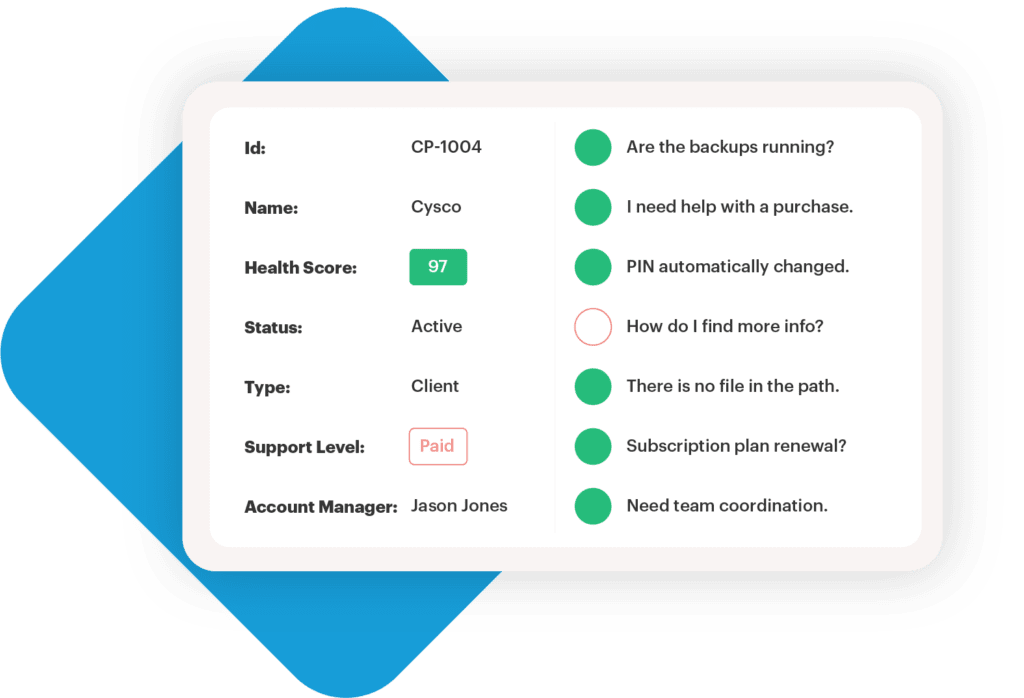
A customer health matrix combines multiple data points into a single score to assess account status. Use this weighted breakdown: product usage (40%), support trends (25%), sentiment scores (20%), and executive engagement (15%). Here’s a framework for categorizing accounts:

Health CategoryScore RangeRecommended Action
Healthy (Green)71–100Celebrate success, encourage advocacy, and explore upselling opportunities
Neutral (Yellow)31–70Engage proactively, provide additional training, and share helpful resources
At-Risk (Red)0–30Reach out immediately, address pain points, and offer tailored solutions

For onboarding accounts, focus more on early indicators like milestone completion, login activation, and CSAT scores. For mature accounts, shift toward metrics like ROI delivery, product adoption depth, NPS, and upsell opportunities. Automated alerts can notify Customer Success Managers when a health score drops below "Yellow", enabling quick action.

QBR Agenda Template

A well-structured Quarterly Business Review (QBR) agenda delivers value by addressing customer priorities and offering actionable insights. Here’s a suggested format:

  1. Business Context & Goals (10 minutes): Start by reviewing current priorities and asking, "What’s changed since our last QBR?" This ensures alignment with the customer’s evolving needs.
  2. Performance Review (15 minutes): Present adoption metrics, recent survey feedback, and support trends. Highlight outcomes that tie product usage to their business goals.
  3. Strategic Recommendations (20 minutes): Offer 2–3 specific recommendations, such as underutilized features, process improvements, or roadmap items that address their challenges. This positions you as a strategic partner.
  4. Action Items & Next Steps (15 minutes): Document commitments from both sides, assign responsibilities, set deadlines, and schedule the next QBR.

Incorporate sentiment data throughout the review. Reference specific NPS comments or CSAT feedback to show you’re listening and acting on their input. Companies with strong Voice of the Customer programs have been shown to increase retention rates by up to 55%.

"Data without actionable insights is just noise. As a CSM, you have to put on your analyst hat and synthesize the data for it to make sense."

  • Mark Stagi, VP of Customer Success, Avoma

Conclusion: Key Takeaways for Sentiment Tracking

Keeping a close eye on customer sentiment is crucial for protecting revenue and minimizing churn before small issues snowball into bigger problems. The best sentiment tracking programs blend behavioral data (like product usage), support history (such as ticket patterns), and sentiment scores (NPS, CSAT) into one comprehensive health metric. This approach not only predicts potential risks but also uncovers opportunities for growth. For example, one software company saw a 15-point boost in customer health scores and a 25-point jump in business value scores by implementing such a strategy.

Timing and segmentation play a huge role in making this work. For instance, sending NPS surveys 120 days before a renewal gives your team enough time to tackle any issues that arise. It’s also smart to adjust your tracking based on where customers are in their journey – focus on onboarding milestones for new accounts and ROI delivery for long-term ones. And keep surveys short – six questions or fewer is ideal.

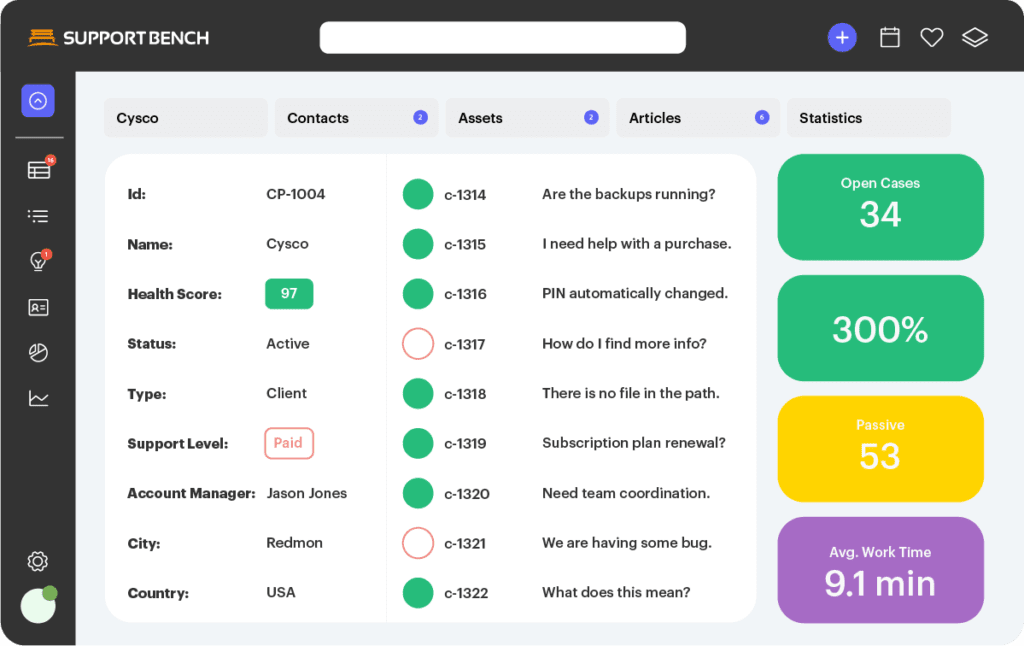
Switching from reactive to proactive support can transform your team from a cost center into a true strategic partner. AI-powered tools like Supportbench make this shift possible on a larger scale. Features like Predictive CSAT and Predictive CES can flag dissatisfaction even before a survey is completed. These tools analyze signals from emails, Slack messages, and support tickets, giving early warnings so Customer Success Managers (CSMs) can step in before sentiment takes a nosedive. This proactive approach, driven by AI, forms the backbone of a solid sentiment tracking program.

"Understanding customer sentiment isn’t just a ‘nice-to-have’; it’s critical for retention, growth, and the overall health of the business." – Nooshin Alibhai, Founder and CEO, Supportbench

To put these ideas into action, start with a clear framework. Set a 30/60/90-day cadence for tracking, choose the right communication channel (email for scale, calls for deeper insights, and QBRs for strategic discussions), and automate alerts for any drops in health scores. The most successful organizations don’t just gather sentiment data – they act on it.

FAQs

How can AI improve customer sentiment analysis in Customer Success?

AI is reshaping customer sentiment analysis by providing real-time insights into how customers feel and perceive a brand. Using tools like natural language processing (NLP) and machine learning, AI can sift through feedback from multiple sources – support tickets, surveys, and even social media – to pinpoint emotions such as frustration or satisfaction with impressive speed and precision.

This automation eliminates the need for manual sentiment tracking, making it easier to uncover recurring problems and monitor sentiment trends over time. For Customer Success teams, this means they can address issues before they escalate, personalize their outreach, and keep a closer eye on customer health. The result? Better customer retention, happier clients, and smoother day-to-day operations.

What is the best check-in schedule for different customer segments?

The best check-in schedule varies based on the customer’s segment, lifecycle stage, and engagement level. For high-touch or strategic accounts, more frequent check-ins – every 30 to 60 days – are ideal. This approach helps nurture strong relationships and tackle potential issues early. During the onboarding phase, scheduling check-ins within the first week or month is key to ensuring smooth adoption and setting the stage for early satisfaction.

For lower-touch or long-term customers, a less frequent cadence – every 60 to 90 days – tends to work well. This allows you to monitor their health and gather feedback without overwhelming them. It’s also helpful to align check-ins with key milestones, like renewals, product launches, or major updates, to create timely and purposeful interactions.

By tailoring check-in schedules to fit each customer segment, you can maintain proactive engagement, support their success, and address concerns before they grow into bigger challenges.

When should you use surveys, calls, or QBRs to track customer sentiment?

Surveys work well for collecting structured feedback during crucial moments, such as onboarding, hitting adoption milestones, or following support interactions. On the other hand, calls are perfect when you need a more personal, in-depth look at a customer’s experience or want to build stronger connections. For big-picture, strategic conversations, like evaluating account health and aligning on future goals, QBRs are the way to go.

When deciding how often and which method to use, think about the size and complexity of the customer account. Larger or more intricate accounts benefit from calls and QBRs, as they allow for more customized engagement. For smaller accounts, surveys are a practical way to track customer sentiment on a broader scale.

Related Blog Posts

Get Support Tips and Trends, Delivered.

Subscribe to Our SupportBlog and receive exclusive content to build, execute and maintain proactive customer support.

Free Coaching

Weekly e-Blasts

Chat & phone

Subscribe to our Blog

Get the latest posts in your email