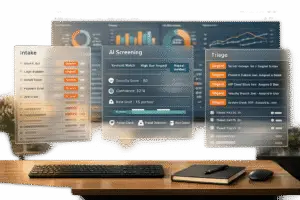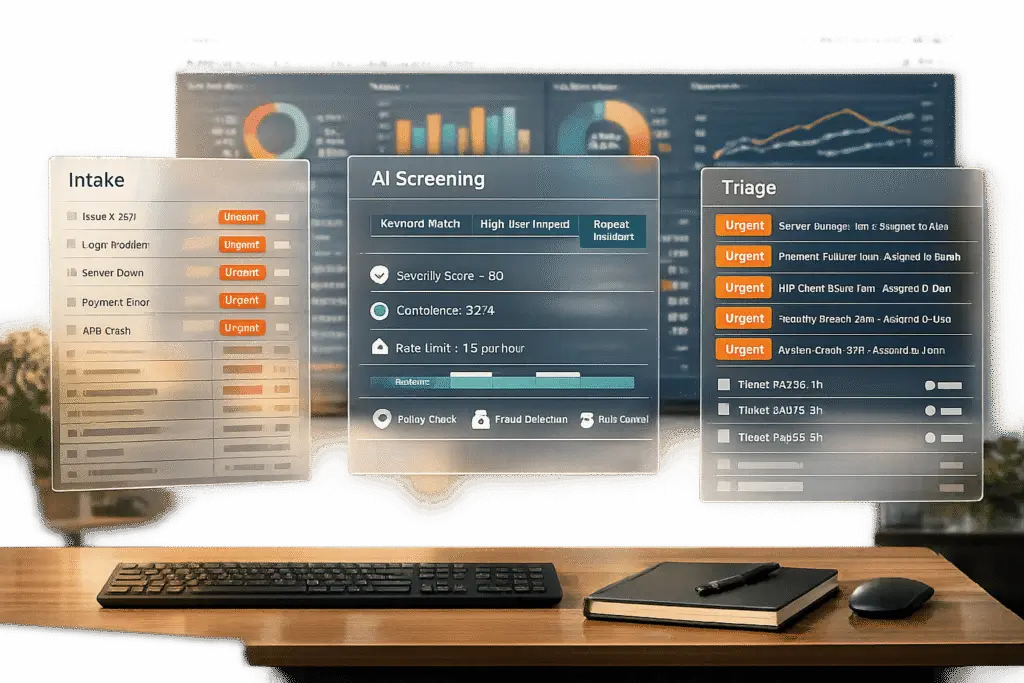
When customers mark their requests as "urgent", it creates a tricky situation for support teams. Should you act immediately or verify the urgency first? Misjudging can lead to wasted time on minor issues or delays in addressing real emergencies. Misuse of urgent flags disrupts workflows, buries critical cases, and leads to agent burnout.
Here’s how you can manage urgent flags effectively:
- Define Clear Urgency Criteria: Establish specific rules for what qualifies as urgent based on measurable business impact, like service outages or high-value account risks.
- Use AI for Screening: Leverage tools for sentiment analysis and predictive scoring to identify genuine emergencies while filtering out exaggerated claims.
- Create Triage Workflows: Automate ticket categorization and routing but include manual oversight for borderline cases to maintain accuracy.
- Monitor and Prevent Misuse: Track trends in urgent flag usage through dashboards, set limits for repeat offenders, and educate users on proper flagging practices.
The goal is to ensure real emergencies get priority without letting misuse overwhelm your system. Combining clear rules, AI tools, and human oversight helps strike this balance.
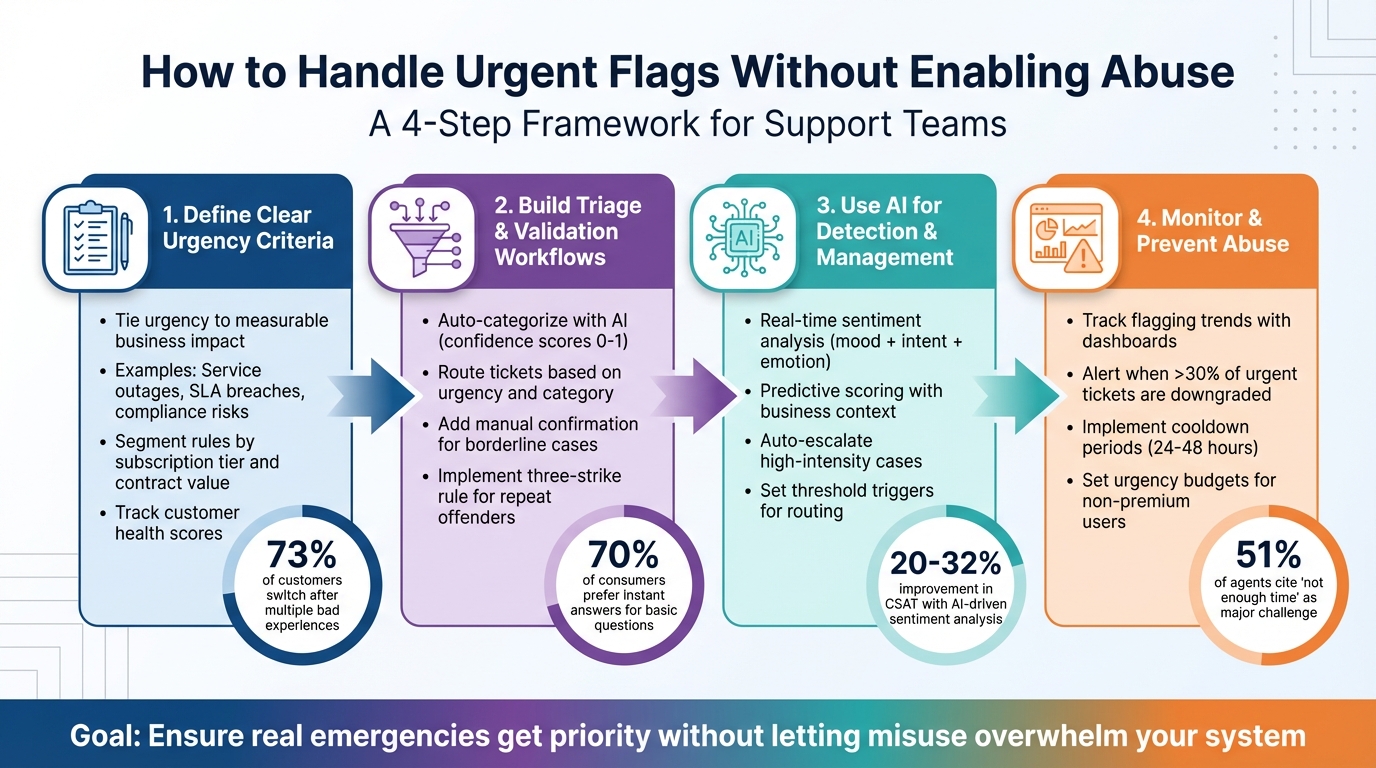
4-Step Framework for Managing Urgent Support Flags Without Enabling Abuse
Set Clear Urgency Criteria
The first step in managing urgent requests is deciding what "urgent" actually means. Without clear guidelines, routine issues can easily get lumped in with real emergencies, leading to inefficiency and frustration.
Urgency should be tied to measurable business impact. For example, service outages, SLA breaches, or compliance risks provide clear benchmarks. If a client can’t access their CRM or send marketing emails, that’s a P0 (Critical) issue requiring a 10-minute response. On the other hand, a forgotten password is a P3 (Low) issue, with a one-business-day response time.
"In B2B, losing a single account can mean losing millions in recurring revenue. Strong service is what keeps clients from shopping around at renewal time." – Ameer Drane, Agentic AI Marketer, Sendbird [3]
Revenue impact plays a big role here too. Think about the "cost of procrastination" – the hidden financial loss of delaying a resolution. For instance, a billing error blocking a $50,000 renewal demands immediate attention, while a trial user’s feature request can wait. Remember, 73% of customers will switch to a competitor after more than one bad service experience [3]. Protecting high-value accounts from prolonged issues is directly tied to retention.
Not every customer or issue should be treated the same. Segment your urgency rules based on factors like subscription tier, contract value, or risk of churn. For example, an Enterprise client reporting a payment failure takes precedence over a Free user asking basic "how-to" questions. A great example comes from summer 2021, when Francisco Ribeiro at Glofox introduced segmentation based on gym size. This approach revealed that the most critical problems varied by segment, enabling Glofox to prioritize its roadmap based on financial impact rather than anecdotal feedback [4]. Using AI to track client health scores – like login frequency or feature usage – can also help identify silent urgent flags, such as a sudden drop in activity [3].
Once you’ve nailed down your urgency criteria, you can design workflows to quickly validate and route critical cases where they need to go.
sbb-itb-e60d259
Build Triage and Validation Workflows
Once you’ve defined what constitutes urgency, the next step is creating workflows that distinguish real emergencies from exaggerated ones. Without proper screening, you could end up with false alarms or, worse, overlook genuine crises.
Auto-Categorize and Screen Requests
Using your urgency criteria, set up workflows to ensure only verified emergencies get flagged for top-priority attention. AI-powered tools can classify incoming tickets before they even hit your support queue. These models analyze requests across various dimensions, such as category (e.g., billing, technical, access), urgency level (critical, normal, low), and confidence scores ranging from 0 to 1 [5]. For instance, a ticket marked "critical" with a confidence score of 0.95 should be routed immediately, while one hovering around 0.6 would require a manual check.
Once classified, tickets should be mapped to the right assignees and service level agreements [5]. A critical billing issue might go straight to the finance team for fast resolution, while an "urgent" ticket with a low confidence score could be sent to a triage expert for further review. Automated tools, like chatbots, can handle simpler inquiries – perfect for the 70% of consumers who prefer instant answers for basic questions [2]. This frees up your team to focus on more complex cases.
Add Manual Confirmation Steps
While automation can handle the bulk of cases, human oversight is essential to catch errors and prevent misuse. Create a process where supervisors review flagged tickets before they’re escalated [1]. This involves checking the initial complaint, the customer’s remarks, and their interaction history to confirm whether the urgency claim holds up.
"The crucial challenge is identifying abuse where it occurs, and training is the only way to manage it." – Rasel Siddiqe, Fluent Support [1]
Consider implementing a tiered response system with a three-strike rule for questionable urgency claims [1]. Automated warnings can handle the first few instances, but final decisions – like denying priority treatment or escalating a case – should involve manual approval. For repeat offenders, you might redirect their tickets from live channels (like chat or phone) to asynchronous options like email. This not only protects your support agents but also ensures thorough documentation of the issue. These well-validated workflows lay the foundation for escalation management processes, making urgent case management even more precise.
Use AI to Detect and Manage Urgent Flags
AI has revolutionized how support teams handle tickets by quickly identifying emotional cues and key business signals. This ensures that genuinely urgent issues get the attention they deserve. Unlike older systems that relied on spotting keywords like "urgent" or "emergency", modern AI models go deeper, analyzing sentence structure and context to determine if a request truly requires priority handling [6]. These advancements lay the groundwork for more detailed sentiment and intent analysis.
Real-Time Sentiment Analysis and Intent Detection
Today’s AI tools excel at breaking down customer interactions into three key elements: sentiment (overall mood), intent (their goal), and emotion (specific feelings like anger or anxiety) [6]. This multi-layered approach helps avoid misclassifications, such as distinguishing between a slightly annoyed customer and one on the verge of leaving. For example, transformer-based natural language processing (NLP) models can even detect sarcasm – so when a customer says, "Great, another delayed shipment", the system identifies it as negative sentiment, not a compliment [6].
Advanced tools assign numerical scores to gauge emotional intensity, helping prioritize cases more effectively. This ensures that minor frustrations don’t overshadow critical issues. Once a high-intensity emotion is flagged, AI can automatically reorder ticket queues, escalate cases to senior agents, or adjust deadlines to meet service-level agreements (SLAs) [6]. Companies leveraging AI in customer support have reported improvements of 20% to 32% in customer satisfaction (CSAT), cost savings, and team efficiency [6]. In fact, customer experience (CX) leaders credit AI-driven sentiment analysis as the top factor in boosting CSAT, even outranking AI-powered content creation [6].
Predictive Scoring to Identify Genuine Urgencies
AI doesn’t stop at sentiment – it integrates predictive scoring to refine urgency detection further. By combining emotional insights with business context, AI models can assess the true impact of an issue. For instance, these tools consider factors like order value, shipping delays, purchase history, and SLA commitments [6]. This layered approach ensures that a $500 delayed order gets prioritized over a $20 inconvenience.
Threshold triggers can be set to automatically route tickets with critical scores, while borderline cases are flagged for manual review [7]. Monitoring manual overrides helps fine-tune the system – frequent overrides indicate the need for adjustments [8]. To maintain peak efficiency, teams should review the alignment between AI-assigned priorities and SLA performance on a weekly basis [8].
"Priority quality is queue quality. Teams that use AI to standardize priority levels can reduce confusion, protect SLA performance, and execute support work with far better consistency." – Layer 8 Labs [8]
Set Up Dynamic Escalation and Routing Rules
After validating an urgent case, the next step is ensuring it gets to the right team quickly. AI can automate this process by categorizing issues based on type and urgency. A two-dimensional routing system ensures technical emergencies go directly to on-call engineers, while urgent billing problems are directed to finance leads. This setup prevents critical cases from slipping through the cracks.
Create Specialized Queues for Urgent Cases
Assign specific issue types and urgency levels to dedicated queues. For instance, a "Critical Technical" ticket might be routed to oncall@company.com with a 30-minute SLA, while a "Critical Billing" case goes to finance-lead@company.com with a one-hour SLA [5]. This keeps urgent cases from being buried in general queues.
| Issue Category | Urgency Level | Assignee/Queue | SLA Target |
|---|---|---|---|
| Technical | Critical | oncall@company.com | 30 minutes |
| Billing | Critical | finance-lead@company.com | 1 hour |
| Account | Normal | cs-queue@company.com | 8 hours |
| Technical | Normal | engineering-queue@company.com | 8 hours |
| General | Low | Auto-reply (No human) | Instant |
To improve accuracy, apply a confidence threshold that flags low-confidence cases for manual review [5]. Include key details – like sentiment or customer tier – in handoffs to ensure agents have the context they need [5][10].
Configure Time-Based Alerts and Multi-Level Escalations
Timely escalation is just as important as proper routing. Set up alerts that trigger as cases near their SLA deadlines by implementing an escalation management system. For example, notify the team lead if a critical ticket remains unresolved 20 minutes into a 30-minute SLA. If no action is taken, escalate the case to a senior engineer or manager [5][9].
Subject line prefixes like "[CRITICAL]" or "[URGENT]" can help teams filter emails instantly [5]. For high-value customers, automate the process of upgrading a "normal" issue to high priority based on account tier [5][10]. Regularly review manual overrides and SLA performance to fine-tune your AI’s classifications [8].
Monitor and Prevent Abuse of Urgent Flags
Once you’ve set up escalation rules, it’s critical to ensure the urgent flag isn’t being overused or misapplied. Without proper oversight, you risk having every request marked as critical. Keep a close eye on how often the urgent flag is used and whether the justification aligns with true urgency. Consistent monitoring helps maintain the integrity of your AI-driven support system by ensuring only legitimate cases get escalated.
Analyze Flagging Trends with Dashboards
Customizable dashboards are a powerful tool for spotting patterns in urgent flag usage. For example, track how often agents override flagged tickets. If more than 30% of a user’s urgent tickets are being downgraded, it’s a clear red flag for misuse. Similarly, compare urgency rates across accounts. If one customer consistently flags urgent tickets at twice the average rate, it may warrant further investigation.
Another key metric is the mismatch between urgency and actual impact. For instance, if a ticket labeled "CRITICAL" describes a minor UI issue or a feature request, it’s likely an abuse of the system. Also, watch for timing trends – spikes in urgent flags on Friday afternoons or right before holidays might indicate attempts to exploit the system.
"If 30% of tickets arrive as Critical, the Critical queue is just another queue – it provides no prioritization signal" – AI Shortcut Lab Editorial Team [11]
| Indicator | How to Spot It | Alert Threshold |
|---|---|---|
| Override Rate | Agent downgrade reports | More than 30% of urgent tickets downgraded |
| Volume Outlier | Peer benchmarking dashboards | Over 2x the average urgency rate for a group |
| Content Mismatch | NLP/sentiment analysis | Low severity score with an "Urgent" flag |
| Repeat Offenders | Historical trend analysis | 3+ unjustified urgent flags in 30 days |
To address misuse, notify users automatically when their flagged ticket is downgraded. Provide a brief explanation of why their issue didn’t meet the urgent criteria. This approach not only educates users but also discourages future misuse without adding extra work for your team.
Implement Cooldown Periods and Limits
When dashboards reveal patterns of misuse, consider putting limits in place to prevent further abuse. For repeat offenders, introduce cooldown periods. For instance, if an agent downgrades a ticket due to a lack of urgency, disable the "Urgent" option for that user for 24–48 hours. This creates a natural deterrent while still allowing access to support.
Another effective strategy is setting urgency budgets for non-premium users. By limiting the number of urgent flags they can use each month, you encourage them to think carefully before marking a ticket as critical. Additionally, requiring users to select a reason from a predefined list when flagging an issue as urgent adds a small barrier that reduces casual misuse while ensuring genuine emergencies are still handled promptly.
Conclusion
An efficient urgent flag system is essential for keeping support operations running smoothly. The key lies in clearly defining what qualifies as urgent – focusing on scenarios like revenue risks, system outages, or security threats – and aligning these priorities with both your team and your customers.
AI tools, such as real-time sentiment analysis and predictive scoring, play a crucial role in identifying true emergencies before they escalate. These tools help sift through the noise, catching critical issues while filtering out lower-priority cases. For instance, with 51% of support agents citing "not having enough time" as a major challenge[1], it’s clear that protecting agents from unnecessary flagging is a must. Dashboards that track flagging trends further ensure AI systems stay accurate as customer behaviors shift and new patterns emerge.
To keep the system effective, workflows must adapt. This includes regularly updating urgency criteria and validation rules, conducting bias audits, and incorporating human oversight to maintain fairness and accuracy. Technical safeguards, such as cooldown periods, combined with clear communication about ticket downgrades, help maintain transparency and discourage misuse.
FAQs
What proof should a ticket include to qualify as urgent?
When submitting a ticket, make sure to include evidence that highlights the issue’s severity or its impact on business operations, data security, or the user experience. Examples of this could be:
- Documentation showing operational disruptions
- Details of security breaches
- Reports of critical user problems requiring immediate action
Providing this information ensures the request is classified correctly as urgent and prioritized appropriately.
How can we stop urgent-flag abuse without upsetting customers?
To ensure "urgent" flags are used appropriately while keeping customer trust intact, it’s important to establish and share clear guidelines about what truly qualifies as urgent. Communicate these criteria openly so everyone understands the boundaries.
Additionally, create workflows to verify flagged requests. This way, only genuine cases get prioritized, preventing misuse. Leveraging AI tools, like sentiment analysis, can also play a role in identifying potential misuse. These tools help assess the tone and content of requests, ensuring accurate routing. This not only minimizes false flags but also boosts efficiency, ensuring urgent needs are handled promptly and fairly.
How do we audit AI priority scoring for bias and accuracy?
To ensure AI priority scoring is fair and reliable, it’s essential to follow a clear and structured process. Start by reviewing the data to uncover any representation gaps that might skew the results. Next, analyze the model’s design to check for any built-in biases that could affect its decisions. Use fairness metrics to evaluate how the AI performs across different groups, ensuring outputs are equitable.
In addition, leverage bias detection tools and frameworks to validate your findings and confirm the system’s integrity. Regular monitoring is key – it helps you stay on top of fairness, maintain accuracy, and ensure compliance with ethical standards. This ongoing vigilance can also reveal hidden biases or unintended consequences, enabling you to address them promptly. By taking these steps, you can build and maintain an AI system that’s both ethical and effective.