Upgrading your helpdesk isn’t just about switching platforms—it’s about creating a system that works better for both your team and your customers. As support demands grow, your workflows, tools, and visibility need to keep pace.
This template helps teams gather stakeholder input, identify essential features like SLA management and multi-channel support, and build a roadmap that delivers long-term value. The goal: faster responses, higher satisfaction, and a helpdesk that scales with confidence.
Why Upgrade the Helpdesk?
Most support teams reach a tipping point where their current helpdesk platform no longer meets their operational needs. Whether it’s growing ticket volumes, disconnected tools, or slow response times, the cracks start to show.
Common triggers for upgrading include:
- A spike in unresolved tickets or backlog
- Poor communication between tools and teams
- Delayed first responses and missed SLAs
- Lack of visibility into team or agent performance
- Declining customer satisfaction metrics
A well-executed upgrade can solve these issues by streamlining communication, reducing delays, and aligning support operations with broader business goals.
This planning template is designed for product managers, IT leads, and operations professionals who need to define feature priorities and build a helpdesk that actually works at scale.
Gathering Requirements: Start with Real-World Input
Before choosing features or comparing vendors, it’s essential to gather feedback from the people who interact with the helpdesk every day. This ensures the upgrade solves actual problems—not just assumptions.
Engage Key Stakeholders
Include everyone affected by the support workflow: agents, IT leads, managers, and even end users. Hosting short, focused sessions—like two 45-minute meetings per week—can uncover critical pain points and foster buy-in.

Define Clear Use Cases
Document how support scenarios should work across roles. Each use case should outline who’s involved, what they need to do, how the system should behave, and what success looks like. These cases help align expectations and avoid miscommunication during implementation.
Prioritize Must-Have Features
Use a prioritization model like Must / Should / Could / Won’t to separate essential needs from nice-to-haves. Core functions—like ticketing, SLA management, and notification rules—should anchor your feature list and shape vendor selection.
Essential Features Every Helpdesk Needs
This section outlines the critical capabilities your helpdesk should include. These features create a foundation for fast, reliable, and scalable support.
Ticket Management
A strong system should support the entire ticket lifecycle—from creation and assignment to updates and resolution. Custom fields and tags help categorize tickets by issue type, urgency, or product line.
Agents must be able to leave internal comments for team collaboration, while external replies go directly to users. This separation ensures clarity and professionalism.
Automation Rules
Automated routing saves time and reduces errors. Tickets should be assigned based on team skills, categories, or urgency. Pre-written replies (canned responses) help agents reply quickly and consistently.
Escalation rules and automated reminders are key for enforcing deadlines and reducing manual follow-up, making them essential to automated support workflows.

Multi-Channel Support
Modern helpdesks need to handle inquiries from multiple channels—email, phone, live chat, web forms, messaging apps, and social media.
All channels must feed into a central system so tickets are tracked consistently. Features like call logging, chat transcripts, and form routing are key to maintaining unified workflows across touchpoints.
Self-Service Portal
A user-friendly portal lets users create and monitor tickets, track status, and access documentation. Custom forms and approval workflows make it easier to route specific types of requests to the right team.
Knowledge Base
An embedded helpdesk knowledge base allows users and agents to find answers without submitting a ticket. Articles should surface based on issue content, improving self-resolution rates.
The system must support quick content creation, version control, and permission settings for different user groups. A searchable, well-maintained knowledge base is critical for reducing ticket volume and improving satisfaction.
Feature | Use Case | Priority | Stakeholders | Notes/Clarifications |
| Ticket Management | Manage Full Lifecycle: Creation, Assignment, Updates, Resolution | Must | Support Agents, Managers | Includes Custom Fields, Tags, Internal/External Notes |
| Automation Rules | Auto-Routing, Canned Replies, Escalations, SLA Reminders | Must | Agents, IT Leads | Supports Workflow Streamlining |
| Multi-Channel Support | Centralize Requests from Email, Phone, Chat, Web Forms, Social Platforms | Must | Customers, Support Team | Enables Unified Queue Management |
| Self-Service Portal | Users Create/View Tickets, Check Status, Access Resources | Should | End Users, Knowledge Leads | Includes Searchable Portal, Forms, and Ticket Lookup |
| Knowledge Base | Offer Searchable Content for Self-Help and Agent Reference | Must | Agents, End Users | Supports Self-Resolution and Content Governance |
Track Results and Keep Improving
You can’t improve what you can’t measure. Once your upgraded helpdesk is in place, the next priority is gaining visibility into what’s working—and what’s not.
Customizable Dashboards for Real-Time Oversight
Support managers need clear, role-specific dashboards that surface live data on first response time, resolution speed, ticket backlog, and customer satisfaction. Dashboards should refresh regularly and offer easy-to-read formats tailored to different roles.
Smart Metrics That Drive Action
Tracking service quality requires more than averages. You need SLA breach warnings, agent-level performance breakdowns, and workload indicators. Ideally, your system should highlight potential bottlenecks and suggest areas for intervention.
Meaningful Customer Feedback
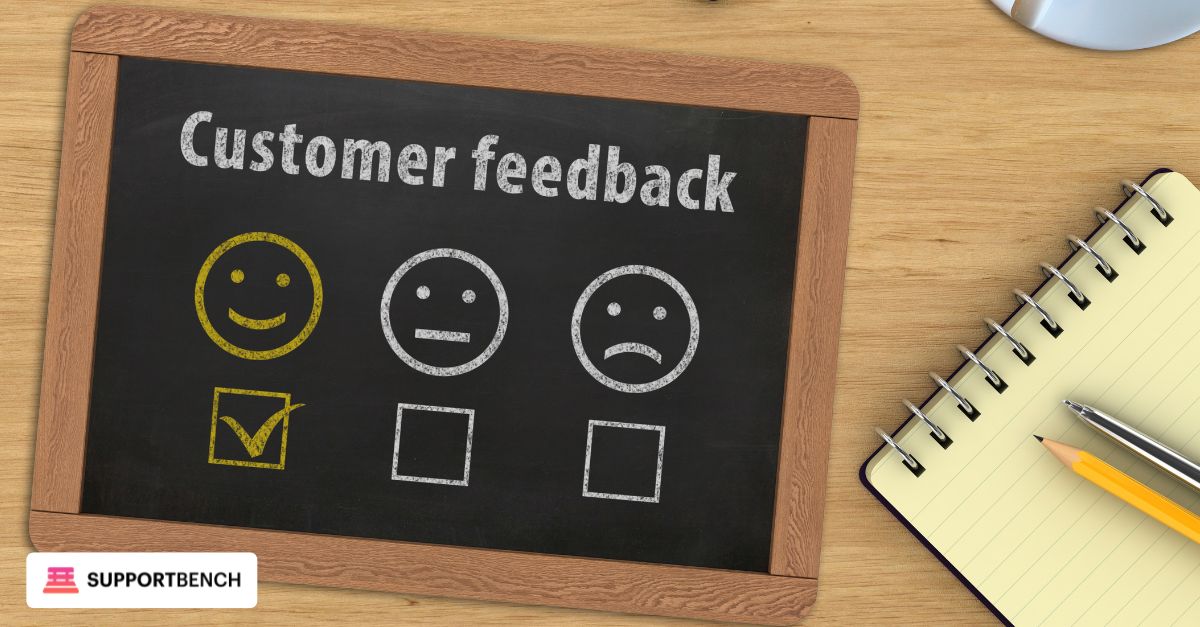
Send surveys after resolution to capture customer sentiment. Link satisfaction scores and comments to specific agents or workflows to identify standout performers—or where coaching may help.
Done well, analytics for support teams becomes more than reporting. It becomes a decision-making engine that empowers teams to continuously optimize support operations.
Collaboration and Productivity
Smooth internal communication is the backbone of a productive support team—especially as ticket volume and team size grow.
Built-In Tools That Keep Agents Aligned
Agents should be able to leave internal notes, tag teammates with @mentions, and attach files—all within the ticket thread. These features reduce back-and-forth and improve handoffs between shifts or departments.
Role-Based Views and Smart Queues
Each agent or group should see only what matters to them. Custom queues filtered by status—such as “Pending Approval” or “Awaiting Customer Reply”—help teams stay focused and act fast. Escalation rules should be pre-set to route high-priority issues to the right person automatically.
Stay Productive on the Move
For hybrid or remote teams, mobile support is essential. Agents should be able to receive notifications, review tickets, and send updates from any device, whether through a native app or responsive interface.
Templates and Workflows That Save Time
To speed up resolution, teams should have ready-to-use templates for common replies and forms. These tools reduce manual work and improve consistency across responses. Automated support workflows can further streamline complex cases, ensuring that nothing slips through the cracks and service stays consistent.
Security & Compliance
Support teams handle sensitive customer and company data—making security and compliance a non-negotiable feature in any upgraded helpdesk.
Access Management and Role Control
Assign permissions based on roles to limit data visibility and editing capabilities. Implement two-factor authentication (2FA) to secure access, especially for administrative or sensitive operations.
Data Protection Measures
Your helpdesk must encrypt data both in transit and at rest. Detailed audit logs should track every ticket change, file access, and login event to support accountability and transparency.
Regulatory Compliance Support
Whether you’re in a healthcare, financial, or tech sector, the helpdesk must support industry-specific requirements like GDPR, HIPAA, SOC 2, or CCPA. Built-in tools for audit readiness help teams stay compliant without scrambling before assessments.
Connect with Other Tools and Systems
A modern helpdesk rarely operates in isolation—it must fit seamlessly into your tech stack while reflecting your brand and evolving with your organization.
Tech Stack Integration
Ensure the helpdesk integrates with CRMs, project management platforms, asset tracking tools, and calendars. Open APIs and webhook capabilities allow for custom workflows and connections across departments.
Custom Branding and Configuration
Portals and ticket emails should match your brand identity. This includes logo placement, colour themes, and tone of voice in communication templates. Custom fields and ticket forms let teams tailor the system to their exact needs.
Scalability and Deployment Options
Choose a platform that scales with ticket volume and team size. Deployment flexibility—cloud-hosted or self-managed—lets you meet internal IT policies or compliance requirements.
Mobile and Cross-Platform Access
Support should be usable anywhere. Whether via native apps or responsive web design, agents and users should have a consistent, reliable experience on smartphones, tablets, and desktops.
Keep the System Running Smoothly
Your helpdesk’s long-term performance depends on more than its features. System reliability, proactive maintenance, and strong agent support are just as essential.
User & Role Setup
Admins need robust tools to manage user accounts, define permissions, and adjust workflows. Built-in editors should make it easy to configure ticket logic, roles, and approval paths without needing a developer.
System Monitoring & Alerts
Use real-time monitoring tools to track performance, uptime, and system health. Automated alerts should notify your team when slowdowns, outages, or spikes in errors occur—before they affect users.
Training & Documentation
Equip agents with onboarding guides, practice environments, and on-demand training resources. The vendor should also provide detailed documentation and responsive support channels to help your team resolve issues quickly.
Ready-to-Use Content & Workflow Tools
A centralized library of pre-written replies and ticket templates helps standardize responses and cut handling time. These resources ensure that common issues are addressed consistently and professionally, especially when teams are growing or rotating.
Plan the Upgrade Step by Step
Rolling out a new helpdesk system requires careful coordination. A phased implementation avoids confusion, ensures adoption, and reduces downtime. This roadmap outlines key stages from discovery to evaluation:
Phase | Activities |
| Discovery | Align Stakeholders, Map Current Processes, Define Upgrade Goals |
| Design | Finalize Workflows, Use Cases, Ticket Forms, And Escalation Paths |
| Pilot | Run A Controlled Test To Surface Issues And Gather Agent Feedback |
| Training | Deliver Tailored Training Sessions For Agents, Admins, And IT Leads |
| Launch | Deploy System Fully, Begin Active Monitoring |
| Evaluation | Collect Feedback, Assess Performance, And Adjust Rollout As Needed |
A structured rollout not only builds internal confidence but also allows teams to resolve early-stage issues before expanding system usage across departments.
Keep the Helpdesk Growing and Adapting
Support needs evolve. A helpdesk should be built to keep pace. Regular updates, stakeholder input, and performance reviews ensure the system stays aligned with operational goals.
Regular Reviews
Dashboards and SLA performance data should be reviewed frequently to assess efficiency. Customer satisfaction surveys help identify issues that require attention.
Knowledge Base Updates
Recurring issues and emerging support questions should trigger updates to the helpdesk knowledge base. Keeping content relevant reduces ticket volume and improves self-service.
Quarterly Roadmap Sessions
Meet with stakeholders every quarter to assess what’s working and decide on feature changes. This keeps development aligned with user needs and evolving business priorities.
Industry Benchmarking
Comparing your helpdesk against peers and market leaders reveals performance gaps and new opportunities. It ensures your system remains competitive and effective.
Documentation: Put Everything in Writing to Stay on Track
Clear documentation is essential during any helpdesk upgrade. It ensures everyone understands what is being built, why it matters, and how it aligns with team goals and user needs.
A well-organized documentation package includes the following elements:
✔ Title Page & Versioning: Record the document title, version history, and update dates.
✔ Purpose & Scope: Clarify what the upgrade aims to achieve and which departments or processes it covers.
✔ Stakeholders: Identify key roles—support leads, IT managers, operations staff—who will contribute or be affected.
✔ Current State Summary: Describe how the helpdesk currently operates, highlighting key issues and limitations.
✔ Use Cases: Include representative scenarios that illustrate how users will interact with the system. This ensures alignment between technical delivery and user expectations.
✔ Feature Requirements: List the must-have and optional features based on stakeholder input.
✔ Prioritized Feature List: Categorize features using a clear ranking system like Must, Should, Could.
✔ Dependencies & Constraints: Note technical limits, integration needs, or team capacity concerns.
✔ Assumptions: Document any conditions taken for granted in the planning phase.
✔ Acceptance Criteria: Define what success looks like for each requirement.
✔ Implementation Plan: Map out the rollout strategy, including phases, key activities, and assigned responsibilities.
✔ Evaluation Strategy: Describe how performance will be measured after launch using metrics, feedback, and benchmarks.
Well-maintained documentation reduces confusion, speeds up onboarding, and serves as a reference for future audits or improvements.
Case Study: Wolseley Canada Boosts Support with Supportbench
Wolseley Canada, a major distributor of plumbing and HVAC/R products, faced rising ticket volumes and struggled to track performance across their support team. Thousands of daily emails, lack of visibility, and inconsistent follow-ups were leading to missed SLAs and frustrated customers.
The Challenges
✘ Overwhelmed agents due to high email volumes
✘ No centralized system to monitor ticket status or performance
✘ Manual workflows resulted in delays and missed deadlines
The Solution
Wolseley deployed Supportbench to unify ticket management, enforce SLA tracking, and automate repetitive processes. Core tools included:
- Email-to-ticket conversion with auto-tagging and assignment
- SLA alerts and escalation workflows
- Custom dashboards displaying real-time team performance
The Results
✔ Over 11,000 emails managed daily through Supportbench
✔ SLA enforcement improved, drastically reducing missed response deadlines
✔ Agent productivity increased thanks to clearer workflows and better visibility
✔ Managers now track live queues, agent load, and bottlenecks with ease
Agent Insight
“Supportbench helps our agents manage 11,000+ emails easily and accurately by providing them with a platform that is easy to use.”
— Eilis Byrnes, Process Improvement Manager, Wolseley Canada 1
Final Thoughts
Upgrading your helpdesk isn’t just a technical exercise—it’s a strategic investment in better support operations.
This template offers a clear path to evaluate what features matter most, gather meaningful stakeholder input, and avoid rollout missteps. The goal isn’t just to add software, but to improve how your team works, responds, and scales.
Focusing on core capabilities like ticketing, SLA management, automated support workflows, multi-channel support, and analytics for support teams ensures your system delivers real value—not just functionality on paper.
By grounding your process in real-world needs and measurable results, you’ll build a helpdesk that grows with your business, boosts team performance, and keeps your customers satisfied.