


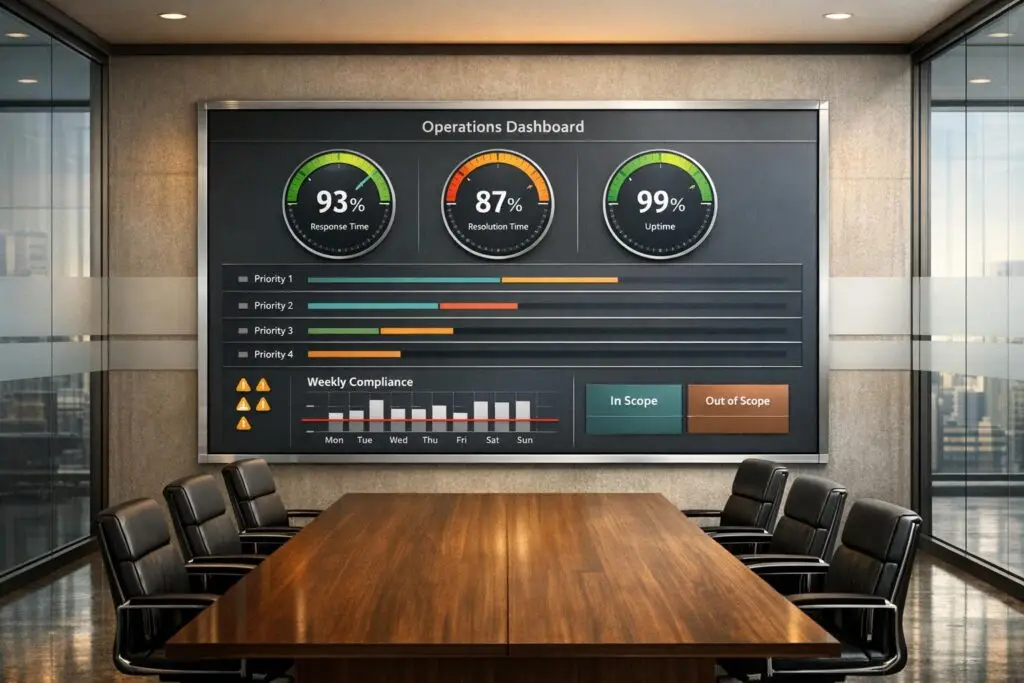
Struggling with demanding stakeholders who push for more than agreed? Here’s how to set clear service boundaries and realistic SLAs without compromising your team’s efficiency or morale:
- Define service boundaries: Clearly outline what’s included and excluded in your support. For example, exclude off-hours requests or third-party failures to avoid misunderstandings.
- Set achievable SLAs: Use data to establish realistic response and resolution times. For instance, aim for the 80th percentile of past performance to ensure consistency.
- Leverage AI and automation: Automate SLA tracking, alerts, and notifications to reduce manual effort and detect potential breaches faster.
- Communicate effectively: Use data to justify boundaries, establish clear escalation protocols, and manage stakeholder pushback professionally.
- Monitor performance: Track SLA compliance with real-time dashboards and predictive tools to prevent breaches and maintain trust.
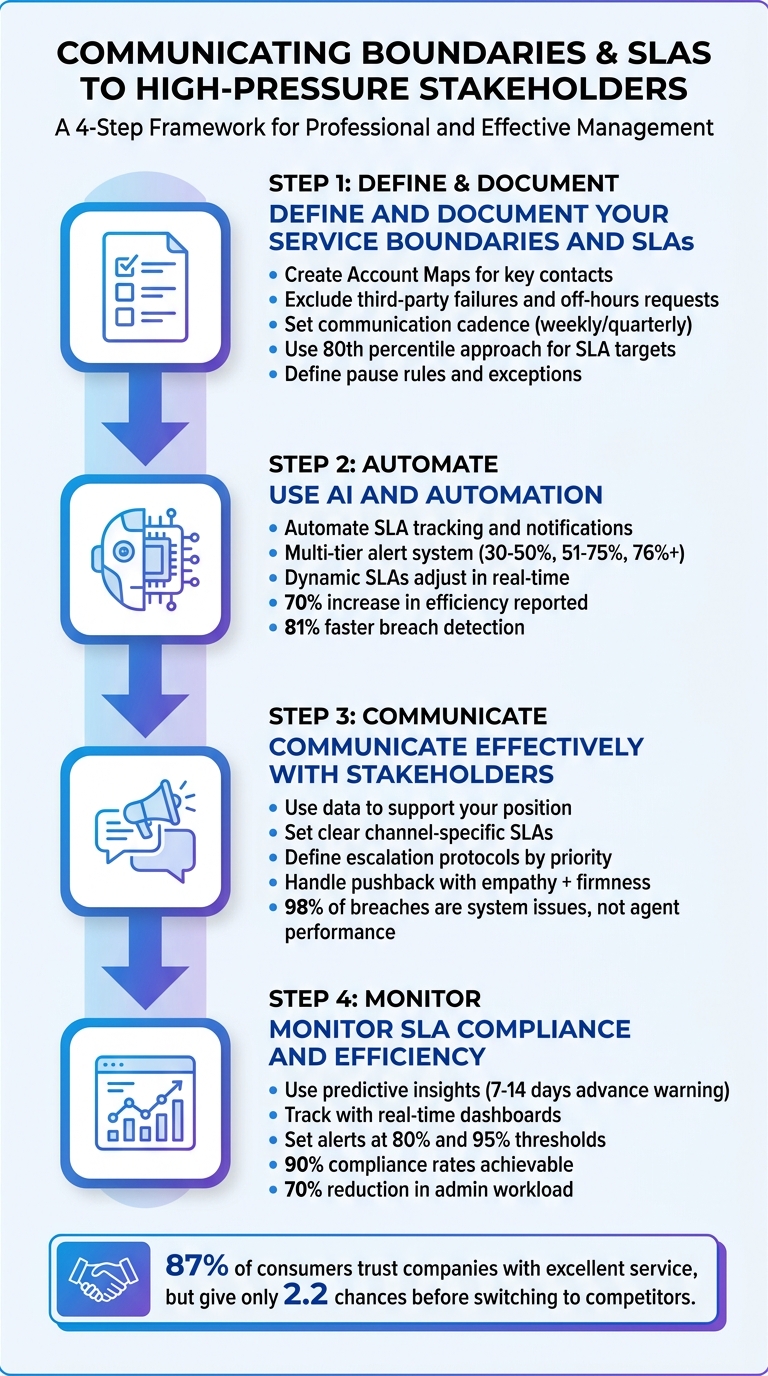
4-Step Framework for Communicating Boundaries and SLAs to High-Pressure Stakeholders
Service-Level Agreements (SLAs) with Rob Bayer | The Contact Center KPI Podcast
sbb-itb-e60d259
Step 1: Define and Document Your Service Boundaries and SLAs
Before you can communicate boundaries effectively, you need to define and document them clearly. This involves outlining what’s included in your service and what falls outside its scope. Without this groundwork, you risk scope creep, burnout, and endless renegotiations.
Clarify Your Service Boundaries
Service boundaries are the limits of what your support team is responsible for. They help shift your approach from reactive support to a more proactive, strategic one.
Start by creating an "Account Map" that lists key contacts for each customer. Identify roles like the champion, primary decision-maker, end users, and potential blockers. This map helps you navigate internal dynamics and ensures you understand who needs what from the outset, preventing misaligned expectations [1].
Be specific about what’s excluded from your service. For instance, you might exclude third-party failures, overly complex custom integrations, or off-hours requests. These exclusions help avoid misunderstandings and ensure resources are allocated appropriately.
Set up a communication cadence early in the relationship. For example, schedule weekly calls for high-touch clients or quarterly business reviews (QBRs) for strategic partners. Use these check-ins to share updates on KPIs and progress [1]. This proactive approach builds trust and reduces the chances of urgent, last-minute requests.
Once service boundaries are in place, the next step is to define SLAs that are realistic and achievable.
Set Realistic SLAs
Your SLAs should reflect what your team can consistently deliver, not an idealized version of performance. For example, a customer expecting a 4-hour response and receiving it in 2 hours will be thrilled. But if they expect a 2-hour response and get it in 3, they’ll likely be frustrated [2].
A good rule of thumb is the 80th percentile approach: analyze 90 days of ticket data to find the service time for 80% of tickets, then set your SLA target slightly above that [2]. This ensures your team can reliably meet expectations. Once your team achieves 95%+ compliance for at least three months, you can consider tightening targets by 10-15% [2].
Pause rules are critical for fair measurement. For instance, stop the SLA clock when a ticket is in "pending customer" status. This prevents delays caused by the customer from being counted against your team’s performance [2]. Also, define exceptions for SLA misses, such as system outages, major product launches, or unforeseen events like natural disasters [2].
In B2B settings, quality often matters more than speed. Customers prefer detailed, expert answers over rushed, generic ones [1]. To manage priorities effectively, use a tiered system:
| Priority Level | Definition | Response Target | Resolution Target |
|---|---|---|---|
| Urgent (P1) | Service down, security incident, major revenue impact | 15-30 minutes | 4 hours |
| High (P2) | Significant functionality broken, painful workaround | 1 hour | 8 hours |
| Normal (P3) | Standard questions, minor issues | 4 hours | 24 hours |
| Low (P4) | Feature requests, non-urgent inquiries | 24 hours | As available |
Be sure to document all SLA details, including targets, pause rules, exceptions, and remedies. For example, many B2B contracts offer remedies like service credits for missed compliance targets – often 10% credit for each 1% below the target, capped at a maximum percentage [2]. This structure ensures accountability while protecting both parties.
Step 2: Use AI and Automation to Communicate SLAs and Boundaries
Once you’ve established clear boundaries and SLAs, the next step is to use AI tools to streamline communication and reduce the need for manual oversight. Managing SLAs manually becomes impractical when dealing with a variety of customer contracts. Recent studies show that automated SLA monitoring can cut reporting time by 75% [3].
Platforms like Supportbench offer AI-powered workflows to handle SLA communication automatically. These systems monitor case statuses in real-time and send notifications when certain thresholds are met – no manual tracking required. For example, if a 2-hour response SLA has no activity after 90 minutes, the AI can flag the issue and send a "pending response" email to the customer. This keeps everyone informed and ensures potential breaches are addressed before they happen.
Take Telecom Solutions Ltd. as an example. In May 2026, this North American provider, serving 2.3 million customers, adopted an AI-driven contract intelligence system to manage its 15,000 active service contracts. Within a year, they saw a 50% drop in dispute cases, an 81% improvement in breach detection time (reducing it from 4.2 days to just 0.8 days), and avoided $2.4 million in penalties. The initiative achieved a 340% ROI and paid for itself in just eight months [3].
Automate SLA Notifications
Automating SLA notifications can make a huge difference in managing potential breaches. A multi-tier alert system is a great way to handle this, with escalating notifications based on the likelihood of a breach. Here’s a common structure:
- Early Warning: Triggered at a 30–50% breach probability, alerts go to service delivery managers.
- High Risk: At 51–75%, notifications are sent to operations directors.
- Imminent Breach: For probabilities above 76%, executive teams are alerted [3].
For instance, in a 4-hour SLA, alerts might be triggered at the 80% mark (3.2 hours) and escalated at 95% (3.8 hours). This proactive approach allows teams to address issues before they escalate. AI-driven systems can detect breaches 81% faster than manual methods, cutting detection time from 3–5 days to under 24 hours [3].
AI also ensures that notifications are routed intelligently. Role-based permissions and contract metadata help direct alerts to the right people – whether it’s by customer tier, geographic region, or other factors – minimizing unnecessary alerts and reducing stress on key stakeholders.
To make notifications even more effective, integrate your SLA tracker with tools like Slack, Microsoft Teams, or PagerDuty. This way, real-time updates reach stakeholders without requiring them to log into the main support platform. As BrightCircuit from Latenode Official Community explains:
"The approach is to assign AI agents specialized for monitoring alerts, analyzing logs with context, filing vendor tickets with timestamps, and sending status updates to stakeholders automatically" [5].
Use Dynamic SLAs
Static SLAs often fall short in addressing the complexities of real-world B2B support. Dynamic SLAs, on the other hand, adjust in real-time based on the specific context of each case. For instance, a customer nearing their contract renewal might require faster response times compared to one with a newly signed agreement. Dynamic SLAs automatically adapt timelines based on factors like renewal deadlines, customer health scores, and issue severity.
Supportbench’s dynamic SLA feature is a great example. If a customer is close to renewal, the system can tighten response times from 4 hours to 2 hours, ensuring a smoother experience during critical moments and reducing the risk of churn.
AI also plays a role in prioritizing tasks. By evaluating factors like severity, impact, and even the tone of communication, AI ensures that urgent issues – such as a service outage reported by a frustrated customer – are addressed immediately without manual intervention.
Organizations that incorporate AI into their service operations report a 70% increase in efficiency and higher customer satisfaction rates [6]. By combining predictive analytics with dynamic adjustments, these systems maintain consistent service quality, even during peak periods. For example, they can identify SLA risks based on historical bottlenecks, such as specific days of the week or seasonal surges, and allocate resources accordingly.
Error budgets add another layer of flexibility. By defining acceptable levels of failure, teams can focus on meeting operational goals without stifling innovation or overextending resources. This ensures a balance between maintaining high standards and adapting to changing demands.
Step 3: Communicate Effectively with High-Pressure Stakeholders
Once you’ve set up your SLAs and automation, the next challenge is standing firm when stakeholders push for exceptions. High-pressure stakeholders often feel their issues deserve special treatment, but giving in too often can create an unsustainable pattern. The key is to communicate with clarity, backed by data, while maintaining professionalism and protecting your established standards.
Use Data to Support Your Position
When stakeholders demand faster resolutions or special treatment, data can help you explain why boundaries exist. For example, metrics like the "trust gap" illustrate how managing expectations impacts satisfaction. A customer expecting a 4-hour response and receiving it in 2 hours is thrilled. But if they expect a 2-hour response and get it in 3, frustration sets in. Similarly, capacity metrics, such as occupancy rates exceeding 85%, can demonstrate the strain on resources[2].
If stakeholders request 24/7 support, a cost–benefit analysis can clarify the financial impact. Around-the-clock service often costs 2–3 times more than standard business hours due to factors like shift premiums and geographic distribution[2]. By referencing data-driven strategies, such as the 80th percentile approach, you can show how these boundaries ensure consistent and reliable service. Ultimately, presenting performance data allows stakeholders to see the reasoning behind these limitations.
Set Clear Communication Protocols
Having structured communication guidelines reduces confusion and prevents stakeholders from bypassing processes. Establish SLAs tailored to each communication channel based on customer expectations and operational capacity:
- Live chat: <1 minute response time
- Phone calls: 20 seconds for 80% of calls
- Social media: 1 hour
- Email: 4 hours[2]
It’s also crucial to define escalation rules based on priority levels. For instance, a P1 (Urgent) issue might require a 15–30 minute response and a 4-hour resolution, while a P4 (Low) issue could have a 24-hour resolution on a best-effort basis[2]. Automating these processes using keywords and customer tier data can further streamline operations. Additionally, documenting exception procedures – like requiring manager approval for standard exceptions and director involvement for customer-facing adjustments – ensures consistency and professionalism when handling special cases.
With these protocols in place, you’re better equipped to handle resistance while maintaining service standards.
Handle Pushback Without Compromising Standards
Dealing with pushback requires a mix of empathy and firmness. Acknowledge the stakeholder’s concerns, but use data to explain why rushing could lead to negative outcomes. For example, metrics comparing response times with CSAT, CES, and NPS and First Contact Resolution (FCR) rates can demonstrate how prioritizing speed at the expense of quality may hurt results overall[2].
If an SLA breach does occur, having pre-prepared response templates can help. A thoughtful message that acknowledges the delay, provides a revised timeline, and outlines corrective actions can help maintain trust. Regular reporting can also highlight systemic issues – like automation glitches or disconnected systems – which are responsible for 98% of SLA breaches, rather than individual agent performance[2]. Shifting the focus to process improvements encourages constructive problem-solving instead of blame.
Continuously monitoring SLA compliance reinforces your boundaries and ensures that protocols remain effective.
Step 4: Monitor SLA Compliance and Operational Efficiency
Once communication protocols are established, continuous monitoring becomes essential to maintain service standards. Without regular oversight, even the clearest communication and boundaries can fall short. Modern AI tools simplify this process, enabling faster and more accurate tracking than manual methods. Monitoring doesn’t just protect SLA commitments – it also reinforces the expectations set with stakeholders earlier.
Use Predictive Insights
Traditional monitoring often identifies issues only after a breach has occurred. In contrast, AI-powered predictive tools can forecast potential SLA violations up to 7–14 days in advance[3][8]. These tools analyze real-time ticket data, factoring in agent workload, queue depth, and historical resolution trends to calculate risk scores – like predicting a "70% chance to breach in 12 hours"[8][9].
Here’s a real-world example: A mid-tier service provider integrated AI-driven metadata analysis with live Network Operations Center data. The results were dramatic – a 57% reduction in annual penalty payments (from $4.2 million to $1.8 million) within a year. Breach detection time dropped from an average of 4.2 days to just 0.8 days (an 81% improvement), and proactive breach prevention soared from 15% to 78%[3].
AI tools also enhance ticket data by adding CRM context, such as account tier or contract value. This ensures that high-priority stakeholders – like key B2B clients – receive immediate attention when a breach seems likely. Automated workflows can trigger Slack or email alerts as deadlines approach or even reassign tickets to available agents without manual input. Organizations using AI-powered ITSM platforms have reported SLA compliance rates as high as 90% and a 56% productivity boost in large-scale healthcare systems[8][9][10].
These predictive tools don’t just alert teams – they provide actionable insights through real-time dashboards.
Track Performance with Scorecards and Dashboards
Real-time dashboards and KPI scorecards transform raw data into clear, actionable insights. For example, SLA compliance can be calculated using a simple formula:
(Contacts resolved within SLA threshold / Total contacts) × 100[12].
Dashboards can be customized for different roles. Frontline agents might receive real-time alerts for overdue tickets, while managers benefit from a broader view of trends, such as compliance rates and breach statistics[11].
High-performing systems ensure data accuracy with sub-60-second updates, 99.5% data completeness, and 99.9% uptime[4]. To prevent alert fatigue, it’s a good practice to set automated warnings at 80% of the SLA threshold and critical alerts at 95%[4]. This tiered system ensures urgent issues are addressed promptly without overwhelming the team.
AI-driven features like auto-schema mapping keep dashboards aligned with any changes to source systems. Predictive insights can also detect anomalies – such as sudden drops in data volume or mismatched types – before they impact reporting accuracy[4]. Automated reporting can cut administrative workloads by 70%, freeing up teams to focus on resolving cases[10]. When all teams use consistent KPI definitions through a unified data framework, it reduces the risk of conflicting metrics in SLA reports[7].
Conclusion
Building trust starts with clear boundaries and well-defined SLAs. When you turn vague assurances into specific, measurable commitments – and consistently deliver on them – you demonstrate reliability and ease stakeholder concerns. Research shows that 87% of consumers trust companies that provide excellent service, but on average, they only give businesses 2.2 chances before moving on to a competitor [2].
This guide outlined a four-step process: defining boundaries, leveraging AI automation, establishing communication protocols, and monitoring performance. Together, these steps help balance stakeholder expectations with operational realities. As Drake Q., Co-founder & CPO of Chatty, insightfully notes:
"Missing SLAs damages trust more than exceeding them builds it" [2].
To maintain trust, it’s often better to set realistic SLA targets – think in terms of the 80th percentile of current performance – rather than overcommitting to ambitious goals that may not be sustainable.
AI automation plays a pivotal role in this balance. Features like proactive alerts and escalation workflows help minimize SLA breaches while improving response times [13]. Importantly, these tools don’t replace human expertise; instead, they complement it by handling routine tasks and freeing up your team to focus on more complex, emotionally nuanced interactions. This combination of automation and human judgment is the backbone of a strong support system.
FAQs
How do I say no to out-of-scope requests without damaging the relationship?
To gracefully handle out-of-scope requests without straining relationships, it’s crucial to establish clear boundaries and communicate them effectively. Start by emphasizing shared objectives and explaining the limitations of the current scope. Be transparent about the reasons behind these boundaries, ensuring your approach feels collaborative rather than dismissive.
When appropriate, offer alternatives or suggest actionable next steps. For example, you might propose revisiting the request during a future phase or direct them to a resource better equipped to handle it. Additionally, defining service-level agreements (SLAs) and clear escalation paths can help set expectations early on. This not only minimizes confusion but also fosters trust and ensures everyone stays aligned on what’s achievable – all while maintaining professionalism and delivering quality service.
What’s the simplest way to set SLA targets using my ticket history?
To establish effective SLA targets, start by analyzing your ticket history. Look at your current response and resolution times to set benchmarks that reflect reality. Break down the data by ticket categories – like billing inquiries or bug reports – to calculate averages and spot areas where delays are common.
From there, create tiered SLA goals. For example, prioritize tickets based on their urgency and your team’s capacity to handle them. High-priority issues might demand shorter response times, while less critical ones can have more flexible targets.
To make this process smoother, consider automating with AI tools. These can help monitor performance, prioritize tickets, and even adjust SLAs dynamically. This way, your goals stay both practical and aligned with your team’s capabilities.
How can I automate SLA updates and escalations without spamming stakeholders?
To manage SLA updates and escalations efficiently, leverage AI-powered workflows to deliver clear, targeted updates based on what stakeholders actually need. Set up automation tools to send notifications exclusively for high-priority situations, like when an SLA breach is about to happen. This way, you avoid flooding inboxes with irrelevant alerts. Tailor the frequency and content of updates to match stakeholder preferences, ensuring they stay informed without feeling overloaded. This approach helps maintain transparency and trust while keeping communication streamlined.






