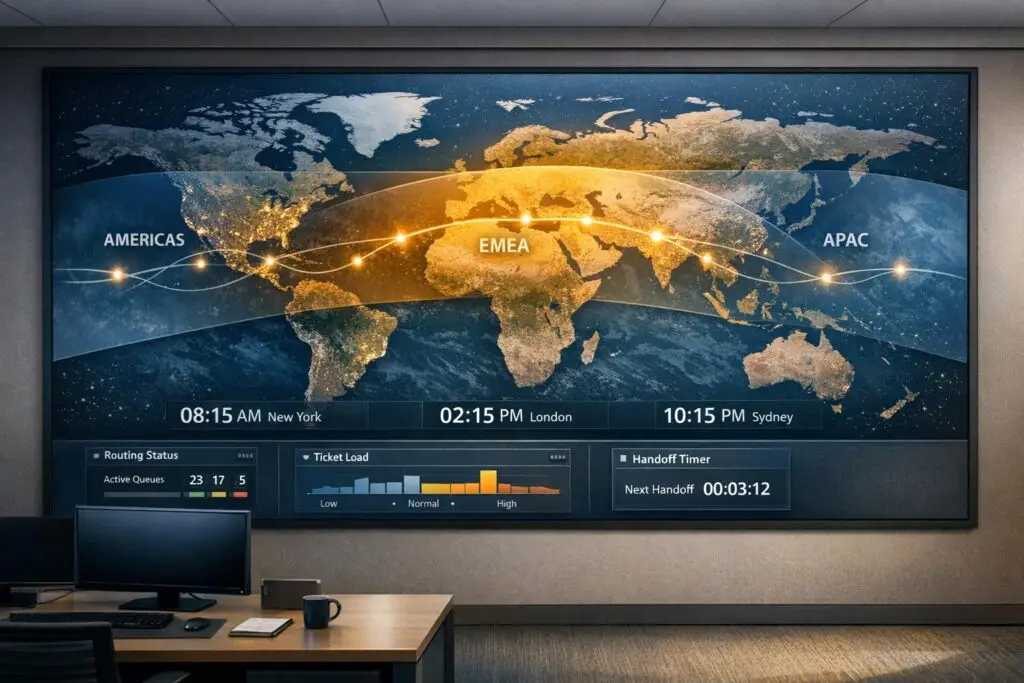
Want to provide 24/7 customer support without burning out your team? A follow-the-sun model lets you deliver round-the-clock coverage by dividing support teams across global time zones. Here’s the key: each team works during their local daytime hours, ensuring faster response times, reduced errors, and happier agents.
The Basics:
- What It Is: A global support strategy where teams in different regions handle tickets during their local business hours.
- How It Works: Tickets are handed off between regions (e.g., Americas → EMEA → APAC) to maintain continuous coverage.
- Why It Matters: No night shifts, fewer delays, and improved customer satisfaction.
Steps to Build It:
- Map Time Zones: Identify where your customers are and when they need help. Set up hubs in key regions (e.g., Americas, EMEA, APAC).
- Design Shifts: Create schedules with slight overlaps (20–30 minutes) for smooth handoffs.
- Standardize Handoffs: Use templates and checklists to transfer tickets with all necessary details.
- Centralize Tools: Use a shared ticketing system and knowledge base to ensure consistency.
- Leverage Automation: AI can route tickets, adjust SLA timers, and predict staffing needs.
- Train Teams: Teach agents to document clearly for their global counterparts and audit handoffs regularly.
Pro Tip: Start small. Test with two regions and refine processes before scaling globally. This approach not only ensures faster resolutions but also avoids costly night-shift premiums and reduces turnover.
Follow-the-Sun Support: 24/7 Global Incident Management
sbb-itb-e60d259
What Is Follow-the-Sun Support?
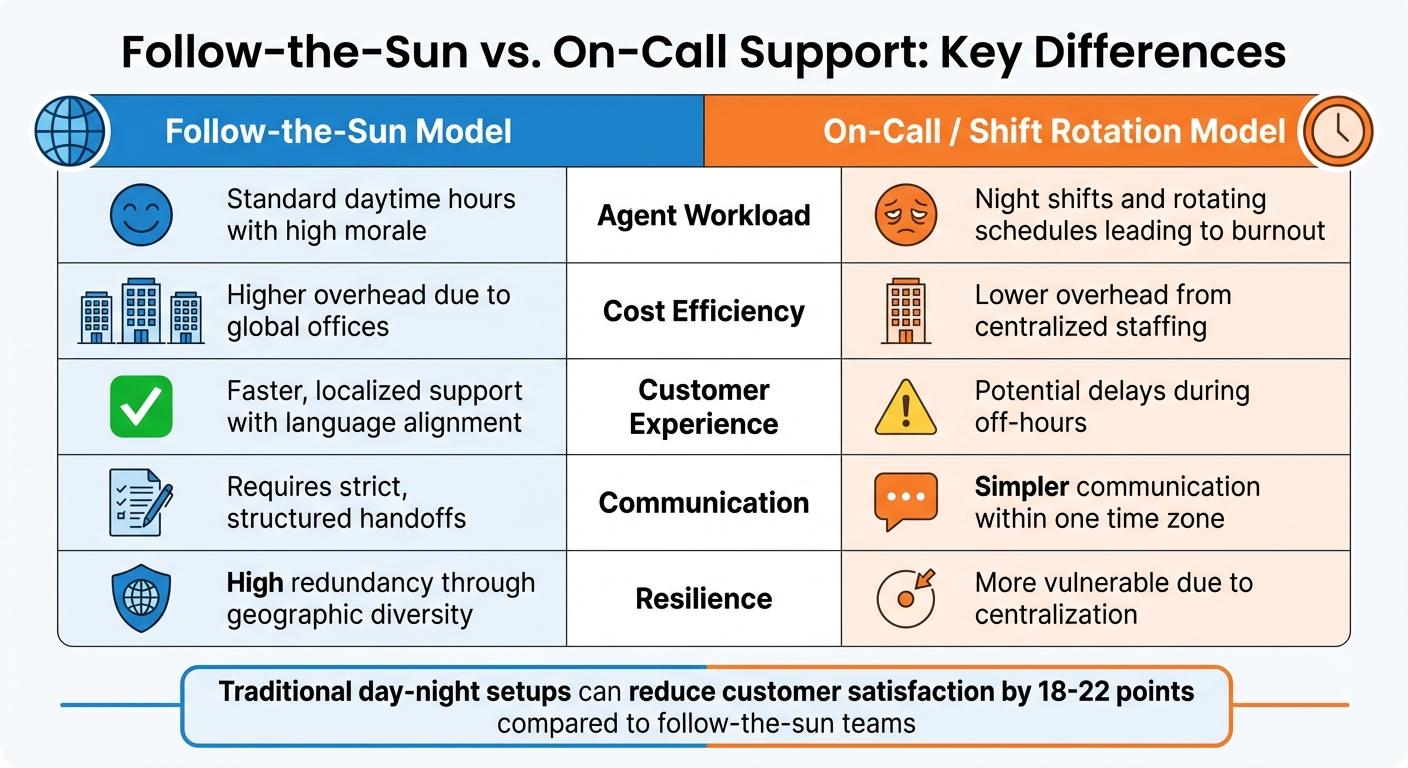
Follow-the-Sun vs On-Call Support Model Comparison
Follow-the-sun support is a global strategy designed to provide continuous 24/7 customer service by shifting responsibilities between teams located in different time zones – typically the Americas, Europe/Middle East/Africa, and Asia-Pacific. Each team works during their local daytime hours, ensuring that customers always interact with alert, fully staffed teams. As one region concludes its workday, active tickets are handed off to the next region, eliminating the need for overnight shifts.
"The follow-the-sun support model solves that tension by spreading work across time zones, while enabling every team member to work normal daytime hours."
- Mark Sherwood, CX Strategist, Swifteq
Take Zuora as an example. They achieve 24/7/365 support by coordinating staggered shifts across teams in Colorado (starting at 8:00 AM MST), California (7:00–9:00 AM PST), and Beijing (7:00 AM–2:00 PM CST). Internal comments are used to ensure smooth handoffs. Prezi, on the other hand, manages 18-hour daily coverage with just two locations: San Francisco and Budapest.
This approach relies on three essential elements.
Core Components of the Model
For follow-the-sun support to succeed, three key factors must align:
- Local Business-Hour Coverage: Agents work during their daytime hours, which helps improve morale and reduces fatigue.
- Structured Handoffs: Transitions between regions are standardized using templates, checklists, and clear "next action" notes. For instance, Shopify implemented standardized tags and added "next action" lines to their internal notes, which eased pressure on teams and sped up resolution times.
- Unified Support System: A centralized ticketing platform and AI-powered knowledge base ensure all teams access the same information, avoiding silos. Some organizations also build in a brief overlap – 20 to 30 minutes – between shifts so outgoing and incoming teams can discuss critical issues.
Follow-the-Sun vs. On-Call Support
Follow-the-sun support is fundamentally different from traditional on-call or shift-based models. On-call systems often require one team to cover off-hours through night shifts or pager duty, while follow-the-sun distributes work globally, allowing all agents to stick to regular hours.
| Feature | Follow-the-Sun Model | On-Call / Shift Rotation Model |
|---|---|---|
| Agent Workload | Standard daytime hours with high morale | Night shifts and rotating schedules leading to burnout |
| Cost Efficiency | Higher overhead due to global offices | Lower overhead from centralized staffing |
| Customer Experience | Faster, localized support with language alignment | Potential delays during off-hours |
| Communication | Requires strict, structured handoffs | Simpler communication within one time zone |
| Resilience | High redundancy through geographic diversity | More vulnerable due to centralization |
While on-call models might seem cheaper upfront, they often come with hidden costs like night-shift premiums and higher employee turnover, which can hurt service quality. In fact, traditional day-night setups can reduce customer satisfaction by 18–22 points compared to the consistent service provided by follow-the-sun teams.
The follow-the-sun approach ensures immediate responses, strong geographic redundancy, and manageable workloads for agents. For example, if a critical issue arises at 3:00 AM in New York, a fully staffed Sydney team can address it immediately – no groggy late-night troubleshooting required.
"Follow-the-sun support is a system, not just a schedule. You require precise routing, documented handoffs, and automated escalation."
- Anthony Tobelaim, Co-founder & CPO, Siit
Step 1: Map Time Zones and Design Shift Schedules
Building a follow-the-sun support model starts with a clear understanding of where your customers are located and when they need assistance. Without this foundation, you risk coverage gaps and frustrated customers.
Start by analyzing hourly ticket volume reports to pinpoint peak demand times. For example, if you notice a surge in tickets at 2:00 AM in your headquarters’ time zone, it’s a clear sign you need support coverage from another region.
"Stats around ticket volume by time of day will be your new best friend. Regardless of where the bulk of customers are located, if you know that you’re receiving a lot of tickets outside of your standard support hours, then it’s time to start thinking about a rotational support model." – Tara Ramroop, Zendesk
Focus on regions with the highest customer density. Establish 2–3 key hubs across the Americas, EMEA, and APAC, and use tools like heatmaps to identify the best handoff windows. Once you’ve mapped out key regions, design shift schedules that ensure smooth transitions and efficient operations.
Identify Key Regions and Shift Overlaps
After identifying your primary regions, create shift schedules using UTC as a common time reference. A typical three-shift setup might look like this:
- APAC: 00:00–08:00 UTC
- EMEA: 08:00–16:00 UTC
- Americas: 16:00–00:00 UTC
This approach ensures around-the-clock coverage without requiring anyone to work overnight shifts. Build in a 20–30 minute overlap between shifts for seamless handoffs. During this overlap, the outgoing team can finalize notes, update ticket statuses, and brief the incoming team on any critical issues.
"The follow-the-sun model only works if you can facilitate great handoffs between different time zones. Without that, you’re dead on arrival." – Mark Sherwood, CX Strategist
For smaller teams not ready for full global expansion, consider staggering start times within a single region. For instance, instead of starting everyone at 9:00 AM, schedule agents to begin at 7:00 AM, 8:00 AM, and 9:00 AM. This extends coverage hours without increasing headcount. When testing this model, start with two neighboring time zones to refine handoff processes before scaling globally.
Be proactive about regional calendars. A schedule that works on paper might fall apart during events like Lunar New Year in APAC or Ramadan in EMEA if you haven’t planned backup coverage. Also, consider language requirements – identifying key regions means determining which languages your team needs to support. Factor in these regional nuances to fine-tune your schedule.
Plan for Holidays, PTO, and Peak Periods
Regional holidays can quickly create coverage gaps. For example, if your EMEA team is out for Christmas and your Americas team is handling Boxing Day, you could find yourself short-staffed. The solution? Maintain a shared global holiday calendar in your scheduling tool and assign cross-regional backups at least two weeks in advance.
Set up a customer support escalation system so teams can cover for one another. For instance, if the APAC team is short-staffed due to local holidays, EMEA-Core could step in within 15 minutes, with Global-Paging as the final fallback within 30 minutes. This redundancy ensures smooth operations without overstaffing every region.
For PTO and unexpected absences, use automated shift-swap tools with real-time notifications. Assign a shift lead in each region to manage triage, workload distribution, and final handoff approvals. Look at historical data to anticipate seasonal peaks – like Black Friday for retail or tax season for financial services – and schedule extra coverage ahead of time.
When agents have their schedules well in advance and know exactly who will cover for them during time off, the system becomes much more reliable. Without this level of planning, coverage risks becoming reactive and inconsistent.
Step 2: Create Handoff Protocols and Documentation Standards
Once you’ve established global shift schedules, the next step is to ensure seamless ticket transitions between regions. Clear handoff protocols are essential to avoid situations where customers have to repeat their issues or agents waste time piecing together context.
The solution? Assign clear ownership. A single person or team should remain responsible for a ticket until it’s explicitly handed off. To enforce this, adopt a "no packet, no handoff" rule – every transfer must include a standardized information packet. Pair this with templates and protocols to ensure tickets move smoothly between teams.
Take Shopify as an example. They addressed their APAC support challenges by standardizing tags and requiring a "next action" line in every internal note. This simple adjustment reduced resolution times without needing to hire additional staff. Similarly, Zuora handles support across Colorado, California, and Beijing by using private comments in their ticketing system to manage handoffs effectively.
Build Handoff Checklists and Templates
A solid handoff starts with a template that agents use whenever transferring a ticket. This template should include:
- A link to the work item
- Current status
- Summary of recent changes
- Evidence of completed work
- Any risks or blockers
- A clear "Next Action" statement
Help desk macros can automate this process by prompting agents to fill out fields like "Issue Summary", "Last Known Status", "Next Action", and "SLA Deadline" when reassigning a ticket. Training agents to use clear, recipient-focused language is equally important.
Define clear "Definition of Done" (DoD) criteria for tasks. For example:
- Test hypotheses with reproducible steps
- Validate changes with detailed deployment records
- Confirm verification tasks through set acceptance criteria
Without these criteria, incomplete work might be handed off, causing delays in the next shift. For high-risk items, consider scheduling a 15–30 minute overlap for live walkthroughs. If live handoffs aren’t feasible, tools like Loom can be used for concise asynchronous updates .
Start small by piloting these handoff protocols with two regions and a single workflow for a few weeks. Gather feedback, refine your templates, and adjust your DoD criteria before rolling out globally .
Centralize Knowledge and Ticket Histories
Standardized handoff protocols are only effective when ticket data is centralized and accessible to all regions.
A unified ticketing system is critical. Every region should have full visibility into queues, ticket histories, and SLA timers . Use internal notes or private comments to document decision history, risks, and blockers – steer clear of temporary channels like Slack for this purpose .
Maintain a shared knowledge base (e.g., Confluence or Notion) to store essential resources like system architectures, runbooks, and incident protocols. Embedding these articles into macros ensures that all teams access the same information. Additionally, standardize tags, views, and urgency scales to eliminate inconsistencies and streamline ticket routing.
"Hospitable – a property management platform – implemented a global relay across APAC, Europe, and the Americas. By leveraging a unified tech stack and standardized internal notes, they ensured that hosts received immediate assistance at 3:00 AM without waiting for local business hours."
Their success came from documenting diagnostic steps in permanent tools like ticket comments and knowledge base pages, rather than relying on personal notes.
Finally, require the incoming team to acknowledge receipt of a handoff. This can be as simple as an emoji, a thread reply, or a brief voice sync during shift overlaps. To ensure nothing slips through the cracks, audit a sample of cross-timezone tickets weekly. Use these audits to refine your templates and protocols .
Step 3: Use Automation and AI for Better Coverage
Once you’ve established standardized handoffs, automation and AI can help your global teams work more efficiently. Handling support manually across multiple time zones isn’t practical, especially when 69% of customers expect 24/7 support. In a follow-the-sun model, automation ensures smooth transitions between regions, eliminating gaps caused by time zone differences.
AI tools can handle tasks like routing tickets and forecasting staffing needs. These systems not only cut resolution times by 40%, but they also achieve 94% to 97% accuracy in categorizing tickets. The key to success lies in integrating automation seamlessly with your handoff processes.
Automate Ticket Routing and SLA Management
Automation can route tickets in under 60 seconds, ensuring they land with the right team based on active business hours. For example, tickets originating in the APAC region are automatically sent to Sydney-based teams during their 9:00 AM to 5:00 PM hours, then passed to the next region as business hours shift.
AI-powered triage systems use Natural Language Processing (NLP) to analyze tickets in just 1.2 seconds. These tools assess urgency, detect sentiment to flag frustrated or high-value customers, and assign tickets to agents with the right language skills and technical expertise.
Dynamic SLA timers adapt to regional business hours. For instance, if a ticket arrives in New York at 6:00 PM EST, after the Americas team has signed off, the SLA clock pauses and resumes when the next region comes online. Automation also ensures that tickets are escalated if they aren’t acknowledged within 15–30 minutes during business hours.
To maintain accountability during handoffs, automation enforces acknowledgment protocols. When a ticket moves to a new region, the system requires the receiving agent to confirm receipt within 5–10 minutes. If there’s no response, the ticket stays with the original owner, and a supervisor is notified.
But automation doesn’t stop there – AI can also help predict and manage future support needs.
Use AI for Demand Forecasting and Workload Balancing
AI-driven demand forecasting analyzes historical ticket data to predict when and where support spikes will happen. This information helps teams adjust staffing levels in advance. For example, if data shows that APAC sees 30% more tickets on Mondays between 10:00 AM and 12:00 PM, you can schedule extra agents during that peak period.
"Shopify used this approach to close their APAC coverage gap. CX strategist Mark Sherwood led the project by leveraging heatmaps of contact and incident times to justify hiring in the APAC region and optimize handoff windows based on data."
AI can also deflect up to 40% of routine, low-complexity queries through self-service options. By offering AI-powered article suggestions in your customer portal, you can handle common issues like password resets and billing questions around the clock. This allows your global agents to focus on more complex problems that require human expertise.
To ensure smooth handoffs, measure their quality using compliance checklists and acknowledgment rates. Poor handoffs can lead to a 37% increase in errors. If critical context is missing during transitions, AI documentation tools can help. These tools automatically generate structured handoff templates by pulling summaries, actions taken, and next steps from ticket histories, ensuring no details are overlooked.
Step 4: Train Teams and Measure Performance
The success of a follow-the-sun model hinges on seamless collaboration across time zones. Without proper training and performance tracking, handoffs can falter, leaving customers frustrated. In fact, 88% of customers believe the experience a company provides is just as important as its products or services. To meet these expectations, global teams need consistent training and clear performance metrics.
Cross-Cultural Training and Collaboration
Start by standardizing training programs across all regions. This ensures every agent represents your brand consistently, whether they’re in Sydney, London, or New York. When different offices use separate training materials, it can create a disconnect, leading to inconsistent customer experiences.
Encourage agents to adopt the mindset of "writing for the next owner." This means crafting internal notes with enough clarity and detail for the colleague in the next time zone to take over seamlessly – avoiding cryptic shorthand that only makes sense to the original writer.
Leverage asynchronous tools like Slack threads and Loom video recordings to strengthen team collaboration. For instance, a short Loom video explaining a complex issue can save time and reduce the back-and-forth that often accompanies escalations. These tools help bridge the gap between global team members, making interactions more personal and effective.
To ensure smooth handoffs, conduct weekly audits of tickets that span multiple time zones. These audits can reveal communication delays or recurring issues in escalations, helping you identify gaps in training before they become systemic problems.
Track Key Metrics for Continuous Improvement
Once your training programs are in place, focus on tracking performance metrics to drive ongoing improvement. The right data can help you address weaknesses in your staffing model before they impact customers.
For example, monitor the handoff completeness rate to see what percentage of transfers include all the necessary details and evidence. A low score here indicates that agents may need additional training on documentation standards.
Another key metric is time-to-next-action, which measures how quickly the next owner makes meaningful progress after receiving a ticket. Delays in this area might point to routing issues or confusion about ownership. Aim for a target of under two minutes for this metric. Similarly, track the rework rate – the percentage of tickets reopened within 48 hours of a handoff – to identify where critical context is being lost.
The table below outlines essential metrics to monitor, along with their purposes and target benchmarks:
| Metric | Purpose | Target Benchmark |
|---|---|---|
| Handoff Completeness Rate | Assesses training effectiveness | ≥ 90% checklist compliance |
| Time-to-Next-Action | Identifies routing or ownership delays | Under 2 minutes |
| Response Time Variance | Ensures global consistency | ±10% variance |
| SLA Adherence | Tracks compliance with service agreements | ≥ 95% |
| Handoff Count per Ticket | Highlights excessive ticket transfers | Minimize per ticket |
Lastly, keep an eye on first-contact resolution (FCR) and customer satisfaction (CSAT) scores by region. If one region consistently lags behind, examine its handoff quality and training completion rates to pinpoint the problem. By addressing these issues early, you can maintain a high level of service across all time zones.
Key Takeaways for Building a Follow-the-Sun Model
Creating a follow-the-sun support model that works requires four key steps to ensure smooth 24/7 coverage. First, map out at least three major regions – commonly the Americas, EMEA, and APAC – to guarantee continuous support without forcing anyone to work night shifts. Include 15–30 minute overlap windows so outgoing teams can brief their replacements and update documentation before signing off.
Next, establish standardized handoff protocols. Use templates to capture essential details like issue summaries, actions taken, next steps, and ownership. As Mark Sherwood, CX Strategist and Support Operations Leader, explains:
"The follow-the-sun model only works if you can facilitate great handoffs between different time zones. Without that, you’re dead on arrival".
Incorporating automation and AI can make this model more efficient. For example, time-zone-aware routing can automatically assign tickets to the active region, while AI chatbots can handle routine FAQs during handoff periods. Companies adopting this model have reported up to a 40% drop in response times, avoiding the 37% increase in error rates that often come with traditional night shifts.
To keep things running smoothly, track metrics like handoff completeness, time-to-next-action, and SLA adherence (target ≥95%). These insights help identify and address bottlenecks before they affect customers. Once the basics are in place, test the process with a pilot program. For B2B organizations, starting with two neighboring regions allows teams to refine handoffs and documentation before scaling globally. This step-by-step approach not only improves customer satisfaction but also reduces costs by eliminating night-shift premiums and preventing burnout. Over time, this framework can evolve into a strong, AI-driven global support system.
FAQs
How can I ensure smooth transitions between teams in different time zones using a follow-the-sun model?
When managing a follow-the-sun support model, smooth transitions between teams in different time zones are essential. Start by establishing clear handoff protocols that outline how information should be shared. Incorporate overlap hours where team members from different regions can connect in real time, ensuring critical updates and tasks are communicated effectively.
During these overlap periods, brief handoff meetings or collaborative tools can help teams address escalations, set priorities, and share updates. Thorough documentation is also key – teams should log ongoing issues, customer details, and unresolved tasks to avoid confusion or delays.
Additionally, AI tools can be a game-changer. They can predict peak support hours, automate workload distribution, and help allocate resources where they’re needed most. By combining structured processes, strong communication practices, and automation, you can maintain seamless support coverage 24/7.
What tools and technologies are needed to successfully implement a follow-the-sun support model?
To make a follow-the-sun support model work effectively, you’ll need the right mix of tools and technologies to keep operations running smoothly across time zones. Start with a reliable support management platform that allows for seamless ticket routing and handoffs between teams worldwide. These systems should enable automated workflows, ensuring tickets move effortlessly as one team’s shift ends and another begins.
Incorporating AI-powered tools can make a big difference. They can help forecast staffing requirements, automate workload distribution, and predict high-demand periods, ensuring resources are used efficiently while maintaining consistent service quality. On top of that, communication and collaboration tools – like chat apps or video conferencing platforms – are crucial for enabling real-time coordination and sharing knowledge among globally distributed teams.
Another key element is a well-organized knowledge base or self-service portal. This allows customers to find answers on their own, which can lighten the load on support teams during off-hours. By integrating these technologies, you can create a support model that’s efficient, dependable, and ready to meet customer needs around the clock.
How can I handle regional holidays and language needs in a global support model?
Handling regional holidays and diverse language needs in a global support setup takes thoughtful planning and adaptability. For holidays, it’s crucial to tweak shift schedules to cover local public holidays. You might also consider temporarily assigning extra team members to regions experiencing holiday-related demand. Leveraging AI-driven forecasting tools can be a game-changer here, helping you predict surges in support requests and align staffing with holiday calendars effectively.
When it comes to language requirements, having a multilingual team is a strong foundation. For additional support, AI-powered translation tools can help bridge communication gaps. Providing customers with region-specific language options in your support channels and training your team on local customs and expectations can make a big difference. By blending flexible scheduling, smart tools, and an understanding of local preferences, you can ensure consistent and high-quality support across the globe.