


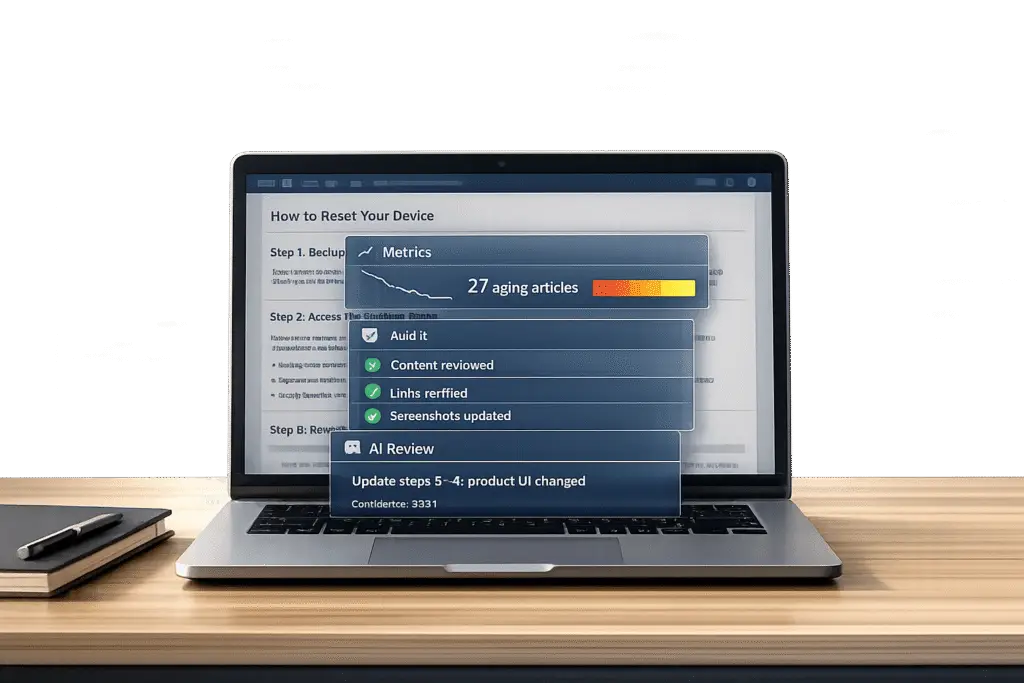
Outdated knowledge base (KB) articles can frustrate customers, mislead AI systems, and increase support costs. Here’s what you need to know to keep your KB relevant and effective knowledge base articles updated:
- What is KB rot? It’s the gradual decline in the accuracy and usefulness of KB articles due to product changes, outdated workflows, and shifting customer needs.
- Why it matters: Stale content leads to incorrect chatbot responses, higher support ticket volumes, and lost trust in self-service systems.
- Key signals your KB is outdated:
- First contact resolution rates stop improving.
- Agents spend inconsistent amounts of time resolving the same issue.
- Customers repeatedly contact support for the same problem.
- Search terms don’t match article keywords.
- Articles get views but fail to solve problems.
Solution: Regular audits, AI tools, and proactive review processes can prevent KB rot. Focus on high-impact articles, automate updates for low-risk changes, and assign clear ownership for content maintenance.
5 Warning Signs Your Knowledge Base Articles Are Outdated
5 easy tips for maintaining a knowledge base in your IT organization | IT knowledge management
sbb-itb-e60d259
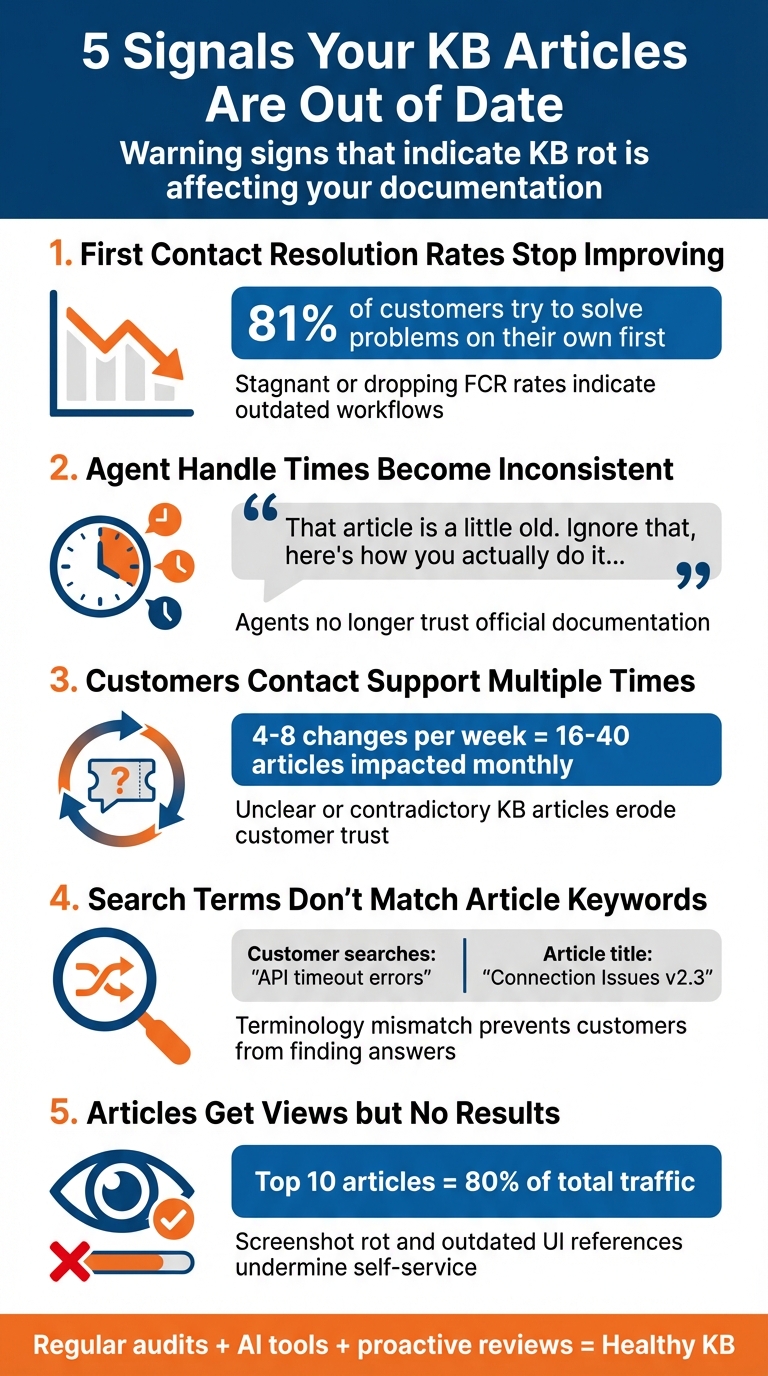
5 Signals Your KB Articles Are Out of Date
Keeping your knowledge base (KB) articles up to date is crucial for saving your support team from unnecessary costs and ensuring customer satisfaction. Here are five clear signs that your documentation might need a refresh.
First Contact Resolution Rates Stop Improving
If your first contact resolution (FCR) rates start to stagnate or drop, even as recurring issues persist, it could point to outdated workflows or missing details in your KB articles. Considering that 81% of customers try to solve problems on their own before reaching out[2], a flat FCR rate often means your documentation is failing to meet their needs right from the start.
Agent Handle Times Become Inconsistent
When agents take widely varying amounts of time to resolve the same issue, it’s a sign they no longer trust the official documentation. Outdated KB articles push experienced agents to rely on personal workarounds, while newer agents struggle with irrelevant or incorrect information. As one support agent candidly explained:
"Ah, that article is a little old. Ignore that, here’s how you actually do it in the new interface…" – eesel AI[4]
This creates a frustrating scenario where agents must manually fill in the gaps, often addressing changes in the user interface or features that should have been updated in the KB[4].
Customers Contact Support Multiple Times for the Same Issue
When customers repeatedly reach out about the same problem, it’s a strong indicator that your KB articles are unclear, incomplete, or even contradictory. For example, a typical SaaS team rolls out 4–8 changes per week, which can impact 16–40 articles monthly[3]. If your documentation doesn’t keep up, customers lose faith in self-service options. As Wilson Wilson, a writer at Ferndesk, aptly put it:
"Wrong info is worse than no info." – Wilson Wilson, Ferndesk[2]
Customer Searches Don’t Match Article Keywords
When users search your help center and leave without selecting an article, it’s often because the keywords in your KB don’t align with how customers describe their issues. For instance, if people search for "API timeout errors" but your article is titled "Connection Issues in Version 2.3", that mismatch highlights a problem. To fix this, review recent support tickets and adjust your article keywords to match customer language[2].
Articles Get Views but No Results
If your articles have high page views but low task completion rates, they’re likely not solving the problems they’re meant to address. This often happens due to "screenshot rot", where outdated screenshots no longer match the current user interface[3]. When customers encounter this, they’re more likely to abandon the KB and seek help elsewhere. Given that the top 10 articles in your KB account for 80% of total traffic[2], inaccuracies in these key resources can seriously undermine your self-service efforts.
Metrics That Highlight KB Rot
Here’s a quick look at how common metrics can reveal issues with your KB:
| Metric/Signal | What It Reveals About KB Rot |
|---|---|
| Containment Rate | Low rates suggest self-service articles aren’t solving issues[1] |
| Escalation Rate | High rates for specific topics point to unclear or missing info[1] |
| Reopened Cases | Frequent reopening indicates the shared article is incomplete[1] |
| First Response Time | Longer response times show agents are struggling with KB accuracy[1] |
How to Audit Your Knowledge Base for Rot
Once you notice warning signs of outdated or ineffective content, it’s time to audit your knowledge base (KB). This process helps pinpoint which articles need immediate updates, ensuring your content stays relevant and useful.
Use Metrics to Find Problem Articles
Start by digging into engagement metrics to uncover articles that may seem popular but aren’t meeting user needs. Look at pageviews, unique visits, and average reading time. For example, high views combined with long reading times often suggest user confusion or repeated attempts to understand the content [5][6].
Search analytics can also reveal gaps. Pay attention to zero-result queries and low search success rates. If users repeatedly tweak their search terms without finding answers, it might mean your article titles or content don’t align with how customers describe their issues [5][6]. As DevRev explains:
"Plugging these search gaps is likely the lowest-hanging fruit in terms of improving consumer self-serve!" [5]
Additionally, focus on high-traffic articles with low helpfulness ratings. These metrics help you create a prioritized list of articles that need immediate attention.
Use AI Tools to Analyze Content Quality
AI tools can supercharge your KB audit, making it faster and more thorough than manual reviews. One effective method is analyzing support tickets to compare agent responses with official KB content. If agents frequently provide solutions that differ from KB articles, it’s a clear sign those articles might be outdated.
For teams working on evolving products, AI can monitor your codebase and changelogs to catch potential content issues early. By integrating with platforms like GitHub, AI tools can flag articles referencing deprecated features or renamed parameters. This is particularly useful for SaaS teams, which often ship 4–8 changes weekly, potentially impacting dozens of articles each month [3].
Another helpful tool is a Knowledge Freshness Index (KFI), which scores content from 0–100 based on factors like recency (35%), correctness (25%), coverage (20%), usage (10%), and localization parity (10%) [1]. As Typewise highlights:
"Accuracy follows freshness. Consistently align your support knowledge base with the evolving state of your product." [1]
AI can also simulate thousands of past customer interactions to stress-test your KB. By reviewing retrieval logs, you can identify when users frequently correct AI-generated answers, signaling that the source material may need updating [1].
| Metric Category | Key KPI | Signal of "Rot" |
|---|---|---|
| Search | Zero-Result Rate | Missing content or terminology mismatch |
| Feedback | Helpfulness Ratio | Article is unclear, incomplete, or outdated |
| Support | Link/Attach Rate | Agents no longer trust the article for accuracy |
| Maintenance | Average Article Age | Content likely doesn’t reflect current UI/Product |
| Engagement | Bounce Rate | Users are wandering or not finding the answer quickly |
Use these insights to develop a proactive update strategy. By addressing these problem areas, you can ensure your knowledge base remains a reliable resource for users.
How to Prevent KB Rot from Happening Again
To keep your knowledge base in top shape, you need more than just audits – you need a system that ensures content stays up-to-date without overwhelming your team. Let’s look at how you can build processes that are both proactive and scalable.
Set Up Regular Content Reviews
Relying solely on calendar-based reviews doesn’t cut it. A quarterly audit might catch outdated content, but by then, the damage is often already done. Instead, try a risk-based review strategy. Here’s how:
- Assign Ownership: Make sure every article has a clear owner. Unowned content is a recipe for neglect.
- Categorize by Risk: Group articles into risk tiers based on their importance and likelihood of becoming outdated.
- Use Event-Based Triggers: Tie review cycles to specific events. For instance, when you update your pricing page, publish release notes, or modify your codebase, those changes should automatically flag related articles for review.
For example, if your SaaS team ships 4–8 changes a week, that could affect 16–40 articles each month [3]. To keep track, create a central table with links to articles, assigned owners, risk tiers, and deadlines for review. Then, integrate these tasks into your ticketing system with clear timelines (e.g., policy updates completed within two days). This approach lays the groundwork for automation.
Use AI to Automate Article Maintenance
AI can be a game-changer for maintaining your knowledge base. It can monitor key sources – like GitHub repositories, support tickets, or release notes – and flag when documentation needs updating, often before customers notice any gaps.
By connecting AI directly to your systems, you can streamline updates even further. For example:
- Code Changes: When developers merge code, AI can analyze the changes and draft updates for affected articles. Adding a
docs-impactlabel on pull requests can trigger this process automatically [9]. - Low-Risk Updates: For straightforward updates – like SDK version numbers or API schemas – AI can handle these autonomously with over 95% accuracy [9].
- Automated Screenshots: Tools like Ferndesk (starting at $39/month) can detect UI changes and refresh screenshots as product interfaces evolve [3].
- Support Ticket Analysis: AI can cluster customer questions to identify topics where articles aren’t resolving issues effectively. It can also spot inconsistencies between agent responses and your KB content, signaling when updates are needed.
While AI handles the heavy lifting, a human reviewer is still crucial. This ensures updates maintain the right tone and nuance [3][8]. A hybrid system like this can slash maintenance time from 20 hours a month to just 2–5 hours while keeping quality intact [3]. Once routine updates are automated, you’ll have more time to focus on high-priority content.
Update High-Impact Articles First
Some articles matter more than others. Focus your efforts on content that addresses frequent customer issues, high-traffic topics, or critical policies.
- Leverage Your KFI: Use your Knowledge Freshness Index to guide priorities. Aim for a KFI score of 95+ for high-impact articles and 85+ for your overall knowledge base [1].
- Fix Low-Performing Content: Articles with heavy traffic but poor helpfulness ratings should be updated first.
- Prioritize UI-Heavy Content: Screenshots and visual walkthroughs become outdated quickly as product interfaces change. Review these articles based on events, not just a calendar [3].
Support ticket clustering can also help you spot high-impact areas. For example, updating an article tied to a large ticket cluster could deflect 40–60% of those tickets [3]. That’s a clear return on investment.
Here’s a quick guide to review cadences based on risk:
| Risk Tier | Article Types | Review Cadence |
|---|---|---|
| High Risk | Policy, Billing, Security, Legal | 30–60 days |
| Medium Risk | Core Workflows, Product Features | 90 days |
| Low Risk | Evergreen Concepts, General FAQs | 180 days |
| Volatile | API Docs, UI Screenshots, Release Logs | Event-driven (on change) |
Effective documentation can deflect up to 60% of support tickets, but stale content won’t deliver those results [3]. By automating routine tasks and zeroing in on high-impact updates, you can build a system that keeps your knowledge base reliable and scalable.
Conclusion: Keep Your KB Healthy with Regular Maintenance
Preventing KB rot is entirely doable. Think of your documentation as a living resource that thrives on regular care. By spotting early warning signs and sticking to a structured maintenance plan, you can tackle potential problems before they snowball into expensive support issues.
A well-rounded knowledge-centric strategy is key. According to TSIA research, effective documentation can deflect up to 60% of support tickets [7]. But this level of efficiency only happens when your content stays updated and relevant. Regular maintenance not only keeps your documentation in top shape but also ensures your support team remains nimble and productive.
Here’s a practical approach: assign clear ownership and establish review schedules. For instance, review top support tickets weekly, audit the 10 most-viewed articles monthly, and conduct detailed quarterly checks for structural improvements [7]. For critical articles on topics like policy, billing, or security, aim for a Knowledge Freshness Index score of 95 or higher [1].
Don’t forget to leverage AI tools as part of your strategy. AI can significantly reduce maintenance time, cutting it down from 20 hours a month to just 2–5 hours of human effort [3]. These tools can help identify outdated content, suggest updates, and track changes, while subject matter experts ensure everything meets quality standards.
FAQs
Which KB articles should we update first?
Outdated or inaccurate KB articles can undermine both user trust and AI effectiveness. To address this, it’s essential to update articles that exhibit low recency, accuracy problems, incomplete information, or poor engagement metrics. These issues often signal content that no longer serves its purpose effectively. Conducting regular audits is a practical way to spot and fix these problems, ensuring the knowledge base stays reliable and relevant.
What KPIs best reveal KB rot?
Key KPIs that highlight knowledge base (KB) decay include engagement metrics, support ticket reduction, content contribution rates, and user feedback. These metrics can pinpoint articles that are outdated or underperforming, helping you identify areas that need attention to keep your content relevant and effective.
How can AI keep our KB updated safely?
AI plays a key role in keeping your knowledge base (KB) current and secure by automating the process of identifying and updating outdated content. It evaluates factors like recency, accuracy, and relevance to pinpoint articles that are no longer up-to-date. Once identified, it can trigger updates or even remove irrelevant entries.
This automation aligns your documentation with product changes, cutting down on the need for manual updates. Plus, with permission-aware integrations, AI ensures that updates are handled securely, maintaining the accuracy and reliability of your support content.
Related Blog Posts
- How do you keep your knowledge base from becoming outdated and ignored?
- How do you manage knowledge governance (ownership, review cycles, and “KB debt”)?
- How do you run a content review process for KB articles (owners + SLAs + audits)?
- Knowledge Governance: Keeping Your KB from Becoming a Dumpster Fire
Evaluating help desks for a B2B team?
Supportbench is all-inclusive from $32 per agent per month, with migration and onboarding included. See pricing or book a 20-minute demo.






