


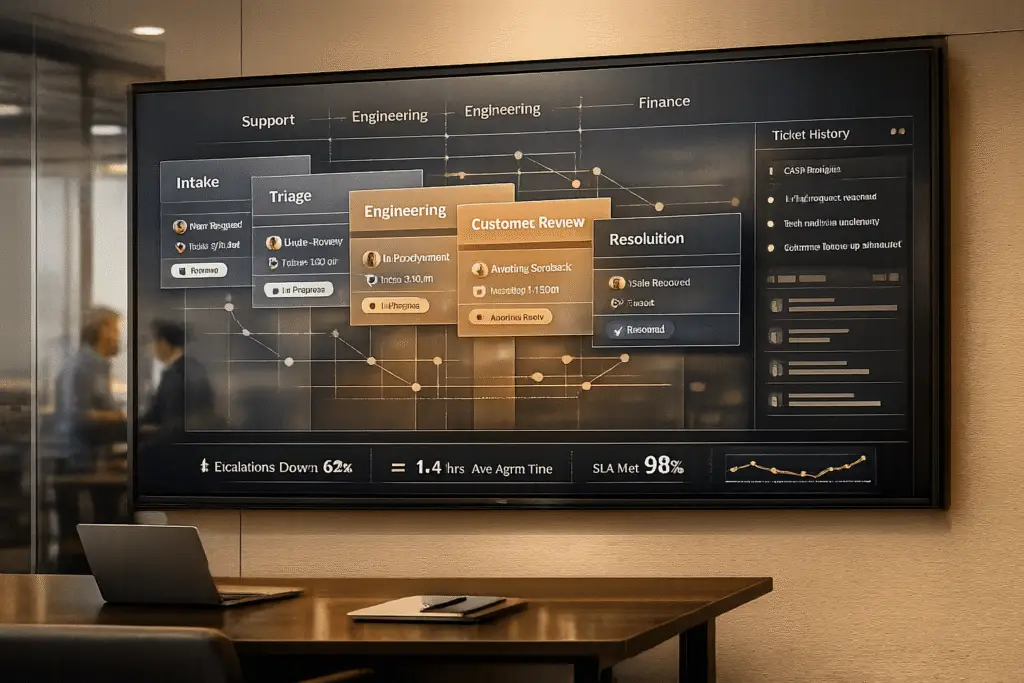
Live chat isn’t enough for complex B2B support. When issues like API failures or multi-team bugs arise, real-time chat creates inefficiencies: agents rush responses, context gets lost, and senior engineers are bogged down with repetitive tasks.
Asynchronous ticketing solves these problems by allowing support teams to focus on detailed investigations, preserving context in a single thread, and enabling collaboration across departments. The result? Faster resolutions, better customer satisfaction, and reduced agent workload.
Key benefits of asynchronous ticketing:
- Flexible response times: Agents can research and provide accurate solutions without the pressure of immediate replies.
- Context retention: All communication is logged in one thread, avoiding repeated explanations.
- Scalability: Agents handle multiple cases simultaneously, boosting productivity.
- Collaboration-friendly: Multiple stakeholders can contribute without disrupting the process.
AI further enhances this approach by automating ticket routing, prioritizing critical cases, and summarizing case histories. Companies like Jenzabar and Rapid7 have already seen reduced resolution times and improved SLA compliance after adopting this method.
Bottom line: Asynchronous ticketing is better suited for complex B2B challenges than live chat, providing a structured, efficient, and customer-focused solution.
What is Asynchronous Ticketing in B2B Support?
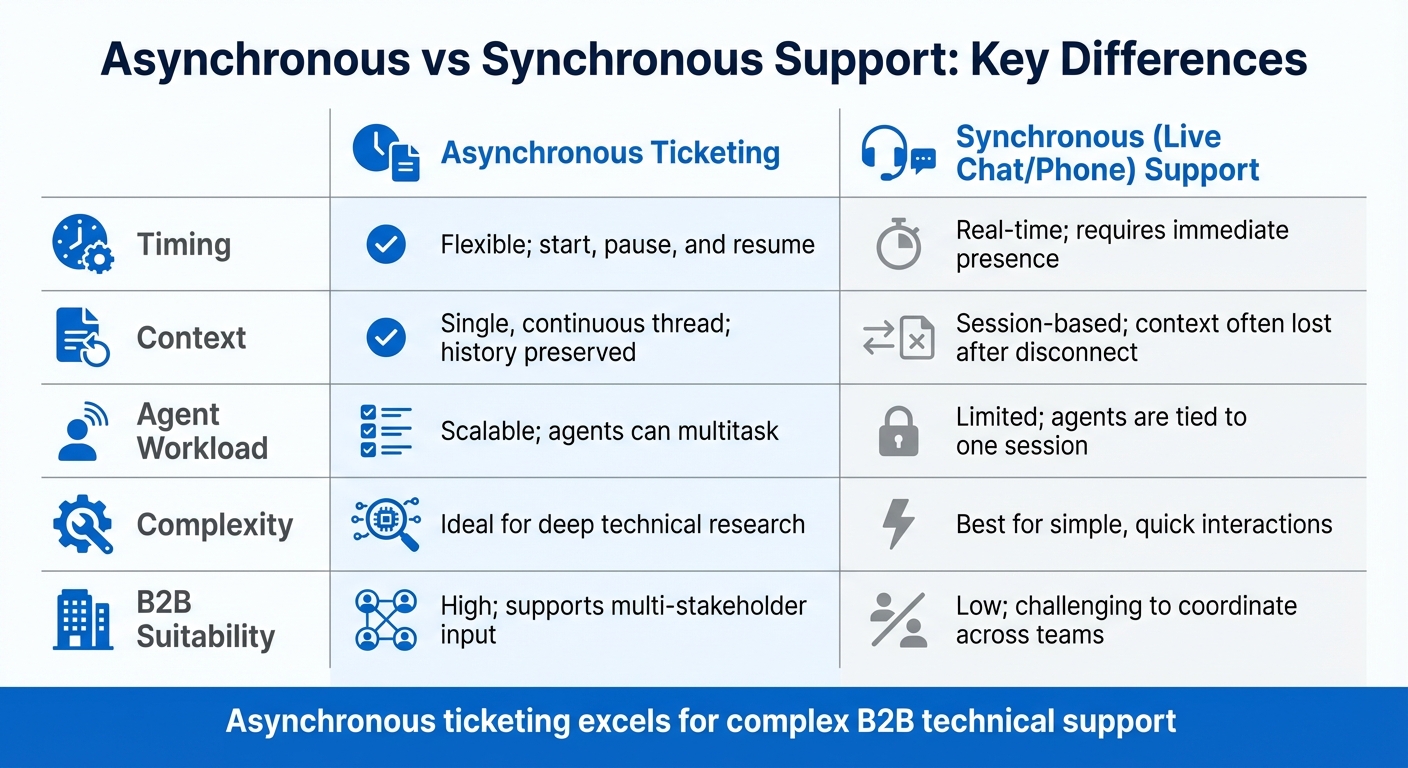
Asynchronous Ticketing vs Live Chat for B2B Support Comparison
Definition of Asynchronous Ticketing
Asynchronous ticketing is a flexible way to handle customer support issues, allowing conversations to happen at a pace that works for everyone involved. Unlike live chat or phone support, which demand immediate attention from both parties, asynchronous ticketing keeps all communication in one continuous thread. This makes it ideal for tackling complex B2B challenges without requiring real-time interaction.
Take, for example, a customer facing a problem with an API integration. Instead of needing to solve the issue while the customer waits on hold, the support agent can take the necessary time to investigate. They can consult with engineers, test potential fixes, and provide a well-researched response – all within the same ticket. The customer can check back whenever it’s convenient, and the entire history of the conversation is readily available.
This approach works especially well in B2B settings, where issues often involve multiple stakeholders, span different time zones, and require detailed troubleshooting. Even if a solution takes several days to finalize, the context remains intact, and the process integrates seamlessly into tools like Slack or Microsoft Teams.
Now, let’s explore the features that make asynchronous ticketing so effective in B2B support.
Main Features of Asynchronous Ticketing
One of the most important aspects of asynchronous ticketing is preserving context. All communication is logged in a single thread, so no one has to repeat themselves. If an engineer joins the discussion days later, they can quickly catch up on what’s been attempted, what didn’t work, and the specific details of the customer’s setup.
Flexible response times are another key advantage. Agents can take the time to craft accurate, thoughtful replies instead of rushing to provide an answer on the spot. This is especially valuable when dealing with complex issues like version-specific bugs or integration challenges that require testing across various configurations. Agents can also handle multiple cases at once, boosting productivity by optimizing your support workflow compared to live, one-on-one interactions.
Additionally, multi-stakeholder collaboration is seamless. Specialists or team members from other departments can be looped into the thread without disrupting the customer’s experience or requiring everyone to schedule a call.
| Feature | Asynchronous Ticketing | Synchronous (Live Chat/Phone) |
|---|---|---|
| Timing | Flexible; start, pause, and resume | Real-time; requires immediate presence |
| Context | Single, continuous thread; history preserved | Session-based; context often lost after disconnect |
| Agent Workload | Scalable; agents can multitask | Limited; agents are tied to one session |
| Complexity | Ideal for deep technical research | Best for simple, quick interactions |
| B2B Suitability | High; supports multi-stakeholder input | Low; challenging to coordinate across teams |
sbb-itb-e60d259
Why Live Chat Fails for Complex B2B Cases
Live chat works well for straightforward questions. But when it comes to complex B2B issues that involve multi-day troubleshooting and multiple stakeholders, it often falls short. These challenges highlight why live chat struggles in such scenarios, making asynchronous methods a better fit.
Agent Pressure and Scalability Problems
Live chat puts agents under pressure to respond quickly, which often leads to incomplete troubleshooting and repeated escalations.
Another issue is scalability. Live chat ties agents to one interaction at a time, limiting their ability to handle multiple cases. As Josh Solomon points out:
"A senior engineer spends the same amount of time provisioning a license as they do diagnosing a complex integration failure, but only one actually requires their expertise." [1]
This inefficiency becomes worse when Subject Matter Experts (SMEs) are pulled into recurring support threads instead of focusing on more critical tasks. Tina Grubisa notes:
"Escalations have a much more significant impact than they realize. It’s a bottleneck that can be removed rather easily." [2]
In contrast, asynchronous ticketing allows agents to juggle multiple cases at once, making it a more effective approach for complex issues.
Poor Documentation and Case History
Live chat prioritizes quick responses, but it often sacrifices proper documentation in the process. Once a chat session ends, the context is lost. If a customer needs to follow up later, they’re forced to re-explain their entire issue – a frustrating experience, especially for new agents who lack access to prior conversations [9].
This problem is compounded when customers need time to gather information. Many live chat systems disconnect sessions if the customer doesn’t respond within a few minutes [8]. For complex B2B problems – where customers may need to consult colleagues or retrieve system logs – this approach disrupts the support process. Jeremy Watkin captures this frustration:
"One of my long-standing pet peeves about synchronous chat support is that once I get an agent on the line, I’m tethered to my computer until that interaction completes." [8]
Without detailed, machine-readable documentation, tracking the progression of an issue becomes nearly impossible. This also limits the effectiveness of AI-driven support tools, which rely on comprehensive data to provide meaningful assistance.
Asynchronous ticketing solves this by maintaining a complete case history, so customers don’t have to repeat themselves and agents have all the context they need.
Multi-Stakeholder Communication Challenges
Complex B2B cases often involve input from multiple parties, such as IT teams, procurement departments, and specialized support staff. Live chat, designed for one-on-one conversations, struggles to coordinate these kinds of interactions.
Handoffs between teams often result in lost context. As Unito explains:
"The problem lives in the handoffs. Something in your workflow’s architecture actively prevents information from traveling with the ticket as it moves between systems, teams, or states." [6]
This lack of continuity can derail the entire support process. For example, Jenzabar faced delays in collaboration across sales, support, and product teams until they automated their support workflows [3].
Unlike live chat, asynchronous ticketing centralizes all communications and ensures that critical details are preserved during handoffs, keeping everyone on the same page.
Benefits of Asynchronous Ticketing for B2B
Asynchronous ticketing addresses the gaps left by live chat, offering a more structured and thoughtful way to handle complex B2B support. By moving away from the demand for instant replies, it allows for better organization, efficiency, and problem-solving.
Better Resolution Tracking and Case Management
With asynchronous ticketing, every issue is documented in a single, continuous thread. This eliminates one of live chat’s biggest headaches: lost context. When customers return, their complete case history is readily available, saving them from repeating their concerns.
This setup is especially useful for technical troubleshooting that requires multiple steps. Agents can quickly review past interactions and notes, making it easier to pick up where things left off. The system also tracks every action, helping teams identify patterns and avoid repeating mistakes.
For instance, Rapid7 experienced a 30% reduction in ticket handling times and a 35% boost in agent capacity after adopting an AI-supported ticketing system [10]. The key? Better documentation. Agents spent less time searching for information and more time resolving issues.
Lower Agent Workload and Higher Efficiency
Unlike live chat, which demands an agent’s full attention on a single conversation, asynchronous ticketing allows agents to juggle multiple cases simultaneously. An agent can respond to one ticket, research another, and consult an expert on a third – all without the pressure of immediate replies.
This approach not only reduces stress but also improves the quality of resolutions. Agents have the time to research and validate their answers, leading to fewer errors and less back-and-forth communication. In larger platform transitions, intelligent routing and AI tools have further streamlined workflows, cutting down resolution times and minimizing manual tracking.
Better Collaboration and Documentation
Complex cases in B2B often require input from various departments like engineering, sales, or product teams. Asynchronous ticketing simplifies this collaboration by letting agents tag subject matter experts or sync conversations into tools like Slack or Teams. This keeps everyone on the same page without forcing customers to repeat themselves.
Additionally, past tickets become a valuable resource. When a similar issue arises months later, agents can look up how it was resolved and apply the same solution. They can even update the knowledge base, enabling customers to find answers on their own. This approach turns individual solutions into a shared resource, reducing the workload for senior engineers who would otherwise handle recurring questions.
| Feature | Live Chat (Synchronous) | Asynchronous Ticketing |
|---|---|---|
| Context Retention | Often lost after session ends | Preserved in a continuous thread |
| Agent Pressure | High; immediate responses required | Lower; allows time for thorough research |
| Collaboration | Hard to involve experts mid-chat | Easy to tag and involve stakeholders |
| Scalability | Limited by real-time agent availability | High; agents can manage multiple cases |
| B2B Suitability | Poor for technical issues | Excellent for complex, multi-step resolutions |
These advantages turn individual case resolutions into scalable, repeatable processes that elevate B2B support.
AI-Driven Improvements for Asynchronous Ticketing
Asynchronous ticketing has already enhanced resolution tracking and collaboration, but AI takes it to the next level. By turning a standard inbox into a B2B support platform, AI enables routing, prioritization, and automation that fundamentally reshape how support teams operate.
Automated Triage and Escalation Prediction
Today’s AI goes beyond simple keyword matching by understanding the actual meaning and intent behind customer messages. Using Natural Language Processing (NLP), AI can analyze context and even detect emotional tones in messages [11][5]. It extracts critical details like order IDs, error codes, or product versions from unstructured text to automatically populate ticket fields, cutting down on manual data entry and speeding up case resolution [12][14].
"AI is revolutionizing the operational backbone of support by bringing intelligence and context-awareness to ticket routing and prioritization. This isn’t just about incremental improvement; it’s about fundamentally optimizing how support work gets done." – Nooshin Alibhai, Founder and CEO, Supportbench [11]
AI-powered routing ensures tickets land with the right agent by factoring in technical expertise, language skills, and workload [11][12]. Priority scoring systems consider variables like customer ARR, contract tier, outage signals, and emotional cues. For instance, if a Premier-tier customer with $500,000 ARR reports a production outage in a highly negative tone, the system assigns a "Critical" priority and routes the issue to a senior engineer immediately [11][14].
Escalation prediction is another game-changer. AI identifies brewing issues by spotting patterns such as repeated follow-ups or negative sentiment, helping teams prevent SLA violations. This is especially impactful for high-value accounts, where manual triage often delays ticket reassignment by an average of 15 minutes per ticket, with 30% of cases requiring reallocation [14]. By integrating seamlessly with asynchronous workflows, AI ensures proactive and efficient routing.
Sentiment Analysis and Case Summarization
AI’s sentiment analysis capabilities detect emotions like frustration, anger, or sarcasm that basic keyword systems might overlook. For example, a sarcastic comment like, "Great, my refund still hasn’t arrived", signals dissatisfaction even without explicit negative words [5]. By flagging such emotional markers early, AI can prioritize high-risk tickets. When combined with customer details – like contract tier or renewal proximity – negative sentiment becomes a key factor in prioritization.
AI also generates concise case summaries, giving agents a quick overview of the issue, attempted resolutions, and the customer’s emotional state. Instead of wading through lengthy threads, agents can immediately focus on solving the problem, reducing mental effort and improving response quality [12][13].
AI-Powered Knowledge Base Integration
AI taps into Retrieval-Augmented Generation (RAG) to deliver tailored, context-aware answers directly within the ticket workflow [7]. Rather than linking generic articles, the system provides solutions specific to the customer’s product version or account setup [1].
After a ticket is resolved, AI reviews the resolution and suggests updates or new entries for the knowledge base, capturing expert insights automatically [1]. This process turns the knowledge base into a continuously evolving resource.
"In 2026, knowledge without automation is dead weight." – Enjo [7]
Consider AssemblyAI‘s 2025 success: they reduced support response times by 97%, cutting the average from 15 minutes to just 23 seconds, and automated 50% of their ticket resolutions [13][7]. For B2B teams, this means routine tasks like access provisioning or configuration questions can be resolved in under a minute, allowing agents to focus on more complex issues. These AI-driven advancements not only streamline operations but also position support teams to meet future challenges head-on.
How to Transition from Chat to Asynchronous Ticketing
Switching from live chat to asynchronous ticketing can transform your support operations. With a thoughtful strategy, you can make this shift smoothly while maintaining service quality and keeping your team in control.
Converting Chat Workflows to Tickets
The first step is to dig into six months of past chat data to uncover patterns in the types of requests your team handles [1][5]. Export chat transcripts and categorize them by issue type, resolution time, and complexity. This helps identify which conversations are straightforward (like password resets) and which seem simple but actually involve multiple steps or technical expertise.
"A senior engineer spends the same amount of time provisioning a license as they do diagnosing a complex integration failure, but only one actually requires their expertise." – Josh Solomon, Mosaic [1]
Start by targeting a few high-volume, low-complexity ticket types – think routine tasks like configuration questions or software provisioning. These are ideal for showcasing the benefits of asynchronous workflows. Before launching, ensure your ticket taxonomy is cleaned up and customer data fields are consistent across systems [1]. Gaps in resolution codes or missing customer details can disrupt automated processes.
Run tests in a sandbox environment using historical ticket data [5]. This allows you to fine-tune routing rules and adjust confidence thresholds before going live. Once workflows are optimized, you can implement tailored SLAs that align response times with the impact on customers.
Setting Up Dynamic SLAs and Role-Based Permissions
Dynamic SLAs take customer context into account, unlike static SLAs. For example, a major production outage for a key account might demand an immediate response, while a general inquiry from a trial user could have a more relaxed timeline. Tools like Supportbench can automatically adjust SLAs based on factors like account tier, renewal timelines, or issue severity.
Develop a priority matrix to balance Impact (how many users are affected) and Urgency (how quickly a fix is needed) [5]. Here’s an example:
| Priority Level | Impact | Urgency | Response SLA Example |
|---|---|---|---|
| Critical | High (System-wide) | High (No workaround) | 15 Minutes |
| High | High (Team-wide) | Low (Workaround exists) | 1 Hour |
| Medium | Low (Single user) | High (Deadline) | 8 Hours |
| Low | Low (Single user) | Low (General question) | 24 Hours |
Routing rules should consider factors like language skills, technical expertise, and current workloads. To scale securely, integrate Single Sign-On (SSO) tools like Okta or Azure AD [7]. Once you’ve set up SLAs and permissions, AI can handle much of the ongoing management, ensuring consistency and efficiency.
Using AI to Simplify the Transition
AI can be a game-changer when moving from chat to ticketing. Automated triage systems can categorize, prioritize, and route tickets without manual intervention [5]. This eliminates the bottlenecks that often slow down ticketing systems.
"The point of modern ticket triage isn’t just to sort tickets a little faster; it’s to make sorting a thing of the past." – Kenneth Pangan, Writer and Marketer, eesel.ai [5]
Take Rapid7 as an example – they integrated AI into Slack to summarize and route tickets before escalation, ensuring a seamless transition without compromising service quality [10].
AI can also document solutions as part of the process. When senior engineers resolve complex issues, AI can capture their resolution steps and suggest new knowledge base articles. This turns problem-solving into reusable documentation [1][2]. Broadcom used this approach to resolve 57% of IT issues in under 60 seconds, all with zero human intervention [4].
To strike the right balance, set confidence thresholds for automation. High-confidence tickets can be resolved automatically, while lower-confidence ones are escalated to agents or specialists. Companies using AI-powered ticketing systems often cut resolution times to under 15 hours, compared to the 30+ hours typical of traditional tools [4].
Shifting to ticketing ensures every customer request gets the attention it deserves, while freeing up agents to focus on more complex challenges without the constant pressure of live chat.
Conclusion
Handling complex B2B cases demands precision, thoroughness, and teamwork. Asynchronous ticketing provides the breathing room teams need to dive deep into technical issues, consult experts, and deliver solutions that address the root cause. This approach not only allows agents to manage multiple cases but also ensures they can give each issue the attention it deserves.
When combined with the AI tools discussed earlier, the advantages become even clearer. AI takes care of repetitive tasks like triaging, routing, and documentation, giving agents more time to focus on solving complex problems. This shift has led to faster response times and greater efficiency without compromising customer satisfaction. For instance, Broadcom achieved an impressive milestone by resolving 57% of IT issues in under 60 seconds – no human involvement required [4].
"AI reshapes customer service by shifting the focus from merely resolving issues to preventing them." – Eric Klimuk, Founder and CTO, Supportbench [3]
These advancements enable support teams to move from constantly reacting to proactively preventing problems. Better documentation, reduced burnout, and scalable systems redefine how support functions. AI-powered ticketing systems also capture institutional knowledge seamlessly, turning every resolved ticket into a resource for future cases. This evolution transforms support from a cost-heavy necessity into a strategic advantage, preventing issues before they even arise.
Transitioning from live chat to asynchronous ticketing is a key step in addressing modern B2B support challenges. Start small by focusing on high-volume, straightforward tickets to demonstrate quick wins, then expand as processes mature. The future of B2B support lies in minimizing escalations and delivering solutions before customers even realize there’s a problem.
FAQs
When should we use chat vs tickets?
In the world of B2B support, chat shines for quick, straightforward questions or situations that call for real-time assistance, like basic troubleshooting. On the other hand, tickets are ideal for handling more complex, long-term issues. These often require detailed documentation, input from multiple stakeholders, and a way to track progress over time.
While chat provides the advantage of immediacy, tickets bring better structure and organization to the table. They’re perfect for asynchronous communication and multi-step processes, ensuring accountability and offering clear visibility into the resolution process.
How do we migrate chat conversations into tickets?
To turn chat conversations into tickets, you can use conversational ticketing systems. These tools are designed to convert live chats into well-organized tickets, ensuring no details are lost. They often integrate with platforms like Slack or Teams, making it easy to preserve the conversation’s context while transitioning to a support ticket.
With AI-powered workflows, these systems can automate ticket creation, monitor interactions, and simplify resolution processes. This reduces the need for manual input and ensures smooth continuity, which is especially helpful for handling complex B2B cases.
What should AI automate in ticket triage?
AI can streamline ticket triage by analyzing critical elements such as intent, language, sentiment, and urgency. By automating this process, tickets are directed to the appropriate teams with precision, cutting down on manual work and speeding up response times.






