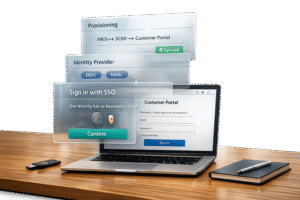
Customer portals are a key part of B2B operations, especially in industries like finance and healthcare, where sensitive data is frequently exchanged. However, 80% of web attacks involve stolen credentials, and the average data breach costs $4.45 million. To protect both data and reputation, companies are turning to Single Sign-On (SSO) and Multi-Factor Authentication (MFA). Here’s why these tools matter and how they work together:
- SSO simplifies access by letting users log in once to access multiple apps, reducing password-related issues by 63%.
- MFA adds extra security by requiring additional verification, blocking 99.9% of automated cyberattacks.
- Together, SSO and MFA balance security with ease of use, preventing single points of failure.
This guide explains how to implement SSO and MFA effectively, avoid common mistakes, and improve security without sacrificing user experience.
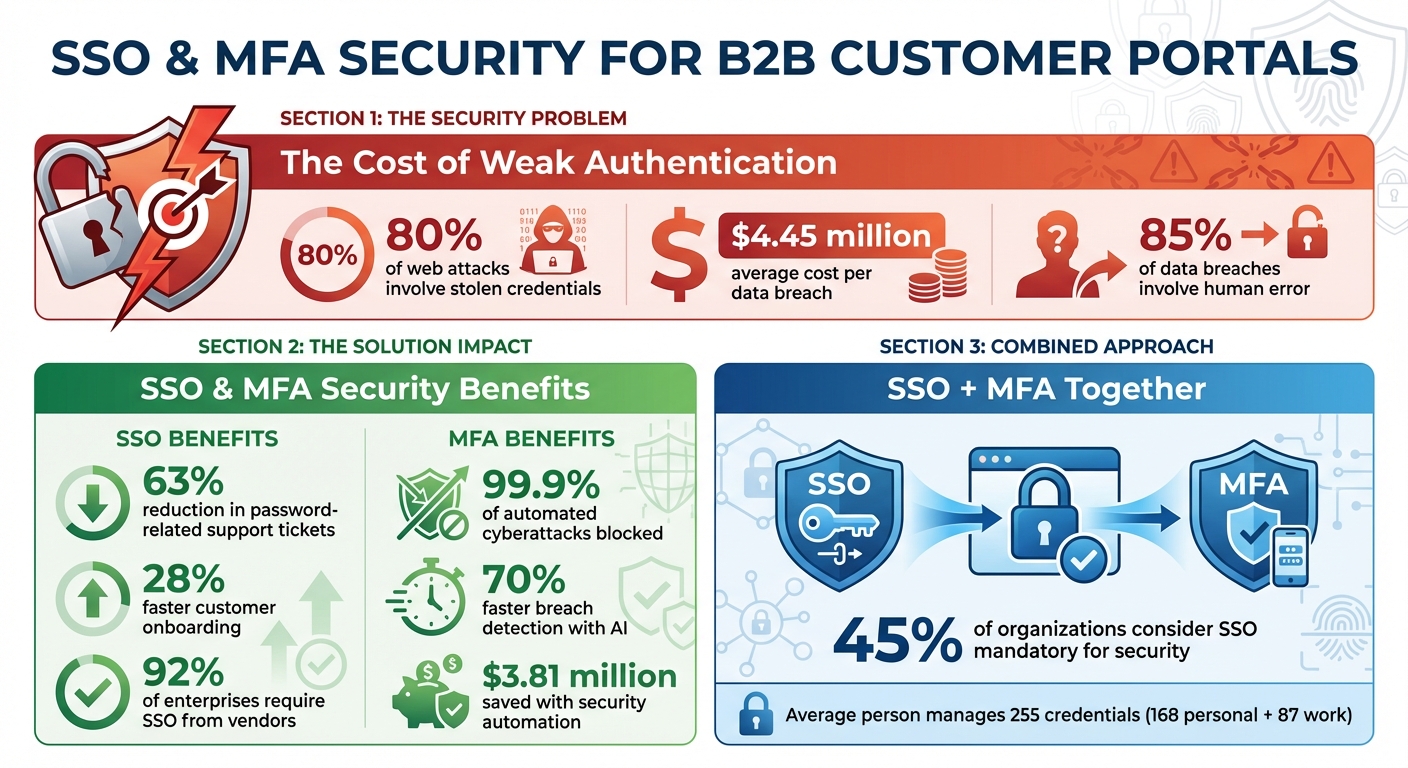
SSO and MFA Security Statistics: Impact on Data Breaches and Cost Savings
SSO and MFA Basics for Customer Portals
What is SSO and How Does It Work?
Single Sign-On (SSO) is a system that simplifies how users access multiple applications. Instead of logging in separately for each app, users authenticate once through a central Identity Provider (like Okta or Azure Active Directory). This system relies on secure protocols like SAML 2.0, OAuth 2.0, and OpenID Connect. Once a user logs in, the Identity Provider issues a digitally signed token, which is shared with all connected applications to confirm the user’s identity.
Why does this matter? Well, organizations using SSO report a 63% drop in password-related support tickets [1]. That’s a big deal when you consider the average person juggles 255 credentials – split between 168 for personal use and 87 for work. This overload often leads to risky behaviors like reusing passwords [8].
What is MFA and Why It Matters
Multi-Factor Authentication (MFA) adds another layer of protection by requiring users to verify their identity with two or more factors. These factors fall into three categories:
- Something you know: A password or PIN.
- Something you have: A smartphone, hardware token, or security key.
- Something you are: Biometrics like a fingerprint or facial scan.
Common MFA methods include authenticator apps, SMS codes, and biometric tools. However, SMS codes are becoming less reliable due to risks like SIM swapping.
MFA is incredibly effective – blocking 99.9% of automated cyberattacks. Notably, most compromised accounts lack any form of MFA protection [4][5]. For customer portals handling sensitive B2B transactions, MFA is a must-have to guard against phishing and credential theft.
Using SSO and MFA Together
SSO and MFA work best when paired, creating a layered security approach. SSO streamlines access by letting users log in once, while MFA strengthens that single login with an additional verification step. As Cisco Duo puts it:
"SSO without MFA can create a single point of failure. One stolen password gives access to everything." [7]
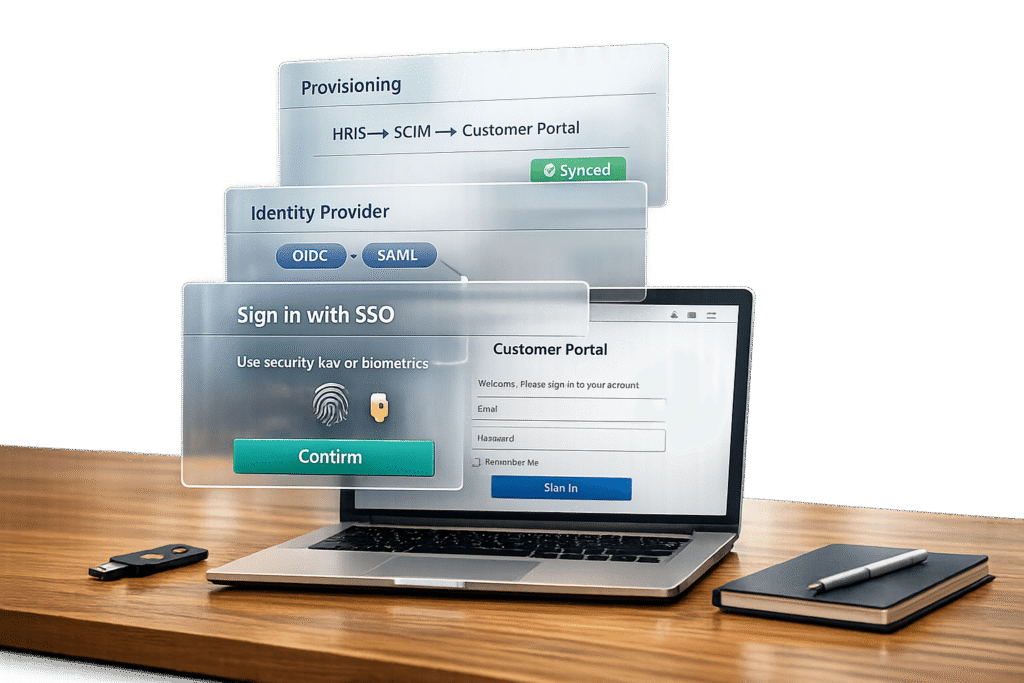
Here’s how it works in practice: A user logs in through their company’s Identity Provider (SSO), confirms their identity with an MFA method like an authenticator app, and gains access to all connected systems without repeated logins. This approach strikes a balance between security and ease of use. As OLOID notes, organizations are increasingly adopting this hybrid model to combine the convenience of SSO with the protective layers of MFA [5].
| Aspect | Single Sign-On (SSO) | Multi-Factor Authentication (MFA) |
|---|---|---|
| Main Goal | Simplify login process | Strengthen security |
| User Experience | One login for all apps | Adds a verification step |
| Security Focus | Centralized identity management | Protects against stolen credentials |
| Risk Factor | Vulnerable if credentials are compromised | Reduces risks from stolen passwords |
Up next, we’ll explore actionable steps to integrate SSO and MFA into your customer portal.
sbb-itb-e60d259
SSO vs MFA (Single Sign-On vs Multi-Factor Authentication) | What’s the Difference?
How to Set Up SSO and MFA in Customer Portals
Let’s dive into the practical steps for implementing Single Sign-On (SSO) and Multi-Factor Authentication (MFA) in customer portals. These tools not only enhance security but also improve the user experience when done correctly.
Setting Up SSO with Identity Providers
Start by choosing the right protocol for your needs. SAML 2.0 is a go-to for enterprise compatibility, with 83% of Fortune 500 companies relying on it [11]. On the other hand, OpenID Connect (OIDC) is ideal for modern web and mobile apps, with 67% of new B2B integrations adopting it [11].
Next, create an application integration in your Identity Provider (IdP) – whether it’s Okta, Microsoft Entra ID, or Google Workspace. You’ll need to provide your portal’s Assertion Consumer Service (ACS) URL and Entity ID to establish a trust relationship [9][11]. For SAML, this involves exchanging XML metadata files, while OIDC requires a Client ID, Client Secret, and Discovery URLs [9][11].
Ensure the IdP sends user attributes (like email, first name, and last name) that match your portal’s user database. A mismatch in the "Subject" attribute is one of the most common reasons for login failures [3][9]. Before going live, disable your portal’s native two-factor authentication, as MFA will now be handled by the IdP during the SSO process [9].
To streamline user management, implement SCIM 2.0 for automated provisioning. This can reduce onboarding support tickets by an impressive 92% [11]. As Devraj Patel, Founder of SSOJet, puts it:
"A robust ‘Login with Enterprise SSO’ system requires careful architectural choices: SAML for legacy enterprises, OIDC for modern stacks, SCIM for user provisioning, and defense-in-depth security controls." [11]
For an extra layer of convenience, use frontend logic to detect a user’s email domain and redirect them to their specific enterprise SSO provider [11]. Also, remember to rotate signing certificates every 90 days using tools like AWS KMS or Vault [11].
Once SSO is in place, it’s time to configure MFA for added security.
Configuring MFA Policies
Set up adaptive authentication to analyze real-time risk signals like device fingerprinting, geo-location, IP reputation, and behavioral patterns. This allows you to trigger MFA challenges only when necessary, striking a balance between security and user convenience [12]. As Kundan Singh, an Identity & Access Security Blogger, explains:
"Every additional login step increases drop-offs" [12].
Your portal should recognize the AMR claim (OIDC) or its SAML equivalent, verifying MFA completion at the IdP level. This prevents users from being prompted for MFA more than once [3]. To streamline access control, map IdP groups to specific portal roles like Organization Administrator or Group Member [13][10].
Session management is another key consideration. While many portals default to a two-week session expiration [13], you can fine-tune this using settings like max_age (OIDC) or force_authn (SAML) to control how often users need to re-authenticate [6].
For sensitive operations – such as exporting data or elevating privileges – configure step-up authentication to require stronger MFA methods like biometrics or hardware keys [12]. Prioritize phishing-resistant options like WebAuthn, FIDO2 security keys, or Passkeys over less secure methods like SMS codes, which are vulnerable to SIM-swapping attacks [6][12].
Here’s a quick comparison of MFA methods:
| MFA Method | Security Level | User Friction | Phishing Resistance |
|---|---|---|---|
| SMS / Email OTP | Low | Medium | No |
| TOTP (Apps) | Medium | Medium | No |
| Push Notifications | Medium/High | Low | No (Fatigue risk) |
| FIDO2 / WebAuthn | High | Low | Yes |
| Passkeys | High | Very Low | Yes |
With MFA policies in place, the final step is to test your entire setup.
Testing Your SSO and MFA Configuration
Always test the full authentication flow with a non-admin account. Use a SAML Assertion Validator to troubleshoot "Single Sign-On Error" messages and verify the handshake between your IdP and portal [3]. Double-check that ACS URLs match the current domain to avoid redirection issues [3].
Make sure the system times on both your IdP and portal are synchronized, as even a small clock skew can result in rejected assertions [3]. Test "direct-to-record" links to confirm they correctly trigger the SSO flow and take users to the intended page rather than a generic home page [3].
If you’ve implemented SCIM provisioning, use the "Test Connection" feature to ensure test users are created and deleted correctly in your portal [9]. Additionally, verify backup MFA codes for scenarios where users lose access to their primary devices [14]. Set reminders at least 30 days before SSO certificate expiration to avoid last-minute disruptions [3].
Finally, regularly review Identity Verification History or audit logs to catch blocked login attempts before users report them. This proactive approach ensures a smooth and secure authentication experience for your customers [3].
Common SSO and MFA Mistakes to Avoid
Once you’ve set up your SSO and MFA, it’s crucial to steer clear of common mistakes that could undermine your security. Proper configuration ensures your system delivers both safety and efficiency.
Fixing SAML Metadata Errors
Even minor mismatches in SAML metadata can cause SSO to fail. As Avi Kapoor, Customer Success Engineer at SSOJet, puts it:
"The trailing slash trap: This is the most common one. If your sp expects https://api.myapp.com/saml but the idp sends https://api.myapp.com/saml/ (with that extra slash), the assertion will fail."
Precision is key. Your EntityID and Audience URI must match exactly between your Identity Provider (IdP) and Service Provider (SP). To avoid errors, always copy these values directly from the decoded XML instead of typing them manually, as even invisible character differences can lead to problems.
Certificate issues are another common pitfall. If your IdP rotates its signing certificate but your portal’s metadata isn’t updated, you’ll likely see errors like "SignatureValidationFailed" or fingerprint mismatches. To prevent this, use automated metadata exchange via secure URLs, which can keep certificates synchronized in real time. If manual updates are required, follow best practices for certificate rotation.
Clock synchronization is another often-overlooked issue. Even a small time difference between your IdP and portal servers can cause time-sensitive SAML assertions to fail with errors like "expired" or "not yet valid." To address this, sync your servers using Network Time Protocol (NTP) and configure a drift buffer of 60–120 seconds. Avoid setting zero drift, as a small buffer helps account for minor discrepancies.
For troubleshooting, tools like the SAML-tracer browser extension are incredibly helpful. These tools capture live SAML responses, allowing you to inspect and decode them locally. This can help identify issues like attribute mapping errors, where the IdP sends "nickname" but your portal expects "firstName." Decode Base64 data locally to minimize exposure.
| Common Error | Likely Cause | Fix |
|---|---|---|
| SignatureValidationFailed | Expired or rotated IdP certificate | Update the portal with the latest certificate; use metadata URLs |
| AudienceRestriction failure | EntityID mismatch or trailing slash | Copy exact strings from decoded XML |
| NotBefore condition error | Server clock desynchronization | Sync servers via NTP; add a 60–120 second drift tolerance |
| Attribute mapping failure | Field name mismatch (e.g., "email" vs. "mail") | Verify mappings with a SAML tracer |
Once you’ve addressed these issues, focus on user account provisioning to ensure smooth authentication.
Solving User Provisioning Problems
User provisioning often fails when the system can’t locate or create a user’s account. This usually happens when the NameID in the SAML assertion doesn’t match any user in your portal’s database – or, worse, matches multiple users. To avoid this, use a unique, immutable identifier (like a user ID) as the NameID instead of an email address, which can change over time. Also, make sure your correlation policy is set up to match this identifier.
Another common issue is attribute mapping errors. These occur when your IdP sends user data with labels that don’t align with your portal’s expected field names. To prevent this, carefully review and test your attribute mappings using a non-administrative account before rolling out changes to all users.
If you’re using SCIM 2.0 for provisioning, verify that your IdP is sending all the required attributes, such as first name, last name, and group memberships. Use your portal’s test connection feature to confirm that accounts are being created, updated, and deleted correctly before fully enabling SCIM.
Maintaining Security Without Hurting Usability
Striking the right balance between strong security and user convenience is essential. Instead of requiring MFA for every login, consider adaptive authentication. This approach adds extra verification only in high-risk situations, like exporting sensitive data or changing billing settings. For routine logins from familiar devices and locations, a simple SSO login is usually sufficient.
Set SAML session lifetimes to 8–12 hours to provide a good balance between usability and security. For cross-site SSO flows, ensure cookies are configured with the "SameSite=None; Secure" attributes to prevent modern browsers from blocking authentication in embedded portals. When errors occur, display clear and actionable messages like, "Your session has expired – please log in again", instead of generic alerts.
It’s also wise to maintain at least one break-glass administrator account with standard credentials. This ensures you can regain access if your SSO system experiences a failure.
Given that 80% of web application attacks involve stolen credentials, it’s worth prioritizing phishing-resistant MFA methods. Options like WebAuthn, FIDO2 security keys, or passkeys are far more secure than traditional SMS codes, which are vulnerable to SIM-swapping attacks. These measures, combined with proper configuration, create a secure and seamless user experience.
SSO and MFA in AI-Driven B2B Support Platforms
Modern B2B support platforms are increasingly blending Single Sign-On (SSO), Multi-Factor Authentication (MFA), and AI to create smarter security solutions. Instead of sticking to rigid, static access rules, AI-powered platforms like Supportbench use anomaly detection to monitor login patterns and flag unusual behavior. Why is this important? Because a staggering 85% of data breaches involve human error or actions[15]. This makes dynamic, AI-enhanced security a critical tool in reducing vulnerabilities.
AI-driven authentication offers a significant advantage by cutting breach detection times by nearly 70%[15]. This means threats can be identified and neutralized before they spiral out of control. For B2B organizations managing intricate customer relationships, this speed and efficiency are game-changers. In fact, companies that have fully implemented security automation report much lower breach costs – saving up to $3.81 million compared to those without such measures[15]. Beyond faster threat detection, AI also supports precise, role-based access control, ensuring that the right people have access to the right data.
Role-Based Security with SSO and MFA
Role-based access control (RBAC) is a perfect match for SSO and MFA, as it limits access to sensitive information based on a user’s role. For example, when a support agent logs in via SSO, the system automatically enforces role-specific permissions. Whether the agent is handling basic customer queries or working on more sensitive tasks like accessing proprietary infrastructure, the platform ensures only the necessary data is accessible.
In multi-tenant B2B setups, role requirements vary significantly. For instance, customer success managers might need access to account health metrics, while technical support agents require API logs. By delegating MFA to the identity provider and mapping roles using SAML assertions, platforms like Supportbench enforce these distinctions seamlessly. This approach is particularly crucial given that API attacks account for roughly 83% of all web application attacks[15]. To mitigate risks, modern systems also use short-lived JWT tokens (valid for just five minutes)[16], embedding role claims to ensure both human users and automated processes operate within strict, secure boundaries.
How Supportbench Integrates SSO and MFA with AI Features
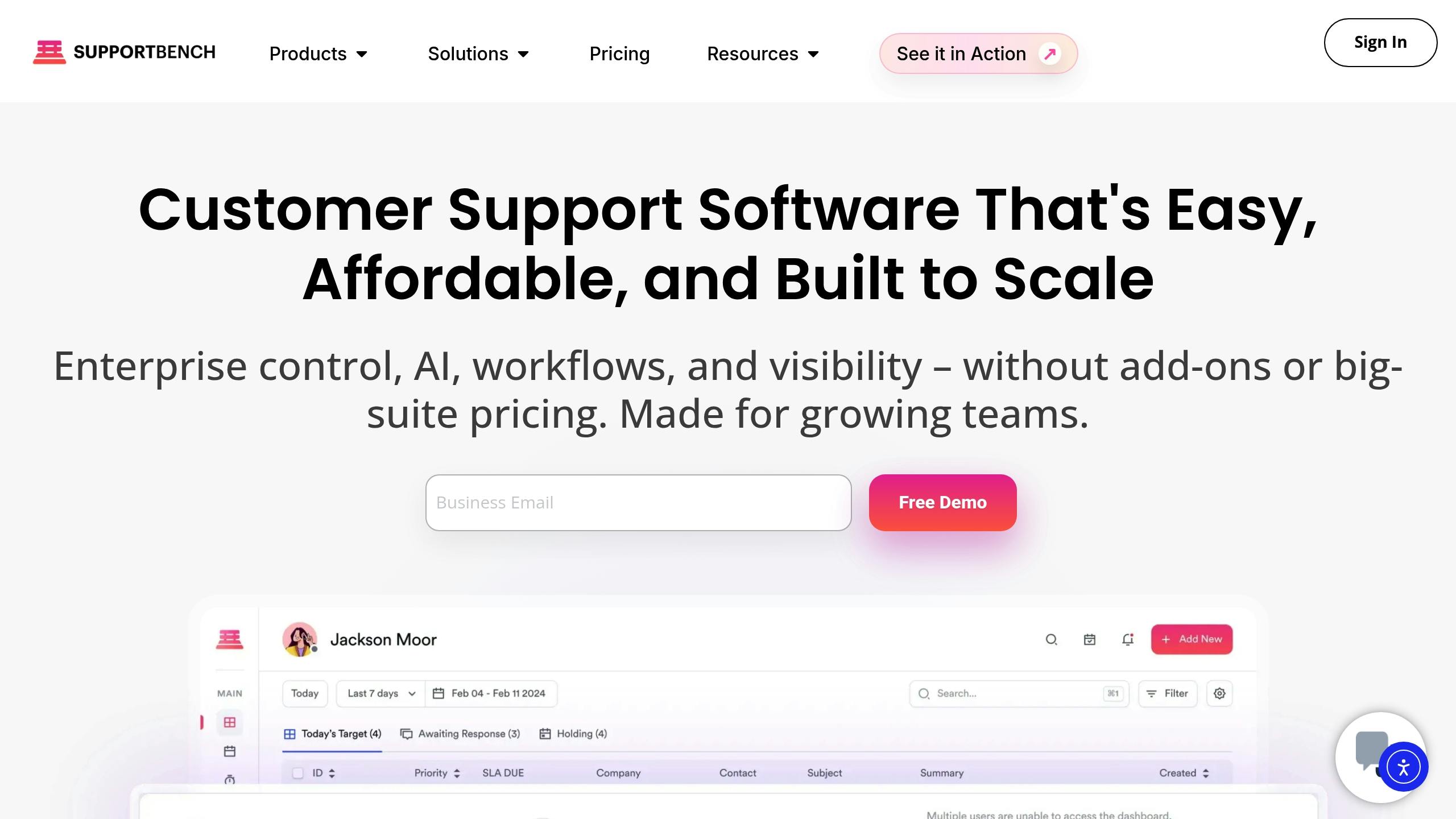
Supportbench takes security a step further by combining enterprise-grade authentication with AI to reduce complexity without compromising on safety. Through centralized identity management via SSO, the platform automates tasks like user provisioning and deprovisioning using SCIM. This eliminates the risk of orphaned accounts and scales effortlessly as businesses grow.
The AI features work quietly in the background. While SSO ensures secure authentication, the AI automates repetitive tasks like ticket tagging, prioritization, and routing based on content analysis. This frees up support teams to focus on solving customer problems instead of getting bogged down with manual categorization. As Nooshin Alibhai, Founder and CEO of Supportbench, puts it:
"Supportbench’s role-based security system is an innovative answer to [the human element in breaches]. It allows companies to meticulously control access based on roles, ensuring that sensitive information is only accessible to authorized personnel."
Additionally, the platform supports compliance with standards like GDPR, HIPAA, ISO 27001, and SOC 2. Through automated tracking and reporting, administrators can generate audit-ready reports that detail who accessed what data and when, all tied directly to authenticated SSO sessions.
These integrated features have already delivered measurable results, as highlighted in the following case study.
Case Study: Securing a Complex B2B Support Environment
Take the example of a managed service provider catering to multiple enterprise clients, each with unique compliance needs. Before adopting AI-driven authentication, the provider struggled with inconsistent access controls and manual offboarding processes across various systems. After implementing Supportbench with integrated SSO and MFA, they centralized authentication using their existing identity framework and applied role-based permissions tailored to departmental functions.
Post-deployment, the AI system flagged unusual access to billing data outside of normal business hours. This triggered an MFA challenge, allowing the incident to be quickly contained. Additionally, automated provisioning streamlined onboarding and offboarding, reducing administrative workload and cutting down on access-related support tickets.
Conclusion
Integrating SSO (Single Sign-On) and MFA (Multi-Factor Authentication) into customer portals is critical for safeguarding data while improving user experience. SSO helps reduce password fatigue and lowers password-related helpdesk tickets by 63%[1], while MFA effectively blocks 99.9% of account compromise attempts[17]. Together, these tools provide a secure and user-friendly foundation for modern authentication.
Given that 80% of data breaches stem from stolen credentials[18] and the average breach costs organizations $4.45 million[2], relying solely on passwords is no longer a viable option. Platforms like Supportbench combine SSO and MFA with AI-powered risk assessment to detect threats faster and implement role-based access controls without adding unnecessary complexity. Additionally, automated provisioning through SCIM allows companies to onboard customers 28% faster[1] while ensuring former employees lose access immediately. These advancements highlight the importance of dynamic authentication methods discussed earlier.
The challenge lies in balancing security with ease of use. As AuthX puts it:
"Security and convenience are no longer opposing goals. Modern organizations require both for efficient operations and robust protection."[18]
Adaptive authentication, powered by AI, achieves this balance by requiring MFA only when risks are elevated – such as during logins from unfamiliar devices, unusual locations, or suspicious activity – while keeping routine access simple and seamless.
For B2B support teams managing complex, multi-tenant environments, this approach has become a necessity. 92% of enterprises now require SSO when selecting vendors[1], and 45% consider it a mandatory security feature[1]. These demands align with best practices discussed earlier, and organizations adopting these technologies consistently report tangible benefits: reduced breach costs, fewer support issues, and strengthened customer trust.
To meet the demands of modern B2B support operations, organizations should focus on centralized identity management, enforce MFA at critical access points, and use AI to enhance risk assessment and provisioning. Centralizing identity and automating processes not only improve security but also create a smoother, more efficient user experience – exactly what today’s B2B environments require.
FAQs
When should my portal use SAML vs OIDC?
When deciding between SAML and OIDC, it’s all about context and the specific needs of your application.
SAML is the go-to choice when working with enterprise identity providers like Microsoft Azure AD, especially in environments such as large corporations or government agencies. It’s built for scenarios that demand secure, metadata-driven trust relationships, making it ideal for traditional enterprise setups.
On the other hand, OIDC shines in modern web or mobile application environments. It uses lightweight, JSON-based tokens (like JWTs) and simplifies API integration, making it a better fit for web-first, scalable, and developer-focused projects.
In summary, opt for SAML in legacy or enterprise-heavy systems, and lean toward OIDC for more modern, developer-friendly solutions.
What MFA methods are best for phishing resistance?
The most secure methods of multi-factor authentication (MFA) are those resistant to phishing attacks. Hardware security keys, which use standards like WebAuthn or FIDO2, top the list. These keys store cryptographic data on physical devices, making them incredibly difficult to compromise. Pairing these with biometric authentication, like fingerprint scans or facial recognition, adds another layer of protection, ensuring even greater security. On the other hand, Time-based One-Time Passwords (TOTP), while widely used, are more vulnerable to phishing unless combined with hardware-based solutions.
How can I prevent SSO from becoming a single point of failure?
To keep SSO from turning into a single point of failure, make sure to enable multi-factor authentication (MFA) through your SSO provider. This adds an extra layer of security. You should also set session lengths carefully to strike the right balance between security and user convenience.
Keep an eye on your SSO system by monitoring for any unusual activity and conducting regular security assessments. Treat your SSO system with the same level of importance as you would a firewall – it’s a critical line of defense. This way, you can quickly detect and respond to any potential threats.
Related Blog Posts
- How do you set up a customer portal that supports role-based access and multiple customer teams?
- What security requirements matter for Canadian public sector SaaS (ITSG-33 explained)?
- How do you design role-based customer portals for B2B (multiple users, permissions, reporting)?
- Customizing Portals for Strategic Accounts: Why One Size Doesn’t Fit All