Slack is great for quick customer support triage but falls short for managing complex cases. A hybrid model combines Slack’s speed with a structured resolution platform to handle detailed tracking, compliance, and escalations. Here’s why this approach works:
- Slack excels at triage: Instant visibility, faster response times, and real-time collaboration.
- Slack’s limitations: No SLA tracking, poor case management, and lack of an audit trail for complex issues.
- Hybrid solution: Use Slack for triage and transition complex cases to a resolution platform with features like SLAs, escalation workflows, and AI support.
This model improves efficiency, reduces resolution time, and ensures accountability, making it ideal for scaling support operations.
How to design a hybrid AI-human support model
sbb-itb-e60d259
How to Design a Hybrid Support Model
Creating a hybrid support model starts with a simple but crucial principle: use Slack for quick triage and a resolution platform for tackling more complex cases. The key is to clearly differentiate these two stages, ensuring a smooth handoff from triage to resolution. This structure sets the foundation for the strategies outlined below.
Separating Triage from Resolution
Triage is all about speed and evaluation. It focuses on determining the urgency, identifying the right team, and deciding if the issue can be resolved immediately or needs formal tracking. On the other hand, resolution requires detailed problem-solving, including SLA tracking, audit trails, and escalation workflows – areas where Slack falls short.
"Triage – a systems-based approach for handling incoming requests – can serve as a model to manage everyone’s time against internal resources." – Slack [1]
This clear division takes advantage of Slack’s real-time communication while addressing the need for accountability and structure in complex cases. For example, Slack’s internal customer experience team implemented a "Product Specialist" workflow that routed cases more effectively, cutting engineering escalations by over 60% [2].
Using Slack for Fast Triage
In a hybrid model, Slack becomes the go-to tool for quick triage. Start by using standardized channel naming conventions like #triage- or #help- (e.g., #triage-salesforce, #triage-it) to make it easy for users to find the right entry point [1]. Each triage channel should have a pinned document outlining engagement rules, emoji usage, and response time expectations [1].
Slack’s emoji system can streamline status updates, allowing managers to monitor multiple channels quickly and identify bottlenecks or trends.
For more complex issues that can’t be solved immediately, consider "swarming" instead of traditional handoffs. This approach brings experts into a single Slack thread to collaborate and resolve the issue without transferring ownership. If the problem requires formal tracking, transition it to your resolution platform while keeping the Slack thread active as a communication hub [4].
These triage practices work hand-in-hand with structured resolution workflows, which are covered in the following sections.
How AI Improves Both Triage and Resolution
AI enhances triage by automating tasks like tagging requests, flagging urgent issues, and summarizing cases. For example, workflow automation company n8n reported that by January 2026, their AI handled 60% of support tickets. This allowed their team to scale efficiently, doubling in size despite a 20x increase in ticket volume. Their AI agent performed the workload of 10 people at a fraction of the cost [3].
In the resolution phase, AI maintains thread-aware context across multi-turn conversations, so customers don’t have to repeat themselves [5]. Context-aware AI systems also minimize errors, cutting hallucination rates by up to 50% compared to generic language models, ensuring responses are accurate and pulled directly from your documentation [5]. Additionally, AI identifies gaps in knowledge by analyzing unanswered questions, helping you prioritize updates to your documentation [5].
However, it’s essential to set guardrails. Avoid letting AI auto-close Slack conversations, as prematurely ending discussions in a visible, real-time environment can harm customer trust [3]. Always disclose when AI is involved, especially in high-touch B2B Slack channels where personal relationships matter [3]. By integrating AI into both triage and resolution, the hybrid model delivers fast, data-driven responses while ensuring human agents remain at the center of the process. This approach doesn’t replace people – it empowers them.
How to Set Up Triage in Slack
Transforming Slack into an efficient triage system involves three key steps: creating well-structured channels, leveraging AI for automated routing, and integrating Slack with your resolution platform. Each step builds upon the previous one, ensuring Slack becomes a dependable tool for managing and resolving issues.
Step 1: Set Up Triage Channels
Start by organizing your triage workflow with clearly named channels. Use a consistent naming format, such as the #triage- prefix – examples include #triage-billing or #triage-it. This makes it easy for users and AI systems to identify the right entry point. To further streamline communication, implement an emoji-based system to indicate status and urgency within these channels.
Pin a document to the top of each channel that explains the emoji meanings, outlines workflows, and sets response time expectations. Slack Lists can also be used for internal tracking to keep things organized and transparent [1][6][7].
Step 2: Use AI to Route Cases Automatically
Once the channels are set up, the next step is to automate case routing. AI can analyze incoming queries, identify intent, and direct cases to the appropriate teams. For instance, Slack’s customer experience team introduced an emoji-triggered workflow using a custom :product-specialist: reaction. This simple addition routed messages to expert channels and reduced escalations to engineering by more than 60% [2].
"Our first goal was to reduce the number of escalations that go from the CE team to our software engineering team. We found more than half could be resolved by CE ourselves if they were routed to the correct people." – Slack Customer Experience Team [2]
Using Slack’s Workflow Builder, you can set up similar emoji-based triggers to instantly move triaged messages into the correct queue or specialist channel. This automation ensures a smooth transition from triage to resolution.
Step 3: Connect Slack to Your Resolution Platform
The final step ties Slack’s triage capabilities to your resolution platform. Set up Slack commands or workflows that allow agents to convert triaged threads into formal cases while keeping all necessary context intact. For example, a command like /create-case can generate a ticket that includes a summary of the conversation.
This integration strikes a balance between speed and structure. Slack remains the active communication hub for quick responses, while the resolution platform manages the case with features like SLA tracking, escalation rules, and audit trails. Together, this hybrid model ensures efficiency, responsiveness, and accountability.
How to Build Resolution Workflows in Supportbench
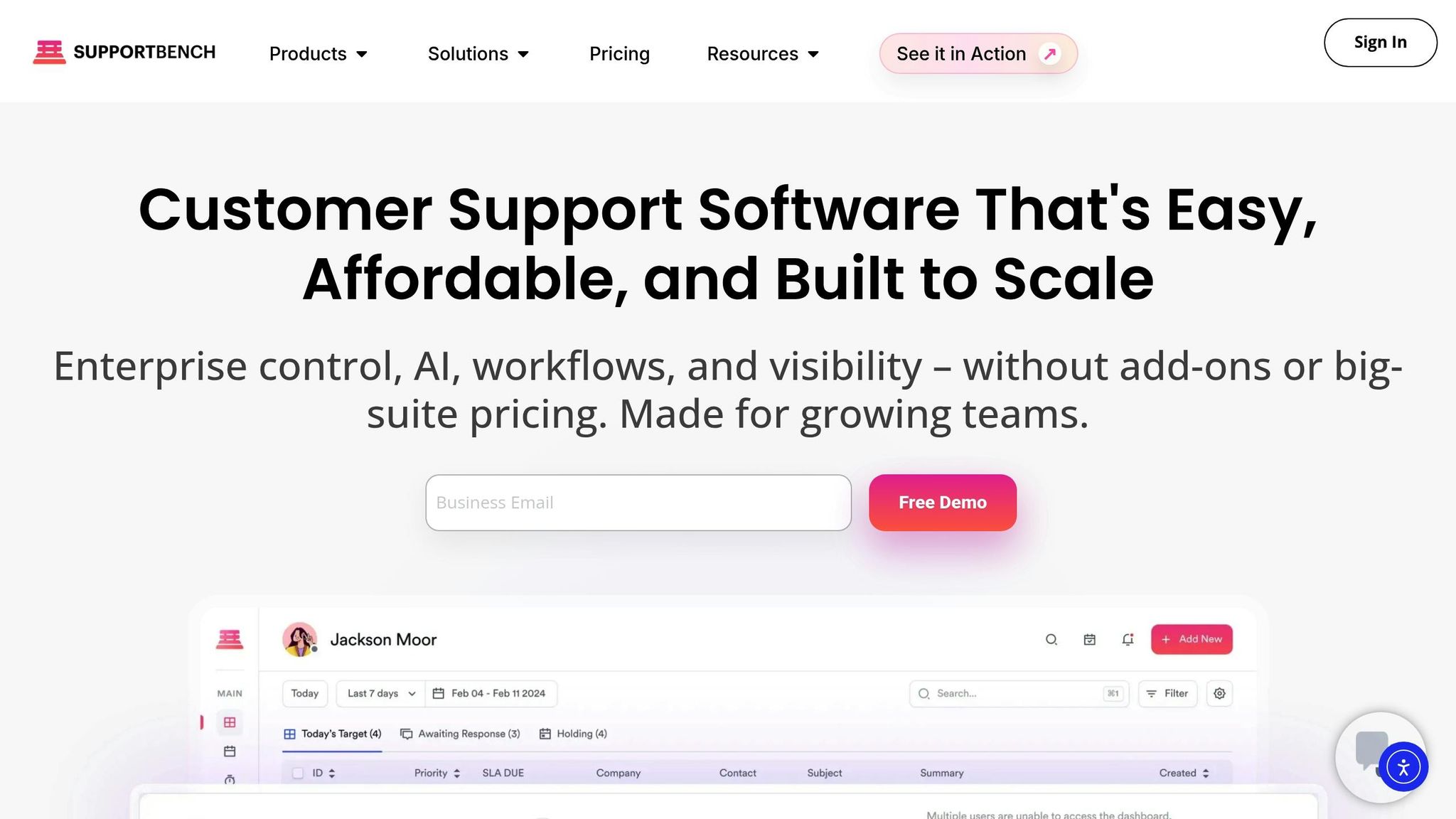
After using Slack for triage, you can shift to Supportbench’s resolution workflows to keep things organized and efficient. Supportbench offers tools to build workflows that align with customer needs, use AI to speed up resolutions, and track performance in real time. Here’s how you can set these workflows up effectively.
Setting Up Dynamic SLAs and Escalation Rules
Start by navigating to Configuration > Workflows > New Workflow. Configure these workflows to apply to "Cases" and trigger "On SLA Calculation (Target first response)" [9]. Use dynamic settings to adjust response times based on factors like priority, customer tier, or issue type. For example, set a 30-minute response time for high-priority cases. If a case is flagged as "Product Bug" or involves premier-tier customers, the SLA can tighten automatically to ensure faster handling [8][9].
AI plays a key role here by analyzing the context and urgency of cases. As Nooshin Alibhai, Founder and CEO of Supportbench, explains:
"AI cuts through the noise to identify truly urgent issues requiring immediate attention, regardless of how poorly the initial request might have been phrased or categorized by the user" [8].
For instance, even if a subject line says "Quick Question", AI can detect a critical issue – like a production outage – in the message body and adjust the priority accordingly [8]. You can also set triggers based on sentiment analysis. If AI identifies negative language combined with a critical issue, it automatically sets the priority to "High" and applies stricter SLAs [8].
AI further enhances the process by matching ticket content to agent skills, language expertise, and workload. For example, cases mentioning specific terms like "SAML 2.0" or "SSO" can bypass general queues and go directly to specialists [8].
Using AI to Speed Up Case Resolution
AI doesn’t just streamline routing – it actively helps resolve cases faster. Supportbench leverages Natural Language Processing (NLP) to classify requests, create summaries, and suggest responses, cutting down response times [8]. In the case view, AI provides instant context by generating summaries from past cases and knowledge bases. The AI Agent-Copilot offers suggested answers and solutions, helping agents resolve issues without digging through extensive documentation. For ongoing cases, it can even draft the next logical response based on previous interactions.
Supportbench also includes predictive CSAT and CES scores, displayed directly in the case list [10]. These predictions help managers spot cases at risk of dissatisfaction before they close, enabling proactive steps. Additionally, AI-driven First Contact Resolution (FCR) detection evaluates case history to determine if an issue was resolved on the first attempt, addressing a historically tricky metric to measure accurately [10].
Tracking Performance with Dashboards
Once resolution workflows are in place, it’s crucial to monitor performance. Supportbench provides real-time dashboards to track key metrics like triage-to-resolution time, FCR rates, SLA compliance, and CSAT [10]. With KPI Scorecards, managers can view all essential metrics in one place [11]. Metrics like ticket resolution time, transfer rates, and escalation rates help identify bottlenecks or areas where additional training might be needed [10].
The platform also flags repeat contacts, highlighting unresolved issues [10]. Transfer rates are particularly helpful in spotting "ticket tennis", where cases bounce between agents due to unclear routing or skill mismatches [10]. Every action in the system is audited, ensuring full accountability for resolution efforts [11]. As Jonathan Pasquel, Personnel Manager, puts it:
"Since everything is one platform, we have a clear overview of all client and team interaction" [11].
To maintain accuracy, regularly review AI performance in categorization and prioritization. Adjust models based on feedback to keep improving [8]. Tailor reports for different roles – high-level summaries for leadership and detailed reviews for agent coaching [10]. This approach ensures your workflows stay effective and continue evolving over time.
Problems with Slack-Only Support and How to Fix Them
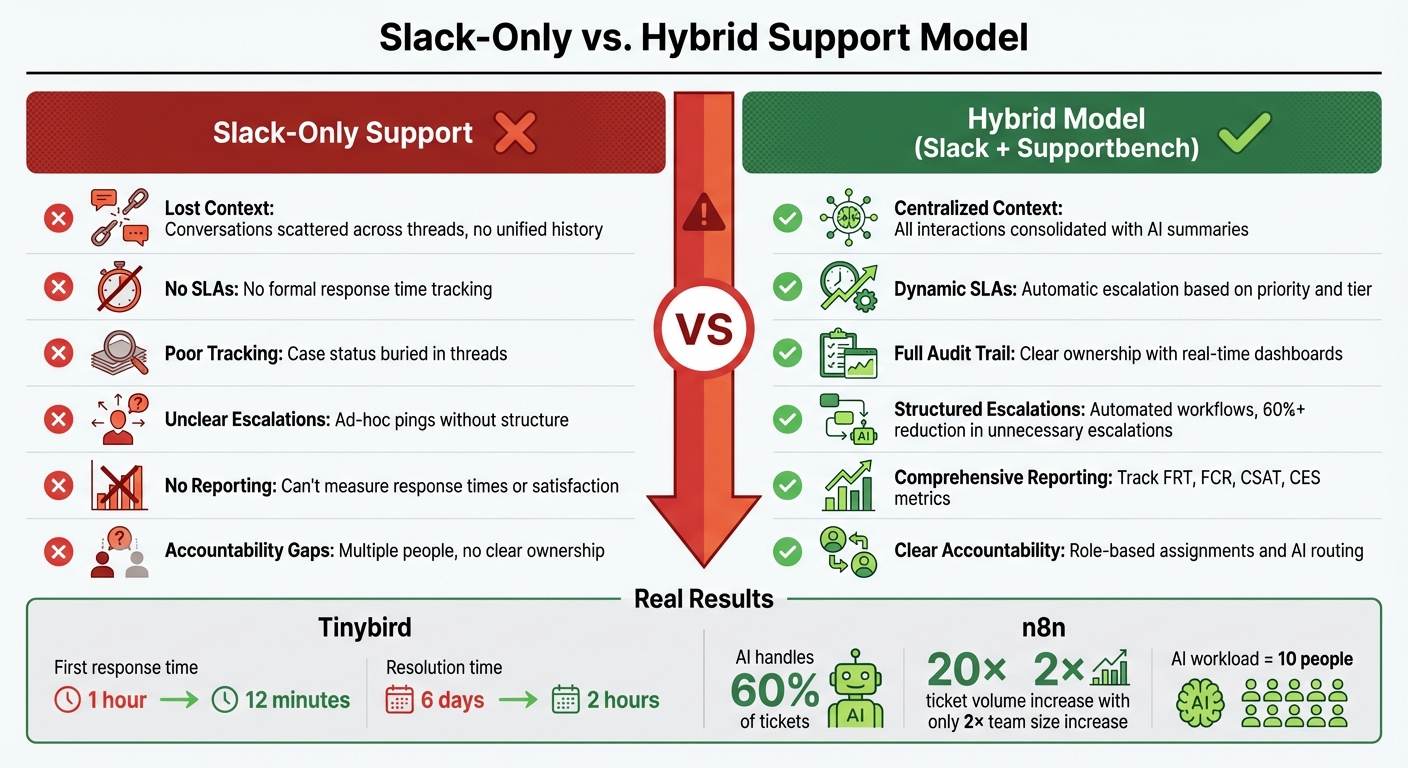
Slack-Only vs Hybrid Support Model: Key Differences and Benefits
What Goes Wrong with Slack-Only Support
Using Slack as the sole channel for B2B customer support can lead to serious challenges. Conversations often get fragmented across multiple threads or channels, making it impossible to track the history or understand the current status of an issue. Without formal systems for tracking response times or resolutions, enterprise customers are left without the accountability they expect. Slack simply isn’t built to manage cases from start to finish – threads can get buried, handoffs are unclear, and there’s no audit trail to track actions or ownership.
Accountability becomes a major issue when multiple team members jump into the same thread. This often results in duplicated efforts, with no one taking full responsibility for resolving the issue. Escalating problems to engineering or other teams is another weak point. Slack doesn’t provide a structured process for routing, documenting, or tracking these escalations. Without a centralized system, metrics like first response times, resolution rates, or customer satisfaction are nearly impossible to measure. These shortcomings highlight the need for a more structured solution.
How a Hybrid Model Solves These Problems
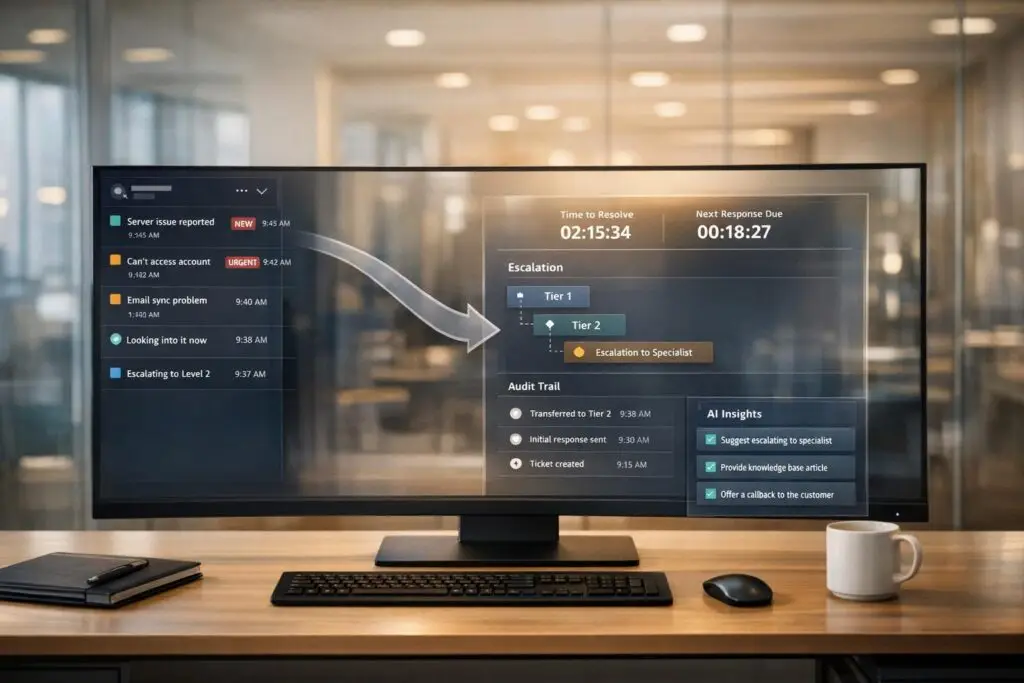
A hybrid support model combines the agility of Slack with the structured capabilities of platforms like Supportbench. Slack is great for quick triage, but the detailed resolution process moves to a structured system once an issue is identified. For example, when a customer reaches out via Slack, the team can handle the initial assessment in real time. After categorizing the issue, it transitions into Supportbench, where service-level agreements (SLAs) are enforced, escalation rules are applied, and every action is tracked with an audit trail.
This approach centralizes all case history, customer data, and past interactions in one place. AI tools can then summarize conversations, suggest responses, and flag urgent issues based on sentiment and content analysis. Ownership is clearly defined through assignment rules and queue management, eliminating confusion over responsibilities. Structured workflows ensure escalations are handled efficiently, bringing in engineering or other teams only when necessary and with all relevant context.
For instance, in early 2026, Tinybird switched from a Slack-only model to a hybrid approach. Their first response time dropped from 1 hour to just 12 minutes, and their average resolution time plummeted from 6 days to 2 hours [3]. Similarly, n8n adopted an AI-powered hybrid model where AI now handles 60% of support tickets. Despite a 20× increase in ticket volume, their team only needed to double in size, as the AI agent managed the workload equivalent to 10 people [3].
Comparison: Slack-Only vs. Hybrid Model
The table below highlights the key differences between a Slack-only approach and a hybrid model:
| Problem | Slack-Only Impact | Hybrid Solution with Supportbench |
|---|---|---|
| Lost Context | Conversations scattered across threads and channels with no unified case history | Centralized platform consolidates all interactions and customer data, with AI-generated summaries to maintain context |
| No SLAs | No formal tracking of response times or resolution commitments | Dynamic SLAs with automatic escalation rules based on priority, customer tier, and issue type |
| Poor Resolution Tracking | Lack of visibility into case status and handoffs; actions buried in threads | Full audit trail with clear ownership and real-time dashboards for tracking resolution metrics |
| Unclear Escalations | Ad-hoc pings to engineering without structured routing or documentation | Automated escalation workflows preserve context and reduce unnecessary escalations by 60% or more [2] |
| No Reporting | Scattered Slack messages hinder measurement of response times, resolution rates, or satisfaction | Centralized reporting via real-time dashboards tracking FRT, FCR, CSAT, CES, and more |
| Accountability Gaps | Multiple team members handling the same issue without clear ownership | Role-based assignments, queue management, and AI-powered routing ensure accountability and efficiency |
Conclusion
Why the Hybrid Model Works
The hybrid support model combines the strengths of Slack and Supportbench to create an efficient and effective support system. Slack shines in real-time triage and quick customer interactions, while Supportbench offers structured case management with features like SLA tracking, escalation workflows, and detailed reporting. Together, they provide the responsiveness customers expect and the accountability needed for seamless operations.
Businesses using this approach often see major improvements in support performance. Response and resolution times decrease, and teams handle much larger workloads without the need for significant staffing increases. AI plays a big role here, resolving up to 80% of routine issues and managing 60% of ticket volume in fast-growing environments [3]. This model helps support teams scale efficiently while keeping costs in check.
How to Get Started
Ready to make the switch? Start by evaluating your current Slack workflows. Pinpoint where conversations are falling through the cracks, where resolutions are taking too long, and where accountability is lacking. These insights will help you shape your hybrid approach. Set clear guidelines: use Slack for initial triage and quick responses, but move more complex issues – those requiring over 15 minutes of discussion – into your structured resolution platform.
Leverage AI tools to connect Slack with your ticketing system. Supportbench includes built-in AI features like automated ticket summaries, response suggestions, and knowledge base integration – no pricey add-ons required. Define SLAs based on customer tiers and issue types, and set up automated escalation rules for when thresholds are exceeded. Train your team to understand the new workflow, ensuring they know when to stay in Slack and when to escalate to a formal case. Starting now can lead to noticeable gains in efficiency, cost savings, and customer satisfaction.
FAQs
When should a Slack support thread become a formal case?
When an issue in a Slack support thread becomes more complex or demands structured handling, it’s time to move it to a formal case. This shift is crucial for situations requiring detailed resolution, escalation, or proper tracking. For instance, if the problem involves multiple teams, dedicated resources, or adherence to Service Level Agreements (SLAs), a ticketing system ensures everything is managed effectively.
Slack works well for quick triage and initial discussions. However, a ticketing system provides the structure and accountability needed for in-depth problem-solving and long-term tracking.
How do you retain full Slack context when creating a case?
To keep all Slack conversations intact when creating a case, connect your support platform with Slack to automatically turn chats into trackable tickets. This integration ensures the full conversation history stays preserved and can be accessed directly within Slack. Leveraging Slack-native tools, such as triage or dedicated support channels, allows you to manage requests in an organized way while syncing threads smoothly with your case management system.
Which metrics prove a hybrid Slack + case model is working?
Key metrics for evaluating performance include response times under 10 minutes, SLA compliance, ticket resolution rates, and customer satisfaction scores. Beyond these, factors such as support volume, agent performance, and escalation efficiency provide further insights into how well the model is working.