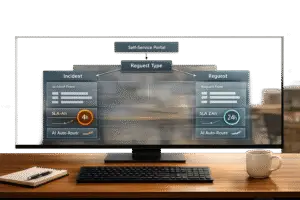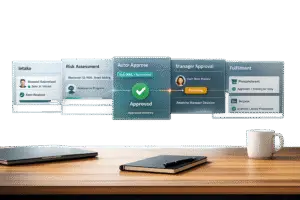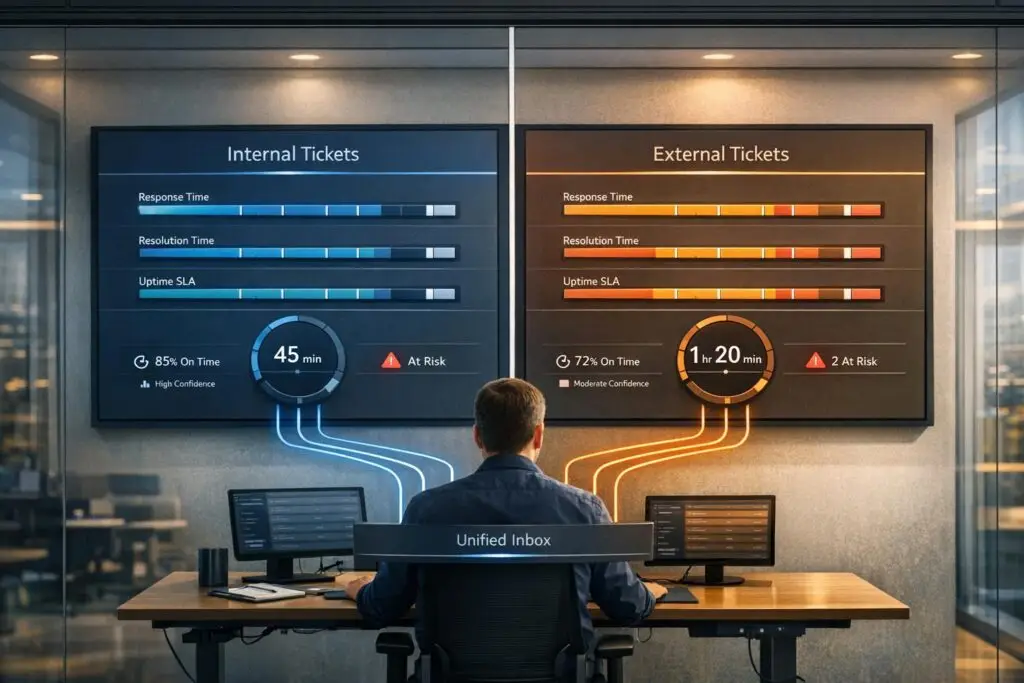
If you’re managing both internal and external support tickets, a single SLA policy won’t cut it. Internal tickets, like IT requests, focus on operational efficiency, while external tickets prioritize customer satisfaction and communication. Here’s how to handle them effectively:
- Internal SLAs: Focus on metrics like Time to Close (TTC) and Time to Resolve (TTR). These ensure smooth internal workflows and minimize downtime.
- External SLAs: Prioritize customer-facing metrics like First Response Time (FRT) and Next Response Time (NRT). These build trust and meet contractual obligations.
- Key Differences: Internal SLAs are for process improvement, while external SLAs often come with financial penalties for breaches.
- Automation: Use AI and workflows to classify tickets, set dynamic SLA policies, and track compliance in real time.
How Do You Create An Internal Service Level Agreement (SLA)? – Customer Support Coach
sbb-itb-e60d259
How Internal and External SLAs Differ
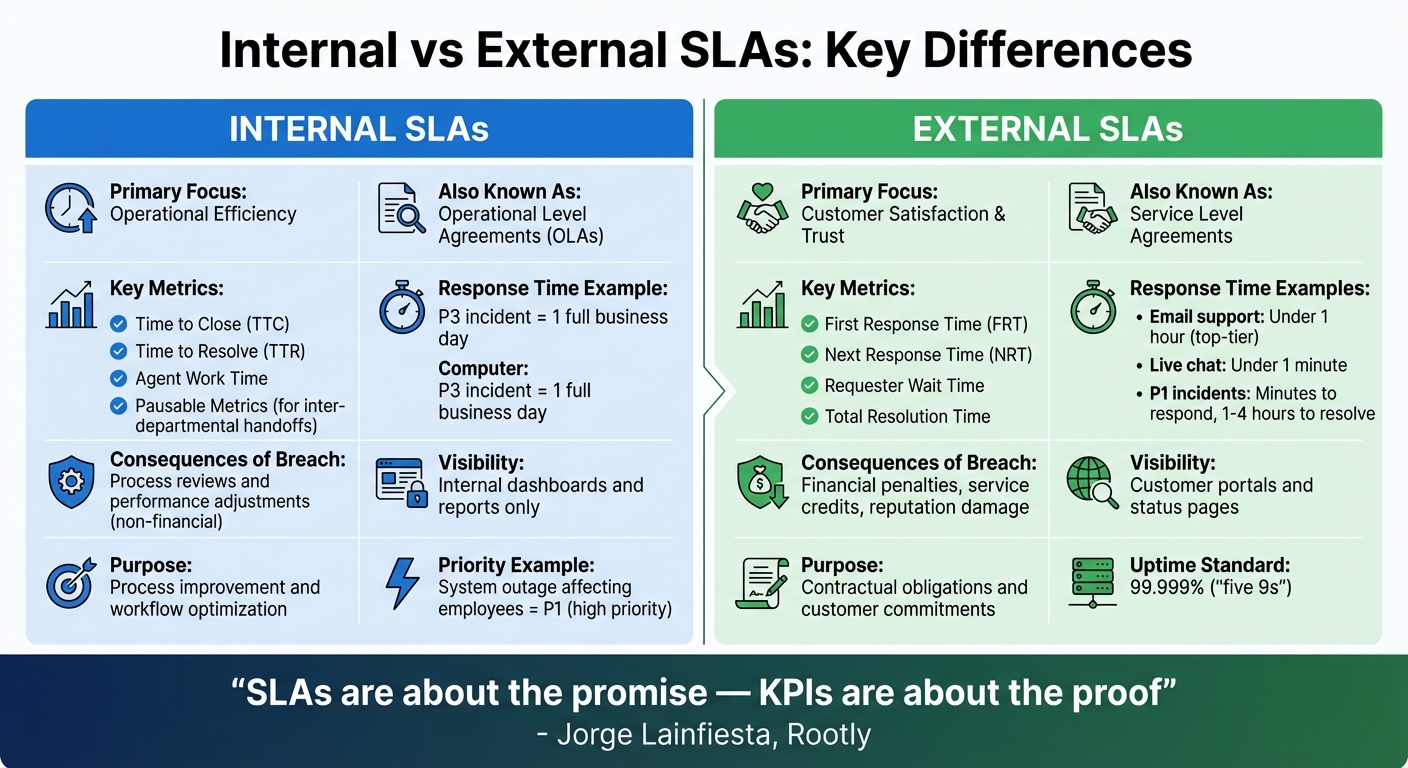
Internal vs External SLA Metrics and Key Differences Comparison
Internal SLAs focus on operational efficiency within teams, while external SLAs are commitments made to customers about service quality. External SLAs are formal agreements with paying customers, outlining how quickly you’ll respond to their inquiries and how often updates will be provided. On the other hand, internal SLAs, often referred to as Operational Level Agreements (OLAs), ensure smooth internal processes by tracking how tickets move through stages like triage, development, and testing [6].
A key distinction is the consequence of failing to meet these agreements. External SLAs often come with financial penalties or service credits. As ConnectWise explains:
An SLA serves as a critical component of your contracts, providing clear expectations and guidelines for both your organization and your client [3].
In contrast, internal SLAs focus on improving workflows and are used for performance reviews and process adjustments rather than monetary repercussions.
The metrics also vary. External SLAs emphasize customer-facing metrics, such as response times, with top-tier email support aiming for responses in under one hour [2]. Internal SLAs, however, track operational efficiency, pausing resolution timers during inter-departmental delays. For example, a P3 internal incident might allow a full business day for a response [1].
Visibility is another area where these SLAs differ. External SLAs often provide customers with access to SLA statuses through portals or status pages to build confidence [9]. Internal SLAs, however, rely on internal dashboards and reports, keeping the focus within the organization [3]. Let’s explore how these differences impact internal support operations versus customer-facing services.
Internal SLAs: Minimizing Employee Downtime
Internal SLAs are designed to maintain productivity across your workforce. When critical systems fail, every minute of downtime impacts the business [4]. These agreements prioritize issues based on their effect on operations rather than customer satisfaction. For example, a system outage affecting a large group of employees is treated as a P1 (high-priority) incident, even if no external customers are impacted.
A unique challenge for internal SLAs is managing handoffs between departments. For instance, when a Service Desk ticket is escalated to Engineering, delays during the transfer can create "dead time" [5]. As Unito highlights:
Your metrics don’t actually measure your customers’ experience. They track ownership as though moving a ticket between systems is instantaneous. It isn’t [5].
To address this, internal SLAs often include specific metrics for these transitions to ensure accountability.
The consequences of missing internal SLAs are typically non-financial. Instead, they lead to process reviews and adjustments aimed at optimizing performance [3].
External SLAs: Maintaining Customer Satisfaction
External SLAs are all about building trust and fulfilling contractual obligations. These agreements are often legally binding, with specific expectations for service delivery. Failing to meet these standards can result in financial penalties or damage to your reputation [7][8]. Customers value clear communication and transparency, so external SLAs prioritize metrics like First Response Time and regular updates. For example, live chat support often requires response times under one minute [2]. As Jorge Lainfiesta from Rootly puts it:
SLAs are about the promise – KPIs are about the proof [7].
Severity levels in external SLAs carry weight. P1 incidents, for instance, may require responses within minutes and resolutions within one to four hours [1]. Many SaaS and cloud providers also aim for "five 9s" (99.999% uptime) as a standard for reliability [8].
Managing the resolution timer is crucial in external SLAs. Pausing the timer while waiting for customer replies ensures that performance metrics reflect team efficiency rather than delays beyond their control [9]. This helps maintain fairness in evaluating team performance and ensures realistic benchmarks. These distinctions highlight the need for separate SLA policies tailored to internal and external needs.
How to Define and Implement Separate SLAs
Creating separate SLAs involves designing workflows that automatically apply appropriate targets based on ticket characteristics [10].
Step 1: Classify Your Ticket Types
Start by categorizing tickets as either internal or external. Use conditional rules based on factors like requester type, department, or priority. Platforms like Supportbench allow you to automate this process through workflows. For example, you can set rules such as "Priority is High" to classify tickets automatically [10].
Here’s how it works: an internal IT request for software access would trigger an internal SLA policy, while a customer inquiry about product functionality would activate an external SLA. Tag-based routing can further streamline this by directing "internal" and "external" tickets to their respective SLA workflows. This automation eliminates manual sorting and ensures consistent handling across your support system.
Step 2: Set SLA Metrics and Targets
Choose metrics that align with the expectations of your customers and internal teams. For external tickets, focus on metrics like:
- First Reply Time: Measures how quickly new inquiries are acknowledged.
- Next Reply Time: Tracks follow-up communication on ongoing issues.
- Requester Wait Time: Calculates the total time customers spend waiting for a resolution.
For internal tickets, consider metrics such as:
- Agent Work Time: Tracks the actual time agents spend resolving an issue.
- Pausable Metrics: Accounts for delays caused by handoffs between departments.
For example, a high-priority ticket might have a response time target of 30 minutes [10].
| Metric Type | Metric Name | Best Use Case |
|---|---|---|
| Reply | First Reply Time | Tracks responsiveness to new customer inquiries. |
| Reply | Next Reply Time | Ensures consistent follow-ups on ongoing conversations. |
| Update | Periodic Update | Keeps communication regular, regardless of ticket status. |
| Resolution | Requester Wait Time | Measures how long customers wait for a solution (External). |
| Resolution | Agent Work Time | Tracks actual time spent by agents on tickets (Internal). |
| Resolution | Total Resolution Time | Monitors the full ticket lifecycle from creation to resolution. |
Once you’ve defined these metrics, set up workflows to dynamically adjust SLA targets as ticket conditions evolve.
Step 3: Configure Dynamic SLA Policies
Automation is key to managing SLAs effectively. Dynamic SLA policies allow real-time adjustments based on ticket changes. For instance, in Supportbench, you can navigate to Configuration > Workflows > New Workflow and set triggers like "On SLA Calculation (Target first response)" [10]. This setup ensures that when conditions such as "Priority is High" are met, the correct SLA timeline is applied automatically.
Supportbench also allows for manual adjustments on a case-by-case basis, offering flexibility for unique situations [10]. By leveraging these dynamic workflows, you minimize IT overhead and empower support leaders to manage SLAs directly, without constant administrative input.
Using Automation to Improve SLA Compliance
Once you’ve set up distinct SLA policies, automation takes over to streamline ticket management. AI-powered tools eliminate the delays caused by manual triage, instantly routing tickets to the right team. As Ameya Deshmukh explains, "AI ticket prioritization and routing uses artificial intelligence to automatically assess incoming support requests, assign priority levels, and route them to the most appropriate agent or team – all in real time" [12]. By shifting from manual processes to automated systems, organizations typically see a 20–30% boost in SLA compliance or First Contact Resolution (FCR) rates [12]. This not only speeds up ticket handling but also lays the groundwork for enhanced compliance tracking.
Automating Ticket Routing and Assignment
AI tools evaluate SLA requirements, account value, sentiment, and urgency to ensure tickets are routed accurately. For internal tickets, AI taps into organizational data to assign tasks appropriately. For external tickets, it connects to your CRM to analyze factors like account health, subscription level, and SLA commitments, ensuring the ticket lands with the right team [11][12].
Natural Language Processing (NLP) adds another layer by identifying ticket topics and urgency signals. It distinguishes between routine IT issues and pressing customer concerns. Sentiment analysis can even detect frustration, escalating tickets as needed [12]. Tools like Supportbench’s workflow engine simplify this process by allowing you to define routing rules in plain language – for example, "escalate P1 incidents to on-call engineers" – which the system converts into actionable automation [11]. These automated processes not only improve ticket routing but also contribute to smoother support operations.
While routing automation enhances ticket distribution, AI dashboards provide real-time insights into SLA compliance.
Tracking SLA Compliance with AI Dashboards
AI dashboards offer up-to-the-minute visibility into SLA performance for both internal and external tickets. Unlike older systems that rely on batch-processed reports with hourly or daily updates, these dashboards operate with a data latency of less than 60 seconds, giving you an accurate view of ticket status at any moment [14]. Multi-threshold monitoring sends alerts when SLA limits are nearing – at 80% for warnings and 95% for critical levels – allowing teams to act before a breach occurs. Machine learning further enhances this by identifying unusual patterns, like sudden drops in ticket volume or unexpected gaps in key fields [14]. As Cobbai’s research highlights, "SLA alerts can be threshold-based (triggered by fixed limits), trend-based (detecting gradual changes), or predictive (forecasting potential breaches using data models)" [13]. This proactive approach shifts the focus from reacting to breaches to actively preventing them.
Supportbench’s AI dashboards track critical metrics like CSAT, FCR, and escalation rates. Role-based customization ensures agents see task-specific insights, while managers can monitor broader trends [13]. The system maintains 99.5% data accuracy and 99.9% uptime, thanks to automated checks that ensure data is fresh, accurate, and complete [14]. Proactive alerts can also be tailored – for example, triggering at 4 minutes for a 5-minute SLA response time – and notifications are consolidated to prevent alert fatigue [14]. Additionally, AI monitors tickets nearing SLA deadlines, reprioritizing or escalating them to avoid compliance failures [12]. For instance, if a high-priority ticket reaches 80% of its response time, the system can reassign it to a senior technician to ensure it’s resolved before breaching the SLA. These features help maintain compliance while optimizing resources, creating cost-efficient, AI-driven support operations.
Common Challenges and How to Avoid Them
Even with automation in place, managing multiple SLAs can get tricky. Issues like policy overlap, unrealistic goals, and alert fatigue often disrupt compliance efforts. Here’s the thing: most of these challenges don’t come from technology itself – they’re usually the result of configuration errors. Tackling these problems head-on is essential to keep your automated support operations running smoothly and avoiding costly SLA breaches. Let’s explore how to prevent policy overlap and use AI to set achievable SLA targets.
Preventing Policy Overlap and Confusion
When a single ticket falls under multiple SLA policies, things can get messy. For example, a ticket might activate both an internal IT policy and an external customer policy, leading to conflicting deadlines and unclear responsibilities. One way to avoid this is by using trigger-based prioritization to assign ticket priority and automatically apply the appropriate SLA [15].
To prevent tickets from slipping through, create a fallback trigger that assigns a default priority like "Normal" to all tickets. Without a priority, tickets might not activate any SLA policy at all, leaving them untracked [15]. You can also separate policies by channel. For instance, chat and messaging channels typically need faster response times than email, so having distinct policies ensures realistic expectations [15]. For internal or low-priority tickets that don’t require tracking, explicitly apply a "No SLA Policy" to keep them off compliance dashboards [16].
AI can help fine-tune this process. For instance, AI-driven sentiment analysis can identify tickets with negative sentiment and trigger faster SLA responses [18]. As Zendesk highlights:
Group SLAs allow admins to set target times for those groups and separately track resolution times between departments [15].
This approach builds accountability while keeping your external customer metrics manageable. You can also use pause conditions to handle delays caused by factors beyond your control [17][18].
Once your policies are clearly defined and organized, AI insights can help you establish SLA targets that are practical and achievable.
Using AI to Set Realistic SLA Targets
Unrealistic SLA goals can lead to missed deadlines and employee burnout [14]. To avoid this, leverage AI to analyze historical data and system behavior. This allows you to set SLA targets that are both challenging and achievable. Machine learning models can even provide risk scores for active cases – for example, predicting a "70% chance to breach in 12 hours." This helps teams prioritize their workload effectively [20].
Start with reasonable baseline targets and adjust them over time based on performance data [15]. To stay ahead of potential breaches, set tiered alerts at 80% and 95% of SLA limits, ensuring your team has time to intervene [14]. Consolidate these alerts into daily summaries to avoid overwhelming your staff, and reserve immediate notifications for critical situations [14]. Additionally, AI-powered deflection strategies can cut ticket volumes by up to 20% in just a few weeks, giving your team more bandwidth to handle complex issues [19]. As Integrate.io explains:
Machine learning models can predict processing times, helping teams set realistic SLA targets based on actual system behavior rather than estimates [14].
With this data-driven strategy, your SLAs can strike the right balance – challenging enough to meet customer expectations but realistic enough to keep your team motivated and on track.
Conclusion
Having distinct SLAs for internal and external tickets creates a support system that not only meets expectations but also enhances overall efficiency. Each type of SLA plays a crucial role in keeping operations running smoothly. When these policies work together, the internal processes directly reinforce your customer-facing commitments.
The secret to making this seamless is automation, especially with AI-powered tools. Relying on manual processes can lead to missed deadlines, misaligned priorities, and overworked agents. By automating tasks like ticket routing, setting priority-based goals, and monitoring SLA management through AI dashboards, your team can focus more on resolving issues rather than managing logistics.
Experts in the field echo this sentiment. Emily Carter from EasyDesk notes:
When support teams meet clear SLA targets, customers experience faster responses, consistent resolutions, and higher confidence in the service provider.
Adopting best practices – such as ensuring internal OLAs are shorter than external SLAs, clearly defining business hours, and basing targets on historical data – keeps your policies realistic and effective. Using AI insights as part of this strategy allows you to predict potential SLA breaches, dynamically adjust workloads, and refine operations continuously. This creates a foundation for scalable and efficient support systems.
For B2B support teams handling complex accounts and renewal-driven relationships, platforms like Supportbench offer the tools to manage separate SLAs effectively. With features like dynamic SLA policies, automated workflows, and AI capabilities built in from the start, you can expand your support operations efficiently while keeping costs manageable. It’s a system designed to deliver reliability and scalability without the hefty price tag.
FAQs
What’s the simplest way to auto-classify tickets as internal vs external?
The easiest way to automatically classify tickets as internal or external is by leveraging tags or request categories assigned through predefined rules or AI-powered classification. For example, specific keywords, customer types, or request sources can act as triggers for automatic categorization. By applying tags at the time of ticket creation based on its origin or type, the process becomes streamlined and efficient, eliminating the need for complicated setups.
How do I handle SLA timers during handoffs or when I’m waiting on replies?
To handle SLA timers effectively during handoffs or while waiting for responses, you can use pause conditions to temporarily stop the SLA clock. This way, the timers only track actual response times. You can also set up SLA-aware escalation workflows to manage delays caused by handoffs or external factors. This approach helps avoid unfair penalties and ensures SLA metrics accurately reflect the customer experience.
How can AI predict and prevent SLA breaches before they happen?
AI helps prevent SLA breaches by combining predictive analytics with real-time monitoring. It examines ticket data to spot trends, anticipate potential risks, and suggest proactive measures – like escalating issues or reallocating resources. With constant progress tracking, AI can flag delays early, enabling teams to take timely action. This might include reshuffling priorities or automating reminders, all aimed at meeting SLAs and boosting both service reliability and customer satisfaction.
Related Blog Posts
- How do you set and enforce response expectations for internal stakeholders (Sales, CSMs)?
- How do you convert Intercom conversations into tickets and keep ownership + SLAs?
- How do you map Jira issue types, workflows, and statuses to a customer support helpdesk?
- Dynamic SLAs: How to Create Rules That Adapt to Ticket Context