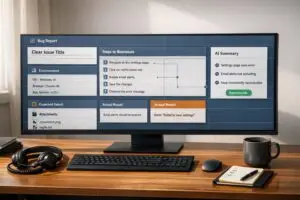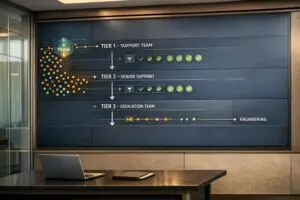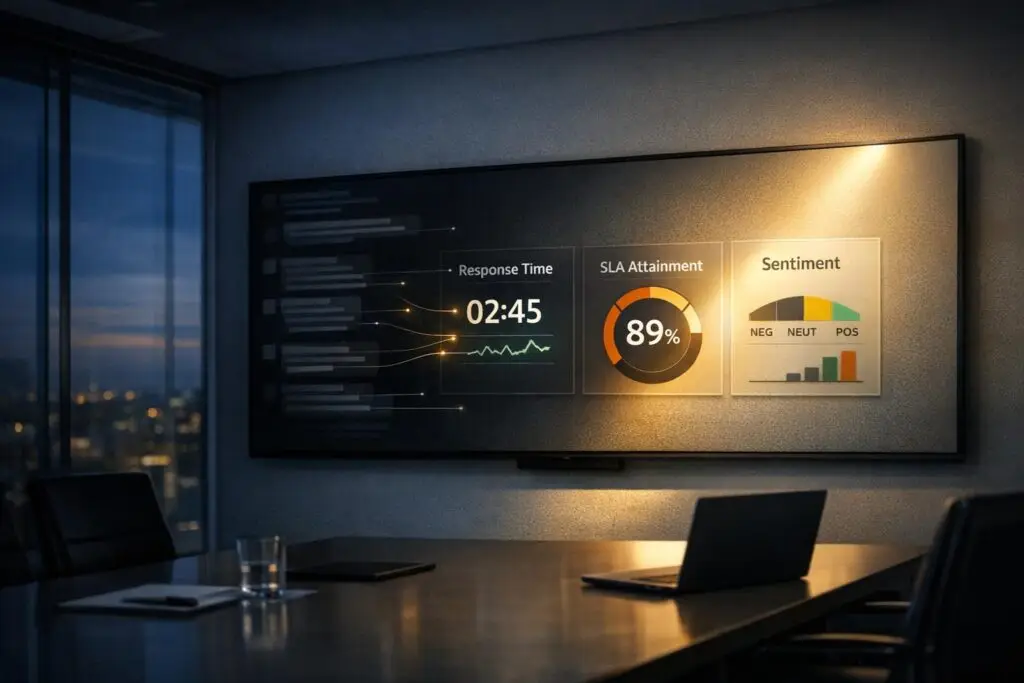
Slack is great for fast communication, but it’s terrible for tracking support metrics. Key data like response times, SLA compliance, and customer sentiment often get buried in endless messages. Without proper tools, teams waste hours manually pulling incomplete data, leading to missed trends, unresolved issues, and inefficiencies.
Key Problems:
- No tracking for critical metrics: Slack doesn’t log response times, SLA breaches, or issue resolution status.
- Manual workarounds: Teams rely on spreadsheets or clunky API integrations, which are time-consuming and error-prone.
- Lost insights: Important patterns and trends often go unnoticed in Slack’s unstructured data.
AI Solutions:
- Automated tracking: AI can monitor response times, SLAs, and first contact resolutions in real-time.
- Sentiment analysis: Detect customer satisfaction and flag negative trends instantly.
- Dashboards: Visualize key metrics like CSAT, reopen rates, and escalation trends for better decision-making.
AI tools can turn Slack’s messy data into actionable insights, saving time and improving support efficiency.
Advanced Slack Automation for Agencies – Track Response Time, Open Tickets, Bottlenecks
sbb-itb-e60d259
Key Metrics Missing from Slack Conversations
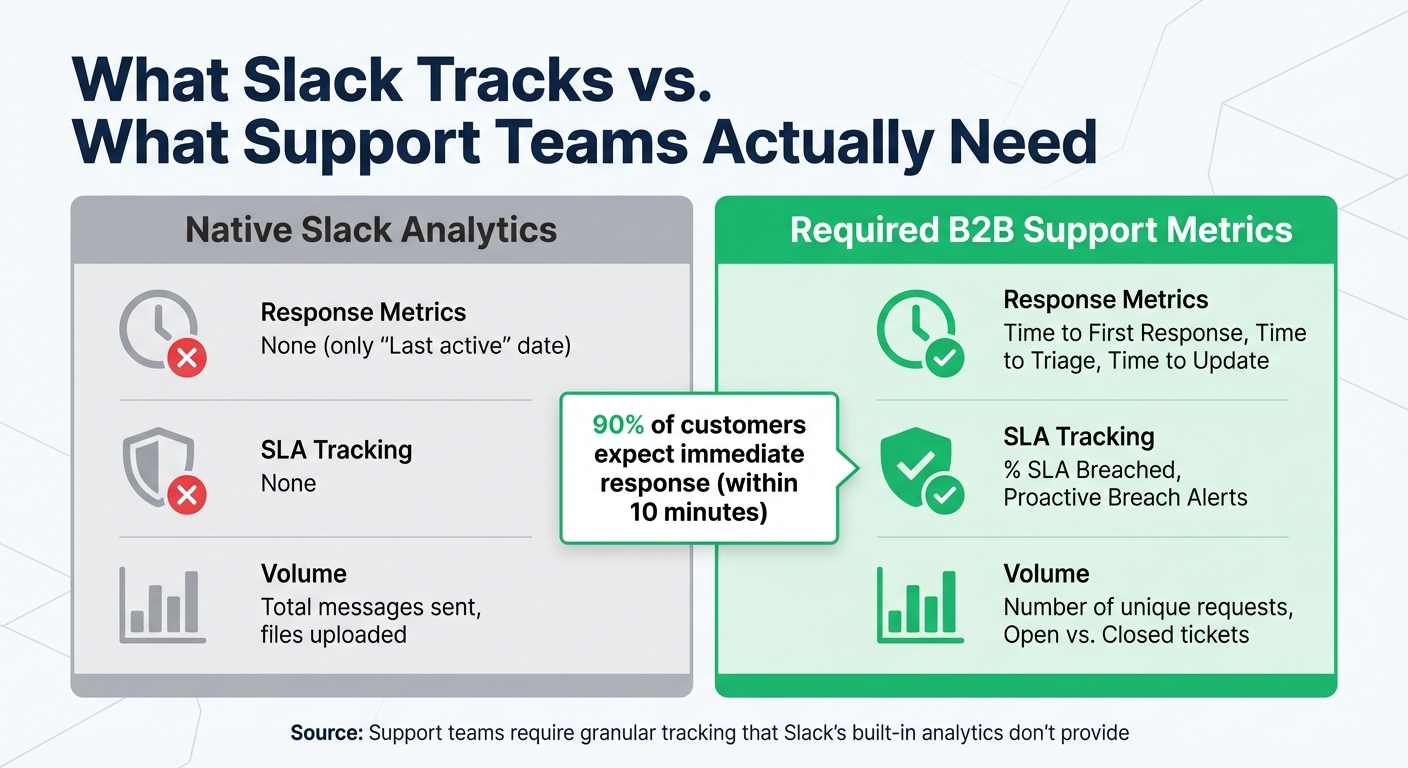
Slack Native Analytics vs Required B2B Support Metrics Comparison
Slack’s built-in analytics focus on team engagement but fall short when it comes to tracking essential support metrics. For example, they don’t distinguish between customer requests and internal replies, leaving gaps in critical areas like response times, resolution rates, and customer sentiment. These missing metrics create the “reporting black holes” mentioned earlier. As Sandhya Manikandan from ClearFeed explains:
"Slack Is a Black Box… It is not possible to measure the volume of requests that flow through channels, it is difficult to understand what requests are still open, and it is difficult to gauge the performance of individual support team members."[9]
Without this granular data, support teams are left guessing, often relying on intuition instead of actionable insights. This can lead to unresolved issues, overlooked customer concerns, and missed opportunities to improve service.
Response Time and SLA Tracking
One of Slack’s biggest limitations is its inability to track response times or monitor SLAs (Service Level Agreements). There’s no built-in system to log when a customer question is posted, when it’s answered, or to pause tracking while waiting for the customer to respond. Even worse, there are no alerts to warn of potential SLA breaches[10]. This is a major issue, especially since 90% of customers expect a response immediately, with 60% defining "immediate" as within 10 minutes[10].
Because of these gaps, many support teams resort to manual workarounds like spreadsheets or reminders. While these might work temporarily, they quickly become unmanageable when handling multiple Slack Connect channels or scaling operations.
| Metric Category | Native Slack Analytics | Required B2B Support Metrics |
|---|---|---|
| Response Metrics | None (only "Last active" date) | Time to First Response, Time to Triage, Time to Update[9][1] |
| SLA Tracking | None | % SLA Breached, Proactive Breach Alerts[9][10] |
| Volume | Total messages sent, files uploaded | Number of unique requests, Open vs. Closed tickets[9] |
Sentiment and Customer Experience Trends
Another blind spot in Slack’s analytics is sentiment tracking. There’s no built-in tool for measuring customer satisfaction, such as CSAT (Customer Satisfaction Score) or NPS (Net Promoter Score)[9][1]. While emoji reactions might hint at customer sentiment, they’re far from reliable. Without proper sentiment analysis, it’s nearly impossible to identify negative trends or early signs of churn. This lack of insight can have serious consequences in B2B environments, where customer retention is closely tied to recurring revenue.
First Contact Resolution (FCR) and Escalation Metrics
Slack also doesn’t provide a way to categorize or track the status of conversations. There are no built-in labels for "Open", "In-Progress", or "Closed" conversations, and escalation tracking is virtually absent[9][10]. This makes it hard to tell if issues are resolved on the first attempt or if they require multiple follow-ups. Without these metrics, managers can’t accurately assess team performance, staffing needs, or the complexity of support issues.
As conversations spread across multiple threads and channels, the risk of critical issues slipping through the cracks grows. One support lead summed it up:
"We’re managing tickets manually in Notion, and there’s no SLA tracking."[10]
Without a structured system for monitoring these metrics, teams lack visibility into bottlenecks and urgent issues, making it even harder to scale effectively.
Challenges of Manual Metric Extraction in Slack
Manually extracting data from Slack is a daunting task that often feels like chasing shadows. It’s slow, prone to errors, and by the time you uncover any insights, it’s usually too late to act on them. These inefficiencies not only waste time but also delay the discovery of critical trends that could have been addressed earlier.
Time-Consuming and Error-Prone Processes
Manually pulling metrics from Slack can eat up hours that could be better spent improving support workflows. For instance, weekly data gathering alone can take up to 26 hours annually, while preparing executive reports might add another 4 hours to the workload [6].
Teams often turn to Slack’s API to export the last 1,000 messages into Google Sheets or download CSV files for manual reorganization in Excel [1][6]. But even this process is far from smooth. One support manager shared how they spent 2 hours reorganizing exported ticket data, only to find a pattern that had already been affecting customers for 3 days [6]. By then, the damage was already done.
"After digging around, unfortunately, we did not find a great, already built solution to getting this information out of Slack." – Vlad Shlosberg, Founder, Foqal [1]
Lack of Standardization Across Conversations
Slack’s unstructured nature makes it nearly impossible to standardize data for reporting. For example, Slack doesn’t distinguish between agents and customers, which complicates metrics like response times and ticket closure rates [9].
On top of that, user communication styles vary wildly. Some people send rapid-fire, short messages, while others prefer long, detailed paragraphs [2]. This skews volume-based metrics and makes it harder to evaluate agent performance fairly. Even attempts at manual tagging often fall short because broad categories need to be broken down into more specific, actionable sub-categories [1].
Without a clear structure, recurring issues often remain hidden, making it harder to identify and address them in time.
Hidden Patterns and Trends
The vast amount of unstructured data in Slack can bury critical patterns, leaving teams blind to recurring issues until they escalate [6]. Research suggests that 80% of escalations could be avoided with earlier pattern detection [6], but manual reviews simply can’t keep up.
Slack’s design doesn’t help either. It prioritizes recent messages, creating what researchers call the "Slack hole" phenomenon – where important ideas and data get lost in a sea of ongoing conversations. Details buried deep in threads often stay hidden unless you already know which keywords or channels to search for [7][11]. And if you’re on Slack’s free plan, you’re limited to the last 10,000 messages, making older insights virtually inaccessible [11].
"Summarization without action extraction is noise reduction, not workflow acceleration. The value isn’t in compressing text – it’s in compressing cognitive load." – Dr. Lena Torres, Human-Computer Interaction Researcher, MIT Media Lab [7]
Without automation, managers miss out on the visibility they need to predict staffing needs, address product issues, or prevent customer churn. These challenges highlight the need for AI-driven tools to uncover actionable insights buried within Slack’s data.
AI-Powered Strategies to Surface Key Metrics
Tackling the challenges of manual data extraction, AI steps in to automatically pull structured metrics from Slack’s often chaotic conversations. By leveraging natural language processing (NLP), these tools can detect requests, monitor response times, and analyze sentiment in real time. This transforms Slack from a confusing tangle of messages into a treasure trove of actionable insights.
AI Summarization and Sentiment Analysis
AI summarization comes in two forms: extractive and abstractive. Extractive summarization highlights exact quotes and key sentences from conversations, making it perfect for detailed meeting notes. On the other hand, abstractive summarization rephrases content to distill the main points of lengthy discussions [3]. Both methods make it easier to pinpoint the essentials in a sea of messages.
Sentiment analysis adds another layer by assigning scores to conversations and flagging phrases that hint at negative customer experiences. This enables automated routing – conversations with poor sentiment can be escalated instantly to senior team members [12]. Beyond that, AI can organize unstructured text into categories like bugs, feature requests, or FAQs using automated tagging and clustering. This uncovers patterns that would otherwise remain hidden [12].
For example, in early 2026, Tectonic Labs’ infrastructure team (32 engineers) implemented a local AI summarization system using Phi-3-mini. After training the model on 412 labeled threads to focus on extracting actionable items, they cut their weekly "Infra Sync" meeting times by 37% (from 82 to 52 minutes) and reduced repeated questions by 63% [8].
These insights from summarization and sentiment analysis naturally pave the way for automating SLA and response time tracking.
Automation for SLA and Response Time Tracking
AI can detect new customer requests in Slack channels and automatically track how quickly team members respond – eliminating the need for manual ticket creation [9]. To make this work, admins must define who counts as "responders" (agents) versus customers. Without this distinction, response time data loses its accuracy [9].
The best AI tools also allow teams to tailor SLAs based on business hours and time zones. This avoids penalizing agents for delays caused by off-hours messages [9]. Instead of focusing solely on "Time to Resolution" – which can pressure agents to rush responses – teams can track "Time to Update." This metric ensures customers receive regular updates (e.g., every 2–3 days), balancing speed with quality to build stronger, long-term relationships [1].
These automation capabilities lay the groundwork for AI dashboards that visualize key metrics.
AI Dashboards for Key B2B Metrics
AI-powered dashboards bring Slack data to life, visualizing metrics such as first contact resolution (FCR), customer satisfaction (CSAT), reopen rates, and escalation trends. Advanced platforms even allow users to ask natural language questions like, "What caused churn to spike last month?" and get instant insights and visualizations [13].
For teams managing sensitive data, deploying local large language models (LLMs) like Phi-3 or Llama-3 ensures privacy by keeping Slack data in-house rather than sending it to external cloud servers [8]. These models analyze thread-level data with precision, triggering actions like escalating a thread when it exceeds a certain reply count or receives a negative sentiment score [5].
"The most valuable AI isn’t the one that answers questions – it’s the one that surfaces what was already said, in exactly the form your team needs." – Dr. Lena Torres, Human-AI Interaction Researcher, MIT CSAIL [8]
Workflows for Bridging Slack to Measurable Insights with Supportbench AI
Supportbench uses targeted AI workflows to transform Slack’s unstructured conversations into actionable support metrics. These workflows are built into the platform, eliminating the need for extra integrations or costly add-ons.
AI Case Summaries for Actionable Insights
When a Slack thread is turned into a support case, Supportbench’s AI steps in to create a concise summary, analyzing the last 10–50 messages. It pulls out key details such as action items, responsibilities, and deadlines, so your team doesn’t have to sift through lengthy threads [7]. This streamlined process ensures everyone knows what needs to happen next without wasting time.
The AI also clarifies pronouns (like determining who “we” refers to in a direct message) and converts vague deadlines like “by tomorrow” into specific dates (e.g., “by 2/25/2026”) [7]. This prevents missed follow-ups and keeps your KPI tracking accurate. For example, in July 2024, ClearLine – a SaaS company with 12 employees – used a custom AI agent to analyze Slack DMs alongside Google Calendar events. They saved 9.2 hours per person weekly and achieved zero missed follow-ups [7].
From these summaries, the platform’s predictive algorithms go a step further, anticipating support outcomes.
Predictive CSAT and FCR Detection
Supportbench’s AI doesn’t just summarize cases – it also predicts key support metrics. The Predictive CSAT and AI First Contact Resolution (FCR) detection tools analyze conversation patterns to estimate customer satisfaction and resolution efficiency without relying on post-interaction surveys. By examining sentiment, message frequency, and reactions (like a ✅ emoji), the AI assigns performance scores [7].
For instance, it can match actual CSAT survey results with conversation traits – such as escalation patterns or the use of exclamation points – to predict satisfaction for threads that weren’t formally rated [1][7]. This allows support teams to step in and address potential issues before they escalate. The AI also detects whether a case was resolved on the first contact, a metric that’s been challenging to track manually [9].
Customizable Dashboards and KPI Scorecards
Supportbench organizes the structured data from Slack into dashboards that visualize trends in productivity, performance, and quality. Teams can monitor critical metrics like the number of requests, Time to First Response (FRT), SLA breaches, and recurring issues – all in one place [4][9].
KPI scorecards tie Slack data directly to business goals. They factor in role definitions to ensure accurate response times and customize SLAs based on business hours and time zones [9]. Dashboards also highlight metrics like “Time to Update,” helping teams maintain regular communication with customers while balancing speed and quality [1].
"Because you can only improve that which you measure, the more you can measure from support, the more you can improve." – Vlad Shlosberg, Founder [1]
Conclusion
Slack’s free-flowing conversations often create reporting blind spots, making it difficult to track critical support metrics. Extracting this data manually is not only slow and prone to errors but also risks overlooking valuable insights. For support leaders, the challenge is clear: they need tools that can transform these unstructured discussions into actionable data to drive operational improvements.
AI-powered platforms step in to solve this problem by automatically identifying requests, assigning ownership, standardizing deadlines, and monitoring performance. This reduces the need for manual intervention while uncovering hidden trends and patterns in the data [7][9].
With these capabilities, AI-driven solutions bridge the gap between Slack’s unorganized data and meaningful support metrics. Platforms like Supportbench provide ready-to-use metrics for key indicators such as Time to First Response, SLA management and breaches, and predictive CSAT – without requiring expensive add-ons or complex integrations. These tools empower small teams to scale their operations effectively, pinpoint documentation weaknesses, and address customer concerns proactively, helping prevent issues from escalating [1][9][14].
FAQs
What counts as a “support request” in Slack?
A "support request" in Slack is any message or conversation where someone seeks help – whether it’s asking a question, reporting a problem, or requesting assistance. These interactions can be monitored and analyzed to gather useful data, such as response times and sentiment trends, helping teams understand and improve their support performance.
How do you track SLAs in Slack without manual spreadsheets?
To keep tabs on SLAs in Slack without the hassle of manual spreadsheets, automation tools and Slack-specific integrations are the way to go. These tools handle SLA monitoring, send alerts, and generate reports automatically, cutting down on errors and saving valuable time. Some AI-driven platforms even analyze Slack conversations to highlight SLA performance trends, making tracking and reporting smoother and far more efficient – no manual effort required.
Can AI predict CSAT from Slack messages without surveys?
Yes, it can. AI now has the ability to estimate CSAT scores by analyzing Slack messages – no surveys required. Thanks to advancements in sentiment analysis and natural language processing (NLP), AI tools can evaluate customer tone, detect frustration, and identify sentiment trends in unstructured chat data.
While these predictions might not entirely replace traditional surveys, they provide a scalable, budget-friendly way to measure satisfaction directly from conversations. This approach adds a new layer of insight to modern AI-powered support systems.