If your support team spends more time managing Slack notifications than solving customer issues, you’re not alone. Constant pings, @mentions, and updates disrupt focus, slow down problem-solving, and increase burnout. Here’s what you need to know:
- 78% of employees feel overwhelmed by Slack alerts.
- It takes 23 minutes to refocus after an interruption.
- Support agents spend 30% of their week searching through Slack.
This "notification noise" problem leads to missed deadlines, buried messages, and reduced efficiency. But it doesn’t have to stay this way. By optimizing Slack settings, organizing channels, adopting asynchronous communication, and leveraging AI tools, teams can reduce noise, regain focus, and improve response times.
Want fewer distractions and better outcomes? Start by cutting unnecessary alerts, enforcing thread discipline, and using AI for task automation. Platforms like Supportbench can centralize workflows and prioritize critical issues – all for just $32 per agent per month.
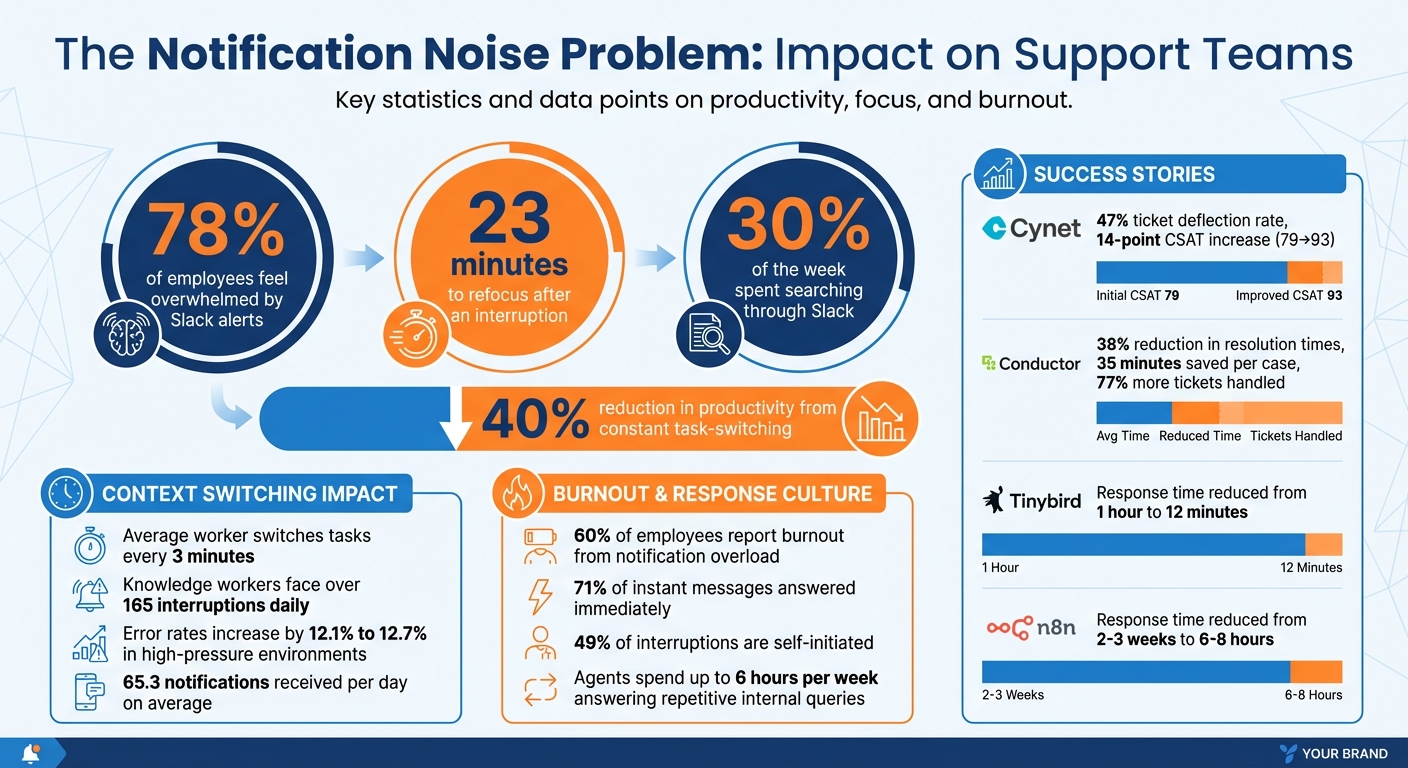
The Impact of Notification Overload on Support Teams: Key Statistics
How Slack, Teams, Text, and Email notifications actually kill your productivity!
How Slack Notifications Disrupt Support Operations
Notification overload can derail support teams, leading to reduced efficiency, missed deadlines, and agent burnout. When agents are repeatedly interrupted during complex problem-solving, the ripple effects are felt throughout the entire support operation.
Constant Context-Switching Reduces Efficiency
Research reveals that every interruption takes over 23 minutes to fully recover from, yet the average worker switches tasks every 3 minutes[9][10]. This creates a state of partial attention where the brain never fully resets before the next distraction arrives[10]. For support agents managing multiple tools – CRM systems, Jira, internal Wikis, and Slack – this constant switching drains energy and leaves behind "attention residue." This not only slows down their work but also increases error rates by 12.1% to 12.7% in high-pressure environments[10].
"Our tech stacks are incredibly fragmented. There isn’t a single source of truth. There isn’t just a knowledge base we can rely on."
– Josh Solomon, GM, Ask-AI[9]
Some companies have successfully tackled this issue. In 2025, Cynet centralized its information systems, achieving a 47% ticket deflection rate and boosting CSAT scores by 14 points (from 79 to 93)[9]. Similarly, Conductor integrated an AI layer across nine tools, cutting average resolution times by 38%, saving 35 minutes per case, and allowing top agents to handle 77% more tickets[9]. However, Slack’s features – like unread badges, presence indicators, and real-time updates – often create a false sense of urgency. This environment encourages constant task-switching, reducing productivity by as much as 40%. With knowledge workers facing over 165 interruptions daily, the cumulative impact is staggering[9][10]. These distractions not only slow productivity but also increase the risk of missing critical updates.
Buried Messages Lead to Missed SLAs
Poorly managed Slack channels can turn into a chaotic mix of important updates and casual conversation. When team members skip threading and reply directly in channels, key information gets buried, making search results ineffective. On average, knowledge workers receive 65.3 notifications a day, making it easy for urgent messages to get lost in the noise[11].
"When people drop replies into the channel instead of threading them, context breaks. One question turns into five replies, critical updates mix with chatter, and search results become essentially useless."
– Adrienne Johnson, Slack Strategist, Blue Thread Logic[12]
Even helpful features like Slack’s "Remind me" can backfire, as deferred messages often disappear into the "Later" section without a proper tracking system for approaching SLA breaches. This disorganization forces agents to abandon focused work to search for updates, further slowing operations. The pressure to respond immediately compounds the issue – 71% of instant messages are answered right away, creating a reactive culture that prioritizes speed over quality[11]. This rush to respond often leads to hurried interactions, which can compromise service quality. With 60% of service professionals reporting heightened customer expectations since the pandemic, these interruptions only add to the strain[13]. Beyond SLA breaches, this reactive environment erodes both agent focus and morale.
Interruptions Cause Agent Burnout
The relentless flood of notifications takes an emotional toll on support agents. Sixty percent of employees report burnout directly tied to notification overload[7]. Agents are interrupted every 3 minutes but need 23 minutes to refocus, leaving little opportunity to engage in the deep work required for solving complex issues[8][10]. These constant disruptions lead to decision fatigue and force agents to spend up to 6 hours a week answering repetitive internal queries[7].
"If your workplace rewards instant responses more than thoughtful output, you’re training your team to prioritize noise over results."
– Benoit Lotter, Founder & CEO, DEEMERGE[8]
Slack’s "always-on" culture amplifies this problem, creating surveillance anxiety as agents feel pressured to stay "active" and respond instantly. This often results in performative work – activity that looks productive but lacks substance. Surprisingly, nearly half (49%) of all interruptions are self-initiated, driven by the visual stress of unread badges and the fear of missing something important[10]. This cycle of constant interruptions and pressure not only drains productivity but also pushes agents closer to burnout.
How to Reduce Notification Noise
Cutting down on notification noise is essential for maintaining the focus needed to excel in B2B support operations. This doesn’t mean ignoring customers; instead, it’s about creating a system where agents can easily identify what’s urgent and what can wait. The best results come from combining smart notification settings, well-organized channels, and a shift toward asynchronous communication to protect deep work.
Adjust Notification Settings
Start by tweaking your Slack notification settings. Set global notifications to "Direct messages, mentions & keywords" instead of "Everything." This way, you stay informed about direct messages while filtering out unnecessary channel chatter. You can also set up keyword triggers for important terms like client names, project codes, or critical phrases like "outage" or "P0" to ensure you don’t miss key updates, even in muted channels[4][14].
Schedule regular "Do Not Disturb" (DND) hours – say, from 9:00 AM to 12:00 PM – to create uninterrupted focus blocks. During these times, coworkers will see a "snooze" icon next to your name, signaling that you’re unavailable. For channels that generate a lot of noise but offer little value (like bot integrations or #help-it), mute them selectively. You’ll still get notified if someone @mentions you or uses a keyword[14].
To minimize distractions further, disable desktop notifications and reserve mobile push alerts for emergencies only. Studies show that desktop notifications increase attention residue by 37%, and each interruption takes an average of 12.4 seconds to recover from[17]. Instead, use Slack’s Activity tab as your central inbox to filter mentions, direct messages, and unread posts for a more streamlined approach[15].
Organize Channels Properly
A cluttered channel structure can make Slack chaotic, mixing urgent updates with casual chatter. Simplify things by using prefixes in your channel names, like #triage- for incoming requests, #proj- for project-specific discussions, and #help- for departmental queries. This makes it easier for team members to find information on their own, reducing unnecessary pings[16].
Add visual cues with emojis to indicate priority levels. For instance:
- 🔴 Urgent: Needs immediate attention
- 🔵 Important: Requires a response within 24 hours
- ⚪ Low priority: Can wait
Reactions can also streamline communication. Use 👀 to show you’re looking into an issue, and ✅ to confirm it’s resolved – all without sending extra notifications[16].
Encourage thread discipline by keeping follow-up discussions in threads rather than posting directly in channels. This keeps conversations organized and prevents unnecessary alerts for every new update. To avoid overcrowding, limit channel membership to about 15 active participants. Larger groups tend to have a 61% higher rate of abandoned messages, which can lead to confusion and inefficiency[17].
Switch to Asynchronous Communication
Shifting to asynchronous communication is another powerful way to protect deep focus. Real-time responses often lead to reactive work, which interrupts concentration. Asynchronous workflows, on the other hand, let team members batch their responses during designated times, keeping focus intact.
Set clear expectations by adding response time guidelines to channel descriptions, such as "responses may take up to 12 hours." Use custom status messages like "In deep work until 11:30 AM – DMs paused" instead of a generic "Away" to reduce unnecessary follow-up messages by as much as 79%[17]. For complex questions or discussions involving multiple people, apply the "DM-to-Channel" rule: move the conversation to a public, searchable channel to build a shared knowledge base[17].
For lengthy or detailed threads, consider using Slack Huddles (audio or video calls) to resolve issues quickly. Summarize the outcome in a single threaded message to keep everyone on the same page[2].
The benefits of asynchronous practices speak for themselves. In January 2026, Tinybird consolidated its Slack Connect channels into a unified queue, cutting first response times from 1 hour to just 12 minutes, and reducing median resolution times from 6 days to 2 hours[5]. Similarly, n8n adopted an AI-driven asynchronous model in early 2026, slashing enterprise response times from 2–3 weeks to just 6–8 hours, even as ticket volumes skyrocketed twentyfold[5].
sbb-itb-e60d259
Using AI to Reduce Slack Noise
AI helps cut through the clutter of endless Slack notifications by prioritizing requests, summarizing conversations, and even handling repetitive questions. This reduces the mental strain of sorting through messages and allows teams to focus on meaningful work. By automating routine tasks, support teams can regain hours of lost time and improve overall productivity.
AI-Powered Query Triage and Routing
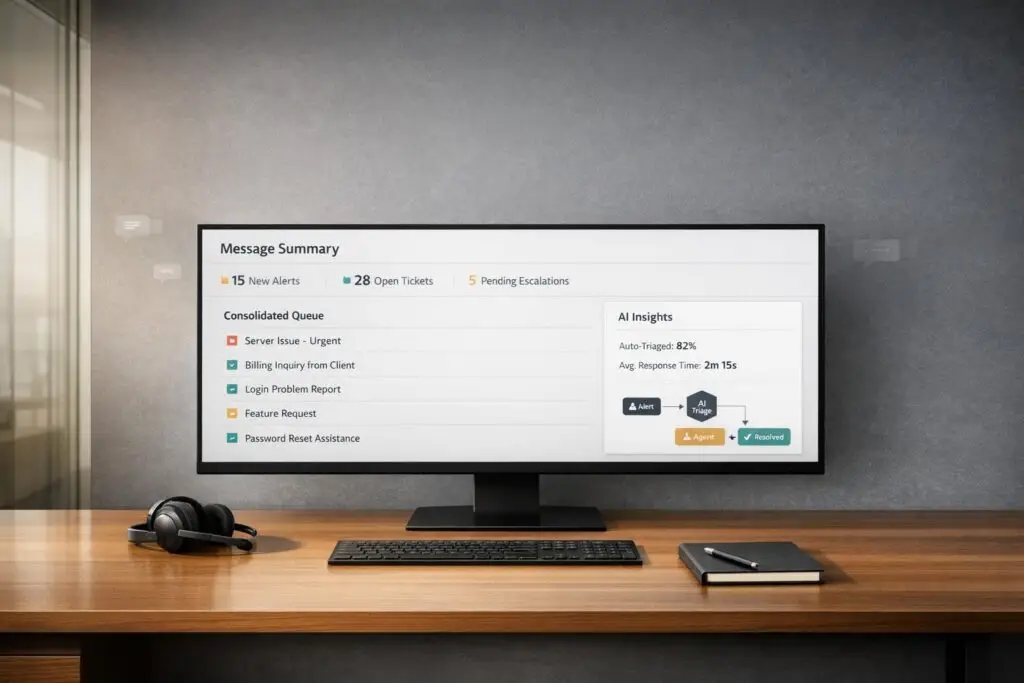
Imagine consolidating all your requests – whether they come from email, webchat, or Teams – into a single Slack channel. AI can analyze these incoming messages, sort them by urgency, customer tier, or issue type, and route them to the right person. Support teams using conversational platforms like this see 65% faster median first-response times compared to email-only workflows[20]. Plus, AI triage can save up to 80% of the time spent manually sorting through messages[20].
Take RVezy, a peer-to-peer RV rental marketplace, as an example. In 2026, they introduced Cassidy AI to manage support ticket triaging. It analyzes factors like customer sentiment and company size to assign tickets and even drafts responses, saving the team 300 hours per month[18].
"Cassidy allows us to be much more proactive in addressing critical customer complaints – automatically escalating issues to a manager who can solve customer problems quickly." – Exequiel, Customer Ops Director, RVezy[18]
The key to success here is setting clear escalation rules. AI needs to know exactly what to flag as urgent – terms like "outage", "blocked", or "payment failure" can trigger immediate human intervention[6]. Start by automating straightforward tasks, such as password resets or billing inquiries, where responses are standardized[6]. Beyond routing, AI can also summarize long conversations, turning scattered messages into actionable insights.
AI Summarization for Slack Threads
Long Slack threads can derail productivity. AI summarization tools simplify this by condensing multi-day conversations into the key points, helping agents skip over pleasantries and get straight to the heart of the issue. On average, users save 97 minutes per week using features like channel recaps and thread summaries[22][23]. For threads with 10 or more unread messages, a "Summarize" button appears, allowing agents to quickly catch up without endless scrolling[22].
The AI scans the entire conversation, pulling out relevant phrases, action items, and key moments while maintaining context. A "Refresh" button even updates the summary with the latest messages, skipping over anything the agent has already read[22]. Since AI summaries aren’t perfect, they’re best used as a starting point while double-checking critical details in the original thread[21]. For live discussions, AI can also capture decisions and action items during Slack huddles, letting agents stay focused on the conversation instead of taking notes[24].
AI-Driven Auto-Responses and Deflection
AI doesn’t just stop at routing and summarizing – it can also handle routine questions automatically. Bots can manage repetitive inquiries instantly, reducing direct message volume and freeing up agents to tackle more complex issues. For example, Lightspeed, a fintech company, deployed Intercom‘s Fin AI agent in 2025. By then, Fin was involved in 99% of customer conversations and resolved up to 65% of them completely on its own[19].
"Fin is in a completely different league. It’s now involved in 99% of conversations and successfully resolves up to 65% end-to-end – even the more complex ones." – Angelo Livanos, Vice President of Global Support, Lightspeed[19]
Modern AI tools also offer "split view" displays, enabling users to have private, AI-driven conversations within a Slack channel. This keeps routine troubleshooting from cluttering the main thread[25]. Suggested prompts guide users toward automated solutions, minimizing vague or open-ended questions that can confuse both users and the AI[25].
The shift from reactive to proactive AI is gaining momentum. Instead of waiting for issues to be reported, agents can use AI to monitor system logs and user behavior, addressing problems before they escalate[3]. Building AI into Slack’s native Workflow Builder ensures consistency and a single source of truth, while regularly reviewing escalation rates can highlight areas where automation needs improvement[6].
Moving to AI-Native Support Platforms
Using Slack as your main support tool can overwhelm teams with constant, distracting notifications. AI-native platforms like Supportbench offer a solution by centralizing and automating tasks like request triage and routing. This allows support agents to focus on meaningful work rather than being bombarded with alerts.
Slack-Heavy vs. AI-Native Workflows
Traditional Slack-based workflows depend on rigid "IF-THEN" rules. For example, they might flag messages containing keywords like "urgent", but they often miss critical context. A customer might write "quick question" while describing a major production outage, and Slack’s rules wouldn’t catch it. AI-native platforms, on the other hand, leverage advanced tools like Natural Language Processing (NLP) and Machine Learning (ML) to analyze entire messages. This enables them to assess sentiment, urgency, and context, ensuring that critical issues are prioritized while less urgent ones don’t clog up the system [26].
Slack’s internal Customer Experience team did make strides with automation by creating a custom "#help-ce bot." This bot reduced technical escalations to engineering teams by over 60% using workflows triggered by emojis [1]. However, Slack-heavy workflows still require constant manual oversight and frequent updates to rules. In contrast, AI-native platforms continuously learn and adapt to new issue types, resulting in smoother and more efficient support operations.
| Feature | Slack-Heavy/Rule-Based Workflow | AI-Native Platform (e.g., Supportbench) |
|---|---|---|
| Logic | Relies on rigid keyword-based rules | Uses NLP and ML for contextual understanding |
| Routing | Manual triage or basic keyword matching | Intelligent assignment based on agent skills and workload |
| Data Quality | Inconsistent; depends on manual tagging | Automated tagging through detailed content analysis |
| Scalability | Requires more staff as volume grows | Scales efficiently without extra overhead |
How Supportbench Reduces Notification Noise
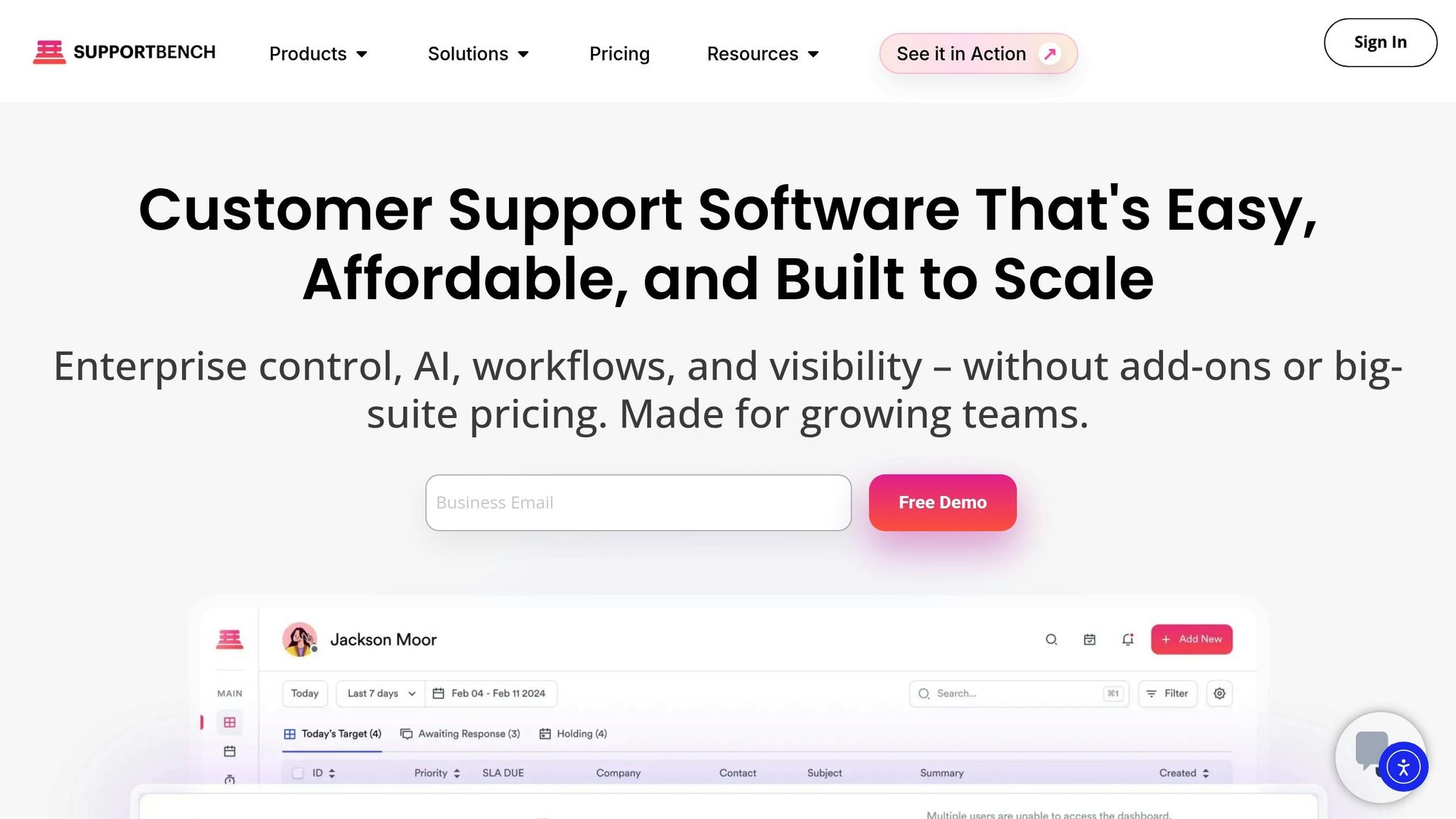
Supportbench simplifies ticket management by automatically categorizing requests based on content, such as product versions or error codes. This reduces the need for manual sorting and ensures cleaner data for identifying trends [26]. Its context-aware prioritization ensures that critical issues, such as system outages, are flagged – even if customers don’t explicitly use terms like "urgent." This prevents important alerts from slipping through the cracks.
"AI determines priority not just based on a selected field or a single keyword, but by analyzing a confluence of factors [including] sentiment analysis, urgency keywords, and customer value." – Nooshin Alibhai, Founder and CEO, Supportbench [26]
Supportbench also streamlines workflows with smart routing. Requests are automatically assigned to the most qualified agent, reducing internal back-and-forth. For example, complex technical issues like API or SSO troubleshooting are routed directly to specialists, eliminating unnecessary transfers. By cutting down on manual routing and tagging, agents can stay focused on solving problems. Additionally, predictive CSAT scoring allows teams to address potential issues before they escalate, shifting from reactive to proactive support and cutting out time-consuming manual tasks.
Cost and ROI of AI-Native Platforms
The efficiency gains from AI-native platforms translate directly into cost savings and higher returns. For instance, 84% of organizations investing in AI and generative AI report seeing ROI, while 79% of executives note productivity improvements [27][28]. Well-implemented AI-native systems can deflect 30% to 50% of tickets and reduce both handling and response times by the same margin. On top of that, agents can manage 25% to 50% more tickets per representative with these tools [30].
Supportbench starts at $32 per agent per month, offering full AI capabilities, case management, knowledge bases, workflows, dashboards, reporting, and live support. With 90% of organizations anticipating higher technology budgets by 2025 [29] and the potential to boost AI ROI by up to 29% through reduced technical debt [28], moving to an AI-native platform is a smart move for teams aiming to scale efficiently. The financial benefits stem from minimizing notification noise and creating more opportunities for focused, high-quality work, enabling support teams to deliver excellent service without increasing costs proportionally.
Conclusion
Notification overload can be a costly problem. Too many alerts disrupt productivity, forcing agents to spend more time managing notifications than solving customer issues. This not only affects SLA compliance and resolution quality but also increases the risk of agent burnout.
The answer isn’t to ditch Slack but to make workflows smarter. Platforms like Supportbench integrate AI to handle tasks like sentiment analysis, urgency detection, and context evaluation. This ensures critical issues are routed to the right experts quickly, while routine inquiries are either grouped or redirected efficiently. It’s not about adding more tools – it’s about replacing scattered processes with streamlined, context-aware systems.
Supportbench offers these AI-driven capabilities for just $32 per agent per month, delivering robust support without the complexity of traditional tools.
Key Takeaways
Cutting notification noise improves both efficiency and cost-effectiveness. Start by reviewing your Slack setup: optimize alerts, enforce strict escalation rules, and automate repetitive tasks. This simple audit can reduce notification volume by 30–50% instantly. For lasting change, switch to AI-powered platforms that understand context and enable smarter workflows.
Look for tools that offer intelligent routing based on agent expertise, prioritize issues based on context (not just urgency labels), and ensure smooth handoffs while retaining conversation history. The goal? Free your support team to focus on meaningful work that drives customer satisfaction, instead of being bogged down by endless alerts.
FAQs
What Slack alerts should support teams keep on?
Support teams should set up Slack alerts that are urgent, actionable, and specific. Prioritize critical updates like system outages, client emergencies, or security issues. Avoid overloading the channel with unnecessary notifications to keep distractions to a minimum. This approach ensures teams stay responsive while still having the space to focus on important tasks.
How do we stay responsive without being always-on?
Balancing responsiveness with maintaining a healthy work rhythm is all about smart strategies and tools. To handle customer support without being "always-on", consider using AI tools to take care of routine inquiries. These tools can also help prioritize more complex issues and direct them to the right person or team.
Cut down on unnecessary interruptions by setting up targeted alerts that are actionable and meaningful. It’s also helpful to establish clear boundaries, like specific hours for real-time support. Outside of these hours, rely on AI-powered responses to keep things running smoothly without requiring constant manual input. This way, you can stay efficient while avoiding the risk of burnout.
When should we move work from Slack into an AI-native support platform?
When managing support interactions in Slack becomes overwhelming – either due to complexity or sheer volume – it’s time to consider switching to an AI-powered support platform. As teams grow, constant real-time messaging can interrupt workflows and reduce productivity. AI-native platforms simplify things by automating repetitive tasks, prioritizing issues, and organizing workflows. This not only cuts down on manual effort but also speeds up response times. Making this move is key for handling escalations, managing intricate routing, and addressing repetitive questions, all while keeping support operations scalable and efficient.