


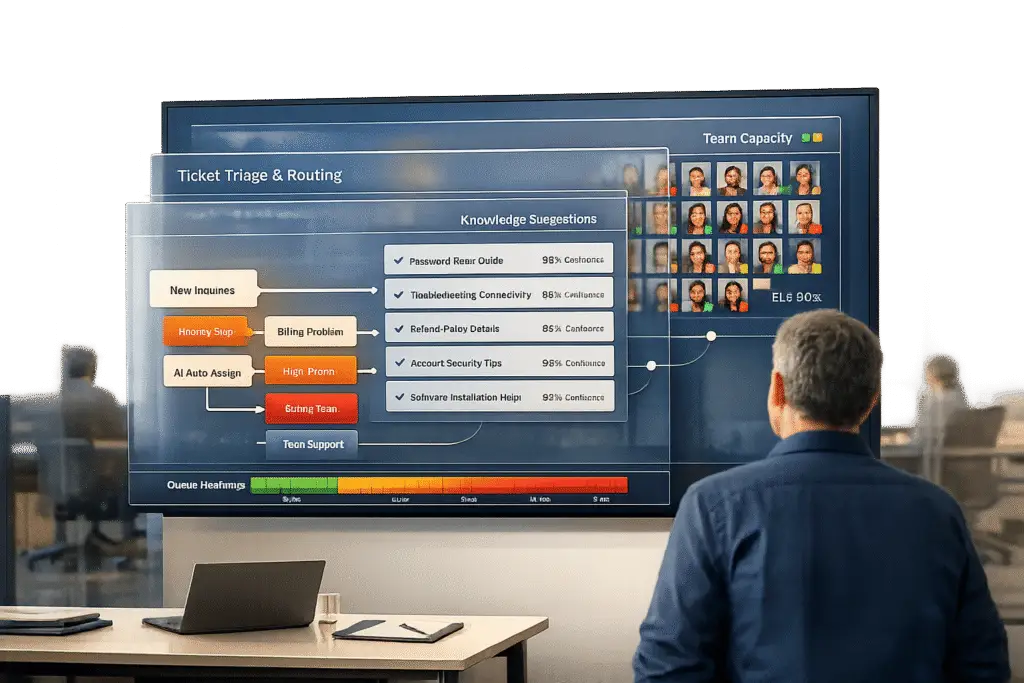
Scaling customer support beyond 20 agents requires more than just hiring – it’s about creating efficient systems that handle growing complexity.
Here’s the quick takeaway:
- Identify bottlenecks: Look for inefficiencies like fragmented workflows, outdated tools, and repetitive tasks that slow down response times.
- Unify tools and data: Integrate systems (CRMs, billing, etc.) for a complete view of customer interactions.
- Leverage AI: Use AI for triage, routing, and automating repetitive tasks like password resets or order tracking.
- Focus on B2B needs: Build account-focused workflows for multi-stakeholder cases and long-term ticket tracking.
- Automate knowledge management: Keep your knowledge base updated with AI to ensure consistent, accurate answers.
- Real-time reporting: Use dashboards and AI-driven insights to monitor performance, predict risks, and improve service quality.
This approach helps teams handle up to 5x the ticket volume without adding headcount, reduce costs per ticket, and improve customer satisfaction scores. Let’s break it down step by step.
How to scale a customer service team
Identify Current CX Limitations and Challenges
Take a close look at where your customer experience (CX) might be falling short. When your team grows beyond 20 agents, the hurdles aren’t just about handling more inquiries. The real trouble often lies in fragmented workflows, disconnected tools, and outdated systems that can’t keep up.
Find Workflow Bottlenecks
Mapping out workflows is a great way to uncover hidden inefficiencies. A common issue is fragmented knowledge – critical information spread across multiple platforms. Agents end up wasting time searching for answers, which slows down resolution times.
Rigid, rule-based workflows also struggle with exceptions, requiring agents to step in manually. For instance, in 2024, Honeylove’s team had to manually check over 10 order states just to answer a "Where is my order?" query.
"Even if the AI Agent isn’t resolving queries, it frees up agent time to work on the more complex issues. It will collect order IDs, ask for a picture upload if something is faulty, and it’ll do all of that legwork upfront." – Suzanne Duffy, Head of Customer Service, Papier
To pinpoint these bottlenecks, track how often agents need to consult subject matter experts (SMEs) and monitor key metrics like first-contact resolution and average handle time. Simple, repetitive tasks like password resets – a major time sink – are perfect candidates for automation.
Review Current Tools and Gaps
Operational bottlenecks often go hand-in-hand with outdated tools. Fixing both can pave the way for scalable CX.
Many older helpdesk systems treat chat, email, and voice as separate silos. This forces customers to repeat themselves and leaves agents without a complete view of the customer’s history. The result? Generic responses and wasted effort across the team.
In 2024, Unity saved $1.3M and eliminated 8,000 manual requests by connecting its AI agent to its knowledge base. Similarly, in 2025, Cynet centralized its knowledge, improving customer satisfaction (CSAT) by 14 points (from 79 to 93) and deflecting nearly half of its support tickets.
"At some point, switching between 5 different tools creates more overhead than the tools save." – Pylon Team
Red flags to watch for include longer wait times, increasing agent burnout, and inconsistent service quality across channels. These are clear signals that your tools and processes might need an overhaul.
Design a Scalable CX Operating System
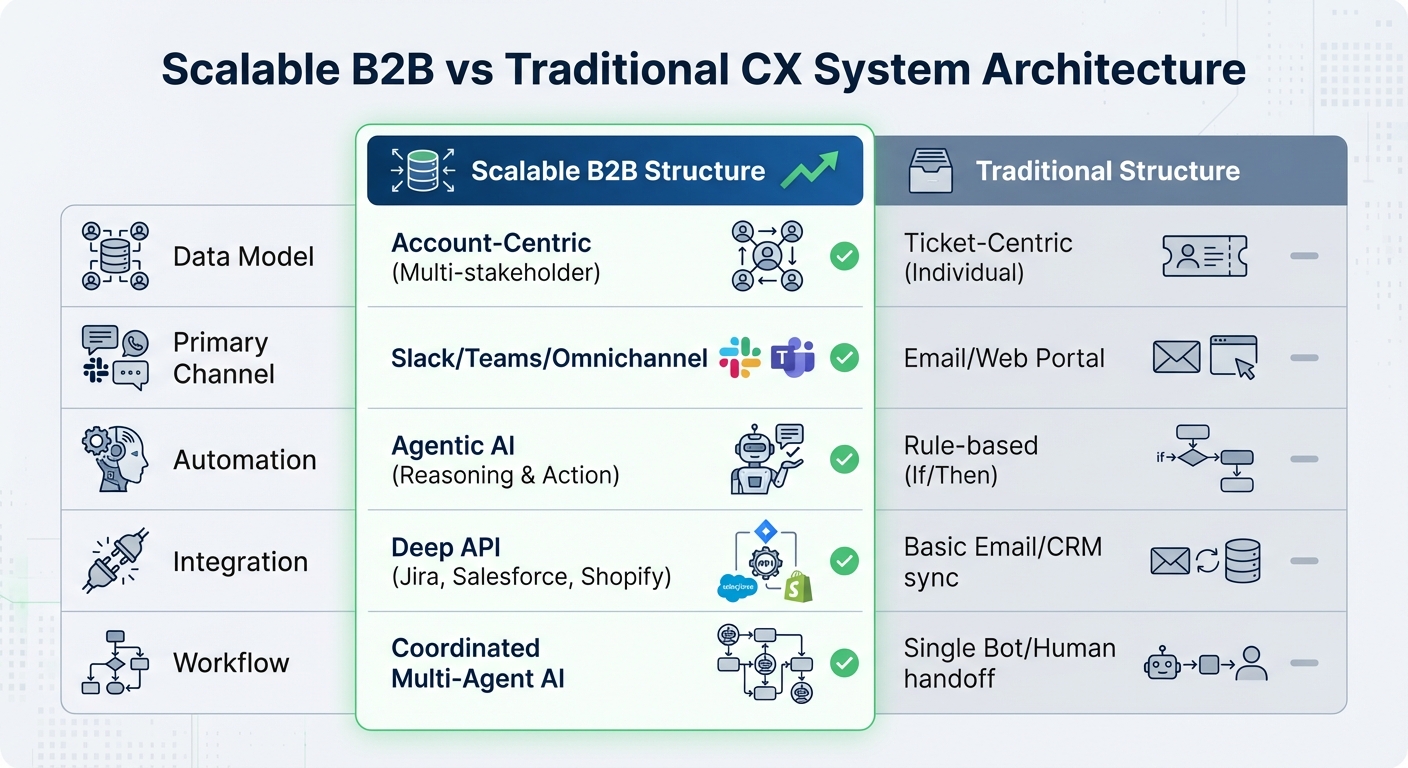
Scalable B2B vs Traditional CX System Architecture Comparison
Build a system that grows with your business. A scalable CX operating system isn’t just about increasing capacity – it’s about creating a structure that can handle complexity without breaking a sweat.
Create a Unified System Architecture
Switching from a ticket-focused approach to an account-centered model can transform how you manage customer interactions. Traditional systems treat every request as a standalone issue, but in reality, your customers are businesses with multiple stakeholders, long-term contracts, and ongoing relationships. Organizing data by business account gives you a clear view of account health, potential churn, and a full interaction history across all touchpoints.
To get there, you’ll need to integrate your support tools, engineering systems, and communication platforms. Using an API-driven backbone, you can create a unified view of each account. When support data connects with key customer health indicators – like product usage patterns or sentiment trends – you can proactively address risks or uncover opportunities for growth before they escalate.
"Support leaders don’t need more ‘AI tools.’ They need AI that actually understands how customer support works." – Assembled
A modular, serverless infrastructure ensures your system can automatically scale up to handle spikes in ticket volume and scale down during quieter periods, keeping costs in check. This eliminates the hassle of managing physical servers while offering virtually limitless scalability.
By addressing fragmented workflows with a unified system, you lay the groundwork for the next step: leveraging AI for smarter triage.
Use AI for Triage and Routing
AI-driven triage goes beyond basic keyword matching. Today’s systems use specialized AI agents that leverage API context to plan, respond, and coordinate across tools. Instead of relying on a single “do-it-all” bot, a better approach involves multiple specialized agents, each focusing on a specific task – categorization, response generation, or action recommendations.
This specialization reduces errors and improves accuracy. For example, in 2024, a major tools manufacturer implemented Palantir‘s Customer Service Engine, which used a multi-agent AI structure. Within six weeks, the system automated 90% of customer inquiries, cutting resolution times from 20 minutes to under 10 seconds.
Dynamic routing further enhances efficiency by prioritizing tickets based on factors like account value, contract terms, and urgency. Tickets are escalated to human experts only when necessary – and always with complete context summaries. Start with rule-based keyword routing (Tier 0) to manage straightforward cases at minimal cost, and escalate more complex queries to AI models. This tiered system can handle 68.6% of simple requests with high accuracy while keeping operational costs low.
Once AI-driven triage is in place, you can focus on optimizing your system for the unique challenges of B2B customer support.
Optimize for Complex B2B Interactions
B2B support is fundamentally different from B2C – it’s more about relationships than transactions. Your system needs to support multi-stakeholder cases involving procurement teams, IT departments, and end users. Long-running tickets that stretch over weeks or months require workflows that maintain context, track progress, and manage escalations seamlessly.
Incorporate renewal-driven workflows that tighten service level agreements (SLAs) as contract renewal dates approach. For instance, a customer nearing renewal in three months should receive faster, higher-priority service compared to one who just signed a long-term contract. Dynamic SLAs ensure consistent, tailored support based on the customer’s current situation.
| Component | Scalable B2B Structure | Traditional Structure |
|---|---|---|
| Data Model | Account-Centric (Multi-stakeholder) | Ticket-Centric (Individual) |
| Primary Channel | Slack/Teams/Omnichannel | Email/Web Portal |
| Automation | Agentic AI (Reasoning & Action) | Rule-based (If/Then) |
| Integration | Deep API (Jira, Salesforce, Shopify) | Basic Email/CRM sync |
| Workflow | Coordinated Multi-Agent AI | Single Bot/Human handoff |
Standardizing workflows is key as your team grows. Document every process so new hires can get up to speed quickly, and experienced agents can focus on high-value tasks instead of figuring things out on the fly. This kind of structure ensures your system can scale while maintaining top-notch service quality as your business expands.
Integrate AI-Driven Tools to Scale Without Adding Headcount
With a solid system architecture in place, integrating AI tools can help scale operations efficiently without increasing costs. These tools automate repetitive tasks, allowing your team to focus on more complex, high-value customer interactions. This approach enables the use of real-time AI assistance and automation across your support operations, creating a more effective and streamlined workflow.
Enable AI Copilot for Agents
An AI copilot serves as a real-time assistant, delivering essential information to agents exactly when they need it. Instead of manually searching through scattered knowledge bases or past tickets, the copilot retrieves relevant case histories, suggests next-best actions, and even drafts responses using proven resolution methods. For example, Catapult utilized generative AI to summarize conversations and refine agent tone, achieving a 50% reduction in first reply time. Similarly, Cynet implemented AI to provide instant solutions and deflect Tier 1 tickets, leading to a 14-point increase in CSAT and nearly halving resolution times.
To ensure successful adoption, involve your team in identifying tasks that would benefit most from automation, such as summarizing email threads or refining technical drafts. This not only boosts productivity but also secures agent buy-in. Data shows that agents using AI resolve interactions 38% faster, and support teams leveraging AI can handle three times the ticket volume. Starting with high-frequency tasks like billing updates, Tier 1 troubleshooting, and identity verification – and using a human-in-the-loop (HITL) model during the initial rollout – can help build trust and fine-tune the AI’s performance.
"The rise of agentic AI workflows doesn’t make your human agents obsolete – it makes them more valuable." – Team Mosaic
While AI copilots enhance immediate efficiency, automated knowledge management ensures consistency and accuracy over the long term.
Automate Knowledge Management
Maintaining an up-to-date knowledge base can be time-consuming and resource-intensive. Modern AI systems can alleviate this burden by analyzing resolved cases, identifying recurring issues, and drafting new articles automatically – closing knowledge gaps before they become a problem. By learning from every interaction, the AI continually improves its documentation and provides quick, accurate answers. Integrating fragmented data from ticketing systems, CRMs, Slack, and internal wikis into a unified source of truth using Retrieval-Augmented Generation (RAG) ensures that AI responses are based on verified information, significantly reducing inaccuracies.
Use Predictive Insights for CSAT and FCR
Predictive AI tools take customer satisfaction to the next level by moving beyond reactive responses. These tools leverage sentiment analysis and emotion detection to flag cases where customers may leave negative feedback – even before a survey is sent – allowing for early intervention. AI can also analyze case histories to determine if an issue was resolved on the first contact, providing real-time insights into resolution quality.
For instance, if a billing error is detected, AI can trigger an autonomous resolution before the customer even notices, improving first-contact resolution and preventing new tickets from being created. Companies using these techniques aim for a 60% boost in productivity and up to a 30% increase in customer lifetime value. Additionally, sentiment-based escalation triggers ensure that cases involving high frustration levels are immediately routed to human specialists, ensuring personalized attention for complex or sensitive issues.
sbb-itb-e60d259
Streamline Reporting and Performance Monitoring
Once AI tools are managing triage and resolution, the next step is ensuring you maintain a clear view of your support operations. Without real-time reporting, it’s hard to spot bottlenecks, predict churn risks, or measure whether your AI investments are delivering results. As your team grows past 20 agents, relying on manual reporting or scattered dashboards just doesn’t cut it anymore. That’s where integrated reporting comes in – it builds on your AI triage and unified system architecture, completing the framework for scalable support operations.
Set Up Real-Time Dashboards
Centralized dashboards bring together data from your support systems, offering real-time insights that give managers instant visibility into critical metrics like response times, resolution rates, and customer satisfaction scores. These dashboards should highlight key indicators such as sentiment analysis, ticket categorization, and response times, making it easier to identify issues that require immediate action.
Automated triage tracking adds another layer of efficiency by categorizing tickets – whether they’re billing inquiries, technical bugs, or urgent escalations – using consistent logic. This eliminates hours of manual tagging and ensures accuracy. Plus, real-time monitoring helps you catch volume surges and quality problems early before they escalate.
Implement 360-Degree Customer Overviews
Building on real-time dashboards, a complete customer overview equips agents with the full context they need for every interaction. These 360-degree overviews enrich customer profiles, allowing for more personalized responses. By incorporating details like subscription levels, past interactions, and sentiment trends, AI systems can craft highly tailored responses that feel personal and relevant.
For example, in 2025, cybersecurity company Cynet introduced an AI-powered platform that provided this depth of visibility. The results? A 14-point boost in CSAT scores (from 79 to 93), a 47% ticket deflection rate, and nearly halved resolution times for Tier 1 issues, which were resolved without escalation. Adding sentiment analysis to customer profiles also helps teams identify at-risk accounts or high-value customers who need immediate attention, ensuring no critical issues are overlooked.
Use AI-Driven Reporting
AI-powered reporting takes things a step further by going beyond static dashboards. These systems analyze trends, flag risks, and monitor SLA compliance across your entire team. Unlike manual sampling, advanced platforms review 100% of support conversations to uncover knowledge gaps, tone problems, and churn risks. For instance, in 2024, Upwork cut resolution times by 50% and achieved 90% accuracy in ticket classification by using AI to predict priority and match tickets with the best-suited agent before any human intervention.
AI-driven tools also enable predictive triage and automated quality checks. They can flag high-frustration interactions or compliance risks in real time, allowing immediate action. Teams leveraging AI for reporting typically reduce first response times by 55% and achieve a self-service ratio that’s 2.4 times higher than teams without AI. By integrating knowledge sources and eliminating data silos, an AI-native platform becomes a single source of truth, delivering accurate, actionable insights.
Test, Iterate, and Scale for B2B Growth
Building a scalable CX operating system means staying adaptable, testing frequently, and refining processes based on feedback. No matter how well-designed your system is, skipping these steps can lead to missed chances to boost retention and efficiency. The key is to scale deliberately, ensuring your system grows alongside your business, customers, and data. Start with phased, controlled rollouts to validate improvements and establish a solid foundation for growth.
Conduct Staged Rollouts
Launching an entirely new CX system all at once can be risky. Instead, phased implementations – spanning 15 to 18 months – provide the time needed for adjustments and smooth transitions. This method allows you to strengthen backend systems, update knowledge bases, and set up clear escalation paths before introducing new workflows to your entire customer base.
"People think about scale at the end – after a pilot works. But scaling happens at the beginning. It starts in your mindset." – Rachel Whitehorn, Conversational AI Practice Lead, CDI
Testing with smaller teams first helps identify potential issues, such as cultural misalignment in remote setups or accountability gaps, before they grow into larger problems. This gradual approach also offers flexibility – if a critical component, like your LLM or orchestration layer, becomes outdated during the rollout, it can be replaced without disrupting the whole system. During this stage, focus on testing complex B2B scenarios, such as high-stakes account escalations, to ensure your system can handle intricate challenges with minimal input.
This step-by-step rollout naturally transitions into strategies aimed at securing customer renewals.
Focus on Renewal Protection
In the B2B world, retaining customers is a top priority. Acquiring a new customer can cost up to 25 times more than keeping an existing one, and great CX is the single biggest driver of loyalty – more than brand reputation or pricing. That’s why your CX system should focus on workflows that protect renewals, like proactive service models and sentiment analysis.
By integrating CRM platforms with predictive analytics and automated follow-ups, you can identify at-risk accounts early and turn renewal discussions into personalized, value-focused conversations. This approach shifts renewal conversations from being purely transactional to meaningful engagements. Automated workflows – such as onboarding follow-ups and milestone reminders – ensure consistent communication throughout the contract lifecycle, reducing the need for manual effort.
| Strategy | Focus Area | B2B Benefit |
|---|---|---|
| Predictive Analytics | Churn Prevention | Identifies at-risk accounts based on usage drops. |
| CRM Integration | Personalization | Adds context to renewal and upsell discussions. |
| Automated Onboarding | Time-to-Value | Helps new clients achieve milestones quickly. |
| Sentiment Detection | Relationship Health | Flags negative interactions for swift action. |
Iterate Based on Agent and Customer Feedback
Your agents are the ones who interact with the system daily – they know what works and what doesn’t. Engaging them from the start helps uncover friction points and highlights areas where AI can enhance their efficiency. Using an Agent-in-the-Loop (AITL) framework, you can collect real-time feedback on response quality and missing context. This approach has been shown to cut down model retraining cycles from months to weeks, while improving recall by 11.7%, precision by 14.8%, and helpfulness by 8.4%.
Move past random QA sampling by leveraging AI to evaluate every interaction for tone, policy compliance, and resolution accuracy. Tagging transcripts based on specific failure reasons – such as mis-recognition or missing data – creates a clear path for improvement. Establish a regular evaluation cadence: monitor containment rates and error trends daily, review resolved issues weekly, and conduct monthly retrospectives to track overall performance shifts.
"Scaling isn’t about copying and pasting what worked once. It’s about turning that success into a repeatable system, one that evolves with your business, your customers, and your data." – Replicant
Conclusion
Scaling a CX operating system beyond 20 agents isn’t just about hiring more people – it’s about building a system that can grow and adapt. The key lies in a cycle of measuring performance, refining workflows, and introducing automation. Teams have successfully used this approach to manage three times the ticket volume without increasing headcount, cutting costs per ticket from $22 to $11.
Start by integrating your tools, leveraging AI for tasks like triage and routing, and positioning agents as problem-solvers for more complex issues. This approach highlights the importance of planning for scale from the beginning, rather than trying to retrofit automation later.
But remember, technology alone won’t do the job. Scaling effectively requires following the 10/20/70 rule – investing 10% in algorithms, 20% in technology and data, and 70% in people and process improvements. Lightweight governance practices, like version control for prompts, audit trails, and clear escalation procedures, help maintain quality as operations grow more complex. Real-time feedback loops from both agents and customers are also essential to catch problems early. This thoughtful balance ensures quality is maintained while creating a proactive and unified support system.
FAQs
How can AI help streamline a CX system as your team grows beyond 20 agents?
AI can play a key role in boosting the efficiency of an expanding customer experience (CX) system by taking over repetitive tasks like categorizing and prioritizing support tickets. By automating these processes, your team can dedicate more time to tackling complex customer issues, all while keeping productivity levels high.
Features like intelligent routing and real-time triage ensure that customer inquiries are sent to the right agents quickly, cutting down wait times and speeding up resolutions. On top of that, AI-driven analytics offer valuable insights to fine-tune workflows and pinpoint areas that need attention. This means your team can manage higher volumes of customer interactions without sacrificing quality.
What challenges arise when scaling a CX operating system for teams with more than 20 agents?
Scaling a CX operating system for teams with more than 20 agents introduces a new set of hurdles. As the team expands, workflows naturally grow more intricate, and relying on manual processes can quickly result in inefficiencies and mistakes. Older systems often fall short of handling these complexities, making it tough to integrate modern AI-powered tools and deliver a cohesive, smooth customer experience.
Another layer of difficulty lies in managing interactions across multiple stakeholders while still providing a consistent and personalized customer journey. To scale successfully, teams must embrace AI and automation thoughtfully, rework workflows, and establish feedback mechanisms to prevent operational slowdowns. Moreover, rapid growth demands a shift in mindset – teams need to focus on continuous learning and adapt to ever-changing tools and customer needs. Without these changes, scaling up can end up compromising both operational efficiency and the quality of the customer experience.
What are the benefits of using a unified system architecture in B2B customer support?
A unified system architecture simplifies B2B customer support by bringing together tools, workflows, and data into one centralized platform. This setup lets teams quickly access everything they need, breaking down silos, cutting out redundancies, and speeding up issue resolution with greater accuracy.
It also makes it easier to leverage AI-powered tools, such as intelligent routing, triage systems, and automation. These tools become especially valuable as teams grow and interactions become more complex. On top of that, real-time analytics and feedback loops play a key role in refining processes, making it possible to scale efficiently, control costs, and maintain consistent customer satisfaction as your team expands.






