Quick answer: The best Zendesk alternative depends on why you are leaving. For B2B support teams that manage accounts and relationships — not anonymous one-off tickets — Supportbench is the strongest replacement: account-level SLAs, health scoring, and AI included in one seat price. On a tight budget, look at Zoho Desk or Freshdesk. For shared-inbox simplicity, Help Scout or Front. If your company already runs on Salesforce, Service Cloud is the pragmatic pick, and Slack-first startups should shortlist Pylon.
Best for: B2B teams supporting hundreds of accounts under contractual SLAs. Not for: high-volume B2C queues where chat, social and marketing breadth matter more than account context. Price: Supportbench is $32 per agent per month, all-inclusive — AI, knowledge base, portal and reporting included, no per-resolution fees. See the Zendesk vs Supportbench head-to-head for the full comparison.
We have spent a decade building in this market and migrating teams off every platform on this list. This is the comparison we wish buyers had: real seat-cost math, honest trade-offs, and a clear read on which tool fits which team — not another affiliate roundup.
Why teams actually leave Zendesk
Zendesk is a good product. Teams rarely leave because it is bad — they leave because of three patterns that show up at renewal time:
- Seat-price creep. Suite Team starts at $55/agent/month, but the features most teams need live in Professional at $115. Add Advanced AI at $50/agent and workforce or QA add-ons, and the real per-agent number often lands at 2–3x the sticker price. We broke down the mechanics in how Zendesk pricing really works.
- Tickets, not accounts. Zendesk was designed for consumer-scale ticket queues. B2B support runs on accounts: one customer is fifty contacts, three products, an SLA in a contract, and a renewal date. Stitching that view together in Zendesk means apps, custom objects, and admin time. This is the core argument of our B2B customer service guide.
- AI priced as a meter. Resolution-based and per-agent AI add-ons mean your bill grows with usage — deflection makes your AI bill bigger, not smaller.
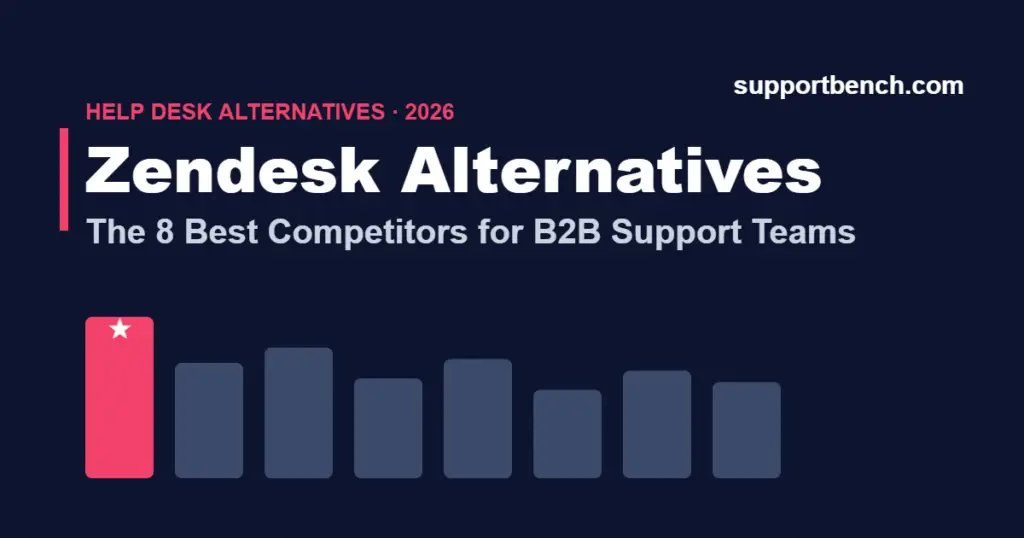
The 8 best Zendesk alternatives, compared
| Platform | Best for | List pricing (per agent/mo) | B2B fit |
|---|---|---|---|
| Supportbench | B2B teams managing accounts, not tickets | $32 all-inclusive seat (AI, KB, portal included) | Purpose-built |
| Freshdesk | Budget-conscious teams wanting a full suite | Free tier; paid plans plus AI add-ons | Moderate |
| Zoho Desk | Teams already in the Zoho ecosystem | Lowest entry price of the group | Moderate |
| Help Scout | Small teams that want inbox simplicity | Contact-based pricing model | Light |
| Front | Email-heavy collaborative workflows | Per-seat, climbs with plan tier | Light–moderate |
| Intercom | Chat-first support with strong AI agent | Seats + $0.99 per Fin AI resolution | Moderate |
| Salesforce Service Cloud | Companies standardized on Salesforce | $25–$165+ depending on edition | Strong, at a price |
| Pylon | Slack-native B2B startups | Per-seat plus platform fee | Strong for Slack-first |
Looking for a broader shortlist than Zendesk’s direct competitors? Our help desk alternatives for B2B teams and best B2B help desk ticketing systems guides cover the wider market, including Jira Service Management, HubSpot and Zoho.
How we evaluated (steal this framework)
- B2B fit: does the platform model accounts, contacts, and contractual SLAs natively, or does everything reduce to a ticket?
- True seat cost: the all-in number after AI, QA, and required marketplace apps — not the sticker price.
- Migration effort: can you bring ticket history, contacts, and KB content without a consulting engagement?
- AI included vs. metered: flat and predictable, or a usage meter that grows with success?
- Admin overhead: can a support leader run it, or does it need a dedicated admin?
True cost = (seat price + AI add-ons + required apps) × agents × 12 + one-time migration
Worked example — a 12-agent B2B team on Zendesk Suite Professional:
- Seat: $115 + Advanced AI $50 = $165/agent/month
- $165 × 12 agents × 12 months = $23,760/year — before QA, workforce management, or marketplace apps
- The same team on an all-inclusive seat (AI, KB, portal, analytics bundled) typically lands at roughly half that, with no meter anxiety
1. Supportbench — best Zendesk alternative for B2B support teams
Supportbench is built around one idea: in B2B, the account is the unit of work, not the ticket. Every case rolls up to a customer account with its own SLA profile, health score, sentiment trend, and renewal context — the view a Head of Support actually manages by.
Strengths: account-level SLAs and health scoring out of the box; predictive CSAT without surveys; AI drafting, summarization, and routing included in the seat price; knowledge base and customer portal bundled; all-inclusive pricing that stays flat as your AI usage grows.
Trade-offs: if you run a high-volume B2C queue (ecommerce refunds, consumer apps), Zendesk-style tooling may fit better — Supportbench is deliberately specialized for B2B. And yes, we are a smaller brand than Zendesk; a decade in market, but you will not see our booth at every conference.
Feature by feature, including migration: Zendesk vs Supportbench.
2. Freshdesk — best budget full suite
Freshworks’ flagship covers ticketing, automation, omnichannel, and a decent KB at prices consistently below Zendesk, with a genuinely usable free tier.
Strengths: fast setup, broad feature coverage, good value at the low end.
Trade-offs: the Freddy AI add-on is priced per agent on top of the plan; the data model is ticket-first like Zendesk, so the same B2B account-view gaps apply; feature depth thins out at enterprise scale. See Freshdesk vs Supportbench for where it fits.
3. Zoho Desk — best entry price
The cheapest credible helpdesk in this list, and if your company already uses Zoho CRM, Books, or Projects, the integration story is real.
Strengths: price, Zoho ecosystem synergy, solid core ticketing.
Trade-offs: the experience is strongest inside the Zoho stack; UI and admin polish lag the leaders; account-centric B2B workflows require configuration work.
4. Help Scout — best for inbox simplicity
Help Scout wins hearts with a clean shared inbox that support teams genuinely like using, plus lightweight docs and messaging.
Strengths: ease of use, fast onboarding, customers-not-tickets philosophy at the inbox level.
Trade-offs: its move toward contact-based pricing makes costs harder to forecast for B2B teams with large user bases; contractual SLA management, account health, and enterprise reporting are thin. Fine at 5 agents; strained at 25. Outgrowing it? Read Help Scout vs Supportbench.
5. Front — best for collaborative email
Front turns email into a team sport: shared drafts, internal comments, and rules that route conversations like a newsroom.
Strengths: unmatched email collaboration; good for teams where support, success, and account management share one inbox.
Trade-offs: it is a collaboration layer more than a support system of record — SLA enforcement, entitlement tracking, and deep reporting need supplementing; per-seat pricing climbs quickly at higher tiers.
6. Intercom — best AI-first chat support
Intercom bet the company on Fin, its AI agent, and the bet is paying off for chat-heavy products. Fin resolves a real share of conversational volume.
Strengths: best-in-class messenger, strong AI resolution rates, modern UX.
Trade-offs: $0.99 per Fin resolution means your bill scales with ticket volume — budget-unpredictable by design; email and account-based workflows remain second-class citizens; B2B teams with contractual SLAs will be building workarounds.
7. Salesforce Service Cloud — best if you already run on Salesforce
If sales lives in Salesforce, Service Cloud puts support on the same customer record — a genuinely powerful thing no standalone helpdesk fully replicates.
Strengths: unified CRM data, enterprise-grade everything, limitless configurability.
Trade-offs: Enterprise runs $165/user/month and the meaningful AI features sit above that; you will need admin capacity or a partner to implement and maintain it. We unpacked the real numbers in how Service Cloud pricing works, and the head-to-head in Salesforce Service Cloud vs Supportbench.
8. Pylon — best for Slack-native startups
Pylon built a B2B support tool around shared Slack channels, and for early-stage companies supporting customers in Slack, it fits like a glove.
Strengths: native Slack/Teams channel support, modern product velocity, B2B account orientation.
Trade-offs: young platform with a maturing feature set; workflows assume Slack is where support happens — teams with heavy email/portal volume will feel the gaps. We compared the approaches in Pylon vs Supportbench.
Also worth a look
Four more Zendesk competitors come up in most shortlists. They did not make the top eight for B2B account-based support, but each fits a specific situation:
- HubSpot Service Hub — the natural choice if sales and marketing already live in HubSpot: one CRM record for every interaction, with knowledge base, live chat and ticket automation. SLA configuration and post-sale workflows are shallower than the tools above.
- Jira Service Management — strong when support sits next to engineering (bug reports, change requests, incidents in one place), but it is ITSM-first and less customer-facing. See Jira Service Management vs Supportbench.
- Kayako — a simple, value-driven option for startups and small teams: unified customer timeline, ticketing, chat and SLAs with little maintenance, but not the depth enterprise B2B teams need.
- Open-source (osTicket, Zammad) — full control and no licence fee, in exchange for hosting, setup and maintenance work that a managed platform handles for you.
Based outside the US and need data residency or local support? See non-US Zendesk alternatives for B2B teams.
Switching without losing your history
Migration fear keeps more teams on Zendesk than Zendesk’s roadmap does. It should not: every serious platform on this list imports Zendesk tickets, contacts, and KB articles. Plan for a 2–6 week cutover depending on volume and integrations. Start with our help desk migration guide and the step-by-step Zendesk migration playbook — including how to preserve ticket history and customer data.
How to choose in one afternoon
- Write down why you are leaving (price, account visibility, AI costs, admin burden). Your reason eliminates half the list.
- Run the true-cost formula above on your shortlist at your actual agent count.
- Demo two platforms with your three ugliest real tickets — not the vendor’s demo data.
- Ask each vendor to walk through the Zendesk migration path live.
See how Supportbench handles accounts, SLAs, and AI in one flat seat price.
Book a demo
Frequently asked questions
What is the best Zendesk alternative for B2B support teams?
Supportbench, because it models accounts, contractual SLAs, and customer health natively instead of treating every interaction as an isolated ticket, and bundles AI into a flat seat price. Pylon is a strong pick for Slack-first startups; Service Cloud for Salesforce-standardized companies.
Who are Zendesk’s main competitors?
Freshdesk, Zoho Desk, Help Scout, Front, Intercom, Salesforce Service Cloud, HubSpot Service Hub and Jira Service Management compete with Zendesk across the general help desk market. For B2B account-based support specifically, Supportbench and Pylon are the specialist competitors.
Why do companies switch away from Zendesk?
Three reasons dominate: renewal-time price creep (add-ons pushing real cost to 2–3x sticker), a ticket-first data model that hides account context B2B teams need, and metered AI pricing that grows with usage.
What is the cheapest Zendesk alternative?
Zoho Desk has the lowest entry price of the credible options, and Freshdesk offers a usable free tier. Budget for the true cost — add-ons included — rather than the sticker price.
Is there a free Zendesk alternative?
Freshdesk has a free tier for very small teams, and open-source tools such as osTicket and Zammad have no licence fee but need hosting and maintenance. Most B2B teams outgrow free plans quickly once they need SLAs, a customer portal and reporting.
How much does switching from Zendesk cost?
For most mid-size teams, direct migration cost is modest: data import tools are standard, and the work is 2–6 weeks of project time for cutover, training, and integration rebuilds. The bigger number is usually the savings: teams paying $150+ per agent all-in frequently cut seat costs 30–50%.
How long does a Zendesk migration take?
Two to six weeks for most teams: one week of data mapping and import testing, one to two weeks of parallel running, then cutover. Complex integration stacks extend that; clean email-and-KB setups compress it.
Is Zendesk still worth it in 2026?
For high-volume B2C support with a big budget, yes — it remains a strong platform. For B2B teams managing hundreds of accounts rather than millions of consumers, specialized platforms deliver more account visibility for less money.
Evaluating help desks for a B2B team?
Supportbench is all-inclusive from $32 per agent per month, with migration and onboarding included. See pricing or book a 20-minute demo.