


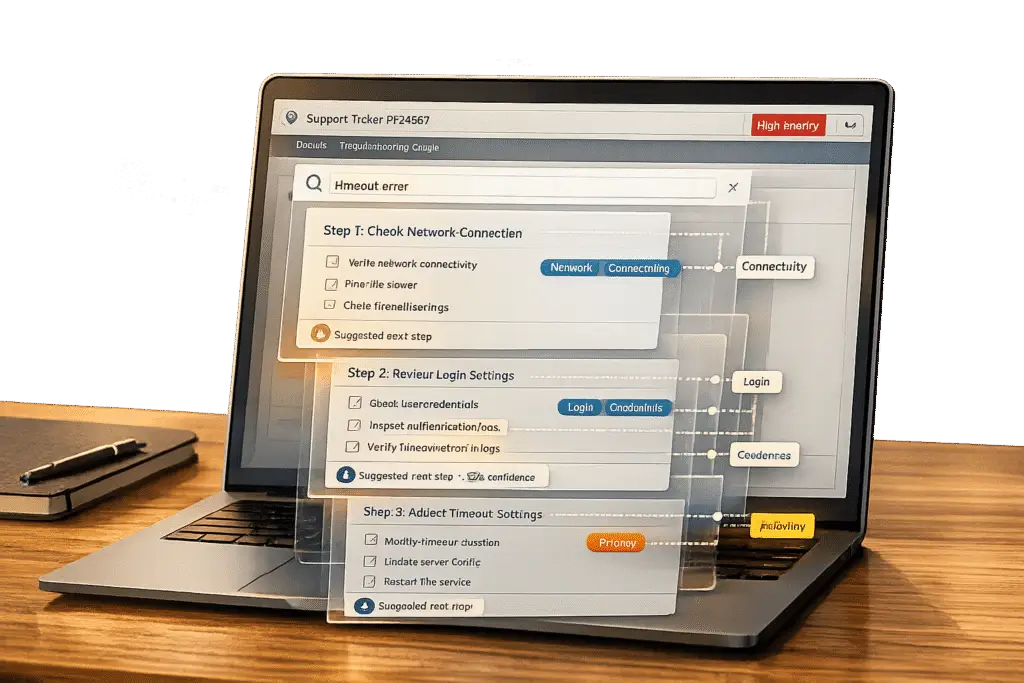
Troubleshooting playbooks are only helpful if agents can quickly find the right one. Scattered or disorganized documentation slows down response times and leads to inconsistent solutions. The key? Make playbooks searchable within tickets to streamline workflows and improve efficiency. Here’s how to do it:
- Structure playbooks for easy searching: Use consistent templates, clear formatting, and concise sections. Categorize by issue type and add visual aids like screenshots.
- Use tags and metadata: Choose customer-friendly keywords, automate tagging with AI, and enable advanced filtering with metadata fields like product version or audience level.
- Integrate playbooks into ticketing systems: Align playbooks with ticket categories, add in-ticket search features, and support offline access for agents in low-connectivity areas.
- Leverage AI: Use AI for contextual recommendations, optimizing search results, and automating updates to keep playbooks accurate and relevant.
- Maintain version control: Prevent outdated information with version tracking, regular audits, and quick updates when products change.
Step 1: Structure Playbooks for Easy Searching
Creating searchable playbooks starts with a consistent structure. This makes it easier for both agents and AI systems to quickly locate the right information. As Typewise explains:
"Structure outperforms volume. A smaller, well-structured knowledge base can deliver better results than a larger, disorganized one." [7]
By establishing clear structure standards, you lay the groundwork for effective tagging and seamless ticket integration in future steps.
Use Clear and Consistent Formatting
Stick to a standardized template with fixed fields for every playbook. Each one should include:
- A title that specifies the symptom (e.g., "Fix: Dashboard shows blank page").
- A problem statement written in the customer’s own words.
- Numbered resolution steps starting with action verbs.
- Clearly listed prerequisites, such as access levels or software versions [7].
Keep sections concise – 150 to 300 words – and use H2/H3 headers to organize content. Highlight key terms with bold text, and include code blocks for error messages [7]. This "chunking" method ensures that each section focuses on solving a single problem.
Categorize Playbooks by Use Case or Issue Type
Once you’ve established a clear format, categorization takes searchability to the next level. Use a standardized taxonomy to group playbooks by product area, audience, and intent [7][8]. This approach allows for precise filtering and faster access to relevant content.
For example, categorizing articles by customer intent led to 64% of support teams reducing resolution times after they mapped their top-20 customer issues to properly organized resources [8].
Start with the most impactful issues. Identify the top-20 ticket drivers in your system and focus on building or refining those playbooks first. Addressing high-priority issues ensures noticeable results in resolution times within weeks.
Add Visual Aids and Examples
Visual aids enhance structured content by making troubleshooting steps clearer. Use screenshots, diagrams, and annotated images to guide agents through complex processes. Include alt text and keywords for indexing [8]. For multi-step procedures, add numbered screenshots showing what agents should see after each action (e.g., "Look for a green confirmation banner in the top-right corner").
Always include error messages and codes in plain text, not just images. Agents often copy-paste error codes into search bars, and if the text only exists in a screenshot, the playbook won’t show up in search results. Map customer-reported symptoms to technical error codes to optimize content for both human and AI searches [7].
sbb-itb-e60d259
Step 2: Use Tags and Metadata to Improve Search
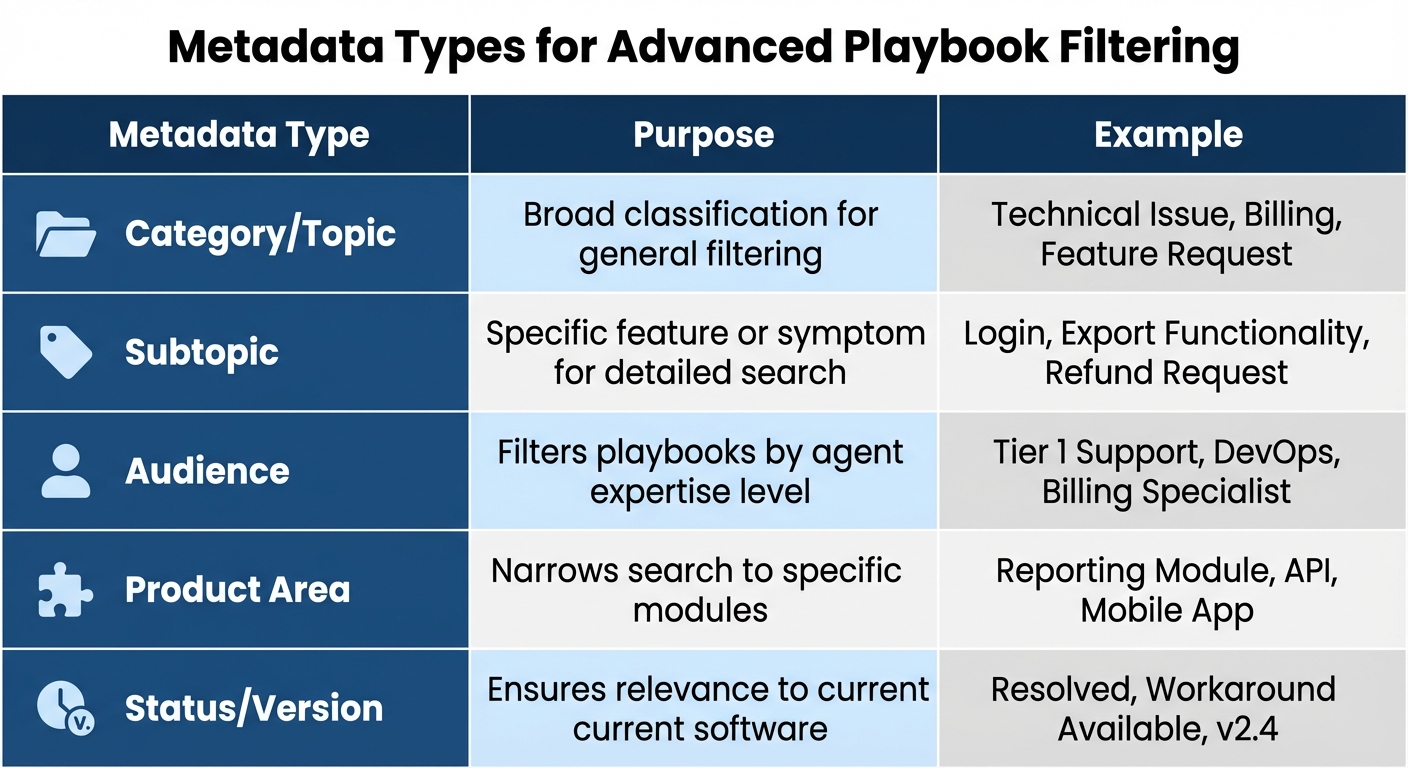
Metadata Types for Playbook Filtering and Search Optimization
Tags and metadata can transform static documents into dynamic, searchable resources. Even the best-structured playbooks can get lost in a knowledge base without these tools. The secret lies in selecting tags that match how agents naturally search for information – not just how your internal systems label issues. Once you define clear tags, the next steps are automating their application and fine-tuning metadata for precise filtering.
Choose Keywords and Tags Carefully
Focus on the language your customers actually use. For example, include phrases like "can’t log in" or specific error messages such as "Error 503: Service Unavailable" as tags to align with agents’ search habits [1]. As Anthropics Knowledge Management Skill advises:
"Use customer language, not internal terminology – ‘can’t log in’ not ‘authentication failure’." [1]
To cover all bases, add common synonyms like "delete" and "remove" or "export" and "download." This ensures playbooks appear regardless of which term an agent types [1].
For better organization, implement a two-tier taxonomy. Start with broad, mandatory categories like "Technical Issue" or "Billing", then add optional subcategories such as "Login Problem" or "Refund Request" [4]. This approach simplifies searching for agents while still offering detailed filtering options. The RUF Framework provides a solid starting point with three high-level categories: Reliability (errors or performance issues), Usability (how-to questions), and Functionality (feature requests) [4].
Automate Tagging with AI
Once you’ve identified the right keywords, use AI to automate tagging. Manual tagging often leads to inconsistency, while AI ensures uniformity by classifying tags based on customer intent [4][10].
AI-powered tools can also trigger workflows like ticket routing and SLA application. These tools analyze factors such as customer sentiment, urgency, and specific product modules to populate metadata fields more accurately than manual methods. This intent-based classification helps agents locate the right playbooks quickly, even when problem descriptions vary [4].
Consistency is key. Stick to a single term for each concept – for example, always use "Billing" instead of alternating between "Invoicing" and "Payments." This avoids what Swifteq calls "synonym chaos." As Jake Bartlett from Swifteq puts it:
"If a tag doesn’t change how you handle a ticket or how you understand your support data, it’s adding noise instead of clarity." [4]
Use Metadata for Advanced Filtering
Metadata provides extra context, making searches even more efficient. Include fields like the last updated date, product version, and audience level to help agents quickly find the most relevant information [1]. This prevents outdated troubleshooting steps from being applied to newer software versions [1].
| Metadata Type | Purpose | Example |
|---|---|---|
| Category/Topic | Broad classification for general filtering | Technical Issue, Billing, Feature Request |
| Subtopic | Specific feature or symptom for detailed search | Login, Export Functionality, Refund Request |
| Audience | Filters playbooks by agent expertise level | Tier 1 Support, DevOps, Billing Specialist |
| Product Area | Narrows search to specific modules | Reporting Module, API, Mobile App |
| Status/Version | Ensures relevance to current software | Resolved, Workaround Available, v2.4 |
To keep your system efficient, conduct quarterly audits to remove redundant tags or "tag bloat." Catch-all categories like "other" or "general" tend to become dumping grounds, reducing your taxonomy’s effectiveness. A streamlined tagging strategy can cut a 30-minute playbook search down to just 2 minutes [9].
Step 3: Integrate Playbooks into Ticketing Systems
Playbooks are only effective when they’re easily accessible. If agents have to leave their ticketing system to find troubleshooting resources, it disrupts their workflow. By embedding these resources directly into the ticketing interface, agents can stay focused on resolving customer issues without wasting time switching between tools.
Link Playbooks to Ticket Categories
The first step is to align playbook metadata with your ticketing system’s categorization. Each playbook should have tags that correspond to how tickets are classified – like "Technical Issue", "Billing", or "Feature Request" [1]. For instance, if a ticket is tagged as "Login Problem", the system should instantly suggest playbooks addressing authentication issues.
Organize playbooks in a hierarchical structure that mirrors the ticket classification system. For example, a multi-tier structure might look like Features > Billing > Pricing Plans. This setup allows agents to navigate from general categories to specific solutions efficiently [1]. When playbooks align with ticket classification, agents can resolve issues faster and with greater accuracy.
Enable In-Ticket Search Features
Add a search bar directly within the ticketing interface for quick access to troubleshooting guidance [5]. The best search tools use Natural Language Processing (NLP), which allows agents to type in phrases like "customer can’t access account" and still find the right playbook – even if the wording isn’t exact [3].
Semantic search takes this a step further by recognizing relationships between terms. For instance, if an agent searches for "data breach", the system should also pull up playbooks tagged with "security incident" [3]. To make things even more efficient, AI can analyze incoming tickets in real-time and suggest relevant playbooks based on the ticket’s content [3][6]. Microsoft, for example, handles over 12,000 support tickets weekly across 1 million employee devices using this type of integrated workspace [6]. Additionally, ensuring these tools work offline is essential for uninterrupted support.
Support Offline and Mobile Access
While real-time search is invaluable, offline access is equally important for agents working in areas with unreliable internet. Provide mobile apps for iOS and Android that allow agents to download entire playbook libraries for offline use [12][14]. To avoid excessive mobile data usage, include a "Download over Wi-Fi only" option to keep offline libraries up to date [13].
For devices with limited storage, support external memory options like SD cards, enabling agents to save playbooks without overloading their device [13]. Include features like a "Downloaded" icon to confirm offline availability [13]. Since devices with less than 1 GB of free storage may struggle to install offline content, encourage teams to clear cache or free up space regularly [11][15].
Step 4: Use AI for Smarter Playbook Access
Once your playbooks are integrated into the ticketing system, AI steps in to analyze ticket content in real time, offering the most relevant troubleshooting steps. This shift – moving from reactive searches to proactive recommendations – can significantly cut resolution times and ensure consistency across your support team.
AI-Driven Contextual Recommendations
AI tools immediately scan incoming tickets and suggest playbooks tailored to the issue’s context. For instance, if a customer mentions login trouble after an update, the AI identifies and surfaces the right authentication guide – even when technical terms are absent. This capability relies on natural language processing (NLP) to interpret intent rather than relying solely on keywords [17].
The benefits are clear. By ensuring every agent uses the same approved playbooks, AI eliminates inconsistencies that might arise due to varying experience levels or shift changes [2].
"AI does not replace support teams. It amplifies the quality of the knowledge it is given." – Documentation.AI [2]
Beyond providing contextual suggestions, AI enhances the search process by refining queries and delivering more accurate, ranked results.
Use AI for Keyword Search Optimization
AI fine-tunes search queries by handling typos and ranking results based on relevance. For example, it understands "custmer cant acces acount" as an account access issue. It also transforms vague queries into meaningful matches – for example, "How to end my plan" and "Cancel my subscription" both lead to the same playbook through semantic matching [17].
It’s essential to maintain your taxonomy, as it provides the structure AI needs for precise matching [4]. AI also adjusts rankings by analyzing success rates – playbooks that frequently resolve tickets faster are prioritized in future searches [17].
Track zero-result searches weekly to identify gaps in your documentation. If agents repeatedly search for terms and find no results, it’s a clear sign to create new playbooks using the same language your team naturally employs [8][17].
But AI doesn’t stop at optimizing searches – it also helps keep your knowledge base up to date by addressing recurring issues.
Automate Knowledge Base Updates
AI can spot patterns in ticket clusters, suggesting or even creating new playbooks to address recurring problems. For example, if multiple tickets report the same API error, AI can consolidate various agent responses into a single, streamlined playbook [16]. This ensures that troubleshooting guidance stays current.
Some systems run nightly syncs to fetch recent support decisions, identify contradictions with existing documentation, and draft updates for human approval [8]. AI also tracks content drift by monitoring escalations tied to outdated workflows or frequent macro edits, triggering immediate updates through "knowledge hotfix sprints" [8].
"In fast-moving companies, the gap between what agents know and what’s documented grows wider every day." – Abbas M, Zendesk Expert [16]
For a team of 20 agents, AI can reduce the percentage of tickets requiring research or escalation from 30% to 10%, boosting efficiency by 40% [16]. Companies leveraging AI-powered self-service tools report resolution rates up to 30% higher than those relying on traditional help centers [17]. However, it’s critical to audit your existing content first – properly building a knowledge base by cleaning up duplicates and fixing broken links ensures reliable AI performance, no matter how advanced the tool [17].
Together, these AI-driven improvements keep your playbooks dynamic, accurate, and easily accessible, helping your support team deliver better results with less effort.
Step 5: Avoid Common Mistakes and Maintain Version Control
With your playbooks set up, tagged, and integrated, the next step is keeping them accurate and avoiding common pitfalls. Poor management can disrupt workflows, slow agents down, and lead to outdated information being shared with customers. The main culprits? Tag bloat, knowledge drift, and inconsistent formatting.
Avoid Overcomplicating Playbook Structures
Over-tagging can lead to "tag bloat" – a situation where agents are overwhelmed by too many options and stop tagging altogether [4]. Categories like "other" or "general inquiry" often turn into catch-all dumping grounds. On top of that, using different terms for the same concept, such as "Billing", "Payments", and "Invoicing", fragments your data and complicates searches [4].
"If a tag doesn’t change how you handle a ticket or how you understand your support data, it’s adding noise instead of clarity." – Jake Bartlett, Writer and Customer Support Expert [4]
To keep things simple and functional, use a two-tier taxonomy:
- Tier 1: Broad categories (e.g., Technical Issue).
- Tier 2: Optional, more specific tags (e.g., Login Problem).
This approach balances ease of use with detailed analytics without overwhelming agents [4]. Conduct quarterly tag audits to clean up unused tags, consolidate synonyms, and eliminate vague categories. Stick to one formatting style (e.g., underscores only) to avoid breaking automated triggers that rely on exact matches [4].
Set Up Version Control Processes
When playbooks don’t reflect product updates, knowledge drift sets in, and agents may follow outdated workflows. To prevent this, use a Major.Minor.Patch versioning system:
- Major versions: Reflect breaking changes (e.g., feature removals).
- Minor versions: Add new capabilities.
- Patch versions: Cover bug fixes or minor updates [18].
Always link tickets to specific versions (e.g., v2.3.0) to avoid confusion during updates [18]. Maintain a centralized changelog with details such as version number, update date, and a summary of changes (added, fixed, deprecated). Watch for signs of outdated content, like zero-result searches or frequent macro edits. When stale information is found, pair product and knowledge owners for a quick "knowledge hotfix sprint" to update documentation within 24 hours [8]. Teams that updated their top 20 customer intents saw resolution times improve by 64% [8].
Train Agents on Best Practices
To ensure consistency, create a tag glossary with clear definitions for new hires. Every playbook entry should cite its owner so agents know who to contact for updates [8].
Include playbook navigation and tagging rules in your onboarding process [4]. Teach agents to spot signs of knowledge drift, such as customers referencing outdated workflows or search queries returning no results. Monitor macro edits closely – frequent manual changes to standard macros often signal that the underlying playbook needs updating [8]. Companies adopting these workflows have seen a 3-4x boost in efficiency within the first quarter [8].
AI-Native Workflow Examples with Supportbench
Supportbench takes the concepts of structured workflows and tagging to the next level by incorporating AI-native workflows. These workflows automate tagging, categorization, and knowledge-centric support, making processes more efficient and user-friendly.
Automated Tagging and Categorization in Supportbench
Supportbench uses AI to analyze ticket text, automatically assigning tags based on the content, sentiment, and intent of each ticket [19]. This ensures that troubleshooting playbooks are consistently indexed with appropriate metadata, allowing agents to quickly search and access the right resources. Administrators can customize the AI’s learning process by feeding it historical data, which helps improve the accuracy of categorization over time [20].
By enabling the "AI-Powered Case Auto-Tagging" feature and configuring tags through the AI dashboard, agents can easily access the most relevant playbooks during searches. Additionally, the AI offers case summarization and sentiment analysis, providing extra context to help agents choose the best playbook for resolving issues.
AI-Driven Recommendations for Faster Resolutions
Supportbench eliminates the need for manual searches by presenting relevant knowledge base articles and playbooks directly within the ticket interface. The platform analyzes incoming messages and suggests the most applicable content immediately, often before an issue escalates [20].
AI copilots streamline the process by displaying relevant resources right when agents need them, reducing mental effort and boosting first-contact resolution rates. If agents modify tags or reject recommendations, the AI adapts based on this feedback, continuously refining its classification logic. These features work hand-in-hand with tagging and metadata strategies, making it easier to keep the knowledge base dynamic and up-to-date.
Knowledge Base Article Creation from Ticket History
Supportbench simplifies the process of creating knowledge base articles by automatically converting resolved tickets into structured documentation. The AI identifies recurring issues that lack corresponding playbooks, addressing gaps in the knowledge base and ensuring that documentation evolves alongside emerging challenges.
During this process, the AI removes sensitive information to maintain compliance and ensure the articles are reusable. Using Natural Language Processing, it organizes ticket resolutions into clear sections like "Problem", "Environment", and "Resolution", which are standard for troubleshooting guides.
Conclusion
Keeping troubleshooting playbooks searchable within tickets isn’t just about staying organized – it’s about creating a system that supports growth and efficiency in your support operations. By embedding structured playbooks directly into your ticketing system, you cut down the time agents spend searching for solutions, allowing them to focus on resolving issues faster. Organizations with strong knowledge management practices report impressive results: resolving customer issues 70% faster, achieving ticket deflection rates nearing 90%, and cutting support costs by 50% [2][21].
AI tools take these benefits up a notch. They can surface the right playbook at the perfect moment, draft responses based on verified content, and even keep your knowledge base updated as your products evolve. As Roop Reddy from Documentation.AI puts it:
"AI does not replace support teams. It amplifies the quality of the knowledge it is given" [2].
The trick is to ensure your documentation works seamlessly for both people and AI. This means using clear formatting, a well-structured taxonomy, and keeping everything up to date. When agents have instant access to accurate information, they resolve issues faster and leave customers happier. But maintaining this system requires diligence – regular updates and version control are non-negotiable. Without them, even a well-organized knowledge base can quickly become outdated, wasting time and eroding trust.
FAQs
What’s the simplest playbook template that stays searchable?
A straightforward playbook template should include a clear title, a concise overview, well-organized content, and consistent metadata such as tags and categories. Incorporating predictable fields – like error codes or product areas – and using standardized formatting with relevant keywords and headings makes the playbook easier to search.
This setup ensures that both human agents and AI tools can quickly find troubleshooting details, streamlining support workflows and boosting overall efficiency.
How do I prevent tag bloat while keeping search results accurate?
To keep your tagging system effective and your search results relevant, stick to a straightforward and organized approach. Use clear and concise tags that align with primary categories, steering clear of overly specific or seldom-used tags.
Regular maintenance is key – periodically review your tags to merge duplicates or eliminate unnecessary ones. Consistency in naming conventions and a simple structure will make tags easier to use and significantly improve search functionality.
What should I version in a playbook so agents don’t use outdated steps?
Versioning your playbooks is a smart way to prevent agents from following outdated steps. Save updated versions with clear descriptions of what’s been changed. This makes it easier to track updates, roll back changes if necessary, and ensure agents always know which version is the most current. Regularly reviewing and managing these versions helps keep procedures up-to-date and minimizes the chances of outdated information causing issues.






