


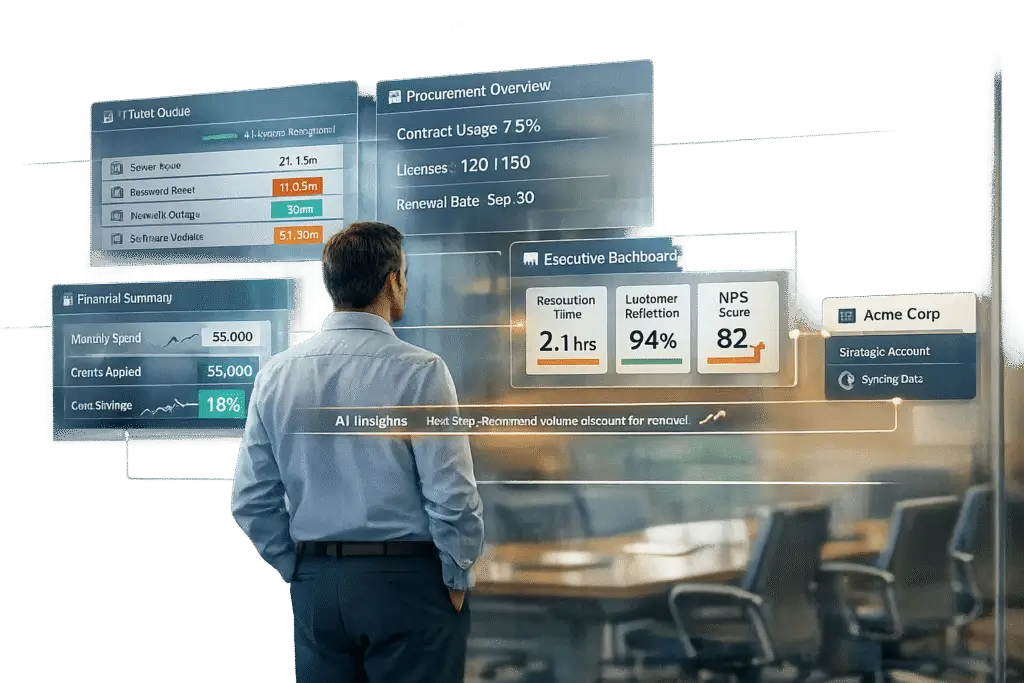
Customizing portals for large accounts isn’t just a nice-to-have – it’s essential for better customer support and business growth. Standard portals often fail these accounts because they lack personalization, context, and scalability. Tailoring portals with role-specific access, dynamic content, CRM integration, and AI tools solves these issues. The result? Faster resolutions, happier clients, and reduced costs.
Key Takeaways:
- Why Standard Portals Fail: They’re generic, lack account-specific data, and don’t scale well for complex needs.
- Custom Features That Work: Role-based access, CRM syncing, and AI tools like predictive analytics and bots.
- Real-world Impact: Companies report up to 70% fewer client drop-offs and 93% faster processing times.
- Measuring Success: Metrics like reduced churn, faster resolution times, and increased revenue show clear ROI.
By focusing on tailored solutions, businesses can turn support portals into tools that strengthen relationships and drive success.
Why Standard Portals Don’t Work for Strategic Accounts
Standard portals operate on a one-size-fits-all approach, which quickly falls apart in the intricate world of B2B relationships. Strategic accounts – those involving multiple stakeholders, complex product setups, and long-term commitments – demand a more tailored solution. Unfortunately, standard portals leave significant gaps in areas like personalization, context, and scalability.
Missing Personalization
One major flaw of standard portals is their inability to tailor experiences to specific roles. Everyone gets the same generic interface, with identical FAQs and forms. But here’s the issue: 80% of consumers are more likely to buy from brands that offer personalized experiences[3]. Imagine a CFO logging in and seeing irrelevant troubleshooting guides instead of tools to manage strategic priorities. Or an IT manager unable to find account-specific pricing or contract details. This lack of customization frustrates users, forcing them to bypass the portal and call support directly – driving up costs and wasting time.
No Context for Complex Cases
Another shortcoming is the lack of context for complicated issues. Standard portals typically limit searches to published articles, ignoring valuable insights stored in internal wikis, project documents, or past support records. Without access to this broader context, support agents are left to tackle each problem as if it’s brand new. They miss out on critical details like the account’s history, custom configurations, or stakeholder preferences. This siloed information approach prevents agents from offering informed, proactive solutions, leaving customers feeling unsupported.
Problems with Scaling
Growth poses another challenge for standard portals. Features like multi-brand help centers, community forums, and advanced automation often come with hefty enterprise-tier costs. On top of that, these portals struggle to integrate seamlessly with external tools that house essential account data. This forces teams to waste time manually categorizing tickets and tracking information. The result? A clunky, inefficient system. Considering that 91% of customers prefer solving issues themselves through an online knowledge base if it’s effective[4], standard portals fail to meet expectations for smart, context-aware self-service solutions.
sbb-itb-e60d259
How to Customize Portals for Strategic Accounts
Customizing portals for strategic accounts helps eliminate obstacles and delivers tailored solutions by combining security, relevance, and comprehensive account visibility. This method directly tackles the personalization and context challenges mentioned earlier.
Role-Based Access Controls
Role-based access controls allow each stakeholder to see only the information that aligns with their responsibilities. For instance, a CFO doesn’t need to sift through technical troubleshooting guides, while an IT manager doesn’t require access to procurement-level pricing details. By defining user personas and implementing secure login systems, you create a space where sensitive data – like account-specific pricing or internal certifications – remains accessible only to authorized users. This approach boosts both security and usability, addressing the growing demand for tailored experiences in strategic account management.
Integrating a central CRM system can further enhance this process by automating permission updates, minimizing errors, and simplifying the interface for users. Paired with role-specific access, dynamic content filtering takes the user experience to the next level.
Dynamic Content Filtering
Dynamic content filtering adjusts the information displayed based on user profile data, such as their business unit, location, job role, or past interactions. Essentially, the system adds context to every query. Ben Shoemate, an author and consultant at Base22, explains it well:
"Personalization is a dynamic search where part of the query comes from information about the user" [5].
To maintain flexibility, ensure users can access the full catalog when necessary, so business rules don’t unintentionally restrict them.
CRM Integration for Complete Account Views
CRM integration allows both agents and customers to gain a comprehensive view of the account. When your portal syncs with the CRM in both directions, updates flow seamlessly, creating a single source of truth. Support agents can instantly access customer health scores, renewal timelines, and past interactions without switching platforms. At the same time, customers can conveniently track certifications, review support histories, and access account-specific pricing – all from one place.
This type of integration strengthens strategic account management by proactively addressing potential issues before they escalate. Scott Snowden, Partner at Flywheel Strategic, highlights this advantage:
"The value of a digital portal lies in the potential to become an ecosystem – a dynamic, personalized experience that can deepen relationships, drive conversions and deliver measurable ROI" [2].
Before launching any new integrations, it’s wise to use simulation modes to test against thousands of past tickets. This ensures the system delivers accurate and reliable results [4].
AI Features for Portal Customization
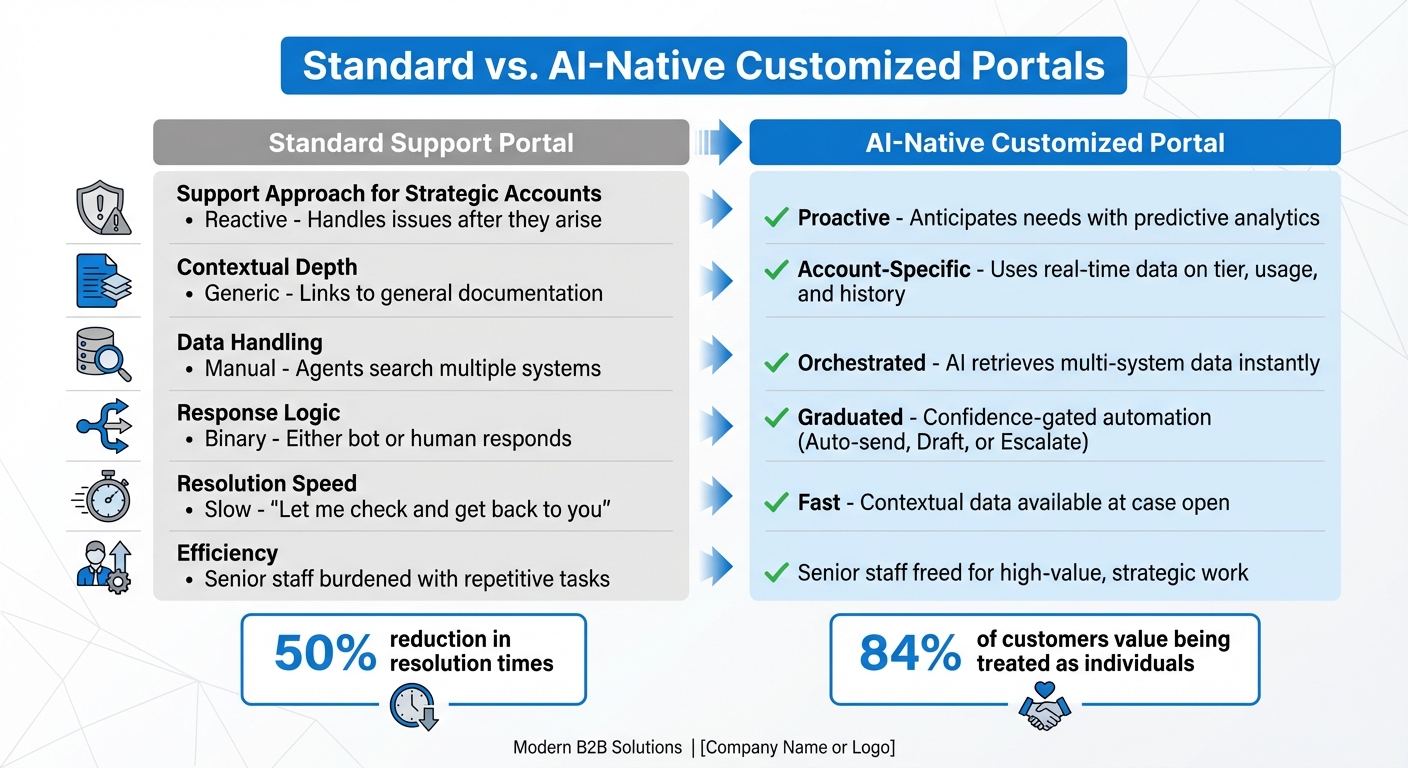
Standard vs AI-Native Customized Support Portals Comparison
AI transforms portals from static tools into dynamic systems that anticipate user needs and manage relationships more effectively. These advancements tackle challenges like personalization, contextual understanding, and scalability, enabling support teams to shift from simply reacting to tickets to managing relationships strategically.
Predictive Analytics and Sentiment Analysis
Predictive analytics helps support teams spot potential issues before they escalate. By analyzing portal activity, ticket history, and account data, AI can flag problems and identify accounts at risk, allowing for early intervention. When paired with sentiment analysis, the system can detect dissatisfaction and automatically escalate high-risk cases to senior agents. As Nooshin Alibhai, Founder and CEO of Supportbench, puts it:
"AI and machine learning play a crucial role in modern customer portals. By analyzing customer data, these technologies can predict queries, offer smart solutions, and even anticipate future needs." [1]
A key feature here is confidence-gated automation, which ensures the system knows when to act, draft a response, or escalate to a human. For instance, AI might handle billing inquiries with high confidence but flag complex technical issues for manual review. This proactive approach is further supported by AI-powered auto-summaries and bots, which streamline case management by delivering concise and actionable insights.
AI-Powered Auto-Summaries and Bots
For long, complex B2B cases involving multiple stakeholders, AI-powered auto-summaries provide agents with a clear snapshot of the case history. When a new agent steps in, they receive a summary that outlines the issue, attempted solutions, and the current status – saving valuable time.
AI bots go a step further by dynamically querying internal systems to provide tailored responses. By combining product knowledge with account-specific details like usage history, tier level, and custom configurations, these bots deliver personalized answers rather than generic responses. Omar Nasser explains:
"The ROI model shifts from cost reduction (handle more tickets with fewer people) to capacity building (e.g., reallocate senior engineer time from tier-1 documented questions to complex troubleshooting)." [7]
This approach has been shown to cut resolution times by 50%, allowing senior staff to focus on strategic tasks instead of repetitive inquiries [6]. These AI tools not only improve responsiveness but also drive measurable efficiency gains, as illustrated in the comparison below.
Comparison: Standard vs. Customized AI-Native Portals
Here’s how AI-native, customized portals stand out compared to standard ones:
| Feature/Metric | Standard Support Portal | AI-Native Customized Portal |
|---|---|---|
| Support Approach for Strategic Accounts | Reactive: Handles issues after they arise | Proactive: Anticipates needs with predictive analytics |
| Contextual Depth | Generic: Links to general documentation | Account-Specific: Uses real-time data on tier, usage, and history |
| Data Handling | Manual: Agents search multiple systems | Orchestrated: AI retrieves multi-system data instantly |
| Response Logic | Binary: Either bot or human responds | Graduated: Confidence-gated automation (Auto-send, Draft, or Escalate) |
| Resolution Speed | Slow: "Let me check and get back to you" | Fast: Contextual data available at case open |
| Efficiency | Senior staff burdened with repetitive tasks | Senior staff freed for high-value, strategic work |
While standard portals often treat AI as an optional add-on, AI-native systems integrate intelligence into every part of the support process. This shift significantly enhances service quality for strategic accounts. In fact, 84% of customers say being treated like an individual, not just a number, is critical to earning their loyalty [1]. By understanding account context, usage patterns, and relationship history, AI-native portals ensure every interaction feels personal, not transactional.
Supportbench‘s Customization Capabilities for Strategic Accounts
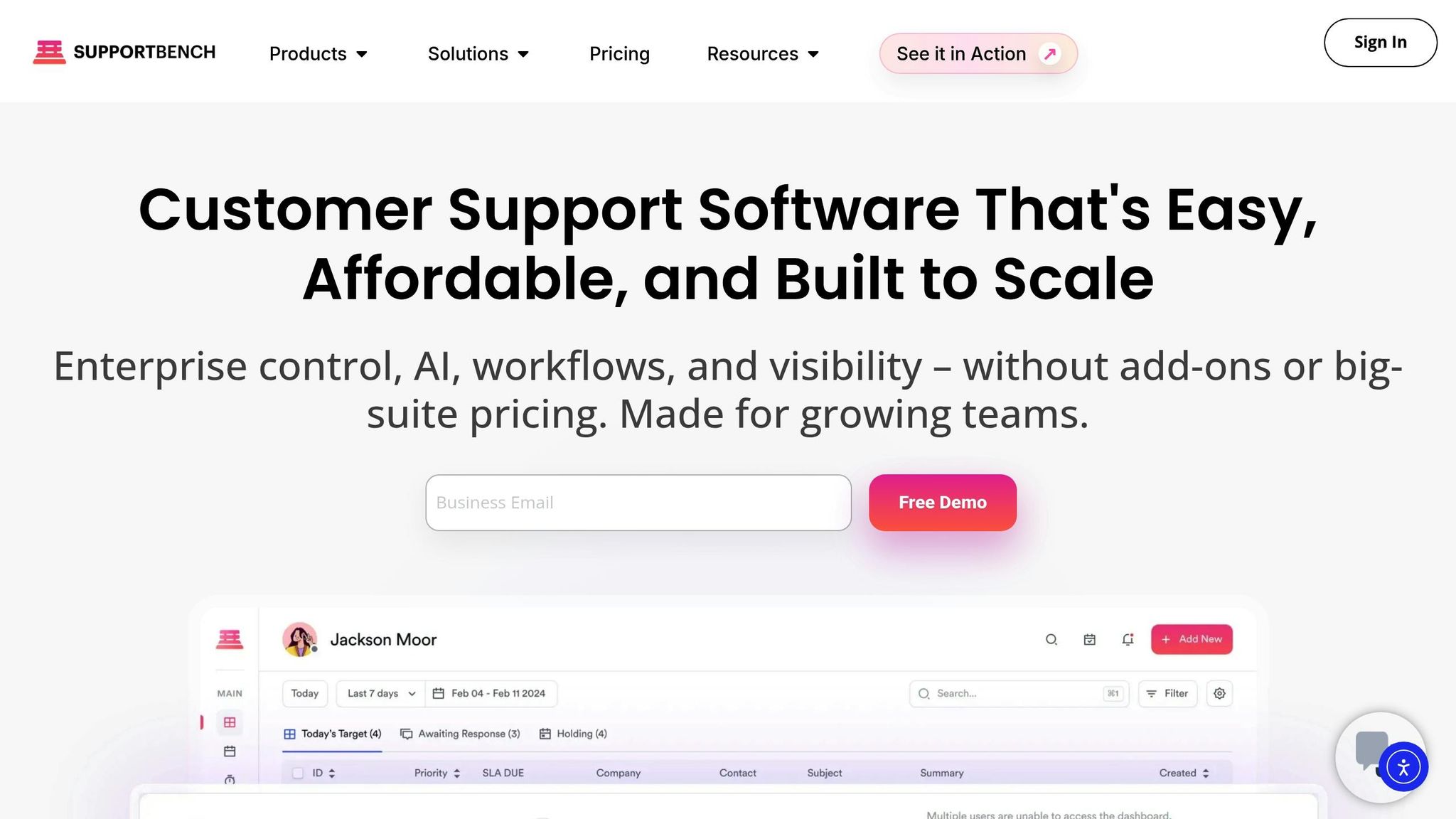
Supportbench offers a middle ground between simple support tools and intricate enterprise systems, all while keeping costs competitive. Starting at just $32 per agent per month, the platform provides configurable portals, flexible SLAs, and AI-driven workflows tailored to meet the specific needs of strategic accounts [8]. This design allows for layered adjustments that cater to the unique requirements of each account.
The platform’s multi-tier portal architecture is a standout feature, enabling businesses to define different support levels for various accounts. This ensures high-value customers receive personalized service. You can tweak visual layouts and metadata elements, while role-based access controls (RBAC), combined with SAML/LDAP authentication, keep data secure. Additionally, the "Divisions" feature separates account data, ensuring that sensitive information remains private – an essential feature for managing complex B2B relationships.
Dynamic SLAs take customization to the next level, moving beyond fixed response times. These SLAs adapt to the account’s context, such as tightening response times as renewal dates approach or adjusting priorities based on customer health scores. The workflow engine further enhances efficiency by automating ticket routing, ensuring high-priority issues are immediately assigned to the most qualified team members [9].
"Supportbench bridges the gap between the ease of use of simple customer support platforms and the customizability of enterprise systems." [8]
Integration with CRM systems brings in essential data like licensing details, renewal schedules, and usage patterns directly into the portal. This means support agents have a full view of the account before responding, eliminating the need to switch between systems or ask customers to repeat themselves. For added efficiency, custom data tables allow for the inclusion of details like infrastructure configurations, training logs, or login credentials, ensuring every interaction is well-informed.
The platform’s built-in AI tools elevate support capabilities without additional costs. Features like customer health scoring, sentiment analysis, and predictive analytics help teams transition from reactive problem-solving to proactive account management. Supportbench scales effortlessly from 50 to 5,000 agents while maintaining the integrity of these workflows. This ensures that as your portfolio of strategic accounts expands, your support system evolves to meet the demand [8].
Measuring the Impact of Customized Portals
Once you’ve implemented customization strategies, the next step is to measure their impact. Start by establishing baseline metrics such as administrative hours per week, Days Sales Outstanding (DSO), churn rate, and monthly support tickets. These benchmarks allow you to create a clear "before-and-after" comparison to assess the portal’s effectiveness.
A practical way to gauge success is by calculating ROI using this formula:
(Gain from Portal – Cost of Portal) / Cost of Portal × 100. Many organizations report impressive ROIs ranging from 400% to 750%, often breaking even by the sixth month. To put it in perspective, saving 8–10 hours weekly can translate to annual savings of about $6,000–$9,000 for a 10-person team [10].
Focus on measuring value across three key areas:
- Efficiency: Customized portals can reduce support tickets by around 25%.
- Financial: DSO can decrease by approximately five days, leading to faster cash flow.
- Relationship: Client Lifetime Value (CLV) often increases by 10–20% over two years [10].
Maxwell Finn of Unicorn Marketers emphasizes the importance of revenue impact, stating:
"We measure the success of automation by its direct impact on revenue, not by hours saved." [10]
When presenting results, break them into phases:
- Months 1–3: Focus on adoption, aiming for at least 60% user engagement.
- Months 4–6: Highlight efficiency gains and breakeven metrics.
- Months 7–12: Showcase financial results, such as reduced DSO and lower churn rates.
Early metrics like time-to-resolution and administrative hours saved are particularly effective for leading discussions. These phased insights clearly illustrate how customized portals deliver measurable business improvements.
Conclusion: Better Strategic Account Support with Customized Portals
Strategic accounts need portals that align with their specific workflows, organizational structures, and business goals. In fact, 84% of customers value being treated as individuals, and 80% prefer personalized experiences to generic ones[3]. By incorporating features like role-based access, dynamic content, and AI-powered tools, customized portals not only make operations smoother but also strengthen customer loyalty and drive sustainable growth.
The benefits go beyond user satisfaction – they directly impact revenue. For example, omnichannel customers using dynamic portals spend 4% more per transaction on average[1].
Supportbench is at the forefront of this shift, offering AI-driven solutions tailored to the intricacies of B2B support. A standout example is Wolseley, which adopted Supportbench’s enhanced ticket management system in May 2025. According to Eilis Byrnes, Customer Service Manager, the platform’s AI-powered routing and intuitive design allowed their team to "effortlessly manage thousands of emails daily"[12]. Tools like customer health scoring, dynamic SLAs, predictive analytics, and CRM integration empower teams to predict and address potential issues before they arise, delivering proactive and personalized support at scale.
This evolution from reactive to proactive support goes beyond just implementing new technology. It’s about redefining how businesses engage with their most important accounts. As Eric Klimuk, Founder and CTO of Supportbench, puts it:
"AI is not just a productivity enhancer – it is reshaping the culture of customer service itself"[11].
When portals are designed to understand account-specific contexts, anticipate needs, and provide timely insights, they transform support into a trusted partnership that drives long-term success.
FAQs
Which portal features matter most for strategic accounts?
Strategic accounts benefit from several standout features designed to meet their unique needs:
- Role-Based Access Control: Ensures that team members have the appropriate permissions, improving security and streamlining collaboration.
- Customizable Workflows: Tailors processes to fit specific account requirements, making operations smoother and more efficient.
- Account-Specific Knowledge Bases: Provides tailored information and resources, enabling quicker access to relevant solutions.
- AI-Driven Tools: Includes predictive analytics for anticipating needs and sentiment detection to better understand customer emotions.
These features work together to enhance usability, offer personalized support, and lead to better results – like resolving issues faster and boosting customer satisfaction.
How do we securely connect the portal to our CRM?
To ensure a safe connection between your portal and CRM, rely on trusted frameworks like secure APIs (e.g., SAML or LDAP) for handling authentication and access management. Use protocols such as HTTPS, OAuth, or HMAC to safeguard data during transmission. Strengthen your setup with measures like role-based access controls, data encryption, and conducting regular security audits. To further protect the integration, keep an eye on access logs and automate permission management processes. These steps help create a secure and well-maintained integration environment.
How can we prove ROI from a customized portal?
Proving the ROI of a customized portal comes down to demonstrating how its tailored features translate into measurable benefits for your business. Focus on tracking key metrics such as faster resolution times, improved customer satisfaction (CSAT), and reduced support costs.
For instance, personalized self-service options combined with AI-driven automation can significantly cut expenses by deflecting cases and streamlining processes. Additionally, role-based reporting and analytics offer real-time insights through dashboards, making it easier to showcase efficiency improvements, quicker response times, and strengthened customer retention. These metrics collectively paint a clear picture of the portal’s impact on your bottom line.






