


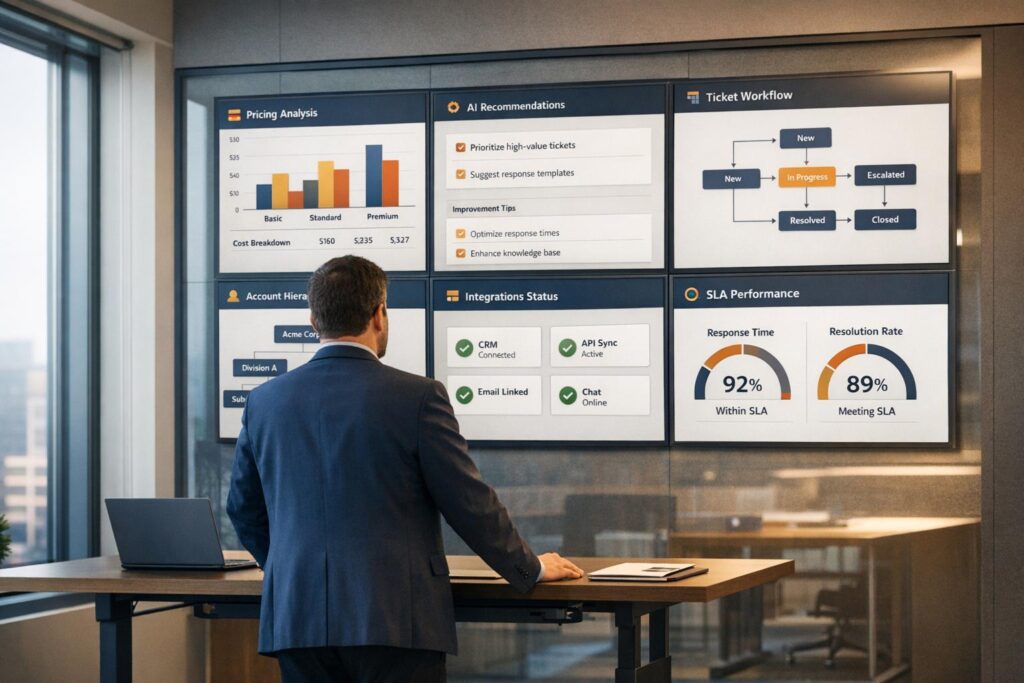
In 2026, ticketing systems are no longer just about tracking tickets – they’re tools designed to solve problems, reduce workload, and improve collaboration. If you’re looking for a platform that handles B2B support challenges like account-level visibility, multi-team workflows, and AI-driven automation, this guide compares six options:
- Supportbench: $32/agent/month. Includes AI tools, account-level insights, and dynamic SLAs. Ideal for B2B teams managing complex workflows.
- Zoho Desk: Starts at $7/agent/month. Affordable but advanced features require higher-tier plans. Best for teams using Zoho’s ecosystem.
- Intercom: From $29/seat/month + $0.99 per AI resolution. Focuses on real-time chat for product-led teams but lacks structured workflows.
- LiveAgent: Budget-friendly with basic tools. Suitable for IT teams handling routine tasks.
- Tidio: Compact solution for e-commerce and SaaS teams. Includes AI assistant Lyro for automating repetitive queries.
- Freshdesk: Starts at $19/agent/month. User-friendly but advanced features like Freddy AI come at extra cost.
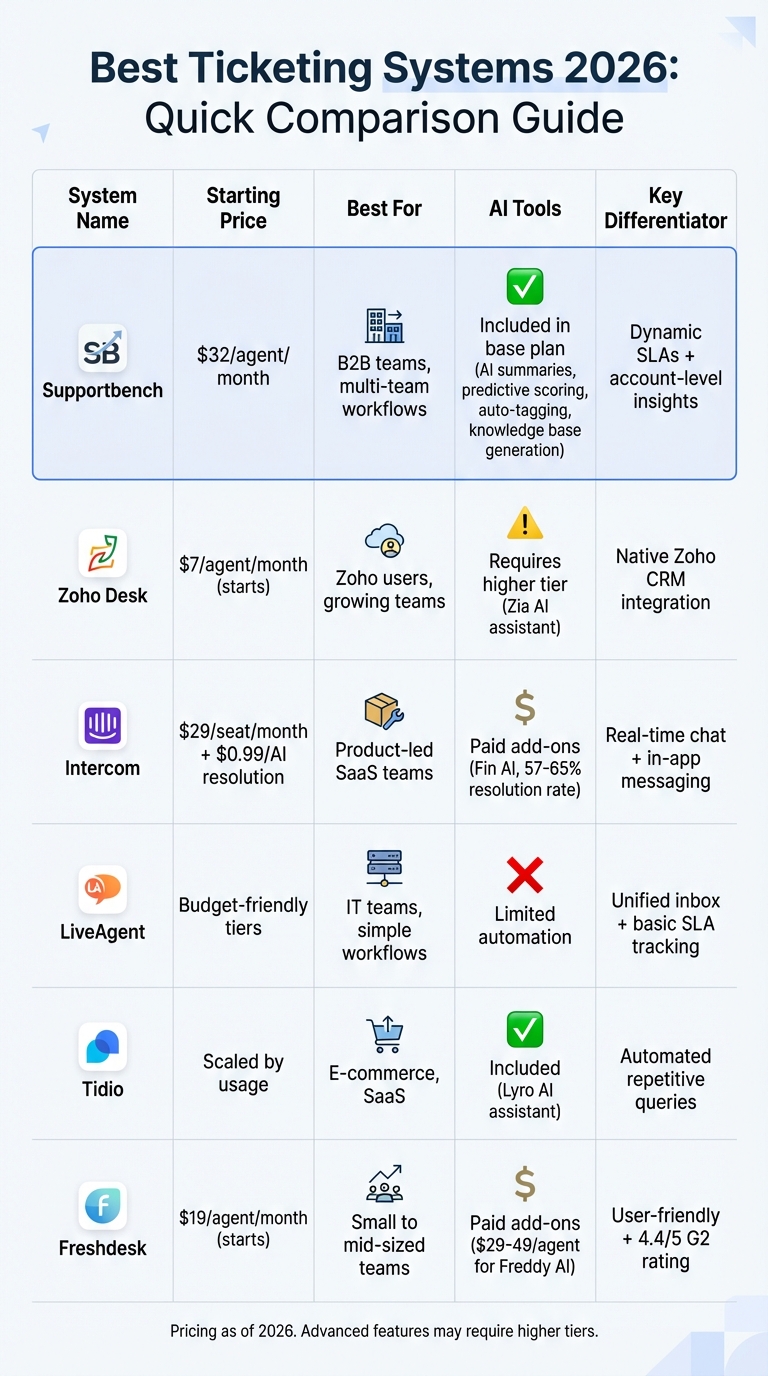
Quick Comparison:
| System | Starting Price | Best For | Key Features | AI Tools |
|---|---|---|---|---|
| Supportbench | $32/agent/month | B2B teams, multi-team workflows | AI-driven automation, account-level insights | Included in base plan |
| Zoho Desk | $7/agent/month | Zoho users, growing teams | CRM integration, Blueprint workflows | Requires higher tier |
| Intercom | $29/seat/month + AI costs | Product-led SaaS teams | Real-time chat, in-app messaging | Paid add-ons |
| LiveAgent | Budget-friendly tiers | IT teams, simple workflows | Unified inbox, SLA tracking | Limited |
| Tidio | Scaled by usage | E-commerce, SaaS | AI assistant Lyro, live chat | Included |
| Freshdesk | $19/agent/month | Small to mid-sized teams | SLA tracking, Freddy AI | Paid add-ons |
Choosing the right platform depends on your team’s size, budget, and support needs. For B2B workflows, Supportbench offers the most value upfront. Smaller teams might prefer LiveAgent or Tidio for their simplicity and cost-effectiveness.
2026 Ticketing Systems Comparison: Features, Pricing & Best Use Cases
1. Supportbench
Supportbench is built for B2B teams that need enterprise-level tools without breaking the bank. Starting at $32 per agent per month, the platform offers everything – AI, workflows, reporting, integrations, and human support – under one clear price. No hidden fees, no extra charges for advanced features, and no surprise bills for AI tools that should be standard by 2026. It’s a simple, all-in-one solution with transparent pricing right from the start.
Pricing Model
Supportbench’s pricing grows with your team, giving everyone access to the full platform from day one. There’s no need to upgrade just to unlock essentials like SLA management or custom workflows. Whether you’re a small startup or a growing nonprofit, the platform offers discounts to make it accessible at every stage. The idea is simple: pay fairly as your team expands, without being forced into higher tiers for basic functionality.
AI Capabilities
AI is woven into every part of Supportbench. Features include AI-driven case summaries, predictive scoring for CSAT and CES, auto-tagging, first-contact resolution detection, and smart prioritization. The AI Agent-Copilot taps into past cases and your knowledge base to suggest responses, while the AI auto-response tool drafts complete replies based on case history. For knowledge management, resolved cases can be automatically turned into knowledge base articles. Plus, the AI-powered customer success bot lets you analyze case trends at the account level. These tools lighten the workload for agents and speed up resolutions – no data science skills required.
But it’s not just about automation. Supportbench is designed with real-world account needs in mind.
B2B Account Context
Supportbench treats customers as organizations with multiple stakeholders, not just individual users. Agents get a complete view of each customer, including renewal dates, health scores, escalation history, and even custom data like training records or infrastructure details – all within their workspace. Integration with Salesforce ensures licensing details and notes are visible in every case, giving agents the context they need. This account-focused approach is especially useful in industries like manufacturing and logistics, where a single customer might operate across multiple locations with dozens of users.
Workflow and SLA Management
Supportbench stands out with dynamic SLAs that adapt to the situation. Instead of rigid response times, the platform adjusts based on account activity, like tightening deadlines for customers nearing renewal or prioritizing cases that involve multiple teams. Powered by embedded AI, these adjustments ensure timely service. The workflow engine simplifies complex routing without needing IT support, and the escalation management system tracks multi-level escalations with clear notes, de-escalation paths, and category tags. Agents are guided through the process, so there’s no guesswork when handling urgent issues.
Reporting and Visibility
Supportbench provides customizable dashboards, KPI scorecards, and organizational-level reporting, all without requiring third-party BI tools. You can monitor first-contact resolution, customer health scores tied to support interactions, and survey results (NPS, CES, CSAT, or custom questions) linked to cases. The reporting tools highlight patterns, like potential churn risks or knowledge gaps, before they escalate into bigger problems. Role-based security ensures that agents and customers only see what’s relevant, while support leaders get a complete view across accounts and teams. Real-time data flows seamlessly into dashboards for better decision-making.
Integration Ecosystem
Supportbench connects effortlessly to your existing tools. Its straightforward API and native Salesforce integration allow data to flow directly into the agent workspace. The email editor works like Outlook, making it easy to copy and paste images without formatting headaches. The customizable customer portal supports robust self-service, and the website widget lets users browse your knowledge base or submit tickets without leaving your site. Instead of trying to replace your tech stack, Supportbench centralizes the information agents need to resolve cases faster, while fitting smoothly into your current setup.
2. Zoho Desk
Zoho Desk is a solid choice for teams looking for extensive customization at a cost-effective price. As part of the larger Zoho ecosystem, it integrates seamlessly with Zoho CRM and other Zoho apps, making it especially appealing for teams already using Zoho tools. Even for those relying on different systems, Zoho Desk supports multi-team workflows with flexibility and affordability, making it a strong option for growing B2B teams.
Pricing Model
Zoho Desk offers a free plan for up to three agents, including basic email ticketing and help center access. Paid plans start at $7 to $14 per user per month for the Standard tier, go up to $23 per user per month for the Professional plan, and reach $40 per user per month for the Enterprise tier. The Enterprise plan includes advanced AI tools powered by Zia. While the pricing structure is straightforward, teams will need to invest in higher-tier plans to access the full range of features. Let’s dive into how Zoho Desk’s AI tools contribute to automation and efficiency.
AI Capabilities
Zia, Zoho’s AI assistant, enhances support operations with features like automated ticket tagging, sentiment analysis, and predictive assignment. It can recommend responses by analyzing past cases and flag tickets that might require escalation. Even if your team isn’t ready to adopt AI immediately, Zoho Desk offers robust automation through its Blueprint workflows. These workflows allow you to design and enforce ticket resolution processes without any coding, ensuring a smooth and efficient system for handling customer requests.
B2B Account Context
Zoho Desk’s native integration with Zoho CRM gives agents a complete view of account health, deal stages, and customer history – all accessible directly within a ticket. This integration enables context-aware communication, making it easier to manage account-based support across multiple teams. The Blueprint feature enhances this collaboration by streamlining workflow management, ensuring that every team stays in sync.
Workflow and SLA Management
Zoho Desk builds on its CRM integration with the Blueprint feature, which helps map out ticket lifecycles, enforce SLA policies, and automate inter-team handoffs. You can set up approval chains, escalation paths, and conditional routing to ensure smooth operations. SLA management is included starting with the Professional tier, and advanced tools like time tracking and role-based dashboards provide greater visibility into team performance. For teams handling multi-step processes, Blueprint ensures no step is overlooked. These streamlined workflows not only improve efficiency but also provide actionable insights for ongoing optimization.
Reporting and Visibility
Zoho Desk offers customizable dashboards, scheduled reports, and role-based views to track key metrics like first-contact resolution, response times, and customer satisfaction. Teams on the Enterprise tier gain access to advanced reporting features, including support for multiple brands and deeper analytics. For those needing even more comprehensive insights, Zoho Analytics integration is available. These reporting tools help teams identify trends, address bottlenecks, and maintain a proactive approach to customer support.
3. Intercom
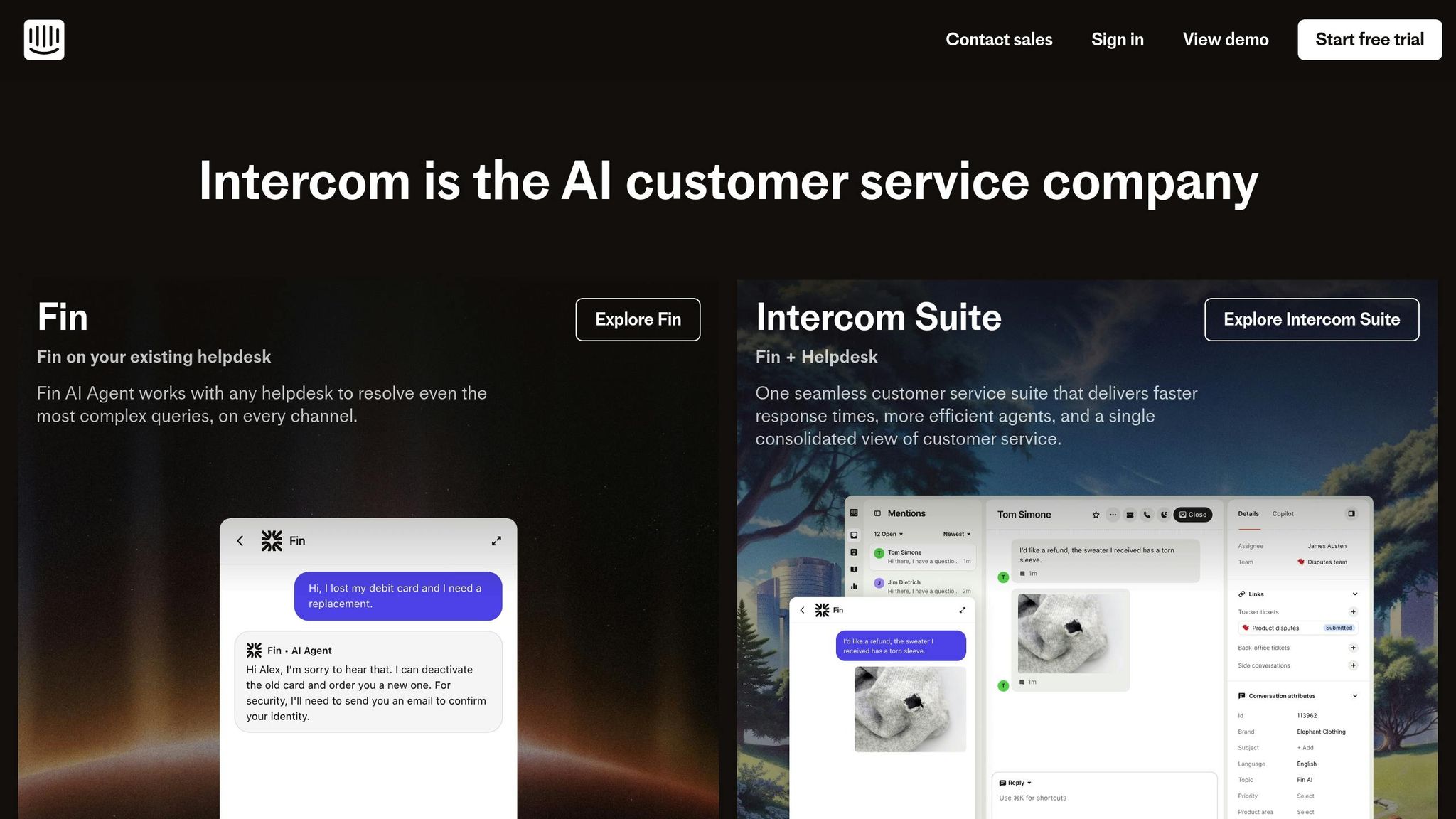
Intercom is tailored for product-led growth (PLG) companies that want to integrate support with onboarding, engagement, and conversion. Unlike traditional ticket-based systems, Intercom focuses on real-time chat, in-app messaging, and behavior-based triggers. This makes it a great fit for SaaS teams aiming to guide users through their product experience while addressing issues quickly. However, for teams managing account-based workflows, structured escalations, or internal IT requests, Intercom might feel less aligned compared to platforms specifically designed for those needs. Let’s dive into its pricing model and other features to see how it stacks up.
Pricing Model
Intercom’s pricing starts at around $74 per month for basic access, but most teams will need a custom quote based on the number of users, feature requirements, and usage volume. This positions Intercom on the higher end of the pricing spectrum. Additionally, its lack of straightforward pricing transparency often means engaging with sales for a tailored plan. For smaller teams, the cost can be hard to justify unless there’s a clear strategy for setup and adoption.
AI Capabilities
Intercom integrates AI through its Fin agent and AI Copilot. Fin handles automated resolutions using chatbot flows and behavior-based triggers, while the AI Copilot assists human agents by drafting responses and highlighting relevant help articles. These AI tools are available as paid add-ons, adding another layer to the platform’s cost considerations.
B2B Account Context
Intercom shines in scenarios where support, sales, and customer success teams collaborate on onboarding and retention efforts. Its design is well-suited for product-led teams but may fall short for businesses needing structured ticketing systems or strict SLA processes. For teams that depend on clear multi-department handoffs or rigid SLA enforcement, Intercom’s conversational and less traditional approach might feel limiting compared to standard helpdesk platforms. While it’s ideal for product-led companies, its appeal can diminish for B2B teams requiring more structured, account-level support.
Workflow and SLA Management
Rather than relying on conventional ticket routing and SLA-based escalations, Intercom emphasizes automation through chatbot flows and proactive messaging. This approach works well for teams focused on self-service and behavior-triggered outreach. However, for workflows that demand multi-step approvals, tightly tracked SLAs, or seamless inter-department processes, the platform may require creative workarounds to meet those needs.
Reporting and Visibility
Intercom’s reporting tools are designed to track product engagement and support performance, with a strong focus on areas like onboarding, feature adoption, and conversion. This allows teams to measure how support interactions influence user behavior and retention. However, for organizations that prioritize traditional support metrics – such as first-contact resolution, average handle time, or SLA compliance – Intercom’s reporting leans more toward product-centric insights than operational metrics. This makes it an excellent choice for PLG teams but potentially less appealing for those focused on traditional support workflows.
4. LiveAgent
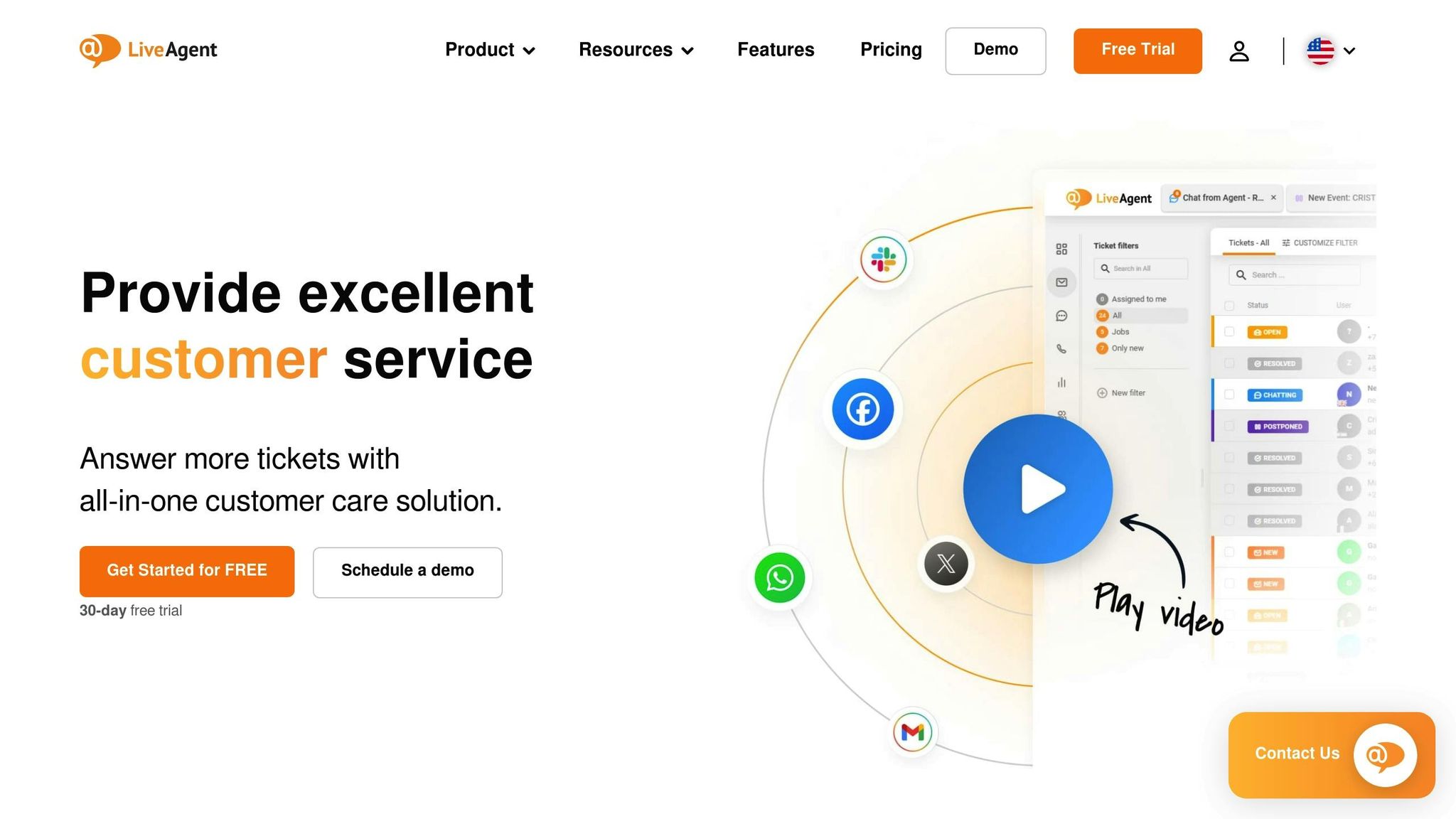
LiveAgent stands out as a go-to option for IT teams looking to manage their budgets effectively [5]. It provides essential ticketing features, making it a solid choice for support teams that need straightforward ticket management and a unified inbox for multiple communication channels. This platform is particularly suitable for organizations like internal IT departments or service providers with predictable, routine workflows.
Pricing Model
LiveAgent offers a straightforward, tiered pricing structure that’s clearly outlined on its website. This transparency allows teams to easily compare plans and choose one that aligns with their budget.
AI Capabilities
When it comes to automation, LiveAgent covers the basics. It includes features like ticket routing and canned responses. However, it doesn’t offer more advanced AI tools, such as sentiment-based auto-tagging or AI-generated summaries, which are becoming more common in sophisticated platforms.
Workflow and SLA Management
LiveAgent simplifies support operations with workflow tools like ticket merging, rule-based routing, and SLA tracking. These features help keep standard support queues running smoothly.
Reporting and Visibility
The platform provides reporting on key metrics such as ticket volume, response times, agent performance, and SLA compliance. These insights make it easier for teams to identify and address bottlenecks in their processes.
While LiveAgent delivers the essentials for efficient B2B support, it’s best suited for teams handling routine tasks. For organizations needing advanced AI capabilities or more robust integrations, other platforms might better meet those demands.
sbb-itb-e60d259
5. Tidio
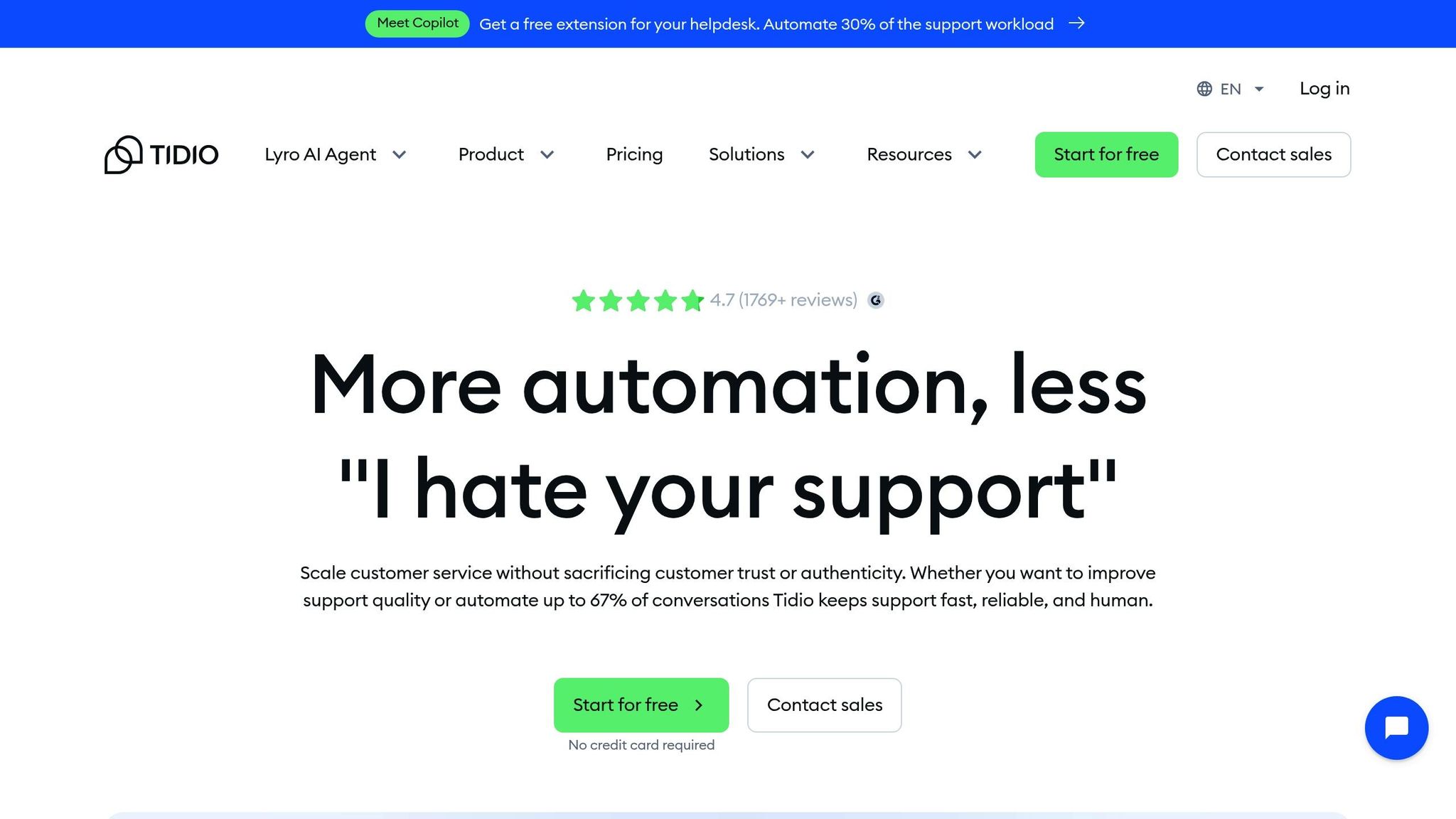
Tidio stands out as a compact ticketing solution tailored for real-time support, specifically designed to meet the needs of e-commerce and SaaS teams. It offers a blend of live chat, ticketing, and AI-powered automation – all in one platform – without the complexity of enterprise-level systems [5]. One of its standout features is Lyro, a generative AI tool that uses your knowledge base and website content to answer customer questions. Let’s dive into how Tidio’s pricing, AI capabilities, and workflow features can enhance team efficiency.
Pricing Model
Tidio uses a tiered pricing structure that adjusts based on the number of operators and the volume of support needed. This scalable approach ensures teams can find a plan that matches their support demands, with transparent pricing available online.
AI Capabilities
At the heart of Tidio’s AI functionality is Lyro. This assistant tackles repetitive queries, like business hours or password resets, by pulling information directly from your documentation and website. It’s designed to save time by automating responses to common customer questions.
Workflow and SLA Management
Tidio’s Departments feature ensures tickets and chats are routed to the right team – whether it’s Sales, Support, or Billing – based on the inquiry type. This streamlined routing helps multi-team operations stay organized and efficient.
Integration Ecosystem
Tidio seamlessly connects with major e-commerce platforms, making it easier to integrate live chat and support tools directly into your existing workflows. This ensures a smoother experience for both teams and customers.
6. Freshdesk
Freshdesk is a ticketing system designed for small to mid-sized B2B teams looking for an affordable way to organize their support operations. It features a user-friendly interface, quick setup, and tools like automated ticket routing, SLA tracking, and multi-channel support. With a solid 4.4/5 rating on G2, users often highlight its ease of use and smooth onboarding process [1]. However, as businesses scale and require more complex, high-touch support across multiple teams, Freshdesk’s capabilities might feel limiting. It caters well to smaller teams but may fall short for those with more demanding operational needs.
Pricing Model
Freshdesk’s pricing starts at $19 per agent per month. However, access to advanced features like full SLA management, custom roles, and AI tools requires upgrading to higher-tier plans [1][3]. While the entry-level pricing is appealing, teams often find themselves needing to upgrade as their support requirements grow, especially for automation and in-depth reporting.
AI Capabilities
Freshdesk’s AI tool, Freddy AI, offers features like predictive ticket routing, automated summaries, language translation, and tone coaching. It can also suggest pre-written responses based on your knowledge base. However, these AI tools are primarily offered as paid add-ons rather than being included in the standard plans [5][6]. This contrasts with platforms like Supportbench, where AI is built into the core offering, making Freddy AI an additional expense for teams aiming to leverage its full capabilities.
Workflow and SLA Management
Freshdesk simplifies B2B workflows by automating tasks like ticket categorization, prioritization, and routing based on specific ticket details or customer attributes. It also includes SLA tracking to monitor response times and features like agent collision detection to prevent duplicate efforts. For more personalized support, the platform offers a Customer Distress Index to identify at-risk customers [1]. While these tools are effective for basic operations, users have noted that Freshdesk lacks the advanced workflow customization and scalability found in more enterprise-focused solutions [1][2].
Reporting and Visibility
When it comes to reporting, Freshdesk provides essential tools but has some limitations for B2B leaders who need deeper insights. Advanced analytics and custom workflows are only available in the top-tier plans [1][2]. For teams requiring real-time data on account health, escalation patterns, or cross-department performance, these constraints can be a drawback. This makes it essential for businesses to weigh their reporting needs carefully when considering Freshdesk as their support platform.
Comparison: What Each System Does Best
When choosing a new ticketing system, the real differences often go beyond the feature lists. They’re found in the total cost of ownership, how quickly the system can be implemented, and whether its AI features genuinely improve team efficiency – or just inflate your monthly expenses. Let’s dive into how these systems compare on cost, AI capabilities, and ease of implementation.
Supportbench stands out with enterprise-level features at $32 per agent per month, including all AI tools right from the start. There are no extra charges for features like CSAT prediction, auto-tagging, or knowledge base generation. For B2B teams juggling account-based support and renewal management, this means full visibility into customer health, dynamic SLAs that adapt to account status, and built-in AI tools without hidden fees. This setup makes Supportbench a strong choice for teams handling complex workflows across multiple departments.
Zoho Desk offers an entry price of $7 per user per month, but advanced features such as analytics and custom dashboards are only available in higher-tier plans. Teams should also be aware of a 20–25% surcharge for premium support [7]. If your organization already uses Zoho CRM or other Zoho products, the integration is a definite advantage. While the initial setup is straightforward, scaling to support multiple teams often requires upgrading to more expensive plans.
Intercom focuses on conversational support, powered by its Fin AI, which boasts resolution rates between 57% and 65% [7]. Pricing starts at $29 per seat per month, but the AI agent comes with an additional cost of $0.99 per resolution. Intercom is ideal for product-led growth companies that prioritize chat-based support and onboarding. However, it may fall short for teams that need robust, multi-department support capabilities. Implementation typically takes four to eight weeks [4].
For teams with simpler requirements, LiveAgent and Tidio offer affordable pricing and quick setup. These platforms are better suited for organizations that don’t need advanced reporting, dynamic SLA management, or comprehensive AI tools often required for account-based service models.
Freshdesk occupies a middle ground, with a popularity score of 4.6 out of 5 [2][5] and pricing starting around $19 per agent per month. However, its advanced features are locked behind higher-tier plans. The Freddy AI add-on costs an extra $29–$49 per agent per month, and enterprise-level subscriptions (approximately $89 per agent per month) are required to access in-depth analytics.
The real difference in cost becomes apparent over time. Legacy systems often charge around $50 per agent per month for AI add-ons, require consultants for implementation, and place essential features behind premium tiers [7]. Modern platforms like Supportbench, on the other hand, bundle key features upfront, reduce implementation complexity, and offer scalable pricing as your team grows. For B2B support leaders managing renewal-driven relationships, this level of pricing clarity is crucial. When evaluating ticketing systems, it’s not just about the features – it’s about how well the platform enhances operational efficiency and provides better insights into your customers.
Which Ticketing System Should You Choose?
When it comes to selecting the right ticketing system, your decision should hinge on factors like team size, your support model, and whether you’re comfortable paying extra for features that some platforms include by default. Below, we break down recommendations for different scenarios and needs.
For B2B teams managing account-based support, multi-department workflows, and renewal-driven relationships, Supportbench stands out. Designed specifically for B2B workflows, it facilitates seamless collaboration across departments. At $32 per agent per month, Supportbench includes crucial features like embedded AI and dynamic SLAs without any hidden fees. If your team requires tools like account health scoring, comprehensive customer visibility, and dynamic SLAs, Supportbench delivers an excellent balance of functionality and value. According to Bain & Company, improving customer retention rates by just 5% can increase profits by 25-95% [8]. This makes your choice of support system not just an operational decision but a strategic one for revenue growth.
For teams already using Zoho’s ecosystem, Zoho Desk is a natural fit. Starting at approximately $14 per agent per month, it integrates seamlessly with Zoho’s CRM, offering account-level insights that enhance multi-team workflows.
Intercom caters to product-led teams that emphasize real-time chat and in-app support. Starting at $29 per seat per month, it also charges $0.99 per AI resolution. Its Fin AI system resolves 57-65% of routine inquiries [7]. However, if your team requires robust multi-department support, Intercom may not fully meet your needs.
Smaller teams with simpler requirements might find LiveAgent or Tidio to be ideal choices. These platforms are budget-friendly, easy to set up, and effective for teams that don’t need advanced reporting or in-depth account-level visibility. With AI automation, these tools can reduce support costs by 15-30% within the first year [4].
For a well-rounded option, Freshdesk is worth considering. With a popularity score of 4.6 out of 5 [2][5], it offers a good mix of features. However, additional AI capabilities like the Freddy AI add-on come at an extra cost, ranging from $29 to $49 per agent per month.
Ultimately, the best ticketing system is one that aligns with your operational goals and grows with your business. It’s not about having an endless list of features – it’s about choosing a platform that helps you manage more customers effectively without needing to scale your team proportionally.
FAQs
What are the key advantages of AI-powered ticketing systems?
AI-powered ticketing systems offer a game-changing advantage for customer support teams, simplifying workflows and boosting overall efficiency. By automating routine tasks like routing tickets, adding tags, and summarizing issues, these systems free up agents to tackle more challenging and nuanced customer concerns.
They also step up productivity with tools like real-time insights, sentiment analysis, and risk alerts, helping agents deliver faster, more tailored responses. On top of that, features such as knowledge base creation, smarter search capabilities, and auto-suggestions make it possible to scale support operations without needing to grow the team.
By cutting down on manual work and speeding up resolution times, these platforms not only reduce costs but also enhance customer satisfaction and loyalty.
What are dynamic SLAs, and how do they improve customer support efficiency?
Dynamic SLAs are a game-changer for managing service-level agreements. They adjust response and resolution times automatically, taking into account factors like ticket priority, the customer’s account tier, or even the current workload of your team. This means urgent, high-impact issues get addressed more quickly, while less critical tasks are handled without disrupting the flow.
By tailoring deadlines to the specific context of each ticket, dynamic SLAs allow agents to focus on the most pressing matters. This reduces unnecessary escalations, keeps workflows running smoothly, and ensures resources are used efficiently. The result? A better experience for customers, as their most critical needs are addressed with the urgency they deserve.
What is the best ticketing system for a small B2B team on a limited budget?
For small B2B teams working with tight budgets, the best ticketing systems are those that pack essential features – like ticket management, omnichannel support, and AI tools – into an affordable, all-in-one plan. It’s important to choose platforms that steer clear of hidden fees or pricey add-ons, ensuring your costs remain predictable as your team expands.
Some budget-friendly options include plans that cover email, chat, and social media support, along with AI-powered tools like ticket suggestions and auto-tagging. These features not only simplify workflows but also make the system easy to set up and scale, keeping administrative tasks to a minimum while offering professional-grade support capabilities.
Look for solutions that emphasize transparent pricing and user-friendly design. This way, you can manage expenses effectively without compromising on the quality of customer support your team provides.
Related Blog Posts
- Zendesk vs Freshdesk vs Supportbench: Which Support Platform is Better and for who in 2026?
- How AI Predicts Ticket Priority
- NLP for Ticket Routing: How It Works
- How AI Improves Time Management in Support
Evaluating help desks for a B2B team?
Supportbench is all-inclusive from $32 per agent per month, with migration and onboarding included. See pricing or book a 20-minute demo.






