


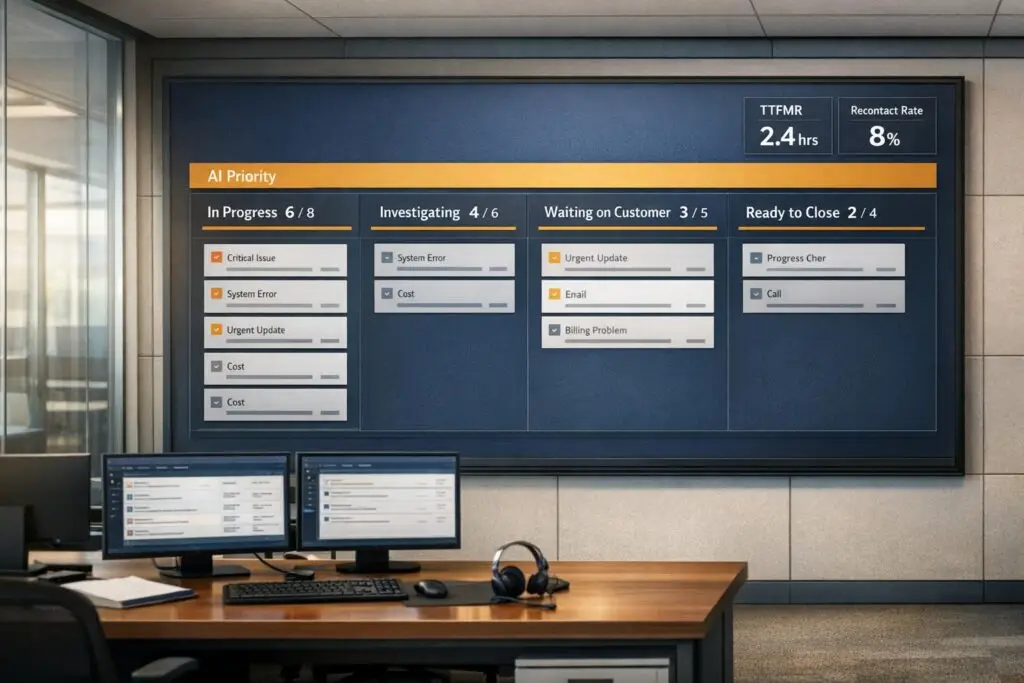
Chasing "zero backlog" in B2B support is unrealistic and counterproductive. Here’s why:
- Complexity of B2B Issues: Unlike B2C, B2B tickets often require deep investigation, coordination, and technical troubleshooting, making same-day resolutions impractical.
- Agent Burnout: Unrealistic goals create "queue anxiety", leading to stress, shortcuts, and high turnover rates.
- Inefficiency: Rushing to clear tickets often results in unresolved issues, repeat contacts, and customer dissatisfaction.
Instead of aiming for zero, focus on smarter workload management:
- Prioritize Critical Work: Use AI tools for triage, sentiment analysis, and prioritization to address high-stakes cases first.
- Healthy Metrics: Track meaningful indicators like Time-to-First-Meaningful-Response (TTFMR) and recontact rates to ensure quality.
- Support Agents: Implement Work-in-Progress caps, allow time for non-ticket tasks, and invest in better tools to reduce manual effort.
The goal isn’t to eliminate backlogs but to manage them effectively, balancing customer needs with agent well-being.
How Zero Backlog Expectations Hurt Agents
Queue Anxiety and Its Psychological Effects
The push for zero backlog can create a relentless cycle of stress for customer support agents, leading to what is often called "queue fatigue." Imagine staring at an endless list of unresolved tickets, with little room to breathe or adapt. Over time, this can cause emotional exhaustion and burnout. Agents may feel detached, losing the emotional energy needed to tackle complex B2B issues effectively [7].
"Queue fatigue is the feeling brought on by long, seemingly endless hours in the support queue with little flexibility or support. The queue simply becomes all-consuming and vast."
The statistics paint a sobering picture. 74% of customer support team members experience burnout at some point, while only 7% of young adults report never feeling overwhelmed or unable to cope [7]. Unrealistic backlog expectations can lead to feelings of failure, cynicism, and even a sense of being trapped. To cope, some agents resort to shortcuts, like using auto-responses to pause SLAs – actions that often backfire by increasing internal stress [4].
The financial toll is just as striking. Replacing a burned-out agent can cost about 20% of their annual salary – roughly $12,000 for a $60,000 role. On the flip side, offering two weeks of vacation to prevent burnout costs only around $2,300 [7].
These psychological pressures don’t just affect individuals – they ripple outward, disrupting operations as agents struggle to maintain quality under mounting stress.
Operational Problems Caused by Unrealistic Backlog Goals
The scramble to clear tickets quickly often leads to more harm than good. Rushed resolutions frequently result in unresolved issues resurfacing, driving up recontact rates [4]. In large, unorganized backlogs, critical signals – like bugs tied to new feature launches or potential churn risks from high-value accounts – can get buried beneath low-priority requests [3].
For B2B customers, this inefficiency is particularly damaging. Repeated back-and-forth interactions, unnecessary transfers, and redundant identity verifications create friction that drives customer dissatisfaction and, ultimately, churn [4]. And when teams push through workload spikes without addressing the root causes, backlogs can balloon to several times their original size [3].
The challenges have only grown in recent years. Support ticket volumes were 20% higher in 2021 compared to pre-pandemic levels [3]. Meanwhile, traditional call centers continue to grapple with annual turnover rates as high as 75%, largely driven by burnout [8].
Adding to the problem, outdated tools further complicate the process, making it even harder for agents to manage their workload effectively.
How Outdated Tools Make Queue Anxiety Worse
Outdated support tools amplify the chaos of managing a busy queue. These systems often require agents to manually read and route every ticket while juggling multiple tabs to find customer history, billing details, or technical documentation. This time-consuming process makes it easy for high-priority issues to slip through the cracks or bounce between teams indefinitely.
Older tools typically rely on simplistic categorization methods, like sorting tickets by subject lines or keywords. This approach often fails to capture the true urgency or intent behind a customer’s issue, leaving agents to pick up the slack. The result? A massive, unmanaged queue that feels impossible to tackle, further increasing stress and frustration.
These inefficiencies also create what are known as "effort proxies" – extra steps that drain both agents and customers. For example, rigid, rule-based automation often breaks down when faced with complex, unscripted inquiries. This forces agents to spend more time de-escalating customer frustration, adding to their emotional labor.
Modern AI-driven solutions offer a glimpse of what’s possible. With 98% accuracy, these systems can automatically remove up to 20% of tickets – like spam, duplicates, or unnecessary follow-ups – freeing agents to focus on more meaningful work [1]. In contrast, older systems rely on lagging metrics like CSAT or SLA attainment, which only highlight problems after they’ve escalated, rather than predicting backlog growth 24 to 72 hours in advance [4].
The difference in agent empowerment is stark. Research shows that 92% of agents who aren’t at risk for burnout feel confident making decisions, compared to just 59% of those at severe risk. Outdated tools rob agents of this much-needed sense of control, worsening both their stress and the customer experience [7].
How to Prevent Call Center Agent Burnout – Especially During a Crisis
Healthy Workload Management vs Zero Backlog
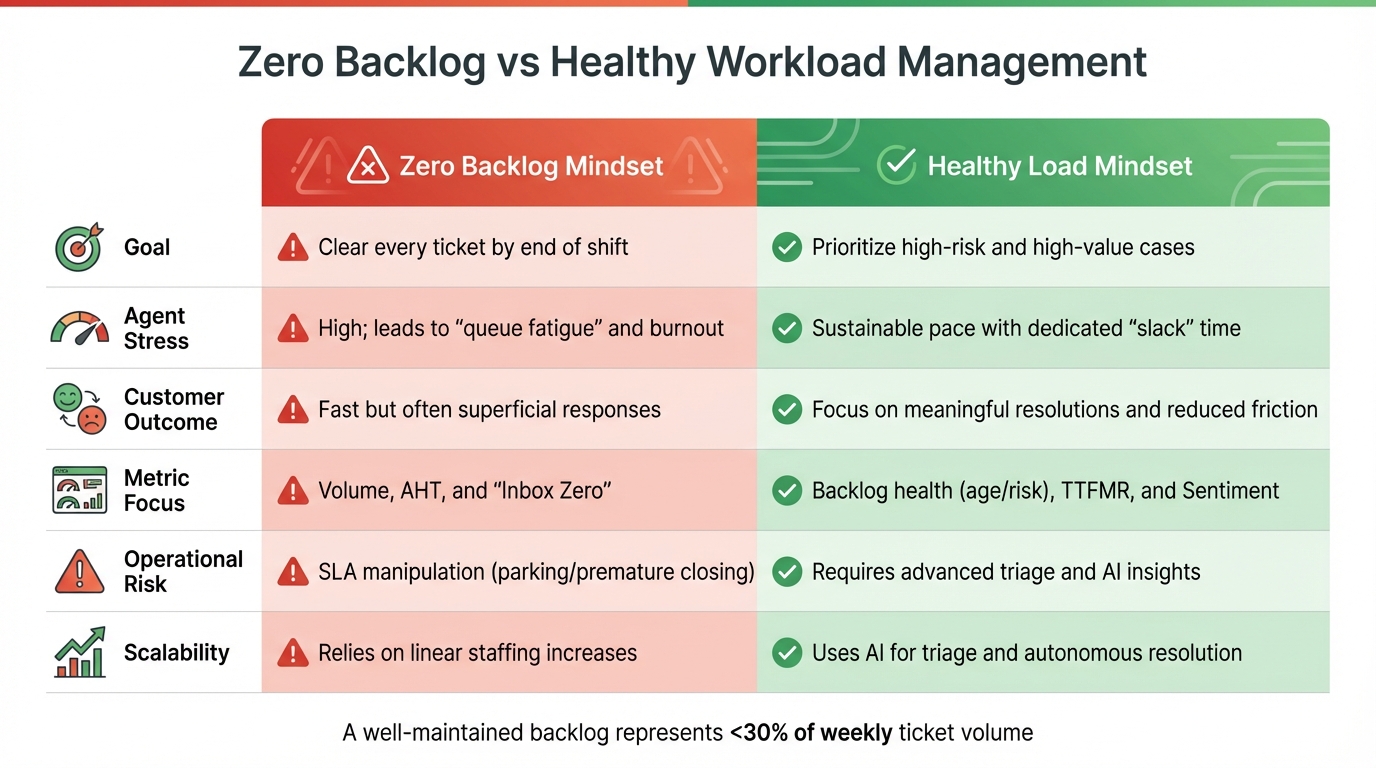
Zero Backlog vs Healthy Workload Management: Key Differences
Metrics for a Healthy Backlog
Shifting from a "zero backlog" mentality to managing workloads effectively starts with focusing on metrics that truly matter. Instead of aiming to clear every ticket, prioritize leading indicators that help identify potential issues before they escalate. For instance, Time-to-First-Meaningful-Response (TTFMR) measures the moment a customer receives actionable information – not just an automated reply. Similarly, recontact rates within 3-7 days can highlight unresolved issues, while effort proxies – like excessive back-and-forth communication or frequent internal transfers – can expose hidden inefficiencies that frustrate clients, especially in B2B contexts [4]. While delays can be acceptable, repetitive interactions are not [4].
AI tools add another layer of precision by using sentiment scores to prioritize tickets based on frustration levels or churn risk rather than the order of submission [3]. A well-maintained backlog often represents less than 30% of the weekly ticket volume, with SLA compliance rates between 80-90% and First Contact Resolution (FCR) rates ranging from 65-75% [9].
"If your analytics cannot trigger routing, policy changes, or autonomous resolution in the moment, you are doing post-mortems while the queue grows."
These metrics allow teams to create policies that meet operational goals while considering agent well-being.
Policy Changes to Support Realistic Goals
Once the right metrics are in place, updated policies can help manage workloads more effectively. Instead of striving for a "clean slate" every day, define acceptable backlog levels based on account health and contract value [4]. Introduce "stop-clock" policies for tickets marked "Pending on Customer", ensuring SLA management remains fair without penalizing agents for delays beyond their control [4].
To prevent burnout, implement Work-in-Progress (WIP) caps and dedicate 20% of each workweek to tasks outside the queue, such as updating documentation or refining processes. This approach enhances productivity over the long term [5][11].
Establish clear recontact windows – typically 3-7 days – where follow-ups on unresolved issues are treated as failures of First Contact Resolution, not new tickets. This discourages system manipulation and promotes true accountability for resolutions [4]. Additionally, schedule regular "Backlog Blitz" sessions to address tickets older than 7 or 15 days, clearing out stagnant cases that require managerial involvement [5].
These policy changes not only streamline operations but also alleviate queue-related anxiety, fostering sustainable performance.
Comparison: Zero Backlog Mindset vs Healthy Load Mindset
The table below highlights key differences between a zero backlog mindset and a healthy workload approach:
| Dimension | Zero Backlog Mindset | Healthy Load Mindset |
|---|---|---|
| Goal | Clear every ticket by end of shift [10] | Prioritize high-risk and high-value cases [4][3] |
| Agent Stress | High; leads to "queue fatigue" and burnout [7] | Sustainable pace with dedicated "slack" time [11] |
| Customer Outcome | Fast but often superficial responses [10] | Focus on meaningful resolutions and reduced friction [4] |
| Metric Focus | Volume, AHT, and "Inbox Zero" [10] | Backlog health (age/risk), TTFMR, and Sentiment [4][3] |
| Operational Risk | SLA manipulation (parking/premature closing) [4] | Requires advanced triage and AI insights [4][3] |
| Scalability | Relies on linear staffing increases | Uses AI for triage and autonomous resolution [4] |
The zero backlog mindset often traps teams in a cycle of rushing to meet arbitrary goals, which leads to shallow resolutions and repeat issues, ultimately increasing the backlog. By contrast, a healthy workload approach leverages AI to handle routine tasks, allowing agents to focus on delivering meaningful solutions for complex cases. This shift not only improves customer outcomes but also supports a more sustainable and effective work environment.
sbb-itb-e60d259
Using AI to Manage Backlog and Reduce Queue Anxiety
AI-Driven Workload Prioritization
Traditional systems often rely on rigid if-then rules, which can leave urgent issues buried under miscategorized, low-priority tickets. AI takes a smarter approach, analyzing multiple factors at once – like customer sentiment (e.g., frustration or anger), urgency keywords such as "outage" or "system down", customer tier from CRM data, and patterns like rapid follow-ups [12]. By prioritizing critical issues accurately, AI spares agents from manually sorting through overwhelming queues, addressing the stress of queue anxiety at its core.
Take Katherine Sullivan, SVP of Customer Success at Salesforce, for example. She introduced AI-powered sentiment monitoring, enabling her team to respond swiftly to spikes in negative sentiment. The outcome? A 56% drop in escalation rates [2]. Similarly, Matt Blair at Databricks leveraged AI to create real-time alerts based on ticket content, helping his team intercept issues early, reduce SLA misses, and improve CSAT [2].
AI also eliminates unnecessary clutter by filtering out spam, ads, and irrelevant responses, ensuring agents focus on genuine customer needs [1]. When integrated with CRM data, AI can automatically prioritize high-value clients, like "Premier" tier customers, so they’re never stuck behind routine requests [12].
"AI determines priority not just based on a selected field or a single keyword, but by analyzing a confluence of factors… AI cuts through the noise to identify truly urgent issues." – Nooshin Alibhai, Founder and CEO, Supportbench [12]
On top of prioritization, AI simplifies ticket triage by enriching the context of each case.
Automating Triage and Case Enrichment
Using Natural Language Processing, AI identifies intent, product names, and issue types – whether it’s a bug report or a feature request – and automatically tags, prioritizes, and links relevant CRM data or knowledge base articles before an agent even opens the ticket [12][1].
The most effective AI triage systems evaluate tickets across three dimensions: Urgency (how time-sensitive the issue is), Sentiment (the emotional tone and frustration level), and Business Importance (customer tier or revenue impact) [13]. Even when customers don’t explicitly use urgent language, AI can detect negative sentiment and escalate the priority accordingly [12][13]. This ensures critical issues don’t get stuck in a first-come, first-served queue.
AI also routes tickets to the right agent based on expertise and workload, reducing case bouncing between teams [12][1]. This approach has been shown to cut resolution times by as much as 50% [1].
"Reading and routing tickets is mundane work… appropriately directing tickets can be time consuming and resource draining." – Deon Nicholas, President, Forethought [1]
For common queries, AI identifies patterns and enables "one-click" macros – automatically applying responses, updating fields, and closing tickets. With a well-maintained macro library, some teams achieve a 60% auto-close rate, meaning 6 out of 10 tickets are resolved without custom input [13]. Conducting a "macro audit" of recent support data can help identify the best candidates for automation [13].
Once triage and prioritization are automated, AI-powered dashboards take over to give agents real-time clarity on what to tackle next.
Real-Time Queue Visibility and Clear Workflows
AI dashboards provide tailored, role-based views for agents, team leads, and executives, showing exactly which cases need attention first. Chris Todd, Director of Support Quality & Service Enablement at Snowflake, likened this to a pilot’s cockpit:
"My team and my managers see SupportLogic as their cockpit, I’m flying a plane. This is the cockpit" [2]
These dashboards use AI scores – like "Needs Attention" or sentiment indicators – to highlight high-risk cases immediately. Instead of sifting through hundreds of tickets, agents see a curated list based on urgency, customer value, and emotional tone [12]. This reduces cognitive overload.
AI also tags and summarizes cases automatically, giving agents instant access to customer history, past resolutions, and relevant knowledge base articles [1][12]. This means less time spent researching or categorizing tickets, allowing agents to focus on solving problems. This shift moves teams away from the unrealistic goal of zero backlog and toward managing a more sustainable workload.
"With the power of customer support AI, there is a solution to triage with more consistency, accuracy, efficiency, and clarity on ticket trends and needs." – Deon Nicholas, President, Forethought [1]
To maintain accuracy, support leaders should regularly review AI-driven categorizations and provide feedback to adapt to new challenges [12]. Human dispatchers can transition from manual ticket sorting to managing exceptions and optimizing workflows [12].
With triage and workflows streamlined, AI copilots further assist agents by simplifying responses and documentation.
AI Agent Copilots and Knowledge Automation
AI copilots act as real-time assistants, drafting responses, surfacing past resolutions, and suggesting relevant knowledge base articles while agents work on cases. These tools analyze past interactions and knowledge bases to provide quick, accurate answers. For example, the "create a response" feature reviews all past case interactions and generates a response draft that agents can edit and send.
When a case offers a clear problem-solution pair, AI can automatically draft a knowledge base article. It pulls details like the subject, summary, and keywords from the case history, turning unrecorded know-how into searchable content. This reduces the manual effort of documentation while building a resource that can deflect future tickets.
AI-powered knowledge bots take this a step further by independently answering customer questions using the entire knowledge base. If they can’t find an answer, they automatically escalate the issue and initiate a chat session, ensuring the customer isn’t left hanging. For internal use, these bots help agents by providing instant access to both internal and external knowledge articles without leaving the ticket interface.
"SupportLogic enables us to operate far more efficiently and effectively and focus on elevating the customer experience" – Jenna Koontz, VP of Global Customer Support at Certinia [2]
Building a Culture Around Realistic Backlog Management
Resetting Expectations Around Backlog Management
The first step to easing "queue anxiety" is helping everyone in the organization understand that a non-zero backlog is normal and healthy. Leaders should clearly communicate that effective B2B support operations typically maintain an actionable backlog – cases ready to be worked on – of about 10–15% of total cases. The goal isn’t to hit zero; it’s to focus on what can actually be addressed. Instead of obsessing over "Total Backlog" (all open cases), shift attention to "Actionable Backlog." This approach sets achievable goals and eliminates the stress of trying to resolve tickets that are waiting on customer input or external factors.
Quality should always come first. In B2B support, the priority is providing "meaningful responses" that enable customers to take the next step toward resolving their issue. Metrics like Days of Supply (DoS) – calculated by dividing backlog volume by average daily closures – help maintain a steady flow. For email and ticket queues, aim for a DoS of 1–2 days. When leadership emphasizes thoughtful, effective responses over speed, agents are less likely to rush or close tickets prematurely just to meet unrealistic targets.
Managers should also learn to spot "queue fatigue", a burnout symptom caused by endless, repetitive tasks. When ticket volumes spike, managers need to step in and help clear the workload instead of just monitoring dashboards.
Give agents the freedom to think creatively. Rigid scripts can be stifling, so allow agents to experiment with solutions and dedicate time each week to improving processes or updating the knowledge base. This variety can refresh their perspective and help prevent burnout. Recognition also plays a big role – 69% of employees say they would work harder if their efforts were appreciated [7]. Create a system where agents can save positive feedback to revisit during tough times. These small changes can make a big difference in morale and productivity.
This cultural shift lays the foundation for using real-time feedback and AI tools to continuously refine operations.
Creating Feedback Loops for Continuous Improvement
To support these adjusted expectations, consistent feedback and proactive analytics are essential. Sustainable backlog management thrives on real-time feedback loops that combine operational data, agent input, and quality insights. Instead of relying on lagging metrics like CSAT and SLA attainment, which only reflect past performance, focus on leading indicators. These metrics can predict backlog growth 24–72 hours before it happens. Examples include recontact rates (follow-ups on the same issue within 3–7 days), Time-to-First-Meaningful-Response (TTFMR), and effort-related metrics like the number of transfers or back-and-forth interactions. While B2B customers might tolerate longer wait times, they won’t tolerate unnecessary effort or confusion.
Roll out analytics in stages over 90 days:
- First 30 days: Establish baseline metrics and definitions.
- By day 60: Normalize data across channels and segment by topic.
- By day 90: Implement closed-loop triggers for real-time routing and resolution.
As Teammates.ai points out:
"Dashboards don’t fix operations. Decisions do. If your analytics cannot trigger routing, policy changes, or autonomous resolution in the moment, you are doing post-mortems while the queue grows" [4].
AI can enhance prioritization, but analytics empower teams to make proactive adjustments. Regularly review AI categorizations and ticket resolutions to ensure speed doesn’t come at the cost of quality. For example, a 10% improvement in First Contact Resolution (FCR) can boost customer satisfaction by up to 15% [6]. Quality audits help build agent confidence and improve customer outcomes. Use these insights to fine-tune workflows, adjust AI triage rules, and reallocate resources before problems escalate.
Key Takeaways
The "zero backlog" mindset creates unnecessary stress and undermines both service quality and agent well-being. Instead, focus on meaningful resolutions and normalize maintaining an actionable backlog of 10–15%. Celebrate quality responses over sheer ticket volume.
AI plays a key role in this shift by automating repetitive tasks, enriching case context, and identifying high-priority issues early. With AI handling simpler tasks like password resets, agents can focus on more complex and empathy-driven cases. This "Tier Zero" support approach reduces cognitive overload and helps agents do their best work.
To build a culture around realistic backlog management, empower agents, track leading indicators, and establish continuous feedback loops. Train managers to recognize burnout, give agents room to make creative decisions, and use metrics like Days of Supply and recontact rates to anticipate and prevent backlog spikes. By shifting the focus from quantity to quality and from reactive dashboards to actionable analytics, you create an environment where both agents and customers can thrive.
FAQs
What’s a “healthy” backlog size for B2B support?
A suitable backlog size for B2B support varies based on factors like how complex the tickets are and the size of your team’s capacity. Ideally, you want a backlog that represents just a few days’ worth of tickets – something manageable. To keep things under control and avoid lingering or unresolved "zombie" tickets, focus on three main strategies: maintaining visibility, ensuring proper prioritization, and utilizing automation effectively.
How do we reduce queue anxiety without missing SLAs?
To ease queue anxiety and maintain SLAs, it’s important to emphasize visibility, prioritization, and workload management with the help of AI tools. Techniques such as real-time queue monitoring, automated prioritization, and AI-powered triage enable teams to tackle urgent tickets quickly, reducing stress for agents. Furthermore, AI-driven triage and routing ensure tickets are assigned to the most suitable agents, balancing workloads effectively and minimizing the risk of SLA violations.
Which AI workflows cut backlog fastest without hurting quality?
AI workflows, such as AI-driven triage and routing, excel at cutting through backlogs while keeping quality intact. By analyzing ticket content, intent, and urgency, they prioritize and assign tasks with precision. This reduces manual errors and delays, making operations smoother and ensuring prompt responses – all without sacrificing service standards.






