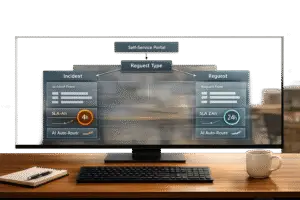
Balancing internal support requests and customer issues can be tricky, but it’s essential to avoid losing revenue or causing operational delays. Here’s how to manage both effectively:
- Set Clear Priorities: Use objective criteria like impact (number of users affected) and urgency (how quickly harm escalates). Weighted scoring models can help rank tickets consistently.
- Protect Paying Customers: Create strict SLAs for customer issues, especially for high-value accounts, and set up VIP paths for quicker resolutions.
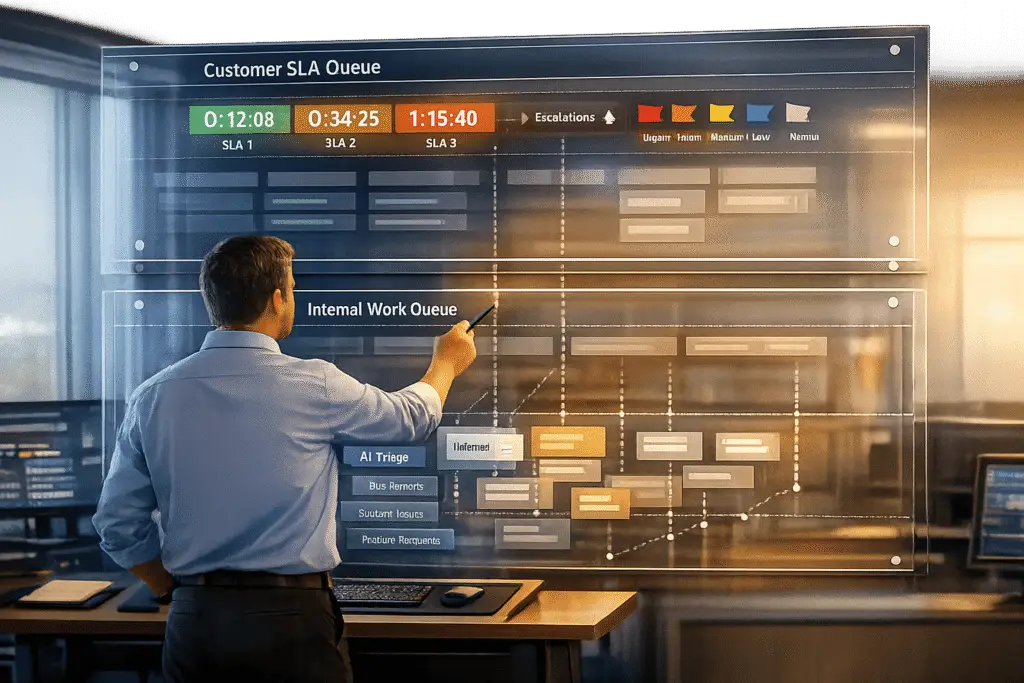
- Separate Queues: Keep internal and customer tickets in distinct queues to prevent bottlenecks.
- Use AI Automation: Automate triage, routing, and ticket summaries to save time and reduce manual errors.
- Monitor and Adjust: Regularly review metrics like SLA compliance and first-contact resolution (FCR) to refine your processes.
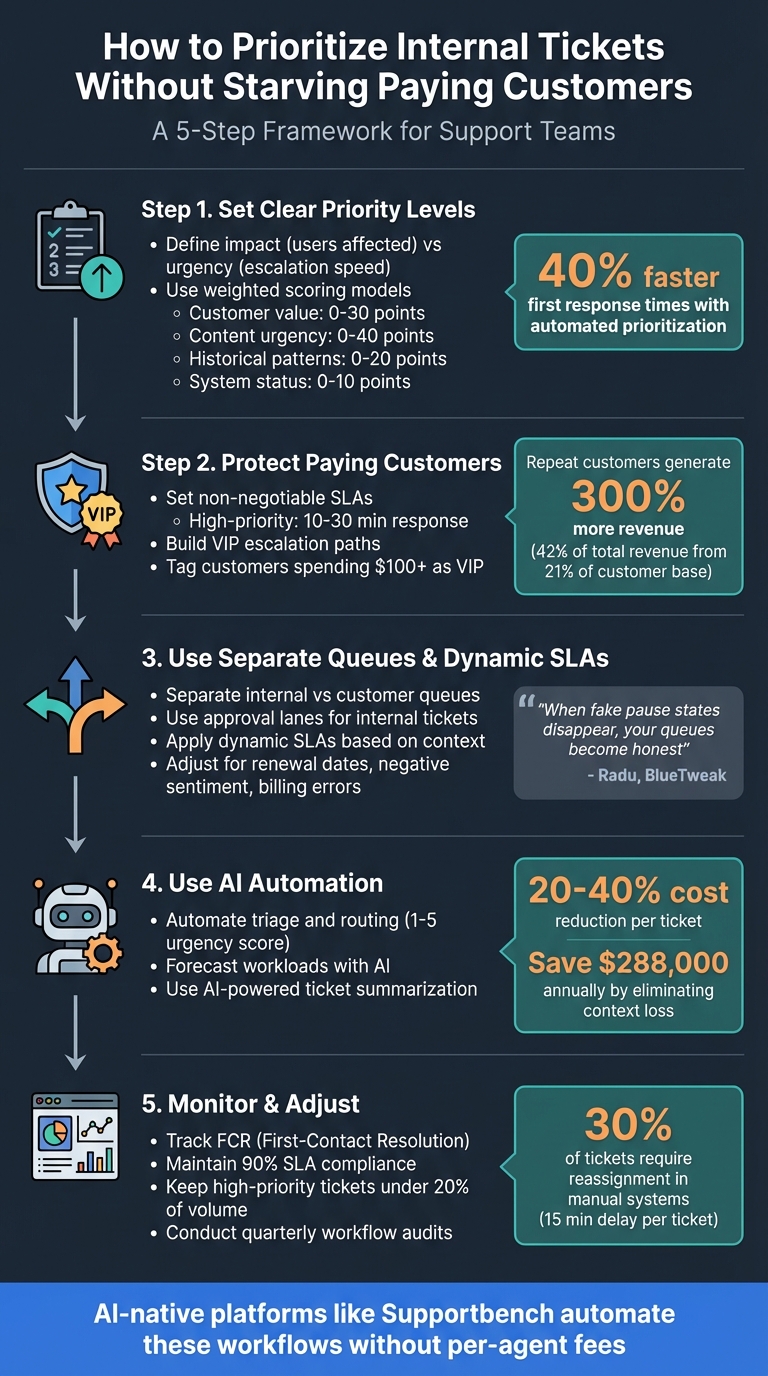
5-Step Framework for Prioritizing Internal vs Customer Support Tickets
Prioritize Support Tickets based on Sentiment Analysis 😍😑😡
sbb-itb-e60d259
Step 1: Set Clear Priority Levels for Different Ticket Types
Balancing internal and customer tickets starts with setting clear definitions your team can follow. Without a structured framework, every ticket risks being labeled as urgent, sparking endless debates about what to tackle first. As Layer 8 Labs explains:
"Priority is the execution signal that determines which tickets should be worked first" [8].
To get this right, it’s crucial to distinguish impact – the number of users, departments, or systems affected – from urgency – how quickly the problem will escalate. For instance, a live webinar failing moments before it starts is highly urgent, while a non-critical update, even if it triggers complaints, is less so.
Radu, Head of Digital Transformation at BlueTweak, offers a simple rule:
"Priority should never become a debate. Two simple questions settle it instantly: How many people or systems are affected (Scope), and how quickly harm will grow if nothing changes (Velocity)" [5].
This step is key to establishing fair, actionable, and objective priorities for your tickets.
Create Objective Criteria for Ticket Categorization
Start by defining clear criteria that apply to both customer and internal tickets. For example, issues like checkout failures, payment processing problems, or high-value customer inquiries should take top priority. Premium account tickets should also receive faster responses.
Categorize tickets based on their type. Security breaches, system outages, and billing errors should be addressed immediately, while feature requests or minor UI tweaks can wait. Additionally, sentiment analysis tools can flag tickets where customers express strong dissatisfaction, allowing you to prioritize them and reduce the risk of churn. Teams that use automated ticket prioritization based on these kinds of criteria report 40% faster first response times for critical tickets [6].
Use Weighted Scoring Models
Once you’ve set clear criteria, a weighted scoring model can help eliminate subjectivity in prioritization.
This model assigns numerical values to ticket attributes, taking the guesswork out of the process. Instead of relying on gut feelings, you calculate a score to determine a ticket’s place in the queue. Here’s an example of how scoring might work:
- Customer value: 0–30 points (enterprise accounts might earn an extra 20 points)
- Content urgency: 0–40 points (keywords like "down" or "broken" could add 20 points)
- Historical patterns: 0–20 points (repeated issues might contribute 15 points)
- System status: 0–10 points (known outages could add 10 points) [4]
This method ensures that priority levels are based on measurable factors, making the process more consistent and efficient.
Step 2: Protect Paying Customers with Clear Rules
After setting priority criteria, the next step is to safeguard your revenue stream. Without clear boundaries, internal tickets can easily crowd your queue. Here’s why this matters: repeat customers generate 300% more revenue than first-time buyers. Although they only account for 21% of your customer base, they drive 42% of total revenue [3]. Losing these customers due to slow support isn’t just inconvenient – it’s costly. To avoid this, you need a solid plan.
The solution? Create firm rules to ensure paying customers always receive priority, even during high internal demand.
Set Non-Negotiable SLAs for Customers
Start by defining strict, tiered Service Level Agreements (SLAs) that outline response and resolution times. For high-priority tickets – like service outages, revenue-blocking issues, or VIP accounts – aim for a 10–30 minute first response and resolution within four hours to one business day [6]. For medium-priority issues, such as minor bugs with workarounds, set a response time of 1–4 business hours. Low-priority concerns, like feature requests, can wait up to one business day [6].
To build trust and accountability, display countdown timers for both agents and customers. This transparency reduces unnecessary follow-ups and ensures everyone stays on track [5].
Build Escalation Paths for High-Value Accounts
High-value customers deserve a fast lane. Create dedicated VIP ticket views that highlight severity, age, and SLA risk at a glance [5]. Automate tagging for customers who meet a specific spending threshold – like $100 or more – labeling these tickets as "VIP" so they bypass regular queues [3]. This ensures your most important accounts never get stuck behind lower-priority internal tasks.
Once VIP tickets are flagged, act immediately. Automate alerts to prevent SLA breaches and ensure tickets with critical issues – like payment failures or checkout errors – are escalated to senior agents or managers. Automation can also help identify tickets with strong negative sentiment, triggering priority handling [3][5]. By streamlining escalations, you can protect your high-value accounts and maintain their loyalty.
Step 3: Use Separate Queues and Dynamic SLAs
To keep your support system running smoothly, it’s essential to separate internal requests from customer issues. Without this split, routine tasks like password resets or device swaps can overshadow critical customer problems, such as payroll outages or payment failures [5][6]. By creating distinct queues and using dynamic SLAs, you can prioritize effectively based on actual business risks.
Separate Internal and Customer Queues
Organizing tickets into separate queues – one for customer issues and another for internal requests – helps prevent bottlenecks that could disrupt your customer-facing workflows. For internal tickets that require manager approvals or vendor responses, use "Approval Lanes" to streamline the process [5]. You can also pause SLA timers for these tickets by marking them as "Pending" or "Waiting on Vendor", keeping the focus on customer issues that need immediate attention [5].
"When fake pause states disappear, your queues become honest, and your real internal bottlenecks become impossible to ignore." – Radu, Head of Digital Transformation, BlueTweak [5]
This kind of transparency makes it easier to spot delays and ensures that customer tickets aren’t held up unnecessarily while waiting for internal approvals. During high-traffic periods, like product launches or outages, temporary triage lanes can help you automate ticket routing without slowing down your primary resolution process [5]. Together, these tactics protect your customer service levels while optimizing internal workflows.
Once queues are separated, the next step is to fine-tune your approach with dynamic SLAs.
Apply Dynamic SLAs Based on Context
Dynamic SLAs go beyond static timeframes by adapting to the specific context and urgency of each ticket. For instance, if a ticket involves a customer close to their renewal date, includes keywords like "billing error" or "cannot pay", or shows negative sentiment such as threats to leave a bad review, the system can automatically shorten response times [3]. When tickets have the same priority, focus on the one closest to breaching its SLA [5].
Platforms like Supportbench offer built-in dynamic SLA features, allowing you to adjust response times based on factors like customer status, renewal dates, or escalation levels – without needing custom development or costly add-ons. This flexible approach ensures that both internal and external demands are met without compromising service quality.
Step 4: Use AI Automation for Efficiency
After setting up separate queues and dynamic SLAs, the next logical step is to lighten your team’s workload by automating repetitive tasks. AI automation can take over processes like sorting, routing, and summarizing tickets, allowing your team to concentrate on more nuanced issues that need human expertise. Unlike add-on solutions, AI-native infrastructure goes beyond offering recommendations – it enables full automation [12]. Below, we’ll explore how AI can simplify triage, predict workload demands, and summarize ticket contexts effectively.
Automate Triage and Routing
AI can process incoming tickets in seconds, sending them to the appropriate queue or agent based on urgency, customer priority, or issue type [11]. This real-time analysis helps prevent backlogs and ensures SLA compliance [11]. Using an urgency score on a scale of 1–5, AI evaluates factors like revenue impact, time constraints, and compliance risks [9]. For instance, if a ticket mentions a competitor or contains highly negative sentiment, it can trigger an immediate escalation to the executive team [9][10].
AI also eliminates unnecessary clutter in ticket queues. It identifies duplicate tickets from the same client within a two-hour window and filters out vendor spam, ensuring teams focus on legitimate issues [3]. By automating these routine tasks, your team can dedicate their time to solving more intricate problems.
Forecast Workloads with AI
Anticipating ticket volumes helps you allocate resources before bottlenecks occur. AI-driven forecasting uses historical data, seasonal patterns, and external variables to predict demand [13]. Pairing this with real-time scheduling and automated alerts allows your team to adjust staffing levels dynamically, keeping SLA commitments intact even during sudden demand shifts [13]. For example, if AI detects a surge in internal IT requests during a software rollout, it can trigger alerts and escalation protocols to prevent SLA breaches [13]. This proactive strategy ensures your team is ready to handle unexpected ticket spikes without scrambling.
But AI doesn’t just stop at workload prediction – it also sharpens ticket clarity.
Use AI-Powered Ticket Summarization
Long email threads and complex cases can waste hours as agents piece together context. Engineers typically spend 2–4 hours per escalated ticket reconstructing details, costing $200–$500 per ticket [14]. In fact, over 6 hours of a typical 18-hour resolution time is often lost due to incomplete context and ticket bouncing between teams [14]. AI solves this with auto-updating summaries that refresh context with every ticket update [14]. These summaries provide a clear, concise overview of the customer’s environment, actions already taken, current blockers, and suggested next steps [14].
Platforms like Supportbench integrate AI summarization, offering inline citations that link summary details directly to the original messages for easy verification [14]. This can reduce cost-per-ticket by 20% to 40% in just 4–8 weeks [14]. For a company with a 40% ticket escalation rate and an average cost of $300 per ticket, eliminating context loss could save $288,000 annually [14].
Step 5: Monitor and Adjust for Continuous Improvement
Once automation is in place, keeping an eye on performance is essential. Prioritization isn’t static – it needs regular fine-tuning. Without monitoring, workflows can veer off course, and customer satisfaction may take a hit.
Start by keeping track of key performance metrics. For high-priority customer issues, aim to respond within 10–30 minutes, and try to maintain reopen rates below 10% [6]. Teams that regularly refine their automated prioritization rules have reported 40% faster first response times for critical tickets [6]. However, if high-priority tickets make up more than 20% of your total volume, it’s a sign that your criteria might be too broad [6]. As Emily Carter from EasyDesk wisely points out:
"When everything is urgent, nothing is" [6].
Focus on Metrics Like FCR and SLA Compliance
In addition to response times, pay close attention to First-Contact Resolution (FCR) rates. This metric tracks how often issues are resolved in a single interaction. Strive for at least 90% SLA compliance [7]. Use reason tags to document manual priority overrides, creating an audit trail that highlights recurring patterns and discrepancies in automated priorities [5]. Radu, Head of Digital Transformation at BlueTweak, underscores the importance of clarity:
"Priority should never become a debate" [5].
By tracking these metrics consistently, you can remove guesswork and ensure your team stays on the same page. Set up regular reviews to keep your processes aligned and running smoothly.
Conduct Regular Workflow Audits
Use insights from your metrics to perform routine audits that identify and address inefficiencies. Quarterly reviews and weekly checks of manual priority overrides can uncover bottlenecks and refine your AI logic [2][4]. For example, in manual triage systems, about 30% of tickets require reassignment, causing an average delay of 15 minutes per ticket [4]. During these reviews, compare AI-assigned priorities with your team’s confirmed decisions to improve your triage models [15].
Calibration sessions are also invaluable. These meetings allow your team to discuss borderline cases, ensuring everyone interprets the prioritization guidelines consistently [6]. By taking this iterative approach, you can keep workflows efficient and adaptable to changing business demands, ensuring high service quality for both internal teams and customers.
Common Pitfalls in Internal Ticket Prioritization
Even with clear criteria and structured queues in place, several challenges can disrupt effective internal ticket prioritization.
One frequent issue is high-priority inflation. When internal users notice that only high-priority tickets receive prompt attention, they may start labeling most of their requests as "urgent." This overuse of the urgent tag undermines the entire prioritization system[1].
Another common misstep is responding to the loudest voice instead of addressing the most critical problems. Teams often fall into the trap of prioritizing vocal complaints over objectively impactful issues. This reactive approach can lead to inconsistent decisions and one-off fixes for individual complaints, rather than tackling broader, high-impact concerns[16]. For example, one agent might classify a login issue as high priority, while another deems it medium priority. This inconsistency affects workflows, with about 30% of tickets requiring reassignment, causing an average delay of 15 minutes per ticket[2][4].
These missteps highlight the importance of having well-defined criteria and transparent policies to maintain balance and fairness in prioritization.
Overlooking High-Impact Internal Tickets
Sometimes, critical internal issues – like payroll errors or VPN outages – take a backseat to customer-facing tickets. This can severely disrupt operations. Problems such as security breaches, payment system failures, or system-wide outages carry asymmetric risks that require immediate attention. Left unchecked, these issues can escalate into larger customer-facing problems[5].
Without a clear framework for prioritizing internal tickets, teams risk overlooking recurring issues, allowing them to snowball into crises.
Failing to Communicate Prioritization Policies
A lack of transparency around prioritization rules can leave internal teams feeling as though their requests disappear into a "black hole"[17]. When policies aren’t well-documented or communicated, frustration grows, and interdepartmental blame becomes common.
This lack of clarity also makes it difficult to provide meaningful updates. As Bridget Lamb, Director of Customer Success, points out:
"Customers don’t appreciate ‘we’re working on it’ for very long." [17]
The same principle applies to internal stakeholders. Vague updates quickly erode trust and patience.
One way to address this is by co-developing internal SLAs with input from key teams like Customer Success and Development. Regularly reviewing priority tickets and escalations as part of a structured communication process can also help. Even when immediate answers aren’t available, consistent and transparent updates can ease frustrations and foster accountability across departments[17].
AI-Native Solutions for Workflow Management
AI-native support platforms are changing the game by removing the manual delays that often pit internal tickets against customer requests. Instead of retrofitting automation into older systems, platforms like Supportbench build intelligence directly into their workflow engines. This approach speeds up prioritization and ensures decisions are consistent, creating workflows that are both efficient and customer-focused.
Dynamic Workflows Tailored to Business Needs
Supportbench’s workflow engine is designed with flexibility in mind, offering custom SLA rules, escalation paths, and prioritization logic to handle the complexities of B2B operations [18]. For example, you can set different processes for internal versus external tickets, trigger escalations based on account value, or adjust SLAs as circumstances change – like when a customer’s renewal date is approaching. This adaptability allows support teams to align workflows with actual business priorities, ensuring high-value accounts get the attention they need while internal tasks remain on track.
AI-Powered Knowledge Base Integration
To further streamline operations, Supportbench integrates an AI-powered knowledge base that minimizes manual tasks. The platform automatically generates knowledge base articles from resolved cases [18], creating a library of solutions to common issues. These articles help deflect repetitive questions before they even reach an agent. For internal teams, this means routine IT or HR inquiries can be resolved instantly, freeing staff to focus on more challenging customer concerns. The AI scans past ticket threads to identify key problems and solutions, drafting articles complete with summaries, subject lines, and keywords.
Cost-Efficient AI Automation Out of the Box
Supportbench delivers AI-driven features like triage, sentiment analysis, and ticket summarization without hidden fees or per-agent costs [18]. These tools are ready to use from day one, seamlessly integrating into your workflow. Sentiment analysis, for instance, monitors the tone of customer interactions to flag frustrated or high-risk cases, ensuring they’re escalated quickly. Meanwhile, AI-powered summarization condenses lengthy ticket histories into concise overviews, helping agents get up to speed faster without wading through extensive correspondence.
| Feature | Role in Prioritization and Efficiency |
|---|---|
| AI Triage | Automatically assigns tickets to the correct team. |
| Sentiment Analysis | Flags urgent or high-risk interactions based on customer tone. |
| AI Summaries | Provides quick overviews of ticket histories for faster agent context. |
| Workflow Engine | Enables custom SLA rules and escalation paths for complex B2B needs. |
| KB Integration | Turns resolved cases into searchable articles to reduce ticket volume. |
These AI-native tools are designed to balance internal operations with customer support priorities. By automating repetitive tasks and ensuring high-value customers are prioritized, your team can maintain smooth operations without manually sorting through every request.
Conclusion
Effectively handling internal tickets alongside paying customer issues is critical for keeping operations steady and meeting SLAs. The strategies shared here provide a solid framework to maintain customer SLAs while ensuring smooth internal workflows. By setting clear priority levels, using separate queues, adopting dynamic SLAs, and establishing escalation paths, you can ensure that high-value accounts are handled with care and urgency.
Using the outlined approaches, AI-driven tools can take efficiency to the next level. These tools automate processes like ticket routing, sentiment analysis, and workload forecasting, while customer health scoring helps identify accounts that may need immediate attention. By automating routine tasks, your team can focus on more complex problems that demand human expertise.
Regular monitoring and updates to prioritization systems help avoid outdated workflows and reduce "priority inflation." This approach has been shown to improve critical ticket response times by up to 40% [6]. Teams that track metrics like first response times and SLA compliance by priority – and adapt their workflows accordingly – can avoid turning their queues into constant fire drills.
Supportbench builds on this operational efficiency with its AI-first platform, delivering advanced capabilities without extra fees or per-agent costs. From automated triage to generating knowledge bases, the platform is designed for B2B teams managing intricate, long-term customer relationships. When support teams operate seamlessly, both internal staff and paying customers get the attention and care they need. Every interaction counts.
FAQs
How do I score internal vs. customer tickets fairly?
To handle internal and customer tickets fairly, prioritize based on business impact, urgency, and how they align with company goals – rather than just the order they come in. Leverage AI tools to consistently evaluate and classify the impact of each ticket. Clearly define critical outcomes such as protecting revenue, maintaining customer loyalty, and meeting compliance requirements. Standardize ticket data fields, including details like the scope of impact and affected services. AI can also help predict both urgency and impact, ensuring a balanced and objective approach to prioritization.
When should an internal issue override customer SLAs?
Internal issues should only take priority over customer SLAs when their impact or urgency outweighs external customer requests. This approach ensures that critical internal problems are resolved promptly to avoid widespread operational disruptions. Internal concerns must come first if they jeopardize overall service stability or delivery. However, clear prioritization rules are crucial to manage high-impact situations effectively while still meeting SLA commitments for external customers.
What should I automate first to reduce triage time?
Automating initial ticket classification and routing is a game-changer for cutting down triage time. By leveraging natural language processing, AI can swiftly sort through incoming requests, categorize them, predict their urgency, and direct them to the appropriate team or queue. This process not only accelerates acknowledgment but also reduces the manual workload and clears up unnecessary clutter in queues. The result? A smoother workflow and quicker resolutions.