


If you’re looking for helpdesk platforms outside the US that include advanced SLAs, customizable portals, and knowledge bases as part of their base plans (no hidden costs), here’s what you need to know:
Key Takeaways:
- Supportbench: Offers dynamic SLA tracking, fully customizable portals, and AI-powered knowledge bases. Pricing starts at $32 per agent/month.
- HappyFox: Includes goal-based SLA tools, multi-brand portals, and a simple knowledge base. Pricing starts at $49 per agent/month.
- Jira Service Management: ITIL-aligned SLA management, branded portals, and Confluence-powered knowledge base. Free for up to 3 agents, with paid plans starting at $20 per agent/month.
- HelpDesk.com: Simplifies SLA management with automation, offers basic portals, and integrates with AI tools. Pricing starts at $29 per agent/month.
- EverHelp and Supportwave: Lack detailed documentation, making them harder to assess for enterprise needs.
Quick Comparison:
| Platform | Advanced SLAs | Portal Features | Knowledge Base Features | Starting Price (Annual) |
|---|---|---|---|---|
| Supportbench | Dynamic, multi-level | Customizable, white-labeled | AI-driven, KCS-based | $32 per agent/month |
| HappyFox | Goal-based | Multi-brand, community forums | Basic search | $49 per agent/month |
| Jira Service Management | ITIL-aligned | Branded, AI virtual agents | Confluence integration | Free (3 agents); $20/agent |
| HelpDesk.com | Automation-focused | Basic forms and widgets | AI-assisted article creation | $29 per agent/month |
| EverHelp | Unclear | Unclear | Unclear | Not publicly available |
| Supportwave | Unclear | Unclear | Unclear | Not publicly available |
For B2B teams, Supportbench is a strong choice for its AI-driven tools and transparent pricing. HappyFox offers solid features for smaller budgets, while Jira Service Management is ideal for technical teams already using Atlassian tools.
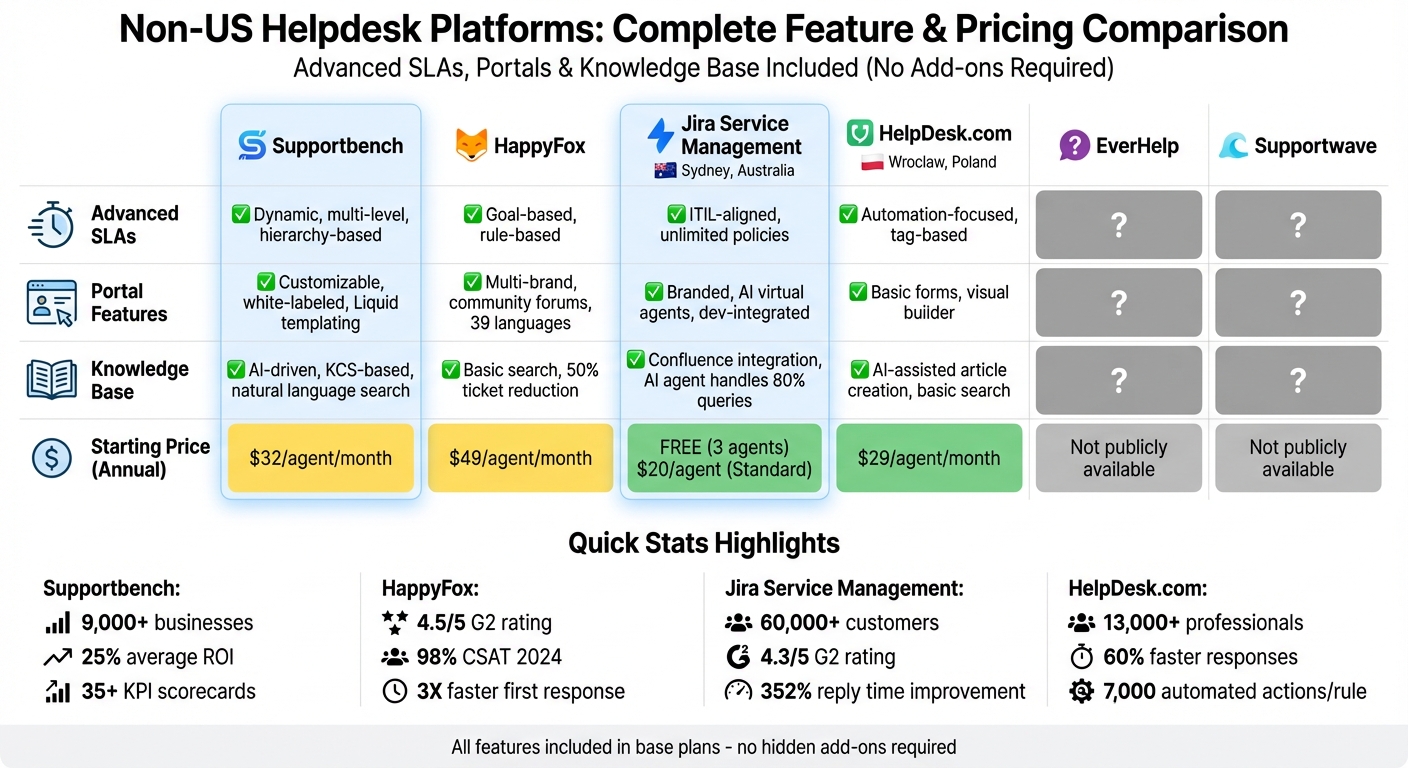
Non-US Helpdesk Platforms Feature and Pricing Comparison
1. Supportbench
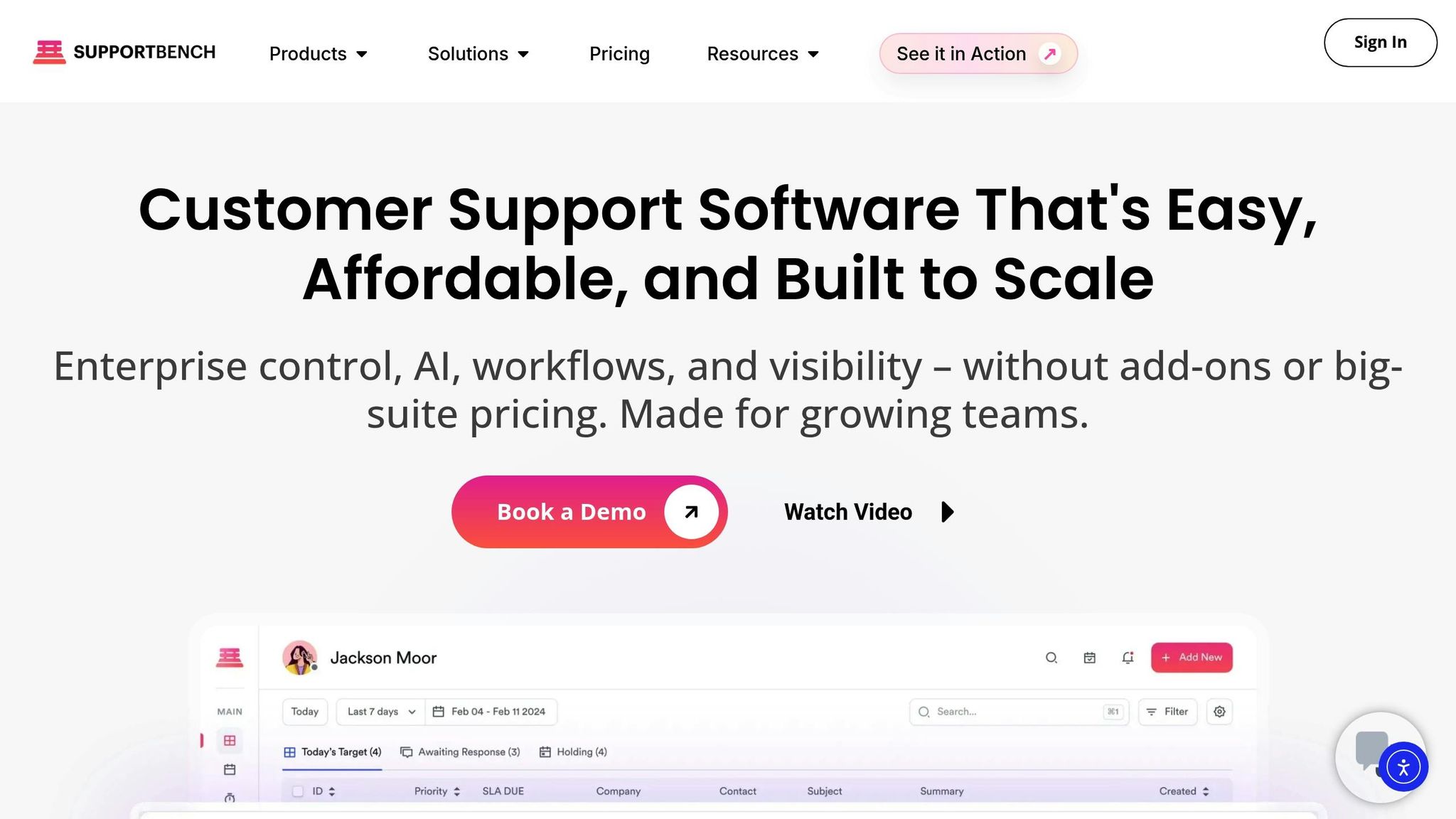
Supportbench is a budget-friendly, AI-driven platform tailored for B2B organizations that have outgrown outdated helpdesk tools. Trusted by around 9,000 businesses worldwide, it delivers an impressive 25% average ROI by cutting costs and reducing customer churn.
Advanced SLAs
Supportbench goes beyond basic SLA timers with dynamic, multi-level SLA tracking. Instead of sticking to ticket priority, it allows you to set rules based on any data point – whether it’s tied to a case, a company, a contact, or even an asset. For instance, if a high-value client’s renewal is coming up, you can automatically tighten SLA targets to ensure faster resolutions during that critical period.
The platform monitors service levels at various lifecycle stages, including first response, ownership, next response, and final closure. AI-powered adjustments fine-tune SLAs in real time, factoring in customer sentiment, ticket urgency, or historical trends. Teams are alerted to potential breaches through real-time dashboards and automated notifications, ensuring commitments are met. With over 35 KPI scorecards, teams gain a clear view of performance across all service levels.
Customer Portals
Supportbench offers fully customizable, white-labeled portals with features like custom SSL, CNAMEs, and Liquid templating, giving you full control over branding. These portals are equipped with AI-driven search tools to help deflect cases before they’re even created. Customers can also comment on articles and collaborate directly with agents, simplifying communication.
For B2B teams handling complex accounts, the platform includes "Company Admin" roles, enabling client-side managers to oversee tickets for their entire organization. Tickets submitted via the portal are routed automatically based on custom business rules, and cases can even be created directly from article comments – eliminating unnecessary manual steps.
Knowledge Base
Supportbench’s knowledge base is built on Knowledge-Centered Service (KCS) principles, with a structured hierarchy of up to six levels to keep content well-organized. Agents can quickly convert resolved tickets into knowledge base articles – AI handles the organization, summarization, and tagging of content, removing the need for manual work.
An AI Co-Pilot, powered by natural language processing, ensures instant access to answers from the knowledge base. The GenAI bot, using GPT-4o, leverages this content to provide customers with accurate, up-to-date responses, reducing the need for case creation. Additional tools include revision history, scheduled publishing, multi-level approvals, and role-based access control (RBAC) for targeted content distribution.
Pricing (USD, no add-ons)
Supportbench offers clear, scalable pricing with no setup fees or hidden costs. The Professional Plan starts at $32 per agent/month (billed annually) or $40/month (billed monthly). This plan includes intelligent support AI, a knowledge base for both internal and customer use, self-service portals, and advanced SLAs. The Enterprise Plan is priced at $100 per agent/month (billed annually) or $125/month (monthly billing), adding features like white-labeling, advanced permissions, SSO, and a dedicated success manager.
For teams with more than 15 agents, the cost increases by $2.50 per additional agent, but the per-agent rate is capped at $150. Teams with 60 or more agents are automatically upgraded to the Enterprise plan. Importantly, all core features – including AI, SLAs, portals, and the knowledge base – are part of the base price, with no need for extra plugins. This integrated approach ensures a seamless comparison with other platforms.
2. HappyFox
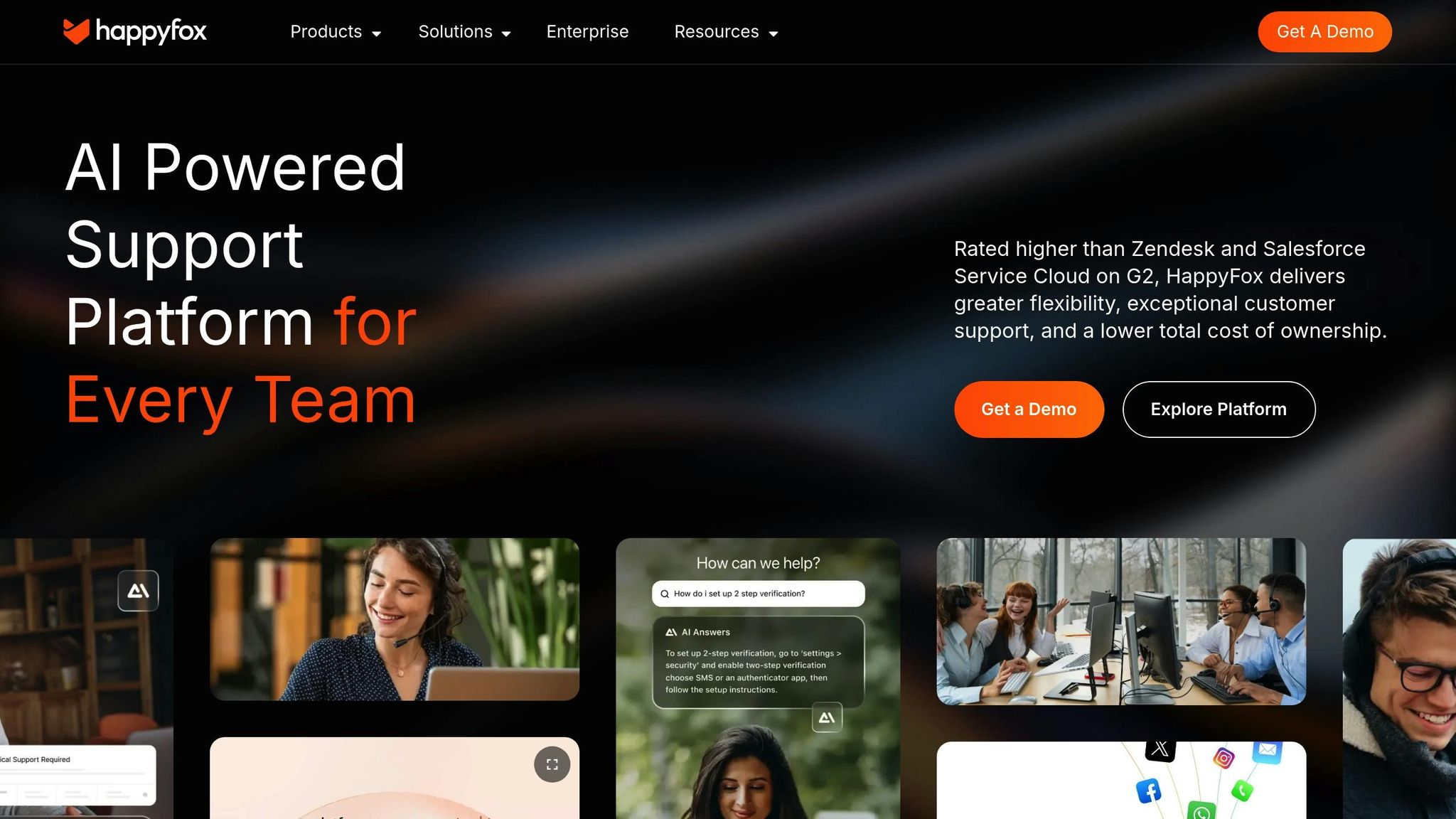
HappyFox is a standout in the customer support software space, offering enterprise-level features like advanced SLA management, unified portals, and responsive knowledge bases – all without hidden fees or unnecessary complexity. With a high 4.5/5 rating on G2 and a 98% CSAT score in 2024, it has become a trusted choice for B2B teams handling multiple brands or intricate workflows.
Advanced SLAs
HappyFox simplifies SLA management with rule-based configurations that help teams monitor performance and maintain consistent service quality. Automated escalations ensure that urgent issues are addressed within set timeframes, while alerts keep agents updated on ticket progress and potential SLA breaches.
For B2B organizations, the platform’s multi-brand helpdesk capabilities shine. Teams can manage separate email categories, signatures, and knowledge bases for different business units – all from one interface. Darwinbox, for instance, saw a 3X improvement in first response time after implementing HappyFox’s SLA tools. Avinash Mugali, Head of Customer Excellence at Darwinbox, praised the platform, saying:
"HappyFox’s system uptime is superb. Despite adding many users and increasing complexity, it remains robust and scalable. We also experienced a 3X improvement in the first response time."
These SLA features integrate seamlessly with other tools in the HappyFox ecosystem, making it a comprehensive solution for customer support.
Customer Portals
HappyFox enhances the customer experience further with unified self-service portals. These portals allow users to track ticket statuses, access a knowledge base, and participate in community forums – all from a single login. Features like social authentication (Google, Twitter) simplify access, while a no-code portal builder lets teams create mobile-friendly, SEO-optimized portals that align with their brand without needing external design tools.
The platform also supports multilingual portals in over 39 languages, enabling both customers and agents to communicate in their preferred language. Michael Ihns, President of Improved Racing, highlighted how HappyFox streamlined their operations:
"The platform eliminated duplicate work and reduced missed emails through distinct brand management."
Knowledge Base
HappyFox offers separate repositories for public-facing help articles and secure internal documentation for agents. Powered by AI, the system provides context-aware answers and auto-suggests relevant articles to reduce ticket volume. Companies using these tools have reported a 50% drop in basic tickets and a 40% increase in self-service usage.
The knowledge base includes advanced authoring tools, such as a rich text editor for embedding media, tagging articles, and a draft system for collaborative content creation. Joshua Gravely, IT Manager at Sonny’s BBQ, shared his thoughts:
"The efficiency and clarity it brought to our IT support and business intelligence processes have allowed us to significantly reduce ticket volumes while improving our operational insights."
Pricing (USD, no add-ons)
HappyFox’s transparent pricing model ensures no hidden costs or mandatory add-ons. It offers two pricing structures: agent-based and unlimited agent plans. For the Service Desk product:
- Team plan: $49 per agent/month, includes incident/service request management, SLA management, knowledge base, and SSO.
- Pro plan: $99 per agent/month, adds problem/change/release management, task management, and support for 15 service portals.
- Enterprise Pro plan: Contact sales for pricing; includes 25 service portals and a dedicated success manager.
For the Help Desk product, pricing is quote-based. The Basic plan supports up to 5 agents and includes unlimited tickets, SLA management, a knowledge base, and SSO. Non-profit and educational organizations can benefit from a 10% discount on annual subscriptions. All standard plans come with SLA management, customer portals, and a knowledge base at no additional cost.
3. Jira Service Management
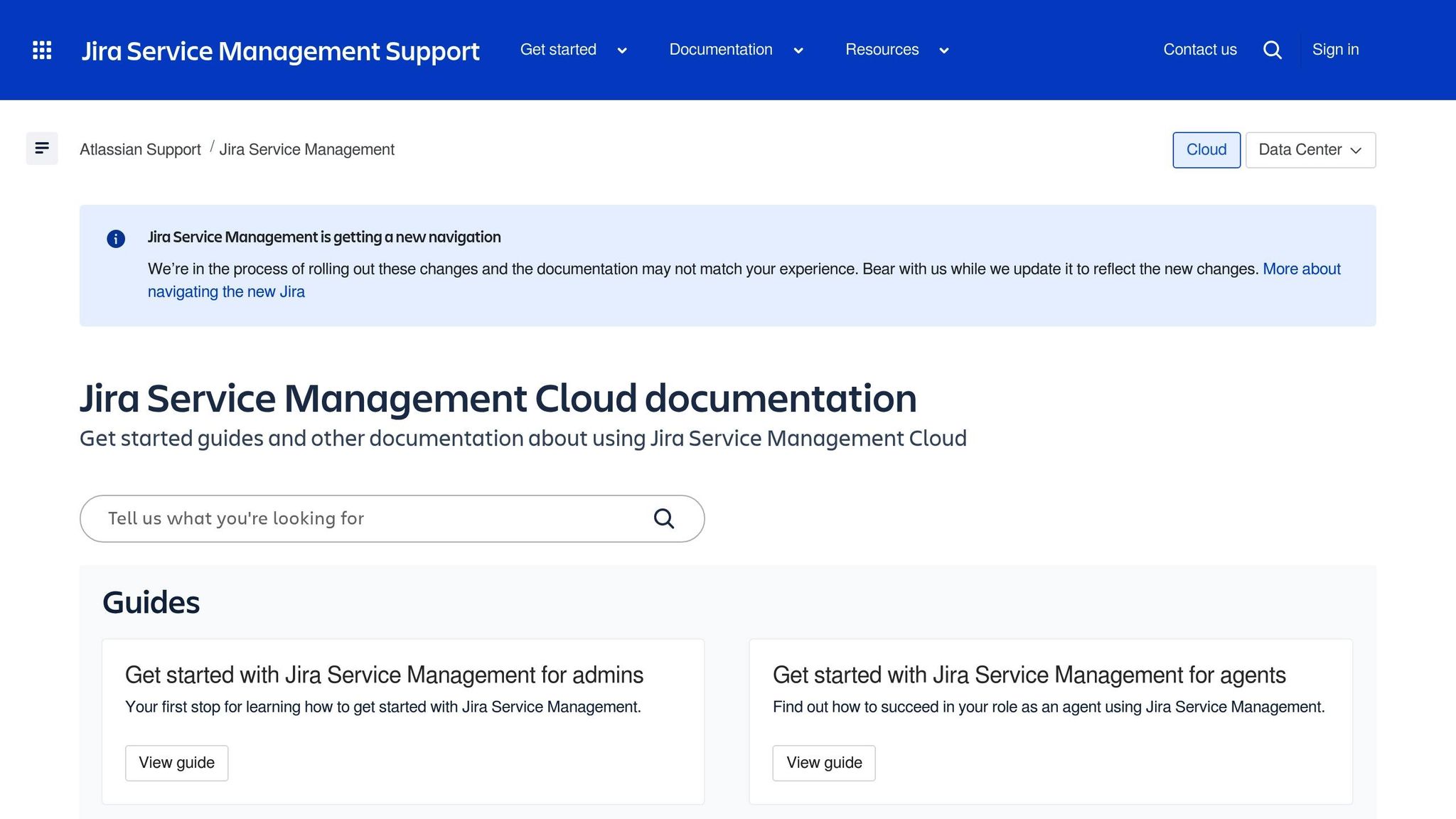
Jira Service Management, based in Sydney, Australia, serves a global customer base of over 60,000 businesses. It provides a service desk packed with features like SLA management, customer portals, and an integrated knowledge base – all built to streamline support operations. With a 4.3/5 rating on G2, it’s a favorite among teams already using Atlassian tools, though its technical nature can be a hurdle for non-experts.
Advanced SLAs
Jira Service Management excels in SLA management, allowing teams to set unlimited SLA policies using JQL. These policies can be tailored to factors like issue priority, request type, or custom fields. The platform supports multiple SLA calendars, which can accommodate different time zones, holidays, and business hours. Built-in escalation rules ensure that SLA timers stay accurate and actionable. For example, Accor Plus saw a 352% improvement in reply times and a 220% reduction in resolution times after adopting the platform in early 2026.
This robust SLA system integrates seamlessly with a customer portal designed to enhance transparency and teamwork.
Customer Portals
The platform’s customer portals are fully customizable and branded, allowing users to submit requests, track their status in real time, and access relevant knowledge base articles. Customers can also be grouped by organization (often based on their email domain), enabling members of the same company to share and collaborate on requests. For agents, it’s easy to view customer and organization details within work items, set up dedicated queues for high-priority clients, and manage product entitlements.
Bill Hall, Director of IT, shared his experience:
"With our prior tool, procurement requests would get stuck with manager approval. With Jira Service Management, the biggest win is transparency. People know where their issue is and when it’s being resolved."
This intuitive portal experience is further enhanced by the integration of a knowledge base that promotes self-service.
Knowledge Base
Jira Service Management’s knowledge base works hand-in-hand with Confluence, offering both internal and external documentation. It suggests relevant articles to users, reducing the number of common tickets, and supports an AI-powered virtual service agent that handles up to 80% of routine queries, providing 24/7 assistance. Agents can also create new knowledge base articles directly from resolved tickets, ensuring that solutions are documented and readily available for future use.
Chris Bocage, Director of IT Operations, highlighted its impact:
"The virtual agent is like a global, 24/7 helping hand… it helps you rest easy knowing that some resolutions can be handled even when we’re not available."
Pricing (USD, no add-ons)
Jira Service Management offers straightforward pricing with all essential features included:
- Free plan: Supports up to 3 agents, includes 2GB of storage, and costs nothing.
- Standard plan: Priced at $20 per agent/month (billed monthly), it includes 250GB of storage, custom branding, and 9/5 regional support.
- Premium plan: Costs $51.42 per agent/month and offers unlimited storage, 24/7 support, and a 99.9% uptime SLA backed by financial guarantees.
- Enterprise plan: Custom-priced, it features advanced analytics and multi-site support.
Opting for annual billing can save users about 17% on their total costs.
4. HelpDesk.com
HelpDesk.com, based in Wrocław, Poland, supports over 13,000 customer success professionals by centralizing communication across email, web forms, and social media. Designed with AI at its core, the platform is tailored for B2B teams managing high ticket volumes across multiple channels, offering tools that enhance efficiency and reduce costs. Here’s how key features like advanced SLAs, customer portals, and a knowledge base help streamline support operations.
Advanced SLAs
HelpDesk.com simplifies SLA management by automatically prioritizing tickets based on factors like urgency, impact, or predefined rules – no extra add-ons required. Automation takes care of tasks like ticket creation, assignment, escalation, and communication, resulting in 60% faster response times and enabling up to 7,000 automated actions per rule. The platform also uses language detection to route tickets to the right agents and provides AI-generated ticket summaries, offering quick insights into even the most complex issues.
Customer Portals
The platform enhances customer interactions with customizable contact widgets and embedded web forms, making it easier for users to submit support requests. Agents benefit from AI-powered text tools that adjust tone and grammar instantly, ensuring polished and professional communication. Plus, all data exchanged between users and servers is protected with 256-bit SSL encryption, keeping sensitive information secure.
Knowledge Base
Every HelpDesk.com plan includes a built-in self-service help center, empowering customers to find answers on their own. The platform also integrates seamlessly with the KnowledgeBase tool from the Text.com suite, which uses AI to generate article titles, tags, and content. Agents can create and publish articles using a rich-text editor, complete with options for customizable branding to align with the company’s identity.
sbb-itb-e60d259
5. EverHelp
As of January 2026, EverHelp’s lack of verifiable documentation, clear features, and market presence raises concerns. There’s no reliable information available about its advanced SLAs, customer portals, knowledge base, or pricing structure.
This lack of transparency is a key issue when considering non-US helpdesk platforms. Many newer platforms face challenges in establishing visibility and providing detailed documentation, making it hard for support leaders to determine their suitability for managing complex B2B operations. Unlike the other platforms analyzed, EverHelp’s undocumented nature makes it less appealing for enterprise-level support needs.
Without well-defined feature sets, pricing details, or customer feedback, teams risk adopting a platform that may fall short of enterprise requirements. For companies managing large-scale accounts and intricate workflows, depending on a platform with unverified capabilities – like SLA automation, portal customization, and an integrated knowledge base – could result in delays and operational inefficiencies. This highlights how critical transparent documentation and proven features are when selecting a reliable B2B support platform.
6. Supportwave
Supportwave’s limited documentation makes it challenging to confirm whether it includes advanced SLAs, a customizable customer portal, or an integrated knowledge base as standard features or if these require additional add-ons. This lack of clarity complicates the evaluation process, especially for businesses with complex B2B needs.
Another hurdle is the uncertainty around pricing. Without a transparent pricing structure or detailed feature breakdown, it’s tough for enterprise teams to determine whether critical features are included in the base package or come with extra costs. For organizations focused on dependable and budget-friendly support solutions, having a clear understanding of core functionality and pricing is a must.
Platform Strengths and Limitations
When it comes to SLAs, portals, and knowledge bases, each platform has its own approach. Here’s a quick breakdown of how they differ, based on the reviews above.
Supportbench takes a hierarchy-based approach to SLAs, with automated escalation features and integration with Power BI for reporting. Its portal is highly customizable, offering white-labeling and Liquid templating, while its knowledge base uses AI for natural language search. At $32 per agent per month for the Professional plan, it bundles all features without hidden costs, making it a straightforward option.
HappyFox prioritizes goal-based SLAs and skill-based routing. Its portal supports multiple brands with community forums, but its knowledge base is more basic, lacking advanced AI capabilities. While it’s affordable at $9 per agent per month, it doesn’t offer the in-depth automation or reporting tools suited for larger enterprises.
Jira Service Management provides ITIL-aligned SLA tracking and robust ticket lifecycle automation. Its portal is deeply integrated with development workflows and includes AI-powered virtual agents, though many of its advanced features are locked behind higher pricing tiers. This platform is ideal for technical teams but requires more effort to set up.
HelpDesk.com stands out with tag-based tracking and visual automation tools. Its email-like interface simplifies onboarding, but it doesn’t deliver on advanced AI, automated workflows, or detailed reporting, which limits its use for complex B2B operations. Pricing starts at $29 per agent per month.
Both EverHelp and Supportwave provide limited public information, making it difficult to assess their capabilities. This lack of transparency highlights the importance of choosing platforms with proven integrations and features, especially for AI-driven support systems.
Here’s a quick comparison to sum it all up:
| Platform | Advanced SLAs | Portal Customization | Knowledge Base AI | Starting Price (Annual) |
|---|---|---|---|---|
| Supportbench | Hierarchy-based, automated triggers | White-labeling, Liquid templating | Natural language AI search | $32 per agent/month |
| HappyFox | Goal-based | Multi-brand, community forums | Basic search | $9 per agent/month |
| Jira Service Management | ITIL-aligned | Dev-integrated, AI agents | Intent-based retrieval | Free (3 agents); $20 per agent (Standard) |
| HelpDesk.com | Tag-based | Visual builder | Basic search | $29 per agent/month |
| EverHelp | Unclear | Unclear | Unclear | Not publicly available |
| Supportwave | Unclear | Unclear | Unclear | Not publicly available |
Conclusion
After examining the options, choosing the right helpdesk platform comes down to matching its features with what your team needs most. Consider your workflow complexity, budget, and the must-have functionalities for your operations.
For B2B teams handling intricate account structures and multi-layered customer relationships, Supportbench offers hierarchy-based SLA management, AI-driven knowledge search, and customizable portals – all at $32 per agent/month. If you’re working with a tighter budget, HappyFox delivers strong SLA management and multi-brand portal support for just $9 per agent/month. Meanwhile, Jira Service Management is ideal for technical teams already embedded in the Atlassian ecosystem. However, its ITIL-compliant workflows can be more challenging to set up, and full knowledge base functionality often requires integration with Confluence.
FAQs
What makes Supportbench a great choice for B2B customer support?
Supportbench shines as an all-in-one platform, offering tools like SLA management, customizable customer portals, and a powerful knowledge base – all included without the need for extra add-ons. By bringing these features together, it streamlines workflows, cuts down on complexity, and helps support teams work more effectively.
Thanks to its built-in AI features, Supportbench equips teams with intelligent tools such as automated ticket routing, dynamic SLA adjustments, and smart knowledge management. These features allow for quicker, more tailored responses while reducing manual tasks and errors, boosting both team efficiency and customer satisfaction.
On top of that, Supportbench delivers clear and budget-friendly pricing, making enterprise-level support tools accessible to businesses of all sizes. It’s a modern solution built to handle the challenges of B2B support while improving the overall customer experience.
How can AI tools improve the performance of non-US helpdesk platforms?
AI tools bring a lot to the table for non-US helpdesk platforms by taking over repetitive tasks, simplifying workflows, and enhancing customer interactions. For example, AI can manage routine questions, provide instant replies, and even help update knowledge base content. This lightens the load for support teams, leading to quicker resolutions and consistent service quality – perfect for handling complex accounts.
On top of that, AI-powered features like advanced analytics and sentiment analysis give teams a proactive edge in addressing customer issues. By digging into metrics like CSAT scores and ticket patterns, AI helps with smarter prioritization, automatic task assignment, and creating conversation summaries. This doesn’t just improve efficiency – it allows teams to offer more tailored and budget-friendly service, all without needing extra add-ons.
Why is it important to choose a helpdesk platform with clear pricing?
Choosing a helpdesk platform with transparent pricing is crucial for several reasons. First, it removes any unexpected costs, allowing you to avoid hidden fees and stick to your budget. Second, it makes comparing platforms much simpler – you can easily evaluate which one offers the features you need without paying for extras you don’t. This kind of clarity is especially helpful when managing costs in more complex workflows or planning for growth as your operations expand.
Related Blog Posts
- What are the best non-US helpdesk platforms for Canadian companies in 2026?
- Which helpdesk tools are built outside the United States (UK/EU/Canada/Australia)?
- Which helpdesks offer Canadian hosting – and what questions should you ask vendors?
- Which non-US helpdesks are best for multi-tier support and escalations?






