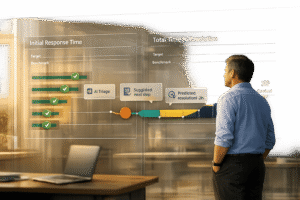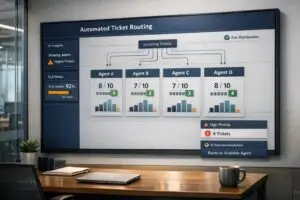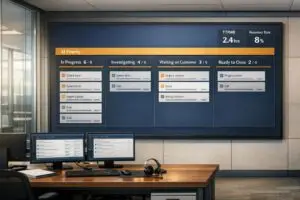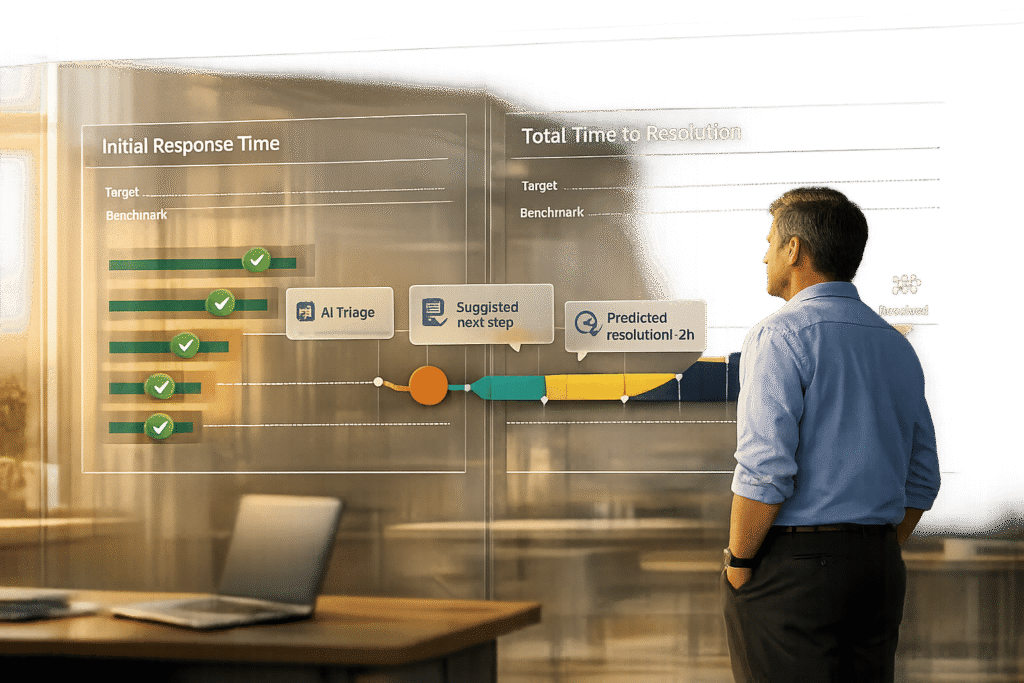
When handling customer support, two metrics stand out: Total Time to Resolution (TTR) and Initial Response Time (IRT). These measure different aspects of customer service:
- IRT: How quickly your team acknowledges a customer’s issue. It’s about showing customers you’re on it.
- TTR: How long it takes to fully resolve the issue. It reflects your team’s efficiency and problem-solving ability.
Why they matter:
- 33% of customers may switch to a competitor after one bad experience.
- Quick responses (IRT) build trust, but slow resolutions (TTR) can frustrate customers even more.
The best teams balance both by setting clear goals, segmenting by customer priority, and using tools like AI to improve efficiency.
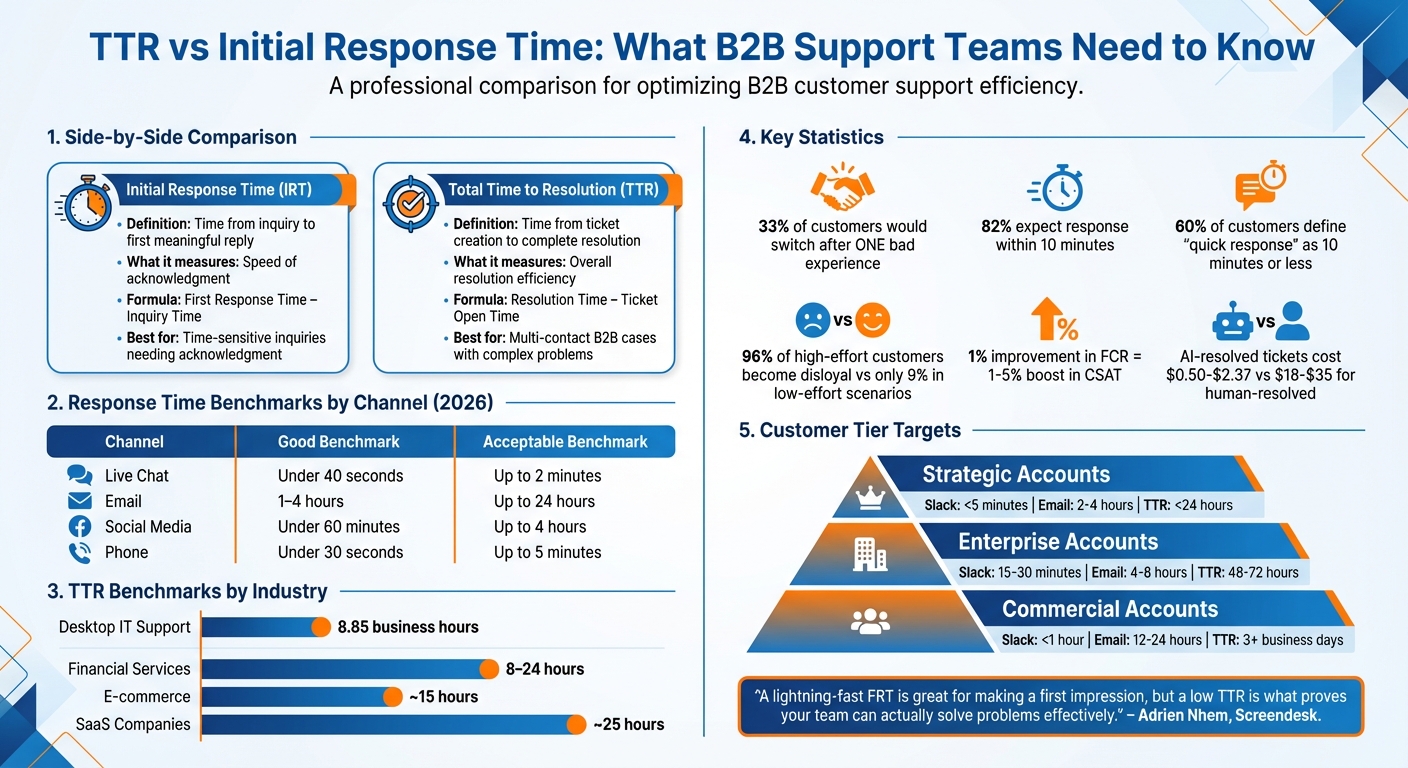
TTR vs Initial Response Time: Key Differences and Benchmarks for B2B Support Teams
The Honest Customer Support KPIs
What is Total Time to Resolution (TTR)?
Total Time to Resolution (TTR) tracks the complete lifespan of a support ticket – from the moment a customer reports an issue to the point where the problem is fully resolved. It covers every step in the process: identifying the issue, troubleshooting, collaborating internally, managing escalations, and confirming the resolution is effective[1][2].
In B2B settings, TTR serves as a vital measure of operational efficiency, showcasing how well a team handles and resolves complex technical challenges. It’s frequently used as a key performance indicator (KPI) in Service Level Agreements (SLAs) to ensure support teams meet agreed-upon response times. For instance, in desktop IT support, the average resolution time is about 8.85 business hours[5]. SaaS companies typically aim for resolutions within 24 hours for self-serve SMBs or 48–72 hours for larger, more intricate enterprise cases[1].
TTR not only reflects how streamlined your processes are but also highlights the quality of your customer experience.
"Time to Resolution is where CX becomes tangible. It’s not just a metric – it’s a mirror." – Petavue[1]
How to Calculate TTR
The formula for TTR is simple: divide the total resolution time for all tickets by the number of tickets resolved within a specific timeframe[1]. For example, if your team resolves 50 tickets in one week, and the total resolution time adds up to 400 hours, your average TTR would be 8 hours per ticket.
In B2B environments, TTR is often calculated using business hours or days to exclude weekends and holidays (unless you operate 24/7). This approach ensures the metric reflects active working time rather than downtime. To further refine accuracy, it’s common practice to pause the TTR clock when a ticket is in a "pending" state, such as when waiting for customer input. This adjustment ensures TTR focuses on your team’s efficiency.
Here’s a breakdown of the TTR lifecycle:
| Stage | Description |
|---|---|
| Ticket Creation | The moment an issue is logged. This is when the clock starts ticking. |
| First Response | The time it takes for an agent to acknowledge the ticket and reach out. |
| Active Resolution | The phase where the issue is diagnosed, troubleshot, and resolved. |
| Customer Hold | Time when the ticket is paused, awaiting further information from the customer. |
| Resolution & Closure | When the root cause is fixed, and the ticket is officially closed. |
Analyzing TTR by factors like communication channel, issue type, or customer tier can help pinpoint bottlenecks and improve support workflows. This makes TTR a more comprehensive measure compared to metrics that capture only specific parts of the support process.
How TTR Differs from Other Support Metrics
TTR stands apart because it provides a full-picture view of the support process, rather than focusing solely on agent activity. It’s sometimes mistaken for similar metrics, but each has its own purpose:
- Average Handle Time (AHT): Tracks only the active time an agent spends working on a ticket. TTR, on the other hand, includes everything – waiting periods, internal collaboration, and time on hold.
- First Contact Resolution (FCR): Measures the percentage of issues resolved in a single interaction. While FCR works well for straightforward problems, TTR is better suited for multi-step, complex cases.
The key difference? TTR emphasizes resolving the root cause of a problem, ensuring it doesn’t resurface. It’s not about quick fixes or temporary solutions – it’s about delivering resolutions that stick[2].
What is Initial Response Time?
Initial Response Time (IRT), also known as First Response Time (FRT), tracks how long it takes for a support team to provide a meaningful reply after a customer submits a request. This doesn’t include automated messages; instead, it focuses on the first substantial response that addresses the issue, asks clarifying questions, or outlines next steps.
In B2B environments, IRT is often a key component of Service Level Agreements (SLAs). The specific targets can vary depending on the urgency of the ticket, the customer’s priority level, and whether the request falls within business hours [7][5].
The calculation is straightforward: Time of first response – Time of request submission [7]. However, defining what qualifies as a "response" is crucial. A clear definition ensures the metric is meaningful and helps highlight its importance in customer satisfaction.
Why Initial Response Time Matters
Speed matters. 82% of customers expect a response within 10 minutes [8]. Even if the issue isn’t resolved immediately, a quick, meaningful reply reassures customers that their request is being handled.
By 2026, leading B2B support teams aim for ambitious response times: under 40 seconds for live chat, under four hours for email, and under 60 minutes for social media [8]. These expectations reflect a growing demand for faster support, even in complex enterprise settings.
The benefits of faster responses go beyond happy customers. Companies that resolve issues within six hours can see a 2% boost in revenue [9]. Teams responding within an hour often achieve Net Promoter Scores (NPS) that are 10–15 points higher than those with slower response times [6].
"Queue depth and routing quality explain 80% of FRT variation; individual agent response speed explains the rest." – Hannah Owen, Lorikeet [8]
Here’s a breakdown of 2026 response benchmarks by channel:
| Channel | "Good" Benchmark | "Acceptable" Benchmark |
|---|---|---|
| Live Chat | Under 40 seconds | Up to 2 minutes |
| 1–4 hours | Up to 24 hours | |
| Social Media | Under 60 minutes | Up to 4 hours |
| Phone | Under 30 seconds | Up to 5 minutes |
These benchmarks underline how quick, clear responses enhance overall support performance and complement other metrics like Total Time to Resolution (TTR).
How to Measure Response Time Accurately
Accurate IRT measurement starts with distinguishing automated acknowledgments from meaningful replies. The focus should be on the First Meaningful Response (FMR) – the first reply that genuinely addresses the issue, asks a specific follow-up question, or provides next steps [7][8].
However, some teams "game" the system by sending empty responses just to stop the clock. While this might improve IRT metrics on paper, it risks frustrating customers if the reply lacks substance [7][8].
To get a clearer picture, use medians and percentiles. The median reflects the typical experience, while the 90th percentile (P90) highlights the slowest 10% of responses [7][8].
For B2B teams, it’s also important to account for business hours when calculating IRT. Use business-hour measurements for internal staffing decisions, but track calendar hours (24/7) to understand the customer’s perspective [7][5]. Many advanced support platforms include SLA calendars that pause the IRT clock during holidays or outside working hours, ensuring fair reporting against SLAs [5].
Lastly, segment your data by channel. Live chat requires near-instant responses, while email allows for a broader time window [8]. Setting specific targets for each channel ensures you meet customer expectations without applying unrealistic standards across the board.
TTR vs. Initial Response Time: Key Differences
This section dives into the distinction between Total Time to Resolution (TTR) and Initial Response Time (IRT), building on their earlier definitions. While both metrics are essential, they serve different purposes in customer support.
What Each Metric Measures
Initial Response Time (IRT) focuses on how quickly your team provides a meaningful reply to reassure customers their inquiry is being addressed [4]. It’s the equivalent of a firm handshake that sets the tone for the interaction.
Total Time to Resolution (TTR), on the other hand, assesses how effectively your team resolves the issue from start to finish [1][4]. If IRT answers, "Did we respond fast enough?", TTR asks, "Did we actually solve the problem?"
Striking a balance between these metrics is key. Chasing aggressive IRT goals can lead to rushed, incomplete responses, creating a frustrating back-and-forth that inflates TTR and delays true resolution [13].
"A lightning-fast FRT is great for making a first impression, but a low TTR is what proves your team can actually solve problems effectively." – Adrien Nhem, Co-founder and CTO, Screendesk [2]
Side-by-Side Comparison of TTR and Initial Response Time
| Metric | Definition | Formula | Strengths | Limitations | Best Use Cases |
|---|---|---|---|---|---|
| Total Time to Resolution | Time from ticket creation to resolution | Resolution Time – Ticket Open Time | Measures overall resolution efficiency | Can be skewed by outliers or complex issues | Multi-contact B2B cases with complex problems |
| Initial Response Time | Time from inquiry to first meaningful reply | First Response Time – Inquiry Time | Improves perception of responsiveness | Doesn’t measure resolution quality | Time-sensitive inquiries needing acknowledgment |
The numbers underscore why both metrics matter. 55% of customers will leave a brand they once liked after a few bad experiences, and for 8%, just one bad interaction is enough [11]. Moreover, a 1% improvement in First Contact Resolution (FCR) – a critical factor for better TTR – can boost customer satisfaction (CSAT) by 1–5% [11].
This comparison highlights the importance of balancing these metrics, especially in B2B scenarios.
Finding the Right Balance for B2B Support
Top-performing B2B support teams understand that optimizing one metric at the cost of the other can backfire. 33% of customers would switch to a competitor after just one poor service experience [2].
Achieving balance starts with segmentation. Define TTR targets based on customer tiers – aim for under 24 hours for small and medium businesses (SMBs) and 48–72 hours for more complex enterprise accounts [1]. Implement a tiered support system to ensure simple queries don’t delay the resolution of technical issues, which could otherwise inflate TTR for complex cases [2].
Make First Contact Resolution (FCR) your guiding principle. When agents resolve issues in the first response, both metrics improve naturally – IRT stays competitive, and TTR shrinks [10]. Assigning tickets to specialized agents can also reduce TTR without sacrificing response quality [12].
The benefits are clear. Reducing customer effort by even one point can boost loyalty by 25–30% and reduce churn by 10–15% [14]. With these insights, the next step involves leveraging AI and benchmarking to integrate these metrics into a comprehensive support strategy.
sbb-itb-e60d259
How to Improve TTR and Initial Response Time with AI
AI can dramatically improve both Total Time to Resolution (TTR) and Initial Response Time by cutting out manual bottlenecks. The trick is knowing which AI tools to apply to each metric and using them wisely to avoid improving one at the expense of the other.
Reducing TTR with AI Tools
In complex B2B scenarios, agents often lose valuable time hunting for information. AI Case Summaries tackle this by generating real-time overviews that combine customer data, past interactions, and the core issue at hand. This gives agents the context they need to resolve cases faster [5].
AI Agent-Copilot steps in to analyze ticket details and suggest responses based on similar cases or knowledge base content. This feature saves agents hours that would otherwise be spent drafting replies for technical issues. For routine tasks like password resets or license renewals, automated remediation takes over completely, resolving issues without human involvement [5].
Another game-changer is Dynamic SLA management, which automatically calculates and enforces resolution deadlines based on factors like business hours, time zones, and case priority [5]. For example, while the average desktop IT support resolution time sits at 8.85 business hours, actual TTR can vary wildly – from 0.6 hours to 27.5 hours – depending on how well teams handle complexity [5]. AI narrows this range by pinpointing root causes with anomaly detection and filtering out irrelevant alerts, allowing teams to focus on real issues [5].
Some companies have seen dramatic results. In February 2026, AkzoNobel used AI-driven service management to slash their average response time from 5 hours and 42 minutes to just 70 minutes in a year [19]. Klarna achieved similar success, cutting resolution times from 11 minutes to just 2 minutes by handling multiple inquiries simultaneously with AI [19].
While AI can significantly reduce TTR, its automation capabilities also play a key role in speeding up initial responses.
Reducing Initial Response Time with Automation
Today’s customers expect near-instant responses – 90% want an "immediate" reply, and 60% expect one within 10 minutes [19]. AI-powered tools make these expectations achievable. AI ticket triage uses Natural Language Processing (NLP) to classify incoming tickets by intent (e.g., billing issues, bugs, or urgency) and route them to the right agent or team instantly [15][16].
AI autoresponders handle repetitive, low-risk queries – like pricing details or account access – or collect missing information before escalating to a human agent. For more complex issues, AI drafts initial responses for agents to approve, enabling faster, more meaningful replies [15][17]. Companies using AI-driven routing have reported 40% fewer escalations and 20% faster resolution times overall [19].
Context-aware prioritization is another powerful feature. By analyzing sentiment and key phrases like "system down", AI can identify urgent cases even when customers don’t select the correct priority. This prevents SLA breaches and ensures high-value clients get immediate attention. AI can also auto-adjust ticket priority as deadlines approach and send real-time alerts to tools like Slack to keep teams on track [15][16].
Here’s how these AI features impact both metrics:
| AI Feature | Impact on Initial Response Time | Impact on Total Time to Resolution (TTR) |
|---|---|---|
| Auto-Tagging & Triage | High: Eliminates manual sorting delays. | Medium: Ensures the right expert starts work sooner. |
| AI Case Summaries | Low: Primarily used after the first response. | High: Reduces research time for complex cases. |
| Automated Remediation | High: Can resolve and respond simultaneously. | High: Closes tickets for known issues. |
| AI Agent-Copilot | Medium: Speeds up the drafting of the first reply. | High: Provides ongoing troubleshooting support. |
| Dynamic SLAs | Medium: Sets accurate expectations early. | High: Maintains momentum through the entire lifecycle. |
The numbers back it up. AI can cut average response times by up to 70% [18], and generative AI used for call summarization has been shown to reduce call durations by around 3 minutes, freeing up resources for quicker initial responses [16]. By integrating these tools, B2B support teams can strike a balance between speed and comprehensive problem-solving, meeting the demands of modern customer service while staying cost-efficient.
Setting Targets and Benchmarks for Your Team
Building on AI-driven improvements in response and resolution times, setting clear performance targets is essential. As discussed earlier, balancing TTR (Time to Resolution) and IRT (Initial Response Time) is key for effective B2B support. Now, let’s focus on defining realistic and achievable targets for these metrics. Getting this wrong can either overwhelm your agents or leave customers frustrated with long waits.
Typical Benchmarks for B2B Support Teams
Benchmarks for B2B support can vary widely depending on the industry and communication channel. For live chat, top-performing teams aim for an IRT of less than 40 seconds, while email benchmarks hover around 4 hours [8]. Interestingly, 46% of customers expect email responses within that 4-hour window, yet the industry average is between 7 and 12 hours [8]. This gap offers a chance to stand out by delivering faster service.
When it comes to TTR, the averages depend heavily on the type of business. For example:
- Desktop IT support teams average around 8.85 business hours [5].
- SaaS companies often aim for about 25 hours.
- E-commerce teams target closer to 15 hours, given the transactional nature of their issues [2].
- Financial services aim for 8–24 hours, as their cases often involve time-sensitive matters [20].
Breaking these benchmarks down further by customer tier and communication channel reveals even more insights. Here’s a quick look:
| Customer Tier | Slack Response Target | Email Response Target | Web Chat Target | Typical TTR Goal |
|---|---|---|---|---|
| Strategic | < 5 minutes | 2–4 hours | < 1 minute | < 24 hours |
| Enterprise | 15–30 minutes | 4–8 hours | < 2 minutes | 48–72 hours |
| Commercial | < 1 hour | 12–24 hours | 2–5 minutes | 3+ business days |
Strategic accounts, which are often high-value, require near-instant responses, especially on platforms like Slack, where collaboration needs to be seamless. On the other hand, commercial accounts, which typically operate at higher volumes, can tolerate longer response times. These differences are driven by factors like renewal risk, SLA commitments, and the operational focus of each tier [20].
Notably, companies that respond within 5 minutes are 21 times more likely to qualify leads than those that take 30 minutes longer [20]. While speed is important, understanding the context and tailoring targets to customer needs is even more crucial.
How to Set Targets Based on Customer Needs
Industry benchmarks are a helpful starting point, but your targets should reflect the unique needs of your customers. For example, a $500,000 annual contract nearing renewal requires a different approach than a $5,000 commercial account with low churn risk.
Break your customer base into three tiers:
- Strategic accounts: These are your highest-value customers, where even one poor experience could lead to churn. Aim for response times under 5 minutes on channels like Slack and resolve issues within 24 hours.
- Enterprise accounts: These accounts typically have SLA commitments. Targets should align with those agreements, such as 15–30 minutes for initial responses and 48–72 hours for resolutions.
- Commercial accounts: Here, volume efficiency is key. Response times can be more relaxed, such as under 1 hour for initial contact and 3+ business days for resolution [20].
Issue complexity also plays a big role. Critical problems, like system outages, should aim for resolution within 30 minutes to 2 hours, while less urgent issues can take several business days [5]. Structuring your support team into tiers (e.g., Tier 1 for basic issues, Tier 2 for specialized problems, and Tier 3 for engineering-level cases) ensures that complex problems are escalated efficiently without delaying simpler requests [2].
Use metrics like Customer Satisfaction (CSAT) and Customer Effort Score (CES) to fine-tune your targets over time. For instance, if you’re meeting TTR goals but CSAT is dropping, it might indicate rushed or incomplete resolutions [3]. Once your IRT is consistently acceptable (e.g., under 4 hours for email), focus on improving First Contact Resolution, as it becomes the primary driver of satisfaction [8].
One key practice to keep your metrics accurate: pause the clock when a ticket is waiting on customer input. This avoids penalizing agents for delays they can’t control and ensures your TTR measurements reflect reality [2]. Additionally, report metrics using the median rather than the mean, as outliers can skew your understanding of typical performance [8].
Conclusion
Tracking both Total Time to Resolution (TTR) and Initial Response Time is not an either-or decision – it’s about understanding the unique insights each metric provides. Initial Response Time reassures customers that their issue has been acknowledged. For instance, 60% of customers expect a "quick response" to mean 10 minutes or less [23]. Moreover, businesses responding within an hour are 60% more likely to convert leads into paying customers [21]. But while a fast acknowledgment is critical, it won’t matter if resolving the issue drags on for days. Striking the right balance between prompt acknowledgment and efficient resolution is key to effective support in the B2B space.
TTR, on the other hand, measures when the customer’s issue is genuinely resolved. As Adrien Nhem, Co-founder and CTO of Screendesk, aptly states:
"Time to resolution is the ultimate measure of your promise to the customer. It answers their most important question: ‘When will my problem be gone?’" [2]
Even modest improvements in TTR can make a big difference. A 10% improvement in TTR boosts customer retention by 1% and satisfaction by 5% [23]. Considering that 33% of customers would consider switching to a competitor after just one bad service experience [2], the importance of this metric becomes undeniable.
AI-powered platforms like Supportbench help businesses manage both metrics without increasing staff. AI agents can provide near-instant initial responses, cutting wait times from hours to seconds. At the same time, automated workflows handle complex tasks that previously required human intervention. The financial advantage is striking: AI-resolved tickets cost between $0.50 and $2.37, compared to $18–$35 for human-resolved cases [22]. AI systems now handle 40–60% of B2B tickets end-to-end by leveraging knowledge bases and executing multi-step workflows, directly reducing TTR without compromising quality.
The ultimate goal, however, is to lower customer effort, which is a stronger predictor of loyalty than simply exceeding expectations. As Eric Klimuk, Founder and CTO of Supportbench, explains:
"Reducing customer effort is a more significant predictor of loyalty than exceeding expectations" [21]
This is critical because 96% of customers who face high-effort service interactions become disloyal, compared to only 9% in low-effort scenarios [21]. Consolidating communication channels like Slack, email, and Teams into a single, context-rich hub eliminates repetitive back-and-forth exchanges, reducing frustration for customers.
To refine your support strategy, integrate AI tools with clear goals for both metrics. Evaluate the context of each communication channel, set performance targets based on customer tier and issue complexity, and leverage AI for routine tasks while reserving human expertise for escalations. The aim isn’t just to hit metric targets – it’s to create a seamless, low-effort support experience that enhances customer loyalty while cutting operational expenses.
FAQs
What counts as a “meaningful” first response for IRT?
A meaningful first response for Initial Response Time (IRT) goes beyond merely acknowledging a customer’s message. Instead, it provides actionable help that moves the issue closer to resolution. This could include detailed troubleshooting steps, a clear timeline for resolving the problem, or follow-up questions to gather more information. By addressing the issue directly and offering a path forward, this type of response reduces the need for back-and-forth communication and builds trust with the customer.
Should we pause the TTR clock when waiting on the customer?
When tracking Total Time to Resolution (TTR), it’s best not to pause the clock while waiting for a customer response. Including these waiting periods gives a clearer picture of the entire resolution process. Pausing the clock can distort SLA tracking and make performance metrics seem better than they actually are, particularly during long delays. By measuring the full duration, you gain a more complete understanding of support efficiency.
How do we set IRT and TTR targets by customer tier and channel?
To establish IRT (Initial Response Time) and TTR (Total Time to Resolution) targets, it’s important to balance customer expectations with what your team can realistically deliver. Start by categorizing customers into segments, such as premium vs. standard tiers, and by communication channels like email or chat. Analyze your current response and resolution averages for these groups.
From there, set targets that push for improvement but remain achievable. For instance, you might aim for quicker response times for high-tier customers or prioritize faster resolutions on critical channels. Make sure to revisit these targets regularly to ensure they continue to meet both customer needs and your team’s capabilities.