


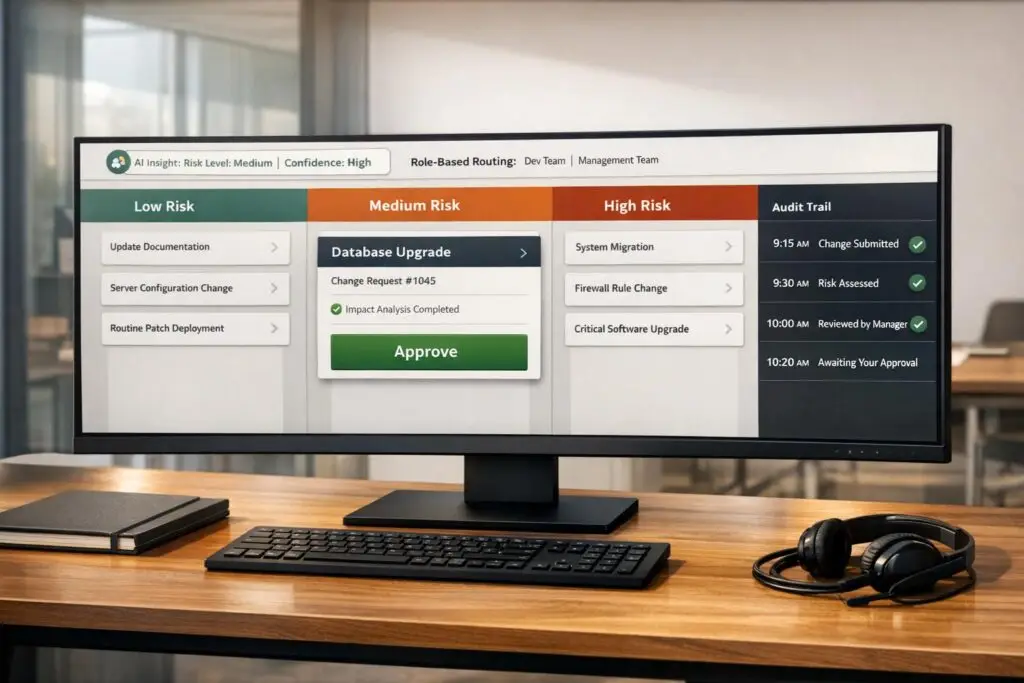
Approval processes in support workflows often cause delays, inefficiencies, and lost revenue. This guide explains how to simplify approvals with lightweight, AI-driven workflows that maintain control without unnecessary complexity.
Traditional ITSM frameworks are too rigid for modern support needs. They slow down decisions, overwhelm reviewers, and rely on outdated tools like emails and spreadsheets. These inefficiencies cost businesses millions in lost revenue and wasted time. For example, EXL, a data and AI company, saved $4M in revenue by centralizing approvals and cutting cycle times in half.
Here’s how to fix approval workflows:
- Automate routine approvals: Use risk-based tiering to auto-approve 80-90% of low-risk tasks.
- Streamline human reviews: Focus human oversight on high-risk or novel requests.
- Use AI tools: AI can categorize requests, assess risks, and summarize key details, reducing manual effort.
- Set clear roles and rules: Define roles like requesters, static approvers, and dynamic approvers. Use routing logic to direct requests efficiently.
- Enable transparency: Maintain detailed audit trails and dashboards for real-time tracking.
Core Components of a Minimal Change Approval System
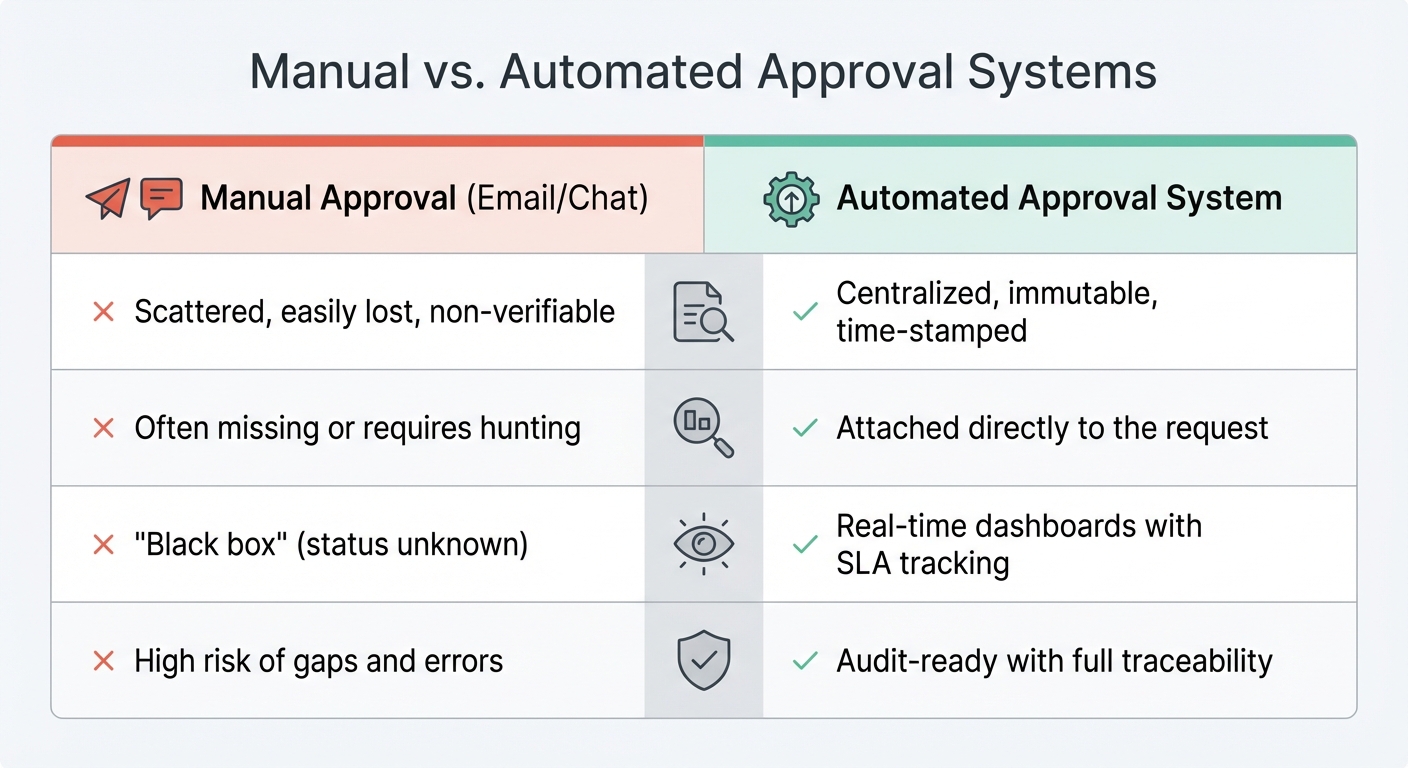
Manual vs Automated Approval Systems: Key Differences in Audit, Context, Visibility and Compliance
Creating a lightweight approval system doesn’t require the complexity of traditional ITSM frameworks. The foundation lies in structured intake forms that capture essential details like the change description, rationale, risk assessment, and rollback plan [5][9]. These forms eliminate the inefficiency of back-and-forth emails, providing all necessary context upfront.
The next step is defining clear roles to ensure accountability within the streamlined approval process.
Role-Based Permissions and Approval Groups
Accountability starts with clearly defined roles. Any approval workflow needs three key participants: Requesters (individuals proposing changes), Static Approvers (fixed internal roles like department heads), and Dynamic Approvers (roles such as "Manager" or "Project Owner" identified from the request itself) [7][8]. Assigning approvals to roles rather than specific individuals – for example, connecting workflows to roles like sre_lead or finance_manager instead of specific user IDs – ensures the system adapts seamlessly to team changes [10].
Modern systems also allow for flexible approval configurations. Options like "Any" (first available approver), "All" (unanimous sign-off), or majority-based thresholds strike a balance between speed and control [10][11]. To avoid bottlenecks, you can configure backup approvers for dynamic roles [7].
Approval Request Routing and Escalation Paths
Once roles are defined, routing requests effectively becomes crucial. Predefined rules can direct requests to the right decision-makers. For instance, a financial request exceeding $500 might automatically go to the finance team, while production-related changes could be routed to the engineering lead [2][4][7]. Multi-level approvals add structure without unnecessary complexity. For example, requests can be configured to move step-by-step through an ordered list, where higher levels are notified only after lower-level approvals are completed [7][8]. Systems with "skip logic" can even bypass redundant steps if someone has already approved the request at an earlier stage [7].
To further optimize efficiency, automated escalation paths handle delays. If an approver doesn’t respond within a set timeframe (commonly 24–48 hours), the request can be re-routed or escalated [2][4][5]. Some platforms even allow for auto-approval or auto-denial if no action is taken within the defined SLA, ensuring requests don’t stall indefinitely [10]. It’s important to establish these rules early, specifying wait times and outcomes for unresponsive approvals.
Audit Trails for Compliance and Transparency
A robust approval system requires a reliable record of every decision. Automated logging ensures every action – approval, rejection, or comment – is captured with timestamps and approver details. This eliminates the need for manual tracking and scattered email threads [2][4]. The audit trail should be immutable and exportable, meeting compliance needs by documenting who acted, when, and why, along with explanations for any skipped steps [4][7].
Advanced systems can even revoke approvals if the underlying request is modified after sign-off, ensuring the integrity of the audit trail [13]. For support workflows, approval actions can be logged as private comments within tickets or triage channels. This keeps internal discussions transparent while avoiding clutter in customer-facing communications [7]. A centralized system of record consolidates all request details, impact assessments, and approval rationales in one place, reducing reliance on multiple tools.
| Feature | Manual Approval (Email/Chat) | Automated Approval System |
|---|---|---|
| Audit Trail | Scattered, easily lost, non-verifiable | Centralized, immutable, time-stamped |
| Context | Often missing or requires hunting | Attached directly to the request |
| Visibility | "Black box" (status unknown) | Real-time dashboards with SLA tracking |
| Compliance | High risk of gaps and errors | Audit-ready with full traceability |
These components together form a streamlined approval system, balancing agility with the compliance needs of modern support teams.
sbb-itb-e60d259
How to Design Efficient Approval Workflows for Support Teams
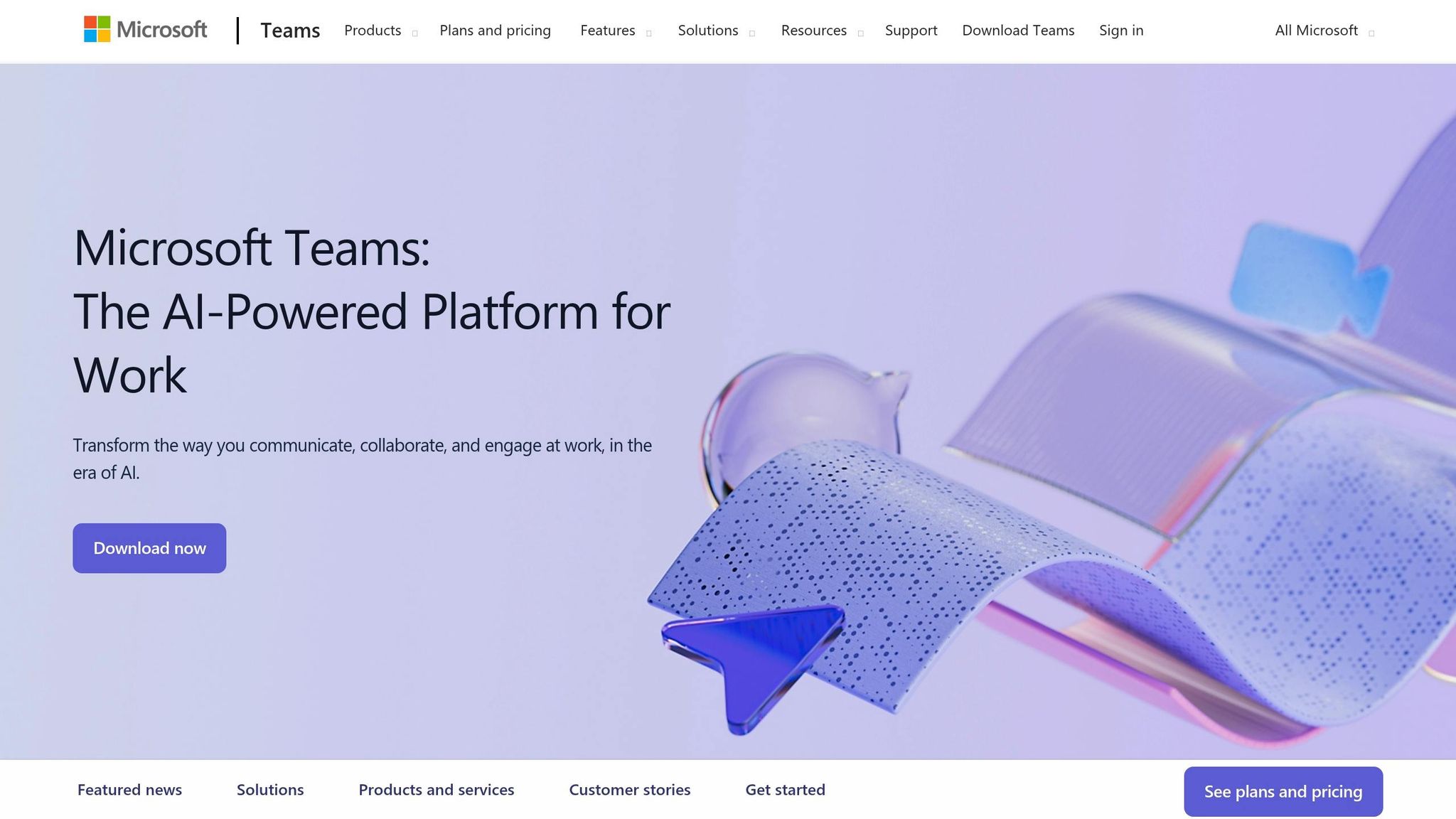
When designing approval workflows, it’s crucial to tailor the process to the level of risk involved. Not all changes require the same level of oversight. For instance, fixing a small typo in a knowledge base article doesn’t need the same scrutiny as migrating a critical production database. By aligning governance with risk, you can ensure that each change gets the right level of attention without bogging down the process.
Single-Gate vs. Multi-Gate Approvals
Single-gate workflows work best for low-risk, routine changes that are either internal or easily reversible. Examples include minor configuration updates, small content edits, or standard data exports. These workflows typically require just one approval, often from a team lead or system owner. The approval process should be simple and include only the essentials: what’s being changed, why it’s necessary, and how to roll it back.
On the other hand, multi-gate workflows are designed for changes with higher stakes. These might involve customer-facing updates, financial transactions, or actions affecting regulated data. Multi-gate workflows include several stages, each focusing on a different aspect of risk. For example, approving a bulk email might require a content review, a compliance check, and a technical sign-off. The complexity of the workflow depends on factors like data sensitivity, the scale of the impact, and how easily the change can be undone. A low-risk action like reading a record might need minimal review, while something like deleting customer data would demand multiple layers of approval, including safety timeouts for added caution [6]. This tiered approach ensures that high-risk changes are thoroughly vetted, while routine tasks remain efficient.
Conditional Routing Logic
Automation can help by routing requests to the right approvers based on pre-set rules. For example, a change that affects a large customer base might trigger additional reviews, while a low-impact change could skip certain steps. If a case is close to breaching its SLA, the system could automatically escalate it to a manager.
Routing logic can operate in different ways. Switch-case routing directs requests to the first applicable condition, while multi-selection branching allows for simultaneous reviews by multiple teams, such as security and product. AI-driven routing can further enhance speed and consistency by evaluating requests against predefined criteria. For support teams, routing might also consider urgency or SLA deadlines. For example, if a request involves deleting customer data, it should follow a stricter multi-gate path with safeguards like auto-reject timeouts, rather than being auto-approved [6]. Tracking progress and decisions ensures transparency and accountability throughout the process.
How to Streamline Approval Cycles with Clear Criteria
Clear, well-documented criteria can prevent delays and reduce approval fatigue. Instead of subjective judgments like “Does this seem okay?”, approvals should rely on specific checkpoints: Has the security review been completed? Is there a rollback plan? Has the customer impact been assessed? These straightforward yes/no questions help ensure consistency [14]. Grouping routine tasks into a single approval packet can also save time, allowing teams to focus on higher-priority decisions and minimize repetitive work [3].
"The goal isn’t to automate approvals – it’s to make the humans doing the approving faster, better-informed, and less annoyed." – SlackClaw [2]
For medium-risk actions that occur frequently, asynchronous workflows can help. These workflows execute the action first and review it afterward, preventing bottlenecks while maintaining an audit trail [12][3]. This approach works well for routine tasks, where risk-based tiering allows teams to concentrate their efforts on exceptions rather than mundane approvals.
Using AI to Optimize Change Approvals
AI can dramatically cut down the time and effort needed to handle approval requests. Instead of forcing approvers to dig through lengthy ticket histories and guess at potential risks, AI tools can categorize requests, gauge their risks, and highlight key details in just seconds. These tools integrate smoothly with lightweight approval systems, helping teams stay agile and cost-effective. This means routine changes can flow through the system effortlessly, while teams focus their energy on higher-priority tasks.
Automating Categorization and Risk Assessment
AI leverages techniques like semantic parsing and entity recognition to quickly identify the nature of a request. It scans for critical details such as the services impacted, configuration updates, and indicators of potential failure. Advanced frameworks like GraphRAG even use Leiden community detection to automatically group issues into categories like "Data Quality Issues" or "Platform Issues", removing the need for manual tagging [17].
Risk assessment is another area where AI shines. It evaluates multiple factors, including action type (e.g., write vs. read operations), data sensitivity, destination systems, and monetary impact, to calculate a composite risk score [12]. Tools like Kiket, which use AI services such as Vertex AI, can automatically flag high-risk actions for human review while allowing low-risk tasks to proceed without interruption [10]. For instance, a simple database read might move forward automatically, while a request to delete customer data would trigger a more thorough, multi-step review.
AI also scans request text for high-risk terms like "custom SLA", "discount", or "compliance", routing these to specialized approvers in departments like legal or finance [15][16]. High-confidence classifications can take fast-tracked "express paths" for auto-approval, while ambiguous or risky requests are flagged for further review [16]. This approach has led to a 40-60% reduction in decision time for simple approvals and a 30% drop in compliance exceptions for organizations using it [16].
Once requests are categorized and their risks assessed, AI takes the process a step further by summarizing the key details.
AI-Powered Summarization and Decision Support
AI-generated summaries save approvers from having to sift through multiple tools or scroll through endless ticket threads. These summaries pull together logs, test results, and historical data to provide a concise overview of the request, its purpose, and any associated risks [10][2]. This allows approvers to make well-informed decisions without leaving their preferred interface, whether that’s Slack, email, or a dedicated dashboard.
Additionally, AI can flag unusual patterns or risky combinations of actions. If a request deviates from typical behavior or includes an unexpected mix of steps, the system highlights it for closer inspection. This kind of decision support doesn’t replace human judgment but enhances it by ensuring the right information is available at the right moment.
Reducing Manual Effort with Predictive Approvals
Predictive models help streamline low-risk, high-frequency changes by identifying which requests can be auto-approved or expedited. By analyzing historical approval trends, AI learns which types of requests are usually approved and which require more careful review. Teams can set rules like, "If AI confidence >90% and request value <$10,000, auto-approve", to clear routine tasks from the queue [16].
Over time, AI systems improve their routing accuracy by learning from past decisions, reducing the need for constant manual adjustments [2]. For medium-risk actions that occur frequently, asynchronous workflows allow the system to process the request immediately while still preserving a review and audit trail [12]. This approach keeps operations moving smoothly without sacrificing oversight.
Common Pitfalls and Best Practices for Change Approvals
After implementing AI to streamline approvals, it’s crucial to avoid mistakes that could undo these efficiencies. For instance, adding too many approval steps can bog down processes without offering better oversight. A striking example comes from early 2026, when a company using Agentforce for Flow reduced execution time from 10 minutes to just 10 seconds. Yet, approvals still took 72 hours due to outdated permission structures that couldn’t keep up with the speed of AI [1].
To ensure your approval process stays efficient, here are some best practices to consider.
Avoiding Over-Engineering in Approval Workflows
To keep operations nimble in AI-driven environments, align approval rigor with the level of risk involved. Manual approvals should be limited to critical actions like deleting data, handling high-value transactions, or sending bulk communications. For routine tasks, rely on automated tools like spending caps or allow-lists to make decisions. This approach can slash approval volumes by as much as 80% to 90%, freeing up human reviewers for exceptional cases [3].
A useful metric to track is your edit rate. If 95% of requests pass without changes, it’s a sign that the approval gate might be unnecessary. In such cases, automated thresholds can replace manual reviews, boosting efficiency without compromising oversight [1].
Setting Clear Approval Criteria and Escalation Paths
Ambiguity in approval processes can lead to delays and inconsistent decisions. To avoid this, establish clear thresholds for each level of approval. For instance, low-risk changes might only need a manager’s approval, while more impactful changes could require input from a Change Advisory Board or even executive leadership [5].
Time limits are another critical element. Set specific timeouts for approvals – like 30 minutes for real-time decisions or 4 hours for asynchronous ones. If no action is taken within the set timeframe, apply a "default-deny" rule to maintain control, and escalate the request to a backup approver. As Stephanie Goodman from AgentPMT explains:
"An agent that proceeds because nobody said no is an agent operating without governance. The whole point of an approval gate is that silence means stop" [3].
Preventing Approval Fatigue Among Team Members
High volumes of approval requests can overwhelm reviewers, leading to rushed or uncritical decisions that undermine the process. To address this, group similar requests into batches for collective review, reducing the number of individual notifications [3].
Make the approval process as user-friendly as possible. Mobile-friendly interfaces with one-click options for "Approve", "Reject", or "Modify" can significantly speed up decision-making. Additionally, provide approvers with detailed context packets that explain the purpose, necessity, and boundaries of each request. At Athenic, this strategy resulted in a 94% approval rate with a median response time of under 10 minutes for over 400 weekly requests [6].
Measuring Success and Optimizing Your Approval Workflow
Keeping an eye on key metrics helps you detect problems early and ensures that your streamlined, AI-driven workflow stays efficient and cost-conscious.
Time-to-Review (TTR) is a critical metric that tracks how long requests sit before action is taken. If the average TTR for routine requests is over 4 hours, it’s likely a routing and prioritization issue rather than a delay caused by reviewers [1]. For example, in early 2026, EXL reduced their resource allocation cycle time by half and avoided $1 million in revenue loss by centralizing their approval process [1].
Another important metric is the edit rate, which shows the percentage of requests that are modified before being approved. A high edit rate may indicate unclear criteria or insufficient training, rather than thoroughness from reviewers. On the flip side, if 95% of requests are approved without any changes, it might be worth questioning whether the approval step is adding any real value [1].
Quantifying these metrics also uncovers hidden costs. For instance, you can calculate the approval cost by multiplying TTR by the reviewer’s hourly rate. This helps reveal the true administrative burden behind the process [1].
Here’s a quick summary of the key performance metrics:
| Metric | Definition | Goal |
|---|---|---|
| Time-to-Review (TTR) | Time from submission to action. | Keep it under 4 hours for routine requests. |
| Edit Rate | Percentage of requests modified before approval. | Aim for a low rate (a high rate may signal poor initial quality). |
| Approval Cost | (TTR × Reviewer Hourly Rate) / Actions. | Lower costs by automating low-risk steps. |
| Success Rate | Percentage of approved changes that don’t fail. | Maximize this to validate your approval criteria. |
| Emergency Change Frequency | Frequency of "emergency" paths being used. | Keep it low to ensure the standard workflow is effective. |
Continuous Improvement Through Feedback and Iteration
To refine your workflow, maintain a ledger that tracks reviews, time taken, and any modifications [1]. Monthly reviews of rejected requests can help identify overly strict criteria or unnecessary hurdles [20]. You can also use A/B testing with pilot groups to see if specific approval steps genuinely improve outcomes or simply slow things down [19]. Manual approval processes alone can cost businesses between $12.88 and $19.83 per invoice due to labor and errors [4].
Real-time metrics are essential, but long-term evaluations are equally important for fine-tuning your process.
Analyzing Post-Approval Outcomes
Measure your change success rate – the percentage of approved changes that don’t cause problems or require rollbacks [5]. Keep an eye on reopen rates to check if tickets are being sent back after approval, which can highlight issues with your decision criteria [19]. For workflows assisted by AI, track suggestion acceptance rates to see how much reviewers trust the system’s recommendations [19]. Post-approval review loops can take up to 40% of the total cycle time in agentic workflows, so analyzing these outcomes helps pinpoint which steps add value and which ones are just slowing things down [1].
Conclusion
Today’s B2B support teams don’t need bulky ITSM frameworks to stay in control. Instead, they benefit from lightweight workflows that fit effortlessly into existing tools. By embedding approval processes directly into platforms like Slack, email, or Teams, you remove unnecessary obstacles that can slow down oversight. The shift from "human-in-the-loop" to "human-on-the-loop" allows teams to monitor overall trends and step in only when it’s truly necessary [3].
This streamlined approach pairs perfectly with AI-driven tools to boost efficiency without adding headcount. When AI takes care of routine tasks like categorization, risk assessment, and auto-approval of low-stakes requests (e.g., those under spending caps), your team can focus on higher-priority exceptions. Companies that adopt these structured systems report reclaiming up to 50% of their team’s productive time [4], with support teams saving more than 11 hours each week on manual follow-ups [18].
The real edge comes from constant refinement. Keeping tabs on metrics like time-to-review and tracking rejected requests can reveal where inefficiencies creep in [20]. Start small, measure everything, and make adjustments along the way. Treat governance as a living process, allowing you to create agile approval workflows that grow alongside your team.
"The goal isn’t to automate approvals – it’s to make the humans doing the approving faster, better-informed, and less annoyed." – SlackClaw Editorial [2]
FAQs
What changes should be auto-approved vs reviewed by a human?
Auto-approval works best for routine, low-risk changes that won’t disrupt operations or affect the customer experience. These might include minor updates or handling simple informational requests. On the other hand, high-risk changes – such as those involving sensitive data, financial transactions, or critical system configurations – should always go through a human review process. This step ensures accuracy and helps avoid unintended consequences.
- Auto-approve: Best for routine, low-risk updates.
- Human review: Necessary for sensitive, high-impact, or potentially damaging changes.
How do we set escalation rules without creating new bottlenecks?
To keep things running smoothly, set up automated escalation workflows that focus on urgent issues and direct them to the right teams without delay. Leverage AI-powered tools to identify high-priority tickets and assign them automatically. Define clear guidelines – such as the severity of the issue or customer sentiment – to ensure only the most critical problems are escalated. By blending automation with structured workflows, you can handle escalations efficiently while staying responsive and in control.
What’s the minimum audit trail we need for compliance?
To meet compliance in support workflows, it’s crucial to maintain a basic audit trail that includes clear records of approval decisions, timestamps, and the identities of approvers. Your logs should detail who approved or rejected actions, the exact time it occurred, and any relevant context behind the decision.
By setting up governance policies and defining guardrails, you create workflows that are both traceable and auditable. This approach ensures compliance, promotes transparency, and upholds accountability – especially as AI becomes a bigger part of support operations.






