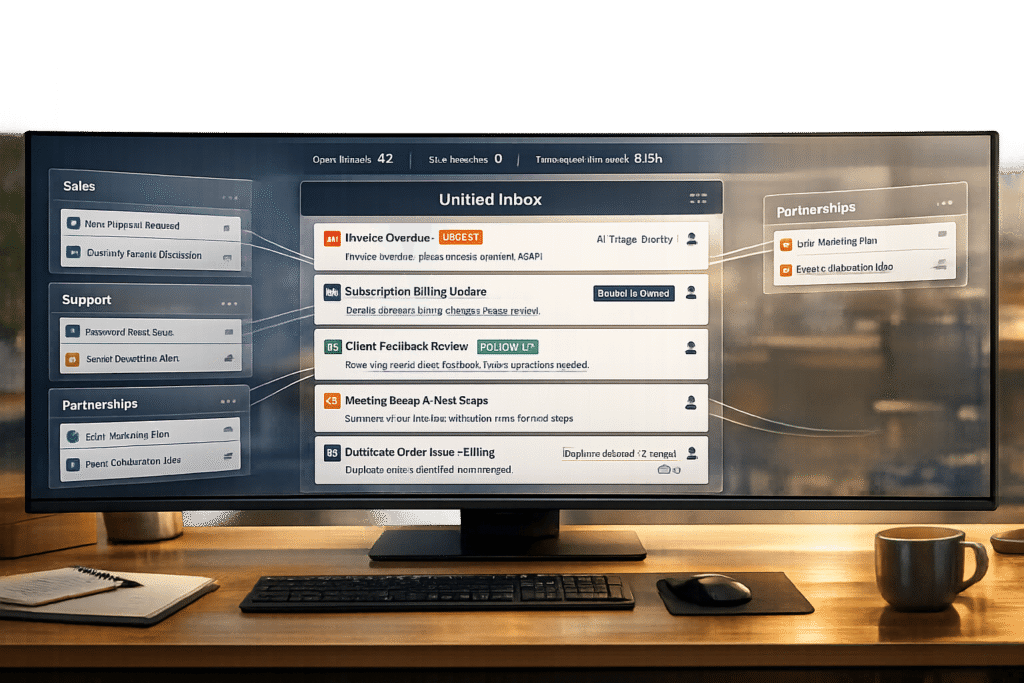
The reliable way to manage multiple inboxes and prevent email thread chaos is to stop running support out of inboxes altogether — route every support address into one shared system where each email conversation becomes a single, owned ticket. That one change kills the duplicate replies, CC storms, collisions, and dropped threads that inboxes create at scale, without taking email away from customers who like it.
Here’s how to get there step by step.
1. Funnel every inbox into one queue
`support@`, `info@`, `billing@`, product aliases, per-customer threads — pipe them all into a single help desk queue instead of separate mailboxes people check (or forget to check). One place to look means nothing slips, and you can still keep the addresses customers know.
2. Make one thread = one owned ticket
The core of “thread chaos” is that a single issue spreads across forwards, replies, and new emails. A help desk threads all of that into one case with a unique ID, so the whole history lives in one place and two agents can’t unknowingly work the same problem. Proper ticket management is what an inbox can’t give you.
3. Assign clear ownership — no “unowned” tickets
In a shared mailbox, everyone assumes someone else has it. Assign an owner to every conversation, show collision detection when two agents open the same one, and surface anything unassigned. Accountability is the single biggest fix for “I thought you replied.”
4. Separate internal notes from customer replies
Most CC reply-all disasters happen because the internal discussion and the customer reply live in the same email chain. Keep them apart: private notes and @mentions for the team, clean replies for the customer. The customer sees one tidy conversation; the team collaborates behind it.
5. Preserve full context automatically
When a thread becomes a ticket, attach the account, prior conversations, entitlements, and customer notes to it. Agents stop digging through old emails to figure out who this is and what’s happened before — which is where most of the minutes (and mistakes) go in B2B support.
6. Automate the routing
Route by the address it came in on, the topic, or the account so the right person or tier gets it instantly — no manual sorting, no misfiled threads. Set the rules once and the queue organizes itself.
The bottom line
You don’t fix multiple inboxes by being more disciplined inside email — you fix it by giving every inbox a shared structure underneath. If you’re still deciding whether you’ve outgrown the mailbox, see when a shared inbox is (and isn’t) enough for B2B. Supportbench’s email management turns every address and thread into one owned, context-rich conversation — so your team keeps the email experience customers expect, without the chaos.
See how Supportbench turns every inbox and email thread into one owned, account-aware conversation — no more CC chaos.
Evaluating help desks for a B2B team?
Supportbench is all-inclusive from $32 per agent per month, with migration and onboarding included. See pricing or book a 20-minute demo.